
How to Program Subaru Homelink

Programming your Subaru Homelink system doesn’t have to be confusing. This guide walks you through every step—from initial setup to troubleshooting—so you can sync your garage door opener, gate, or lighting system in minutes. Whether you’re a first-time user or need a refresher, we’ve got you covered.
If you’ve ever pulled up to your driveway only to fumble through a cluttered center console for your garage door remote, you’re not alone. It’s a small annoyance, but one that adds unnecessary stress to your daily routine. That’s where Subaru’s Homelink system comes in—a sleek, integrated solution that lets you open your garage door, gate, or even turn on your outdoor lights with the push of a button built right into your vehicle.
Homelink isn’t just a convenience; it’s a smart upgrade to your driving experience. Found in nearly all modern Subaru models—from the Outback and Forester to the Ascent and Crosstrek—Homelink replaces the need for bulky remotes. Instead, it uses advanced radio frequency technology to communicate with compatible garage door openers, gates, and home automation systems. And the best part? Once it’s set up, it works seamlessly every time you approach your home.
But despite its usefulness, many Subaru owners never program their Homelink system—or give up after a failed attempt. Why? Because the process can seem intimidating at first glance. Between rolling codes, learn buttons, and timing-sensitive steps, it’s easy to feel overwhelmed. The good news? Programming Subaru Homelink is actually quite straightforward once you understand the basics. With a little patience and the right guidance, you’ll have your garage door opening automatically before you know it.
Key Takeaways
- Homelink is built into most Subaru models: Found on the rearview mirror or sun visor, it lets you control garage doors, gates, and home lighting without extra remotes.
- Programming takes just a few minutes: With the right steps, you can sync your Homelink buttons in under 10 minutes using your existing remote or learning button method.
- Two main programming methods exist: Use the “training” method with your garage remote or the “smart learn” method if your opener has a learn button (common on newer models).
- Security rolling codes require extra steps: If your garage opener uses rolling codes (most modern ones do), you’ll need to sync it directly with the opener after initial programming.
- Troubleshooting is common but fixable: Issues like unresponsive buttons or failed syncs often stem from distance, battery life, or incorrect timing—simple fixes are available.
- You can program up to three devices: Most Subaru Homelink systems support three buttons, allowing control of multiple doors, gates, or lights from one location.
- Always test after programming: Verify functionality before relying on Homelink daily—this ensures safety and convenience every time you drive up to your home.
📑 Table of Contents
What Is Subaru Homelink?
Before diving into the programming steps, it’s important to understand what Homelink actually is—and how it works. Homelink is a vehicle-integrated universal remote system developed by Gentex Corporation and widely adopted by automakers, including Subaru. It’s designed to replace traditional handheld garage door remotes by embedding the functionality directly into your car’s interior.
In most Subaru vehicles, you’ll find the Homelink buttons located on the rearview mirror or integrated into the sun visor. These buttons are backlit for visibility and labeled with simple icons—often a house, garage, or lightbulb—to indicate their function. Each button can be programmed to control a separate device, meaning you can open your garage door, unlock a side gate, and turn on your porch lights—all from the driver’s seat.
The technology behind Homelink uses radio frequencies (typically 315 MHz or 390 MHz in North America) to communicate with your garage door opener or other compatible devices. When you press a programmed button, your Subaru sends a coded signal that tells the opener to activate. Modern systems also support rolling code encryption, which changes the code each time it’s used—adding an extra layer of security against hacking or signal interception.
One of the biggest advantages of Homelink is its integration. Unlike aftermarket remotes that dangle from your keychain or get lost in your bag, Homelink is always there when you need it. It’s powered by your vehicle’s electrical system, so you never have to worry about dead batteries. Plus, it’s designed to work with a wide range of garage door openers, including those from major brands like Chamberlain, LiftMaster, Genie, and Craftsman.
Where to Find Homelink in Your Subaru
Visual guide about How to Program Subaru Homelink
Image source: images.simplepart.com
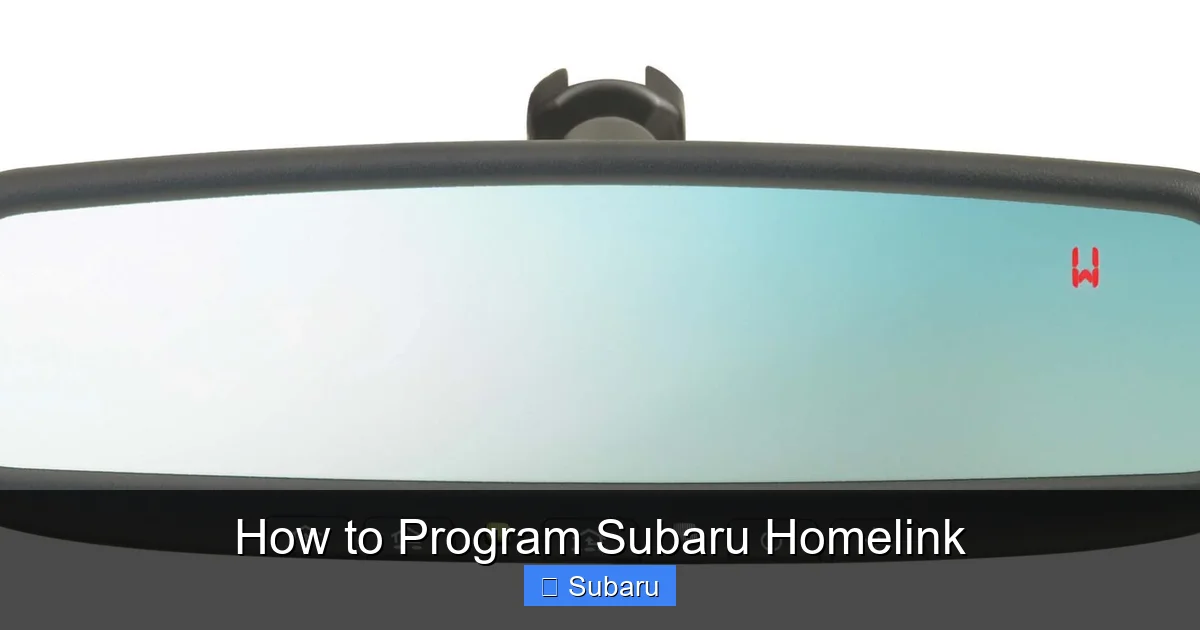
Not all Subaru models place the Homelink buttons in the same spot, so it’s helpful to know where to look. In most current models—such as the 2023 Outback, Forester, and Ascent—the Homelink system is integrated into the rearview mirror. You’ll see three small, rectangular buttons near the bottom edge of the mirror, often with a subtle “Homelink” logo nearby.
In some older models or trims, especially those without auto-dimming mirrors, Homelink may be located on the driver-side sun visor. These buttons are usually flush-mounted and may not be immediately obvious. If you’re unsure, consult your owner’s manual or look for a small emblem that resembles a house or garage door.
It’s also worth noting that not every Subaru comes with Homelink pre-installed. While it’s standard on most higher trims (like Limited, Touring, or Premium), it may be optional or absent on base models. If you’re considering a used Subaru, check the mirror or visor for the buttons—or ask the dealer or previous owner if the vehicle is equipped.
Once you’ve located the Homelink buttons, make sure your vehicle is powered on (either in accessory mode or with the engine running). Homelink requires power to function, so it won’t work if the car is completely off. This is especially important during the programming process, as the system needs consistent power to transmit signals.
How to Program Subaru Homelink: Step-by-Step Guide
Now for the main event: programming your Subaru Homelink. The process varies slightly depending on your garage door opener type, but the core steps remain the same. We’ll cover both the standard method (using your existing remote) and the “smart learn” method (for newer openers with a learn button).
Method 1: Programming with Your Garage Door Remote
This is the most common method and works with older or non-rolling code garage door openers. Here’s how to do it:
1. **Clear existing programming (if needed):** If you’ve previously programmed the button, it’s a good idea to reset it first. Press and hold the first and third Homelink buttons simultaneously for about 20 seconds until the indicator light blinks rapidly. This erases any stored codes.
2. **Position your vehicle:** Park within 3 to 6 feet of your garage door opener motor unit. Make sure the area is clear and the door is closed.
3. **Press and hold the desired Homelink button:** Choose one of the three buttons you want to program. Press and hold it down.
4. **Simultaneously press your garage remote:** While still holding the Homelink button, press and hold the button on your handheld garage remote. Hold both buttons down together for about 10–15 seconds.
5. **Watch for the indicator light:** The Homelink light will change from slow blinking to rapid blinking, then stay solid. This means the signal has been captured.
6. **Test the button:** Release both buttons and press the Homelink button again. Your garage door should activate.
If the door doesn’t respond, try repeating the process. Sometimes the signal isn’t strong enough on the first try. Also, ensure your remote has fresh batteries and that you’re within range.
Method 2: Programming with a “Learn” Button (Rolling Code Systems)
Most modern garage door openers use rolling code technology for security. These require an extra step after initial programming. Here’s how to handle them:
1. **Complete the initial programming:** Follow steps 1–5 from Method 1 to sync your Homelink button with your remote.
2. **Locate the “Learn” button on your garage opener:** This is usually a small, unmarked button on the motor unit, often colored yellow, red, purple, or green. It may be under a light lens or behind a panel.
3. **Press the “Learn” button:** You’ll typically see a light blink or hear a click. This puts the opener into programming mode for about 30 seconds.
4. **Press the Homelink button:** Within 30 seconds, press and release the programmed Homelink button three times. Each press should be about 2 seconds apart.
5. **Wait for confirmation:** The opener’s light may blink or stay on, indicating successful syncing.
6. **Test the system:** Press the Homelink button again. The door should open or close.
This method ensures that your Subaru and garage opener are using the same rolling code sequence, which changes with each use for added security.
Tips for Successful Programming
– **Use fresh batteries in your remote:** Weak batteries can weaken the signal, making programming difficult.
– **Avoid interference:** Turn off other wireless devices nearby, like Wi-Fi routers or cordless phones, which can disrupt the signal.
– **Be patient with timing:** The 30-second window for rolling code systems is strict. If you miss it, press the “Learn” button again.
– **Try different distances:** If programming fails, move your car slightly closer or farther from the opener.
– **Check compatibility:** While Homelink works with most openers, some very old or proprietary systems may not be supported.
Troubleshooting Common Homelink Issues
Even with careful steps, things don’t always go smoothly. Here are some common problems and how to fix them.
Homelink Button Doesn’t Respond
If pressing the button does nothing, first check that your vehicle is powered on. Homelink won’t work if the ignition is off. Next, verify that the button was programmed correctly. Try re-programming it using the steps above. If it still doesn’t work, the issue might be with the opener itself—test your handheld remote to confirm it’s functioning.
Garage Door Opens but Doesn’t Close (or Vice Versa)
This usually means the Homelink button is programmed to a different function than expected. For example, it might be set to only open the door. To fix this, re-program the button and make sure you’re pressing the correct button on your remote during setup.
Signal Fades Over Time
If Homelink works initially but stops responding after a few days, the rolling code may have drifted out of sync. This happens occasionally with certain opener brands. The solution is simple: re-sync the system by pressing the “Learn” button on the opener and then pressing the Homelink button three times.
Only One Button Works
If only one of your three Homelink buttons functions, the others may not have been programmed correctly. Clear all programming and start over, one button at a time. Make sure you’re not accidentally overwriting a working button during the process.
Homelink Light Blinks But Door Doesn’t Move
This indicates that the signal is being sent but not received. Check for obstructions between your car and the opener, such as metal garage doors or thick walls. Also, ensure your opener’s antenna (usually a thin wire hanging from the motor) is intact and not coiled up.
Advanced Uses: Beyond the Garage Door
While most people use Homelink for garage doors, its capabilities go far beyond. With the right accessories, you can program it to control gates, outdoor lighting, security systems, and even smart home devices.
Controlling a Gate or Barrier
If you have a motorized gate at your driveway entrance, Homelink can open and close it just like a garage door. The programming process is identical—use your gate remote or the opener’s learn button. This is especially useful for gated communities or private estates.
Turning On Outdoor Lights
Some homeowners install RF-controlled light switches that respond to Homelink signals. These can be programmed to turn on porch lights, pathway lighting, or even indoor lamps as you approach. It’s a great way to enhance safety and curb appeal.
Integrating with Smart Home Systems
While Homelink doesn’t natively support Wi-Fi or Bluetooth, you can bridge the gap with third-party devices. For example, a smart garage door controller (like the Chamberlain MyQ or Tailwind) can connect your opener to your home network. Once set up, you can use Homelink to trigger the smart system, which then communicates with your phone or voice assistant.
Using Homelink for Security
In rare cases, Homelink can be programmed to arm or disarm a security system if it uses RF signals. However, this is less common and may require professional installation. Always consult your security provider before attempting this.
Maintaining Your Homelink System
Once programmed, Homelink requires little maintenance—but a few habits can keep it running smoothly.
Keep the Area Clean
Dust and grime can build up on the Homelink buttons, especially if they’re on the sun visor. Wipe them gently with a microfiber cloth to ensure good contact and visibility.
Check for Software Updates
While Homelink itself doesn’t receive software updates, your Subaru’s infotainment system might. Some updates improve compatibility with newer garage door openers. Check with your dealer or Subaru’s website for any relevant updates.
Re-Program After Major Repairs
If your garage door opener is replaced or serviced, you may need to re-program Homelink. The same goes if you move to a new home with a different opener. Don’t assume it will work automatically.
Test Regularly
Make it a habit to test your Homelink buttons once a month. This ensures they’re still synced and ready when you need them. It’s a quick check that can prevent frustration on a rainy night.
Conclusion
Programming your Subaru Homelink system is a small investment of time that pays big dividends in convenience and security. Once set up, it eliminates the need for extra remotes, reduces clutter, and gives you seamless control over your home’s entry points. Whether you’re opening your garage, unlocking a gate, or turning on the lights, Homelink makes every arrival feel a little smoother.
The process might seem technical at first, but with the right guidance, it’s well within reach for any Subaru owner. Remember to use fresh batteries, stay within range, and follow the steps carefully—especially when dealing with rolling code systems. And if you run into issues, don’t panic. Most problems are easily fixed with a little troubleshooting.
So the next time you pull into your driveway, imagine gliding right into your garage without fumbling for a remote. That’s the power of Homelink—and now, it’s within your reach. Take a few minutes today to program your system, and enjoy the peace of mind that comes with true automotive integration.
Frequently Asked Questions
Can I program Homelink without my garage remote?
Yes, if your garage door opener has a “Learn” button (common on newer models). You can program Homelink directly using the learn button method, bypassing the need for a remote.
How many devices can I program with Subaru Homelink?
Most Subaru Homelink systems support up to three devices. Each of the three buttons can be programmed to control a separate garage door, gate, or lighting system.
Why won’t my Homelink button work after programming?
This is often due to weak remote batteries, distance from the opener, or incorrect timing during setup. Try re-programming with fresh batteries and closer proximity.
Does Homelink work with all garage door openers?
Homelink is compatible with most major brands, including Chamberlain, LiftMaster, Genie, and Craftsman. Very old or proprietary systems may not be supported.
Can I use Homelink to control my home’s lights?
Yes, if you have RF-controlled light switches. These can be programmed to respond to Homelink signals, turning on outdoor or indoor lights as you approach.
What should I do if my Homelink stops working after a few days?
This is often a rolling code sync issue. Re-sync the system by pressing the “Learn” button on your opener and then pressing the Homelink button three times.
