
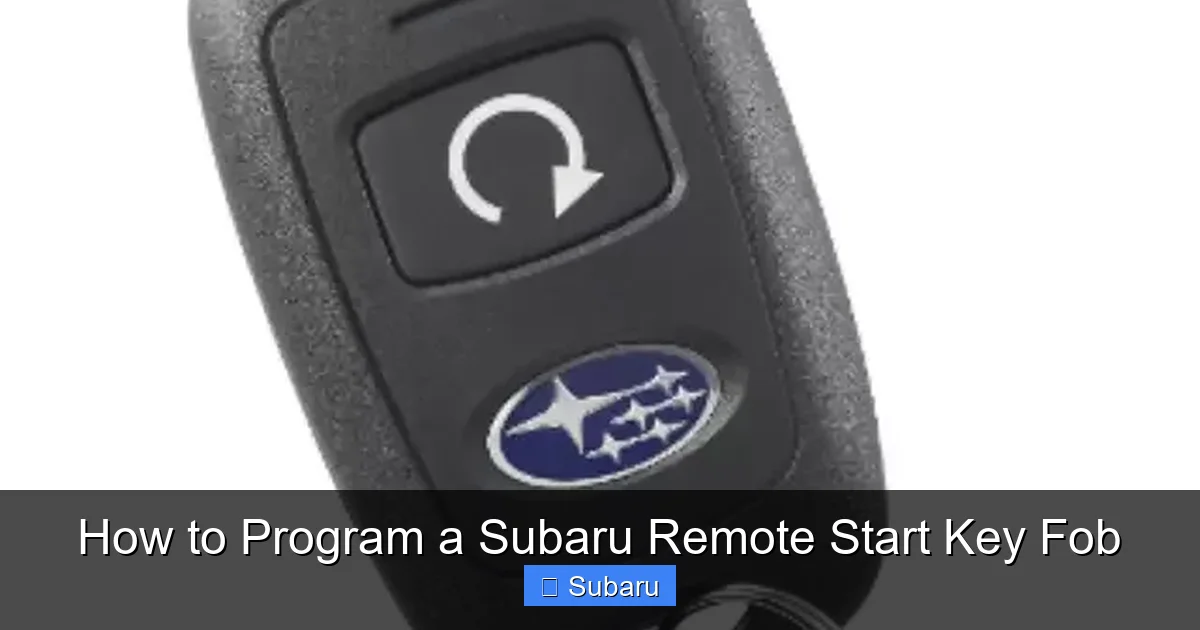
How to Program a Subaru Remote Start Key Fob

Programming a Subaru remote start key fob is easier than you think—whether you’re setting up a new fob or replacing an old one. With the right tools and a few minutes, you can enjoy the convenience of starting your car from a distance, especially during extreme temperatures.
Key Takeaways
- Check Compatibility First: Not all Subaru models support remote start, and some require a factory-installed system or dealer activation.
- Use the Right Fob: Only genuine Subaru remote start fobs or certified aftermarket units will work properly with your vehicle’s security system.
- Follow the Correct Sequence: Programming requires precise timing and button presses—rushing can cause the process to fail.
- Battery Matters: A weak key fob battery can prevent successful programming; always replace it before starting.
- Try the Manual Method First: Many Subaru models allow DIY programming without special tools or a visit to the dealership.
- When in Doubt, Consult the Dealer: If self-programming fails, a Subaru service center can activate or sync your fob quickly and safely.
- Test Immediately: After programming, test the remote start function right away to confirm it’s working as expected.
📑 Table of Contents
- Introduction: Why Remote Start Matters for Subaru Owners
- Understanding Subaru Remote Start Systems
- Preparing to Program Your Subaru Remote Start Key Fob
- Step-by-Step Guide to Programming a Subaru Remote Start Key Fob
- Troubleshooting Common Programming Issues
- When to Visit a Subaru Dealer or Service Center
- Tips for Maintaining Your Remote Start Key Fob
- Conclusion: Enjoy the Convenience of Remote Start
Introduction: Why Remote Start Matters for Subaru Owners
Imagine stepping out of your house on a freezing winter morning, only to find your Subaru covered in frost and your hands already going numb. Or picture a scorching summer day, where the steering wheel feels like it’s burning your palms the second you touch it. Now, imagine being able to start your car from the comfort of your home, letting the engine warm up or cool down before you even open the door. That’s the magic of a remote start key fob—and it’s not just a luxury; it’s a practical upgrade that enhances safety, comfort, and convenience.
Subaru vehicles are known for their reliability, all-wheel drive capability, and rugged design, making them perfect for all kinds of weather and terrain. But what makes them even better? Adding remote start functionality. Whether you drive a Forester, Outback, Crosstrek, or Ascent, having a remote start fob means you can pre-condition your cabin, defrost windows, and ensure your vehicle is ready to go the moment you slide into the driver’s seat. And the best part? You don’t always need to visit a dealership to get it set up. With the right guidance, you can program a Subaru remote start key fob yourself—saving time, money, and hassle.
Understanding Subaru Remote Start Systems
Before diving into the programming steps, it’s important to understand how Subaru’s remote start system works. Unlike basic key fobs that only lock and unlock doors, remote start fobs communicate with your vehicle’s immobilizer and engine control unit (ECU) to safely start the engine from a distance. This system is designed with security in mind—your car won’t start unless the correct fob is recognized, and it includes safety features like automatic shutoff if the hood is open or the brake pedal is pressed.
Visual guide about How to Program a Subaru Remote Start Key Fob
Image source: s3.amazonaws.com
Factory vs. Aftermarket Remote Start
Subaru offers two main types of remote start systems: factory-installed and aftermarket. Factory systems come pre-installed on certain trims or as an optional add-on when purchasing a new vehicle. These are fully integrated with your car’s electronics and often include features like climate control activation and extended range. Aftermarket systems, on the other hand, are installed separately and may require professional setup. While they can be more affordable, they might not offer the same level of integration or warranty coverage.
Which Subaru Models Support Remote Start?
Most modern Subaru models (2015 and newer) support remote start, but availability depends on the trim level and options package. For example, the Subaru Outback Limited and Touring trims often include remote start as standard, while base models may require an upgrade. The Forester, Crosstrek, Impreza, Legacy, and Ascent also offer remote start on higher trims. Always check your owner’s manual or contact a Subaru dealer to confirm if your specific model and year support remote start functionality.
How the Remote Start Fob Communicates with Your Vehicle
Subaru remote start fobs use radio frequency (RF) signals to communicate with your car’s receiver module. When you press the remote start button, the fob sends an encrypted signal that the vehicle verifies before allowing the engine to start. This process typically takes 1–2 seconds. The system also monitors engine runtime—most Subarus will run for 10–15 minutes before automatically shutting off to conserve fuel and prevent overheating. You can usually extend the runtime by pressing the remote start button again within that window.
Preparing to Program Your Subaru Remote Start Key Fob
Programming a remote start fob isn’t complicated, but it does require preparation. Rushing through the process or skipping steps can lead to frustration and failed attempts. Taking a few minutes to get organized will save you time and ensure a smooth experience.

Visual guide about How to Program a Subaru Remote Start Key Fob
Image source: i.ytimg.com
Gather the Necessary Tools and Information
Before you begin, make sure you have the following:
- The new or replacement remote start key fob (must be compatible with your Subaru model)
- Your vehicle’s owner’s manual (for model-specific instructions)
- A fully charged key fob battery (replace if unsure)
- Access to your Subaru (parked in a safe, open area)
- A second working key fob (if available, for some programming methods)
It’s also helpful to have a notepad and pen to record any steps or error messages. Some programming sequences involve timing-sensitive button presses, so being organized helps.
Check Your Key Fob Battery
A weak or dead battery is one of the most common reasons remote start programming fails. Even if the fob appears to work for locking and unlocking, the remote start function may not transmit a strong enough signal. To check the battery, look for dim LED lights, delayed responses, or no response at all. Most Subaru key fobs use a CR2032 coin cell battery, which is inexpensive and easy to replace. Simply use a small flathead screwdriver or a coin to pry open the fob, remove the old battery, and insert a new one with the positive side facing up. Reassemble the fob and test the lock/unlock function before proceeding.
Ensure Your Vehicle Is Ready
Your Subaru must be in a safe and ready state for programming. Park on a level surface, engage the parking brake, and make sure all doors, the hood, and the trunk are securely closed. Turn off all accessories like the radio, lights, and climate control. The vehicle should be in “Park” (for automatics) or neutral with the clutch depressed (for manuals). Also, ensure the check engine light is not on—this could indicate an issue that prevents remote start from functioning.
Step-by-Step Guide to Programming a Subaru Remote Start Key Fob
Now that you’re prepared, it’s time to program your remote start fob. The exact steps vary slightly depending on your Subaru model and year, but the general process is consistent across most vehicles. Below is a detailed, step-by-step guide that works for many Subaru models, including the Outback, Forester, and Crosstrek.

Visual guide about How to Program a Subaru Remote Start Key Fob
Image source: images.nittanyweb.com
Method 1: Manual Programming (No Tools Required)
This is the most common and user-friendly method for programming a Subaru remote start fob. It uses the vehicle’s ignition and door locks to sync the fob. Here’s how to do it:
- Sit in the driver’s seat and close all doors.
- Insert your existing working key into the ignition (do not turn it yet).
- Press and hold the “Lock” button on your working key fob for 5 seconds.
- While still holding the “Lock” button, turn the ignition to the “On” position (do not start the engine).
- Release the “Lock” button and immediately press and hold the “Unlock” button for 5 seconds.
- Turn the ignition back to the “Off” position.
- Remove the key from the ignition.
- Within 10 seconds, press and hold the “Remote Start” button on your new fob for 5 seconds.
- The doors should lock and unlock automatically, indicating successful programming.
- Test the remote start function by pressing the “Remote Start” button twice (press once to activate, then again to confirm).
Tip: If the doors don’t respond, repeat the process from the beginning. Timing is critical—don’t pause between steps.
Method 2: Using Two Working Key Fobs
If you already have two working key fobs (one with remote start and one without), you can use them to program a third fob. This method is useful if you’ve lost your original remote start fob and need to add a new one.
- Sit in the driver’s seat with both key fobs.
- Insert the first working key into the ignition and turn it to “On” (do not start).
- Press the “Lock” button on the first fob, then immediately press the “Lock” button on the second fob.
- Turn the ignition to “Off” and remove the key.
- Insert the second key and repeat the process: turn to “On,” press “Lock” on both fobs, then turn off.
- Now insert the new remote start fob and turn the ignition to “On.”
- Press the “Remote Start” button on the new fob for 5 seconds.
- The hazard lights should flash twice, confirming programming success.
Note: This method only works if your vehicle supports multi-fob programming. Check your owner’s manual for confirmation.
Method 3: Using the Subaru STARLINK App (For Compatible Models)
If your Subaru is equipped with STARLINK Safety and Security services, you may be able to activate remote start through the mobile app. This is a convenient option for tech-savvy owners who prefer digital control.
- Download the Subaru STARLINK app from the App Store or Google Play.
- Create an account and register your vehicle using the VIN.
- Ensure your vehicle is connected to the STARLINK system (requires active subscription).
- Open the app and select “Remote Start” from the menu.
- Follow the on-screen prompts to activate the feature.
- The app will guide you through any additional setup, including fob pairing.
Tip: The STARLINK app also allows you to lock/unlock doors, check vehicle status, and locate your car—making it a powerful tool for daily use.
Troubleshooting Common Programming Issues
Even with careful preparation, programming a remote start fob doesn’t always go smoothly. Here are some common problems and how to fix them.
Fob Not Responding After Programming
If your new fob doesn’t work after following the steps, the issue could be a weak battery, incorrect programming sequence, or a compatibility problem. First, replace the battery and try again. If that doesn’t work, double-check that the fob is designed for your specific Subaru model. Some aftermarket fobs look similar but aren’t compatible with Subaru’s encryption system.
Vehicle Doesn’t Recognize the Fob
This often happens if the programming sequence wasn’t completed correctly. Make sure you followed each step in order, especially the timing between ignition turns and button presses. If the vehicle still doesn’t recognize the fob, try resetting the system by disconnecting the car battery for 10 minutes, then reconnecting it. This can clear temporary glitches in the ECU.
Remote Start Works but Climate Control Doesn’t Activate
Some Subaru models require additional settings to activate climate control during remote start. Check your owner’s manual for instructions on enabling “Remote Climate” or “Pre-Conditioning.” You may need to press a specific button combination or adjust settings through the infotainment system.
Hazard Lights Flash But Engine Doesn’t Start
If the hazard lights flash but the engine doesn’t start, the vehicle may be detecting a fault. Common causes include an open door, low fuel, or a malfunctioning hood sensor. Walk around the car to ensure all doors and the hood are fully closed. Also, check the fuel level—remote start typically won’t work if the tank is below 1/4 full.
When to Visit a Subaru Dealer or Service Center
While DIY programming is possible for many Subaru owners, there are times when professional help is the best option. If you’ve tried multiple methods and the fob still won’t program, it may be due to a software issue, faulty receiver module, or security lockout. In these cases, visiting a Subaru dealership or authorized service center is the safest and most effective solution.
What the Dealer Can Do
Subaru technicians have access to diagnostic tools and software that can reset the immobilizer system, update firmware, and manually sync fobs. They can also verify if your vehicle’s remote start feature is properly activated—some models require a dealer to enable the function even if the hardware is present. Additionally, if you’re installing an aftermarket system, the dealer can ensure it’s integrated correctly without voiding your warranty.
Cost and Time Expectations
Most remote start programming services at a Subaru dealer take 15–30 minutes and cost between $50 and $150, depending on location and labor rates. Some dealers offer free programming for new fobs purchased from them. Always call ahead to schedule an appointment and ask about pricing.
Tips for Maintaining Your Remote Start Key Fob
Once your remote start fob is programmed and working, a little maintenance goes a long way in ensuring long-term reliability.
Keep the Battery Fresh
Replace the CR2032 battery every 1–2 years, or sooner if you notice reduced range or delayed responses. Store spare batteries in a cool, dry place.
Protect the Fob from Damage
Avoid dropping the fob or exposing it to extreme temperatures. Consider using a protective case or keychain cover to prevent scratches and cracks.
Test Regularly
Test the remote start function every few months, especially before winter or summer. This ensures the system is ready when you need it most.
Avoid Signal Interference
Keep the fob away from strong electromagnetic sources like microwaves, radios, or other electronic devices. These can interfere with the RF signal and reduce range.
Conclusion: Enjoy the Convenience of Remote Start
Programming a Subaru remote start key fob is a straightforward process that can significantly improve your driving experience. Whether you’re braving icy roads or sweltering heat, being able to start your car from a distance adds comfort, safety, and peace of mind. With the right preparation, a little patience, and the steps outlined in this guide, you can set up your remote start fob in under 30 minutes—no dealership visit required.
Remember, not all Subaru models support remote start, and compatibility varies by year and trim. Always check your owner’s manual or consult a dealer if you’re unsure. And if DIY programming doesn’t work, don’t hesitate to seek professional help. Once your fob is active, take care of it with regular battery checks and gentle handling. Soon, you’ll wonder how you ever drove without remote start. After all, in a Subaru built for adventure, every journey should begin with comfort and control.
Frequently Asked Questions
Can I program a Subaru remote start fob myself?
Yes, many Subaru models allow you to program a remote start fob at home using manual methods. However, some vehicles may require dealer assistance, especially if the system isn’t factory-enabled.
Do I need a special tool to program the fob?
No, most Subaru remote start fobs can be programmed using the ignition and door lock sequence. No special tools or scanners are needed for basic programming.
Why won’t my remote start fob work after programming?
Common reasons include a weak battery, incorrect programming steps, or incompatibility. Try replacing the battery and repeating the process carefully.
Can I use an aftermarket remote start fob with my Subaru?
Some aftermarket fobs work, but they must be compatible with Subaru’s security system. For best results, use a genuine Subaru fob or one certified by the manufacturer.
How long does the remote start run before shutting off?
Most Subaru remote start systems run for 10–15 minutes before automatically turning off. You can usually extend the runtime by pressing the remote start button again.
Will programming a new fob disable my old one?
No, programming a new remote start fob does not disable existing fobs. All previously programmed fobs will continue to work unless manually deleted through a dealer.