
How to Turn Off Traction Control in a Subaru Outback

Turning off traction control in your Subaru Outback can enhance performance in specific off-road or snowy conditions, but it should be done with caution. This guide walks you through the process for various model years, explains when it’s safe to disable, and highlights important safety considerations to keep you in control.
Key Takeaways
- Know your model year: The method to disable traction control varies slightly between older and newer Subaru Outback models, so identifying your vehicle’s year is essential.
- Use the VDC Off button: Most Outbacks from 2008 onward feature a dedicated Vehicle Dynamics Control (VDC) button to turn off traction control.
- Partial vs. full disable: Some models allow partial deactivation (limiting intervention), while others let you fully disable the system—understand the difference.
- Only disable when necessary: Traction control improves safety in slippery conditions; only turn it off for off-roading, deep snow, or performance driving.
- System reactivates automatically: In most cases, traction control will reset to “on” when you restart the vehicle or exceed a certain speed.
- Check your dashboard lights: After disabling, look for the VDC or traction control warning light to confirm the system is off.
- Consult your owner’s manual: Always refer to your specific model’s manual for accurate instructions and safety warnings.
📑 Table of Contents
- Why Would You Want to Turn Off Traction Control in a Subaru Outback?
- Understanding Subaru’s Traction Control System (VDC)
- Step-by-Step: How to Turn Off Traction Control in a Subaru Outback
- When Should You Turn Off Traction Control?
- Safety Tips and Best Practices
- Common Misconceptions About Turning Off Traction Control
- Conclusion
Why Would You Want to Turn Off Traction Control in a Subaru Outback?
If you’re a Subaru Outback owner, you’ve probably noticed that your vehicle handles slick roads, snow, and gravel with impressive stability. That’s thanks in large part to Subaru’s advanced traction control system, known as Vehicle Dynamics Control (VDC). It’s designed to keep you safe by automatically reducing engine power and applying brakes to individual wheels when it detects wheel slip.
But what if you’re stuck in deep snow, trying to rock your way out of a rut, or navigating a muddy trail? In those situations, the very system meant to help you might actually be working against you. Traction control can cut power too aggressively, preventing your tires from spinning enough to gain momentum. That’s when turning it off becomes useful.
Disabling traction control doesn’t mean you’re throwing safety out the window—it means you’re taking manual control in conditions where the system might overreact. Think of it like switching from automatic to manual mode in a camera: sometimes you need more creative freedom. For off-roading, snow driving, or performance situations, turning off traction control can give your Outback the edge it needs to get moving.
But here’s the catch: you shouldn’t disable it just because you can. Traction control is a critical safety feature that helps prevent skids, slides, and loss of control. It’s especially valuable in rain, ice, or sudden maneuvers. So, the key is knowing when and how to turn it off—and when to leave it on.
In this guide, we’ll walk you through everything you need to know about disabling traction control in your Subaru Outback. Whether you’re driving a 2005 model or a 2024, we’ve got you covered. We’ll explain the different methods, highlight safety tips, and help you make smart decisions behind the wheel.
Understanding Subaru’s Traction Control System (VDC)
Visual guide about How to Turn Off Traction Control in a Subaru Outback
Image source: rerev.com
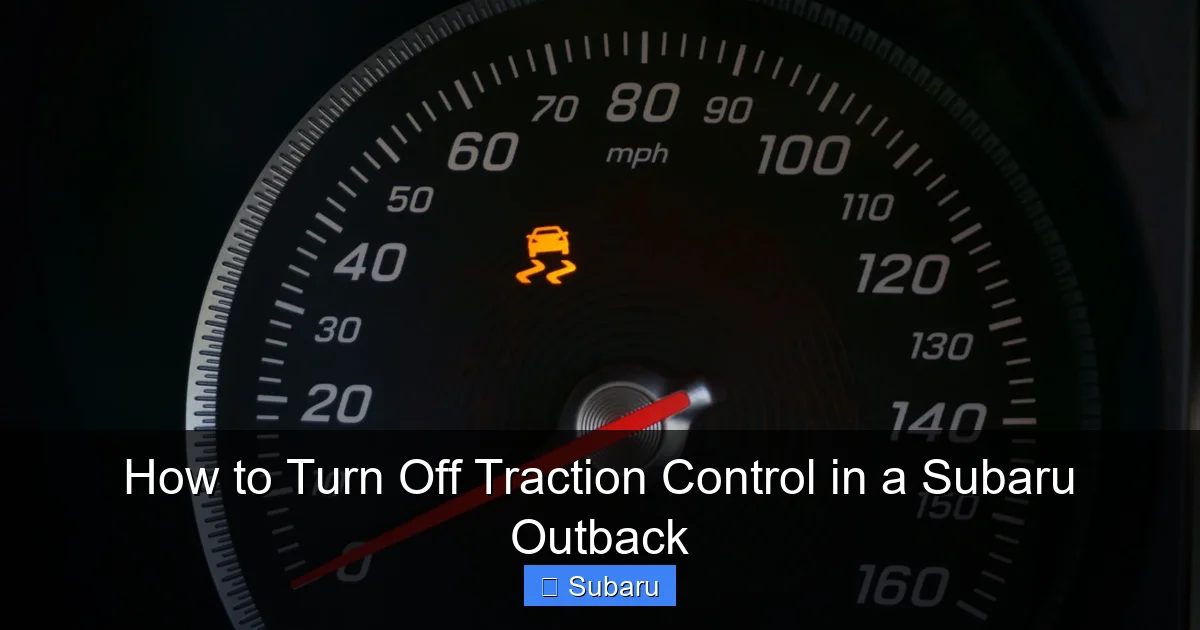
Before you hit that “off” button, it’s important to understand what you’re actually turning off. Subaru calls its traction control system Vehicle Dynamics Control, or VDC for short. It’s more than just a simple traction aid—it’s a comprehensive stability system that works alongside ABS (anti-lock brakes) and other sensors to keep your Outback stable.
So, how does VDC work? Imagine you’re driving on a snowy road and your front wheels start to slip during acceleration. The VDC system detects this through wheel speed sensors. It then reduces engine power and may apply the brakes to one or more wheels to regain traction. It can even adjust steering input in some models to help you stay on course.
This system is always active by default. You don’t have to turn it on—it’s working behind the scenes every time you drive. And for most drivers, that’s a good thing. VDC significantly reduces the risk of skidding, especially in adverse weather.
But VDC isn’t perfect in every scenario. In deep snow or mud, the system might interpret necessary wheel spin as a loss of control and cut power too soon. That’s why Subaru gives you the option to disable it—so you can take over when the electronics get in the way.
It’s also worth noting that VDC includes more than just traction control. It also manages yaw (side-to-side movement), roll stability, and brake force distribution. So when you turn it off, you’re disabling a suite of safety features, not just one.
That’s why Subaru doesn’t let you permanently disable VDC. In most models, the system will automatically reactivate when you restart the car or exceed a certain speed—usually around 25–30 mph. This ensures that you don’t accidentally drive with VDC off in normal conditions.
How VDC Differs from ABS and Other Systems
It’s easy to confuse VDC with other vehicle systems like ABS or electronic brake-force distribution (EBD). But they serve different purposes:
– ABS (Anti-lock Braking System): Prevents wheels from locking up during hard braking, allowing you to steer while stopping.
– EBD: Distributes braking force between front and rear wheels based on load and traction.
– VDC (Vehicle Dynamics Control): Monitors overall vehicle stability and intervenes to prevent skids or loss of control.
VDC uses data from multiple sensors—including steering angle, yaw rate, and lateral acceleration—to determine if the car is behaving as intended. If it detects a mismatch (like oversteer or understeer), it steps in to correct it.
So when you turn off VDC, you’re not just disabling traction control—you’re telling the car to stop helping you stay stable. That’s why it’s crucial to only do this when you have a clear reason and the skill to handle the vehicle manually.
Step-by-Step: How to Turn Off Traction Control in a Subaru Outback
Visual guide about How to Turn Off Traction Control in a Subaru Outback
Image source: i.ytimg.com
Now that you understand what VDC does, let’s get practical. Turning off traction control in your Subaru Outback is usually straightforward, but the exact steps depend on your model year. Below, we’ll break it down by generation so you can find the right method for your vehicle.
For 2008–2014 Subaru Outback Models
If you drive a 2008 to 2014 Outback, you’re in luck—these models have a dedicated VDC Off button, usually located near the gear shifter or center console. Here’s how to use it:
1. Start your vehicle. Make sure the engine is running and the car is in park.
2. Locate the VDC Off button. It’s typically a small button with an icon that looks like a car with squiggly lines under it. On some models, it’s labeled “VDC OFF.”
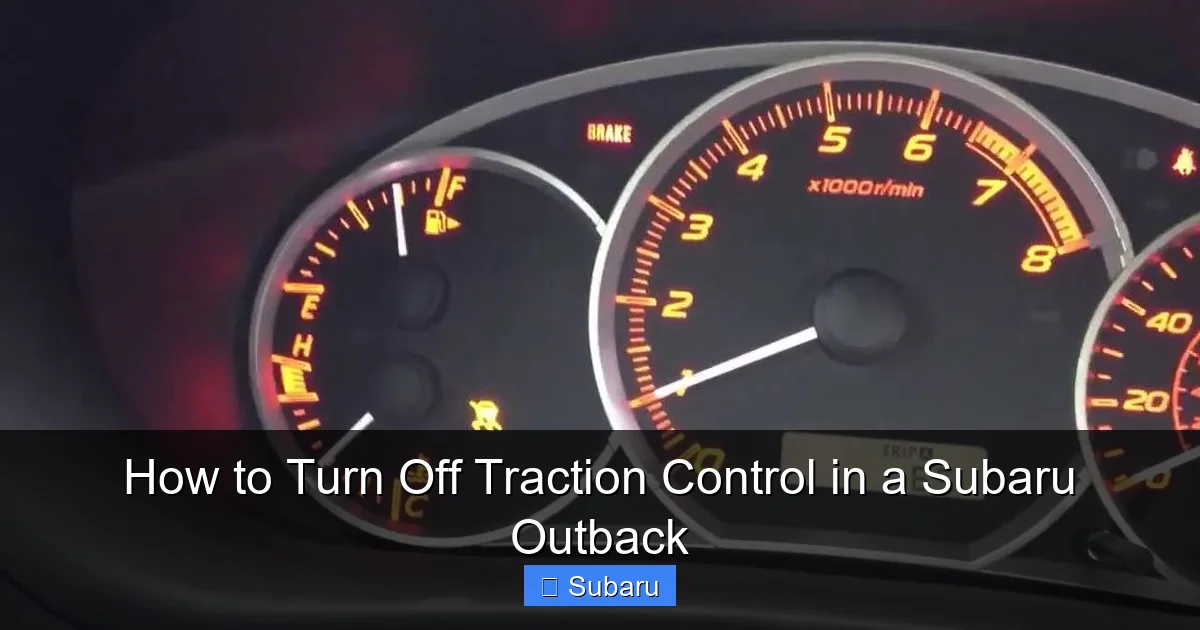
3. Press and hold the button for 2–3 seconds. You’ll hear a chime, and the VDC warning light on your dashboard will illuminate, indicating the system is off.
4. Confirm the light is on. Look for a yellow or orange light that says “VDC OFF” or shows the traction control symbol. This confirms the system is disabled.
Note: On some 2008–2010 models, pressing the button once may only partially disable VDC (limiting intervention but not fully turning it off). Holding it longer ensures full deactivation.
For 2015–2024 Subaru Outback Models
Newer Outbacks (2015 and later) often integrate the VDC Off function into the touchscreen infotainment system or use a combination of buttons. Here’s the typical process:
1. Start the vehicle. Ensure it’s in park and the engine is running.
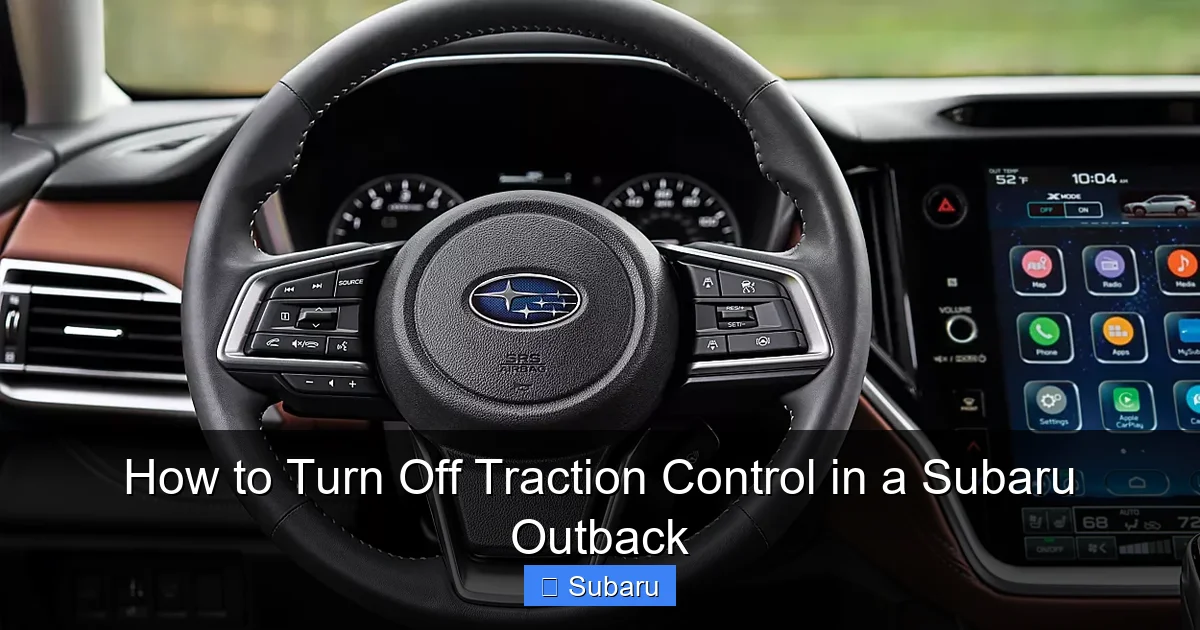
2. Access the Vehicle Settings menu. On models with a touchscreen, tap the “Settings” icon, then select “Vehicle” or “Driving Assist.”
3. Find the VDC or Traction Control option. Look for a toggle labeled “VDC Off,” “Traction Control Off,” or “Stability Control Off.”
4. Toggle it off. You may need to confirm your choice with a prompt.
5. Check the dashboard. The VDC warning light should appear, confirming the system is disabled.
Some newer models also allow you to press and hold the VDC button (if present) for a few seconds to fully disable the system. The button may be near the climate controls or center stack.
For 2005–2007 Subaru Outback Models
Older Outbacks (2005–2007) don’t always have a physical VDC Off button. Instead, you may need to use a combination of steps:
1. Turn the ignition to “On” (but don’t start the engine).
2. Press and hold the VDC button (if equipped) for 10–15 seconds. On some models, this button is near the hazard lights.
3. Start the engine while holding the button. Continue holding for a few more seconds after startup.
4. Release and check the dashboard. The VDC light should stay on, indicating the system is off.
If your 2005–2007 Outback doesn’t have a VDC button, you may not be able to fully disable traction control. In that case, the system will remain active, but you can still reduce its intervention by using lower gears or careful throttle control.
What to Do If the Button Doesn’t Work
Sometimes, the VDC Off button may not respond. Here are a few troubleshooting tips:
– Check the fuse: A blown fuse in the VDC circuit can prevent the button from working. Refer to your owner’s manual for the correct fuse location.
– Ensure the car is in park: Some systems won’t allow VDC to be disabled unless the vehicle is stationary and in park.
– Try a reset: Turn the car off, wait 30 seconds, then restart and try again.
– Consult a dealer: If the button still doesn’t work, there may be a software or hardware issue that requires professional diagnosis.
When Should You Turn Off Traction Control?
Visual guide about How to Turn Off Traction Control in a Subaru Outback
Image source: s7d1.scene7.com
Now that you know how to disable VDC, the next question is: when should you actually do it? The answer depends on your driving conditions and goals. Here are the most common scenarios where turning off traction control makes sense.
Driving in Deep Snow or Mud
One of the best reasons to disable VDC is when you’re stuck in deep snow, mud, or loose gravel. In these conditions, your tires need to spin slightly to “dig in” and gain traction. But VDC may interpret that spin as a loss of control and cut power, leaving you spinning your wheels without moving forward.
By turning off traction control, you allow the wheels to rotate more freely, which can help you rock the vehicle out of a rut or gain momentum on a slippery surface. Just remember to re-enable it once you’re back on solid ground.
Off-Roading or Trail Driving
If you take your Outback off the beaten path, you’ll quickly learn that electronic aids can be more of a hindrance than a help. On rocky trails or steep inclines, VDC may brake individual wheels too aggressively, slowing your progress or even causing you to stall.
Disabling VDC gives you more control over throttle and braking, allowing you to navigate tricky terrain with confidence. Many off-road enthusiasts recommend turning it off before tackling serious trails.
Performance Driving or Track Use
While the Outback isn’t a sports car, some drivers enjoy pushing its limits on closed courses or autocross events. In these cases, VDC can interfere with aggressive driving techniques like power-oversteer or controlled drifts.
Turning off traction control allows for more dynamic handling and better driver input. However, this should only be done in safe, controlled environments—never on public roads.
When NOT to Turn Off Traction Control
Despite its benefits in specific situations, there are many times when you should leave VDC on:
– Wet or icy roads: Traction control helps prevent skids and improves braking performance.
– Highway driving: At high speeds, stability is critical—VDC helps maintain control during sudden maneuvers.
– Heavy rain or snow: Slippery conditions increase the risk of hydroplaning or sliding.
– Everyday commuting: For normal driving, VDC is a valuable safety net.
In short, only disable traction control when you have a clear, practical reason—and always re-enable it when conditions improve.
Safety Tips and Best Practices
Disabling traction control gives you more freedom, but it also increases your responsibility. Without electronic aids, your driving skills become even more important. Here are some safety tips to keep in mind:
Drive Smoothly and Predictably
When VDC is off, sudden acceleration, braking, or steering can easily lead to loss of control. Avoid jerky movements and maintain a steady pace, especially on loose or slippery surfaces.
Know Your Limits
Just because you can turn off traction control doesn’t mean you should push your Outback to its absolute limit. The vehicle is still designed for on-road and light off-road use. Overconfidence can lead to accidents.
Re-Enable VDC When Safe
As soon as you’re back on paved roads or no longer need the extra wheel spin, turn VDC back on. Most systems will reactivate automatically when you restart the car, but it’s good practice to check.
Use Lower Gears in Snow or Mud
Even with VDC off, using a lower gear (like “L” or “2”) can help control speed and improve traction. This reduces the need for aggressive throttle input.
Keep Tires in Good Condition
Traction control works best with quality tires. Make sure your Outback has adequate tread depth and proper inflation, especially in winter or off-road conditions.
Practice in a Safe Area
If you’re new to driving with traction control off, practice in an empty parking lot or closed course. Get a feel for how the car behaves without electronic assistance.
Common Misconceptions About Turning Off Traction Control
There’s a lot of misinformation out there about traction control. Let’s clear up some common myths:
Myth: Turning Off Traction Control Improves Fuel Economy
Some drivers believe that disabling VDC saves fuel by reducing engine restrictions. In reality, the difference is negligible. VDC only intervenes when needed, and its impact on fuel efficiency is minimal.
Myth: You Can Permanently Disable VDC
Subaru doesn’t allow permanent deactivation for safety reasons. The system will always reset to “on” after a restart or when you exceed a certain speed. This is by design.
Myth: All Outbacks Have the Same VDC Off Procedure
As we’ve seen, the method varies by model year. Always check your owner’s manual or consult a Subaru dealer if you’re unsure.
Myth: Turning Off VDC Makes the Car Faster
While it may allow for more aggressive acceleration in specific conditions, VDC doesn’t significantly limit performance during normal driving. The gains are situational, not universal.
Conclusion
Turning off traction control in your Subaru Outback isn’t something to take lightly—but when done correctly, it can be a valuable tool in your driving arsenal. Whether you’re escaping a snowbank, exploring a forest trail, or just want more control over your vehicle’s behavior, knowing how to disable VDC gives you an edge.
Remember, the key is balance. Use the feature wisely, understand your vehicle’s capabilities, and always prioritize safety. With the right knowledge and caution, you can make the most of your Outback’s performance while staying in control.
So the next time you’re faced with a challenging driving situation, don’t panic—just know your options. And when in doubt, leave VDC on. It’s there to help you, not hold you back.
Frequently Asked Questions
Can I permanently turn off traction control in my Subaru Outback?
No, Subaru does not allow permanent deactivation of the VDC system for safety reasons. The system will automatically reactivate when you restart the vehicle or exceed a certain speed, usually around 25–30 mph.
Will turning off traction control void my warranty?
No, using the VDC Off feature as intended does not void your warranty. However, any damage caused by improper use—such as off-roading in conditions beyond the vehicle’s design—may not be covered.
Does disabling traction control affect my insurance?
Generally, no. Simply using the VDC Off button is not reported to insurers and won’t affect your rates. However, if you’re involved in an accident while driving with VDC off, it could be considered in the investigation.
Can I turn off traction control while driving?
Yes, you can disable VDC while the vehicle is in motion, but it’s safer to do so when stopped or at low speeds. Some systems may require the car to be in park or below a certain speed threshold.
Why won’t my VDC Off button work?
This could be due to a blown fuse, a software glitch, or the vehicle not being in the correct mode (e.g., not in park). Try restarting the car or consulting your owner’s manual. If the issue persists, see a Subaru technician.
Is it safe to drive with traction control off in the rain?
It’s not recommended. Traction control helps prevent hydroplaning and maintains stability on wet roads. Disabling it increases the risk of skidding, especially during sudden maneuvers or hard braking.
