
How to Turn Off Auto High Beam in a Toyota

Turning off auto high beam in a Toyota is easy and can be done in seconds using the steering wheel controls or headlight switch. Whether you’re driving at night or in low-light conditions, knowing how to disable this feature gives you better control over your headlights and improves safety.
If you’ve ever been driving at night and noticed your Toyota’s headlights suddenly dim or brighten on their own, you’ve experienced the auto high beam feature in action. This smart technology is designed to improve visibility and safety by automatically switching between high and low beams when it detects oncoming traffic or vehicles ahead. While it’s a helpful tool, there are times when you might want to take control—like when driving on poorly lit rural roads, during heavy rain, or when you simply prefer manual control. That’s where knowing how to turn off auto high beam in a Toyota becomes essential.
The good news? It’s easier than you think. Most Toyota models come equipped with intuitive controls that let you disable the auto high beam function in just a few seconds. Whether you’re behind the wheel of a Camry, RAV4, Highlander, or Corolla, the process is similar across the lineup. However, the exact steps can vary slightly depending on the year and trim level of your vehicle. In this guide, we’ll walk you through everything you need to know—from understanding how the system works to step-by-step instructions for turning it off, plus tips for safe driving at night.
We’ll also cover common questions drivers have, like whether disabling the feature affects other safety systems, how to reactivate it, and what to do if the controls aren’t responding. By the end of this article, you’ll feel confident managing your Toyota’s lighting system like a pro. So whether you’re a new Toyota owner or just haven’t explored this feature yet, keep reading to take full control of your headlights and drive with peace of mind.
Key Takeaways
- Auto high beam is a safety feature that automatically switches between high and low beams based on traffic and lighting conditions.
- You can turn it off manually using the headlight stalk or steering wheel controls, depending on your Toyota model.
- Disabling auto high beam is temporary—it will reactivate the next time you start the car unless you adjust settings.
- Some models allow permanent deactivation through the vehicle’s multi-information display or infotainment system.
- Always use high beams responsibly to avoid blinding other drivers, even when the system is off.
- Regularly check your headlight settings to ensure they match your driving environment and preferences.
- Consult your owner’s manual for model-specific instructions, as features vary across Toyota vehicles.
📑 Table of Contents
What Is Auto High Beam and How Does It Work?
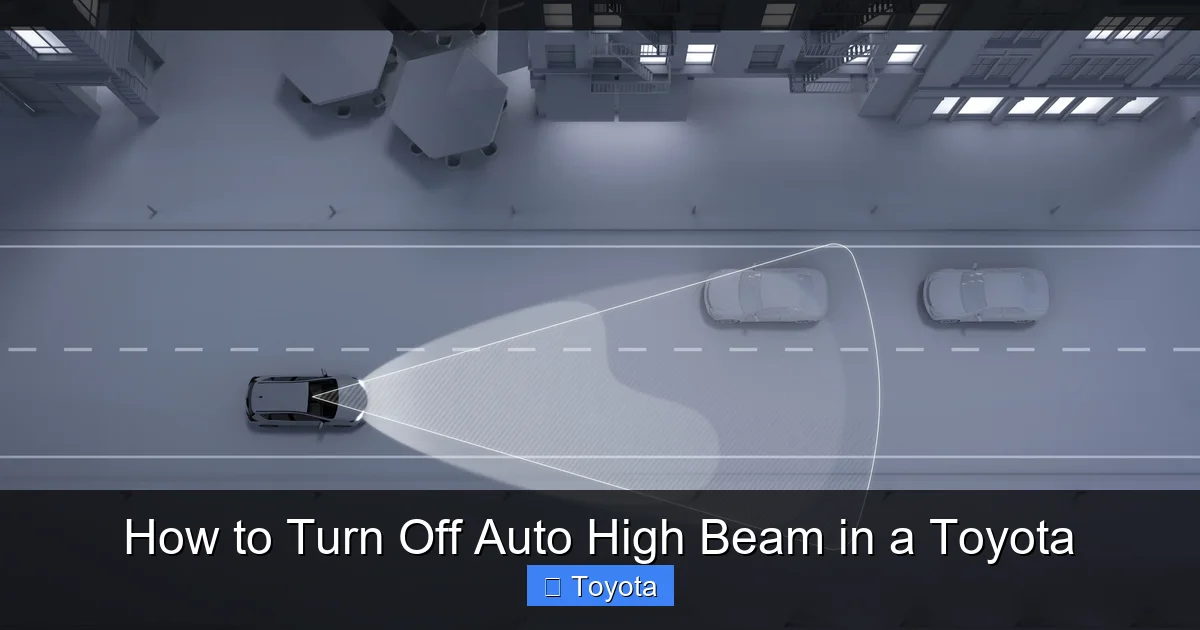
Auto high beam is one of Toyota’s advanced safety technologies designed to enhance nighttime driving. Also known as Automatic High Beam (AHB), this system uses a forward-facing camera—usually located near the rearview mirror—to detect the headlights of oncoming vehicles or the taillights of cars ahead. When the road is dark and no other vehicles are detected, the system automatically switches to high beams to give you maximum visibility. Once it senses another vehicle, it instantly dims the headlights to low beam to avoid blinding other drivers.
This feature is part of Toyota Safety Sense (TSS), a suite of driver-assist technologies found in most modern Toyota vehicles. Depending on your model and year, auto high beam may be standard or available as an option. It’s particularly useful on highways, country roads, or any area with minimal street lighting. The system operates seamlessly in the background, so you don’t have to constantly flip the headlight stalk or worry about forgetting to dim your lights.
But while auto high beam is helpful, it’s not perfect. In some situations—like driving through fog, heavy rain, or areas with frequent wildlife crossings—the camera might misinterpret reflections or fail to detect vehicles quickly enough. That’s why Toyota gives drivers the option to turn it off. Understanding how the system works helps you decide when it’s best to use it and when manual control is safer.
How the Camera Detects Vehicles
The camera used in Toyota’s auto high beam system is sensitive to light and motion. It scans the road ahead up to about 500 feet, analyzing patterns of light to determine if another vehicle is present. If it detects the bright glow of oncoming headlights or the red glow of taillights, it triggers the headlights to switch to low beam. Once the vehicle passes or moves out of range, the system reactivates high beams after a brief delay—usually a few seconds—to ensure safety.
This technology relies on software algorithms that have improved significantly over the years. Newer Toyota models can even distinguish between motorcycles, bicycles, and stationary objects like reflective signs. However, environmental factors like heavy snow, fog, or glare from wet roads can sometimes confuse the system. That’s why it’s important to stay aware of your surroundings and be ready to take over when needed.
Benefits of Using Auto High Beam
One of the biggest advantages of auto high beam is reduced driver fatigue. Instead of constantly monitoring the road and manually switching beams, you can focus on driving. This is especially helpful on long road trips or during late-night commutes. Additionally, the system helps prevent accidental high beam use, which can be dangerous and even illegal in some areas.
Studies have shown that proper use of high beams can reduce nighttime accidents by improving visibility. Auto high beam ensures that high beams are used more often—and more appropriately—than if drivers had to manage them manually. For many Toyota owners, this feature is a game-changer for nighttime safety.
Why You Might Want to Turn Off Auto High Beam
Visual guide about How to Turn Off Auto High Beam in a Toyota
Image source: i.ytimg.com
While auto high beam is a useful feature, there are several situations where you might prefer to turn it off. One common reason is driving in areas with frequent wildlife, such as deer or moose crossings. The sudden brightening of headlights can startle animals, causing them to freeze or dart into the road. In these cases, using low beams consistently may be safer.
Another scenario is driving in heavy rain, fog, or snow. In these conditions, high beams can reflect off water droplets or snowflakes, creating a “wall of light” that reduces visibility instead of improving it. This phenomenon, known as backscatter, makes it harder to see the road ahead. Turning off auto high beam and using low beams or fog lights (if equipped) can significantly improve your ability to navigate safely.
Some drivers also find the automatic switching distracting. If you’re driving on a winding road with frequent curves, the headlights might flicker between high and low beams as the camera detects shadows or reflective signs. This constant change can be annoying and take your focus away from the road. In such cases, manually controlling your headlights gives you a more consistent and predictable lighting experience.
Additionally, if you frequently drive in urban areas with well-lit streets, high beams are rarely needed. Keeping auto high beam active in these environments means the system is constantly checking for vehicles, which may drain the battery slightly over time—though this effect is minimal. Still, some drivers prefer to disable it to reduce unnecessary system activity.
Finally, personal preference plays a role. Some drivers simply feel more in control when they manage their own headlights. Whether it’s a matter of habit, comfort, or confidence, having the option to turn off auto high beam empowers you to customize your driving experience.
When Manual Control Is Safer
There’s no doubt that technology has made driving safer, but it’s not infallible. In complex driving environments—like construction zones, narrow mountain roads, or areas with poor signage—manual control often provides better results. For example, if you’re following a slow-moving vehicle on a dark road, you might want to keep your high beams off to avoid dazzling the driver ahead, even if the camera doesn’t detect them immediately.
Similarly, if you’re driving behind a motorcycle or bicycle, the camera might not always recognize them as quickly as a larger vehicle. In these cases, manually switching to low beams ensures you’re being considerate and safe. The key is to stay alert and use your judgment—technology should assist you, not replace your awareness.
Step-by-Step Guide to Turning Off Auto High Beam
Visual guide about How to Turn Off Auto High Beam in a Toyota
Image source: repairerdrivennews.com
Now that you understand why and when to disable auto high beam, let’s walk through the process. The steps vary slightly depending on your Toyota model, but the general method is consistent across most vehicles. We’ll cover the most common approaches, including using the headlight stalk, steering wheel controls, and the infotainment system.
Method 1: Using the Headlight Stalk
This is the most common and straightforward way to turn off auto high beam. Here’s how to do it:
1. Make sure your vehicle is on and the headlights are activated. You can do this by turning the headlight switch to the “Auto” or “On” position.
2. Locate the headlight stalk on the left side of your steering wheel. This is the lever you use to flash your high beams or turn on turn signals.
3. Pull the stalk toward you (toward the steering wheel) and hold it. This usually activates the high beams temporarily.
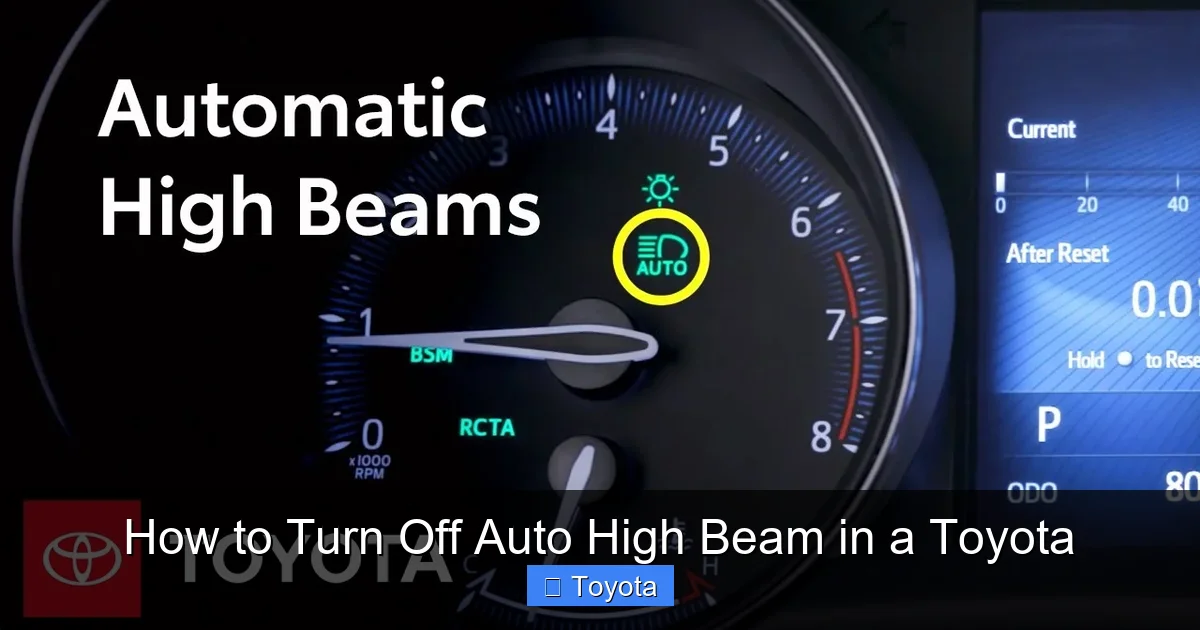
4. While holding the stalk, look at your instrument cluster. You should see an icon that looks like a headlight with rays shooting out—this indicates high beams are on.
5. Now, press the small button or switch on the end of the stalk (if equipped). On many Toyotas, this button toggles the auto high beam function on and off.
6. If you see the auto high beam icon (usually a headlight with an “A” inside) disappear from the dashboard, the feature is now off.
Note: On some models, you may need to press and hold the button for a few seconds to disable the feature. The exact location of the button can vary—check your owner’s manual if you’re unsure.
Method 2: Using the Steering Wheel Controls
Many newer Toyota models allow you to control auto high beam through the steering wheel buttons. Here’s how:
1. Turn on your vehicle and ensure the headlights are in “Auto” mode.
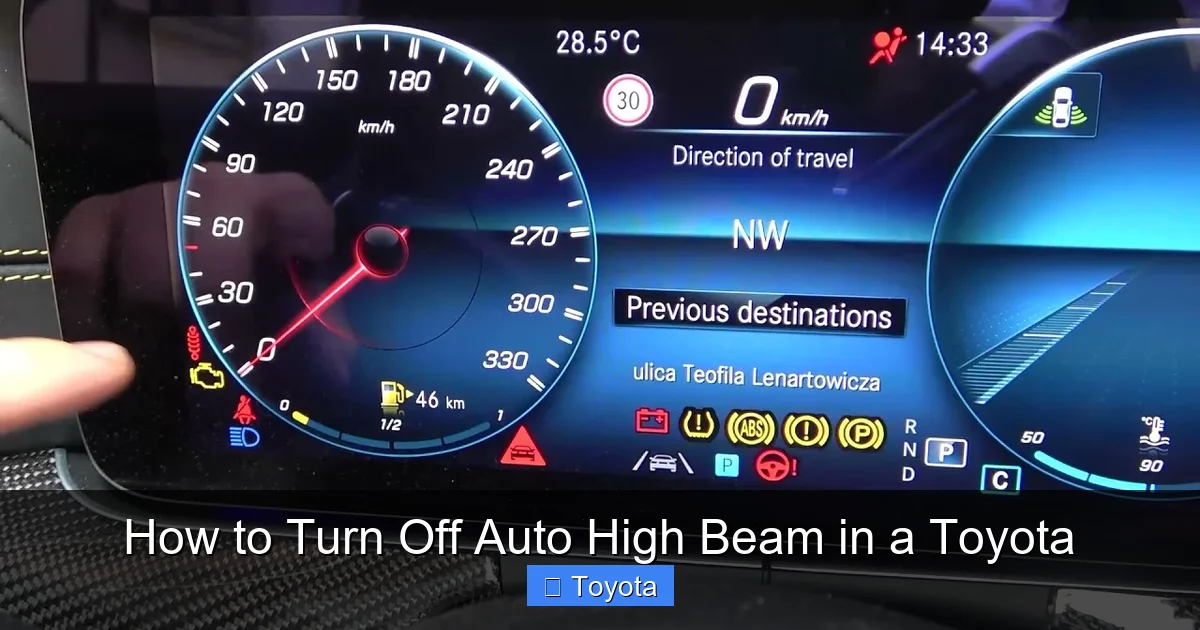
2. Press the “Menu” or “Info” button on your steering wheel to access the multi-information display (MID).
3. Navigate to the “Settings” or “Vehicle Settings” menu using the arrow buttons.
4. Look for an option labeled “Lighting,” “Headlights,” or “Auto High Beam.”
5. Select the option and toggle it to “Off.”
6. Exit the menu. The auto high beam icon should no longer appear on your dashboard.
This method is especially useful if your vehicle doesn’t have a physical button on the headlight stalk. It also allows you to reactivate the feature quickly if needed.
Method 3: Through the Infotainment System
On Toyota models with a touchscreen infotainment system (like the Entune or Toyota Audio Multimedia system), you may be able to disable auto high beam through the settings menu:
1. Turn on the vehicle and tap the “Menu” or “Settings” icon on the touchscreen.
2. Select “Vehicle Settings” or “Driving Assist.”
3. Look for “Lighting” or “Auto High Beam” options.
4. Toggle the feature off.
5. Confirm your selection and exit the menu.
This method is common in newer models like the 2021+ RAV4, Highlander, and Camry. It provides a user-friendly interface and often includes additional lighting customization options.
Model-Specific Examples
Let’s look at a few popular Toyota models and how to turn off auto high beam in each:
– **Toyota Camry (2020 and newer):** Use the steering wheel controls to access the MID. Go to Settings > Lighting > Auto High Beam > Off.
– **Toyota RAV4 (2019 and newer):** Press the button on the end of the headlight stalk or use the infotainment system under Vehicle Settings.
– **Toyota Corolla (2020 and newer):** Use the steering wheel menu to navigate to Lighting settings and disable auto high beam.
– **Toyota Highlander (2021 and newer):** Access the feature through the touchscreen under Driving Assist > Lighting.
Always refer to your owner’s manual for the most accurate instructions, as features can vary by trim level and region.
Reactivating Auto High Beam
Visual guide about How to Turn Off Auto High Beam in a Toyota
Image source: i.ytimg.com
If you’ve turned off auto high beam and want to turn it back on, the process is just as simple. In most cases, you can reactivate it using the same method you used to disable it. For example, if you turned it off using the button on the headlight stalk, press that button again to turn it back on. The auto high beam icon should reappear on your dashboard.
Alternatively, you can reactivate it through the steering wheel controls or infotainment system by navigating back to the lighting settings and toggling the feature on. Some vehicles also automatically reactivate auto high beam when you restart the car, unless you’ve set it to remain off permanently (if that option is available).
It’s a good idea to reactivate the feature when driving on dark, open roads where high beams can improve visibility. Just remember to monitor the system and be ready to take over if needed.
Tips for Safe Nighttime Driving
Whether you’re using auto high beam or manual control, safe nighttime driving requires attention and preparation. Here are some tips to help you stay safe on the road:
– **Keep your headlights clean:** Dirt, snow, and grime can reduce the effectiveness of your headlights. Clean them regularly, especially in winter.
– **Adjust your headlights:** Make sure your headlights are properly aligned. Misaligned beams can blind other drivers or reduce your own visibility.
– **Use fog lights in bad weather:** If your Toyota is equipped with fog lights, use them in fog, rain, or snow instead of high beams.
– **Stay alert:** Fatigue is a major cause of nighttime accidents. Take breaks on long drives and avoid driving when you’re tired.
– **Scan the road ahead:** Look beyond the reach of your headlights to anticipate hazards like animals, debris, or curves.
– **Dim your dashboard lights:** Bright interior lights can reduce your night vision. Adjust them to a comfortable level.
By combining smart technology with good driving habits, you can make nighttime driving safer and more comfortable.
Conclusion
Knowing how to turn off auto high beam in a Toyota gives you greater control over your vehicle’s lighting and enhances your safety on the road. Whether you’re driving in challenging weather, navigating rural areas, or simply prefer manual control, this feature is designed to adapt to your needs. With just a few simple steps—using the headlight stalk, steering wheel controls, or infotainment system—you can disable or reactivate auto high beam in seconds.
Remember, while auto high beam is a helpful tool, it’s not a substitute for attentive driving. Always use high beams responsibly, keep your headlights in good condition, and stay aware of your surroundings. And if you’re ever unsure about how to manage your lighting settings, your Toyota owner’s manual is your best resource.
By mastering this feature, you’re not just turning off a light—you’re taking charge of your driving experience. So the next time you’re behind the wheel at night, you’ll feel confident, in control, and ready for whatever the road brings.
Frequently Asked Questions
Can I permanently disable auto high beam in my Toyota?
On most Toyota models, turning off auto high beam is temporary—it will reactivate when you restart the vehicle. However, some newer models allow you to set it to remain off through the infotainment or multi-information display settings. Check your owner’s manual for model-specific options.
Will turning off auto high beam affect other safety features?
No, disabling auto high beam only affects the automatic switching of high and low beams. It does not impact other Toyota Safety Sense features like lane departure warning, adaptive cruise control, or pre-collision braking.
Why won’t my auto high beam turn off?
If the button or menu option isn’t working, try restarting the vehicle or checking for software updates. In rare cases, a faulty camera or sensor may prevent the system from responding. Visit a Toyota service center if the issue persists.
Is it illegal to drive with high beams on all the time?
Yes, in most areas it’s illegal to use high beams when other vehicles are within 500 feet. Always dim your lights for oncoming traffic and vehicles ahead to avoid blinding other drivers.
Does auto high beam work in all weather conditions?
Auto high beam works best in clear, dark conditions. It may struggle in heavy rain, fog, snow, or areas with bright reflections. In these cases, manual control or fog lights are often safer.
How do I know if my Toyota has auto high beam?
Look for a headlight icon with an “A” inside on your dashboard, or check your owner’s manual. Most Toyota models from 2018 and newer with Toyota Safety Sense include this feature.
