
How to Fix the Bsd System on a Kia

Having trouble with your Kia’s BSD (Blind Spot Detection) system? You’re not alone. This guide walks you through diagnosing, troubleshooting, and fixing common BSD issues—from sensor blockages to electrical faults—so you can drive safely and confidently again.
If you’ve ever been driving your Kia and noticed the blind spot detection (BSD) warning light flickering on the dashboard—or worse, the system completely shutting down—you know how unsettling it can be. The BSD system is a critical safety feature designed to alert you when vehicles are in your blind spots, especially during lane changes. When it stops working, it doesn’t just reduce convenience; it can compromise your safety on the road.
You might be wondering: “Is this a major repair? Do I need to visit the dealership right away?” The good news is that many BSD issues on Kia vehicles are surprisingly easy to fix—especially if you know what to look for. Whether you drive a Kia Sportage, Sorento, Telluride, or Forte, the BSD system operates similarly across models, and the troubleshooting steps are often universal. In this guide, we’ll walk you through everything you need to know to diagnose and fix the BSD system on your Kia, from simple DIY fixes to when it’s time to call in the pros.
We’ll cover common symptoms, step-by-step troubleshooting, and preventive maintenance tips—all written in plain English so you don’t need a mechanic’s degree to understand. By the end, you’ll feel confident handling most BSD-related problems and keeping your Kia’s safety systems running smoothly.
Key Takeaways
- BSD system malfunctions are often caused by dirty or obstructed sensors: Regular cleaning of rear bumper sensors can prevent false alerts or system shutdowns.
- Software glitches may require a system reset or update: A simple battery disconnect or dealership software refresh can resolve many electronic hiccups.
- Damaged wiring or connectors behind the bumper are common culprits: Physical inspections after minor collisions or parking incidents can uncover hidden issues.
- Faulty radar sensors may need professional calibration or replacement: These components are sensitive and often require specialized tools for accurate diagnosis.
- Fuse and ground connection checks are essential first steps: A blown fuse or poor grounding can disable the entire BSD system without obvious signs.
- Aftermarket modifications can interfere with BSD functionality: Tow bars, bike racks, or altered body panels may block sensor signals or cause false readings.
- Consult your owner’s manual and use OEM parts for repairs: Using non-genuine components may void warranties and reduce system reliability.
📑 Table of Contents
Understanding the Kia BSD System
Before diving into fixes, it’s important to understand how the BSD system actually works. The Blind Spot Detection system in Kia vehicles uses radar sensors mounted behind the rear bumper to monitor the areas alongside and slightly behind your car. These sensors emit radio waves that bounce off nearby objects—like other vehicles—and send signals back to the car’s computer. If a vehicle is detected in your blind spot, the system triggers a visual alert (usually a light in the side mirror) and, in some models, an audible warning or steering intervention.
The BSD system is part of Kia’s broader suite of advanced driver assistance systems (ADAS), which may also include rear cross-traffic alert (RCTA), lane change assist, and safe exit warning. All these features rely on the same radar sensors, so a problem with one often affects the others. For example, if your BSD isn’t working, you might also notice that RCTA doesn’t beep when reversing out of a parking spot.
One key thing to remember is that the BSD system is highly sensitive. It’s designed to detect vehicles moving at speeds above 6 mph, and it operates best in clear weather. However, dirt, snow, ice, or even a bike rack mounted on the rear bumper can interfere with sensor performance. That’s why understanding the system’s design helps you troubleshoot more effectively.
How BSD Sensors Work
The radar sensors used in Kia’s BSD system are passive devices that don’t require power to emit signals—they’re activated by the vehicle’s control module. Each sensor covers a specific zone: one for the left side, one for the right. They’re typically located near the corners of the rear bumper, hidden behind plastic covers. Because they’re radar-based (not cameras), they can function in low-light conditions and aren’t affected by glare or shadows.
However, radar signals can be blocked or distorted by physical obstructions. Think of it like trying to hear someone through a wall—the thicker or denser the barrier, the weaker the signal. That’s why even a thin layer of mud or a sticker placed over the sensor area can cause the system to malfunction.
Common BSD System Components
To fix the BSD system, you need to know its main parts:
- Radar sensors: Located behind the rear bumper, these detect vehicles in blind spots.
- Control module: Processes sensor data and triggers alerts; usually located under the dashboard or in the trunk.
- Indicator lights: Found in the side mirrors or A-pillars, they flash when a vehicle is detected.
- Wiring harness: Connects sensors to the control module; prone to damage from moisture or vibration.
- Fuses and relays: Protect the electrical circuit; a blown fuse can disable the entire system.
Understanding these components helps you narrow down where the problem might be. For instance, if the indicator lights don’t turn on at all, the issue could be electrical. If they flash randomly, it might be a sensor obstruction or calibration error.
Common Symptoms of BSD System Failure
Visual guide about How to Fix the Bsd System on a Kia
Image source: repairious.com
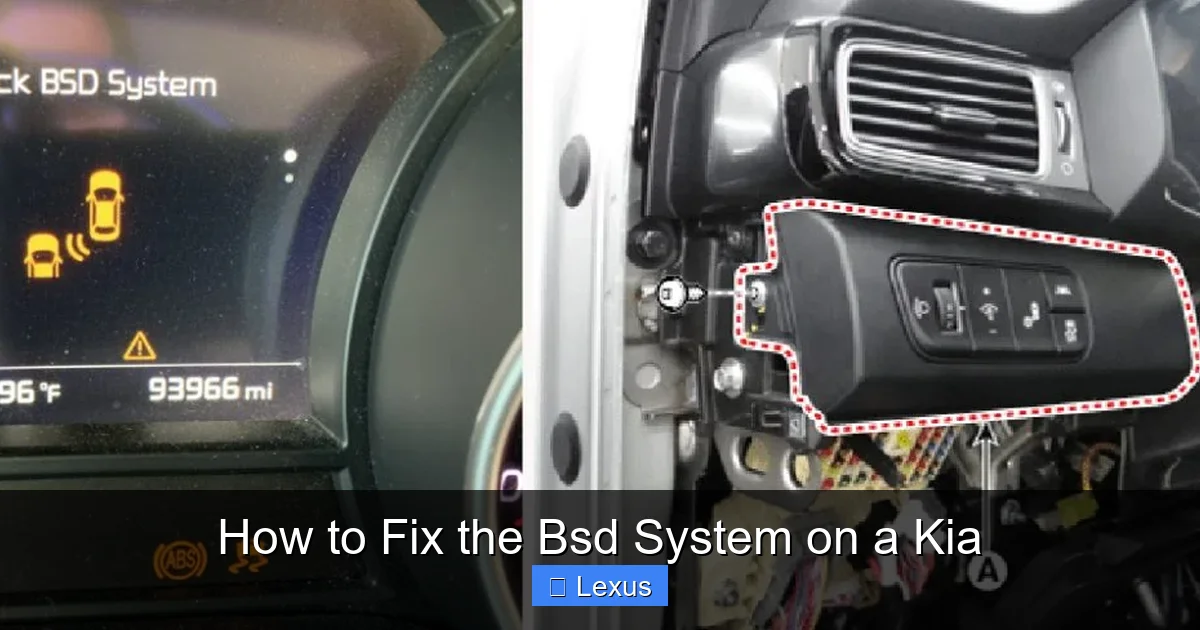
Recognizing the signs of a failing BSD system is the first step toward fixing it. Here are the most common symptoms Kia owners report:
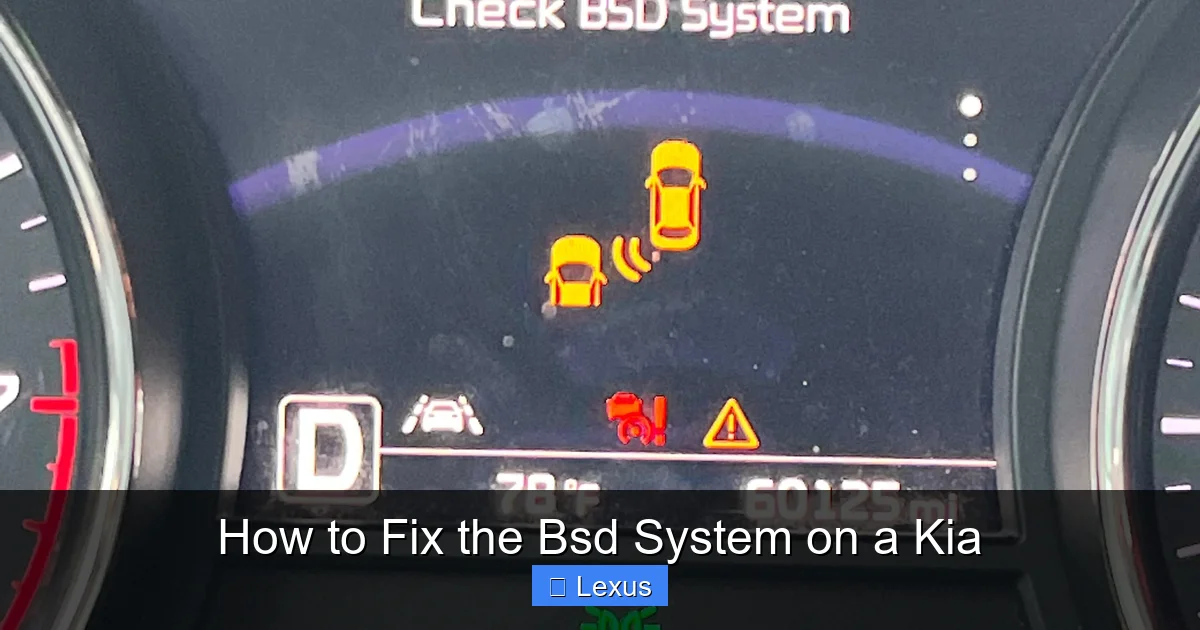
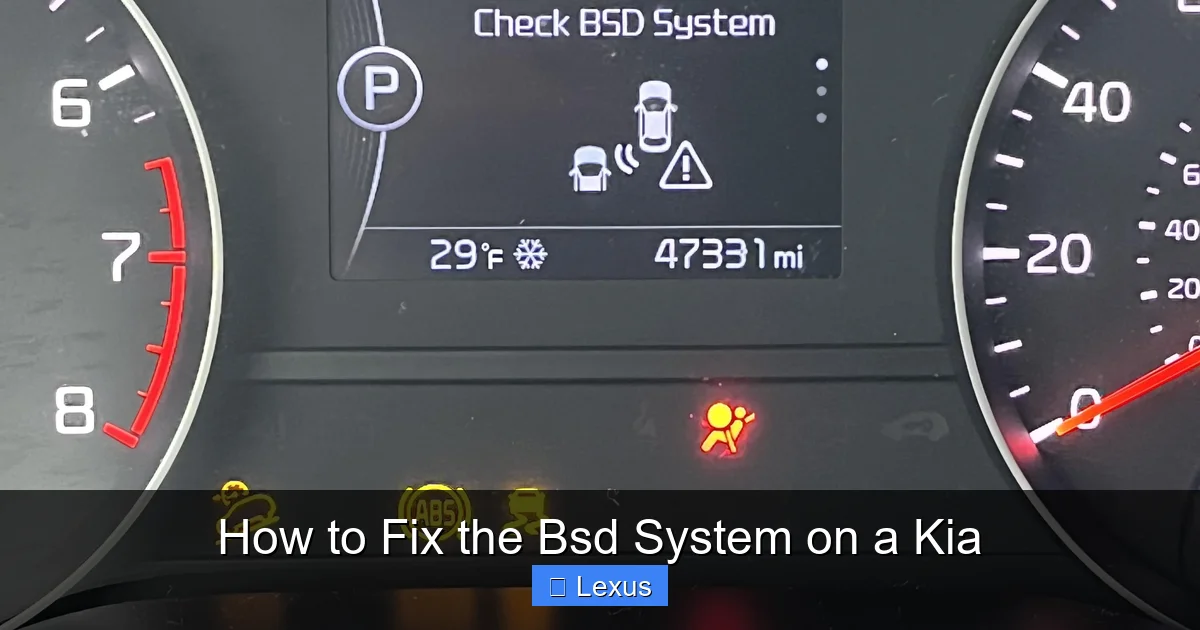
- Warning light on the dashboard: A yellow or red icon resembling two cars side by side usually appears when the system detects a fault.
- No alerts when changing lanes: The side mirror lights don’t illuminate even when another vehicle is clearly in your blind spot.
- False or random alerts: The system beeps or flashes when no vehicles are nearby—often caused by sensor interference.
- System disabled message: The infotainment screen may display “BSD Off” or “Blind Spot Detection Unavailable.”
- Rear cross-traffic alert not working: Since RCTA uses the same sensors, a BSD failure often affects this feature too.
These symptoms can appear suddenly or develop over time. For example, after a winter storm, snow buildup on the bumper might cause temporary BSD failure. Or, after installing a trailer hitch, the system might start giving false alerts because the metal interferes with radar signals.
When to Worry
Not every BSD warning means a major repair is needed. Sometimes, the system just needs a reset. But if the problem persists after basic troubleshooting—or if you notice other electrical issues like flickering lights or unresponsive infotainment—it could indicate a deeper problem like a faulty control module or damaged wiring.
Also, pay attention to when the issue occurs. Does it happen only in rain or snow? That points to environmental interference. Does it happen after you wash the car? Water might have seeped into a connector. These clues help you diagnose the root cause faster.
Step-by-Step Troubleshooting Guide
Visual guide about How to Fix the Bsd System on a Kia
Image source: i.redd.it
Now that you know what to look for, let’s walk through a practical troubleshooting process. Follow these steps in order—many BSD issues can be resolved without tools or a trip to the shop.
Step 1: Check for Obstructions
Start by inspecting the rear bumper, especially the areas near the corners where the radar sensors are located. Look for:
- Dirt, mud, or debris covering the sensor zones
- Ice or snow buildup (common in winter)
- Stickers, license plate frames, or aftermarket accessories blocking the sensors
- Bike racks, cargo carriers, or tow hitches mounted too close to the sensors
If you find any obstructions, clean the area gently with a soft cloth and mild soap. Avoid using high-pressure washers directly on the sensors, as they can force water into the housing. Let the area dry completely before testing the system.
Step 2: Inspect the Fuses
A blown fuse is one of the simplest—and most overlooked—causes of BSD failure. To check:
- Locate the fuse box. In most Kia models, it’s under the dashboard on the driver’s side or in the engine compartment.
- Refer to your owner’s manual to find the fuse labeled “BSD,” “Blind Spot,” or “Radar.”
- Use a fuse puller or needle-nose pliers to remove the fuse and inspect it. If the metal strip inside is broken, replace it with an identical fuse (same amperage).
Pro tip: Keep a few spare fuses in your glove compartment. They’re cheap and can save you a lot of hassle.
Step 3: Check Ground Connections
Poor grounding can cause erratic electrical behavior. The BSD system relies on a solid ground connection to function properly. To check:
- Locate the ground point near the rear bumper (usually a bolt connecting the chassis to the body).
- Remove the bolt, clean any rust or paint from the contact points, and reattach it securely.
- Use a multimeter to test continuity if you’re comfortable with basic electrical testing.
A loose or corroded ground can cause intermittent BSD failures, especially after driving on rough roads.
Step 4: Perform a System Reset
Sometimes, the BSD system just needs a reboot. Here’s how to reset it:
- Turn off the ignition and remove the key (or press the start button without your foot on the brake).
- Disconnect the negative terminal of the battery using a wrench.
- Wait 10–15 minutes to allow the vehicle’s computer to fully power down.
- Reconnect the battery terminal and start the car.
- Drive at speeds above 20 mph for a few minutes to allow the system to recalibrate.
This process resets the ADAS modules and often resolves software glitches. Note: You may need to reset your radio presets and clock afterward.
Step 5: Scan for Diagnostic Trouble Codes (DTCs)
If the problem persists, use an OBD2 scanner to check for error codes. While basic scanners may not read ADAS-specific codes, advanced tools like the Foxwell NT530 or Autel MaxiCOM can access the BSD module.
Common DTCs related to BSD include:
- B1346: Radar sensor malfunction (left or right)
- B1347: Sensor communication error
- B1348: Sensor calibration required
If you get a calibration code, the sensors may need to be realigned—usually done at a dealership or certified shop.
When to Seek Professional Help
Visual guide about How to Fix the Bsd System on a Kia
Image source: i.redd.it
While many BSD issues can be fixed at home, some problems require professional diagnosis and repair. Here’s when to visit a Kia service center:
- Physical damage to the bumper or sensors: If you’ve been in a minor collision or hit a curb, the sensors may be misaligned or cracked.
- Persistent error codes after reset: If the system keeps failing despite troubleshooting, the control module or sensors may be faulty.
- Need for sensor calibration: Radar sensors must be precisely aligned. This requires specialized equipment and a level surface.
- Warranty concerns: If your Kia is still under warranty, DIY repairs could void coverage. Let the dealer handle it.
Dealerships have access to Kia’s technical service bulletins (TSBs), which may reveal known issues with specific model years. For example, some 2017–2019 Kia Sportage models had a TSB for BSD sensor interference from certain tire sizes.
Cost of Professional Repairs
Repair costs vary depending on the issue:
- Sensor cleaning or reset: $0–$50 (often free at dealerships)
- Fuse or wiring repair: $50–$150
- Radar sensor replacement: $300–$600 per sensor (including labor)
- Control module replacement: $800–$1,200+
Always get a written estimate before authorizing repairs. Some independent shops specialize in ADAS and may offer lower prices than dealerships.
Preventing Future BSD Problems
An ounce of prevention is worth a pound of cure—especially with sensitive electronics like the BSD system. Here’s how to keep it running smoothly:
- Clean the rear bumper regularly: Wipe down the sensor areas during every car wash.
- Avoid parking too close to walls or other vehicles: This reduces the risk of bumper damage.
- Be cautious with aftermarket accessories: If you install a tow bar or bike rack, ensure it doesn’t block the sensors. Some models require sensor relocation kits.
- Check for software updates: Kia occasionally releases updates for ADAS systems. Ask your dealer during routine maintenance.
- Inspect after winter driving: Salt and ice can corrode connectors. Rinse the undercarriage and sensor areas in spring.
DIY Maintenance Tips
Set a reminder every three months to:
- Visually inspect the rear bumper for cracks or misalignment
- Test the BSD system by driving beside another vehicle
- Check the owner’s manual for any model-specific maintenance recommendations
A little attention goes a long way in preventing costly repairs down the road.
Conclusion
Fixing the BSD system on your Kia doesn’t have to be intimidating. In most cases, the issue stems from something simple—like a dirty sensor or a blown fuse—that you can resolve in under an hour. By understanding how the system works, recognizing common symptoms, and following a structured troubleshooting approach, you can restore your blind spot detection and drive with greater peace of mind.
Remember, the BSD system is there to protect you. Don’t ignore warning lights or assume the problem will go away on its own. Take action early, and don’t hesitate to seek professional help when needed. With the right knowledge and a proactive mindset, you can keep your Kia’s safety systems in top condition for years to come.
Frequently Asked Questions
What does the BSD warning light look like?
The BSD warning light typically appears as a yellow or red icon showing two cars side by side, often with an exclamation mark. It’s usually located on the instrument cluster near other driver assistance alerts.
Can I drive my Kia if the BSD system is not working?
Yes, you can still drive safely, but you lose an important safety feature. Always check your blind spots manually and use turn signals when changing lanes.
Will a car wash damage the BSD sensors?
Regular car washes are generally safe, but avoid high-pressure sprays directly on the rear bumper sensors. Hand washing or touchless washes are best.
How often do BSD sensors need calibration?
Sensors usually don’t need calibration unless they’ve been removed, replaced, or the vehicle has been in an accident. Most Kia models self-calibrate during normal driving.
Can a dead battery affect the BSD system?
Yes, a weak or dead battery can cause electronic glitches. Replacing the battery or performing a system reset often resolves the issue.
Are BSD repairs covered under Kia’s warranty?
If your vehicle is within the 5-year/60,000-mile basic warranty, BSD repairs are typically covered. Always check your warranty booklet or ask your dealer.
