
How to Fix the Bsd System on a Kia Optima

Is your Kia Optima’s BSD (Blind Spot Detection) system acting up? Don’t ignore it—this safety feature helps prevent accidents. This guide walks you through diagnosing and fixing common BSD issues, from sensor cleaning to module resets, so you can drive with confidence again.
Key Takeaways
- Understand what the BSD system does: It monitors your blind spots and alerts you with visual or audible warnings when vehicles are nearby.
- Common symptoms include warning lights, false alerts, or complete system failure: These often stem from dirty sensors, wiring issues, or software glitches.
- Start with simple fixes like cleaning the sensors: Dirt, snow, or debris on the rear bumper sensors can block signals and disable the system.
- Check for software updates at a Kia dealership: Outdated firmware can cause malfunctions, and dealers can reflash the system for free under warranty.
- Inspect wiring and fuses if problems persist: Damaged harnesses or blown fuses near the BSD module may require professional repair.
- Reset the system after repairs: A battery disconnect or diagnostic tool reset can restore normal operation.
- Seek professional help for complex electrical issues: If DIY steps fail, a certified Kia technician can perform advanced diagnostics.
📑 Table of Contents
Introduction: Why Your Kia Optima’s BSD System Matters
Driving a Kia Optima comes with a host of modern safety features designed to keep you and your passengers safe. One of the most valuable is the Blind Spot Detection (BSD) system. This technology uses radar sensors mounted behind the rear bumper to monitor areas alongside and slightly behind your vehicle—zones that are typically invisible in your side mirrors. When another vehicle enters your blind spot, the BSD system triggers a warning light on your side mirror or dashboard, and in some models, even provides an audible alert if you attempt to change lanes.
But what happens when that warning light stays on, flashes erratically, or the system stops working altogether? It’s not just annoying—it’s a safety risk. The BSD system is your extra set of eyes on the road, and when it fails, you lose a critical layer of protection. Whether you’re merging onto a highway or switching lanes in traffic, blind spots can lead to dangerous collisions if not properly monitored.
The good news? Many BSD issues on the Kia Optima are fixable with some basic troubleshooting. From simple cleaning to software resets, you don’t always need to visit a dealership right away. This guide will walk you through the most common problems, how to diagnose them, and step-by-step solutions to get your BSD system back in working order. Whether you’re a DIY enthusiast or just want to understand what’s going on under the hood, you’ll find practical advice here to keep your Optima safe and reliable.
What Is the BSD System and How Does It Work?
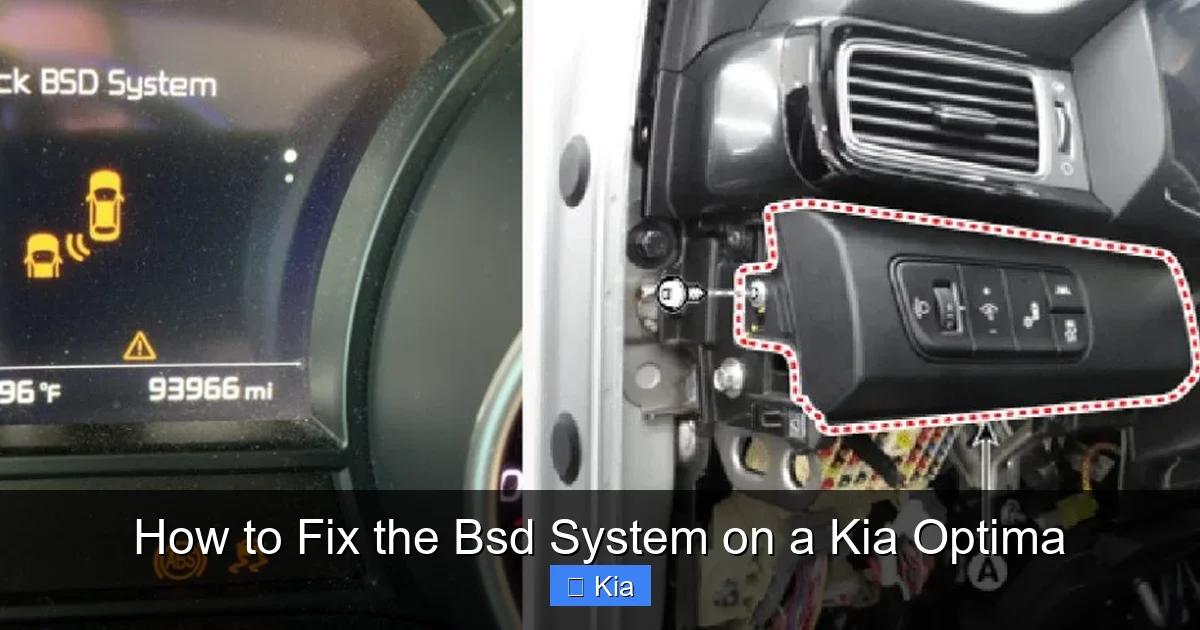
Visual guide about How to Fix the Bsd System on a Kia Optima
Image source: repairious.com
Before diving into fixes, it’s important to understand how the BSD system actually works. The Blind Spot Detection system in the Kia Optima uses two radar sensors—typically located behind the rear bumper covers, near the outer edges. These sensors emit low-power radio waves that bounce off nearby objects, allowing the system to detect vehicles in your blind spots.
When a vehicle is detected, the system sends a signal to the vehicle’s central control module, which then activates a warning indicator. In most Optima models, this appears as a small icon in the side mirror—usually on the left for the driver’s side and the right for the passenger side. If you activate your turn signal while a vehicle is in your blind spot, the system may flash the warning light rapidly or sound a chime, depending on your trim level and options.
The BSD system is part of a broader suite of advanced driver assistance systems (ADAS) that may also include Rear Cross-Traffic Alert (RCTA) and Lane Change Assist (LCA). These features often share the same sensors and control modules, so a problem with one can affect the others. For example, if your RCTA isn’t working when reversing out of a parking spot, it could be due to the same sensor issue affecting your BSD.
It’s also worth noting that the BSD system is designed to operate under normal driving conditions. It may not function properly in heavy rain, snow, or when the sensors are obstructed. However, if the system fails under clear conditions or shows persistent warning lights, it’s time to investigate.
Components of the BSD System
The BSD system relies on several key components working together:
- Radar Sensors: Located behind the rear bumper, these are the “eyes” of the system. They continuously scan the areas alongside your vehicle.
- Control Module: This is the brain of the system. It processes data from the sensors and decides when to trigger warnings.
- Warning Indicators: Usually LED lights in the side mirrors or dashboard that alert the driver.
- Wiring Harness: Connects the sensors to the control module and power source. Damaged wires can disrupt communication.
- Fuses: Protect the electrical circuit. A blown fuse can disable the entire system.
Understanding these parts will help you pinpoint where a problem might be occurring. For instance, if the warning light is on but the system seems to be working, the issue might be with the indicator itself. But if no warnings appear at all, the sensors or control module could be at fault.
Common Symptoms of BSD System Failure
Visual guide about How to Fix the Bsd System on a Kia Optima
Image source: i0.wp.com
When the BSD system on your Kia Optima starts to fail, it usually gives you clear signs. Recognizing these symptoms early can save you time, money, and potentially prevent an accident. Here are the most common indicators that something is wrong:
- Persistent Warning Light: The BSD warning light on your dashboard stays on even when no vehicles are nearby. This is one of the most common signs of a malfunction.
- False Alerts: The system triggers warnings when there’s nothing in your blind spot—like when driving past a guardrail or parked cars.
- No Warnings at All: You change lanes and the system doesn’t alert you, even when another vehicle is clearly in your blind spot.
- Intermittent Functionality: The system works sometimes but not others, especially after rain or washing the car.
- Multiple ADAS Warnings: If you see warnings for BSD, RCTA, and lane departure all at once, it could indicate a shared sensor or module issue.
These symptoms can be frustrating, but they’re usually not random. Most are caused by one of a few underlying issues—many of which you can fix yourself.
Why These Symptoms Occur
The BSD system is highly sensitive. Even minor obstructions or electrical glitches can disrupt its operation. For example, a layer of mud or ice on the sensor can block radar signals, causing false alerts or complete failure. Similarly, a loose connection in the wiring harness might cause intermittent problems that come and go.
Another common cause is software corruption. Like any computer system, the BSD module can experience glitches, especially after a battery replacement or voltage spike. In some cases, the system may need a simple reset to clear error codes and restore normal function.
It’s also possible that the sensors themselves are damaged. While they’re designed to be durable, impacts from minor accidents, road debris, or even aggressive car washes can crack the housing or misalign the internal components.
Step-by-Step Guide to Fixing the BSD System
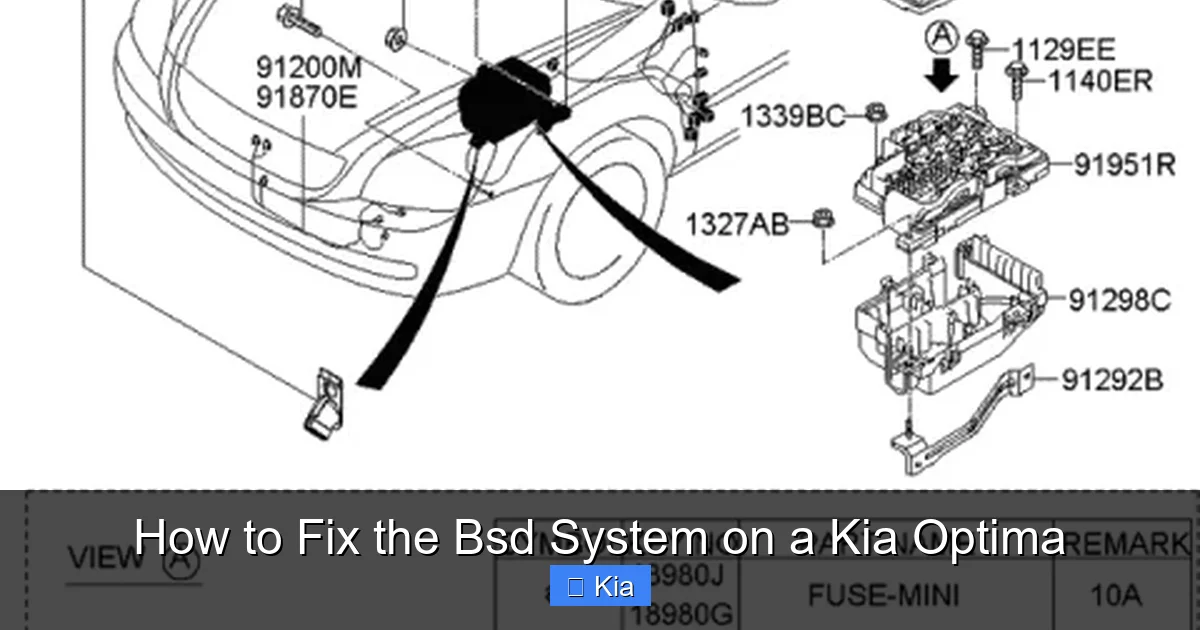
Visual guide about How to Fix the Bsd System on a Kia Optima
Image source: i1.wp.com
Now that you know what to look for, let’s get into the fixes. Most BSD issues on the Kia Optima can be resolved with a few straightforward steps. Start with the simplest solutions and work your way up.
Step 1: Clean the BSD Sensors
The first and easiest fix is cleaning the sensors. Over time, dirt, grime, snow, and even bug splatter can accumulate on the rear bumper, blocking the radar signals.
To clean the sensors:
- Locate the sensors behind the rear bumper. They’re usually small, rectangular modules near the outer edges.
- Use a soft cloth and mild soapy water to gently wipe the surface. Avoid harsh chemicals or high-pressure washers, which can damage the sensors.
- Rinse thoroughly and dry with a clean microfiber cloth.
- Test the system by driving at moderate speed and checking if the warning lights behave normally.
Many drivers are surprised to find that a simple cleaning resolves their BSD issues. It’s a great first step before moving on to more complex troubleshooting.
Step 2: Check for Obstructions
Even after cleaning, physical obstructions can still interfere with the sensors. Check for:
- Trailer hitches or bike racks mounted near the sensors
- Aftermarket bumper covers or modifications
- Stickers, decals, or protective films on the bumper
If you’ve recently installed any accessories, try removing them temporarily to see if the BSD system returns to normal. Some aftermarket parts can block radar signals or cause interference.
Step 3: Inspect the Fuses
A blown fuse can disable the entire BSD system. The fuse box is usually located under the dashboard on the driver’s side or in the engine compartment.
To check the fuses:
- Consult your owner’s manual to locate the BSD-related fuse (often labeled “BSD,” “RADAR,” or “ADAS”).
- Use a fuse puller or needle-nose pliers to remove the fuse.
- Inspect it for a broken filament or discoloration.
- Replace it with a fuse of the same amperage if necessary.
If the new fuse blows immediately, there may be a short circuit in the wiring—this requires professional diagnosis.
Step 4: Reset the System
Sometimes, the BSD system just needs a reset to clear temporary glitches. This can be done in a few ways:
- Battery Disconnect: Turn off the ignition, disconnect the negative battery terminal for 10–15 minutes, then reconnect it. This resets the vehicle’s electronics.
- Ignition Cycle: Turn the key to the “ON” position (without starting the engine) for 30 seconds, then turn it off. Repeat 2–3 times.
- Use a Diagnostic Tool: If you have access to an OBD2 scanner with ADAS capabilities, you can clear error codes and recalibrate the system.
After resetting, drive the vehicle for 10–15 minutes to allow the system to relearn its parameters.
Step 5: Check for Software Updates
Kia periodically releases software updates for the BSD system to fix bugs and improve performance. These updates are typically available at authorized dealerships and may be free if your vehicle is under warranty.
To check for updates:
- Visit your local Kia service center with your VIN.
- Ask the technician to scan for available ADAS software updates.
- If an update is available, they can reflash the control module in about 30 minutes.
Even if your car is out of warranty, some dealers may still perform the update for a small fee. It’s worth asking—especially if you’ve tried everything else.
Step 6: Inspect Wiring and Connections
If the problem persists, the issue may be with the wiring harness or connectors. Over time, wires can fray, connectors can corrode, or rodents can chew through cables.
To inspect:
- Locate the BSD sensor connectors behind the rear bumper.
- Disconnect them and check for corrosion, bent pins, or loose connections.
- Reconnect them firmly and ensure they click into place.
- Look for visible damage along the wiring path, especially near moving parts like suspension components.
If you find damaged wires, they may need to be repaired or replaced. This is best done by a professional unless you have experience with automotive electrical systems.
When to Visit a Kia Dealership
While many BSD issues can be fixed at home, some problems require specialized tools and expertise. Here’s when you should consider visiting a Kia service center:
- The warning light won’t turn off after cleaning and resetting.
- You suspect sensor damage from an accident or impact.
- Multiple ADAS systems are malfunctioning simultaneously.
- You don’t have access to a diagnostic scanner.
- The vehicle is still under warranty.
Dealerships have factory-trained technicians and advanced diagnostic equipment that can pinpoint issues quickly. They can also perform sensor calibration, which is required after replacing a sensor or control module.
What to Expect at the Dealership
When you bring your Optima in for BSD issues, the technician will typically:
- Scan the vehicle for diagnostic trouble codes (DTCs).
- Inspect the sensors, wiring, and control module.
- Test the system under controlled conditions.
- Perform any necessary repairs or updates.
- Recalibrate the sensors if needed.
The entire process usually takes 1–2 hours, depending on the issue. If parts need to be ordered, it may take longer.
Preventing Future BSD Problems
Once your BSD system is working again, you’ll want to keep it that way. Here are some tips to prevent future issues:
- Regularly clean the rear bumper: Make it part of your car wash routine to remove dirt and debris.
- Avoid high-pressure washing near sensors: Use a gentle spray to prevent damage.
- Check for obstructions after installing accessories: Ensure bike racks or hitches don’t block the sensors.
- Keep your software up to date: Visit the dealership every 12–18 months for system checks.
- Address warning lights promptly: Don’t ignore a persistent BSD light—it could indicate a growing problem.
By staying proactive, you can enjoy the full benefits of your Optima’s safety features for years to come.
Conclusion: Stay Safe with a Working BSD System
The BSD system on your Kia Optima is more than just a convenience—it’s a vital safety feature that helps prevent accidents. When it’s not working properly, you’re driving with reduced awareness, especially on busy highways or in heavy traffic.
The good news is that most BSD issues are fixable. From cleaning dirty sensors to resetting the system or updating software, many problems can be resolved without a trip to the dealership. However, if you’ve tried the DIY steps and the issue persists, don’t hesitate to seek professional help. Your safety is worth the investment.
By understanding how the BSD system works, recognizing the signs of failure, and knowing how to fix common problems, you can keep your Kia Optima running safely and smoothly. Whether you’re a seasoned DIYer or prefer to leave repairs to the experts, this guide gives you the knowledge to take control of your vehicle’s safety systems.
Remember: a little maintenance goes a long way. Keep those sensors clean, stay alert to warning lights, and drive with confidence knowing your blind spots are being watched.
Frequently Asked Questions
What does the BSD warning light look like?
The BSD warning light typically appears as a yellow or orange icon on your dashboard or side mirror. It often looks like a car with curved lines indicating radar waves. If it stays on or flashes, it means the system has detected a problem.
Can I drive my Kia Optima if the BSD system isn’t working?
Yes, you can still drive, but you lose an important safety feature. Always check your blind spots manually by glancing over your shoulder before changing lanes.
How much does it cost to fix the BSD system?
Simple fixes like cleaning or fuse replacement cost little to nothing. Sensor replacement or professional diagnostics can range from $100 to $500, depending on the issue and labor rates.
Will disconnecting the battery reset the BSD system?
Yes, disconnecting the battery for 10–15 minutes can reset the system and clear temporary glitches. However, it may not fix hardware or software issues.
Can a car wash damage the BSD sensors?
High-pressure washes or automatic brush systems can potentially damage sensors. Use touchless washes or hand wash the rear bumper gently to avoid issues.
Do I need to recalibrate the BSD system after repairs?
Yes, if you replace a sensor or control module, professional recalibration is usually required to ensure accurate detection. This is typically done at a dealership.
