

Why Does My Toyota Say Pre-collision System Is Unavailable?

Contents
- 1 Key Takeaways
- 2 📑 Table of Contents
- 3 Your Co-Pilot Has Gone Dark: Understanding the “Pre-Collision System Unavailable” Message
- 4 How Your Toyota’s Pre-Collision System Works (And Why It Needs to See)
- 5 The Usual Suspects: Why Your PCS Says “Unavailable”
- 6 What You Can Do: A Driver’s Diagnostic Routine
- 7 Prevention is the Best Medicine: Protecting Your PCS
- 8 The Bottom Line: Safety First
- 9 Frequently Asked Questions


Seeing “Pre-Collision System Unavailable” on your Toyota’s dash? This warning means your advanced safety system has temporarily shut off. The most common culprits are dirty or obstructed front grille sensors, extreme weather like heavy rain or fog, or a misaligned sensor after a windshield replacement. While often a simple fix, it’s crucial to diagnose the issue promptly to restore this vital safety feature.
Key Takeaways
- Dirty or Blocked Sensors: The #1 cause. The radar behind the front grille or camera behind the windshield must be perfectly clean and unobstructed by bugs, mud, snow, or aftermarket accessories.
- Adverse Weather Conditions: Heavy rain, dense fog, snow, or bright sunlight can temporarily overwhelm the system’s sensors, causing it to deactivate for safety.
- Sensor Misalignment or Damage: A minor front-end impact, a bent grille, or even a recent windshield replacement can knock the precise sensor alignment out of spec, rendering the system inoperative.
- Electrical or Software Glitches: Like any computer, the system can experience temporary software bugs or electrical gremlins, often resolved by a simple vehicle reboot.
- System Deactivation: You or a previous driver may have manually turned the system off via the vehicle settings menu, and it simply needs to be re-enabled.
- Related System Malfunctions: Issues with other safety systems that share components, like Vehicle Stability Control (VSC), can sometimes trigger a PCS warning as a safeguard.
- Professional Calibration Required: After certain repairs (e.g., windshield, front bumper), the sensors must be professionally recalibrated using specialized equipment for the system to function again.
[FEATURED_IMAGE_PLACEHOLDER]
📑 Table of Contents
- Your Co-Pilot Has Gone Dark: Understanding the “Pre-Collision System Unavailable” Message
- How Your Toyota’s Pre-Collision System Works (And Why It Needs to See)
- The Usual Suspects: Why Your PCS Says “Unavailable”
- What You Can Do: A Driver’s Diagnostic Routine
- Prevention is the Best Medicine: Protecting Your PCS
- The Bottom Line: Safety First
You’re driving down the road, and your eye catches a new, unsettling message on your dashboard display: “Pre-Collision System Unavailable.” Your heart might skip a beat. That little icon of a car about to collide is more than just a warning light; it’s the voice of your Toyota’s most advanced digital co-pilot, and it’s telling you it’s been benched. Don’t panic. This is a common issue, and in many cases, it’s not a sign of a catastrophic failure but rather a system that has proactively shut itself down for a valid reason. Think of it as your car’s way of saying, “I can’t see clearly right now, so I’m not going to make any decisions I might get wrong.” This message is a notification, not necessarily a death sentence for your safety tech. Our goal here is to demystify this warning, walk through the most likely causes from the simplest to the more complex, and give you the practical knowledge to diagnose and resolve it. Understanding why your Pre-Collision System (PCS) is unavailable is the first step to getting your peace of mind and your full suite of safety features back online.
How Your Toyota’s Pre-Collision System Works (And Why It Needs to See)
Before we dive into why it’s unavailable, we need a quick refresher on what this system does. Your Toyota’s Pre-Collision System is a sophisticated bundle of technologies designed to help prevent or mitigate a frontal collision. It typically combines a millimeter-wave radar sensor, usually housed in the front grille or behind the front bumper, with a monocular camera mounted near the rearview mirror. This dynamic duo constantly scans the road ahead, detecting vehicles, pedestrians, and sometimes even bicyclists or obstacles.

Visual guide about Why Does My Toyota Say Pre-collision System Is Unavailable?
Image source: attachments.priuschat.com
The Radar and Camera Team
The radar is excellent at measuring the distance and relative speed of objects ahead, and it works well in most weather conditions, including darkness and light fog. The camera, however, is a visual识别 expert. It identifies shapes, reads lane markings, and helps classify objects (is that a car or a cardboard box?). The system’s brain, the Electronic Control Unit (ECU), fuses this radar and camera data to build a comprehensive picture of the driving environment. If it determines an imminent collision and you haven’t reacted, it can provide visual and audible alerts, and in many models, automatically apply the brakes. It’s a brilliant system, but its brilliance is entirely dependent on its “eyes” being open and unobstructed. When the system detects a problem with its ability to “see,” it logically and safely declares itself unavailable.
For a deeper dive into the intricate dance between radar and camera, you can read our detailed explainer on how the Toyota Pre-Collision System works.
Now, let’s get to the heart of the matter. The “Pre-Collision System Unavailable” message is a generic alert with a wide range of potential triggers. We’ll break them down into the most common, easily fixable categories first.
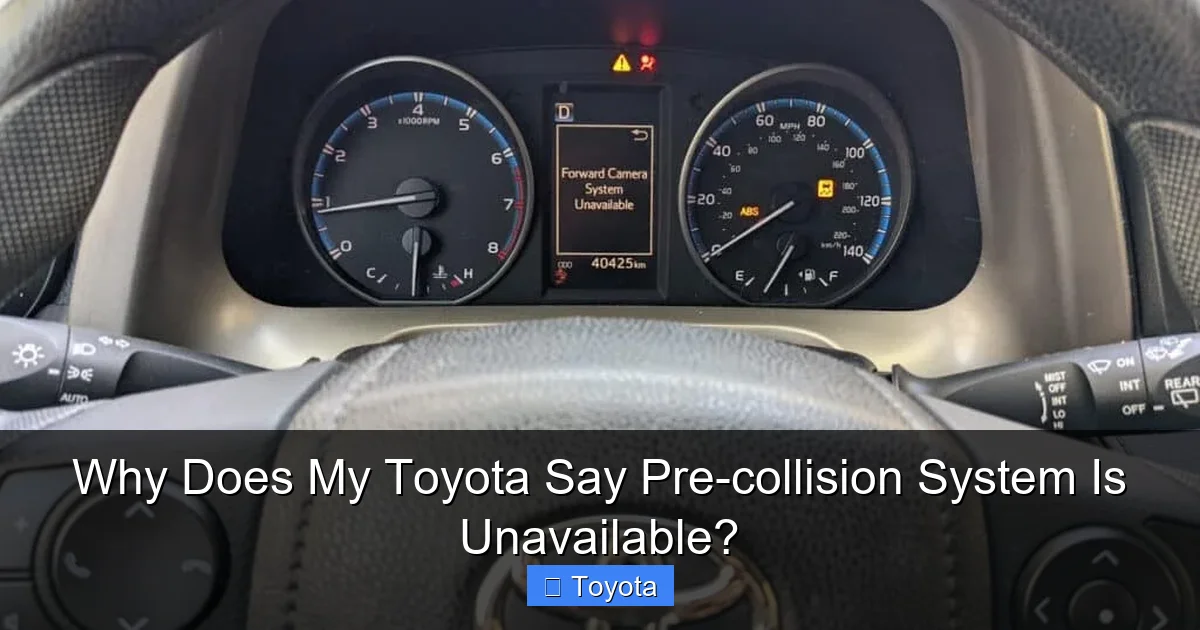
Visual guide about Why Does My Toyota Say Pre-collision System Is Unavailable?
Image source: youcanic.com
1. Obstruction: The #1 Offender (Dirty or Blocked Sensors)
This is, by far, the most frequent cause of this warning. The system’s sensors are precision instruments, and even a small amount of debris can disrupt their function.
- Front Grille/Bumper Radar: This sensor looks through the plastic mesh of your front grille. Caked-on mud, a thick layer of bugs from a long highway drive, snow and ice buildup, or even a loose or missing grille cover can block the radar signal. Aftermarket accessories like large front license plate frames, off-road bumpers, or even certain tow hooks can also interfere.
- Windshield Camera: The camera needs a perfectly clear view. A dirty, cracked, or heavily pitted windshield right in front of the camera’s view (usually behind the rearview mirror) is a major problem. Additionally, anything stuck to the windshield in that spot—a large parking permit, a suction cup from a dash cam, or even a particularly opaque window tint—will cause the system to shut down.
Practical Tip: Give your front grille a thorough wash with a gentle degreaser. Clean the area of your windshield directly behind the rearview mirror with a proper glass cleaner. Check for any aftermarket additions that might be in the sensor’s line of sight.
2. Mother Nature’s Interference: Severe Weather
The system is designed to handle typical conditions, but extreme weather can temporarily overpower it.
- Heavy Rain or Snow: While the radar can see through light precipitation, a torrential downpour or blizzard can create enough “noise” to confuse the radar returns. Water and snow can also accumulate on the grille, creating a physical blockage.
- Dense Fog: Fog can scatter the radar’s millimeter waves and completely obscure the camera’s view, making object detection unreliable.
- Bright Sun Glare: Driving directly into a very low-angle, bright sun can “blind” the camera, causing it to malfunction temporarily.
- Extreme Cold: In very frigid temperatures, ice can form on internal sensor components or the wiring, causing a fault until it warms up.
What to do: If the weather is the clear cause, the message will often disappear on its own once you reach a more sheltered area or the weather improves. Drive with heightened awareness until it returns.
3. Physical Trauma: Misalignment or Damage
Your PCS sensors are calibrated to work within incredibly tight tolerances. A seemingly minor event can knock them out of alignment.
- Front-End Impact: Even a minor bump into a curb, a minor fender bender, or a significant pothole strike can bend the grille or the sensor bracket just enough to misalign the radar’s “eye.”
- Windshield Replacement: This is a classic trigger. If your windshield was recently replaced and the camera was removed and reinstalled, it must be recalibrated. The camera’s position relative to the road is critical. A technician who doesn’t perform the specific Toyota calibration procedure after a windshield swap will almost certainly cause a “Pre-Collision System Unavailable” warning, along with potential issues with lane-keeping assist and automatic high beams. This is a key reason to always use a glass shop familiar with your vehicle’s ADAS (Advanced Driver Assistance Systems).
- Bumper or Grille Replacement: Similarly, if the front bumper cover or grille assembly was removed for any reason, the radar sensor’s mounting position may have shifted.
Takeaway: If the warning appeared immediately after any work on the front end or windshield, misalignment is the prime suspect and requires a professional shop with the correct calibration tools.
4. The Glitch in the Matrix: Electrical and Software Issues
Modern cars are computers on wheels, and sometimes they just need a reboot.
- System Software Bug: A temporary glitch in the PCS module’s software can cause a false fault. This can happen after a battery disconnect, an electrical surge, or for no obvious reason.
- Weak or Dead 12V Battery: A failing battery with low voltage can cause all sorts of electronic modules to behave erratically or fail to initialize properly. The PCS is no exception. If your battery is more than 4-5 years old and you’re seeing this warning, it’s a strong clue.
- Loose or Corroded Connectors: A poor electrical connection to the radar or camera module can interrupt the signal.
Simple Fix Attempt: Before you panic, try a full system reboot. Turn the vehicle completely OFF, remove the key (or key fob if you have push-button start), open and close the driver’s door, and wait 5-10 minutes. This allows all control modules to fully power down. Then restart the car. Often, this clears transient faults. If the warning returns immediately or after a short drive, the problem is likely physical rather than a simple glitch.
5. Manual Deactivation or Related System Faults
Sometimes the answer is simpler than you think.
- Accidentally Turned Off: You or another driver may have manually disabled the Pre-Collision System through the vehicle’s multi-information display settings menu. It’s easy to do without realizing it. The system will then display a message that it’s turned off, which can sometimes be phrased similarly to “unavailable.” Check your owner’s manual for the exact steps to re-enable it. Our guide on how to turn off the Toyota Pre-Collision System also covers how to turn it back on.
- Other Safety System Warnings: Your Toyota’s safety systems are interconnected. A fault in the Vehicle Stability Control (VSC), Traction Control (TRAC), or even a severely illuminated Check Engine Light can cause the PCS to deactivate as a precautionary measure. The car’s computer is saying, “Something else is wrong, so I’m not going to trust my collision system either.” In this case, you’ll have multiple warning lights. Diagnosing the primary fault is key. For instance, a common issue in older models is a Check VSC System warning, which could be related to a shared wheel speed sensor that also feeds data to the PCS.
What You Can Do: A Driver’s Diagnostic Routine
When that message pops up, your reaction should be methodical. Here’s a step-by-step guide to investigating the issue yourself before heading to a shop.
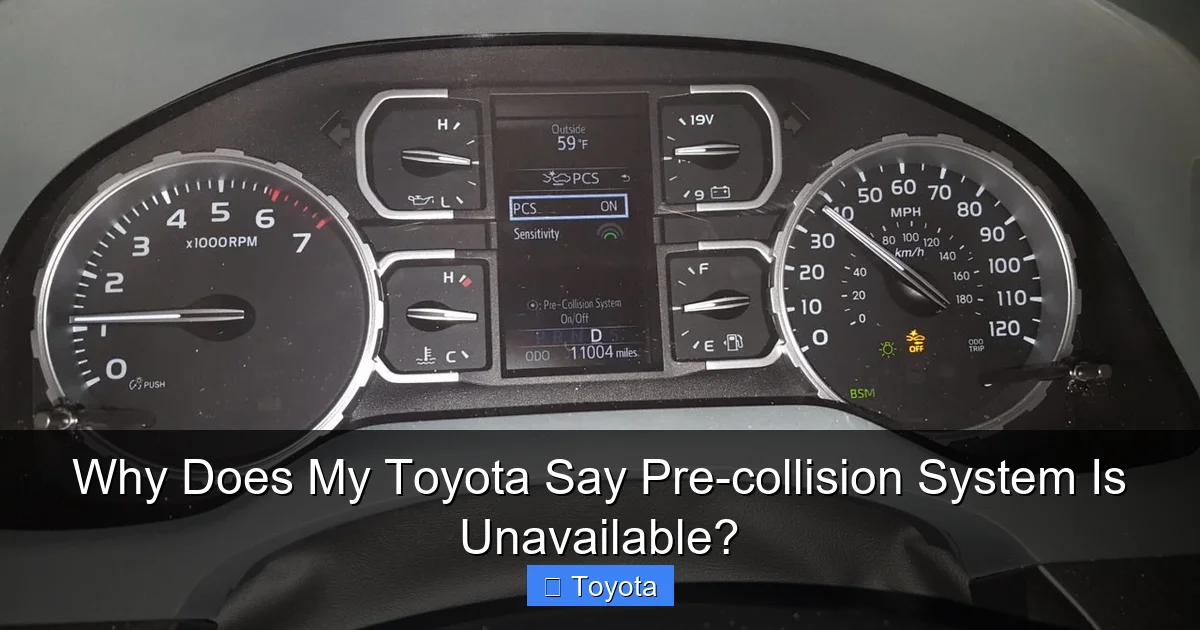
Visual guide about Why Does My Toyota Say Pre-collision System Is Unavailable?
Image source: i2.wp.com
Step 1: The Visual Inspection (5 Minutes)
Park your car and do a walk-around. Focus on the front end.
- Is the front grille clean? Remove any bug splatters, mud clods, or ice.
- Is there any damage? Look for a dented or misaligned grille, a bent front bumper, or signs of a recent impact.
- Check the windshield. Is the area behind the rearview mirror clean and crack-free? Look for any objects attached there.
- Are the headlights and front turn signals clean? Sometimes a very dirty headlight lens can also cause issues.
Step 2: The Settings Check
Get in the car, start it, and navigate to the vehicle settings menu on your dashboard display. Find the “Pre-Collision System” or “Safety Sense” settings. Ensure it is turned ON. Also, check if there are any sub-settings that might have been altered, like the sensitivity level or the alert timing.
Step 3: The Reboot
As mentioned, perform a full power cycle. Turn the car off, remove the key fob if you have a smart key system (take it with you), lock and unlock the doors with the fob, wait 10 minutes, then restart. See if the message clears.
Step 4: The Road Test Under Different Conditions
Drive the car in good weather and light traffic. Does the message come on immediately, or only after a few minutes? Does it disappear when you slow down? Try driving on a straight, empty road at a steady speed to see if the system re-engages. If the message only appears in heavy rain or fog, you’ve likely identified environmental interference.
Step 5: Check for Other Warnings
Are there any other lights on? A Check Engine Light, VSC light, or ABS light? Scan the car for any stored trouble codes. You can use a basic OBD2 scanner, but note that PCS-specific faults often require a more advanced dealer-level scan tool. However, any other primary warning light gives you a major clue that the PCS issue is secondary.
When to Call a Professional: The Need for Specialized Tools
If the simple steps above don’t resolve the issue, it’s time to seek expert help. The diagnostic tools needed to properly troubleshoot PCS are not typically found at a general repair shop or your local auto parts store. A Toyota dealership or a well-equipped independent shop specializing in your brand will have the proprietary scan software to:
- Read the specific Diagnostic Trouble Codes (DTCs) stored in the PCS module. A code like “C1A00” might indicate a radar alignment issue, while “C1A13” could point to a camera malfunction.
- Perform a sensor calibration. This involves using a specialized calibration target (a large, precise pattern on a board) placed at a specific distance and angle in front of the vehicle. The car’s computer then uses the camera and radar to “learn” its correct position relative to the vehicle’s centerline. This is absolutely mandatory after any windshield or front-end work.
- Test sensor output and wiring continuity.
Attempting a DIY calibration without the correct tools and targets is impossible and will likely leave the system still unavailable or, worse, malfunctioning incorrectly.
Prevention is the Best Medicine: Protecting Your PCS
You can take proactive steps to minimize the chances of seeing this warning.
- Keep the Front End Immaculate: Make cleaning the front grille and windshield part of your regular car wash routine, especially during bug-heavy seasons or after driving on salted winter roads.
- Mind Aftermarket Accessories: Be extremely cautious about adding anything to the front of your car—large front license plate brackets, bull bars, or custom grilles. They may look tough, but they can block your radar’s “vision.” Always check compatibility with ADAS systems.
- Choose Your Windshield Shop Wisely: If you need a windshield replacement, specifically ask if they are certified to recalibrate Advanced Driver Assistance Systems (ADAS) for your Toyota model. Do not assume they will do it automatically. Get it in writing. This is non-negotiable for maintaining your safety systems.
- Address Front-End Damage Promptly: Even a small dent in the grille area should be inspected. What seems cosmetic could be affecting sensor alignment.
- Maintain Your Battery: A healthy 12V battery is the foundation for all your vehicle’s electronics. Replace it every 4-5 years as a preventive measure.
The Bottom Line: Safety First
When your Toyota tells you the Pre-Collision System is Unavailable, it’s handing you a responsibility. That system is a powerful tool designed to act as a second set of eyes, and in an emergency, it could be the difference between a close call and a serious collision. Ignoring the warning means you’re driving without one of your car’s most important safety nets. Start with the simple, free checks: clean the sensors and check the settings. If that fails, don’t guess. Have the system professionally diagnosed. The cost of a diagnostic scan and potential calibration is minor compared to the value of the system’s function and your family’s safety. Your Toyota’s message isn’t just an inconvenience; it’s a prompt to take a moment, understand what your car is telling you, and ensure its protective capabilities are fully restored. After all, the best safety system is the one that’s working perfectly when you need it most.
Frequently Asked Questions
Is it safe to drive my Toyota with the “Pre-Collision System Unavailable” message on?
Yes, it is generally safe to drive the vehicle, as this message indicates the system has deactivated itself, not that the car is mechanically unsafe. However, you are now driving without an important automated safety net. You must rely entirely on your own attentive driving and defensive skills until the system is restored.
Can I fix the “Pre-Collision System Unavailable” error myself?
You can try simple fixes like thoroughly cleaning the front grille and windshield camera area, checking the system settings to ensure it’s turned on, and performing a full vehicle reboot by disconnecting the battery or letting the car sit powered down for 10 minutes. However, if the issue is sensor misalignment, damage, or requires software recalibration (common after a windshield replacement), you will need a professional with specialized ADAS calibration tools.
Will a dead or weak car battery cause the Pre-Collision System to become unavailable?
Yes, absolutely. A weak or failing 12V battery can cause voltage drops that make sensitive electronic modules, including the Pre-Collision System module, malfunction or fail to initialize properly. If your battery is old (4+ years) and you’re seeing this warning along with other electrical gremlins, battery replacement should be considered.
How much does it cost to fix a “Pre-Collision System Unavailable” problem?
The cost varies wildly. If it’s just a dirty sensor, the cost is $0. If it requires a professional ADAS calibration after a windshield replacement, expect to pay between $150 and $400, depending on the shop and region. If a sensor itself is damaged and needs replacement, costs can range from $500 to over $1,500 for the part plus labor.
Can I reset the Pre-Collision System myself without a scan tool?
For a temporary software glitch, a full power cycle (turning the car off, removing the key/fob, waiting 10 minutes) may reset it. However, if the system has logged a fault code due to a physical problem (like misalignment), the warning will return as soon as the system performs its self-check. To clear stored fault codes and perform a full reset, a professional scan tool is usually required.
Why did my Pre-Collision System stop working after I got my windshield replaced?
This is one of the most common causes. The forward-facing camera is mounted to the windshield. When the glass is removed and replaced, the camera’s precise position is altered. The system must be professionally recalibrated using specialized targets to tell the camera its exact location relative to the car’s centerline. If this calibration is not performed, the system will not function and will display “Unavailable.” Always confirm ADAS recalibration is included when getting a windshield replaced.







