
What Is Selective Unlock on Nissan Vehicles?

Contents
- 1 Key Takeaways
- 2 📑 Table of Contents
- 3 What Is Selective Unlock on Nissan Vehicles?
- 4 How Does Selective Unlock Work?
- 5 Benefits of Selective Unlock
- 6 Which Nissan Models Have Selective Unlock?
- 7 How to Enable or Disable Selective Unlock
- 8 Common Issues and Troubleshooting
- 9 Tips for Getting the Most Out of Selective Unlock
- 10 Conclusion
- 11 Frequently Asked Questions



Selective unlock on Nissan vehicles allows drivers to unlock only the driver’s door with the first press of the key fob button, enhancing security by keeping other doors locked. A second press unlocks all doors, offering both safety and convenience in different situations.
Key Takeaways
- Enhanced Security: Selective unlock prevents unauthorized access by unlocking only the driver’s door initially, reducing the risk of break-ins.
- Convenience Control: Drivers can choose when to unlock passenger doors, ideal for quick stops or solo driving.
Customizable Feature: Many Nissan models allow you to turn selective unlock on or off through vehicle settings or the infotainment system. - Works with Key Fob and Intelligent Key: The feature functions with both traditional remote key fobs and Nissan’s Intelligent Key system.
- Improved Safety for Families: Parents can unlock only the driver’s door when picking up children, keeping rear doors secure until ready.
- Compatible Across Models: Available on popular Nissan vehicles like the Altima, Rogue, Sentra, and Maxima.
- Easy to Use: Simple two-step process—press once for driver door, press again for all doors.
📑 Table of Contents
What Is Selective Unlock on Nissan Vehicles?
Imagine you’re pulling up to a gas station late at night. You step out of your car, and with a single press of the key fob, only your driver’s door unlocks. The passenger and rear doors stay securely locked. That’s selective unlock in action—a smart, security-focused feature built into many Nissan vehicles.
Selective unlock is a door-locking system designed to give drivers more control over when and how their car doors open. Instead of unlocking all doors at once, this feature allows you to unlock just the driver’s door with the first press of the key fob button. A second press then unlocks the remaining doors. It’s a simple two-step process that adds an extra layer of safety and convenience, especially in situations where you want to limit access to your vehicle.
This feature is particularly useful in urban environments, parking lots, or unfamiliar areas where you may want to minimize the risk of someone entering your car while you’re distracted. It’s also helpful when you’re driving alone and don’t need passengers getting in right away. Nissan has integrated selective unlock into many of its modern models, making it a standard or optional feature depending on the trim level and year.
But selective unlock isn’t just about security—it’s also about practicality. Think about dropping off a friend or picking up your kids from school. You can unlock just your door to get in, start the car, and prepare everything before allowing others to enter. It gives you a moment to assess your surroundings, adjust the climate, or check your mirrors before opening up the rest of the vehicle.
How Does Selective Unlock Work?
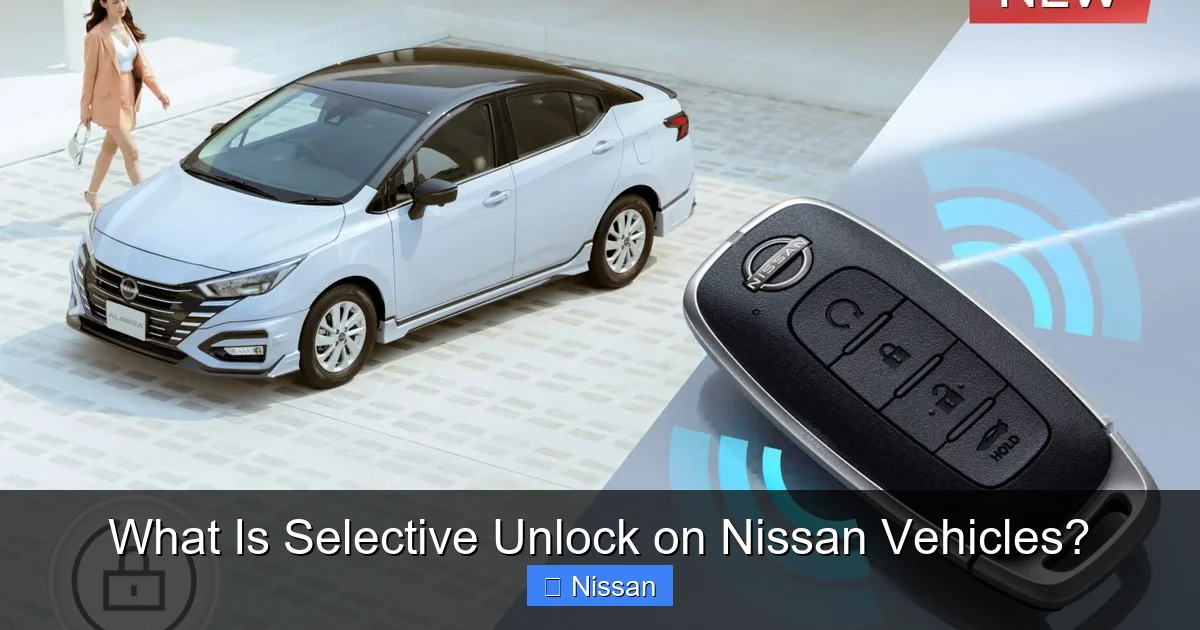
Visual guide about What Is Selective Unlock on Nissan Vehicles?
Image source: www-asia.nissan-cdn.net
At its core, selective unlock is a programmed function within your Nissan’s central locking system. When you press the unlock button on your key fob or Intelligent Key, the vehicle’s body control module (BCM) receives the signal and determines how to respond based on your settings.
Here’s how it typically works:
– First Press: Only the driver’s door unlocks. This is the default behavior when selective unlock is enabled.
– Second Press: All remaining doors (passenger and rear) unlock.
– Locking: Pressing the lock button once locks all doors simultaneously, regardless of the selective unlock setting.
The system uses sensors in each door to detect the lock status and communicates with the key fob via radio frequency signals. If you’re using Nissan’s Intelligent Key, the system can also detect when the key is inside the vehicle, allowing for push-button start and automatic door unlocking when you approach (if enabled).
One important thing to note is that selective unlock only affects the unlocking process—it doesn’t change how the doors lock. When you press the lock button, all doors will secure at once. This ensures that your vehicle is fully protected when you walk away.
Key Fob vs. Intelligent Key
Nissan offers two main types of remote access systems: the traditional key fob and the more advanced Intelligent Key. Both support selective unlock, but they operate slightly differently.
The standard key fob requires you to press buttons to lock or unlock the doors. It’s reliable, simple, and works from a distance of about 20 to 30 feet, depending on environmental factors like buildings or interference.
The Intelligent Key, on the other hand, uses proximity sensors. As long as the key is within range (usually a few feet of the vehicle), you can unlock the doors by touching the door handle or pressing a button on it. Once inside, you can start the engine with the push of a button—no need to insert a key.
With the Intelligent Key, selective unlock still applies. If you approach the driver’s side and touch the handle, only that door will unlock. To open the passenger doors, you’ll need to press the unlock button on the key or use the interior door release.
Customization and Settings
One of the best things about selective unlock is that it’s often customizable. Many Nissan models allow you to turn the feature on or off through the vehicle’s settings menu. This is usually found in the infotainment system under “Vehicle Settings,” “Door Locks,” or “Security.”
For example, in a Nissan Altima or Rogue, you might navigate to:
– Settings > Vehicle > Door Locks > Selective Unlock
From there, you can toggle the feature on or off. Some vehicles also let you adjust related settings, such as whether the doors unlock automatically when the key is detected (for Intelligent Key users) or whether the doors lock automatically when you drive away.
It’s worth checking your owner’s manual or visiting a Nissan dealership if you’re unsure how to access these settings. The exact menu path can vary by model year and trim level.
Benefits of Selective Unlock
Visual guide about What Is Selective Unlock on Nissan Vehicles?
Image source: www-asia.nissan-cdn.net
Selective unlock isn’t just a fancy feature—it offers real-world benefits that improve both safety and convenience. Let’s break down why so many Nissan drivers appreciate this system.
Enhanced Security
The primary advantage of selective unlock is improved security. By unlocking only the driver’s door first, you reduce the risk of someone slipping into a passenger seat while you’re distracted. This is especially important in high-traffic areas like parking lots, gas stations, or city streets.
Imagine you’re filling up your tank at night. You press the unlock button, get in, and start the car. With selective unlock, the other doors remain locked, so even if someone tries the handle, they can’t get in. This gives you peace of mind and an extra layer of protection.
It’s also helpful when you’re carrying valuables in the car. You can enter quickly, stow your items, and then unlock the rest of the vehicle when you’re ready. This minimizes the window of opportunity for theft or intrusion.
Convenience for Solo Drivers
If you usually drive alone, selective unlock makes sense. Why unlock doors you don’t need? It saves time and reduces unnecessary movement. You can get in, start driving, and focus on the road without worrying about passengers fumbling with door handles.
This is especially useful during quick errands—like grabbing coffee or picking up dry cleaning. You don’t need to unlock all doors just to run in and out. Selective unlock keeps things efficient and streamlined.
Family-Friendly Safety
Parents love selective unlock for its safety benefits. When picking up kids from school or daycare, you can unlock only your door, get settled, and then allow children to enter when it’s safe. This prevents little ones from opening doors prematurely or wandering off while you’re still preparing the car.
It also helps when you’re dropping off a child at a friend’s house or sports practice. You can unlock your door, walk them to the door, and keep the car secure until you return.
Reduced Wear and Tear
Believe it or not, selective unlock can also reduce wear on your door locks and latches. Since only one door is being used frequently, the others experience less mechanical stress over time. This can extend the life of your vehicle’s locking system and reduce the need for repairs.
Privacy and Control
Sometimes, you just want more control over your space. Whether you’re working on something in the car, changing clothes, or simply enjoying a moment of solitude, selective unlock lets you enter privately without opening up the entire vehicle.
It’s a small thing, but it adds up. Over time, these moments of control and privacy make driving more comfortable and personalized.
Which Nissan Models Have Selective Unlock?
Visual guide about What Is Selective Unlock on Nissan Vehicles?
Image source: blog.autelsale.com
Selective unlock is available on a wide range of Nissan vehicles, especially those produced in the last decade. While the exact availability depends on the model, trim, and year, here are some of the most popular Nissan models that typically include this feature:
– Nissan Altima: Available on most trims from 2013 onward, especially SV and SL models.
– Nissan Rogue: Standard on higher trims like SV and SL; may be optional on base models.
– Nissan Sentra: Found on SR and SL trims in recent model years.
– Nissan Maxima: Standard on all trims, thanks to its premium positioning.
– Nissan Pathfinder: Available on SL and Platinum trims.
– Nissan Murano: Standard on most trims, especially those with the Intelligent Key.
– Nissan Frontier: Available on higher trims like SV and PRO-4X.
Even if your Nissan doesn’t come with selective unlock standard, it may be possible to enable it through a software update or by visiting a dealership. Some older models can be retrofitted with compatible key fobs that support the feature.
It’s always a good idea to check your owner’s manual or contact a Nissan service center to confirm whether your specific vehicle supports selective unlock. The feature is more common on vehicles with advanced keyless entry systems, so newer models are more likely to have it.
How to Tell If Your Nissan Has Selective Unlock
Not sure if your Nissan has selective unlock? Here’s a simple test:
1. Stand near your car with the key fob.
2. Press the unlock button once.
3. Check which door(s) unlock.
If only the driver’s door opens, congratulations—you have selective unlock! If all doors unlock at once, the feature may be disabled or not available on your model.
You can also check your vehicle settings menu. Look for options related to door locks or security. If you see “Selective Unlock” or “Two-Step Unlock,” you’re in luck.
How to Enable or Disable Selective Unlock
If your Nissan supports selective unlock but it’s not working as expected, you may need to enable it in the settings. Here’s how to do it on most modern Nissan models:
Using the Infotainment System
1. Turn on the ignition (you don’t need to start the engine).
2. Go to the main menu on your touchscreen.
3. Navigate to Settings > Vehicle > Door Locks.
4. Look for an option like Selective Unlock or Two-Step Unlock.
5. Toggle the setting to On or Off, depending on your preference.
6. Exit the menu and test the feature with your key fob.
Some models may have slightly different menu paths. For example, on a Nissan Rogue, you might go to Settings > Convenience > Door Lock Settings.
Using the Key Fob (Alternative Method)
On certain Nissan models, you can toggle selective unlock using a sequence of button presses on the key fob. This method varies by vehicle, but a common sequence is:
1. Close all doors and ensure the vehicle is off.
2. Press and hold the Lock and Unlock buttons on the key fob simultaneously for about 5 seconds.
3. The hazard lights may flash to confirm the setting has changed.
This method is less common and may not work on all models, so check your owner’s manual for specific instructions.
Dealer or Service Center Assistance
If you’re unable to find the setting or the feature isn’t working, visit a Nissan dealership or authorized service center. Technicians can access the vehicle’s computer system and enable or disable selective unlock as needed. They can also verify compatibility and update software if required.
Common Issues and Troubleshooting
While selective unlock is generally reliable, you might encounter occasional issues. Here are some common problems and how to fix them:
All Doors Unlock on First Press
If pressing the unlock button once opens all doors, selective unlock may be disabled. Check your vehicle settings and enable the feature. If it’s already on, try resetting the system by removing the key fob battery for a few minutes, then reinserting it.
No Doors Unlock
If nothing happens when you press the unlock button, the key fob battery may be dead. Replace the battery (usually a CR2032 coin cell) and test again. Also, ensure you’re within range and that there’s no interference from electronic devices.
Intelligent Key Not Working
If you’re using an Intelligent Key and the doors won’t unlock when you touch the handle, the key battery might be low. Try using the physical key blade hidden in the fob to manually unlock the door. Once inside, the car should detect the key and allow you to start the engine.
Inconsistent Behavior
Sometimes, selective unlock may work intermittently. This could be due to signal interference, low battery, or a software glitch. Try moving away from potential sources of interference (like cell phones or power lines) and test again. If the problem persists, consult a technician.
Tips for Getting the Most Out of Selective Unlock
To make the most of this feature, keep these tips in mind:
– Test It Regularly: Make it a habit to test selective unlock every few weeks to ensure it’s working properly.
– Keep Your Key Fob Charged: A weak battery can cause unreliable performance. Replace it every 1–2 years.
– Educate Passengers: Let family members or frequent passengers know how selective unlock works so they don’t get confused when doors don’t open immediately.
– Use It Strategically: Enable selective unlock in high-risk areas or when driving alone, and disable it when you frequently have passengers.
– Check for Updates: Nissan occasionally releases software updates that improve key fob and locking system performance. Ask your dealer about available updates.
Conclusion
Selective unlock is a smart, practical feature that enhances both the security and convenience of Nissan vehicles. By allowing drivers to unlock only the driver’s door first, it reduces the risk of unauthorized access and gives you more control over your vehicle’s entry points. Whether you’re driving solo, picking up kids, or parking in a busy lot, selective unlock helps you stay safe and efficient.
Best of all, it’s easy to use, customizable, and available on many popular Nissan models. With just a few button presses, you can tailor your vehicle’s locking behavior to match your lifestyle and needs.
So the next time you press that unlock button, remember—you’re not just opening a door. You’re using a thoughtful feature designed to protect you, your passengers, and your peace of mind. If your Nissan has selective unlock, take a moment to explore the settings and make it work for you. It’s one of those small details that can make a big difference in your daily drive.
Frequently Asked Questions
What is selective unlock on a Nissan?
Selective unlock is a security feature that allows only the driver’s door to unlock with the first press of the key fob button. A second press unlocks all remaining doors, giving you control over access to your vehicle.
Can I turn selective unlock off on my Nissan?
Yes, most Nissan models allow you to disable selective unlock through the vehicle settings menu. Look for options under Door Locks or Security in your infotainment system.
Does selective unlock work with the Intelligent Key?
Yes, selective unlock works with Nissan’s Intelligent Key system. Touching the driver’s door handle will unlock only that door, while a button press on the key can unlock the rest.
Why won’t my Nissan unlock only the driver’s door?
This could mean selective unlock is disabled, the key fob battery is low, or there’s a system glitch. Check your settings and replace the battery if needed.
Is selective unlock available on all Nissan models?
No, it’s more common on newer models and higher trims. Popular vehicles like the Altima, Rogue, and Maxima typically include it, but availability varies by year and configuration.
Does selective unlock affect how the doors lock?
No, selective unlock only changes the unlocking process. Pressing the lock button will always secure all doors at once, regardless of the setting.



