
What Is Ipdm on a Nissan?

What Is IPDM on a Nissan? is an essential topic that provides valuable insights and practical knowledge for anyone interested in learning more about this subject.
“`html
Key Takeaways
- Understanding What Is IPDM on a Nissan?: Provides essential knowledge for making informed decisions
- Practical applications: Can be applied in various real-world scenarios
- Key benefits: Offers significant advantages when properly implemented
- Important considerations: Requires attention to specific details and best practices
- Future implications: Continues to evolve and impact related fields
📑 Table of Contents
- What Is IPDM on a Nissan?
- Understanding the Role of the IPDM in Nissan Vehicles
- Where Is the IPDM Located in a Nissan?
- Common Symptoms of a Failing IPDM
- Diagnosing IPDM Issues: Step-by-Step Guide
- Replacing the IPDM: What You Need to Know
- Preventing IPDM Problems: Maintenance Tips
- Final Thoughts: Why the IPDM Matters
What Is IPDM on a Nissan?
So, you’re driving your Nissan—maybe it’s a Rogue, an Altima, or even a tough Frontier—and suddenly, the dashboard lights up like a Christmas tree. The headlights flicker, the wipers start going on their own, or worse, the engine won’t start. You pop the hood, scratch your head, and wonder: “What in the world is going on?” If you’ve ever found yourself in this situation, there’s a good chance the culprit is something called the IPDM.
Now, before you panic, let’s clear something up: IPDM stands for Intelligent Power Distribution Module. It’s not some mysterious alien technology—it’s actually a smart electronic control unit that manages power distribution throughout your Nissan. Think of it as the brain behind your car’s electrical system. It decides when to send power to your headlights, windshield wipers, cooling fans, and even the starter motor. Without it, your car would be little more than a very expensive paperweight.
In this guide, we’ll break down everything you need to know about the IPDM on a Nissan—what it does, where it’s located, common problems, how to diagnose issues, and even tips for maintenance. Whether you’re a DIY mechanic or just a curious car owner, this post will help you understand one of the most important yet overlooked components under your hood.
Understanding the Role of the IPDM in Nissan Vehicles
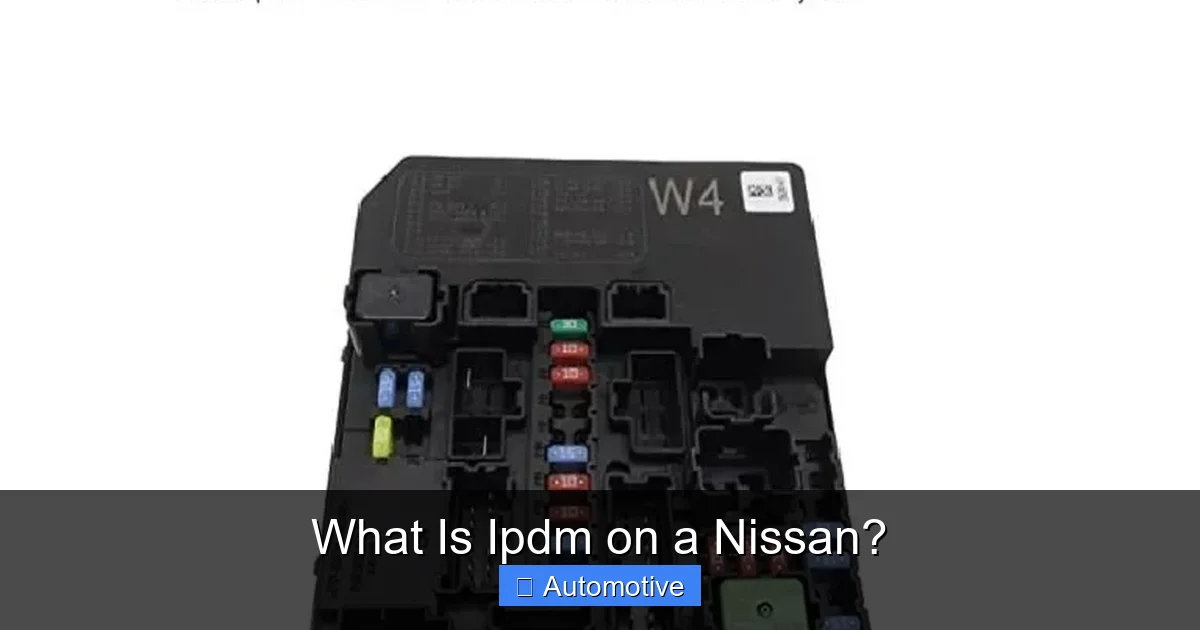
The IPDM is essentially the nerve center of your Nissan’s electrical system. Unlike older cars that relied on fuses and relays scattered throughout the engine bay, modern Nissans use centralized electronic modules to manage power more efficiently. The IPDM takes over many of the functions that used to be handled by individual relays and fuse boxes.
Visual guide about What Is Ipdm on a Nissan?
Image source: imgv2-2-f.scribdassets.com
How the IPDM Controls Power Distribution
Inside the IPDM, you’ll find a combination of solid-state electronics, microprocessors, and relays. These components work together to monitor voltage, detect faults, and send power only when and where it’s needed. For example, when you turn on your headlights, the IPDM receives a signal from the headlight switch and activates the appropriate relay to send power to the lights. It does this in milliseconds—faster than you can blink.
But the IPDM doesn’t just flip switches. It’s also constantly checking for problems. If it detects a short circuit, overcurrent, or a faulty component, it can shut down power to that circuit to prevent damage. This intelligent protection helps avoid blown fuses and electrical fires.
Components Managed by the IPDM
The IPDM controls a wide range of systems in your Nissan. Here are some of the most common:
- Headlights and fog lights – The IPDM manages when these turn on and off, including automatic headlight features.
- Windshield wipers and washer pump – It controls the speed and timing of the wipers, especially in models with rain-sensing wipers.
- Cooling fans – The IPDM activates the radiator and condenser fans based on engine temperature and air conditioning demand.
- Starter motor – In many Nissan models, the IPDM is involved in the starting process, ensuring the starter only engages when safe.
- Horn and interior lighting – Even small accessories like the horn and dome lights are often routed through the IPDM.
Because it handles so many critical functions, a failing IPDM can cause a cascade of electrical issues. That’s why it’s important to recognize the signs early.
Where Is the IPDM Located in a Nissan?
Finding the IPDM isn’t always straightforward, especially if you’re not familiar with Nissan’s layout. But don’t worry—it’s usually in one of two places, depending on the model and year.
Visual guide about What Is Ipdm on a Nissan?
Image source: i.ytimg.com
Common Locations by Model
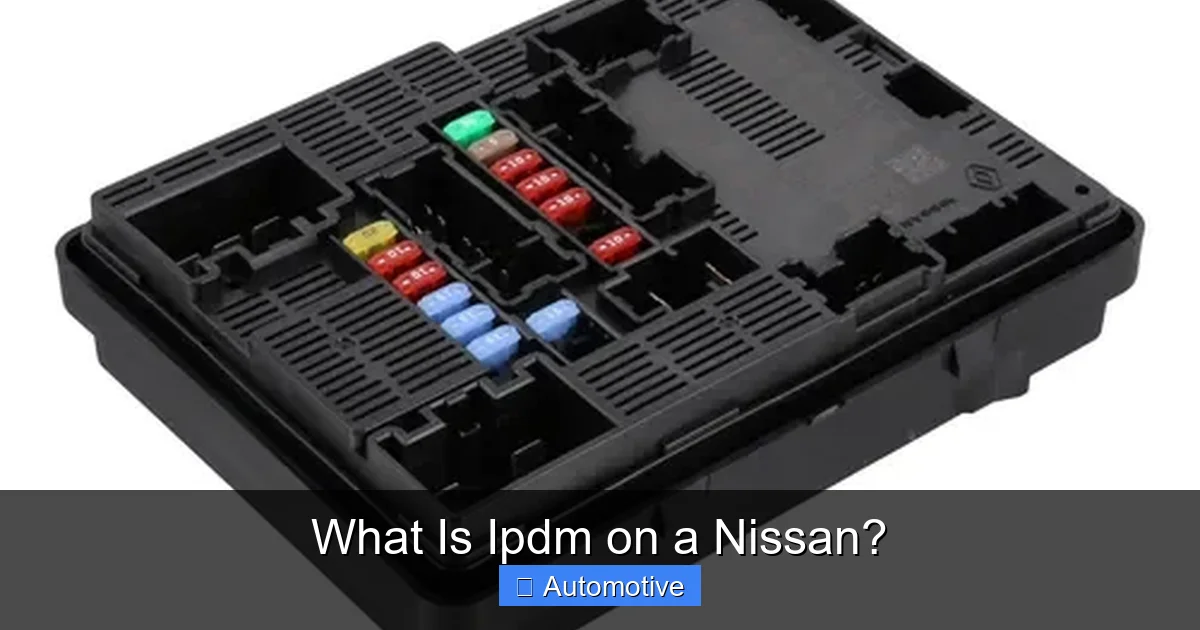
In most Nissan vehicles—like the Altima, Sentra, Rogue, and Maxima—the IPDM is located in the engine compartment fuse box, often referred to as the “main fuse box” or “under-hood fuse box.” It’s typically mounted near the battery or on the driver’s side fender wall. You’ll recognize it as a black plastic box with a removable cover and multiple fuses and relays inside.
However, in some newer models—especially those with advanced driver-assistance systems (ADAS)—the IPDM may be integrated into a larger control module or located in the passenger compartment, often behind the glove box or under the dashboard. For example, in the Nissan Leaf, the IPDM is part of the high-voltage system and is located near the battery pack.
How to Identify the IPDM
To confirm you’ve found the right module, look for labeling. Many IPDMs have a sticker or engraving that says “IPDM” or “Intelligent Power Distribution Module.” You can also consult your owner’s manual or a repair guide specific to your Nissan model. If you’re still unsure, a quick search online with your vehicle’s year, make, and model will usually bring up diagrams or photos.
Pro tip: Before removing the IPDM, always disconnect the negative battery terminal. This prevents accidental shorts or electrical damage while working on the module.
Common Symptoms of a Failing IPDM
Since the IPDM controls so many electrical systems, a malfunction can show up in a variety of ways. The tricky part is that these symptoms often mimic other issues, like bad relays, blown fuses, or wiring problems. That’s why it’s important to rule out simpler causes first.
Visual guide about What Is Ipdm on a Nissan?
Image source: http2.mlstatic.com
Electrical Glitches and Intermittent Failures
One of the most common signs of a failing IPDM is intermittent electrical problems. For example:
- Headlights that turn on and off randomly
- Wipers that activate without being switched on
- Horn that sounds when you’re not pressing it
- Interior lights flickering or staying on
These issues often come and go, making them hard to diagnose. You might think it’s a loose wire, but if the problem persists after checking connections, the IPDM could be the culprit.
No-Start Conditions
In some cases, a faulty IPDM can prevent your Nissan from starting. This happens when the module fails to send power to the starter motor or fuel pump. You might hear a clicking sound when you turn the key, but the engine won’t crank. This is especially common in models where the IPDM plays a direct role in the starting sequence.
For example, in a 2015 Nissan Altima, a failing IPDM might allow the dashboard lights to come on, but the engine won’t start because the starter relay isn’t being activated. Jump-starting the car won’t help because the issue isn’t the battery—it’s the control signal.
Warning Lights and Error Codes
Modern Nissans are equipped with onboard diagnostics (OBD-II) that can detect IPDM-related problems. If the module detects an internal fault or communication error, it may trigger warning lights on the dashboard, such as:
- Check Engine Light
- Battery or charging system warning
- ABS or traction control warning
When scanned with an OBD-II tool, you might see codes like:
- P0562 – System Voltage Low
- P0606 – ECM/PCM Processor Fault
- B1000-B1040 – IPDM internal or communication errors (specific to Nissan)
These codes can help pinpoint the issue, but they’re not always definitive. Sometimes, the IPDM appears to be communicating fine, but internal relays are failing.
Diagnosing IPDM Issues: Step-by-Step Guide
Diagnosing a faulty IPDM requires a methodical approach. Since electrical problems can have multiple causes, it’s important to eliminate other possibilities before replacing the module.
Step 1: Check the Battery and Charging System
Start with the basics. A weak or failing battery can cause voltage fluctuations that mimic IPDM problems. Use a multimeter to check the battery voltage. It should read around 12.6 volts when the engine is off and 13.7–14.7 volts when running. If the voltage is low, charge or replace the battery and retest.
Step 2: Inspect Fuses and Relays
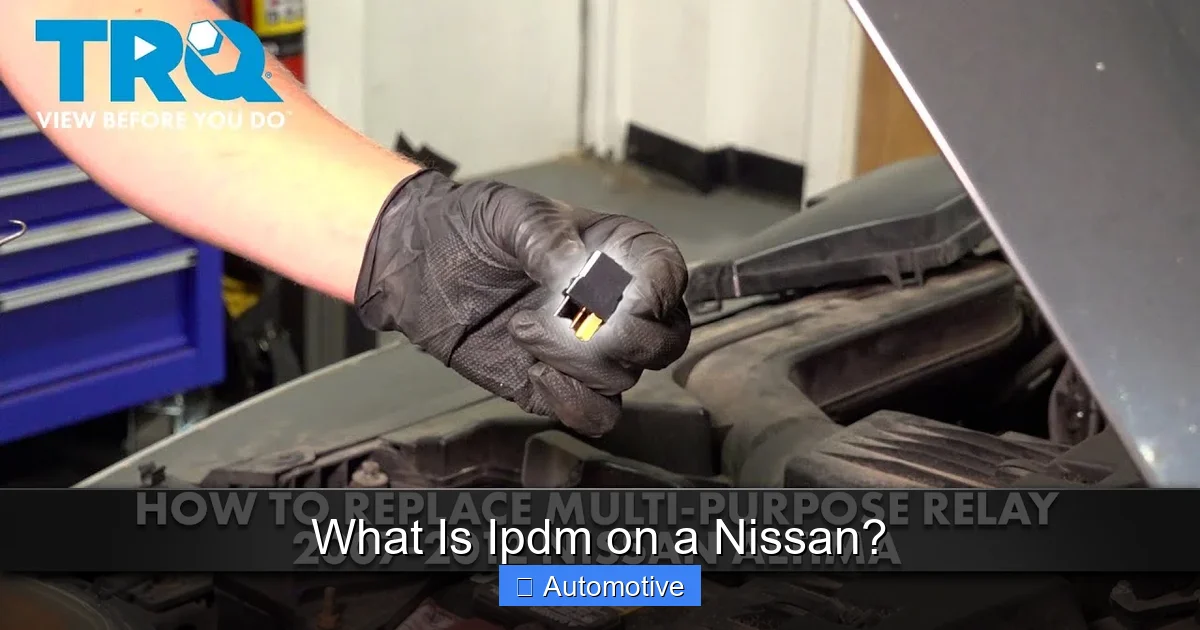
Open the engine compartment fuse box and visually inspect all fuses. Look for blown fuses or signs of corrosion. Use a fuse tester or multimeter to check continuity. Also, swap out relays with known good ones (like the horn relay) to see if the problem follows the relay.
Step 3: Scan for Diagnostic Trouble Codes
Use an OBD-II scanner to read any stored codes. Pay special attention to codes related to the IPDM, charging system, or communication networks (like CAN bus errors). Some advanced scanners can even communicate directly with the IPDM to check its status.
Step 4: Test Power and Ground at the IPDM
With the ignition on, use a multimeter to check for power at the IPDM’s main input terminals. You should see battery voltage. Also, verify that the ground connection is solid. A poor ground can cause erratic behavior.
Step 5: Monitor Output Signals
If you have access to a wiring diagram, you can test whether the IPDM is sending power to specific circuits. For example, turn on the headlights and check for voltage at the headlight connector. If there’s no power, but the IPDM is receiving input, the module may be faulty.
Keep in mind: Some IPDMs can’t be easily tested without specialized tools. If you’re unsure, it’s best to consult a professional mechanic or Nissan dealership.
Replacing the IPDM: What You Need to Know
If you’ve confirmed that the IPDM is faulty, the next step is replacement. While it’s possible to do this yourself, there are a few important considerations.
Can You Replace the IPDM Yourself?
Yes, but with caveats. Replacing the IPDM involves:
- Disconnecting the battery
- Removing the old module from the fuse box
- Installing the new one
- Reconnecting the battery
The physical replacement is usually straightforward. However, some newer Nissans require reprogramming the new IPDM using a factory scan tool or Nissan’s CONSULT system. This ensures the module communicates properly with the engine control unit (ECU) and other systems.
If your Nissan requires programming, you’ll likely need to visit a dealership or a mechanic with the right equipment. Attempting to drive the car without proper programming can lead to more electrical issues.
Cost of Replacement
The cost of an IPDM varies by model and year. Here’s a general breakdown:
| Component | Average Cost (USD) |
|---|---|
| New OEM IPDM | $200 – $500 |
| Aftermarket IPDM | $100 – $300 |
| Labor (DIY) | $0 |
| Labor (Professional) | $100 – $200 |
| Programming (if required) | $50 – $150 |
While aftermarket modules are cheaper, they may not always be reliable. OEM (Original Equipment Manufacturer) parts are recommended for critical components like the IPDM.
Tips for a Smooth Replacement
- Always disconnect the battery before starting.
- Take photos of the wiring and fuse layout before removing the old IPDM.
- Handle the new module carefully—static electricity can damage electronics.
- If programming is required, confirm with your dealer or repair shop beforehand.
Preventing IPDM Problems: Maintenance Tips
While the IPDM is designed to last the life of the vehicle, certain conditions can shorten its lifespan. Here’s how to keep it in good shape.
Keep the Engine Bay Clean and Dry
Moisture and dirt are the enemies of electronics. Regularly clean the engine bay, especially around the fuse box. Use a damp cloth—not a pressure washer—to avoid forcing water into electrical components. If you live in a humid or rainy climate, consider applying dielectric grease to connectors to prevent corrosion.
Avoid Aftermarket Electrical Modifications
Adding high-draw accessories like powerful stereos, off-road lights, or winches can overload the IPDM. If you must install aftermarket electronics, use a separate relay and fuse circuit to bypass the IPDM. This reduces the risk of overloading the module.
Address Electrical Issues Promptly
If you notice flickering lights, slow cranking, or other electrical quirks, don’t ignore them. Small problems can escalate and damage the IPDM over time. Early diagnosis and repair can save you hundreds in replacement costs.
Regular Battery Maintenance
A healthy battery reduces stress on the IPDM. Clean the terminals, check the voltage, and replace the battery every 3–5 years. A failing battery can cause voltage spikes that damage sensitive electronics.
Final Thoughts: Why the IPDM Matters
The IPDM may not be as glamorous as a turbocharger or as visible as a spoiler, but it’s one of the most important components in your Nissan. It quietly manages the flow of electricity, ensuring your lights, wipers, fans, and starter all work when you need them. When it fails, the effects can be frustrating—and sometimes dangerous.
Understanding what the IPDM does, where it’s located, and how to spot problems early can save you time, money, and a lot of headaches. Whether you’re troubleshooting a no-start condition or just curious about your car’s inner workings, knowing about the IPDM gives you a deeper appreciation for the engineering behind modern vehicles.
So the next time your Nissan acts up electrically, don’t just blame the battery or the alternator. Take a closer look at the IPDM. It might just be the unsung hero—or the hidden culprit—under your hood.
“`
Frequently Asked Questions
What is IPDM on a Nissan?
IPDM stands for Intelligent Power Distribution Module, an essential component in Nissan vehicles that manages electrical power distribution and controls various systems like lighting, wipers, and cooling fans. It acts as a central hub, ensuring efficient operation and protection against electrical faults.
Where is the IPDM located in a Nissan?
The IPDM is typically located in the engine compartment, often near the battery or integrated into the fuse box. Its placement allows it to monitor and distribute power to critical vehicle systems while being protected from environmental elements.
What does the IPDM control in a Nissan?
The IPDM controls and monitors several key electrical systems, including the headlights, horn, windshield wipers, cooling fan, and A/C compressor. It uses input from sensors and the vehicle’s computer to manage power flow and ensure optimal performance.
How do I know if my Nissan’s IPDM is failing?
Signs of a failing IPDM include malfunctioning lights, non-responsive wipers, or a non-starting engine despite a good battery. If multiple electrical components stop working simultaneously, the IPDM may need inspection or replacement.
Can you replace the IPDM yourself on a Nissan?
While the IPDM can be physically replaced, it often requires programming with Nissan-specific diagnostic tools to function correctly. Due to its complexity, it’s recommended to have a qualified technician handle the replacement and configuration.
Is the IPDM the same as a fuse box in a Nissan?
The IPDM is more advanced than a traditional fuse box—it integrates fuses, relays, and electronic control functions into one unit. While it serves a similar protective role, it also actively manages power distribution based on real-time vehicle demands.