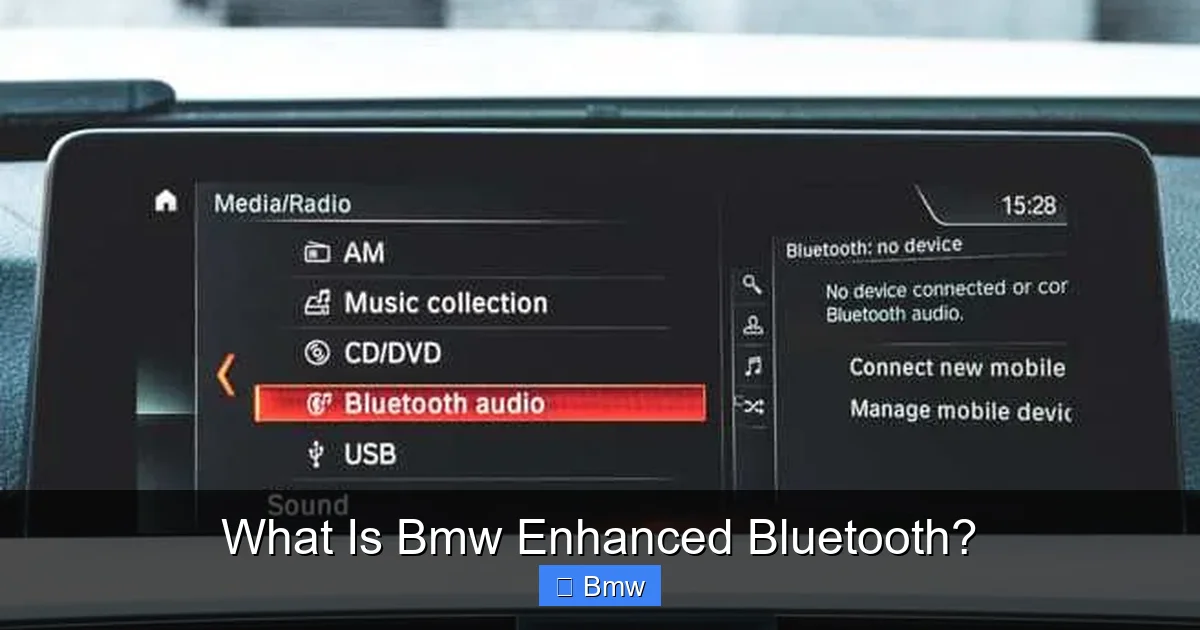
What Is Bmw Enhanced Bluetooth?

Contents
- 1 Key Takeaways
- 2 📑 Table of Contents
- 3 What Exactly is BMW Enhanced Bluetooth?
- 4 Key Features and Capabilities You’ll Actually Use
- 5 Compatibility and Vehicle Integration
- 6 Setting Up Enhanced Bluetooth: A Step-by-Step Guide
- 7 Troubleshooting Common Enhanced Bluetooth Issues
- 8 The Future of Connectivity: Beyond Basic Bluetooth
- 9 Conclusion: Your Seamless Connection Awaits
- 10 Frequently Asked Questions

Magnetic Car Phone Mount
Side Window Sunshade

Diesel Fuel Additive

Portable Air Pump
BMW Enhanced Bluetooth is the brand’s advanced, factory-integrated wireless system that goes beyond basic phone pairing. It enables high-quality hands-free calling, robust audio streaming, and often integrates with vehicle systems for a truly connected drive. This system is designed for reliability, ease of use, and leveraging your BMW’s infotainment display and steering wheel controls for a safe, convenient experience.
So, you’ve got a BMW. You love the driving dynamics, the interior craftsmanship, that feeling of solid German engineering. But then you glance at the center console and see a confusing maze of buttons and a screen that seems to hold secrets. You want to connect your phone—everyone does—but the jargon is overwhelming. “Enhanced Bluetooth.” What does that even mean? Is it just a fancy name for Bluetooth? In this complete guide, we’re demystifying BMW Enhanced Bluetooth. Think of it as your car’s built-in, super-smart communication hub. It’s the bridge between your digital life on your phone and the analog, tactile world of your BMW’s cockpit. We’ll walk through exactly what it is, what it can do for you, how to set it up, and how to fix it when it acts up. By the end, you’ll be streaming your favorite playlist and taking calls like a pro, all while keeping your eyes on the road and your hands at 10-and-2.
Key Takeaways
- It’s Factory-Integrated: Enhanced Bluetooth is a built-in, OEM system engineered specifically for your BMW model year, not an aftermarket add-on.
- Beyond Phone Calls: Its core function is crystal-clear hands-free calling using the car’s microphone and speakers.
- Full Audio Streaming: Seamlessly stream music, podcasts, and audiobooks from your smartphone via A2DP and often supports advanced codecs.
- Steering Wheel Control: Manage calls, volume, and track selection without taking your hands off the wheel for maximum safety.
- Simple Pairing: Setup is typically a one-time, menu-driven process through the iDrive or vehicle settings screen.
- System Integration: It often displays caller ID, song titles, and album art on the BMW’s central display.
- Model-Specific: Features and exact capabilities can vary based on your BMW’s model year and optional packages (like Premium or Connected Drive).
📑 Table of Contents
- What Exactly is BMW Enhanced Bluetooth?
- Key Features and Capabilities You’ll Actually Use
- Compatibility and Vehicle Integration
- Setting Up Enhanced Bluetooth: A Step-by-Step Guide
- Troubleshooting Common Enhanced Bluetooth Issues
- The Future of Connectivity: Beyond Basic Bluetooth
- Conclusion: Your Seamless Connection Awaits
What Exactly is BMW Enhanced Bluetooth?
Let’s start with the basics. At its heart, Bluetooth is a universal wireless standard for short-range communication. Your phone, your earbuds, your smartwatch—they all use it. But when car manufacturers like BMW talk about “Enhanced Bluetooth,” they’re referring to their specific, proprietary implementation of that standard. It’s not just a Bluetooth radio stuck in the dashboard. It’s a deeply integrated module within the car’s central electronics (often the head unit or a separate telematics control unit) that has been meticulously tuned by BMW engineers.
The “Enhanced” Difference
The “enhanced” part is crucial. A generic, aftermarket Bluetooth adapter might let you make calls, but the experience is often tinny, with laggy audio and dropped connections. BMW’s system is different because:
- Hardware Synergy: It uses the car’s premium speakers and a dedicated, noise-cancelling microphone (often located in the rearview mirror or headliner) optimized for the cabin’s acoustics.
- Software Integration: It talks directly to the iDrive infotainment system. This means your phone’s contacts, call history, and even your music library can be accessed and displayed on the BMW’s high-resolution screen.
- Vehicle Bus Integration: It’s connected to the car’s internal data network (the CAN bus). This allows for clever features like muting the radio during an incoming call automatically or displaying the caller’s name and photo (if in your contacts).
Think of it like this: a standard Bluetooth connection is like using a walkie-talkie. BMW Enhanced Bluetooth is like having a dedicated, clear phone line installed in your living room that connects to your home’s entire sound system and can pull up the caller’s info on your TV screen. The level of integration is what makes it “enhanced.”
Key Features and Capabilities You’ll Actually Use
Now for the fun part—what can this thing do? The feature set has evolved significantly over the years, but most modern BMWs (roughly 2009 onward with iDrive) with Enhanced Bluetooth offer a consistent core set of capabilities that transform your driving experience.
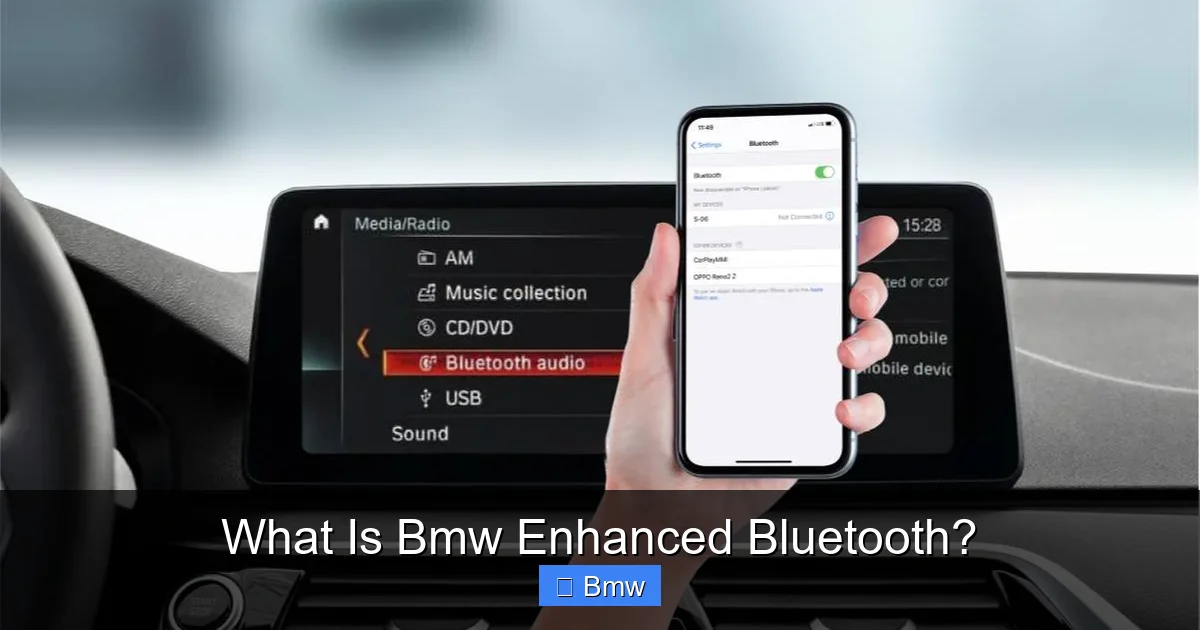
Visual guide about What Is Bmw Enhanced Bluetooth?
Image source: bimmerwise.com
1. Crystal-Clear Hands-Free Calling
This is the bread and butter. Pair your phone once, and the system takes over. When a call comes in, you’ll hear it through your car’s speakers, and the caller will hear you through the dedicated mic. The system employs noise and echo cancellation to filter out road and engine noise, making conversations sound natural. You can answer/end calls using the steering wheel button, the iDrive controller, or voice control commands. The caller’s name and number appear on the central display. It’s simple, legal, and infinitely safer than fumbling with your phone.
2. Wireless Audio Streaming (A2DP)
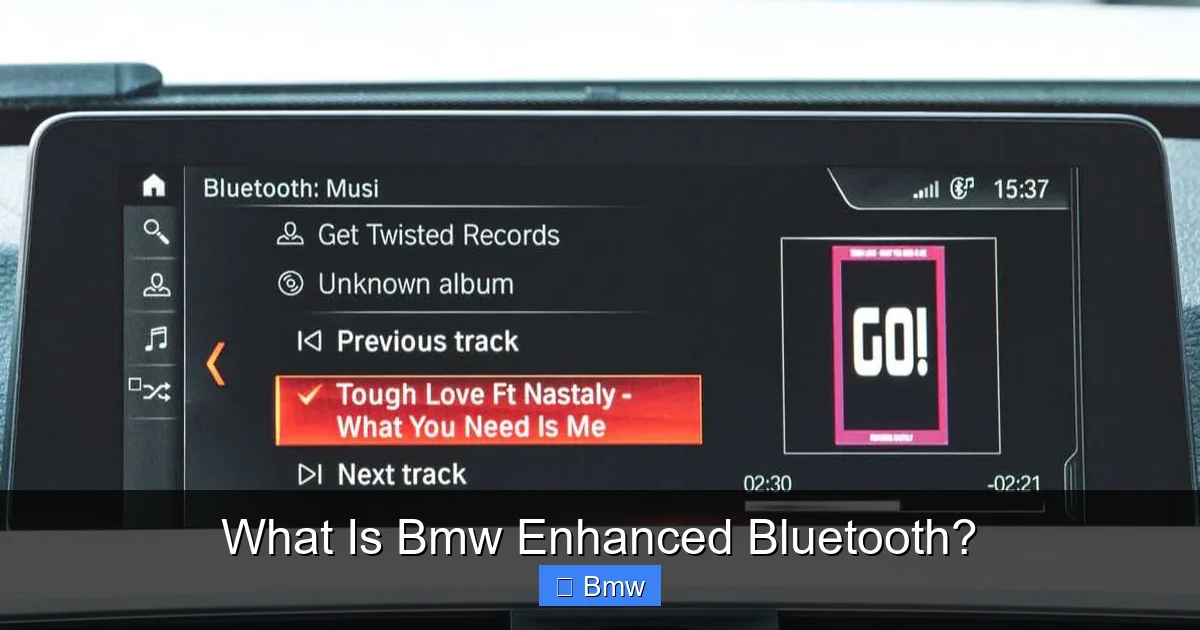
This is where the “enhanced” really shines. The system supports the A2DP (Advanced Audio Distribution Profile) profile. In plain English, that means you can stream high-quality stereo audio from your phone’s music apps—Spotify, Apple Music, podcast apps, you name it—directly to your BMW’s audio system. No more messy AUX cables or outdated FM transmitters. You’ll get album art, track titles, and artist information on the display. The audio quality is generally excellent, leveraging your car’s premium sound system (if equipped). Volume is controlled via the steering wheel or iDrive knob, just like the radio.
3. Phonebook and Contact Sync
Once paired, your BMW can import your phone’s contact list. This allows for easy calling by name through the iDrive menu or voice commands. Say “Call John Smith” and the system dials. It’s a small feature that makes a big difference in convenience and safety.
4. SMS Text Message Reading (On Select Models)
For models with more advanced infotainment (like iDrive 6.0 and later), Enhanced Bluetooth can pair with your phone’s messaging apps. When you receive a text, the system can read the sender and message aloud via the car’s speakers. You can often send quick, pre-programmed replies like “I’m driving, will call you back.” This keeps you connected without ever looking at a screen.
5. Multi-Device Support
You can typically pair multiple phones (often two or more) with the system. The car will remember them. You can then switch between the “primary” and “secondary” device right from the Bluetooth menu. This is perfect for couples who share a car or if you have a work phone and a personal phone.
These features work in concert to create a cohesive ecosystem. Your phone essentially becomes a wireless media server and telephony device for your car, all handled through the familiar BMW interface.
Compatibility and Vehicle Integration
This is a critical section. Not every BMW has the same level of “Enhanced” Bluetooth. The capability is tied to your vehicle’s specific hardware and software. Here’s how to figure out what you have and what you can do.
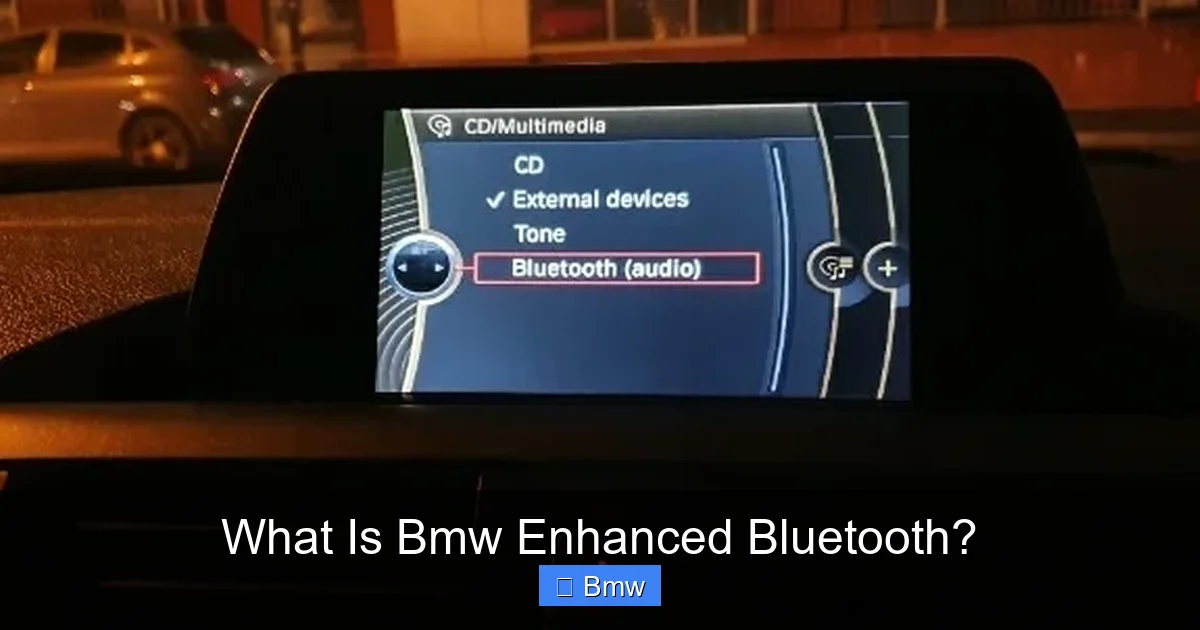
Visual guide about What Is Bmw Enhanced Bluetooth?
Image source: bimmerwise.com
Model Years and iDrive Generations
As a very general rule:
- Pre-2009 (Business/CD): Many early models had basic Bluetooth for calls only, often requiring a separate BMW-specific adapter. Streaming was rare.
- 2009-2012 (iDrive 4.0/4.1): This era saw the widespread introduction of Enhanced Bluetooth with both calling and A2DP streaming becoming common on models with the Premium Package.
- 2013-2016 (iDrive 5.0/5.1): Streaming and calling were standard on most models. SMS readout and more advanced integration became available.
- 2017-Present (iDrive 6.0/7.0/8.0): This is the golden age. Full-featured Enhanced Bluetooth is standard, with seamless smartphone integration (Apple CarPlay/Android Auto often built on top of it), wireless updates, and the most robust feature set.
How to Check Your BMW’s Capabilities
The best way is to explore your iDrive menu. Go to Menu -> Communication -> Manage Mobile Devices -> Add Device. If you see options for “Audio” or “Music” during the pairing process, your car supports streaming. If the menu only shows “Phone,” you likely have call-only Bluetooth. You can also check your window sticker (Monroney label) from when the car was new; look for terms like “Bluetooth Interface,” “USB & Audio Interface,” or “Smartphone Integration.”
It’s also worth noting that some very early “Enhanced Bluetooth” systems required a BMW-specific USB cable for initial setup or updates, though wireless pairing is the norm now. The system’s capabilities are ultimately defined by the vehicle’s built-in hardware module and the software version it’s running.
Setting Up Enhanced Bluetooth: A Step-by-Step Guide
Pairing your phone is designed to be a straightforward, one-time process. Here’s the universal method that works for the vast majority of BMWs with iDrive.
Visual guide about What Is Bmw Enhanced Bluetooth?
Image source: bimmer-tech.net
Before You Start: Prerequisites
- Your BMW should be parked with the ignition on (or in accessory mode).
- Your smartphone’s Bluetooth should be turned ON and set to “discoverable” or “visible.”
- Make sure no other devices are actively trying to connect to your phone’s Bluetooth.
- For best results, have your phone’s Bluetooth settings screen open and ready.
The Pairing Process
- Navigate: In your BMW, press the iDrive button. Go to Menu.
- Select: Choose Communication.
- Choose: Select Manage Mobile Devices.
- Add: Choose Add Device.
- Prepare: The system will now display a name (like “BMW 5-Series”) and a unique PIN code (usually 4-6 digits) on the central display. This code is valid for a short time (often 60-120 seconds).
- Connect on Phone: On your smartphone, go to its Bluetooth settings. Scan for devices. Select the BMW’s network name (e.g., “BMW 5-Series”) from the list.
- Enter PIN: Your phone will prompt you to enter a PIN. Type the exact PIN code displayed on your BMW’s screen. Confirm on both devices if prompted.
- Confirmation: You should see a “Connection Successful” or paired message on both your car’s display and your phone. Your phone may also ask for permission to share contacts and call history—grant this for full functionality.
Post-Pairing: Final Steps
Once paired, your phone is listed as a “paired device.” You may need to set it as the Primary Device if you have multiple phones paired. This ensures incoming calls ring through the car. Go back to Manage Mobile Devices, select your phone, and choose “Set as Primary.” You can also configure options like “Automatically connect” here. Now, buckle up and enjoy the wireless freedom! Your music should start streaming automatically if you launch an audio app, and calls will route through the car.
Troubleshooting Common Enhanced Bluetooth Issues
Technology is great when it works. When it doesn’t, it can be frustrating. Don’t worry; most BMW Bluetooth gremlins have simple fixes.
Problem: “Cannot Connect” or Pairing Fails
Solution: This is the most common issue. First, delete all existing pairings. On your BMW, go to Manage Mobile Devices, select any old phones, and delete them. On your phone, go to Bluetooth settings, find the BMW entry, and “Forget This Device.” Then, restart your phone’s Bluetooth, restart your car’s ignition (turn it fully off and on again), and try the pairing process fresh from scratch. Ensure you’re entering the PIN correctly and within the time limit.
Problem: Audio Streaming Works, But Calls Don’t (Or Vice Versa)
Solution: This usually indicates a profile mismatch. During pairing, your phone must be allowed to use both the “Phone” (HFP/HSP) and “Media Audio” (A2DP) profiles. When your phone asks for permission to share contacts/calls, you must say YES. Go into your phone’s Bluetooth settings, find the BMW entry, and ensure both “Phone” and “Media Audio” are checked/toggled ON. On some Androids, you may need to set the “Call Audio” and “Media Audio” separately.
Problem: Audio is Choppy, Stuttering, or Drops
Solution: This is often a signal interference issue. Bluetooth operates on the 2.4GHz band, which is crowded. Try these steps: Move your phone to a different location (a cup holder or center console, away from the dash). Turn off Wi-Fi and other Bluetooth devices in the car. Ensure your phone’s OS is updated. In rare cases, a software update for your car’s head unit (available from a BMW dealer) can resolve deeper compatibility issues with newer phone OS versions.
Problem: No Sound from Car Speakers During Calls
Solution: Check your BMW’s audio source. Sometimes, after a call ends, the system might revert to a different source (like AM/FM). Press the MEDIA or PHONE button on the iDrive controller or steering wheel to ensure the correct source is selected. Also, check your phone’s volume—media volume and call volume are often separate. Finally, ensure the car’s master volume is turned up and not muted.
If problems persist, a system reset can help. For most BMWs, hold down the iDrive knob/button for about 10 seconds until the screen goes black and reboots. This clears temporary cache. For deeper, persistent issues, a visit to a BMW dealer or a specialist with tools like BMW INPA may be needed to diagnose the telematics module or update its firmware.
The Future of Connectivity: Beyond Basic Bluetooth
While Enhanced Bluetooth remains a vital workhorse, the automotive connectivity landscape is shifting. BMW is at the forefront of integrating your digital life even more seamlessly.
Apple CarPlay and Android Auto
These smartphone projection systems are becoming the new standard. They essentially use your car’s display as a window into your phone’s apps—Maps, Messages, Music, Podcasts—all with touch or iDrive control. Crucially, they often use the car’s built-in Bluetooth connection for the actual audio and call data. So, your Enhanced Bluetooth system is the foundational layer that makes CarPlay/Android Auto’s telephony and audio functions possible. When you plug in (or connect wirelessly on newer models), it’s leveraging that same enhanced link.
BMW ConnectedDrive Services
This is where the “connected” part of ConnectedDrive comes in. With an active subscription, your BMW can use its built-in SIM card for over-the-air (OTA) software updates, real-time traffic information, remote services (lock/unlock, climate control via the BMW Connected app), and even integration with your digital calendar. Enhanced Bluetooth handles the personal, phone-specific tasks, while ConnectedDrive handles the car-specific, cloud-connected tasks. They work in parallel to create a fully connected vehicle.
The Move to 5G and eSIM
Newer BMWs (from 2021/2022 onward) are starting to incorporate 5G modems and eSIM technology. This provides faster, more reliable data connectivity for all those cloud services. While it doesn’t replace Bluetooth for direct phone pairing, it enhances the overall ecosystem, allowing for quicker map updates, smoother streaming of online radio, and more responsive remote app functions. The humble Bluetooth connection remains the secure, low-power, direct link to your personal device, sitting alongside these newer, broader connectivity technologies.
Conclusion: Your Seamless Connection Awaits
BMW Enhanced Bluetooth is more than just a feature checkbox. It’s the fundamental thread that weaves your personal smartphone into the very fabric of your driving machine. It delivers on the promise of convenience and safety by letting you control communication and entertainment without distraction. From the moment you successfully pair your device and hear your music fill the cabin through those renowned speakers, to the effortless handling of an important call on the highway, the system proves its worth daily.
Understanding its capabilities—robust calling, wireless streaming, contact sync—and its limitations (which are few) empowers you. Troubleshooting common hiccups like pairing failures or audio glitches is often just a matter of a few menu clicks or a system reset. And as BMW continues to innovate with CarPlay and ConnectedDrive, your Enhanced Bluetooth system remains the reliable, local anchor point for your digital life on the go. So take a few minutes, follow the pairing guide, and unlock this essential layer of your BMW’s modern personality. The road, your music, and your conversations are waiting.
Frequently Asked Questions
What is the main difference between standard Bluetooth and BMW Enhanced Bluetooth?
The key difference is integration. Standard Bluetooth is a generic wireless link. BMW Enhanced Bluetooth is a factory-installed system deeply integrated with the iDrive infotainment computer, the car’s audio system, and steering wheel controls, offering superior sound quality, display functionality, and seamless operation.
Can I stream music from any music app on my phone?
Yes, generally. Once paired, any app that outputs standard Bluetooth audio (A2DP) will work. This includes Spotify, Apple Music, YouTube Music, Pandora, and your local music library. The phone simply sends the audio stream to the car.
My BMW’s Bluetooth connects for calls but won’t play music. Why?
This is almost always a permissions issue on your phone. Go to your phone’s Bluetooth settings, find your BMW under “My Devices,” and ensure both the “Phone” (for calls) and “Media Audio” or “Audio” profiles are enabled/allowed. You may need to grant media access during the initial pairing prompt.
Is BMW Enhanced Bluetooth secure? Can someone hack my car through it?
The Bluetooth connection itself is encrypted and secure for its intended purpose of audio and call data. The risk is extremely low for casual hacking. The connection is short-range (typically <30 feet) and requires pairing PIN verification. The larger security discussion in modern cars relates to the vehicle’s main data networks, which are separate from the Bluetooth audio module.
My Bluetooth was working, but now it won’t connect at all. What should I do?
Start with the basics: 1) Turn your phone’s Bluetooth off and on. 2) Restart your car’s ignition. 3) Delete the BMW from your phone’s paired list and delete your phone from the BMW’s Manage Mobile Devices menu. 4) Re-pair from scratch following the PIN process carefully. If that fails, a system reset (holding the iDrive knob) may help.
Will a software update for my BMW improve Bluetooth compatibility?
Yes, absolutely. BMW periodically releases software updates (often via USB or at the dealer) that can improve Bluetooth stability, add support for newer phone operating systems (like a new iOS or Android version), and fix known bugs. If you’re experiencing persistent issues, checking for an available update is a recommended step.