
What Does the Yellow Exclamation Mark Mean on My Toyota Dashboard?

Contents
- 1 Key Takeaways
- 2 📑 Table of Contents
- 3 Understanding the Master Warning Light: Your Car’s General Alert
- 4 The Usual Suspects: Top 7 Reasons Your Yellow Exclamation Light Comes On
- 5 Your Step-by-Step Action Plan: What to Do When the Light Comes On
- 6 Deep Dive: Specific Toyota Systems and Their Unique Warnings
- 7 Prevention is Key: Maintenance Tips to Avoid the Warning
- 8 Conclusion: Knowledge is Power (and Peace of Mind)
- 9 Frequently Asked Questions

LED Indicator Light

Car Windshield Wiper Blades

Car Interior LED Light

Car Neck Pillow
The yellow exclamation mark on your Toyota dashboard is a master warning light. It signals a non-critical system needs attention, like low tire pressure, low fuel, or a minor maintenance issue. Unlike red lights, it usually means you can drive safely but should diagnose the problem soon. Always check your multi-information display for a specific message to identify the exact cause.
You’re cruising down the highway, everything feels normal, and then you see it: a bright yellow triangle with an exclamation point glowing on your dashboard. Your heart skips a beat. What does that mean? Is your Toyota about to break down? Before you panic, take a deep breath. That little symbol is one of the most common—and often misunderstood—lights in your Toyota. It’s not a dire, stop-right-now warning like a red engine oil light. Instead, it’s your car’s way of saying, “Hey, pay attention to something.” Think of it as a polite but firm reminder note from your vehicle’s computer. This comprehensive guide will decode everything about the yellow exclamation mark on your Toyota dashboard, turning your anxiety into confident knowledge.
We’ll break down exactly what this master warning light signifies, the most frequent reasons it appears, and the step-by-step process to figure out what your specific Toyota is trying to tell you. Whether you drive a Corolla, a Highlander, or a Tundra, the principles are largely the same. By the end, you’ll know precisely how to respond, when to worry, and how to keep your Toyota running smoothly. Let’s shed some light on that mysterious exclamation point.
Key Takeaways
- It’s a master warning: The yellow exclamation mark is Toyota’s master warning light, indicating a system requires attention but isn’t an immediate emergency.
- Always check the display: Your Toyota’s multi-information screen will show a specific message (like “LOW TIRE PRESSURE” or “SERVICE ENGINE”) alongside the symbol.
- Common triggers are simple: Frequent causes include low tire pressure, low fuel, an open door/hood, or routine maintenance reminders.
- Safety first: While often safe to drive, some triggers like brake system warnings require immediate caution. Pull over safely if unsure.
- Don’t ignore it: Addressing the issue early prevents small problems from becoming expensive repairs. Reset the light only after fixing the cause.
- It varies by model: The exact systems monitored can differ between a Camry, RAV4, and Tacoma, but the core principle is the same.
- Consult your manual: Your owner’s manual has the definitive list of what this light means for your specific Toyota model and year.
📑 Table of Contents
- Understanding the Master Warning Light: Your Car’s General Alert
- The Usual Suspects: Top 7 Reasons Your Yellow Exclamation Light Comes On
- Your Step-by-Step Action Plan: What to Do When the Light Comes On
- Deep Dive: Specific Toyota Systems and Their Unique Warnings
- Prevention is Key: Maintenance Tips to Avoid the Warning
- Conclusion: Knowledge is Power (and Peace of Mind)
Understanding the Master Warning Light: Your Car’s General Alert
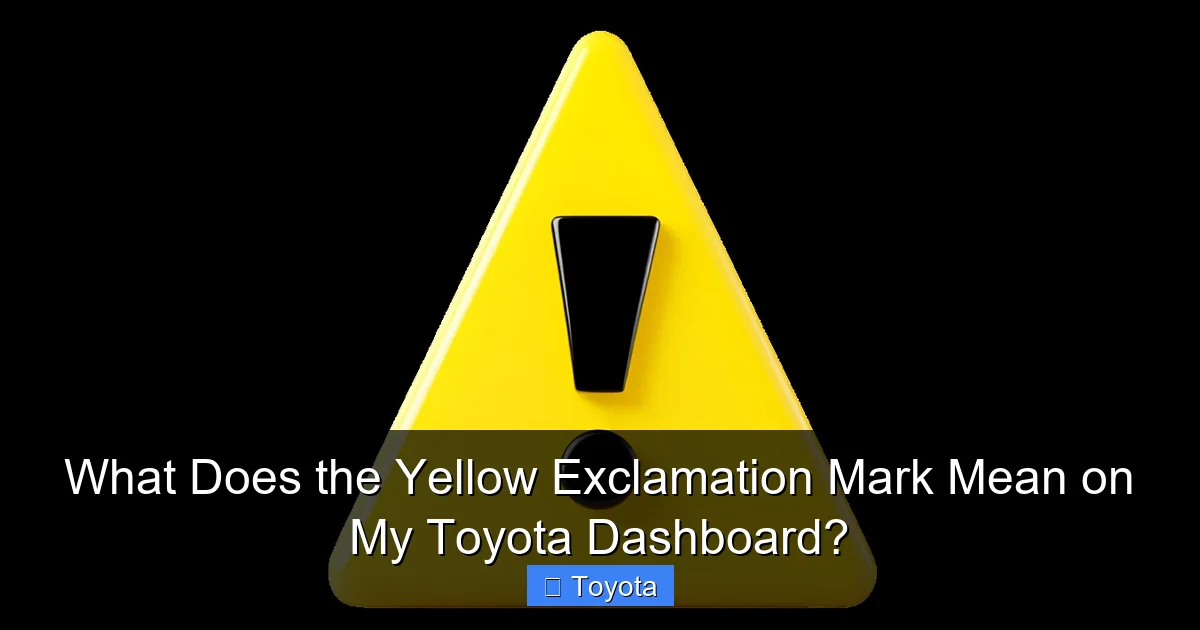
First, let’s establish the basics. In Toyota vehicles, the yellow exclamation mark inside a triangle is officially called the Master Warning Light. Its design is intentional—it’s a catch-all symbol. Unlike a dedicated light for the battery (which looks like a battery) or the check engine light (which looks like an engine), the master warning doesn’t point to one specific system. Instead, it’s triggered by dozens of different sensors and computer modules throughout your vehicle. Its job is to get your attention and direct you to look at the multi-information display (MID) or the message center located on your instrument cluster, usually between the speedometer and tachometer.
The Color Code: Why Yellow Isn’t an Emergency
Dashboard lights use a universal color language. Red means “STOP IMMEDIATELY” for dangers like severe engine oil loss, brake failure, or overheating. Yellow or Amber means “ATTENTION REQUIRED SOON.” It signals a system is not functioning optimally or a parameter is outside its normal range. You can typically continue driving to a safe location (like your home or a repair shop) to investigate, but you shouldn’t ignore it for weeks. Green, Blue, or White lights are usually informational, indicating a system is active (like your high beams or cruise control). The yellow exclamation mark falls squarely in the “attention” category. It’s your car’s way of flagging something that needs a look, but it’s rarely a “call for a tow truck” situation on its own.
The Digital Message is Your Best Friend
This is the most critical point: the symbol itself is not the message; it’s just the alarm bell. The real information is displayed on the screen next to it or in the center of your gauge cluster. When the light illuminates, your first instinct should be to glance at that screen. It will almost always spell out the issue in plain English or with a specific icon. You might see:
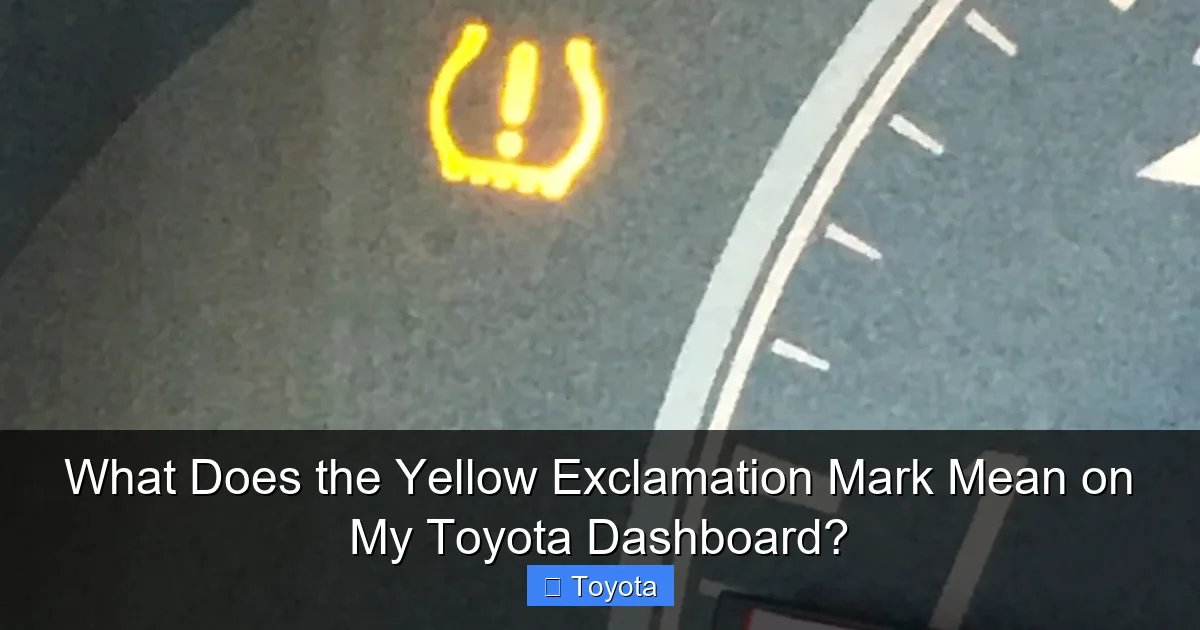
- “LOW TIRE PRESSURE” or a picture of a tire with an exclamation point.
- “LOW FUEL” or a fuel pump icon.
- “DOOR OPEN” with a diagram of which door or the hood.
- “SERVICE ENGINE” or “MAINTENANCE REQUIRED.”
- “BRAKE” or “CHECK BRAKE SYSTEM.”
- “LOW OIL PRESSURE” (though this is often a separate red light, some models use the master warning).
- “RCD UNAVAILABLE” or other system-specific warnings.
That text is your diagnostic starting point. If the screen is blank or the message is unclear, you’ll need to do a bit more detective work, which we’ll cover next.
The Usual Suspects: Top 7 Reasons Your Yellow Exclamation Light Comes On
Now that you know it’s a general alert, let’s get into the most common culprits. These are the issues that trigger the master warning light on Toyotas more than any others. Many are things you can check yourself in under five minutes.

Visual guide about What Does the Yellow Exclamation Mark Mean on My Toyota Dashboard?
Image source: mechanicbase.com
1. The Tire Pressure Monitoring System (TPMS)
This is, by far, the #1 reason that yellow triangle appears. Your Toyota’s TPMS constantly monitors the air pressure in all four tires. If the pressure in any tire drops 25% or more below the recommended level (usually around 30-35 PSI), the system triggers the master warning light along with a “LOW TIRE PRESSURE” message. This can happen due to:
- A slow leak from a nail or puncture.
- Seasonal temperature changes (cold weather reduces pressure).
- An overdue tire rotation or impact damage.
What to do: Check your tire pressures with a manual gauge. Inflate them to the PSI listed on the sticker inside your driver’s door jamb (not the number on the tire sidewall). After driving a few minutes, the light should go off automatically. If it doesn’t, you have a leak that needs repair. For more on tire pressure and other symbols, understanding what the 285 number on a tire means can also help with overall tire health.
2. Low Fuel Level
This might seem obvious, but it’s a common trigger. When your fuel level gets critically low (usually 1-2 gallons remaining), the master warning will light up, often accompanied by a flashing fuel pump icon and a “LOW FUEL” message. Its purpose is to make sure you don’t run out of gas.
What to do: Refuel your vehicle. The light should extinguish shortly after you start driving with a full tank. If it comes on when you have plenty of fuel, you may have a faulty fuel level sensor, which needs a mechanic’s diagnosis.
3. An Unlatched Door, Hood, or Trunk
Your Toyota is equipped with switches that detect if a door, the hood, or the trunk lid is not fully closed and latched. If you open and close a door quickly, or if something is obstructing the latch, these switches can signal the computer, which then illuminates the master warning. You’ll often see a message like “HOOD OPEN” or a graphic showing which door is ajar.
What to do: Physically check all doors, the hood, and the trunk. Push them down firmly until you hear a distinct click. The light should go out immediately. If it persists, a door latch sensor might be faulty or misaligned.
4. Scheduled Maintenance Reminder
Modern Toyotas have sophisticated maintenance reminder systems. When your vehicle reaches a predetermined mileage or time interval (like every 5,000 miles or 6 months), the computer can trigger the master warning light to remind you that service is due. This is often accompanied by a message like “SERVICE ENGINE” or “MAINTENANCE REQUIRED” on the display.
What to do: Consult your owner’s manual for the specific maintenance schedule for your model. The light is a nudge to schedule an oil change, tire rotation, or other routine service. Once the service is performed, the mechanic (or you, if you’re DIY-savvy) will need to reset the maintenance light using a specific procedure, which is also detailed in your manual.
5. Brake System Warnings
This is a more serious category. The master warning can be triggered by issues within the braking system. Possible messages include “CHECK BRAKE SYSTEM,” “BRAKE FLUID LOW,” or “BRAKE PAD WEAR.” These indicate problems like:
- Low brake fluid in the master cylinder.
- Worn brake pads (some systems monitor pad thickness).
- An issue with the anti-lock brake system (ABS) or brake boost system.
What to do: Exercise extreme caution. Check your brake fluid level first (it’s in a translucent reservoir under the hood). If it’s low, top it up with the correct DOT fluid (DOT 3 or 4, check manual) and look for leaks. However, any brake-related warning should be inspected by a professional immediately. Your braking ability could be compromised. Do not delay this repair.
6. All-Wheel Drive (AWD) or 4WD System Issues
For Toyota models equipped with AWD or 4WD (like the RAV4, Highlander, 4Runner, or Tacoma), a fault in this complex system can illuminate the master warning. You might see messages like “CHECK AWD SYSTEM,” “AWD OFF,” or “SLIP.” This could be caused by a faulty transfer case actuator, a sensor problem, or even a rear differential issue. Interestingly, pressing the snow button on models like the Highlander engages a specific AWD mode for traction; a problem within that mode could also trigger a warning. Understanding what the check AWD system message means is crucial for owners of these vehicles.
What to do: Note the exact message. The vehicle may default to front-wheel drive only, which is safe but reduces traction capability. Have the AWD system scanned for diagnostic trouble codes by a technician, as these issues often require specialized knowledge.
7. Other Electronic System Faults
The master warning is a net for many other electronic gremlins. This includes:
- Keyless Entry/Start Issues: A weak key fob battery or a faulty smart key system can trigger it.
- Lighting System Failures: A burned-out headlight or taillight (especially in models that monitor bulb health) might cause the warning.
- Hybrid System Alerts: In hybrid models like the Prius, issues with the hybrid battery cooling system or hybrid system itself can activate the master warning.
- Camera/Radar Problems: For vehicles with Toyota Safety Sense (TSS), if the front camera or radar is obstructed or malfunctioning, a warning like “RCD UNAVAILABLE” (Radon Cruise Control) or “PCS UNAVAILABLE” (Pre-Collision System) may appear with the exclamation mark.
What to do: The specific message is again key. For key fob issues, replace the battery. For lighting, check all exterior lights. For TSS-related warnings, clean the windshield in front of the rearview mirror and the front grille area, as dirt and snow can block sensors. If the warning persists, system diagnostics are needed.
Your Step-by-Step Action Plan: What to Do When the Light Comes On
Seeing that yellow exclamation can be jarring, but a calm, methodical approach is best. Follow this sequence the moment the light illuminates.
Visual guide about What Does the Yellow Exclamation Mark Mean on My Toyota Dashboard?
Image source: i.ytimg.com
Step 1: Don’t Panic and Assess Immediate Safety
First, ask yourself: Are there any other red lights on? Is the engine making strange noises? Is there smoke? Do you feel a loss of braking power? If you have any red warning lights (like the oil pressure or temperature light) alongside the yellow exclamation, pull over safely and shut off the engine immediately. Those are emergencies. If the only new light is the yellow triangle and the car is driving normally, you can usually continue to your destination or a safe place to investigate.
Step 2: Read the Message Center
As soon as it’s safe, look at your multi-information display. What does it say? Take a photo with your phone if you need to. This text is your single most important piece of information. It narrows down hundreds of possibilities to one specific issue.
Step 3: Perform Simple, Safe Checks
Based on the message, you can often perform a quick check:
- “LOW TIRE PRESSURE”: Stop at a gas station and check pressures with a gauge.
- “DOOR OPEN” / “HOOD OPEN”: Pull over safely and manually check all latches.
- “LOW FUEL”: Refuel.
- “LOW WASHER FLUID”: Open the hood and top up the washer fluid reservoir.
After addressing a simple issue, drive for a few minutes. The light should turn off on its own once the system verifies the condition is resolved. You usually do not need to manually reset it for these types of warnings.
Step 4: Decide on Professional Help
If the message indicates a brake, AWD, engine, or complex electronic system issue, or if the light comes on with no clear message or after you’ve addressed a simple fix, it’s time to call a professional. Schedule service with a trusted Toyota dealer or independent mechanic. Be sure to tell them exactly what the dashboard said and when the light came on. This saves them diagnostic time and saves you money.
Step 5: Never Ignore It or Mask It
Do not simply tape over the light or disconnect the battery to make it go away. This is dangerous and will lead to more significant, costly problems. The warning is there to protect you and your vehicle. Addressing it promptly is always the smartest and most economical choice.
Deep Dive: Specific Toyota Systems and Their Unique Warnings
To truly master your dashboard, let’s look at a few Toyota-specific systems where the master warning plays a key role, and where you might need to consult more detailed resources.
Visual guide about What Does the Yellow Exclamation Mark Mean on My Toyota Dashboard?
Image source: static.vecteezy.com
The Brake Hold System (Common on RAV4 and Others)
Many Toyota models feature a “Brake Hold” button (often marked with “HOLD” or an icon of a foot on a brake pedal). This system holds the brakes at a stop for you. If there’s a malfunction in the Brake Hold system—perhaps due to a faulty brake pedal position sensor or a software glitch—the master warning light will illuminate, possibly with a message like “BRAKE HOLD UNAVAILABLE” or a “HOLD” indicator flashing. This is different from a standard brake system failure warning. If you use this feature often, understanding what HOLD means on a Toyota RAV4 or your specific model can help you quickly identify if the issue is with that convenience feature or the core braking system.
All-Wheel Drive (AWD) and the Snow Button
As mentioned, AWD systems are complex. On models like the Toyota Highlander, the dedicated “SNOW” button optimizes the AWD system for slippery conditions. If the master warning appears with an AWD-related message, it could stem from the actuator that engages the rear axle, a temperature sensor, or a differential clutch issue. The system might shut down to prevent damage. Knowing what the check AWD system warning means and how the snow button functions can help you communicate effectively with your mechanic and understand your vehicle’s limitations until it’s repaired.
The “ET” or Other Mysterious Codes
Occasionally, the message center might show a cryptic code like “ET” instead of plain text. This is less common but can happen. “ET” in some Toyota contexts can refer to “Electronic Throttle” or be part of a diagnostic code. If you see an unfamiliar abbreviation, your owner’s manual is the first place to look. If it’s not explained there, a quick online search for “[Your Year, Make, Model] dashboard warning ET” or consulting a professional is necessary. For broader context on Toyota-specific dashboard lingo, resources that explain what ET means on Toyota vehicles can be invaluable.
Prevention is Key: Maintenance Tips to Avoid the Warning
The best way to deal with a dashboard warning is to prevent it from happening. Here’s how to keep your Toyota’s systems happy:
- Maintain Proper Tire Pressure: Check pressures monthly and before long trips. Adjust for seasonal temperature changes.
- Don’t Run on Empty: Refuel when you reach a quarter-tank. This keeps fuel pump debris from settling and ensures you always have a buffer.
- Always Close Doors/Hood Fully: Make a habit of listening for the definitive “click” when closing them.
- Follow Your Service Schedule: Stick to the maintenance plan in your owner’s manual. Regular oil changes, fluid checks, and inspections are the best defense against unexpected warnings.
- Keep Sensors Clean: For vehicles with driver-assist systems (Toyota Safety Sense), keep the windshield area behind the rearview mirror and the front grille clear of dirt, snow, mud, and bird droppings.
- Address Small Issues Immediately: If you notice a slow tire leak, a slightly soft brake pedal, or an intermittent electrical quirk, get it checked. Small problems often trigger the first warning lights.
Conclusion: Knowledge is Power (and Peace of Mind)
That yellow exclamation mark on your Toyota dashboard is not a monster under your bed. It’s a communication tool—a vital line of dialogue between your car’s computer and you. Its meaning is broad, but its purpose is singular: to alert you to a system that needs a glance, a check, or a fix. By learning to immediately read the accompanying message on your multi-information display, you can instantly differentiate between a simple “oops, I forgot to close the gas door” and a serious “get this to a shop” situation.
Remember the hierarchy: red means stop, yellow means check, green/blue means on. Empower yourself by consulting your owner’s manual, which holds the master key to your specific vehicle’s warnings. When in doubt, a quick call to your dealer’s service department with the exact message can provide instant clarity. Treat that little triangle with respect, not fear. Addressing its warnings promptly is one of the most effective—and affordable—ways to ensure your Toyota remains the reliable, safe, and long-lasting companion it was built to be. Now, the next time that light glows, you’ll know exactly what to do.
Frequently Asked Questions
Is it safe to drive my Toyota with the yellow exclamation mark on?
Often, yes, if it’s triggered by something like low tire pressure or an ajar door. However, if the message indicates a brake system, engine, or AWD issue, drive with extreme caution and get it checked immediately. Always assess if other red lights are present.
Why is the yellow exclamation mark flashing instead of solid?
A flashing master warning light typically indicates a more urgent issue within the system that triggered it. For example, a flashing “LOW TIRE PRESSURE” means pressure is dropping rapidly, possibly from a blowout. A flashing “SERVICE ENGINE” suggests a severe engine misfire. Treat a flashing light with higher priority.
How do I reset the yellow exclamation mark after fixing the problem?
For most simple fixes (like inflating tires or closing a door), the light will reset itself automatically after a few drive cycles once the system verifies the condition is corrected. For maintenance reminders, you often need to follow a specific reset procedure using the odometer/trip meter button, as detailed in your owner’s manual.
Can a dead key fob battery cause the master warning light to come on?
Yes. In Toyotas with keyless entry and push-button start, a severely weak or dead key fob battery can trigger the master warning light, often with a message like “KEY NOT DETECTED” or “START SYSTEM MALFUNCTION.” Replacing the key fob battery usually resolves it.
What’s the difference between the yellow exclamation mark and the check engine light?
The check engine light (usually yellow, but shaped like an engine) is specifically for emissions and engine management system faults. The yellow exclamation mark (triangle) is a broader master warning for many other vehicle systems like tires, brakes, fuel level, and body electronics. They can sometimes illuminate together if there’s a shared issue.
My yellow exclamation light came on, but there’s no message on the screen. What now?
This is rare but can happen if there’s a fault in the display itself or a very early-stage issue. First, try turning the car off and back on. If it persists, perform all the basic checks: tire pressures, fuel level, all doors/hood/trunk. If nothing is found, you’ll need a professional to scan your Toyota’s computer system for stored diagnostic trouble codes to identify the source.







