
What Does the Wrench Light Mean on a Ford F150

The wrench light on your Ford F150 is not a generic “check engine” warning. It’s a specific service reminder, often for routine maintenance like an oil change, or it can indicate a fault in a monitored system. Ignoring it can lead to reduced performance or damage. This guide explains exactly what it means, common causes, immediate steps to take, how to reset it after service, and when you need a professional. Understanding this light helps you maintain your truck’s health and avoid costly repairs.
Key Takeaways
- The wrench light is a maintenance reminder: Primarily, it signals that your F150 has reached a predetermined mileage or time interval for scheduled service, like an oil change or tire rotation.
- It can indicate a system fault: Sometimes, it illuminates because a sensor or system (like the throttle body or ABS) has detected a problem outside normal parameters.
- Do not ignore it: While often not an immediate emergency like a red oil pressure light, driving with the wrench light on for extended periods can cause long-term engine or component wear.
- You can often check the cause yourself: Use the vehicle’s information display to see the specific service code or reason, which tells you exactly what’s needed.
- Resetting requires a specific procedure: After the required maintenance is performed, the light must be reset manually through the truck’s menu or, for some codes, by a scan tool.
- Consult your owner’s manual: It contains the exact maintenance schedule and reset procedures for your specific model year and engine.
- If the light flashes, stop safely: A flashing wrench light is rare but indicates a severe, immediate issue. Pull over, shut off the engine, and call for assistance.
📑 Table of Contents
- Introduction: That Little Wrench Isn’t Just for Show
- Understanding the Wrench Light: More Than Just an Oil Change Reminder
- Common Triggers: Why Is That Wrench Glowing?
- What to Do When the Light Comes On: A Step-by-Step Guide
- How to Reset the Wrench Light: After the Work is Done
- When to Seek Professional Help: Don’t Gamble with Your Truck
- Preventing Future Wrench Light Notices: Proactive Maintenance
- Conclusion: Your Wrench Light is a Helpful Tool, Not a Menace
Introduction: That Little Wrench Isn’t Just for Show
You’re cruising down the highway in your trusty Ford F150, everything feels smooth, and then it catches your eye—a small, amber-colored wrench icon glowing on your dashboard. Your heart might skip a beat. What does the wrench light mean on a Ford F150? Is it serious? Can you keep driving? These are common questions for any truck owner, and the answer is more nuanced than a simple “stop now” or “ignore it.” This light is your truck’s way of starting a conversation with you about its health and maintenance needs.
Unlike the universally recognized check engine light (which is usually an engine-shaped icon), the wrench light is Ford’s specific “Service Engine Soon” indicator. Its primary job is to act as a sophisticated maintenance reminder system, but it doubles as a warning for certain non-emissions related system faults. Understanding this distinction is the first step to becoming a proactive F150 owner and avoiding unnecessary stress or repair bills. This article will be your complete guide, decoding everything from the most common reason for that glowing wrench to the exact steps for turning it off after you’ve handled the issue.
Understanding the Wrench Light: More Than Just an Oil Change Reminder
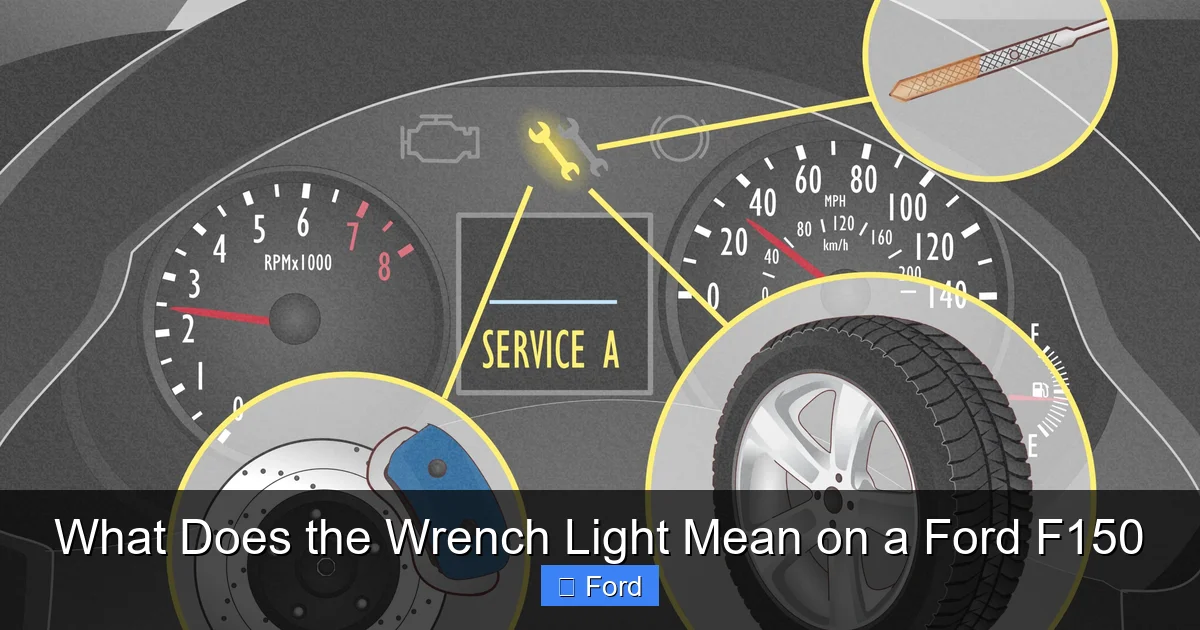
To truly understand what the wrench light means on a Ford F150, you need to know what’s happening behind the scenes. Modern vehicles like the F150 are equipped with a network of sensors and a powerful computer called the Powertrain Control Module (PCM). This computer constantly monitors everything from engine oil life and tire pressure to the performance of the throttle body and transmission.
Visual guide about What Does the Wrench Light Mean on a Ford F150
Image source: wikihow.com
The Two Primary Functions of the Wrench Light
The wrench light serves two main purposes, and knowing which one applies to your situation is key:
- Scheduled Maintenance Reminder: This is its most frequent role. Based on your driving habits, mileage, and time since the last service, the PCM calculates when certain maintenance items are due. This isn’t just an oil change; it can include tire rotation, cabin air filter replacement, brake inspection, and more. When the predetermined interval is reached, the wrench light illuminates to prompt you to schedule service.
- System Fault Indicator: Less commonly, the wrench light will come on to alert you to a specific fault in a system that the PCM monitors, but that doesn’t trigger the traditional check engine light. Common examples include issues with the electronic throttle body, problems with the Anti-lock Braking System (ABS) module, or failures in the Tire Pressure Monitoring System (TPMS) that aren’t severe enough for their own dedicated warning.
So, when you see that light, your first thought should be, “Is it just time for my regular service, or is something actually broken?” The best way to find out is to check the message center in your instrument cluster.
Common Triggers: Why Is That Wrench Glowing?
Knowing the typical reasons your F150’s wrench light activates helps you diagnose the issue faster. Here are the most common culprits, from the routine to the concerning.
Visual guide about What Does the Wrench Light Mean on a Ford F150
Image source: branchautomotive.com
1. Overdue Oil Change or General Service
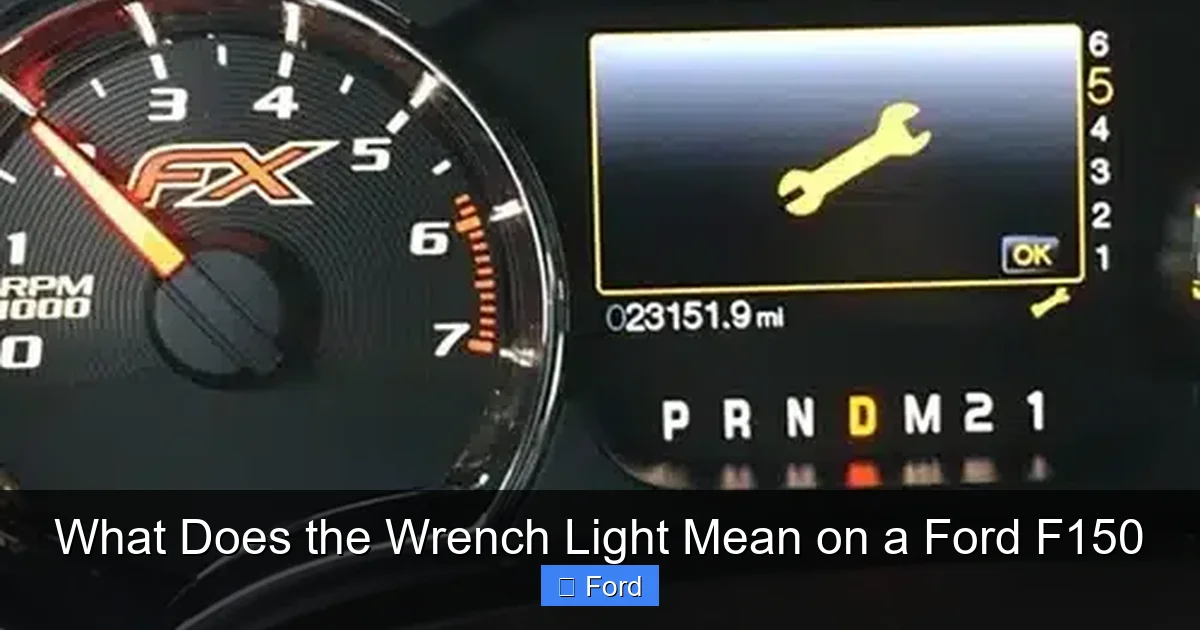
This is, by far, the number one reason. Ford’s oil life monitoring system doesn’t use a simple mileage counter. It’s an algorithm that factors in engine revolutions, temperature, and driving conditions (like frequent short trips vs. long highway drives) to determine when the oil’s lubricating properties are degraded. When the system calculates that oil life has reached a critical threshold (usually around 5-15% remaining), it triggers the wrench light. It might also accompany a message like “OIL CHANGE REQUIRED” or list other due services.
2. Tire Rotation or Pressure Monitoring Issue
The TPMS is very sensitive. If a tire’s pressure is significantly low (usually 25% below recommended PSI), a separate TPMS warning light (a cross-section of a tire with an exclamation point) will come on. However, a more subtle TPMS sensor fault or the need to re-learn tire positions after rotation can sometimes trigger the wrench light, especially if it’s combined with a general service reminder.
3. Throttle Body or Electronic Throttle Control Fault
The electronic throttle body is a critical component that controls air intake based on your pedal input. If it becomes dirty, fails to calibrate correctly, or its motor malfunctions, the PCM may set a diagnostic trouble code (like P0121 or P0122) and illuminate the wrench light. This can cause symptoms like a rough idle, poor acceleration, or reduced engine power. This is a scenario where you should not delay diagnosis.
4. ABS or Traction Control System Issues
While major ABS failures usually trigger their own dedicated light, a minor communication error or sensor inconsistency within the broader stability control system might prompt the wrench light as a catch-all alert. You might also feel the traction control system disengaging intermittently.
5. Other Module Communication Failures
Modern trucks have multiple computers (modules) that talk to each other. If the PCM loses communication with another module—like the Transmission Control Module (TCM) or the Body Control Module (BCM)—it might use the wrench light to get your attention. This can be tricky to diagnose without professional scan tools.
Pro Tip: The exact reason is almost always displayed in your truck’s message center. Use the steering wheel buttons (usually the left arrow or “Info” button) to cycle through menus like “Vehicle Status,” “Service,” or “Maintenance.” The screen will tell you precisely what’s due or what system has an issue.
What to Do When the Light Comes On: A Step-by-Step Guide
Seeing the wrench light shouldn’t cause panic, but it does require action. Here’s your action plan, in order of priority.
Visual guide about What Does the Wrench Light Mean on a Ford F150
Image source: bryansgarage.com
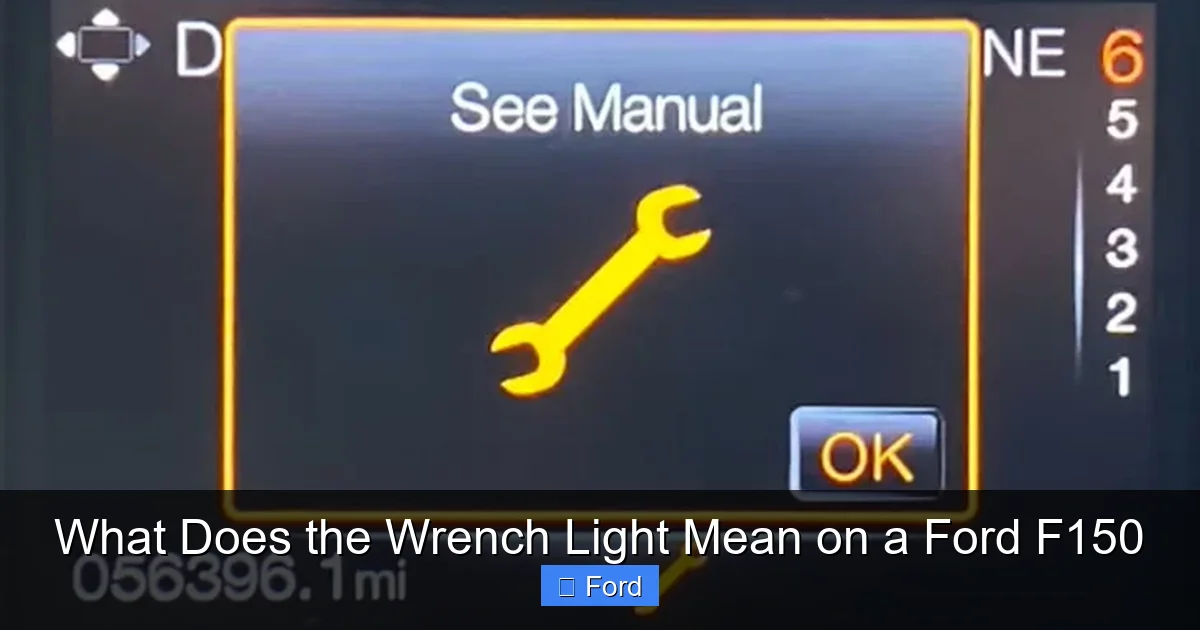
Step 1: Check the Message Center Immediately
As soon as it’s safe, look at your digital gauge cluster. What does it say? “OIL CHANGE REQUIRED”? “SERVICE TIRE ROTATION”? “CHECK THROTTLE CONTROL”? This message is your direct line to your truck’s needs. Write it down or take a picture. This 30-second check gives you 90% of the information you need.
Step 2: Assess Your Driving Conditions and Symptoms
Are you experiencing any of the following alongside the light?
- Rough idle or engine stalling?
- Loss of power or hesitation when accelerating?
- Unusual noises from the engine bay?
- Feelings of wheel lock-up or strange braking behavior?
If you have performance symptoms along with the wrench light, it’s more likely a system fault (like the throttle body) rather than a simple maintenance reminder. In this case, limit driving and get to a mechanic.
Step 3: Check Basic Fluid Levels and Tire Pressure
Before you head to a shop, do a quick visual check. Is your engine oil level correct? Use the dipstick. Are all tires inflated to the pressure listed on the driver’s door jamb sticker? Sometimes, a severely low fluid level or a blatantly flat tire can trigger warnings. This is a simple, free check you can do yourself.
Step 4: Decide on Your Next Move
Based on your findings:
- If the message is for routine service (oil change, rotation, etc.): You have some time. Schedule an appointment with your trusted mechanic or dealership. You can typically drive normally for a few hundred miles, but don’t delay for months.
- If the message indicates a system fault or you have performance issues: Treat it with more urgency. Avoid long trips or highway driving if possible. Have the vehicle scanned for diagnostic trouble codes (DTCs) as soon as you can. A parts store like AutoZone or O’Reilly often offers free code reading, which can give you a starting point.
- If the light is flashing: This is rare for the wrench light, but if it happens, it signifies a severe, active problem. Safely pull over, turn off the engine, and call for a tow. Do not continue driving.
How to Reset the Wrench Light: After the Work is Done
Once the required maintenance is performed or the fault is repaired, the wrench light will not turn off by itself. You or your technician must manually reset it. The process varies slightly by model year, but the general method is the same.
The Standard Reset Procedure (2015-2020 Models)
This is the most common method for recent F150s:
- Make sure the ignition is in the “ON” position (engine off, but all dash lights on). Do not start the engine.
- Use the steering wheel controls (the left arrow/up-down buttons on the back of the wheel) to navigate to the “Settings” menu on the digital instrument cluster.
- Scroll to find “Vehicle” or “Advanced Settings.”
- Look for an option called “Service,” “Service Reset,” or “Maintenance.”
- Select the specific service item that is due (e.g., “Oil Change Reset”).
- The display will ask you to confirm. Hold the “OK” or “Enter” button (usually the center button on the left steering wheel control) for several seconds until it says “Reset Successful” or the wrench light blinks and goes out.
Alternative Methods & Important Notes
For some older models (pre-2015) or specific issues, the reset might be found under a “Vehicle Status” menu or require a different button combination. Your owner’s manual is the ultimate authority. It has the exact steps for your truck’s year and trim.
Critical Warning: Only reset the light after the actual maintenance or repair has been completed. Resetting it without doing the work is fraudulent and will cause the light to return prematurely, but more importantly, it neglects necessary service that could damage your engine or other components. If a system fault code was the cause, the light will simply come back on if the underlying problem isn’t fixed, as the PCM will detect the fault again.
When a Scan Tool is Required
If the wrench light was triggered by a throttle body code, ABS issue, or communication error, simply resetting the light without fixing the problem is useless. The PCM will immediately detect the fault again and relight the wrench. In these cases, a professional must use a advanced scan tool (like a Ford IDS or a high-end aftermarket tool) to not only read the code but also to perform specific resets or relearn procedures after the repair is made.
When to Seek Professional Help: Don’t Gamble with Your Truck
While an oil change reminder is a DIY reset after service, many wrench light scenarios warrant a professional’s expertise. Here’s when to call in the experts.
Signs It’s Time for a Mechanic
- Performance is Affected: Any loss of power, rough idle, stalling, or strange noises means the fault is active and potentially damaging. This is not a “wait and see” situation.
- The Light Returns Immediately After Reset: If you or a shop resets the light and it comes back on within a day or two, the original problem was not correctly diagnosed or repaired. There is an active, persistent fault.
- Multiple Warning Lights Are On: If the wrench light appears alongside other warnings like the traction control light, ABS light, or even a check engine light, it suggests a complex electrical or communication issue that needs advanced diagnostics.
- You Can’t Identify the Service Message: If your message center is blank or you can’t navigate the menus, there may be an electrical glitch requiring professional diagnosis.
- You’re Uncomfortable or Unsure: Your F150 is a major investment. When in doubt, a diagnostic fee (usually $50-$100) for a professional scan is cheap insurance against a catastrophic failure.
What a Professional Will Do
A qualified technician, especially one familiar with Ford trucks, will:
- Use a scan tool to read all stored diagnostic trouble codes from the PCM and other modules.
- Interpret the codes. For example, a P0121 code points directly to a throttle body performance issue.
- Perform targeted tests based on the code (e.g., checking throttle body voltage, inspecting wiring, checking for vacuum leaks).
- Repair or replace the faulty component.
- Clear the codes and perform any necessary system resets or relearns (like a throttle body relearn procedure).
- Verify the repair by road testing the vehicle to ensure the light stays off and performance is normal.
Preventing Future Wrench Light Notices: Proactive Maintenance
The best way to deal with the wrench light is to make it a rare visitor. Adopting a proactive maintenance mindset is key.
Follow the Severe Service Schedule (When Applicable)
Check your owner’s manual. Ford provides two maintenance schedules: “Normal” and “Severe Service.” If your driving habits fit the “severe” criteria—frequent short trips (under 5 miles), extremely cold or hot climates, lots of stop-and-go traffic, dusty conditions, or towing—you should follow the more aggressive schedule. This means more frequent oil changes and inspections, which will keep your truck running optimally and may prevent some fault codes from setting.
Address Small Issues Immediately
That slight rough idle? The occasional “check engine” light that went away? Don’t wait. Small problems often trigger bigger ones. A dirty throttle body that causes a slight idle issue can eventually set a code and illuminate your wrench light. Catching it early with a simple cleaning is cheaper than a replacement.
Use Quality Parts and Fluids
Always use the oil viscosity and specification (like WSS-M2C947-A for many newer F150s) recommended by Ford. Using the wrong oil can degrade faster and cause the oil life monitor to miscalculate, or worse, cause engine wear. The same goes for filters, batteries, and other wear items.
Keep Your Truck’s Software Updated
Ford periodically releases Technical Service Bulletins (TSBs) and software updates for the PCM and other modules. These updates can fix known bugs, improve performance, and adjust the logic for maintenance reminders. At your dealership service visit, ask if there are any pending updates for your VIN. This is a free way to keep your truck’s brain up to date.
Learning about dashboard warnings on other vehicles can also be helpful. For instance, understanding what the wrench light means on a Honda Civic provides a great parallel, as it’s also a sophisticated maintenance reminder system. You can explore that comparison further in our detailed guide here.
Conclusion: Your Wrench Light is a Helpful Tool, Not a Menace
The glowing wrench icon on your Ford F150’s dashboard is not something to fear. It is a sophisticated communication tool from your truck’s computer, designed to keep you informed and your vehicle running reliably. In most cases, it’s simply a friendly nudge that it’s time for your regular oil change or tire rotation—routine maintenance that is the lifeblood of your truck’s longevity. By checking the message center promptly, understanding the difference between a maintenance reminder and a system fault, and acting appropriately—whether that’s scheduling service or seeking immediate diagnosis—you take control of your F150’s health.
Remember, ignoring the light is the only true mistake. Treat it as valuable information. Reset it only after the required work is complete, and always consult your owner’s manual for your specific model year’s procedures. A well-maintained F150 is a reliable, powerful, and long-lasting partner. Heeding its warnings, like the humble wrench light, is a fundamental part of that ownership experience. Keep this guide handy, and you’ll never be caught off guard by that little amber icon again.
Frequently Asked Questions
What does the wrench light mean on a Ford F150?
It primarily means your truck has reached a scheduled maintenance interval, like an oil change. It can also indicate a fault in a monitored system like the throttle body or ABS. Check your message center for the specific reason.
Can I drive my F150 with the wrench light on?
If it’s a routine service reminder, you can drive for a short period (a few hundred miles) but should schedule service promptly. If you have performance issues like rough idle or loss of power, or if the light is flashing, do not drive and seek immediate help.
How do I reset the wrench light on my Ford F150 after an oil change?
With the ignition on (engine off), use the steering wheel controls to go to Settings > Vehicle > Service. Select the specific service item (e.g., Oil Change Reset) and hold the OK button to confirm. Always reset only after the maintenance is completed.
Why did my wrench light come back on right after I reset it?
This indicates the underlying problem was not fixed. If it was a maintenance reminder, the service may not have been completed correctly. If it was a system fault, the repair failed or a new fault exists. The PCM will immediately detect the issue again and relight the warning.
Is the wrench light the same as the check engine light?
No. The check engine light (usually an engine icon) monitors emissions-related systems. The wrench light is a “Service Engine Soon” light for maintenance reminders and specific non-emissions faults like throttle body or ABS issues. They serve different purposes.
What is the most common cause of the wrench light on an F150?
The overwhelming most common cause is the oil life monitoring system determining an oil change is due based on your actual driving conditions, not just a set mileage. Other common causes include tire rotation reminders and throttle body performance issues.
