Is Infiniti Intouch Worth It?

Contents
- 1 Key Takeaways
- 2 📑 Table of Contents
- 3 What Exactly is Infiniti InTouch?
- 4 The Good Stuff: What InTouch Gets Right
- 5 The Not-So-Good: Frustrations and Hidden Costs
- 6 How It Stacks Up Against the Competition
- 7 The Real Question: Is It Worth It For You?
- 8 Final Verdict and Recommendations
- 9 Frequently Asked Questions

Car Body Cover

Car Floor Mats (Universal)

Octane Booster

Emergency First Aid Kit
Infiniti InTouch is a capable infotainment system with a sharp display and solid Apple CarPlay/Android Auto integration, but its value heavily depends on your priorities. For tech-savvy drivers who want a modern interface, it’s a good step up from older systems. However, its subscription fees for connected services, occasional software quirks, and a learning curve mean it’s not a must-have for everyone, especially on a tight budget.
Let’s be honest. The infotainment system in your car is the digital heart of your driving experience. It’s your navigation, your music hub, your phone connector, and sometimes your climate control panel. When it’s good, you barely notice it—it just works. When it’s bad, every trip feels like a frustrating battle with a laggy screen and confusing menus. For Infiniti owners, or shoppers considering a used Infiniti, the question of “Is Infiniti InTouch worth it?” is a crucial one. This isn’t about engine oil or brake pads; it’s about the daily digital companion in your cabin. We’re going to rip open the dashboard metaphorically and take a deep, honest look at what InTouch delivers, where it stumbles, and whether its benefits justify its costs and complexities.
Infiniti, Nissan’s luxury division, has been iterating on the InTouch system for nearly a decade. It’s evolved from a basic, resistive-touchscreen setup to a more modern, capacitive interface with integrated smartphone tech. But “modern” in the auto world moves fast. A system that felt cutting-edge in 2018 can feel dated by 2024. So, is the current iteration worth seeking out? Does it add tangible value to the ownership experience? We’ll break it down by feature, cost, usability, and comparison to rivals to give you a complete picture. By the end, you’ll know exactly what you’re getting—and what you might be paying for.
Key Takeaways
- Solid Hardware, Mixed Software: The physical screen and hardware are generally praised for clarity and responsiveness, but the menu structure can be less intuitive than some competitors.
- Connected Services Cost Extra: While basic functions are free, advanced connected services like real-time traffic, remote start, and safety features require a paid subscription after a trial period.
- Great Integration, But a Learning Curve: Seamless smartphone pairing is a major plus, but mastering all the system’s menus and settings takes time for new users.
- Not a Deal-Breaker, But a Nice Perk: For most buyers, InTouch is a pleasant feature rather than a critical purchasing factor. Its absence wouldn’t automatically rule out a used Infiniti.
- Resale Impact is Minimal: An equipped InTouch system may slightly appeal to some used car buyers, but it’s rarely a primary value driver compared to mileage, condition, and model year.
- Consider Total Ownership Cost: The potential subscription fees should be factored into the long-term cost of owning an Infiniti, similar to how one would evaluate a prepaid maintenance plan.
📑 Table of Contents
What Exactly is Infiniti InTouch?
Before we judge it, we need to understand it. “Infiniti InTouch” is the umbrella name for the brand’s infotainment suite. It’s not a single app but a hardware and software ecosystem that includes the central display, physical or touch-sensitive controls, and the suite of connected services. It’s the brain that connects you to your music, maps, vehicle settings, and the outside world.
The Hardware: The Screen and Controls
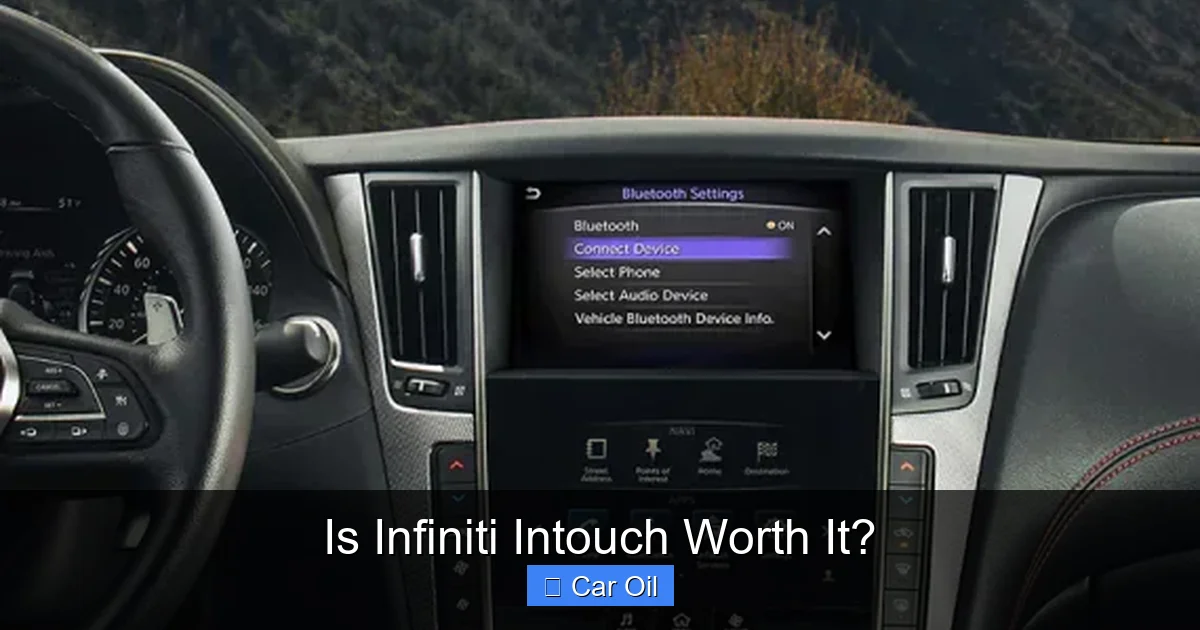
The most visible part is the display. Newer Infiniti models (like the QX60, QX55, and refreshed Q50/Q60) feature a dual-screen setup or a large, single widescreen display. The quality is generally good—colors are vibrant, and brightness is sufficient for most conditions. The physical feel of the rotary controller (or touchpad in some models) is a key point of differentiation. Infiniti, like BMW and Audi, has traditionally favored a central knob/controller for menu navigation instead of a purely touchscreen interface. This is a love-it-or-hate-it design. Proponents say it allows for operation without looking away from the road; critics find it imprecise and distracting. The hardware itself is robust; it’s the software logic on top of it that draws mixed reviews.
The Software: Menu Navigation and Core Functions
The software governs how you access everything. Here’s what you can typically do:
- Audio Sources: AM/FM/Satellite radio, Bluetooth streaming, USB media, and now standard Apple CarPlay and Android Auto (wireless on newer models).
- Navigation: Built-in GPS navigation powered by HERE maps. This is a separate system from your phone’s maps and works without a data connection.
- Vehicle Settings: A deep menu to adjust everything from seat memory and lighting to drive mode settings and tire pressure monitoring.
- Climate Control: Often integrated into the lower portion of the screen for a clean look.
- Connected Services: The “InTouch Services” portal for remote features via the Infiniti app.
The core functions are all there. The debate is about how easily and quickly you can access them.
The Good Stuff: What InTouch Gets Right
For all its critiques, InTouch has genuine strengths that make it a functional and sometimes enjoyable system. Let’s highlight the wins.
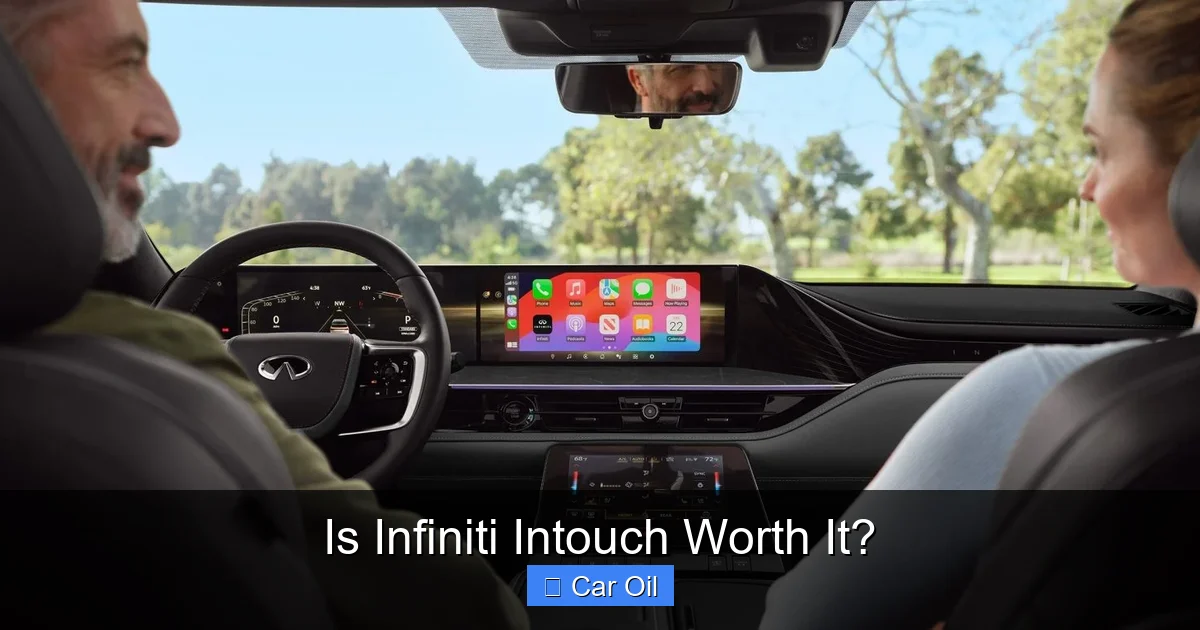
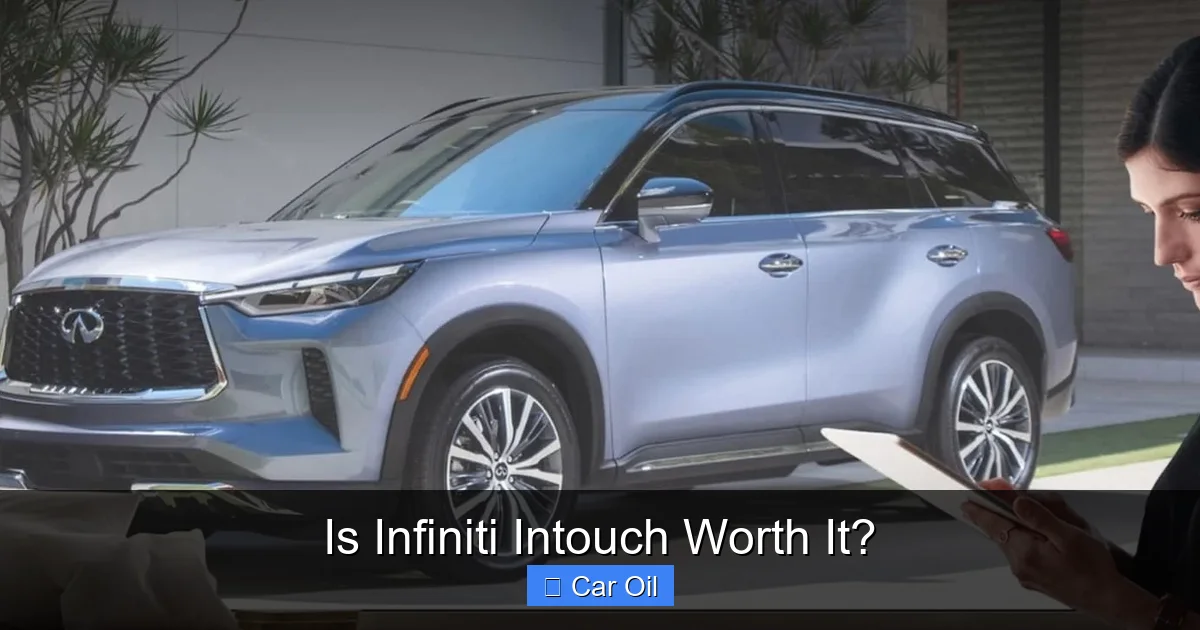
Visual guide about Is Infiniti Intouch Worth It?
Image source: infiniti-cdn.net
Excellent Smartphone Integration
This is, without a doubt, the system’s strongest suit. The seamless, wireless integration of Apple CarPlay and Android Auto is a game-changer. You plug in (or just get in) and your phone’s familiar interface—Apple Maps, Google Maps, Spotify, WhatsApp, your podcast apps—appears on the car screen instantly. The audio quality over the car’s speakers is excellent. For the vast majority of daily drives, you’ll live entirely within CarPlay/Android Auto and rarely touch the native Infiniti interface for media. This single feature single-handedly solves the “bad infotainment” problem for most people because your phone’s UI is almost always better and more up-to-date than the car’s built-in system. If a car has solid, wireless CarPlay/Android Auto, many of its native software flaws become irrelevant.
Clear Display and Decent Performance
The screens themselves are sharp. Text is readable, graphics are clean, and the resolution is competitive. In normal operation—changing a radio station, adjusting the cabin temperature, pausing a podcast—the system is responsive enough. It doesn’t have the buttery-smooth animation of a Tesla’s screen or a latest-gen Hyundai, but it doesn’t feel dangerously laggy or unresponsive during basic tasks. The layout, while sometimes deep, is logically organized into tiles or cards that are easy to identify.
Useful Built-in Navigation (When You Need It)
Having a dedicated, always-available GPS navigation system is a legitimate safety and convenience backup. If you’re in an area with no cell signal, or you don’t want to use your phone’s data, the built-in maps will get you there. The mapping data is from a reputable provider (HERE), and the 3D building views in cities are a nice touch. For overlanding or rural travel where data is scarce, this feature has real value.
The Not-So-Good: Frustrations and Hidden Costs
Now for the other side of the coin. The places where InTouch can test your patience and your wallet.
Visual guide about Is Infiniti Intouch Worth It?
Image source: infiniti-cdn.net
The Subscription Trap: “Free” Trial, Then Pay Up
This is the biggest “worth it” consideration. Infiniti offers a suite of connected services—Infiniti InTouch Services—that include:
- Remote engine start/stop via smartphone app
- Vehicle health alerts and diagnostic reports
- Stolen vehicle tracking
- Automatic collision notification
- Real-time traffic and weather for the built-in nav
These come with a free trial (typically 3-6 months) when you buy a new Infiniti. After that? You’re looking at a subscription fee, often around $200-$300 per year. You can often bundle it with an Infiniti Maintenance Program. The rub is that many of these features—especially remote start—are now expected. Finding a used Infiniti with an active subscription is rare, and activating it for yourself means signing up for that annual fee. This ongoing cost is a significant factor in the “worth it” equation. It turns a one-time purchase decision into a recurring expense. For comparison, Toyota’s connected services also have subscription models after trial periods, so Infiniti isn’t alone here, but the cost is real.
A Learning Curve That Never Really Ends
Operating the system via the central rotary controller is not intuitive out of the gate. The menu hierarchies are deep. Want to adjust the sensitivity of the adaptive cruise control? You’ll need to dive through several layers. While driving, this is a major distraction. Some functions are buried when they should be prominent. It feels like a system designed by engineers for engineers, not by user-experience designers for everyday drivers. Even after months of ownership, you might still fumble for a specific setting. The touchpad version (in some models) is even less precise. This isn’t a fatal flaw, but it’s a persistent annoyance that lowers the perceived quality.
Software Glitches and Sluggishness
As systems age, they can show their years. Older Infiniti models with InTouch are notorious for occasional freezes, reboots, or slow response times when switching between apps. While not universal, it’s a common enough complaint in owner forums. These aren’t just minor hiccups; a frozen navigation system in the middle of an unfamiliar route is a genuine problem. Software updates from the dealer can sometimes help, but they don’t always fix underlying performance issues on older hardware. This unreliability is a major point against long-term value.
How It Stacks Up Against the Competition
Infiniti doesn’t exist in a vacuum. Let’s see how InTouch compares to similar systems from other luxury and near-luxury brands.
Visual guide about Is Infiniti Intouch Worth It?
Image source: infinitiusa.com
vs. Lexus Enform
Lexus, Toyota’s luxury brand, has its own system called Enform. The experience is strikingly similar: a large screen, a remote touchpad controller (in many models), and a subscription-based connected services tier. Both have a reputation for being capable but not particularly intuitive. Lexus’s interface is also menu-heavy. In a direct shootout, they’re very close in terms of user frustration and feature set. If you’re cross-shopping an Infiniti Q50 with a Lexus IS, the infotainment experience won’t be a deciding factor—they’re both middle-of-the-pack. For a deeper dive, you can read our analysis of Lexus Enform.
vs. NissanConnect
Since Infiniti is Nissan’s luxury division, InTouch is essentially a more upscale, branded version of NissanConnect. You’ll find very similar menu structures, controller logic, and app functionality. The Infiniti version gets a more premium aesthetic, but the underlying bones are shared. This means many of the same quirks and subscription models apply. If you’ve used a recent Nissan Altima or Rogue, you’ll feel right at home (or right at home with the same complaints) in an Infiniti.
vs. BMW iDrive & Audi MMI
Here’s where Infiniti shows its age. The German giants have long since moved to primarily touchscreen interfaces with highly logical, fast, and visually appealing systems (iDrive 8, MIB 4). Their rotary controllers are now often supplemented or replaced by touchscreens. The German systems feel more modern, more responsive, and generally more user-friendly. They also have subscription fees for advanced features (like heated seats or advanced driver aids), so the business model is similar, but the execution is smoother. InTouch feels a generation behind in terms of user interface design.
The Real Question: Is It Worth It For You?
So, we’ve listed pros and cons. The final verdict depends entirely on your situation as a driver and owner.
Scenario 1: You Live on Apple CarPlay / Android Auto
If your primary use of the car’s screen is to mirror your phone for maps and music, InTouch is perfectly adequate. The wireless integration works well. The native system’s flaws don’t matter because you’ll spend 90% of your time in the CarPlay/Android Auto universe. In this case, yes, it’s worth having—but any system with functional CarPlay would also be “worth it.” It’s a check-box feature, not a standout one.
Scenario 2: You Value Built-in Navigation and Remote Features
If you frequently travel to areas without cell service and rely on the car’s own map data, the built-in nav has value. If you absolutely love the idea of remote-starting your car from your phone on a cold morning, you’ll want the connected services. But you must ask: is that convenience worth a ~$250/year subscription for the life of the car? Over 5 years, that’s $1,250. That’s a significant sum. You could buy a half-dozen Infiniti oil changes with that money. For you, InTouch is “worth it” only if you budget for that recurring fee. Otherwise, you’re getting a crippled experience after the trial ends.
Scenario 3: You’re Buying a Used Infiniti
This is the most common scenario. A 2017-2019 Infiniti with InTouch can be a great value on the used market. Here’s the critical question: Is the remaining value of an active InTouch subscription factored into the price? Usually, no. A used Infiniti with an expired subscription is functionally the same as one without the feature, except the screen still works for radio and CarPlay. You should not pay a significant premium for a used Infiniti simply because it has InTouch. The system’s presence is a minor plus, but its inactive state means it adds almost zero practical value. You’re better off focusing on the car’s mechanical health, maintenance history, and overall condition.
The “Deal-Breaker” Threshold
For most sensible buyers, InTouch should not be a deal-breaker. A car’s fundamental value lies in its engine, transmission, chassis, and reliability. A mediocre infotainment system is an annoyance, not a catastrophe. However, if you are a tech enthusiast who demands a cutting-edge, lag-free, beautifully designed interface, InTouch will disappoint. You’d be better off looking at a Tesla, a Lucid, or a well-equipped Hyundai/Kia/Genesis with their superior systems. For the average luxury buyer who wants a comfortable, reliable car with decent tech, InTouch is a fine system—not a selling point, but not a reason to walk away.
Final Verdict and Recommendations
Infiniti InTouch is a system of compromises. It offers the essential modern features—wireless Apple CarPlay/Android Auto—that satisfy most drivers’ daily needs. Its hardware is competent. But it is held back by a dated menu philosophy, a frustrating controller, and a business model that locks useful features behind a paywall after a short trial.
So, is it worth it? Conditionally, yes. It’s “worth it” if:
- You primarily use smartphone mirroring and are satisfied with that being the system’s main function.
- You are purchasing a new Infiniti and the manufacturer’s suggested retail price (MSRP) already includes a multi-year subscription bundle, effectively locking in a lower rate.
- You deeply value having a built-in, offline navigation system as a reliable backup.
It’s not worth a premium if:
- You are paying extra (as a used car buyer) for a feature whose subscription is inactive or expired, adding little tangible value.
- You expect a seamless, intuitive, and fast user interface comparable to a smartphone or tablet. You will be frustrated.
- The idea of an annual $200-$300 subscription fee for core connected features offends your sense of ownership value.
In the grand scheme of car ownership, InTouch is a footnote. A well-maintained Infiniti with a slightly annoying infotainment system is still a better purchase than a car with a perfect infotainment system and a sketchy mechanical history. Always prioritize the car’s mechanical integrity over its digital gadgets. But if you have two identical cars in every other respect, the one with a more modern, user-friendly, and subscription-free infotainment system (like a newer Genesis or Mazda) would likely provide a better daily experience than one saddled with the quirks of InTouch.
Frequently Asked Questions
Does Infiniti InTouch require a monthly subscription?
Basic functions like radio, Bluetooth, and Apple CarPlay/Android Auto are free forever. However, the advanced connected services (remote start via app, real-time traffic for built-in nav, safety alerts) require a paid subscription after an initial trial period, typically costing $200-$300 annually.
Can I use Google Maps or Waze on Infiniti InTouch?
Yes, absolutely. This is the system’s greatest strength. Infiniti InTouch supports full, wireless Apple CarPlay and Android Auto. When connected, your phone’s interface—including Google Maps, Waze, Spotify, and your messaging apps—takes over the car’s screen. This bypasses the native Infiniti software entirely for navigation and media.
Is the built-in navigation any good compared to my phone’s maps?
The built-in navigation uses professional-grade HERE maps and works without a cell signal, which is a major advantage in remote areas. However, it generally lacks the real-time traffic accuracy, frequent updates, and points-of-interest database depth of Google Maps or Waze. For most urban and suburban drivers, phone-based maps via CarPlay are superior.
Will an Infiniti with InTouch have a higher resale value?
The impact is minimal and often negligible. While a functional infotainment system is expected, the specific brand of system rarely sways used car buyers. Factors like mileage, condition, service history, and model year are vastly more important. An active subscription might appeal to a small subset of buyers, but it won’t significantly boost the car’s market value.
Can I upgrade an older Infiniti’s InTouch system?
Hardware upgrades (like replacing the screen) are generally not feasible, cost-prohibitive, and unsupported by Infiniti. Your only recourse for software-related bugs or adding missing features (like wireless CarPlay on a very old model) is to have a dealer check for any official software updates released by Infiniti for your specific model year.
Is InTouch the same as NissanConnect?
They are closely related siblings. Infiniti InTouch is the luxury-branded version of NissanConnect, sharing much of the same underlying software architecture, menu logic, and connected services platform. You’ll find very similar experiences in a Nissan Maxima and an Infiniti Q50 from the same era, though the Infiniti gets more premium materials and styling in the cabin.