
How to Turn Off Steering Assist in a Toyota Camry

Turning off steering assist in a Toyota Camry is possible on most modern models, but it’s not always a simple button press. This guide walks you through the process for different Camry generations, explains why you might want to disable it, and highlights important safety considerations.
If you’ve ever driven a modern Toyota Camry, you’ve likely felt that gentle nudge from the steering wheel when you drift toward a lane line. That’s steering assist in action—a smart safety feature designed to keep you centered and safe on the road. While it’s helpful for long commutes and reducing driver fatigue, there are times when you might want to turn it off. Maybe you’re parking in a tight space, driving on gravel roads, or simply prefer full manual control. Whatever your reason, knowing how to turn off steering assist in a Toyota Camry is a useful skill.
But here’s the catch: it’s not always as simple as flipping a switch. Depending on your Camry’s model year, trim level, and infotainment system, the process can vary. Some models let you disable it with a quick button press, while others require navigating through menus or holding a button for several seconds. And because Toyota frequently updates its safety technology, what works on a 2020 Camry might not work the same way on a 2024 model.
In this guide, we’ll walk you through everything you need to know about turning off steering assist in your Toyota Camry. We’ll cover different generations, explain the technology behind it, and give you step-by-step instructions tailored to your specific vehicle. Whether you drive a 2015 Camry LE or a 2023 Camry Hybrid XSE, you’ll find clear, practical advice to help you take control—literally.
Key Takeaways
- Steering assist is part of Toyota’s Safety Sense suite: It helps keep your Camry centered in lanes and reduces driver fatigue on long drives.
- Disabling steering assist varies by model year: Newer Camrys (2018+) use Lane Tracing Assist (LTA), while older models may have Lane Departure Alert (LDA).
- Use the steering wheel controls or infotainment menu: Most 2018–2024 Camrys allow you to turn off steering assist via the multi-information display or settings menu.
- Some trims require holding a button: On certain models, you must press and hold the LTA or LDA button for a few seconds to disable the system.
- Steering assist may reactivate after restarting the car: Many Toyota systems default back to “on” when the vehicle is turned off and on again.
- Disabling is temporary and reversible: You can easily turn steering assist back on when needed, such as during highway driving.
- Safety first: Only disable steering assist when necessary—like during off-road driving or vehicle recovery—and always stay alert.
📑 Table of Contents
- What Is Steering Assist in a Toyota Camry?
- How to Turn Off Steering Assist in a Toyota Camry (2018–2024 Models)
- How to Turn Off Steering Assist in Older Toyota Camrys (2015–2017)
- Why Steering Assist Might Reactivate After Turning It Off
- Safety Tips When Driving Without Steering Assist
- Frequently Asked Questions About Steering Assist in the Camry
- Final Thoughts: Balancing Control and Safety
What Is Steering Assist in a Toyota Camry?
Before we dive into how to turn it off, let’s first understand what steering assist actually does. In Toyota vehicles, steering assist is part of the Toyota Safety Sense (TSS) suite—a collection of advanced driver-assistance systems (ADAS) designed to enhance safety and reduce accidents.
In the Camry, steering assist primarily refers to two related features: Lane Departure Alert (LDA) and Lane Tracing Assist (LTA). These systems use a front-facing camera mounted near the rearview mirror to monitor lane markings on the road. When the system detects that your vehicle is drifting out of its lane without a turn signal, it can respond in one of two ways:
– Lane Departure Alert (LDA): This older system (found in 2015–2017 Camrys) typically provides a visual and audible warning—like a beep or chime—and may vibrate the steering wheel. Some versions also apply gentle steering correction to nudge you back into the lane.
– Lane Tracing Assist (LTA): Introduced in 2018 and standard on most newer Camrys, LTA goes a step further. It actively steers the vehicle to keep it centered within lane lines, especially when adaptive cruise control is engaged. It works best on well-marked highways and can significantly reduce driver workload during long drives.
Both systems rely on clear lane markings, good weather conditions, and proper camera calibration. If the road is poorly marked, covered in snow, or the camera is dirty, the system may not function properly—or may disengage automatically.
How Steering Assist Enhances Safety
Steering assist isn’t just a convenience—it’s a proven safety feature. According to the National Highway Traffic Safety Administration (NHTSA), lane departure is a factor in thousands of crashes each year, many of which result from driver distraction or fatigue. By gently correcting your path, steering assist helps prevent unintentional lane changes that could lead to sideswipes or head-on collisions.
In real-world driving, many Camry owners report feeling more confident on highways, especially during long trips or in heavy traffic. The system acts like a co-pilot, subtly guiding the car and reducing the mental load on the driver. For new drivers or those prone to drowsiness, this can be a lifesaver.
When You Might Want to Turn It Off
Despite its benefits, there are legitimate reasons to disable steering assist:
– Driving on unpaved or poorly marked roads: Gravel, dirt, or rural roads often lack clear lane lines, which can confuse the camera and cause erratic steering corrections.
– Parallel parking or tight maneuvers: The system may resist your steering inputs when parking, making it harder to position the car precisely.
– Towing or vehicle recovery: If you’re pulling a trailer or stuck in mud/snow, you may need full manual control without electronic interference.
– Personal preference: Some drivers simply prefer the feel of unfiltered steering and don’t like the car “fighting” their inputs.
It’s important to note that turning off steering assist doesn’t disable other safety features like automatic emergency braking or blind-spot monitoring. Those systems operate independently and remain active unless specifically turned off.
How to Turn Off Steering Assist in a Toyota Camry (2018–2024 Models)
If you drive a 2018 or newer Toyota Camry, you’re likely equipped with Lane Tracing Assist (LTA), the most advanced form of steering assist in the lineup. Here’s how to disable it, depending on your trim and infotainment system.
Method 1: Using the Steering Wheel Controls
This is the quickest and most common way to turn off steering assist on newer Camrys:
1. Start your vehicle and ensure the engine is running.
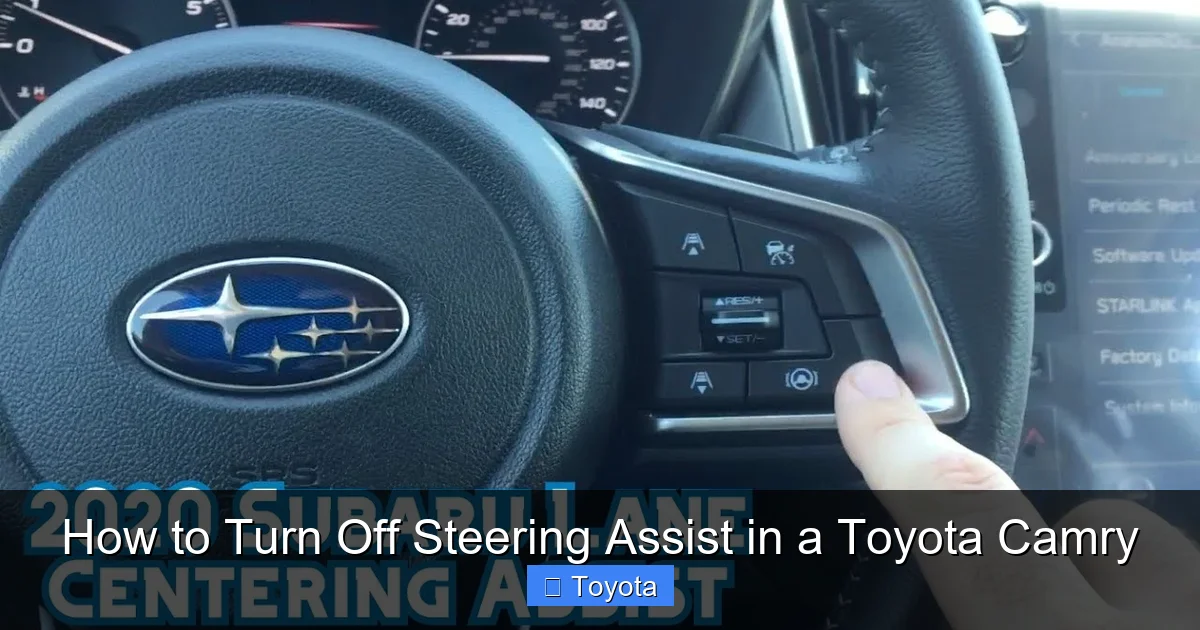
2. Locate the LTA button on the right side of the steering wheel. It’s usually labeled with a car icon inside a curved lane line or simply marked “LTA.”
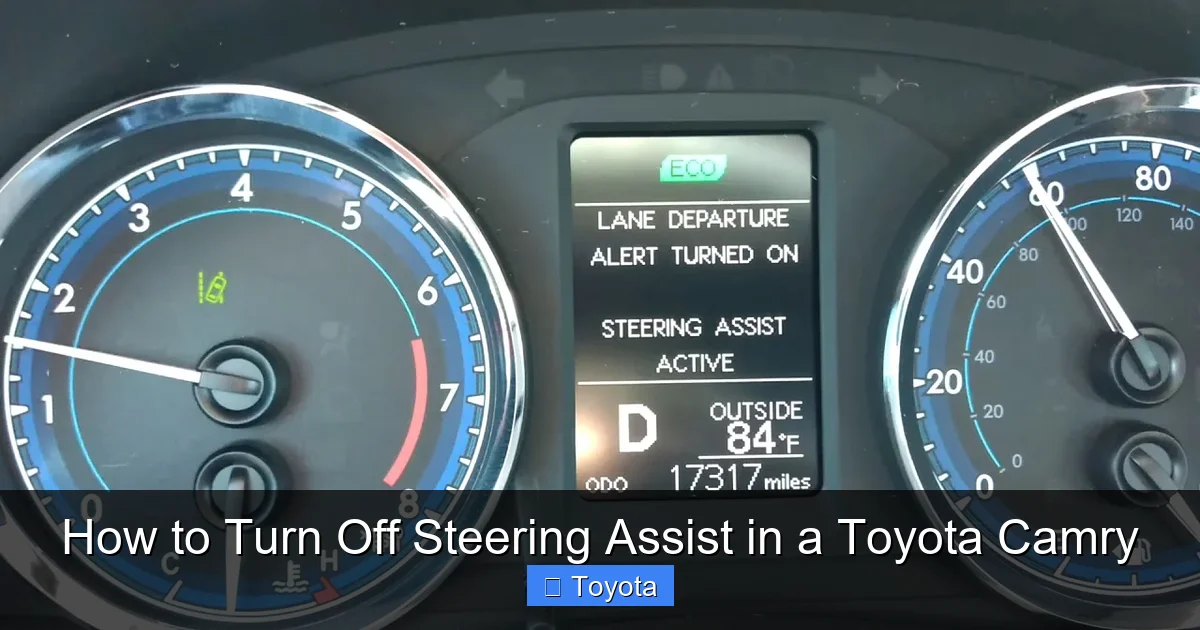
3. Press and hold the LTA button for about 3–5 seconds. You’ll see a message on the multi-information display (MID) that says “LTA Off” or “Lane Tracing Assist Disabled.”
4. Confirm the system is off by checking the MID or the instrument cluster. The LTA icon should disappear or show a grayed-out version.
Once disabled, the system will no longer provide steering corrections. However, note that LTA may reactivate the next time you start the car, depending on your settings.
Method 2: Through the Infotainment Menu
If your Camry has a touchscreen infotainment system (like Entune or Toyota Audio Multimedia), you can also disable LTA through the settings menu:
1. Tap the “Menu” or “Apps” button on the home screen.
2. Select “Settings” > “Vehicle” > “Driving Assist.”
3. Find “Lane Tracing Assist” and toggle it to “Off.”
4. Exit the menu and check the instrument cluster to confirm the change.
This method is useful if the steering wheel button isn’t working or if you prefer using the screen. Keep in mind that menu layouts can vary slightly between model years and trim levels (LE, SE, XLE, XSE, Hybrid, etc.).
Method 3: Using Adaptive Cruise Control Settings
On some Camrys, LTA is linked to the adaptive cruise control (ACC) system. If you turn off ACC, LTA may also disable automatically. To test this:
1. Press the “ON/OFF” button for adaptive cruise control (usually on the right stalk).
2. Check if LTA turns off as well.
If both systems are disabled together, you can reactivate ACC to restore LTA—or use one of the methods above to turn LTA back on independently.
Important Notes for 2021–2024 Camrys
Toyota made subtle changes to the user interface in recent model years. On 2021 and newer Camrys with the updated Toyota Audio Multimedia system:
– The LTA button may be labeled “Lane Keep” or “Lane Assist.”
– The system may require you to press the button twice: once to activate LTA, and again to cycle through modes (On, Off, Steering Only, etc.).
– Some trims allow you to customize whether LTA reactivates after ignition.
Always refer to your owner’s manual for model-specific instructions. You can download a digital copy from Toyota’s official website if you no longer have the physical version.
How to Turn Off Steering Assist in Older Toyota Camrys (2015–2017)
If you drive a 2015 to 2017 Toyota Camry, your vehicle likely uses the older Lane Departure Alert (LDA) system. While it doesn’t offer the same level of active steering as LTA, it can still apply gentle corrections and issue warnings.
Disabling LDA via the Steering Wheel
1. Turn on the ignition (you don’t need to start the engine, but the car should be in “ON” mode).
2. Press the “LDA” button on the right side of the steering wheel. It’s usually marked with a lane icon and the letters “LDA.”
3. Hold the button for 3–5 seconds until you see “LDA Off” on the instrument panel.
4. Release the button and confirm the system is disabled.
Unlike newer models, some 2015–2017 Camrys allow you to permanently disable LDA through the vehicle settings menu. To do this:
1. Go to “Settings” > “Vehicle” > “Safety.”
2. Find “Lane Departure Alert” and set it to “Off.”
3. Save your changes.
This setting may persist even after restarting the car, giving you more control over when the system is active.
Differences Between LDA and LTA
It’s important to understand that LDA and LTA are not the same. LDA is primarily a warning system with optional steering input, while LTA actively steers the vehicle. Because of this, turning off LDA may not completely eliminate steering corrections—some models still apply minor inputs even when warnings are disabled.
If you’re unsure which system your Camry has, check the owner’s manual or look for the system name in the instrument cluster when you start the car. Newer models will display “LTA Ready” or “Lane Tracing Assist Active,” while older ones may show “LDA On.”
Why Steering Assist Might Reactivate After Turning It Off
One of the most common frustrations among Camry owners is that steering assist turns back on after restarting the vehicle. This happens because Toyota designs these systems to default to “on” for safety reasons. The idea is that most drivers benefit from active safety features, so the car assumes you want them enabled unless you say otherwise.
How to Prevent Automatic Reactivation
Unfortunately, there’s no universal “permanent off” switch for steering assist in most Camrys. However, you can minimize the hassle with these tips:
– Disable it each time you drive: Make it a habit to turn off LTA or LDA as soon as you start the car, especially if you frequently drive on rural roads or in parking lots.
– Use the memory function (if available): Some higher trims (like XSE or Hybrid Limited) allow you to save driver preferences, including safety settings. Check your manual to see if this feature is supported.
– Update your infotainment system: Toyota occasionally releases software updates that improve user control over safety systems. Visit your dealership or check Toyota’s website for updates.
Aftermarket Solutions (Use with Caution)
Some third-party devices claim to permanently disable steering assist by intercepting signals between the camera and the ECU. However, we strongly advise against using these:
– They may void your warranty.
– They can interfere with other safety systems.
– They may cause error codes or trigger the check engine light.
Stick to factory-approved methods to ensure your Camry remains safe and reliable.
Safety Tips When Driving Without Steering Assist
Disabling steering assist gives you more control, but it also means you’re solely responsible for staying in your lane. Here are some tips to drive safely without electronic assistance:
– Stay alert and focused: Avoid distractions like phones, eating, or adjusting the radio. Your eyes should constantly scan the road ahead.
– Use turn signals consistently: Even if the system isn’t active, signaling helps other drivers and keeps you in the habit of safe driving.
– Check mirrors frequently: Without lane warnings, it’s easier to drift unintentionally. Regular mirror checks help you stay aware of your position.
– Adjust your seating position: Sit upright with hands at 9 and 3 o’clock for maximum control.
– Be extra cautious in bad weather: Rain, snow, and fog reduce visibility and make lane tracking harder. Slow down and increase following distance.
Remember: steering assist is there to help, not hinder. Only disable it when necessary, and always reactivate it for highway driving or long trips.
Frequently Asked Questions About Steering Assist in the Camry
Many Toyota Camry owners have questions about steering assist—how it works, how to control it, and what to expect. Here are answers to some of the most common concerns.
Can I permanently disable steering assist in my Camry?
Most Toyota Camrys do not allow permanent disabling of steering assist. The system typically resets to “on” after the vehicle is turned off and restarted. However, you can disable it manually each time you drive using the steering wheel button or infotainment menu.
Visual guide about How to Turn Off Steering Assist in a Toyota Camry
Image source: i.ytimg.com

Visual guide about How to Turn Off Steering Assist in a Toyota Camry
Image source: i.ytimg.com
Visual guide about How to Turn Off Steering Assist in a Toyota Camry
Image source: i.ytimg.com
Will turning off steering assist affect my warranty?
No, using the built-in controls to disable steering assist will not void your warranty. Toyota designed these systems to be user-adjustable. However, modifying the system with aftermarket tools or software could affect warranty coverage.
Why won’t my steering assist turn off?
If the LTA or LDA button doesn’t work, try holding it longer (up to 5 seconds). Also, ensure the system is active—some models won’t let you disable it unless it’s currently engaged. Check your owner’s manual for troubleshooting steps.
Does steering assist work in the rain or snow?
Steering assist relies on a camera to detect lane lines. Heavy rain, snow, or dirt on the windshield can block the camera and disable the system. Clean your windshield regularly and avoid using the feature in poor visibility.
Can I turn off steering assist on a Toyota Camry Hybrid?
Yes. Hybrid models use the same LTA or LDA systems as gasoline-powered Camrys. The process for disabling steering assist is identical—use the steering wheel button or infotainment menu.
Is steering assist the same as autopilot?
No. While steering assist helps keep the car in its lane, it does not control speed, braking, or acceleration like Tesla’s Autopilot. It’s a driver-assist feature, not a self-driving system. You must always keep your hands on the wheel and stay attentive.
Final Thoughts: Balancing Control and Safety
Knowing how to turn off steering assist in a Toyota Camry gives you greater flexibility behind the wheel. Whether you’re navigating tight city streets, driving on gravel roads, or simply prefer a more hands-on driving experience, being able to disable this feature puts you in control.
But with that control comes responsibility. Steering assist is one of Toyota’s most effective safety technologies, and disabling it increases your risk of lane departure accidents. Use it wisely—turn it off when needed, but reactivate it for highway driving, long trips, or when conditions demand extra support.
If you’re ever unsure about how to disable or re-enable the system, consult your owner’s manual or visit a Toyota service center. And remember: no technology replaces attentive, defensive driving. Stay alert, stay safe, and enjoy the ride—your way.
Frequently Asked Questions
Can I permanently disable steering assist in my Camry?
Most Toyota Camrys do not allow permanent disabling of steering assist. The system typically resets to “on” after the vehicle is turned off and restarted. However, you can disable it manually each time you drive using the steering wheel button or infotainment menu.
Will turning off steering assist affect my warranty?
No, using the built-in controls to disable steering assist will not void your warranty. Toyota designed these systems to be user-adjustable. However, modifying the system with aftermarket tools or software could affect warranty coverage.
Why won’t my steering assist turn off?
If the LTA or LDA button doesn’t work, try holding it longer (up to 5 seconds). Also, ensure the system is active—some models won’t let you disable it unless it’s currently engaged. Check your owner’s manual for troubleshooting steps.
Does steering assist work in the rain or snow?
Steering assist relies on a camera to detect lane lines. Heavy rain, snow, or dirt on the windshield can block the camera and disable the system. Clean your windshield regularly and avoid using the feature in poor visibility.
Can I turn off steering assist on a Toyota Camry Hybrid?
Yes. Hybrid models use the same LTA or LDA systems as gasoline-powered Camrys. The process for disabling steering assist is identical—use the steering wheel button or infotainment menu.
Is steering assist the same as autopilot?
No. While steering assist helps keep the car in its lane, it does not control speed, braking, or acceleration like Tesla’s Autopilot. It’s a driver-assist feature, not a self-driving system. You must always keep your hands on the wheel and stay attentive.