How to Turn Off Eyesight on a Subaru 2022

Contents
- 1 Key Takeaways
- 2 📑 Table of Contents
- 3 What Is Subaru EyeSight and How Does It Work?
- 4 Why Would You Want to Turn Off EyeSight?
- 5 Step-by-Step Guide: How to Turn Off EyeSight on a Subaru 2022
- 6 When EyeSight Automatically Turns Off (And What to Do)
- 7 Tips for Maintaining EyeSight Performance
- 8 Conclusion
- 9 Frequently Asked Questions

Turning off EyeSight on a Subaru 2022 is simple but should only be done when necessary. This guide walks you through the process, explains when it’s appropriate, and highlights important safety considerations to keep in mind.
If you’ve recently purchased a 2022 Subaru or are just getting familiar with its advanced safety features, you’ve probably noticed the EyeSight system at work. It’s that quiet guardian in the background—constantly scanning the road, helping you stay in your lane, and even braking for you if a collision seems imminent. But what if you want to turn it off? Maybe you’re driving in heavy snow, towing a trailer, or simply prefer to be in full control without electronic assistance. Whatever your reason, knowing how to turn off EyeSight on a Subaru 2022 is a useful skill.
EyeSight is one of Subaru’s flagship safety technologies, and it comes standard on most 2022 models, including the Outback, Forester, Legacy, and Crosstrek. It uses dual forward-facing cameras mounted near the rearview mirror to monitor traffic conditions and assist with adaptive cruise control, pre-collision braking, lane departure warnings, and lane keep assist. While these features are designed to make driving safer and less stressful, there are times when you might want to disable them—temporarily and with caution.
In this guide, we’ll walk you through exactly how to turn off EyeSight on a Subaru 2022, explain when it’s appropriate (and when it’s not), and offer practical tips to ensure you’re making safe decisions behind the wheel. Whether you’re a new Subaru owner or just curious about your vehicle’s tech, this article will give you the confidence to manage your EyeSight system like a pro.
Key Takeaways
- EyeSight can be temporarily disabled using the steering wheel button. Press and hold the “i” button until the system turns off.
- Disabling EyeSight is not recommended for regular driving. The system enhances safety by monitoring lane position, speed, and potential collisions.
- Certain conditions may automatically deactivate EyeSight. Heavy rain, snow, or dirt on cameras can cause temporary shutdowns.
- You can reactivate EyeSight easily. Simply press the “i” button again or restart the vehicle.
- Some driving modes affect EyeSight functionality. For example, “Sport Sharp” mode may alter system sensitivity.
- Always clean the EyeSight cameras regularly. Dirty lenses reduce system accuracy and may trigger false warnings.
- Consult your owner’s manual for model-specific details. Features may vary slightly between 2022 Subaru trims.
📑 Table of Contents
What Is Subaru EyeSight and How Does It Work?
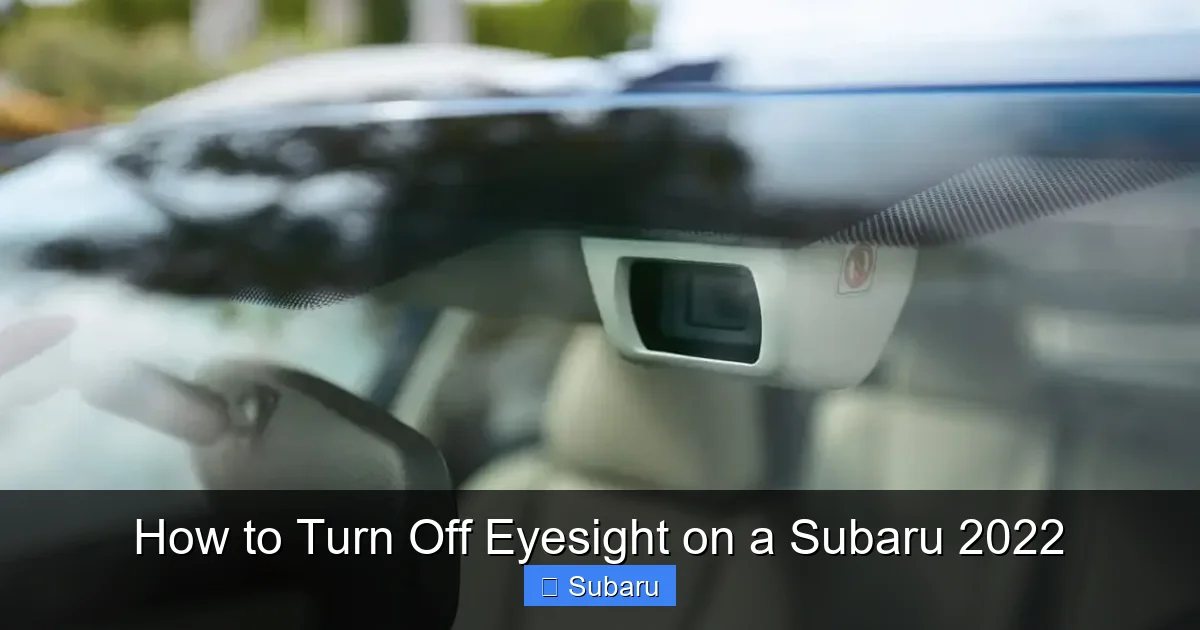
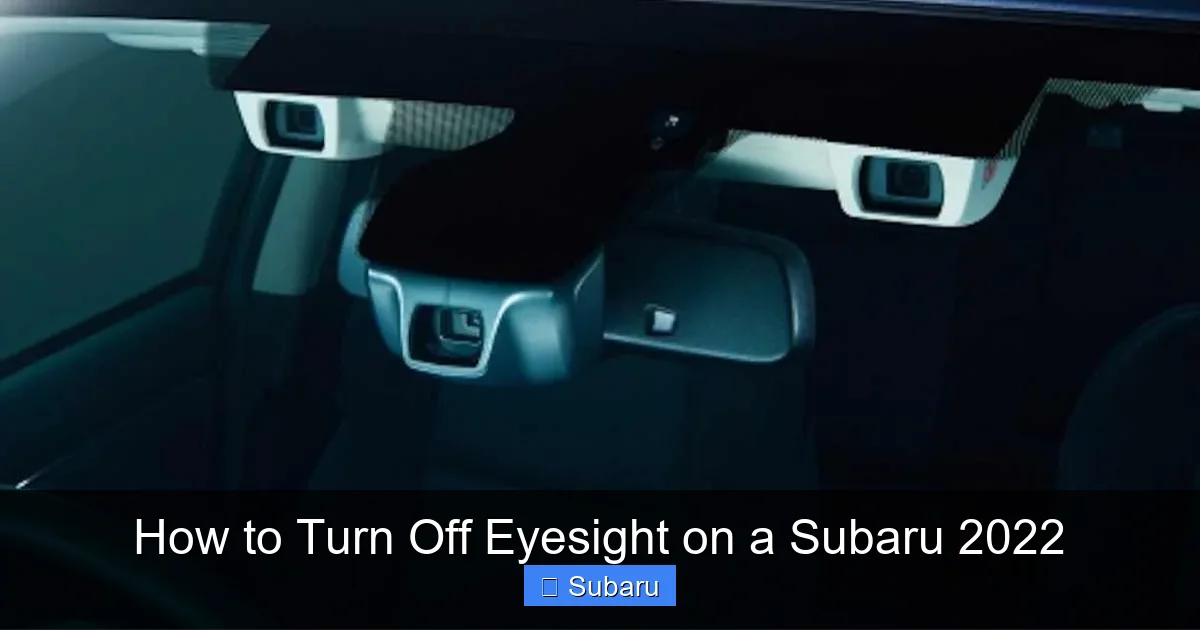
Before we dive into how to turn off EyeSight, it’s important to understand what it is and how it functions. EyeSight is Subaru’s suite of driver-assistance technologies that uses stereo cameras to “see” the road ahead. These cameras are mounted behind the windshield, just above the rearview mirror, and work together to detect vehicles, pedestrians, lane markings, and other obstacles.
The system operates in real time, processing visual data to support several key safety functions. For example, Adaptive Cruise Control (ACC) maintains a set speed and following distance from the car ahead, automatically slowing down or speeding up as traffic changes. Pre-Collision Braking can detect an imminent crash and apply the brakes if the driver doesn’t react in time. Lane Departure Warning alerts you if you begin to drift out of your lane without signaling, while Lane Keep Assist gently steers the vehicle back into place.
EyeSight also includes features like Lead Vehicle Start Alert, which notifies you when the car in front has started moving after a stop, and Road Departure Mitigation, which can help steer and brake if the vehicle is about to leave the roadway. All of these features are designed to reduce driver fatigue and prevent accidents, especially during long drives or in heavy traffic.
One of the reasons EyeSight is so effective is its reliance on stereo camera technology. Unlike radar-based systems used by some other automakers, EyeSight uses two cameras to create a 3D image of the road, allowing it to judge distance and depth more accurately. This makes it particularly good at detecting pedestrians and cyclists, which can be challenging for other systems.
However, because EyeSight depends on clear visibility, its performance can be affected by environmental conditions. Heavy rain, snow, fog, or even a dirty windshield can interfere with the cameras’ ability to function properly. In such cases, the system may temporarily disable itself or issue a warning message on the dashboard.
Understanding how EyeSight works helps explain why it’s not something you should disable lightly. It’s not just a convenience feature—it’s a critical layer of protection that has been proven to reduce the likelihood of accidents. According to Subaru, vehicles equipped with EyeSight have shown a significant reduction in rear-end collisions and overall crash rates.
Why Would You Want to Turn Off EyeSight?
Visual guide about How to Turn Off Eyesight on a Subaru 2022
Image source: trucksauthority.com
At first glance, it might seem counterintuitive to disable a safety system like EyeSight. After all, it’s there to help you, right? While that’s true in most situations, there are legitimate reasons why a driver might want to turn it off—temporarily and with full awareness of the risks.
One common reason is driving in severe weather conditions. If you’re navigating through heavy snow, ice, or torrential rain, the EyeSight cameras may struggle to get a clear view of the road. Dirt, snow, or ice buildup on the windshield near the camera housing can block the lenses, causing the system to malfunction or shut down on its own. In such cases, you might choose to disable EyeSight manually to avoid false alerts or erratic behavior, like sudden braking or steering corrections.
Another scenario is when towing a trailer or driving with a roof rack loaded with gear. The added height or altered aerodynamics can sometimes confuse the EyeSight system, especially if the cameras detect the trailer or cargo as an obstacle. This can lead to unnecessary warnings or even automatic braking, which can be dangerous if you’re trying to merge or change lanes.
Some drivers also prefer to turn off EyeSight when driving on winding mountain roads or in areas with poorly marked lanes. If the lane markings are faded, covered in snow, or inconsistent, the Lane Keep Assist feature might try to correct your steering unnecessarily, which can be distracting or even unsettling. In these cases, turning off the system allows for more natural, driver-controlled handling.
Additionally, if you’re performing maintenance or cleaning the windshield, you might want to disable EyeSight to prevent accidental activation. For example, if you’re using a high-pressure washer near the camera area, the system could misinterpret the spray as an obstacle and trigger a warning or braking event.
It’s also worth noting that some drivers simply prefer to drive without electronic aids. Whether it’s for the sake of engagement, training, or personal preference, there’s no shame in wanting full manual control—just as long as it’s done safely and responsibly.
However, it’s crucial to emphasize that turning off EyeSight should be a temporary measure. The system is designed to enhance safety, and disabling it removes a vital layer of protection. Always reactivate EyeSight as soon as the conditions that prompted you to turn it off have improved.
Step-by-Step Guide: How to Turn Off EyeSight on a Subaru 2022
Visual guide about How to Turn Off Eyesight on a Subaru 2022
Image source: s3.amazonaws.com
Now that we’ve covered the basics, let’s get into the practical part: how to actually turn off EyeSight on your 2022 Subaru. The process is straightforward and can be done in just a few seconds using the controls on your steering wheel.
Locate the EyeSight Button
The first step is to find the EyeSight control button. On most 2022 Subaru models, this is the “i” button located on the right side of the steering wheel. It’s typically labeled with a small camera icon or the word “EyeSight.” This button is used to access and control various driver-assistance features, including Adaptive Cruise Control and Lane Keep Assist.
If you’re having trouble finding it, look for a button with a symbol that looks like two overlapping circles or a camera lens. It’s usually positioned within easy reach of your thumb when your hands are on the wheel at the 9 and 3 o’clock positions.
Press and Hold the Button
Once you’ve located the “i” button, press and hold it for about three to five seconds. You’ll notice that the EyeSight indicator light on your dashboard will change. Initially, it may flash or show a solid green or white light, indicating that the system is active. As you hold the button, the light will turn off or change to a different color—usually amber or yellow—signaling that EyeSight has been disabled.
You may also see a message on your instrument cluster or multi-information display (MID) that says “EyeSight Off” or “Driver Assist Systems Disabled.” This confirms that the system is no longer active.
Confirm the System Is Off
To make sure EyeSight is truly disabled, check your dashboard for any active warnings or indicators. The EyeSight light should be off, and features like Adaptive Cruise Control and Lane Keep Assist should no longer respond to traffic conditions. If you were previously using cruise control, it will revert to standard cruise control (if equipped) or turn off entirely.
It’s also a good idea to test the system briefly. For example, if you’re on a straight road with clear lane markings, gently drift toward the edge of your lane without signaling. If Lane Keep Assist were active, the car would gently steer you back. If it doesn’t, that’s a sign EyeSight is off.
Reactivating EyeSight
Turning EyeSight back on is just as easy. Simply press the “i” button again—this time with a short press—and the system should reactivate. The indicator light will return to its normal state (usually green or white), and you’ll see a confirmation message on the display.
Alternatively, you can restart your vehicle. In most cases, EyeSight will automatically reactivate when you turn the ignition back on, unless you’ve manually disabled it again.
Important Notes and Warnings
While the process is simple, there are a few things to keep in mind. First, turning off EyeSight only disables the driver-assistance features—it doesn’t affect other safety systems like ABS, traction control, or airbags. Those remain active at all times.
Second, some 2022 Subaru models may have slightly different button layouts or menu systems, especially if you have a higher trim level with additional tech features. If you’re unsure, consult your owner’s manual or visit Subaru’s official website for model-specific instructions.
Finally, remember that disabling EyeSight removes critical safety aids. Only do so when absolutely necessary, and always reactivate the system as soon as possible.
When EyeSight Automatically Turns Off (And What to Do)
Sometimes, EyeSight may turn off on its own—without you pressing any buttons. This usually happens when the system detects conditions that could interfere with its performance. Understanding these scenarios can help you respond appropriately and avoid confusion.
Environmental Interference
One of the most common reasons EyeSight disables itself is poor visibility. If the cameras can’t get a clear view of the road—due to heavy rain, snow, fog, or dirt on the windshield—the system may shut down temporarily. You’ll typically see a message like “EyeSight Unavailable” or “Camera Blocked” on your dashboard.
In these cases, the best course of action is to pull over safely and clean the windshield, especially the area around the rearview mirror where the cameras are mounted. Use a soft cloth and glass cleaner to remove any grime, ice, or snow. Once the lenses are clear, restart the vehicle, and EyeSight should reactivate.
System Malfunctions
Occasionally, EyeSight may turn off due to a technical issue. This could be caused by a software glitch, a loose connection, or a problem with the camera hardware. If the system fails to reactivate after cleaning the lenses and restarting the car, it’s time to visit a Subaru dealership or certified technician.
Warning signs of a malfunction include persistent error messages, flickering dashboard lights, or the system turning on and off randomly. Don’t ignore these signs—driving without functional safety systems can increase your risk of an accident.
Driving Mode Changes
Some 2022 Subaru models come with selectable driving modes, such as “Intelligent,” “Sport,” and “Sport Sharp.” In certain modes, especially “Sport Sharp,” the sensitivity of EyeSight features like Adaptive Cruise Control may be reduced. While the system doesn’t fully turn off, its behavior changes to match the more aggressive driving style.
If you notice that EyeSight seems less responsive after switching modes, check your current driving mode and adjust it if needed. You can usually change modes using a dial or button near the gear shifter.
Battery or Electrical Issues
Low battery voltage or electrical problems can also cause EyeSight to shut down. If your car has been sitting for a long time, or if you’ve recently had battery issues, the system may not have enough power to operate correctly. In such cases, charging or replacing the battery should resolve the issue.
Tips for Maintaining EyeSight Performance
To keep EyeSight working reliably, regular maintenance is key. Here are some practical tips to ensure the system stays in top condition.
Keep the Windshield Clean
Since EyeSight relies on clear camera views, a dirty windshield is its worst enemy. Make it a habit to clean the inside and outside of your windshield regularly, especially the area around the rearview mirror. Use a high-quality glass cleaner and a microfiber cloth to avoid streaks.
Check for Obstructions
Avoid placing stickers, toll tags, or other objects near the camera housing. Even small obstructions can block the cameras’ field of view and cause the system to malfunction. If you must use a toll tag, place it on the side of the windshield away from the cameras.
Inspect Camera Lenses
Periodically inspect the camera lenses for cracks, scratches, or damage. If you notice any issues, have them checked by a professional. Damaged lenses can’t be repaired—they may need to be replaced.
Update Software
Subaru occasionally releases software updates for EyeSight to improve performance and fix bugs. Visit your local dealership to ensure your system is running the latest version. These updates are usually free and can be installed quickly.
Drive Responsibly
Finally, remember that EyeSight is a driver-assistance system, not a self-driving feature. Always keep your hands on the wheel and stay alert, even when the system is active. Technology can fail, and your attention is the most important safety tool you have.
Conclusion
Knowing how to turn off EyeSight on a Subaru 2022 is a valuable skill, but it comes with responsibility. While the process is simple—just press and hold the “i” button on the steering wheel—it should only be done when necessary and with full awareness of the risks. EyeSight is a proven safety system that helps prevent accidents, reduce driver fatigue, and protect you and your passengers.
Whether you’re dealing with bad weather, towing a trailer, or simply prefer manual control, temporary disabling is acceptable. But always reactivate the system as soon as conditions improve. Regular maintenance, like cleaning the windshield and checking for obstructions, will help keep EyeSight functioning properly.
Ultimately, EyeSight is there to assist you—not replace you. Use it wisely, understand its limits, and drive safely. Your 2022 Subaru is equipped with some of the best safety technology on the market. Make the most of it.
Frequently Asked Questions
Can I permanently disable EyeSight on my 2022 Subaru?
No, EyeSight cannot be permanently disabled through normal vehicle controls. It can only be turned off temporarily using the steering wheel button. For permanent deactivation, you would need to visit a Subaru dealership, and even then, it’s not recommended due to safety concerns.
Will turning off EyeSight affect my warranty?
No, temporarily turning off EyeSight will not affect your vehicle’s warranty. However, if you attempt to modify or disable the system permanently, it could void certain coverage. Always consult your dealer before making any changes.
Why does EyeSight turn off in the rain?
Heavy rain can block the camera lenses or distort the view, making it difficult for EyeSight to function accurately. The system may shut down temporarily to prevent false alerts or unsafe interventions. Cleaning the windshield usually resolves the issue.
Can I drive safely with EyeSight turned off?
Yes, you can drive safely with EyeSight off, but you lose important safety aids like lane keep assist and pre-collision braking. Only disable it when necessary, and always reactivate it as soon as possible.
How do I know if EyeSight is working properly?
Check the dashboard indicator light—it should be green or white when active. You can also test features like lane keep assist by gently drifting toward the lane edge. If the car steers you back, the system is working.
What should I do if EyeSight won’t turn back on?
First, clean the windshield and camera area. If that doesn’t work, restart the vehicle. If the problem persists, visit a Subaru dealership to check for software updates or hardware issues.