

How to Turn Off Adaptive Cruise Control on a 2025 Toyota Tacoma

Contents
- 1 Key Takeaways
- 2 📑 Table of Contents
- 3 Understanding Your 2025 Tacoma’s Adaptive Cruise Control System
- 4 Why and When You Should Turn Off Adaptive Cruise Control
- 5 Method 1: The Instant Disengage (Steering Wheel Button or Brake)
- 6 Method 2: The Full System Power-Down (Touchscreen Menu)
- 7 Method 3: The Manual Switch (If Equipped)
- 8 Common Issues, Troubleshooting, and Resets
- 9 Safety First: Best Practices and Important Considerations
- 10 Frequently Asked Questions

Trunk Organizer

Portable Work Light

Parking Sensor Kit

Brake Cleaner Spray
Turning off Adaptive Cruise Control (ACC) on your 2025 Toyota Tacoma is a simple, manual process. You can disable it instantly by pressing the dedicated “CANCEL” or “SET/-” button on the steering wheel, tapping the brake pedal, or using the touchscreen menu to turn the entire system off. It’s crucial to understand that ACC is a driver-assist feature, not an autonomous system, and you should always maintain full control of your vehicle. Knowing how to quickly disengage it is key for situations like heavy traffic, winding roads, or poor weather where the system may not perform optimally.
So, you’re the proud owner of a brand-new 2025 Toyota Tacoma. You’ve got that powerful engine, the rugged capability, and a cabin filled with tech designed to make your drive easier and safer. One of the best of these tech features is the available Adaptive Cruise Control, or ACC. It’s like having a co-pilot that automatically adjusts your speed to maintain a safe distance from the vehicle ahead, taking a bit of the stress out of long highway drives. But what happens when you need to take back full control? Maybe you’re approaching a winding mountain pass, traffic is stop-and-go beyond the system’s capabilities, or you just prefer to drive manually for a while. Knowing exactly how to turn off Adaptive Cruise Control on your 2025 Tacoma isn’t just a convenience—it’s a critical part of understanding and safely operating your vehicle’s advanced features. This guide will walk you through every method, explain the “why” behind them, and give you the confidence to master this system.
Before we dive into the “how,” let’s get on the same page about what we’re dealing with. The 2025 Tacoma’s ACC isn’t your dad’s old cruise control. It uses a forward-facing camera, often paired with a radar sensor (typically behind the front grille), to constantly scan the road ahead. It can automatically slow down if it detects a slower car in your lane, then speed back up to your preset speed when the road clears. It’s a fantastic tool for reducing fatigue on open roads. However, it has limitations. It may not detect motorcycles or vehicles that are partially obstructed, its performance can be hampered by heavy rain, fog, or snow, and it typically doesn’t bring the vehicle to a complete stop in stop-and-go traffic (though some newer systems can, the standard Tacoma ACC has a minimum speed threshold). Understanding these limits tells you exactly when you should be reaching for that disengage button.
Key Takeaways
- Multiple Disengagement Methods: You can turn off ACC by pressing the steering wheel’s CANCEL button, gently tapping the brake pedal, or accessing the vehicle settings touchscreen menu.
- It’s Not a Full Autopilot: The 2025 Tacoma’s ACC is a convenience and safety aid that requires the driver’s constant attention and ability to take over immediately.
- System vs. Speed Setting: Pressing CANCEL disengages the *speed-holding* function but keeps the system armed; using the touchscreen turns the entire ACC radar and system off.
- Dashboard Indicators Are Key: The white “CRUISE” icon means the system is armed but not active; a green icon means it’s actively controlling speed and distance.
- Know When to Disable: Turn it off for stop-and-go traffic beyond its range, on very curvy roads, in severe weather, or when towing in challenging conditions for best response.
- Safety First: Always be prepared to brake and steer. Disabling ACC does not disable other safety systems like Pre-Collision Braking or Lane Departure Alert, which you may also need to manage.
- Practice Makes Perfect: Familiarize yourself with the controls in a safe, empty parking lot to build muscle memory for quick disengagement.
📑 Table of Contents
- Understanding Your 2025 Tacoma’s Adaptive Cruise Control System
- Why and When You Should Turn Off Adaptive Cruise Control
- Method 1: The Instant Disengage (Steering Wheel Button or Brake)
- Method 2: The Full System Power-Down (Touchscreen Menu)
- Method 3: The Manual Switch (If Equipped)
- Common Issues, Troubleshooting, and Resets
- Safety First: Best Practices and Important Considerations
Understanding Your 2025 Tacoma’s Adaptive Cruise Control System
To turn something off effectively, you need to know what you’re turning off. The 2025 Tacoma’s ACC interface is primarily controlled from the steering wheel. You’ll find a dedicated stalk or a set of buttons on the right-hand side of the wheel. The key controls are usually:
- SET/-: This button sets the cruise speed and also acts as your primary “cancel” or disengage button when ACC is active.
- RES/+: Resumes the previously set speed or increases the set speed.
- CANCEL (often a separate button): Explicitly disengages the cruise control function without erasing your set speed from memory.
- ACC Distance Button: Usually a separate button with a car-and-lines icon, used to set the following distance (Long, Medium, Short).
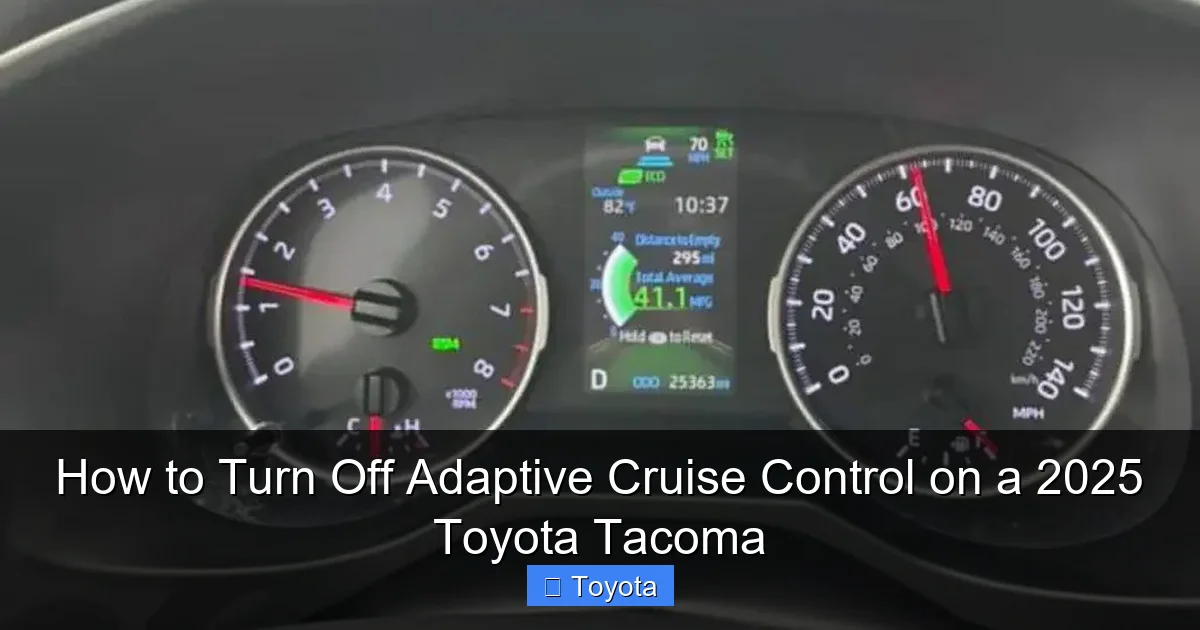
On the instrument cluster or multi-information display (MID) behind the steering wheel, you’ll see crucial icons. A white “CRUISE” or a car icon means the ACC system is powered on and “armed” but not currently controlling speed. A green icon (often a car with speed lines) means it’s actively engaged and controlling your speed. A yellow or orange warning light (usually a car with an exclamation point) indicates a problem, like a dirty radar or camera, or a temporary malfunction. If you see this, the system may not work, and you’ll need to troubleshoot the cause, which can sometimes involve a simple reset. For other Toyota dashboard warnings, you might need to consult a guide on how to turn off the maintenance light on a Toyota, as some indicators can be confusing.
The Two “Off” States: Disengaged vs. Powered Down
This is a critical distinction that causes confusion. Disengaging ACC (using the CANCEL button or brake pedal) stops the system from actively controlling your throttle and brakes. However, the system remains “armed.” Your set speed is stored in memory, and the radar is still powered on and scanning. A white icon will remain illuminated, and you can instantly re-engage by pressing the RES/+ button. This is the most common and practical way to “turn it off” for a moment. Powering down the system means turning the entire ACC function off completely. This is done through the vehicle settings menu on your touchscreen. This action turns off the radar and camera’s dedicated ACC processing, clearing the set speed from memory and extinguishing all cruise-related icons. You’d do this for extended periods where you never want ACC active, or if the system is malfunctioning and you need a full reset. Think of it like the difference between pausing a video and closing the app entirely.
Why and When You Should Turn Off Adaptive Cruise Control
While ACC is brilliant on open highways, there are many common driving scenarios where it’s not just unhelpful—it can be a hindrance or even unsafe if you’re not prepared to override it immediately. Knowing these situations is as important as knowing how to disengage the system.

Visual guide about How to Turn Off Adaptive Cruise Control on a 2025 Toyota Tacoma
Image source: tacomaexplorer.com
- Complex Urban Traffic: If traffic is moving erratically, with frequent lane changes, cars cutting in closely, or stop-and-go that exceeds the system’s minimum speed (often around 25-30 mph), ACC can become jerky or confused. Constant braking and acceleration by the system is inefficient and wears on your brakes. Manual control is smoother and more predictable.
- Winding, Hilly Roads: ACC is designed for relatively straight, predictable roads. On a tight, twisting mountain road, the system’s radar may lose sight of a vehicle taking a curve ahead, causing it to accelerate unexpectedly as you exit the turn. Similarly, on a steep downhill, it may not engine-brake effectively and could over-rely on the brakes. Taking control is safer.
- Inclement Weather: Heavy rain, fog, snow, or sleet can obscure the radar and, more importantly, the camera. A dirty grille or windshield can also block the sensors. If the system can’t see clearly, it may disengage itself with a warning, or worse, behave unpredictably. In these conditions, your own eyes and judgment are superior.
- Towing a Trailer: While ACC can work while towing, the added mass and altered braking dynamics mean the system’s responses can feel too abrupt or too slow. Many experienced towers prefer to manually control speed and distance for a more connected and safe feel, especially in varying terrain. You might also need to be familiar with turning off other vehicle dynamic systems like VSC when off-roading, as mentioned in guides for the Toyota 4Runner.
- Construction Zones or Unpredictable Driving: Lane shifts, cones, workers, and merging traffic create a chaotic environment that ACC isn’t programmed to understand. It’s best to be fully in control here.
- Personal Preference & Driver Engagement: Some drivers simply enjoy the act of driving and prefer to be fully engaged with the pedals and steering. There’s no “right” answer; if you feel more comfortable in control, turn it off.
Method 1: The Instant Disengage (Steering Wheel Button or Brake)
This is your go-to, reflex-level method. It’s designed for situations where you need to take control in a split second. The good news? It’s incredibly simple and consistent across almost all modern Toyotas, including your 2025 Tacoma.

Visual guide about How to Turn Off Adaptive Cruise Control on a 2025 Toyota Tacoma
Image source: tacomaexplorer.com
Using the “CANCEL” or “SET/-” Button
Locate the button on your steering wheel. On the 2025 Tacoma, it’s typically on the right spoke of the wheel, often labeled with a “CANCEL” icon or simply the “-” symbol on the SET button. When ACC is active (green icon on), a single, firm press of this button will instantly disengage the system. You’ll feel the throttle return to idle, and you’ll hear a subtle chime or see the green icon on your dash go out or turn white. Your set speed is retained in memory. If you want to resume that speed, just press the RES/+ button. This method is perfect for a temporary override, like passing a slower car or reacting to a car cutting in front of you. It’s the fastest, most intuitive action.
Using the Brake Pedal
This is the ultimate safety override and works for all cruise control systems, adaptive or not. Any pressure on the brake pedal—even a light tap—will automatically disengage ACC. The system interprets this as an immediate need for you to take control. The brake lights will activate as usual. This is a great backup if your hand isn’t on the steering wheel controls or in an emergency where you need to brake immediately. Like the CANCEL button, a light tap disengages but retains the set speed in memory. A firm, continuous press will slow the vehicle as normal. Remember: your foot on the brake always has the highest priority.
Pro Tip: Practice these two actions in a safe, empty parking lot. Get the feel for where the CANCEL button is without looking. Build that muscle memory. It’s a small investment that pays huge dividends in confidence and safety on the road.
Method 2: The Full System Power-Down (Touchscreen Menu)
Sometimes, you want ACC completely off. Maybe you’re doing a lot of city driving for the next few days, or you’re troubleshooting a persistent warning light. This is where the vehicle settings come in.
Visual guide about How to Turn Off Adaptive Cruise Control on a 2025 Toyota Tacoma
Image source: autocarresource.com
Step-by-Step Through the Touchscreen
- Start the Vehicle: Ensure your Tacoma is on (engine running or in “IGNITION ON” mode).
- Access Settings: On your central touchscreen, navigate to the “Menu” or “Settings” icon. This is usually on the home screen or within a “Vehicle” or “Driver Assist” folder.
- Find Driver Assistance: Look for a menu called “Driver Assistance Systems,” “Safety,” or “PCS” (Pre-Collision System). The exact naming can vary slightly by trim level.
- Locate Adaptive Cruise Control: Within that menu, you should see an option for “Adaptive Cruise Control” or “Dynamic Radar Cruise Control.”
- Toggle Off: Select it, and you’ll see a toggle switch or button to turn the system OFF. Confirm if prompted.
- Verify: Look at your instrument cluster. The white cruise icon should now be completely off. The system is powered down.
To turn it back on, simply follow the same steps and toggle it ON. You’ll typically need to re-set your speed and following distance the next time you want to use it. This method does not affect other safety systems like Pre-Collision Braking or Lane Departure Alert; those are usually separate settings.
Method 3: The Manual Switch (If Equipped)
While less common on the Tacoma than on some other models, certain markets or previous model years might feature a physical switch for cruise control systems. For the 2025 Tacoma, this is highly unlikely as everything is steering-wheel or screen-based. However, it’s worth checking your owner’s manual under the “Cruise Control” section. If your specific model has a separate ACC on/off switch (sometimes located on the lower dash or near the infotainment controls), it would function similarly to the touchscreen method, providing a master on/off for the entire system. Don’t spend time looking for this unless the manual confirms its existence; focus on the steering wheel and touchscreen methods described above.
Common Issues, Troubleshooting, and Resets
Sometimes, you might press the CANCEL button and the system doesn’t seem to disengage, or a warning light persists. Here’s how to handle it.
“ACC Won’t Turn Off” or “Stuck On”
First, ensure you’re pressing the correct button firmly. If the system remains active (green light stays on), try the brake pedal. If the brake pedal also fails to disengage it, this indicates a serious electronic fault. Do not continue driving. The system is not functioning correctly. You should:
- Safely pull over and park.
- Turn the vehicle completely off, remove the key (or press the start/stop button), and wait 2-3 minutes. This allows the vehicle’s computers to fully power down and reset.
- Restart the vehicle.
- Check if the ACC icon is still green or if a warning light (orange car icon) is present.
If the problem persists, the system has likely detected a fault—most commonly a dirty or obstructed radar grille or windshield camera. Clean the front grille (behind the Toyota emblem) and the windshield area directly behind the rearview mirror with a soft cloth and appropriate cleaner. If the warning remains, the system will need to be diagnosed by a Toyota technician using a special computer. Driving with a malfunctioning ACC is not recommended.
Clearing a Persistent Warning Light
If you’ve cleaned the sensors and the warning light (like the orange car with “!”) is still on, a full system reset via the touchscreen (Method 2) is the next step. Turn ACC off in settings, turn the vehicle off, wait a few minutes, restart, and then turn ACC back on in settings. Often, this cycle clears temporary glitches. If the light returns immediately or after a short drive, schedule service. For other persistent dashboard lights, such as a VSC or TRAC warning, you might need specific procedures like those for a Toyota 4Runner, but ACC warnings typically require professional scan tools.
Safety First: Best Practices and Important Considerations
Mastering the controls is only half the battle. Using ACC wisely is what makes it a true asset.
Always Be Ready to Take Over
The golden rule of any driver-assist system: your hands belong on the wheel, and your eyes belong on the road. ACC is not an autopilot. It will not react to stopped police cars, debris in the road, or vehicles that are suddenly cut into your lane by a third party. It is your responsibility to monitor the road ahead and be prepared to brake or steer at any moment. Keep your hands at the 9-and-3 or 10-and-2 position for optimal control and to feel any unexpected steering inputs from the system.
Understand the Following Distance Settings
Your Tacoma’s ACC lets you choose between typically 3-4 following distance levels (Long, Medium, Short). This sets the time gap the system tries to maintain. Long is safest for highway cruising, Short is for lighter traffic where you want to stay closer. Remember, a “Short” setting does not mean you can tailgate; it just means the system will allow a smaller gap. You are still responsible for a safe following distance. In rain or snow, always select a longer setting to account for increased stopping distances.
ACC and Other Safety Systems Work Together
Your Tacoma’s ACC is part of a suite called Toyota Safety Sense (TSS). It works in conjunction with the Pre-Collision System (PCS) with Pedestrian Detection, and Lane Departure Alert (LDA). Disabling ACC does not turn off PCS or LDA. You might still get a visual or audible alert if you’re about to hit something or drift out of your lane. If you wish to disable those for a specific reason (like off-road driving where you’ll be intentionally crossing lines), you usually need to do so separately in the settings menu, similar to how you would turn off lane assist on a Toyota Camry. Know which systems are active at any given time.
Off-Road and Towing Considerations
ACC is a highway and paved-road feature. It is not designed for off-road use. The radar can be confused by steep, sharp angles, and the system’s inputs can interfere with precise off-road throttle control. Always turn ACC off before engaging in serious off-pavement driving. The same applies to towing. While you can use it while towing on the highway, be extra vigilant of the system’s responses, especially in windy conditions or while descending long grades. For extreme off-road scenarios in a 4×4 Tacoma, you’ll likely be engaging 4-Low and other systems, and ACC should be off.
Frequently Asked Questions
Will turning off Adaptive Cruise Control also turn off my regular cruise control?
No. In your 2025 Tacoma, Adaptive Cruise Control is the primary cruise control system. There is no separate “standard” cruise control. When you disengage ACC with the CANCEL button, you are disengaging the cruise function entirely. To use it again, you must re-set a speed using the SET button.
What’s the difference between pressing CANCEL and turning the system off in the menu?
Pressing CANCEL is a temporary disengagement. The system stays armed (white icon on), your set speed is remembered, and you can instantly resume with the RES button. Turning it off in the menu is a full power-down. It clears the set speed, turns off all icons, and requires you to re-enable it in the settings before you can use it again.
How do I know if ACC is actually off and not just disengaged?
Look at your instrument cluster. If you see a white “CRUISE” or car icon, the system is armed but not active (disengaged). If no cruise-related icon is illuminated at all, the system is fully powered down. A green icon means it’s actively controlling speed.
My ACC icon is flashing or there’s an orange warning light. Can I still turn it off?
Yes, you can still disengage it with the brake or CANCEL button. However, the warning light means the system has detected a fault (like a blocked sensor) and may not function correctly. You should diagnose the cause (clean the front grille/windshield), perform a reset, and if the light persists, have it inspected by a dealer before relying on it again.
Can I turn off ACC while the vehicle is moving?
Absolutely. That is the primary and intended method. You should be able to disengage it instantly at any speed using the CANCEL button or brake pedal. The system is designed for on-the-fly disengagement.
Does turning off ACC affect my fuel economy?
ACC is designed to optimize speed and following distance for smoother acceleration and braking, which can improve fuel economy in steady highway traffic compared to a human driver. However, the difference is usually marginal. Manually driving efficiently can yield similar or better results. The main impact is on driving comfort and convenience, not a drastic change in MPG.







