
How to Turn O/d Off on a Nissan Sentra

Turning off overdrive (O/D) on your Nissan Sentra gives you more control over gear shifting, especially when towing, driving uphill, or in stop-and-go traffic. This guide walks you through the simple steps, explains what overdrive does, and helps you decide when it’s best to disable it for optimal performance and safety.
Key Takeaways
- Overdrive improves fuel efficiency at highway speeds by allowing the engine to run at lower RPMs, but it can reduce power when extra torque is needed.
- The O/D Off button is usually located on the gear shift lever or steering column in most Nissan Sentra models, often marked with an “O/D” or “O/D OFF” label.
- Pressing the O/D Off button disables the highest gear, keeping the transmission in lower gears for better engine braking and acceleration.
- Use O/D Off when towing, climbing hills, or driving in heavy traffic to prevent excessive shifting and overheating of the transmission.
- Leaving O/D Off during normal highway driving reduces fuel economy and increases engine wear, so only disable it when necessary.
- The dashboard indicator light confirms O/D is off—look for an “O/D OFF” or similar warning light on your instrument cluster.
- Always re-enable overdrive after challenging driving conditions to restore optimal fuel efficiency and reduce strain on the engine.
📑 Table of Contents
- What Is Overdrive and Why Does It Matter in Your Nissan Sentra?
- Where Is the O/D Off Button on a Nissan Sentra?
- Step-by-Step: How to Turn O/D Off on a Nissan Sentra
- When Should You Turn O/D Off? Practical Scenarios
- The Pros and Cons of Turning O/D Off
- Common Mistakes to Avoid When Using O/D Off
- Maintaining Your Transmission After Using O/D Off
- Conclusion: Mastering Your Nissan Sentra’s Overdrive Feature
What Is Overdrive and Why Does It Matter in Your Nissan Sentra?
If you’ve ever driven a Nissan Sentra—or any modern automatic transmission vehicle—you’ve likely noticed a button or switch labeled “O/D Off” near the gear shifter. But what exactly does it do? And why would you want to turn it off?
Overdrive, commonly abbreviated as “O/D,” is the highest gear in your car’s automatic transmission. It’s designed to improve fuel efficiency during steady-speed driving, especially on highways. When overdrive is active, your engine runs at lower revolutions per minute (RPMs) while maintaining speed. This reduces fuel consumption, lowers engine noise, and minimizes wear and tear over time. Think of it like cruising in fifth or sixth gear on a manual car—smooth, quiet, and efficient.
But here’s the catch: overdrive isn’t always the best choice. In situations that demand more power—like climbing a steep hill, towing a trailer, or navigating heavy city traffic—overdrive can cause your transmission to “hunt” between gears. This constant shifting can lead to overheating, reduced control, and even long-term damage to your transmission system. That’s where the “O/D Off” button comes in. By disabling overdrive, you force your Sentra to stay in lower gears, giving you more torque, better engine braking, and improved responsiveness.
Understanding when and how to use this feature can make a big difference in your driving experience. Whether you’re a daily commuter, weekend adventurer, or someone who occasionally tows small loads, knowing how to turn O/D off on your Nissan Sentra gives you greater control over your vehicle’s performance.
Where Is the O/D Off Button on a Nissan Sentra?
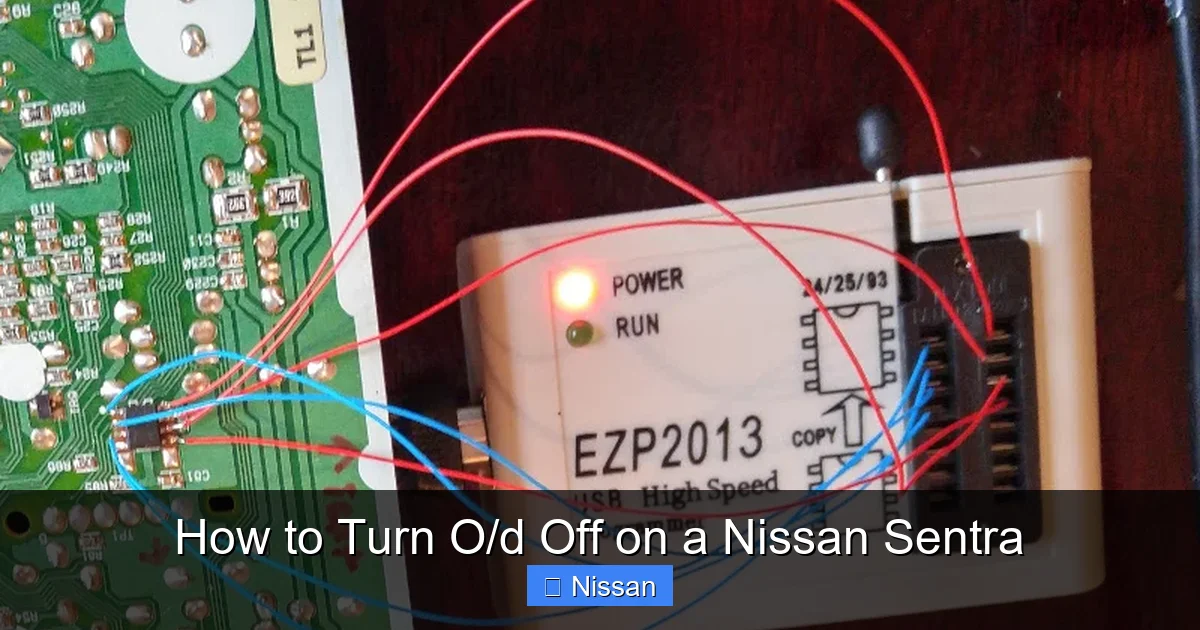
Visual guide about How to Turn O/d Off on a Nissan Sentra
Image source: tech.akom.net
One of the first things you’ll want to know is where to find the O/D Off button in your Nissan Sentra. The good news? It’s usually easy to locate, but its exact position can vary slightly depending on your model year and trim level.
In most Nissan Sentra models from the early 2000s up to the 2020s, the O/D Off button is integrated into the gear shift lever itself. Look for a small, rectangular button—often black or gray—on the side or top of the shifter, typically near the “D” (Drive) position. It’s usually labeled with “O/D,” “O/D OFF,” or sometimes just a symbol that looks like a gear with a line through it. On some newer models, especially those with push-button or electronic shifters, the function might be accessed through the infotainment system or a dedicated button on the center console.
For example, in the 2013–2019 Nissan Sentra, the O/D Off button is located on the right side of the gear shifter. Simply press it once to disable overdrive—you’ll see a confirmation light on your dashboard. In the 2020 and newer models, Nissan has streamlined the design, but the function remains accessible either via a physical button or through the driver information display.
If you’re unsure, consult your owner’s manual. It will show you exactly where the button is and how to use it. Don’t worry if it takes a moment to find—once you do, it’ll become second nature.
How to Identify the O/D Off Indicator Light
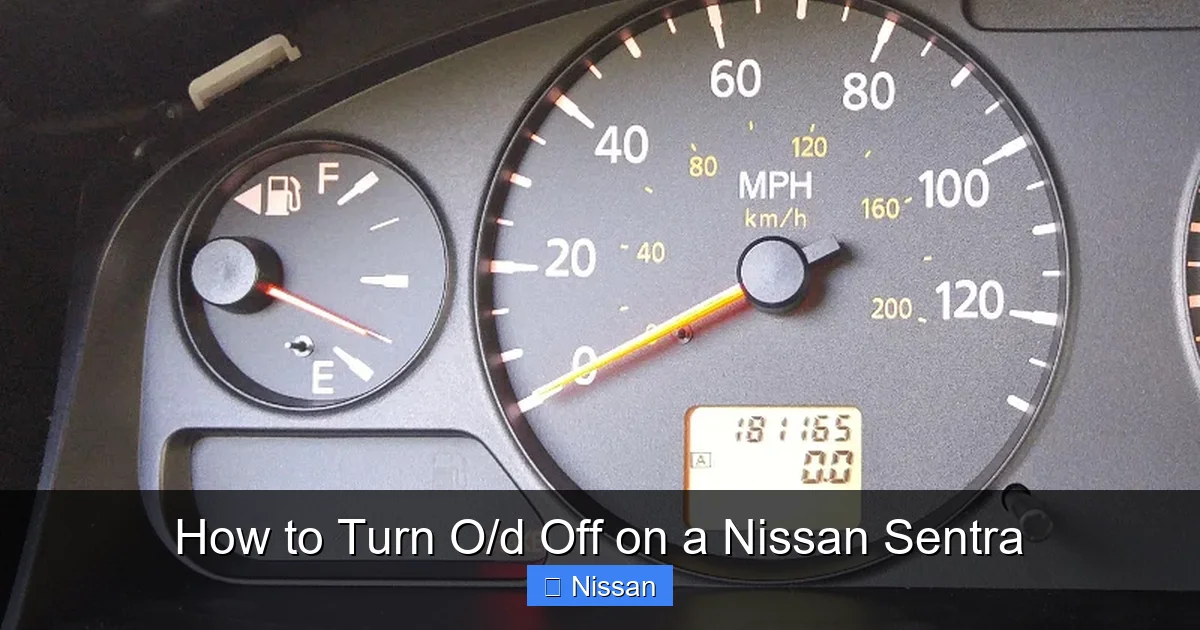
When you press the O/D Off button, your Nissan Sentra’s instrument cluster will display a warning light to confirm the change. This light is usually labeled “O/D OFF” or appears as a gear icon with a slash through it. It’s typically located near the speedometer or tachometer and may flash briefly when activated.
This visual cue is important—it lets you know that overdrive is disabled and your transmission is operating in a lower gear range. If the light is on, you’re in manual-like mode, giving you more control but sacrificing some fuel efficiency. Always check this light before long highway trips to ensure overdrive is re-enabled for optimal mileage.
Step-by-Step: How to Turn O/D Off on a Nissan Sentra
Visual guide about How to Turn O/d Off on a Nissan Sentra
Image source: tech.akom.net
Turning off overdrive on your Nissan Sentra is a quick and simple process. Here’s a step-by-step guide to help you do it safely and correctly.
First, make sure your vehicle is in motion or at least in Drive (D). You don’t need to be driving, but the transmission should be engaged. This ensures the system recognizes the command.
Next, locate the O/D Off button on your gear shifter. As mentioned earlier, it’s usually on the side or top of the lever. Once you’ve found it, press the button firmly. You should feel a slight click, and almost immediately, the “O/D OFF” light will illuminate on your dashboard.
That’s it—overdrive is now disabled. Your transmission will no longer shift into the highest gear. Instead, it will stay in third or fourth gear (depending on your model), providing more power and engine braking.
To turn overdrive back on, simply press the same button again. The dashboard light will turn off, and your Sentra will return to normal automatic shifting. It’s that easy.
Tips for First-Time Users
If you’ve never used the O/D Off button before, here are a few tips to keep in mind:
– Practice in a safe, low-traffic area first. Get a feel for how your car responds when overdrive is off.
– Listen to your engine. With overdrive disabled, you’ll notice higher RPMs and a slightly louder engine sound—this is normal.
– Don’t leave O/D Off on during long highway drives. It will reduce fuel economy and increase engine strain.
– Use it strategically. Turn it off before a steep hill or when towing, then re-enable it once conditions improve.
Remember, the O/D Off button is a tool—not a setting you leave on all the time. Use it when needed, and your Nissan Sentra will thank you with smoother, more reliable performance.
When Should You Turn O/D Off? Practical Scenarios
Visual guide about How to Turn O/d Off on a Nissan Sentra
Image source: i.redd.it
Now that you know how to turn O/D off on your Nissan Sentra, the next question is: when should you actually do it? While overdrive is great for everyday driving, there are specific situations where disabling it makes a real difference.
One of the most common reasons to turn off overdrive is when driving uphill. Steep inclines demand more power from your engine. If overdrive is active, your transmission may struggle to maintain speed, causing it to shift up and down repeatedly. This “gear hunting” can lead to overheating and reduced control. By turning O/D off, you keep the engine in a lower gear, delivering consistent torque and smoother acceleration.
Another key scenario is towing or carrying heavy loads. Whether you’re hauling a small trailer, a kayak, or a full carload of luggage, your Sentra’s engine has to work harder. Overdrive can make this even more difficult by reducing available power. Disabling it ensures your transmission stays in a gear that provides maximum pulling strength.
Heavy city traffic is another situation where O/D Off can be helpful. In stop-and-go driving, frequent acceleration and braking can cause the transmission to shift constantly. This not only wears out components faster but can also make your ride feel jerky. Turning off overdrive keeps the car in a lower gear, improving responsiveness and reducing shift shock.
Downhill driving is another often-overlooked use case. When descending a steep hill, you want strong engine braking to help control your speed without relying solely on the brakes. With overdrive off, the engine provides more resistance, helping you maintain a safe, steady pace.
Finally, if you notice your transmission is running hot—perhaps due to extreme weather or prolonged driving—turning off overdrive can reduce stress on the system. Lower gears generate less heat, giving your transmission a chance to cool down.
Real-World Example: Driving in the Mountains
Imagine you’re driving your Nissan Sentra through the mountains on a weekend trip. The roads are winding, steep, and full of elevation changes. If you leave overdrive on, your car might struggle on the climbs, and you’ll find yourself pressing the gas harder just to maintain speed. On the descents, you might need to ride the brakes, which can overheat them.
But if you turn O/D off before the ascent, your engine stays in a lower gear. You get better power on the way up and stronger engine braking on the way down. The drive feels smoother, safer, and more controlled. Once you reach flat highway again, just press the button to re-enable overdrive and enjoy better fuel economy.
The Pros and Cons of Turning O/D Off
Like any feature in your car, turning off overdrive has both advantages and disadvantages. Understanding these can help you make smarter decisions behind the wheel.
The biggest benefit of disabling overdrive is improved engine performance. Lower gears provide more torque, which means better acceleration and pulling power. This is especially useful when towing, climbing hills, or merging onto busy highways.
Another advantage is enhanced engine braking. When you take your foot off the gas, a lower gear creates more resistance, helping slow the car naturally. This reduces wear on your brake pads and gives you more control in slippery or downhill conditions.
Disabling overdrive can also prevent transmission overheating. Constant shifting in tough driving conditions can cause the transmission fluid to overheat, leading to damage over time. By limiting gear changes, you reduce this risk.
However, there are downsides to consider. The most obvious is reduced fuel efficiency. With overdrive off, your engine runs at higher RPMs, burning more fuel. On long highway trips, this can significantly increase your gas consumption.
Higher engine RPMs also mean more noise and vibration. Your Sentra will sound louder and feel less smooth, which might be uncomfortable on long drives.
Additionally, prolonged use of lower gears can increase engine wear. While modern engines are built to handle it, unnecessary strain over time can shorten the lifespan of components.
Balancing Performance and Efficiency
The key is balance. Use O/D Off when the situation calls for it—like during tough climbs or heavy loads—but re-enable it as soon as conditions improve. Think of it like using low gear in a manual car: great for control, but not ideal for cruising.
By using the feature wisely, you get the best of both worlds: power when you need it, and efficiency when you don’t.
Common Mistakes to Avoid When Using O/D Off
Even though turning off overdrive is simple, many drivers make mistakes that can affect performance or safety. Here are a few to watch out for.
One common error is leaving O/D Off on during normal highway driving. Some people turn it off and forget to turn it back on. This leads to poor fuel economy, louder engine noise, and unnecessary strain. Always check your dashboard light and re-enable overdrive after challenging conditions.
Another mistake is using O/D Off unnecessarily. For example, turning it off just because you’re driving fast on the highway won’t help—and it will hurt your mileage. Overdrive is designed for exactly that kind of driving, so let it do its job.
Some drivers also press the button while the car is in Park or Neutral. While this won’t damage the transmission, it won’t have any effect either. The system only responds when the car is in Drive and moving (or at least engaged).
Finally, don’t rely solely on O/D Off for braking. While it helps with engine braking, you still need to use your foot brake for safe stopping. Overusing engine braking can overheat the transmission, especially on long descents.
Pro Tip: Use It as a Tool, Not a Crutch
Think of the O/D Off button as a situational tool—not a permanent setting. Use it when you need extra power or control, but don’t depend on it for everyday driving. Your Nissan Sentra is engineered to handle most conditions with overdrive active. Only intervene when necessary.
Maintaining Your Transmission After Using O/D Off
Using the O/D Off button occasionally won’t harm your transmission, but frequent or prolonged use—especially under heavy loads—can increase wear. That’s why proper maintenance is essential.
After driving with overdrive disabled, especially in tough conditions, allow your transmission to cool down. Avoid immediately shutting off the engine after a long climb or descent. Let the car idle for a minute or two to help circulate fluid and reduce heat buildup.
Regular transmission fluid changes are also crucial. Over time, fluid breaks down and loses its ability to lubricate and cool internal components. Nissan recommends checking your transmission fluid every 30,000 to 60,000 miles, depending on driving conditions. If you frequently use O/D Off—say, for towing or mountain driving—consider changing the fluid more often.
Also, pay attention to warning signs. If you notice slipping gears, delayed shifting, or a burning smell, have your transmission inspected immediately. These could indicate overheating or low fluid levels.
DIY Transmission Check
You can perform a basic transmission fluid check at home. With the engine warm and the car on level ground, pull out the dipstick (usually labeled “ATF” or “Transmission”). Wipe it clean, reinsert it, then pull it out again. The fluid should be red or pink and reach the “Full” mark. If it’s dark, burnt-smelling, or low, it’s time for a service.
Conclusion: Mastering Your Nissan Sentra’s Overdrive Feature
Learning how to turn O/D off on a Nissan Sentra is more than just a technical skill—it’s about understanding your car and driving smarter. Overdrive is a valuable feature that improves fuel efficiency and comfort during everyday driving. But when the road gets tough, disabling it gives you the power and control you need.
Whether you’re climbing a mountain pass, towing a small load, or navigating heavy traffic, the O/D Off button is there to help. Use it wisely, re-enable it when conditions allow, and maintain your transmission regularly. With this knowledge, you’ll get the most out of your Sentra—both in performance and longevity.
So the next time you’re behind the wheel, don’t ignore that little button. It’s a small feature with a big impact. Press it when needed, and enjoy a smoother, safer, and more responsive drive.
Frequently Asked Questions
What does O/D Off mean on a Nissan Sentra?
O/D Off means overdrive is disabled. This prevents the transmission from shifting into the highest gear, keeping the engine in lower gears for more power and engine braking.
Is it bad to drive with O/D Off all the time?
Yes, driving with O/D Off constantly reduces fuel efficiency, increases engine noise, and can cause unnecessary wear. Only use it when extra power or control is needed.
Can I turn O/D Off while driving?
Yes, you can safely turn O/D Off while driving. The system is designed to respond in real time, so you can disable or re-enable overdrive at any speed.
Why is my O/D Off light on?
The O/D Off light means overdrive is currently disabled. Check if you accidentally pressed the button, or if it was turned on for a specific driving condition like towing or hill climbing.
Does turning off O/D improve towing capacity?
It doesn’t increase towing capacity, but it improves performance by keeping the engine in lower gears, providing more torque and reducing transmission strain when towing.
How do I know if my transmission is overheating?
Signs include a burning smell, slipping gears, delayed shifting, or a dashboard warning light. If you suspect overheating, pull over, let the engine idle, and have the system checked.