

How to Reset the Subaru Forester Radio

Contents
- 1 Key Takeaways
- 2 📑 Table of Contents
- 3 Why You Might Need to Reset Your Subaru Forester Radio
- 4 Understanding Your Subaru Forester Radio System
- 5 How to Perform a Soft Reset (Quick Fix)
- 6 How to Perform a Hard Reset (Factory Reset)
- 7 Alternative Reset Methods and Troubleshooting
- 8 Tips to Prevent Future Radio Issues
- 9 Conclusion
- 10 Frequently Asked Questions

Radiator Coolant

Car Cleaning Brush Set

Power Steering Fluid

Tire Shine Spray
Resetting your Subaru Forester radio can solve common audio issues like frozen screens, unresponsive buttons, or lost presets. This guide walks you through simple, effective methods—from soft resets to full factory restores—so you can get back to enjoying your favorite tunes on the road.
Key Takeaways
- Soft reset fixes minor glitches: A quick power cycle can resolve temporary software hiccups without losing your settings.
- Hard reset restores factory defaults: Use this method when the radio is frozen or malfunctioning; it erases all saved stations and preferences.
- Model year matters: Radio systems vary between 2014–2024 Forester models, so follow instructions specific to your trim and infotainment system.
- Backup your presets first: Note down favorite stations before a hard reset to avoid re-entering them manually.
- Check the fuse if nothing works: A blown fuse in the audio circuit can mimic a software issue—inspect it before assuming hardware failure.
- Use the steering wheel controls: Some resets can be triggered using buttons on the steering wheel, depending on your system.
- Consult the owner’s manual: Subaru provides model-specific guidance—always refer to your manual for the most accurate steps.
📑 Table of Contents
Why You Might Need to Reset Your Subaru Forester Radio
You’re cruising down the highway, favorite playlist queued up, when suddenly—your Subaru Forester’s radio screen freezes. Or maybe the audio cuts out mid-song, the touchscreen stops responding, or your saved stations vanish into digital oblivion. Sound familiar? These frustrating moments are more common than you’d think, especially as infotainment systems grow more complex.
The good news? In most cases, a simple reset can bring your radio back to life. Whether you’ve just installed a new phone, updated your software, or noticed odd behavior after a long drive, resetting the radio is often the quickest fix. It’s like giving your car’s brain a gentle reboot—clearing temporary glitches and restoring normal function. And unlike older car stereos, modern Subaru Forester radios are designed with user-friendly reset options that don’t require special tools or a trip to the dealership.
But not all resets are created equal. Some are quick and non-destructive, while others wipe your settings clean. Knowing which method to use—and when—can save you time, frustration, and even a service bill. This guide covers everything you need to know about resetting your Subaru Forester radio, from basic troubleshooting to advanced recovery steps, tailored to your model year and system type.
Understanding Your Subaru Forester Radio System
Before diving into reset procedures, it helps to understand what you’re working with. Subaru has used several infotainment systems in the Forester over the years, and the reset method can vary depending on which one your vehicle has.

Visual guide about How to Reset the Subaru Forester Radio
Image source: subaruownersuk.b-cdn.net
Common Subaru Forester Radio Systems
From 2014 to 2024, the Forester has featured different audio setups, including:
- Basic AM/FM Radio (2014–2018 base models): Simple analog system with physical buttons and minimal features.
- Starlink Multimedia System (2019–2021): Touchscreen interface with Apple CarPlay, Android Auto, Bluetooth, and voice commands.
- Starlink Multimedia Plus (2022–2024): Upgraded version with larger screen, enhanced navigation, and improved responsiveness.
Each system has its own quirks and reset protocols. For example, older models may rely on a physical power button, while newer ones use software-based resets through the menu. Knowing your system helps you choose the right approach.
Signs Your Radio Needs a Reset
How do you know it’s time to reset? Look for these common symptoms:
- The screen is frozen or unresponsive to touch.
- Audio plays but the display shows no information.
- Bluetooth won’t connect, even after pairing attempts.
- Preset stations disappear or won’t save.
- The system reboots randomly or fails to turn on.
- Navigation or voice commands stop working.
If you’ve tried basic fixes—like turning the car off and on—and the problem persists, a reset is likely your best next step.
How to Perform a Soft Reset (Quick Fix)
A soft reset is the gentlest way to refresh your radio system. It’s like restarting your smartphone—quick, safe, and often effective for minor glitches. This method doesn’t erase your saved stations or settings, making it ideal for everyday issues.
Visual guide about How to Reset the Subaru Forester Radio
Image source: radiopicker.com
Step-by-Step Soft Reset Instructions
Follow these steps for most Subaru Forester models (2014–2024):
- Turn off the ignition: Make sure the engine is off and the key is removed (or the start button is off).
- Wait 30 seconds: This allows the system to fully power down and reset its memory.
- Turn the ignition back on: Start the car or turn the key to the “ON” position (without starting the engine).
- Wait for the radio to boot up: Give it 1–2 minutes to fully initialize.
- Test the system: Try adjusting the volume, changing stations, or connecting your phone via Bluetooth.
This simple power cycle often resolves temporary software hiccups caused by memory overload or interrupted updates.
When to Use a Soft Reset
A soft reset is perfect for:
- Minor display lag or slow response.
- Bluetooth pairing issues after a phone update.
- Audio cutting in and out briefly.
- After installing a new app or connecting a USB device.
It’s always worth trying this first before moving to more drastic measures.
How to Perform a Hard Reset (Factory Reset)
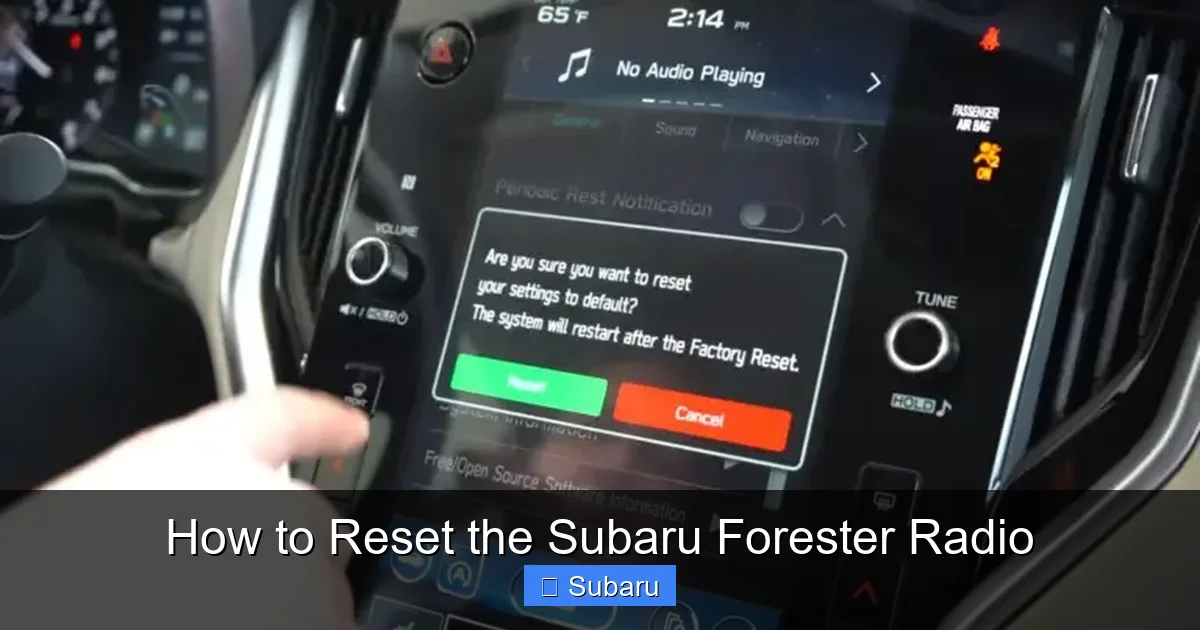
If a soft reset doesn’t work, or your radio is completely unresponsive, a hard reset may be necessary. This process restores the system to its original factory settings, wiping all saved data—including radio presets, paired devices, and custom settings. Use this method only when needed, and be prepared to reconfigure your preferences afterward.
Visual guide about How to Reset the Subaru Forester Radio
Image source: radiopicker.com
Hard Reset for 2019–2021 Starlink Multimedia System
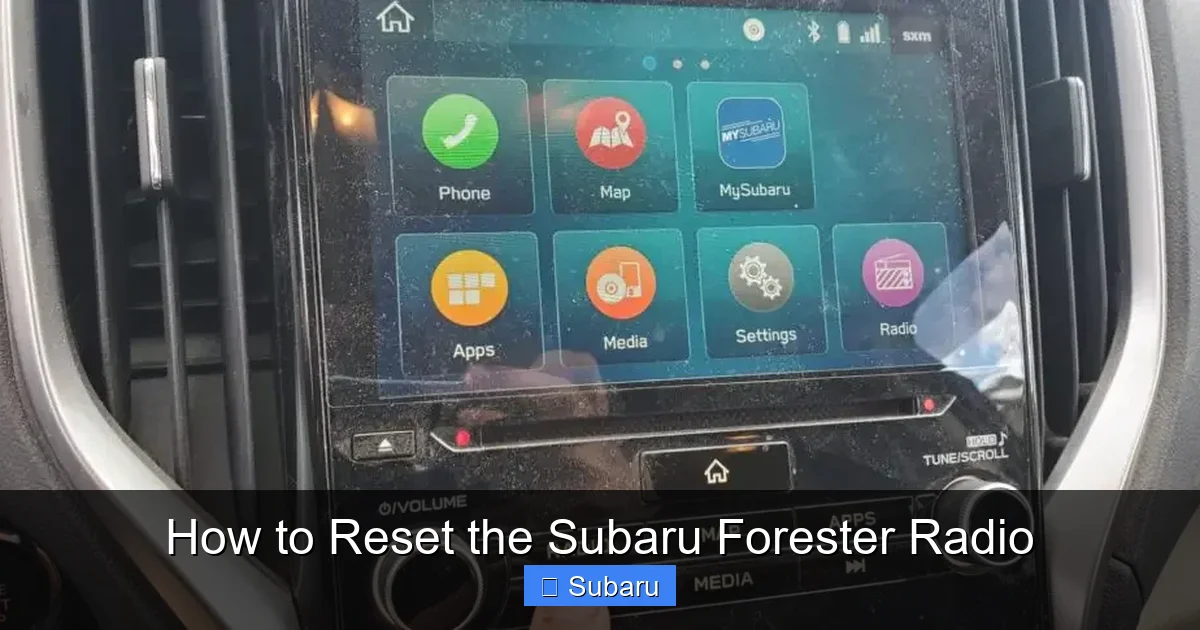
For Forester models with the 6.5-inch or 8-inch Starlink touchscreen (common in 2019–2021), follow these steps:
- Turn on the ignition: Do not start the engine—just turn the key to “ON” or press the start button without your foot on the brake.
- Press and hold the “Home” button: On the touchscreen, locate the Home icon (usually a house symbol) and press and hold it for 10–15 seconds.
- Wait for the reset prompt: A message should appear asking if you want to reset the system. Confirm by selecting “Yes” or “Reset.”
- Wait for completion: The system will reboot automatically. This may take 2–5 minutes.
- Reconfigure settings: Once restarted, reconnect your phone, re-save radio stations, and adjust preferences.
Tip: If the touchscreen is unresponsive, try using the physical “Menu” or “Source” button instead of the Home button.
Hard Reset for 2022–2024 Starlink Multimedia Plus
Newer Forester models (2022–2024) with the updated Starlink system use a slightly different method:
- Turn the ignition to “ON.”
- Navigate to Settings: Tap the gear icon on the home screen.
- Select “System” > “Reset Options.”
- Choose “Factory Reset” and confirm.
- Enter the security code if prompted: This is usually “1234” or “0000”—check your owner’s manual if unsure.
- Wait for the system to reboot.
Note: Some 2023–2024 models may require you to press and hold the “Volume Down” and “Source” buttons simultaneously for 10 seconds to trigger a reset.
Hard Reset for Older Models (2014–2018)
For base models without touchscreens, the process is simpler:
- Turn off the ignition.
- Press and hold the “Power” and “Volume Down” buttons simultaneously.
- Turn the ignition to “ON” while holding the buttons.
- Hold for 10–15 seconds until the display resets.
- Release and wait for the system to restart.
This method forces a reboot of the internal processor and often resolves persistent issues.
Alternative Reset Methods and Troubleshooting
Sometimes, standard reset methods don’t work—especially if the system is completely frozen or the buttons aren’t responding. In these cases, alternative approaches can help.
Using the Fuse Box to Reset the Radio
If your radio won’t turn on or respond to any commands, a blown fuse could be the culprit. Resetting the fuse can restore power and reset the system.
- Locate the fuse box: In most Forester models, it’s under the dashboard on the driver’s side or in the engine compartment.
- Find the radio fuse: Check your owner’s manual for the exact location. It’s usually labeled “Audio,” “Radio,” or “Infotainment.”
- Remove and inspect the fuse: Use a fuse puller or needle-nose pliers. If the filament is broken, replace it with a fuse of the same amperage (typically 10A or 15A).
- Reinsert the fuse and test the radio.
Warning: Never use a higher-amperage fuse—it can damage the system or cause a fire.
Resetting via the Steering Wheel Controls
Some Forester models allow you to trigger a reset using buttons on the steering wheel. This is especially useful if the touchscreen is unresponsive.
- Press and hold the “Phone” and “Volume Down” buttons for 10 seconds.
- Or, press and hold the “Voice Command” and “Source” buttons simultaneously.
Check your owner’s manual to confirm which button combination works for your model.
When to Seek Professional Help
If none of the above methods work, there may be a deeper issue—such as a faulty head unit, wiring problem, or software corruption. In these cases:
- Visit a Subaru dealership for diagnostics.
- Consider a software update via Subaru’s Starlink portal.
- Ask about warranty coverage if your vehicle is still under warranty.
Don’t attempt to open or repair the radio yourself—this can void your warranty and cause further damage.
Tips to Prevent Future Radio Issues
Once your radio is working again, take steps to avoid repeat problems. Modern infotainment systems are powerful but sensitive—small habits can make a big difference.
Keep Software Updated
Subaru periodically releases software updates for the Starlink system. These updates fix bugs, improve performance, and add new features. To check for updates:
- Visit Subaru’s official Starlink page.
- Enter your VIN to see if an update is available.
- Download the update to a USB drive and install it via the car’s USB port.
Regular updates can prevent many common issues before they start.
Avoid Overloading the System
Don’t plug in multiple USB devices, run too many apps, or stream high-definition video through the system. These actions can overwhelm the processor and cause crashes.
Use Quality Accessories
Cheap USB cables or incompatible phones can cause connectivity issues. Stick to certified accessories and keep your phone’s software updated.
Protect from Extreme Temperatures
Leaving your car in extreme heat or cold can affect the radio’s performance. Park in shade or a garage when possible, and allow the system to warm up or cool down before use.
Regularly Reboot the System
Just like your computer or phone, your car’s infotainment system benefits from occasional restarts. Turn the car off completely once a week to let the system reset naturally.
Conclusion
Resetting your Subaru Forester radio doesn’t have to be intimidating. Whether you’re dealing with a frozen screen, lost presets, or Bluetooth woes, the right reset method can often get you back on track in minutes. Start with a soft reset for minor issues, and move to a hard reset only when necessary. Always check your model year and system type to ensure you’re following the correct steps.
Remember: a little prevention goes a long way. Keep your software updated, use quality accessories, and give your system regular breaks. And if all else fails, don’t hesitate to reach out to a Subaru technician—they’re there to help.
With this guide in hand, you’re equipped to handle most radio issues like a pro. So next time your Forester’s audio acts up, you’ll know exactly what to do—no panic, no guesswork, just smooth sailing and great sound.
Frequently Asked Questions
How do I reset my Subaru Forester radio without losing my presets?
Perform a soft reset by turning off the ignition, waiting 30 seconds, and turning it back on. This refreshes the system without erasing saved stations or settings.
Why won’t my Subaru Forester radio turn on after a reset?
This could be due to a blown fuse, a disconnected battery, or a hardware issue. Check the fuse box first, and if that doesn’t work, consult a Subaru technician.
Can I reset the radio while the car is running?
It’s not recommended. Always turn off the ignition or put the car in accessory mode to avoid electrical surges or system errors during the reset.
How often should I reset my Subaru Forester radio?
Only reset when you notice problems. There’s no need for routine resets unless you experience frequent glitches or after major software updates.
Will a hard reset delete my paired phones?
Yes, a hard reset erases all paired devices, saved stations, and custom settings. Re-pair your phone and re-save your favorites after the reset.
What if my touchscreen is cracked—can I still reset the radio?
Yes, you can often use physical buttons (like Volume or Source) or steering wheel controls to trigger a reset, even if the touchscreen is damaged.







