
How to Reset the Oil Light on Toyota

Resetting the oil light on your Toyota is simple and takes just a few minutes—no mechanic required. Whether you’ve just changed your oil or the warning light won’t turn off, this guide walks you through the exact steps for nearly every Toyota model, from Camry to RAV4 and beyond.
Key Takeaways
- Oil light reset is necessary after an oil change to clear the maintenance reminder and ensure accurate tracking of your next service interval.
- Most Toyota models use a dashboard button method involving the odometer/trip button and ignition cycling—no tools or scanners needed.
- Hybrid and newer models (2020+) may require a different procedure due to advanced infotainment systems and digital displays.
- Always confirm the oil was changed properly before resetting—resetting without fresh oil can lead to engine damage.
- If the light returns immediately, there may be a low oil level or sensor issue requiring inspection by a professional.
- Consult your owner’s manual for model-specific instructions as procedures can vary slightly between years and trims.
- Resetting the oil light does not replace regular maintenance—it only clears the reminder; keep up with scheduled oil changes.
📑 Table of Contents
Why Does the Oil Light Come On in a Toyota?
The oil light in your Toyota isn’t just a random warning—it’s a critical signal from your vehicle’s onboard computer system. When this light illuminates on your dashboard, it typically means one of two things: either your engine oil level is low, or the oil pressure has dropped below a safe threshold. In some cases, especially after an oil change, the light appears not because of a mechanical issue, but because the system hasn’t been reset to recognize the new oil and filter.
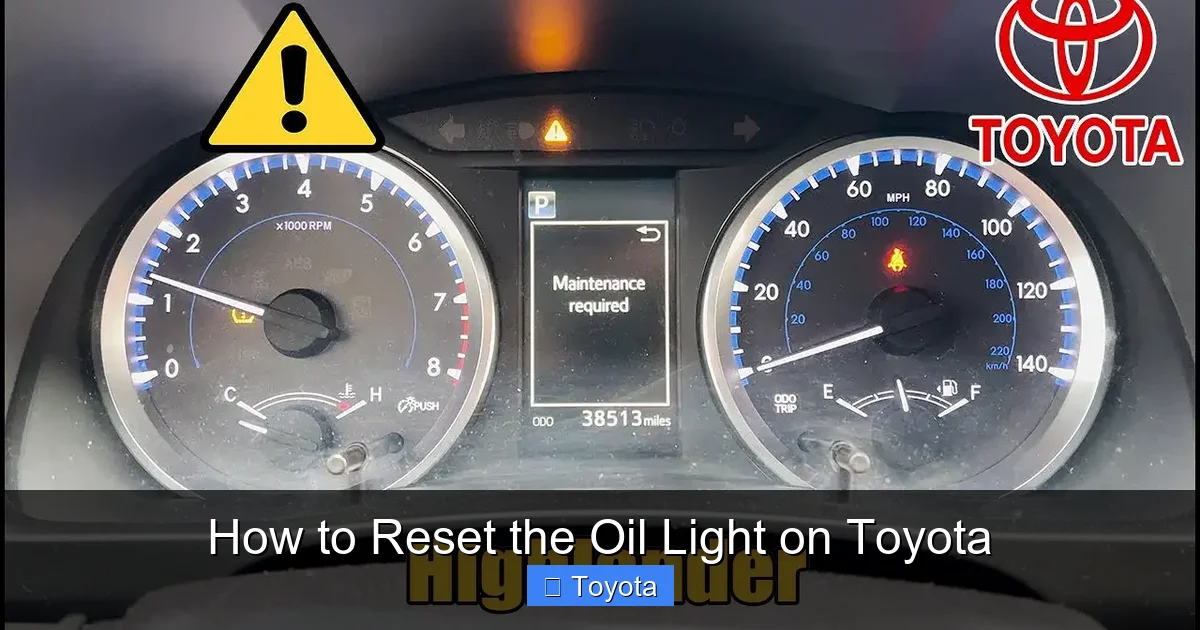
Toyota vehicles are equipped with a sophisticated maintenance reminder system designed to help drivers stay on top of routine service. This system tracks mileage and engine operating conditions to estimate when your next oil change is due. Once that threshold is reached, the “Maintenance Required” or “Oil Change” light will appear—usually a yellow or orange icon that looks like an oil can with a drop. It’s important to note that this light is different from the red oil pressure warning light, which indicates an immediate problem requiring you to stop driving.
Understanding the difference between these lights can save you stress and potentially expensive repairs. The maintenance reminder is a proactive nudge, while the oil pressure warning is an emergency alert. Most of the time, when you’ve just changed your oil and the light is still on, it’s simply waiting for you to reset it. This is a normal part of the process and nothing to worry about—as long as you address it promptly.
Common Causes of the Oil Light
Before diving into the reset process, it’s helpful to know why the oil light might come on in the first place. The most common reason is that your Toyota has reached its scheduled maintenance interval. For example, if your vehicle is set to remind you every 5,000 miles and you’ve just hit that mark, the light will appear regardless of whether you’ve changed the oil yet.
Another frequent cause is performing an oil change without resetting the system. Many drivers assume the light will turn off automatically, but Toyota’s system requires a manual reset to clear the reminder. This is by design—it ensures you don’t accidentally skip a service.
In rare cases, the oil light may come on due to actual mechanical issues. These include low oil levels from leaks or burning oil, a failing oil pump, clogged oil passages, or a malfunctioning oil pressure sensor. If the light appears while driving—especially if it’s red or flashing—pull over safely and check your oil level immediately. Continuing to drive with low oil pressure can cause severe engine damage.
When to Reset the Oil Light
You should reset the oil light only after you’ve completed an oil change. This ensures that the system accurately tracks your next service interval. Resetting it prematurely—before changing the oil—defeats the purpose of the reminder and could lead to delayed maintenance.
It’s also important to reset the light if you’ve had your oil changed at a dealership or independent shop and the technician forgot to do it. Many service centers will reset it for you, but it’s always a good idea to double-check when you pick up your car. If the light is still on, don’t hesitate to ask them to take care of it.
Finally, if you’ve recently topped off your oil and the light went off on its own, you may not need to reset it. However, if the light was on for a maintenance reminder (not a low oil pressure warning), a reset is still recommended to keep your service schedule on track.
How to Reset the Oil Light on Most Toyota Models (2000–2019)
The majority of Toyota vehicles from the early 2000s through 2019 use a simple button-based reset procedure. This method doesn’t require any special tools or diagnostic equipment—just your key and a few minutes of your time. The process involves cycling the ignition and using the trip/odometer button on the dashboard to access the reset menu.

Visual guide about How to Reset the Oil Light on Toyota
Image source: i.pinimg.com
This procedure works for popular models like the Toyota Camry, Corolla, RAV4, Highlander, Tacoma, and 4Runner. While there may be slight variations depending on the year and trim level, the core steps remain consistent. Always refer to your owner’s manual for confirmation, but this guide covers the most common method used across these models.
Step-by-Step Reset Instructions
Follow these steps carefully to reset the oil light on most Toyota vehicles:
- Turn the ignition to the “ON” position. Do not start the engine. Simply insert your key and turn it to the second position (where the dashboard lights up). If your Toyota has a push-button start, press the “Start” button once without pressing the brake pedal.
- Locate the trip/odometer button. This is usually found on the instrument cluster, near the speedometer. It may be labeled “TRIP,” “ODO,” or have a small arrow icon.
- Press and hold the trip button. While holding it down, turn the ignition back to the “OFF” position, then immediately back to “ON.” Keep holding the button throughout this process.
- Watch the odometer display. After a few seconds, the odometer should begin counting down from “1000” or display “000000.” Continue holding the button until the countdown reaches zero or the display resets.
- Release the button. Once the display shows “000000” or the oil light turns off, release the trip button. The reset is now complete.
- Turn off the ignition and restart the engine. The oil light should no longer appear on the dashboard. If it does, repeat the process or check for other issues.
This method is reliable and has been used by Toyota owners for nearly two decades. It’s a great example of how the brand prioritizes user-friendly design—allowing drivers to handle basic maintenance tasks without visiting a service center.
Tips for Success
To ensure a smooth reset, keep these tips in mind:
- Timing is key. The ignition cycle (OFF to ON) must happen quickly while holding the trip button. If you hesitate, the system may not register the command.
- Use the correct button. Some Toyotas have multiple buttons on the instrument cluster. Make sure you’re pressing the one that controls the trip odometer, not the one for fuel economy or other functions.
- Don’t start the engine. The reset must be done with the ignition on but the engine off. Starting the engine will interrupt the process.
- Be patient. The countdown may take 10–15 seconds. Don’t release the button too early.
- Try it twice if needed. If the light doesn’t turn off the first time, repeat the steps. Sometimes a second attempt is necessary.
Example: Resetting the Oil Light on a 2015 Toyota Camry
Let’s walk through a real-world example. Say you’ve just changed the oil in your 2015 Toyota Camry and the “Maintenance Required” light is still glowing on the dashboard. Here’s what you’d do:
First, sit in the driver’s seat and insert your key. Turn it to the “ON” position—you’ll see all the dashboard lights illuminate, including the oil light. Don’t start the engine. Next, find the trip button on the left side of the speedometer. Press and hold it firmly.
While holding the button, turn the key back to “OFF,” then immediately back to “ON.” Keep holding the button. Within a few seconds, the odometer display will start counting down from “1000.” Continue holding until it reaches “000.” At that point, release the button. The oil light should disappear. Turn the ignition off, wait a few seconds, then start the engine. The light should stay off, confirming the reset was successful.
This process takes less than a minute and can save you a trip to the dealership. It’s a handy skill every Toyota owner should know.
Resetting the Oil Light on Newer Toyota Models (2020 and Up)
Starting around 2020, Toyota began introducing more advanced infotainment systems and digital instrument clusters in many of its vehicles. Models like the 2021+ Toyota RAV4, 2022+ Camry, and 2023+ Highlander now feature touchscreen displays and updated software that change how the oil light reset is performed.
Visual guide about How to Reset the Oil Light on Toyota
Image source: diycarexpert.com
These newer systems often require navigation through the vehicle’s menu using the steering wheel controls or touchscreen. The traditional button method may not work, or it may be supplemented by digital prompts. This shift reflects Toyota’s move toward more integrated, tech-forward vehicle management.
Using the Multi-Information Display (MID)
Many 2020 and newer Toyotas use the Multi-Information Display (MID) located between the speedometer and tachometer. This screen shows trip data, fuel economy, and maintenance reminders. To reset the oil light using the MID:
- Turn the ignition to “ON” (do not start the engine).
- Use the steering wheel controls to navigate to the “Settings” or “Vehicle” menu. Look for an option like “Maintenance” or “Oil Change Reset.”
- Select “Reset” or “Confirm.” The system may ask you to confirm that the oil has been changed.
- Follow any on-screen prompts. The display should show a confirmation message, and the oil light should turn off.
This method is intuitive once you know where to look, but it can be confusing for drivers used to the older button method. The key is to explore the menu options using the arrow or “Enter” buttons on your steering wheel.
Touchscreen Reset Method
Some newer Toyotas, especially those with the latest Toyota Audio Multimedia system, allow you to reset the oil light directly from the central touchscreen. Here’s how:
- Start the vehicle or turn the ignition to “ON.”
- Tap the “Menu” or “Apps” icon on the touchscreen.
- Select “Vehicle Settings” or “Maintenance.”
- Choose “Oil Change” or “Reset Maintenance Light.”
- Confirm the reset when prompted.
This method is similar to using a smartphone app—simple and visual. However, it requires the vehicle to be powered on, and the exact menu names may vary by model and software version.
Hybrid Models: Special Considerations
Toyota hybrids, such as the Prius, Camry Hybrid, and RAV4 Hybrid, often have slightly different reset procedures due to their dual power systems. The oil light reset is still necessary after an oil change, but the process may involve additional steps to ensure the hybrid system is properly synchronized.
For most hybrid models, the button method (for older vehicles) or MID/touchscreen method (for newer ones) still applies. However, it’s especially important to ensure the engine has been running long enough to circulate the new oil before resetting. This helps prevent false warnings or sensor errors.
Always consult your owner’s manual for hybrid-specific instructions. Some models may require the vehicle to be in “Ready” mode (engine running) rather than just ignition “ON.”
Troubleshooting: What If the Oil Light Won’t Reset?
Even with the correct procedure, sometimes the oil light refuses to turn off. This can be frustrating, but it’s usually fixable with a bit of troubleshooting. The most common reasons include user error, electrical glitches, or underlying mechanical issues.

Visual guide about How to Reset the Oil Light on Toyota
Image source: i.ytimg.com
Common Mistakes to Avoid
Before assuming there’s a serious problem, double-check that you followed the steps correctly. Common mistakes include:
- Starting the engine during the reset. This interrupts the process and prevents the system from registering the command.
- Using the wrong button. Make sure you’re pressing the trip odometer button, not a different control.
- Not holding the button long enough. The countdown can take up to 15 seconds—don’t give up too soon.
- Ignition timing issues. The OFF-to-ON cycle must be quick and seamless.
If you’ve made any of these errors, simply try the reset again. Most issues are resolved on the second attempt.
Electrical or Sensor Problems
If the light still won’t reset after multiple tries, there may be an electrical issue. This could include a faulty oil pressure sensor, a blown fuse, or a problem with the instrument cluster. In some cases, a weak battery can interfere with the reset process, as the system requires stable voltage to function properly.
Check your vehicle’s fuse box for any blown fuses related to the instrument panel or engine control module. If everything looks fine, it may be time to visit a Toyota service center for diagnostics. They can use a scan tool to read error codes and determine if a sensor needs replacement.
When to See a Mechanic
You should seek professional help if:
- The oil light comes back on immediately after resetting.
- The red oil pressure warning light (not the maintenance reminder) is illuminated.
- You notice unusual engine noises, smoke, or a burning smell.
- The oil level is consistently low between changes.
These signs could indicate a more serious issue, such as an oil leak, worn engine components, or a failing oil pump. Continuing to drive under these conditions can lead to catastrophic engine failure.
Best Practices for Toyota Oil Maintenance
Resetting the oil light is just one part of responsible vehicle ownership. To keep your Toyota running smoothly, follow these best practices for oil maintenance:
Follow the Recommended Oil Change Interval
Toyota typically recommends changing your oil every 5,000 to 10,000 miles, depending on driving conditions and the type of oil used. Conventional oil usually requires changes every 5,000 miles, while synthetic oil can last up to 10,000 miles. Check your owner’s manual for the exact interval for your model.
Drivers who frequently tow, drive in extreme temperatures, or make short trips may need to change their oil more often. These conditions put extra stress on the engine and cause oil to degrade faster.
Use the Right Oil
Always use the oil grade specified in your owner’s manual. Most modern Toyotas require 0W-20 or 5W-30 synthetic oil. Using the wrong viscosity can affect engine performance and fuel efficiency. Stick with reputable brands like Toyota Genuine Motor Oil, Mobil 1, or Pennzoil.
Check Oil Levels Regularly
Even with a reset light, it’s wise to check your oil level every few weeks. Park on level ground, wait a few minutes after turning off the engine, and use the dipstick to ensure the oil is between the “Low” and “Full” marks. Top off if necessary, but avoid overfilling.
Replace the Oil Filter
Always replace the oil filter during an oil change. A clogged filter restricts oil flow and reduces engine protection. Use a high-quality filter designed for your specific Toyota model.
Keep Records
Maintain a log of your oil changes, including the date, mileage, and type of oil used. This helps you stay on schedule and can be useful when selling the vehicle or filing warranty claims.
Conclusion
Resetting the oil light on your Toyota is a simple yet essential task that every owner should know how to do. Whether you’re driving a 2005 Corolla or a 2023 RAV4 Hybrid, the process is straightforward and takes just a few minutes. By following the correct steps for your model year and trim, you can keep your maintenance reminders accurate and avoid unnecessary trips to the service center.
Remember, resetting the light doesn’t replace the need for regular oil changes—it only clears the reminder. Stay proactive with your vehicle’s maintenance, use the right oil, and address any warning lights promptly. Your Toyota is built to last, and a little attention to detail goes a long way in ensuring it runs smoothly for years to come.
Now that you know how to reset the oil light on Toyota vehicles, you can handle this common task with confidence. Share this guide with fellow Toyota owners, and keep your maintenance schedule on track—one reset at a time.
Frequently Asked Questions
How often should I reset the oil light on my Toyota?
You should reset the oil light every time you change your oil, which is typically every 5,000 to 10,000 miles depending on your model and driving conditions. The reset ensures the maintenance reminder accurately tracks your next service interval.
Can I reset the oil light without changing the oil?
Technically yes, but it’s not recommended. Resetting the light without changing the oil defeats the purpose of the reminder and could lead to delayed maintenance, potentially causing engine damage over time.
Why won’t my Toyota oil light turn off after an oil change?
If the light remains on after an oil change, it likely hasn’t been reset. Follow the correct reset procedure for your model year. If the light still won’t turn off, there may be a sensor issue or low oil level that needs inspection.
Do I need a special tool to reset the oil light on a Toyota?
No, most Toyota models allow you to reset the oil light using the dashboard buttons or steering wheel controls. Only in rare cases, such as electrical faults, would a diagnostic scanner be needed.
Is the oil light reset the same for all Toyota models?
No, the procedure varies slightly between older models (button method) and newer models (MID or touchscreen method). Always check your owner’s manual for the correct steps for your specific vehicle.
What’s the difference between the maintenance light and the oil pressure warning light?
The maintenance light (yellow/orange oil can icon) is a reminder for an oil change. The oil pressure warning light (red oil can icon) indicates low oil pressure and requires immediate attention—stop driving and check your oil level.