
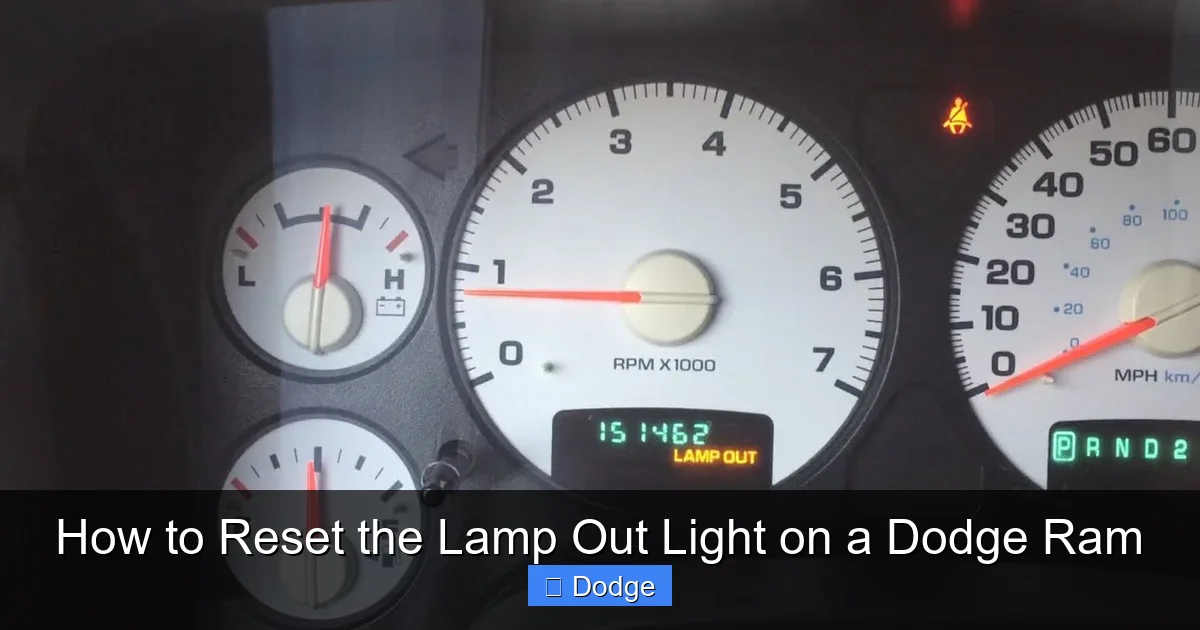
How to Reset the Lamp Out Light on a Dodge Ram

Contents
- 1 Key Takeaways
- 2 📑 Table of Contents
- 3 Understanding the Lamp Out Light on Your Dodge Ram
- 4 Why the Lamp Out Light Comes On
- 5 Step-by-Step Guide to Reset the Lamp Out Light
- 6 Troubleshooting Common Reset Issues
- 7 Preventing Future Lamp Out Warnings
- 8 When to See a Mechanic
- 9 Final Thoughts
- 10 Frequently Asked Questions


Resetting the lamp out light on a Dodge Ram is simpler than you think—no special tools needed. Whether you’ve replaced a headlight, brake light, or turn signal bulb, this guide walks you through the process for various model years. Follow these easy steps to clear the warning and keep your truck running safely and legally.
Key Takeaways
- Identify the correct bulb: The lamp out light triggers when a bulb fails, so always verify which one is faulty before resetting.
- Turn the ignition on and off: Most Dodge Rams require cycling the ignition key to access the reset mode.
- Use the pedal method for older models: Some 2002–2008 Rams need the brake pedal pressed during the reset sequence.
- Check your owner’s manual: Model-specific instructions can vary—always consult your manual for confirmation.
- Test all lights after reset: Ensure all exterior lights are working to prevent future warnings.
- Visit a dealer if issues persist: If the light won’t turn off, there may be an electrical issue requiring professional diagnosis.
- Regular maintenance prevents repeats: Inspect bulbs monthly and replace them in pairs for consistent performance.
📑 Table of Contents
Understanding the Lamp Out Light on Your Dodge Ram
If you’ve ever been driving your Dodge Ram and noticed a dashboard warning that says “Lamp Out” or shows a headlight icon with an exclamation point, you’re not alone. This alert is designed to keep you safe by notifying you when one of your exterior lights—like headlights, brake lights, turn signals, or parking lamps—has burned out or malfunctioned. While it might seem alarming at first, the good news is that it’s usually a simple fix.
The lamp out light is part of your truck’s onboard diagnostics system. Modern Dodge Rams, especially those from 2009 onward, use sophisticated lighting control modules that monitor electrical resistance in each bulb circuit. When a bulb fails, the system detects the change in current and triggers the warning light. This feature helps ensure your vehicle remains visible to other drivers, especially at night or in poor weather conditions.
But here’s the catch: even after you replace the faulty bulb, the warning light often stays on. That’s because the system needs to be manually reset to recognize the new bulb and clear the error code. This is where many Ram owners get stuck. They assume the job is done once the bulb is replaced, only to be annoyed by a persistent dashboard light.
The good news? Resetting the lamp out light on a Dodge Ram is usually a quick, DIY-friendly process. You don’t need a mechanic, expensive tools, or a trip to the dealership—just a few minutes and the right steps. In this guide, we’ll walk you through everything you need to know, from identifying the problem bulb to completing the reset across different model years.
Why the Lamp Out Light Comes On
Visual guide about How to Reset the Lamp Out Light on a Dodge Ram
Image source: images.pexels.com
Before diving into the reset process, it’s helpful to understand why the lamp out light appears in the first place. Knowing the root cause can save you time and frustration, especially if the light keeps coming back after a reset.
The most common reason is a burned-out bulb. Over time, halogen and LED bulbs wear out due to heat, vibration, and normal use. When a bulb fails, the electrical circuit it’s part of is interrupted. Your Dodge Ram’s Body Control Module (BCM) or Lighting Control Module (LCM) detects this interruption and triggers the warning light.
But it’s not always a dead bulb. Sometimes, the issue is a loose connection, corroded socket, or damaged wiring. For example, moisture can seep into a headlight housing and cause corrosion, leading to intermittent or complete failure. Similarly, a bulb that’s not seated properly in its socket might flicker or not work at all, triggering the lamp out alert.
Another possibility is a faulty bulb itself—even if it looks intact. Some bulbs fail internally without visible damage. This is especially true with older halogen bulbs, which can develop weak filaments that break under stress.
In rare cases, the problem could be with the vehicle’s electrical system. A failing BCM, blown fuse, or damaged relay might cause false lamp out warnings. However, these issues are less common and usually come with other symptoms, such as multiple electrical problems or dashboard warnings.
Common Bulbs That Trigger the Warning
Not all exterior lights are monitored equally. Your Dodge Ram typically tracks the following bulbs for the lamp out system:
– Low-beam headlights
– High-beam headlights
– Front and rear turn signals
– Brake lights (including center high-mount stop lamp)
– Parking lights (sidemarker lamps)
– License plate lights
Note that fog lights and interior lights are usually not monitored, so a failure there won’t trigger the lamp out light.
Model Year Differences
It’s important to note that the reset procedure can vary depending on your Ram’s model year and trim level. For example:
– **2002–2008 Dodge Ram (3rd generation):** These models often use a pedal-based reset method.
– **2009–2018 Dodge Ram (4th generation):** These trucks typically use an ignition cycling method.
– **2019–present Dodge Ram (5th generation):** Newer models may require using the Uconnect system or a diagnostic tool.
Always check your owner’s manual or consult a reliable source to confirm the correct method for your specific vehicle.
Step-by-Step Guide to Reset the Lamp Out Light
Visual guide about How to Reset the Lamp Out Light on a Dodge Ram
Image source: carmechan.com
Now that you understand why the lamp out light appears, let’s get into the practical steps to reset it. The process is straightforward, but it’s crucial to follow the steps in order and ensure the faulty bulb has been properly replaced first.
Step 1: Confirm the Bulb Is Replaced
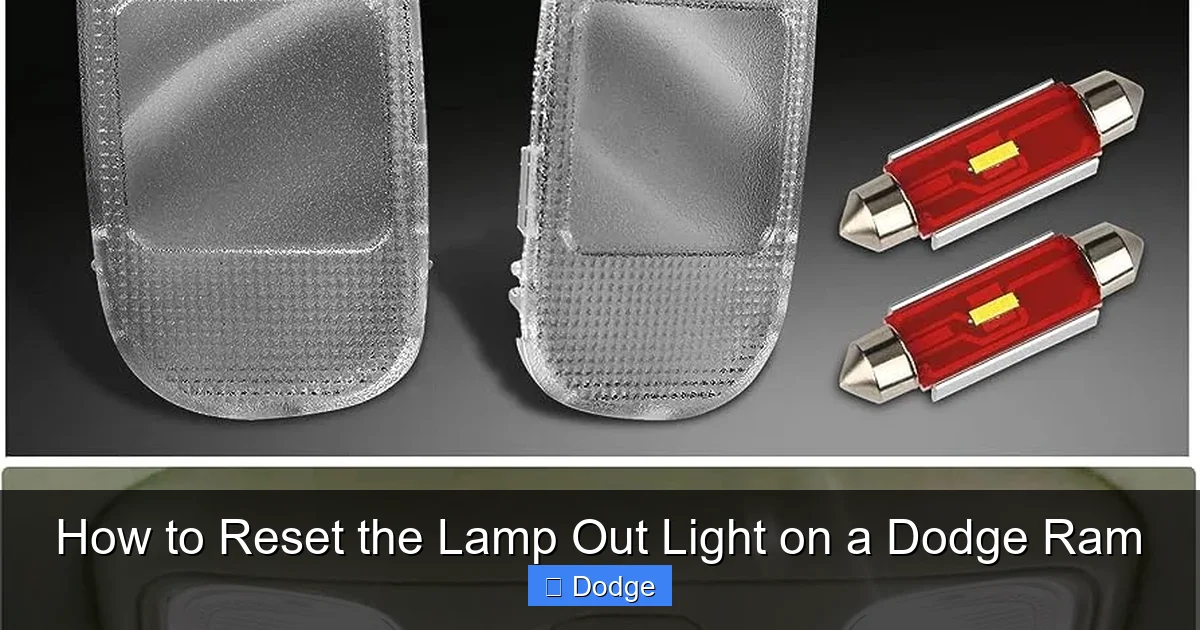
Before attempting any reset, double-check that the problematic bulb has been replaced with a new, working one. Turn on your headlights, brake lights, and turn signals to test each one. If the new bulb doesn’t light up, the issue might be with the socket, fuse, or wiring—not the bulb itself.
Pro tip: Replace bulbs in pairs. If one headlight burns out, the other is likely close to failing too. Replacing both ensures even brightness and prevents future warnings.
Step 2: Turn the Ignition to the “On” Position
With the engine off, insert your key into the ignition and turn it to the “On” position. This powers up the dashboard and electrical systems without starting the engine. You should see all warning lights illuminate briefly, including the lamp out light.
Do not start the engine yet. Leave the key in the “On” position for the next steps.
Step 3: Cycle the Headlight Switch
Locate the headlight switch, usually on the left side of the steering column. Turn the switch to the “Off” position, then back to “On.” Repeat this cycle three to five times within 10 seconds. Each cycle should be quick—about one second on, one second off.
This action signals the lighting control module to recheck the bulb circuits. On many Dodge Rams, this is enough to reset the lamp out light.
Step 4: Turn the Ignition Off and On Again
After completing the headlight switch cycles, turn the ignition back to the “Off” position. Wait about 10 seconds, then turn it back to “On.” Check the dashboard to see if the lamp out light is still illuminated.
If the light is off, the reset was successful. If it’s still on, proceed to the next method.
Alternative Method: Using the Brake Pedal (Older Models)
For 2002–2008 Dodge Rams, the reset process may require using the brake pedal. Here’s how:
1. Turn the ignition to “On” (engine off).
2. Press and hold the brake pedal.
3. While holding the brake, turn the headlight switch on and off three times.
4. Release the brake pedal.
5. Turn the ignition off, wait 10 seconds, then turn it back on.
This method forces the BCM to reinitialize the lighting system and often clears the lamp out warning.
Using the Uconnect System (Newer Models)
On 2019 and newer Dodge Rams with Uconnect infotainment systems, you may be able to reset the lamp out light through the touchscreen:
1. Turn the ignition to “On.”
2. Go to **Settings > Vehicle > Lights**.
3. Look for an option like “Reset Lamp Out Warning” or “Clear Light Fault.”
4. Select it and confirm.
Note: Not all Uconnect systems have this feature. If you don’t see the option, use the ignition cycling method instead.
When a Scan Tool Is Needed
In some cases—especially with persistent or recurring lamp out warnings—a professional OBD2 scan tool may be required. These tools can read and clear diagnostic trouble codes (DTCs) stored in the BCM. While most DIYers don’t own one, you can visit an auto parts store (many offer free code reading) or a Dodge dealership for assistance.
Troubleshooting Common Reset Issues
Visual guide about How to Reset the Lamp Out Light on a Dodge Ram
Image source: carnewsbox.com
Even with the correct steps, you might run into problems. Here are some common issues and how to fix them.
The Light Won’t Turn Off After Reset
If the lamp out light remains on after following the reset procedure, there are a few possible causes:
– **The bulb isn’t fully seated:** Remove the bulb and reinsert it firmly. Ensure the connector clicks into place.
– **Wrong bulb type:** Using a non-OEM or incorrect wattage bulb can confuse the system. Always use bulbs recommended by Dodge.
– **Corroded socket:** Inspect the bulb socket for rust or debris. Clean it with electrical contact cleaner if needed.
– **Faulty new bulb:** Rarely, a new bulb can be defective. Try swapping it with a known working bulb from another location.
The Light Comes Back On After a Few Days
If the lamp out light returns shortly after a reset, the issue may be deeper than a simple bulb failure:
– **Intermittent connection:** Wiggle the bulb while it’s on to see if it flickers. This indicates a loose or corroded connection.
– **Moisture in the housing:** Check for condensation inside headlight assemblies. Seal any cracks or replace damaged gaskets.
– **Failing alternator or voltage regulator:** Fluctuating voltage can cause bulbs to burn out prematurely. Have your charging system tested.
Multiple Lights Are Out
If more than one light is affected, check the fuse box. A blown fuse can disable entire circuits. Refer to your owner’s manual for the correct fuse locations and ratings.
Preventing Future Lamp Out Warnings
The best way to deal with the lamp out light is to avoid it altogether. Regular maintenance and smart habits can keep your Dodge Ram’s lighting system in top shape.
Inspect Lights Monthly
Set a reminder to check all exterior lights once a month. Turn on your headlights, brake lights, turn signals, and hazard lights while someone observes from outside. This quick check can catch failing bulbs before they trigger a warning.
Replace Bulbs in Pairs
As mentioned earlier, bulbs degrade over time. Replacing both left and right bulbs—even if only one has failed—ensures balanced brightness and prevents the other from failing soon after.
Use Quality Bulbs
Cheap, off-brand bulbs may save money upfront but often burn out faster and can cause electrical issues. Stick to OEM (original equipment manufacturer) or high-quality aftermarket brands like Philips, Sylvania, or Osram.
Protect Against Moisture
Water is the enemy of electrical components. If you notice fogging inside your headlights, it’s a sign of a compromised seal. Replace the headlight assembly or reseal it to prevent corrosion and bulb failure.
Keep Connectors Clean
Dirt, grease, and corrosion can interfere with electrical connections. Use a cotton swab and electrical contact cleaner to gently clean bulb sockets during replacements.
When to See a Mechanic
While most lamp out issues are DIY-friendly, there are times when professional help is needed.
Persistent Electrical Problems
If the lamp out light won’t reset, multiple lights are out, or you notice other electrical issues (like flickering dash lights or dead batteries), there may be a deeper problem. A certified mechanic can perform a full electrical diagnosis.
After an Accident or Water Damage
If your Ram has been in a collision or exposed to flooding, the lighting system may have sustained hidden damage. A professional inspection can identify and repair issues before they become safety hazards.
Complex Lighting Upgrades
Upgrading to LED or HID headlights can improve visibility but may require additional resistors or adapters to prevent false lamp out warnings. A mechanic or specialty shop can ensure your upgrades are compatible with your truck’s system.
Final Thoughts
Resetting the lamp out light on a Dodge Ram doesn’t have to be a headache. With the right knowledge and a few simple steps, you can clear the warning and get back on the road safely. Whether you’re driving a classic 2003 Ram or a brand-new 2024 model, the principles remain the same: replace the bulb, follow the reset procedure, and maintain your lights regularly.
Remember, the lamp out light is there to protect you. Ignoring it can lead to reduced visibility, failed inspections, or even traffic tickets. By staying proactive and addressing issues quickly, you’ll keep your Dodge Ram looking sharp and running safely for years to come.
So the next time that little warning light pops up, don’t panic. Grab a new bulb, follow this guide, and reset it like a pro. Your truck—and your peace of mind—will thank you.
Frequently Asked Questions
How do I reset the lamp out light on a 2006 Dodge Ram?
Turn the ignition to “On” (engine off), press and hold the brake pedal, then cycle the headlight switch on and off three times. Release the brake and turn the ignition off and on again to complete the reset.
Why does my lamp out light keep coming back?
This usually indicates an underlying issue like a loose connection, corroded socket, or moisture in the headlight assembly. Inspect the bulb and housing carefully, and consider replacing the entire unit if problems persist.
Can I drive with the lamp out light on?
Technically yes, but it’s not safe or legal in many areas. A missing brake or headlight reduces visibility and can result in a traffic citation. Replace the bulb and reset the warning as soon as possible.
Do I need a special tool to reset the lamp out light?
No, most Dodge Rams can be reset using the ignition and headlight switch. Only in rare cases—like persistent electrical faults—is a scan tool needed.
Will replacing the bulb automatically turn off the lamp out light?
No, the system requires a manual reset to recognize the new bulb. Simply replacing the bulb won’t clear the warning.
What if the lamp out light is on but all my lights are working?
This could be a false warning due to a glitch in the lighting module. Try the reset procedure. If it persists, have the system scanned for error codes at an auto parts store or dealership.


