
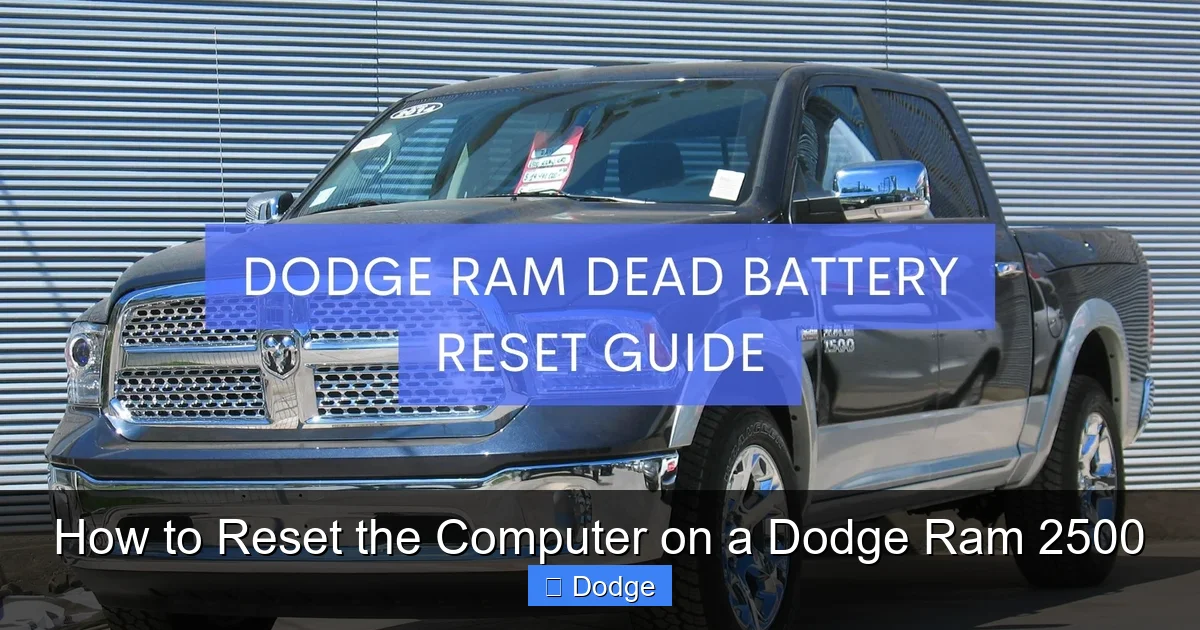
How to Reset the Computer on a Dodge Ram 2500

Contents
- 1 Key Takeaways
- 2 📑 Table of Contents
- 3 Why You Might Need to Reset the Computer
- 4 Method 1: Battery Disconnection (The Classic Approach)
- 5 Method 2: Using an OBD2 Scanner (The Professional Way)
- 6 Method 3: Key Cycle Reset (For Specific Systems)
- 7 What to Expect After a Reset
- 8 When to Seek Professional Help
- 9 Maintenance Tips to Reduce the Need for Resets
- 10 Frequently Asked Questions

Tire Repair Kit

Tire Shine Spray

Car Bumper Protector

Car Wash Mitt
Resetting the computer on a Dodge Ram 2500 can clear error codes, improve fuel efficiency, and restore normal engine function. This guide walks you through safe, effective methods—from battery disconnection to using an OBD2 scanner—so you can do it yourself with confidence.
If you’ve ever seen the check engine light flicker on in your Dodge Ram 2500—or noticed a drop in fuel economy, rough idling, or sluggish acceleration—you’ve probably wondered if there’s a quick fix. The good news? Sometimes, all your truck needs is a simple computer reset. Modern vehicles like the Dodge Ram 2500 rely heavily on an onboard computer system, often called the Powertrain Control Module (PCM), to manage everything from fuel injection and ignition timing to emissions and transmission shifts. Over time, this system collects data and may store error codes or adapt to driving habits that no longer apply—especially after repairs, battery replacements, or long periods of inactivity.
Resetting the computer doesn’t fix mechanical problems, but it can clear temporary glitches, reset adaptive learning values, and give your truck a fresh start. Think of it like restarting your computer when it’s running slowly—it won’t solve a hardware failure, but it can clear up software hiccups and improve performance. Whether you’re a DIY enthusiast or just trying to avoid another trip to the mechanic, knowing how to reset the computer on your Dodge Ram 2500 is a valuable skill. In this guide, we’ll walk you through several proven methods, explain what to expect afterward, and help you decide which approach is best for your situation.
Key Takeaways
- Resetting the computer clears stored error codes and recalibrates sensors, helping your truck run smoother after repairs or maintenance.
- The battery disconnect method is simple and effective, but may reset radio presets and require relearning drive cycles.
- Using an OBD2 scanner offers a cleaner, more precise reset, especially for clearing check engine lights without losing settings.
- Always ensure the vehicle is off and keys are removed before performing any reset to avoid electrical issues.
- After a reset, drive the truck normally for 50–100 miles to allow the computer to relearn driving patterns and complete system checks.
- Repeated check engine lights after a reset may indicate a deeper issue, requiring professional diagnosis.
- Regular maintenance reduces the need for frequent resets, keeping your Ram 2500 in top condition long-term.
📑 Table of Contents
- Why You Might Need to Reset the Computer
- Method 1: Battery Disconnection (The Classic Approach)
- Method 2: Using an OBD2 Scanner (The Professional Way)
- Method 3: Key Cycle Reset (For Specific Systems)
- What to Expect After a Reset
- When to Seek Professional Help
- Maintenance Tips to Reduce the Need for Resets
Why You Might Need to Reset the Computer
There are several common reasons why you might want to reset the computer on your Dodge Ram 2500. One of the most frequent triggers is the appearance of the check engine light. This warning can come on for dozens of reasons—from a loose gas cap to a faulty oxygen sensor—and while it’s important to diagnose the root cause, resetting the computer can clear the light once the issue is resolved. Without a reset, the light may stay on even if the problem is fixed, which can be annoying and may prevent your truck from passing emissions tests.
Another reason to reset the PCM is after performing maintenance or repairs. For example, if you’ve replaced spark plugs, cleaned the throttle body, or swapped out a sensor, the computer may still be operating based on old data. Resetting it allows the system to relearn optimal settings based on the new components. Similarly, after a battery replacement or jump-start, the computer may lose its adaptive memory, leading to poor shifting, rough idling, or reduced fuel efficiency. A reset helps restore normal operation.
Drivers also reset the computer to improve fuel economy. Over time, the PCM adapts to your driving style—how hard you accelerate, how often you brake, and your typical speed. If your habits change (say, you start driving more conservatively), the computer may still be tuned for aggressive driving. Resetting it forces the system to relearn your new patterns, potentially boosting MPG. Lastly, some owners reset the computer before long trips or after towing heavy loads, as the system may need to recalibrate after extreme use.
Method 1: Battery Disconnection (The Classic Approach)
One of the most straightforward ways to reset the computer on a Dodge Ram 2500 is by disconnecting the battery. This method works because cutting power to the PCM forces it to reboot and clear its memory. It’s a technique that’s been used for decades and still works reliably on modern trucks—though it does come with a few trade-offs.
Step-by-Step Instructions
Start by parking your truck on a flat surface, turning off the ignition, and removing the key. For safety, engage the parking brake and place wheel chocks if needed. Open the hood and locate the battery—on most Ram 2500 models, it’s on the driver’s side near the front of the engine bay. Before touching anything, put on safety glasses and gloves, as battery acid and sparks are possible hazards.
Using a wrench or socket set, loosen the negative (-) terminal clamp first. Always disconnect the negative cable before the positive to reduce the risk of short circuits. Once loose, carefully lift the cable off the battery post and secure it away from the terminal so it doesn’t accidentally touch. Some people wrap the cable end in a rag or place it in a plastic bag for extra protection.
Now, wait. The key to this method is giving the system enough time to fully discharge. Most experts recommend waiting at least 15 minutes—some say 30 minutes for a complete reset. This allows the residual power in the capacitors to drain, ensuring the PCM truly resets. While you’re waiting, you can use the time to inspect the battery terminals for corrosion. If you see a white, powdery buildup, clean it with a mixture of baking soda and water and a wire brush. Corrosion can interfere with electrical connections and affect performance.
After the wait time, reconnect the negative cable and tighten it securely. Make sure the connection is snug but don’t over-tighten, as this can damage the terminal. Close the hood, start the truck, and let it idle for a few minutes. You may notice the engine runs a bit rough at first—this is normal as the computer relearns idle settings. Turn on the headlights, radio, and AC to help the system stabilize.
Pros and Cons
The battery disconnect method is popular because it’s free, requires no special tools, and works on nearly all Dodge Ram 2500 models, regardless of year or trim. It’s especially useful if you don’t have access to a scanner or are in a remote location. However, there are downsides. Disconnecting the battery can reset other systems, including the radio (which may require a security code), climate control settings, and even the clock. On newer models with advanced electronics, you might also lose adaptive transmission settings or need to perform a throttle body relearn procedure.
Additionally, this method doesn’t always clear all trouble codes—especially if the underlying issue hasn’t been fixed. And while it resets the PCM, it doesn’t provide any diagnostic information. You won’t know if the check engine light returns because of a persistent problem or a new one. Still, for a quick, no-cost reset, it’s a solid first option.
Method 2: Using an OBD2 Scanner (The Professional Way)
For a more precise and informative reset, using an OBD2 (On-Board Diagnostics) scanner is the way to go. This method allows you to read and clear trouble codes, monitor live data, and ensure the computer resets without disrupting other systems. It’s the same tool mechanics use, and today’s consumer-grade scanners are affordable and easy to operate.
Choosing the Right Scanner
When shopping for an OBD2 scanner, look for one that’s compatible with your Dodge Ram 2500. Most modern scanners work with vehicles made after 1996, but double-check the specifications. Basic code readers cost around $20–$50 and can read and clear codes. More advanced models, like the BlueDriver or Autel MaxiCOM, offer live data streaming, freeze frame analysis, and even ABS or airbag diagnostics—ideal if you want deeper insights.
Make sure the scanner supports Chrysler-specific protocols, as some generic tools may not communicate properly with Dodge systems. Bluetooth-enabled scanners that pair with smartphone apps are also a great option, offering user-friendly interfaces and the ability to save and share reports.
How to Use the Scanner
Start by locating the OBD2 port in your Ram 2500. It’s usually under the dashboard on the driver’s side, near the steering column. Plug in the scanner and turn the ignition to the “ON” position (but don’t start the engine). The scanner should power up and establish a connection with the PCM.
Follow the on-screen prompts to read trouble codes. The scanner will display codes like P0420 (catalytic converter efficiency) or P0171 (system too lean). Write these down or take a screenshot—they’re crucial for diagnosing the issue. Once you’ve addressed the problem (e.g., replacing a sensor or tightening the gas cap), return to the scanner and select the “Clear Codes” or “Reset” option.
The scanner will send a command to the PCM to erase stored codes and reset adaptive learning values. This process is cleaner than a battery disconnect because it doesn’t cut power to other systems. Your radio presets, clock, and climate settings should remain intact. After clearing the codes, turn off the ignition, unplug the scanner, and start the truck. The check engine light should be off—if it comes back on, the problem likely persists.
Benefits of Using a Scanner
The biggest advantage of using an OBD2 scanner is control. You can see exactly what’s wrong before resetting, which helps prevent recurring issues. It also allows you to monitor real-time data like engine RPM, coolant temperature, and oxygen sensor readings, giving you a better understanding of your truck’s health. Plus, many scanners can perform additional functions like resetting the oil change light or checking emissions readiness—making them a versatile tool for any Ram owner.
Method 3: Key Cycle Reset (For Specific Systems)
Some Dodge Ram 2500 systems, like the transmission or throttle body, can be reset using a key cycle method. This involves turning the ignition on and off in a specific sequence to trigger a relearn procedure. It’s less comprehensive than a full PCM reset but can be useful for addressing shifting issues or idle problems.
Throttle Body Relearn Procedure
If your truck has a rough idle or hesitation after cleaning the throttle body, a key cycle reset can help. Start with the engine off and the key removed. Turn the ignition to “ON” (but don’t start the engine) and wait 10 seconds. Turn it back to “OFF” and wait another 10 seconds. Repeat this cycle three times. On the fourth turn, start the engine and let it idle for 10–15 minutes without touching the accelerator. The PCM will relearn the throttle position and idle speed.
Transmission Adaptive Reset
For automatic transmission issues, a similar procedure can reset shift patterns. With the engine off, turn the key to “ON” and press the brake pedal. Hold it for 10 seconds, then turn the key to “OFF.” Wait 30 seconds, then start the truck and drive normally for 10–15 miles. The transmission control module will relearn your driving habits and adjust shift points accordingly.
These methods are model-specific, so consult your owner’s manual or a repair guide for exact steps. They’re not a substitute for a full computer reset but can complement other techniques.
What to Expect After a Reset
After resetting the computer on your Dodge Ram 2500, don’t expect instant perfection. The PCM needs time to relearn driving patterns, sensor inputs, and system parameters. This process, known as “drive cycle completion,” typically takes 50–100 miles of normal driving.
During this period, you might notice changes in performance. The engine may idle roughly at first, the transmission might shift differently, and fuel economy could fluctuate. This is normal. Avoid aggressive driving, towing, or extreme conditions until the system stabilizes. Also, be patient with the check engine light—if it was on due to a minor issue like a loose gas cap, it should stay off after the reset. But if it returns, don’t ignore it. A recurring light often signals a persistent problem that needs professional attention.
When to Seek Professional Help
While resetting the computer is a useful DIY skill, it’s not a cure-all. If your truck continues to run poorly, stalls, or triggers multiple warning lights, it’s time to visit a certified mechanic. Issues like failing sensors, fuel system problems, or internal engine damage require specialized tools and expertise. Additionally, if you’re not comfortable working with electrical systems or don’t have the right tools, it’s safer to let a professional handle the reset and diagnosis.
Maintenance Tips to Reduce the Need for Resets
Prevention is better than correction. Regular maintenance can keep your Ram 2500 running smoothly and reduce the frequency of computer resets. Change the oil and filter every 5,000–7,500 miles, replace air and fuel filters as recommended, and inspect spark plugs and ignition coils. Keep the gas cap tight and use quality fuel. These simple habits help prevent sensor errors and keep the PCM happy.
Frequently Asked Questions
Will resetting the computer fix my engine problem?
No, resetting the computer only clears error codes and resets adaptive settings. It won’t repair mechanical or electrical issues. If problems persist, further diagnosis is needed.
How long does it take for the computer to relearn after a reset?
The PCM typically completes its relearn process after 50–100 miles of normal driving. Avoid aggressive driving during this time for best results.
Can I reset the computer without disconnecting the battery?
Yes, using an OBD2 scanner is the best way to reset the computer without losing radio presets or other settings.
Will my radio lock after a battery disconnect?
Some Dodge Ram models require a radio code after power loss. Check your owner’s manual or glove box for the code, or contact a dealer.
How often should I reset the computer?
Only reset the computer when necessary—after repairs, battery replacement, or persistent warning lights. Frequent resets aren’t needed for normal operation.
What if the check engine light comes back on after a reset?
A returning check engine light usually indicates an unresolved issue. Use an OBD2 scanner to read the new code and address the underlying problem.


