
How to Reset Oil Life on a Jeep Grand Cherokee

Resetting the oil life monitor on your Jeep Grand Cherokee is a simple DIY task that takes under a minute. After an oil change, you must manually reset the system’s percentage tracker using the vehicle’s steering wheel controls or a scan tool. Failing to reset it will cause the “Oil Change Required” or wrench icon light to remain on, even with fresh oil.
Key Takeaways
- The oil life monitor calculates oil degradation based on engine revolutions and temperature, not just mileage or time. This means your reset interval can vary significantly based on driving conditions.
- You must reset the system after every single oil change. The monitor does not automatically reset itself; it requires a specific sequence of button presses.
- The most common reset method uses the steering wheel-mounted controls. You navigate the instrument cluster menu to the “Oil Life” or “Vehicle Info” screen and hold the OK button.
- For models without the steering wheel menu option, a diagnostic scan tool is required. This includes many base-model Grand Cherokees or those with older instrument clusters.
- Always perform a proper oil and filter change before resetting. Resetting without changing the oil defeats the purpose of the monitoring system and can harm your engine.
- The reset procedure is identical across most Jeep Grand Cherokee model years from 2005 onward, but menu names may vary slightly (e.g., “Oil Life Reset” vs. “Oil Life Hold”).
- A persistent oil light after a reset may indicate a faulty sensor or a more serious issue. Consult a professional if the light returns immediately or you have other warning lights.
📑 Table of Contents
- Understanding Your Jeep Grand Cherokee’s Oil Life Monitor
- Why Resetting is Non-Negotiable: The System’s Logic
- Preparation: The Essential First Steps
- Method 1: The Standard Steering Wheel Control Reset (Most Common)
- Method 2: Using a Diagnostic Scan Tool
- Model Year Variations & Special Cases
- Common Mistakes to Avoid
- Conclusion: Keeping Your Grand Cherokee’s Heart Healthy
Understanding Your Jeep Grand Cherokee’s Oil Life Monitor
Gone are the days of the simple, fixed-mileage oil change sticker on your windshield. Your modern Jeep Grand Cherokee is equipped with a sophisticated On-Board Diagnostics (OBD) system that includes an intelligent Oil Life Monitor (OLM). This isn’t just a timer; it’s an algorithm-based system that actually analyzes your engine’s operating conditions to determine the true health of your engine oil. It considers factors like engine revolutions, temperature, and drive cycles to calculate the percentage of useful oil life remaining.
When this percentage drops to 15% or lower, a service reminder—usually a wrench icon or the message “Oil Change Required”—illuminates on your instrument cluster. This is your cue to schedule an oil change. However, the critical final step, often overlooked by DIYers and even some quick-lane shops, is resetting the oil life percentage back to 100% after the fresh oil and filter are installed. If you don’t, that wrench light will stay on, a constant annoyance that masks the system’s real utility. This guide will walk you through exactly how to perform this reset on any Jeep Grand Cherokee, ensuring your service reminder works correctly for the next interval.
Why Resetting is Non-Negotiable: The System’s Logic
How the Algorithm Works
The OLM in your Grand Cherokee doesn’t know you changed the oil. It only knows the cumulative stress your existing oil has endured. It tracks data points like:

Visual guide about How to Reset Oil Life on a Jeep Grand Cherokee
Image source: adventurejeep.com
- Engine RPM and load (highway cruising vs. city stop-and-go)
- Engine operating temperature (cold starts vs. fully warmed up)
- Time since last reset
Severe driving conditions—like towing, extreme temperatures, or frequent short trips—degrade oil faster, causing the percentage to drop more quickly. Conversely, long highway drives in mild weather might see the percentage drop slower. This is why your “miles to go” can vary from 3,000 to over 10,000 miles between changes.
The Consequences of Skipping the Reset
If you change your oil but don’t reset the monitor, the system continues calculating based on the old oil’s history. The wrench light will illuminate prematurely, thinking your new oil is already old. More importantly, you lose the primary benefit of the OLM: a truly accurate, condition-based service interval. You’ll be driving blindly, either changing oil too early (wasting money and resources) or, worse, ignoring a legitimate warning because you’ve become accustomed to the constantly lit light.
Preparation: The Essential First Steps
Before you touch any buttons, ensure the foundation is correct. A reset on dirty oil is meaningless.
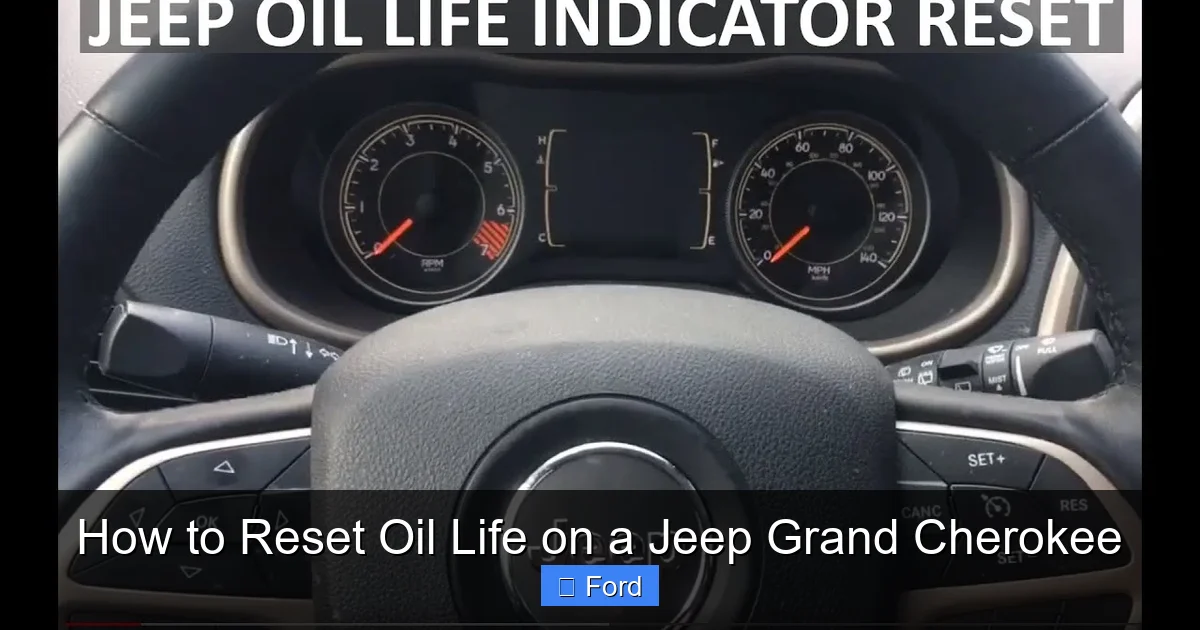
Visual guide about How to Reset Oil Life on a Jeep Grand Cherokee
Image source: adventurejeep.com
1. Perform the Full Oil Change
This seems obvious, but it’s the most crucial step. Drain the old oil, replace the oil filter (use a high-quality filter like Mopar, Wix, or Mobil 1), and refill with the correct viscosity and quantity of fresh oil as specified in your owner’s manual—typically 0W-20 or 5W-20 for newer models, and 5W-30 for older ones. Check the dipstick to confirm the perfect level.
2. Start the Engine and Check for Leaks
After filling, start the engine and let it idle for about 30 seconds. This allows oil to circulate and fills the new filter. Check underneath the vehicle and around the filter for any drips. Turn the engine off and wait a minute, then re-check the dipstick to ensure the level is still correct.
3. Ensure the Vehicle is in the Right State
The reset procedure requires the ignition to be in the “ON” position (all dash lights on, engine off) or sometimes the engine running, depending on the model year. Have your key fob with you. The vehicle should be in “Park” with the parking brake set. Make sure all other doors are closed and you have a clear path to the steering wheel controls.
Method 1: The Standard Steering Wheel Control Reset (Most Common)
This is the preferred and fastest method for the vast majority of Jeep Grand Cherokees from model year 2005 to present. The buttons are on the backside of the steering wheel spokes.
Visual guide about How to Reset Oil Life on a Jeep Grand Cherokee
Image source: koala.sh
Step-by-Step Button Sequence
For 2011-2023 Models (With Digital Gauge Cluster):
- Press the START/STOP button twice (without pressing the brake) to put the ignition in the “ON/RUN” position. Do not start the engine.
- Using the up/down arrow buttons on the back of the left steering wheel spoke, scroll through the menu until you see “Vehicle Info” or an icon resembling a car. Press the center OK button to select it.
- Scroll down to find “Oil Life” or “Oil Life Reset” and press OK.
- The display will show the current oil life percentage (e.g., 15%). It will then change to a prompt like “Hold OK to Reset“.
- Press and hold the OK button for approximately 3-5 seconds until you see the percentage reset to 100% and a confirmation message like “Oil Life Reset Successful” appears.
- Turn the ignition off. Start the engine to verify the wrench light is gone. It should not reappear until the oil life drops below 15% again.
For 2005-2010 Models (With Analog Gauge Cluster & Small Message Center):
- With the ignition “ON” (engine off), use the up/down arrow buttons on the steering wheel to find the “Oil Life” or “Oil Change” message in the small odometer display area.
- Once the message is displayed, press and hold the OK button (the button with a checkmark or “OK” symbol).
- Hold it until the display flashes and then reads “100%” or shows a reset confirmation.
- Release the button and turn the ignition off.
Pro Tip: If you have a 2014-2023 Grand Cherokee with the full-color Uconnect touchscreen, the reset can sometimes also be initiated through the “Vehicle Settings” menu on the screen itself, under “Oil Life.” The steering wheel method is still the most universal.
Method 2: Using a Diagnostic Scan Tool
Some base-model Grand Cherokees, particularly fleet or commercial versions, may not have the steering wheel menu access for an oil life reset. Additionally, if your instrument cluster is faulty or the OLM system has an error, a scan tool is necessary. This method is also used by professional mechanics.
Required Equipment
You need an OBD2 scanner that has the specific capability to access the Powertrain Control Module (PCM) and perform service resets. Not all generic code readers can do this. You’ll need a tool like:
- Autel, Launch, or Snap-on professional scanners
- High-end consumer tools like the Autel MaxiCOM or Launch CRP123
- Some advanced Bluetooth/Wi-Fi adapters with a compatible app (e.g., OBD Fusion with a paid adapter that supports service resets)
The Scan Tool Procedure
- Plug the scanner’s OBD2 connector into the port under the dashboard, near the steering column.
- Turn the ignition to the “ON” position (do not start the engine).
- Power on the scanner and navigate through its menus to find “Service Resets,” “Maintenance Reset,” or “Oil Life Reset.”
- Select “Jeep” as the make, then “Grand Cherokee” and the correct year.
- The tool will communicate with the PCM. Follow the on-screen prompts, which will typically ask you to confirm the reset. Select “Yes” or “Reset.”
- Once completed, the tool will confirm success. Turn the ignition off, then back on, and check the instrument cluster. The oil life should now read 100% and the light should be extinguished.
Note: If you don’t own a capable scan tool, many local auto parts stores offer free code reading but often cannot perform manufacturer-specific service resets. A quick call to a trusted independent mechanic or a Jeep dealership service department is the best bet for a low-cost professional reset if you can’t do it yourself.
Model Year Variations & Special Cases
While the core process is similar, minor differences exist across generations.
Fourth Generation (2011-2023) with Keyless Go
The process is identical to the standard method above. The ignition sequence is: Press the START/STOP button twice without your foot on the brake to enter “ON” mode. The steering wheel controls function normally.
Third Generation (2005-2010) with Basic Cluster
As noted earlier, the display is a small monochrome screen in the gauge cluster. The “Hold OK” method is the only way. The menu navigation might be slower, requiring multiple presses of the up/down arrows to cycle to the oil life message.
When the Reset Won’t Work: Troubleshooting
If you follow the steps precisely and the percentage does not change or the light comes back on immediately:
- Double-check the sequence: Are you holding the OK button long enough? Hold for a full 5 seconds.
- Check the ignition state: Ensure the engine is OFF and the key is in the “ON/RUN” position, not just “ACC.”
- Low voltage: A weak battery can sometimes interfere with electronic resets. Try a jump start or battery charger if the vehicle’s electronics seem sluggish.
- Faulty sensor or PCM issue: If the oil life was already at 0% for a long time before the change, the system may need a drive cycle to recalibrate. Drive normally for 20-30 minutes. If the light persists, there may be an underlying electrical fault.
In these cases, a professional scan tool is the definitive diagnostic. You might also find helpful community-specific advice on forums like Jeep Garage for your specific model year.
Common Mistakes to Avoid
Even with the best instructions, it’s easy to slip up. Here are the most frequent pitfalls:
Resetting Without Changing the Oil
This is the cardinal sin. It tricks the system into thinking the oil is new when it’s actually degraded. You will extend the drain interval far beyond safe limits, leading to accelerated engine wear, sludge buildup, and potentially catastrophic failure. Never reset the oil life without performing the physical oil and filter change first.
Using the Wrong Reset Method
Trying to reset via the touchscreen menu on a model that only supports steering wheel controls will fail. Conversely, some older models without a steering wheel menu will require a scan tool. Identify your Grand Cherokee’s specific capabilities before starting.
Not Holding the Button Long Enough
The reset requires a deliberate, sustained press of the OK button (usually 3-5 seconds). A quick tap will only select the menu item but not trigger the reset function. You should see the percentage numbers change or a confirmation message appear.
Confusing the Oil Life Reset with the Tire Pressure Reset
The steering wheel controls are also used to reset the TPMS (Tire Pressure Monitoring System). The menu paths are different. “Oil Life” is typically under “Vehicle Info.” “Tire Pressure” is a separate menu, often requiring you to drive the vehicle after selecting “Learn” or “Reset.” Make sure you are in the correct submenu. If you’re ever unsure, consult your owner’s manual’s index for “Oil Life Reset.”
Ignoring Other Warning Lights
If you have an oil pressure light (a red oil can icon) in addition to the oil life wrench, that is a severe, immediate problem. The oil life monitor and the oil pressure warning system are separate. An oil pressure light means stop the engine immediately—it indicates low oil pressure, not just scheduled maintenance. Resetting the oil life will not fix this dangerous issue.
Conclusion: Keeping Your Grand Cherokee’s Heart Healthy
Mastering the oil life reset on your Jeep Grand Cherokee is a small but empowering piece of automotive knowledge. It saves you a trip to the dealer for a trivial procedure and ensures your sophisticated maintenance reminder system remains accurate and trustworthy. Remember the golden rule: change the oil first, reset second. For the vast majority of owners, the steering wheel control method is your go-to solution—a quick, tool-free process that takes less time than pouring a cup of coffee. Bookmark this guide, or better yet, practice the sequence with the engine off so you’re ready the next time the wrench icon appears. By properly maintaining your oil change intervals and resetting the monitor, you’re doing one of the single most important things to ensure your Grand Cherokee’s engine delivers years of reliable, capable performance, whether you’re commuting, towing, or tackling off-road adventures. A healthy oil life percentage is a direct indicator of a healthy engine heart.
Frequently Asked Questions
What if the oil life reset menu is not showing up on my steering wheel controls?
First, ensure your ignition is in the “ON” position (dashboard lights on, engine off). If the menu is still missing, your vehicle may be a base model without the steering wheel menu feature. In this case, you will need to use an OBD2 scan tool that supports service resets or have a professional mechanic perform the reset.
Can I reset the oil life if I didn’t change the oil filter?
Technically, you can reset the system without changing the filter, but you should never do this. The oil filter traps contaminants; a clogged or old filter reduces oil flow and allows debris to circulate. Always replace the filter with every oil change to protect your engine. The reset is only meaningful after a complete service.
My oil light came on, I changed the oil, but the wrench icon is still on after resetting. What’s wrong?
>First, verify you completed the reset correctly and held the button long enough. If it’s still on, drive the vehicle for 10-15 minutes. Sometimes the system needs a short drive cycle to recognize the new 100% value. If the light persists, it could indicate a faulty oil life sensor, a communication issue with the PCM, or that another unrelated service reminder (like an air filter or battery) is active. A scan tool can diagnose the specific cause.
Is there a difference between resetting “Oil Life” and resetting an “Oil Change” light?
On Jeep Grand Cherokees, they are the same thing. The “wrench” icon or “Oil Change Required” message is the oil life monitor’s alert. Resetting the oil life percentage to 100% will extinguish this light. There is no separate “oil change light” reset; it is all tied to the OLM system.
How many miles can I drive after the oil life reaches 0%?
You should change your oil immediately when the oil life reaches 0%. The system is designed to give you a significant buffer (it typically alerts at 15%), but once it hits 0%, the oil has statistically reached the end of its effective service life. Driving beyond this point risks severe engine damage due to oil breakdown and loss of lubricity. Change it as soon as possible, ideally within 500 miles maximum.
My 2015 Grand Cherokee has a Uconnect screen. Can I reset the oil life through the touchscreen?
Some model years with the larger Uconnect 8.4-inch screen do have an option to reset oil life through the “Vehicle Settings” menu on the touchscreen. However, this feature is not always present on all trim levels. The steering wheel control method is the most reliable and universal across all models. If the screen option is unavailable, fall back to the steering wheel controls or a scan tool.
