

How to Reset Maintenance Light on a 2016 Toyota Highlander

Contents
- 1 Key Takeaways
- 2 📑 Table of Contents
- 3 Understanding the Maintenance Light on Your 2016 Toyota Highlander
- 4 Tools and Preparation Needed
- 5 Step-by-Step Guide to Resetting the Maintenance Light
- 6 Troubleshooting Common Issues
- 7 Why Resetting the Light Matters
- 8 Tips for Keeping Up with Maintenance
- 9 Conclusion
- 10 Frequently Asked Questions


Resetting the maintenance light on a 2016 Toyota Highlander is a simple process you can do at home in under five minutes. This guide walks you through the exact steps using the dashboard controls—no tools or dealership visit required. Stay on top of your vehicle’s health and keep that pesky warning light from distracting you on the road.
If you’ve recently taken your 2016 Toyota Highlander in for an oil change, tire rotation, or other routine service, you might have noticed a yellow wrench icon or “Maintenance Required” message glowing on your dashboard. Don’t worry—it’s not a sign of trouble. This light is simply Toyota’s way of reminding you that it’s time for scheduled maintenance. But once the work is done, that light can linger like an uninvited guest at a party. The good news? You don’t need to pay a dealer $50 just to turn it off. With a few simple steps, you can reset the maintenance light yourself—right from the driver’s seat.
The 2016 Toyota Highlander is a reliable, family-friendly SUV known for its comfort, safety, and low maintenance costs. But like any vehicle, it relies on regular upkeep to stay in top shape. Toyota’s maintenance reminder system is designed to help owners stay on schedule, but it doesn’t automatically reset after service. That’s where this guide comes in. Whether you’re a DIY enthusiast or just trying to save a few bucks, learning how to reset the maintenance light on your 2016 Highlander is a valuable skill. It’s quick, easy, and gives you more control over your vehicle’s care.
In this comprehensive guide, we’ll walk you through the exact steps to reset the maintenance light on your 2016 Toyota Highlander. We’ll also explain what the light means, why it’s important to reset it, and how to avoid common mistakes. By the end, you’ll feel confident handling this task whenever it comes up—no mechanic required.
Key Takeaways
- No Special Tools Needed: You can reset the maintenance light using only the buttons on your dashboard and instrument cluster.
- Quick and Easy Process: The entire reset takes less than five minutes and doesn’t require any technical knowledge.
- Important for Resale Value: Keeping maintenance records and resetting the light shows future buyers the vehicle has been well cared for.
- Don’t Ignore the Light: While it’s not an emergency, the maintenance light reminds you it’s time for routine service like oil changes or tire rotations.
- Reset After Every Service: Always reset the light after completing scheduled maintenance to ensure accurate tracking.
- Works for Most 2016 Models: This method applies to LE, XLE, Limited, and Hybrid trims of the 2016 Highlander.
- Prevents Confusion: A cleared light helps you and your mechanic know when the next service is due.
📑 Table of Contents
Understanding the Maintenance Light on Your 2016 Toyota Highlander
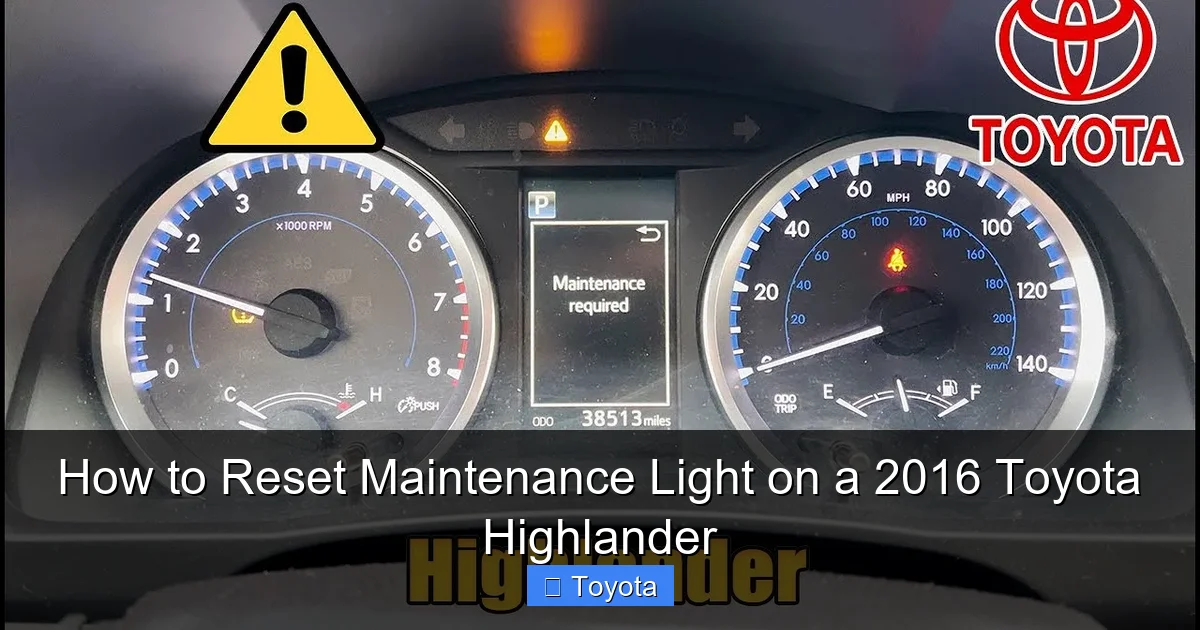
The maintenance light on your 2016 Toyota Highlander isn’t a warning of immediate danger. Instead, it’s a proactive reminder from Toyota’s Intelligent Maintenance System. This system tracks your driving habits, mileage, and engine conditions to estimate when routine service is due. When the light comes on, it typically means it’s time for an oil change, tire rotation, or other scheduled maintenance—usually around every 5,000 to 7,500 miles, depending on your driving conditions.
You’ll usually see one of two messages: a yellow wrench icon or the words “Maintenance Required” displayed on your instrument cluster. This light is separate from the “Check Engine” light, which indicates a potential mechanical issue. The maintenance light is more like a friendly nudge from your car saying, “Hey, I’ve been working hard—time for a little TLC.”
It’s important to note that this light doesn’t mean your vehicle is unsafe to drive. However, ignoring it for too long can lead to reduced performance, lower fuel efficiency, or even long-term engine damage. Regular maintenance keeps your Highlander running smoothly and helps prevent costly repairs down the road.
Why Does the Light Come On?
The maintenance light is triggered by a combination of factors, including mileage, time since the last service, and engine operating conditions. Toyota’s system uses algorithms to predict when components like oil, filters, and tires need attention. For example, if you drive mostly in stop-and-go traffic or extreme temperatures, the system may recommend service sooner than the standard interval.
Once the light appears, it will stay on until manually reset—even if you’ve already completed the required service. That’s why it’s essential to reset it after every maintenance visit. Otherwise, you might forget when the next service is due, or worse, assume the light is indicating a new problem.
Common Misconceptions About the Maintenance Light
Many drivers confuse the maintenance light with more serious warning indicators. For instance, the “Check Engine” light (usually orange or red) signals a potential issue with the engine, emissions, or fuel system. In contrast, the maintenance light is purely informational.
Another misconception is that the light will reset itself after a certain number of miles. Unfortunately, it won’t. You must manually reset it using the dashboard controls. Some people also believe that only a dealership can do this, but that’s not true. With the right steps, anyone can reset the light at home.
Tools and Preparation Needed
Visual guide about How to Reset Maintenance Light on a 2016 Toyota Highlander
Image source: i.ytimg.com
One of the best things about resetting the maintenance light on a 2016 Toyota Highlander is that you don’t need any special tools. Everything you need is already built into your vehicle. However, a little preparation can make the process smoother and help you avoid frustration.
What You’ll Need
– Your 2016 Toyota Highlander (obviously!)
– The key fob or physical key
– A few minutes of uninterrupted time
– A quiet, safe location to park (preferably on level ground)
You don’t need a scan tool, computer, or any mechanical expertise. The entire process uses the buttons on your steering wheel and instrument cluster. It’s designed to be user-friendly, so even first-time owners can handle it.
Before You Begin
Make sure your vehicle is parked and turned off. Engage the parking brake for safety. It’s also a good idea to close all doors and ensure no one is touching the pedals or controls while you’re working. This prevents accidental inputs that could interrupt the reset process.
If you’ve just had service done, double-check that all work is complete. Resetting the light too early—before oil changes, filter replacements, or tire rotations—can throw off your maintenance schedule. Only reset the light after the required service has been performed.
Safety Tips
Always perform this procedure in a safe, well-lit area. Avoid doing it while the engine is running or while the vehicle is in motion. If you’re unsure about any step, consult your owner’s manual or contact a Toyota service center for guidance.
Step-by-Step Guide to Resetting the Maintenance Light

Visual guide about How to Reset Maintenance Light on a 2016 Toyota Highlander
Image source: carnewsbox.com
Now for the main event: resetting the maintenance light on your 2016 Toyota Highlander. Follow these steps carefully, and you’ll have that light turned off in no time. The process is the same for all 2016 Highlander trims, including LE, XLE, Limited, and Hybrid models.
Step 1: Turn the Ignition to “ON” (But Don’t Start the Engine)
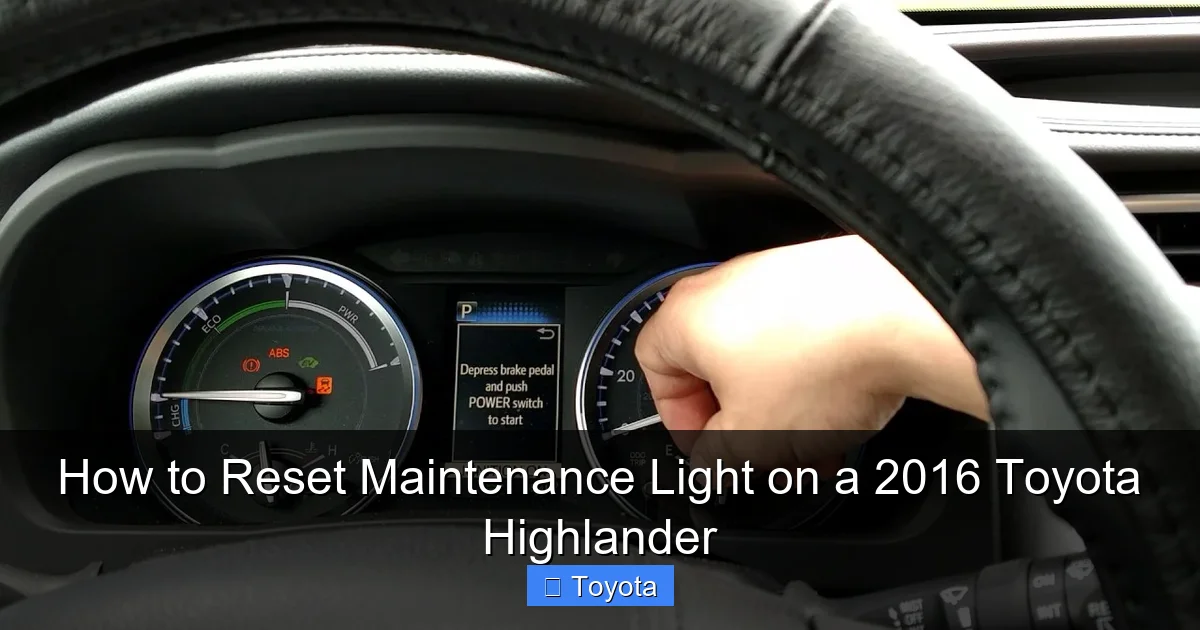
Insert your key into the ignition or press the “Start” button (if your Highlander has push-button start) without pressing the brake pedal. This will turn the ignition to the “ON” position, powering up the dashboard and instrument cluster. You should see all the warning lights illuminate briefly—this is normal.
Do not start the engine. The vehicle should remain off, but the electronics should be active. You’ll know you’re in the right mode when the gauges light up and the display shows information like fuel level, temperature, and mileage.
Step 2: Navigate to the Trip Meter
Use the button on the right side of your steering wheel (usually labeled “DISP” or “INFO”) to cycle through the display options on your instrument cluster. Keep pressing until you see the trip meter (Trip A or Trip B) displayed. This is typically shown as a small number with “mi” or “km” next to it.
If you’re not sure which button to use, look for one with an arrow or a display icon. On some models, you may need to press and hold the button to access the trip meter.
Step 3: Turn Off the Ignition
Once the trip meter is displayed, turn the ignition back to the “OFF” position. Remove the key or press the “Start” button again (without pressing the brake) to shut off the electronics.
Wait about 30 seconds. This gives the system time to reset and prepare for the next step.
Step 4: Press and Hold the Trip Button
Now, press and hold the trip button (the same one you used to navigate to the trip meter). While holding it down, turn the ignition back to the “ON” position. Keep holding the button—don’t let go yet.
You should see the trip meter display start to change. It may flash, reset to zero, or show dashes. This is a sign that the system is recognizing your input.
Step 5: Watch for the Maintenance Light to Flash
Continue holding the trip button. After a few seconds, the maintenance light (wrench icon or “Maintenance Required” message) should begin to flash. This indicates that the reset process has started.
Keep holding the button until the light turns off completely. This usually takes about 10–15 seconds. Once the light goes out, you can release the trip button.
Step 6: Confirm the Reset
Turn the ignition off and then back on to confirm the reset. The maintenance light should no longer appear. If it does, repeat the process from the beginning, making sure to follow each step precisely.
If the light still won’t reset, double-check that you’re using the correct trip button and that the ignition is in the right position. Sometimes, a slight delay between steps can cause the process to fail.
Troubleshooting Common Issues
Visual guide about How to Reset Maintenance Light on a 2016 Toyota Highlander
Image source: i.ytimg.com
Even with clear instructions, things don’t always go perfectly. Here are some common problems drivers encounter when resetting the maintenance light—and how to fix them.
The Light Won’t Turn Off
If the maintenance light remains on after following the steps, you may have missed a key part of the process. Common mistakes include:
– Starting the engine during the reset (the vehicle must remain off)
– Releasing the trip button too early
– Not waiting long enough for the light to flash
Try the reset again, paying close attention to timing. Make sure you’re holding the trip button the entire time the ignition is turned on.
The Trip Button Doesn’t Respond
If pressing the trip button doesn’t change the display, it could be a sign of a faulty button or electrical issue. Try cleaning the button with a soft cloth or using a different finger. If the problem persists, consult your owner’s manual or visit a Toyota service center.
The Light Comes Back On Immediately
If the maintenance light resets but comes back on after driving a short distance, it may indicate a deeper issue. In rare cases, a sensor or module may be malfunctioning. Have your vehicle inspected by a professional to rule out any underlying problems.
Hybrid Model Considerations
The 2016 Toyota Highlander Hybrid uses the same reset procedure as the gas-only models. However, hybrid systems have additional components that may affect maintenance intervals. Always follow the recommendations in your owner’s manual and reset the light after every service.
Why Resetting the Light Matters
You might be wondering: “Is it really that important to reset the light?” The short answer is yes—here’s why.
Maintains Accurate Service Records
Resetting the light ensures your vehicle’s maintenance schedule stays on track. Without a reset, you might forget when the next service is due, leading to missed oil changes or delayed inspections. Over time, this can affect performance and longevity.
Improves Resale Value
When it comes time to sell your Highlander, a clean maintenance history—including reset lights—shows potential buyers that the vehicle has been well cared for. It’s a small detail that can make a big difference in negotiations.
Reduces Stress and Confusion
That glowing wrench icon can be distracting, especially on long drives. Resetting it gives you peace of mind and helps you focus on the road instead of wondering if something’s wrong.
Supports Long-Term Reliability
Regular maintenance is the key to keeping your Highlander running smoothly for years. By resetting the light and staying on schedule, you’re investing in your vehicle’s future—and your own safety.
Tips for Keeping Up with Maintenance
Resetting the light is just one part of vehicle care. Here are some additional tips to keep your 2016 Toyota Highlander in peak condition.
Follow the Maintenance Schedule
Your owner’s manual includes a detailed maintenance schedule based on mileage and time. Stick to it as closely as possible, adjusting for driving conditions if needed.
Use Quality Parts and Fluids
Always use Toyota-recommended oil, filters, and fluids. Cheap alternatives may save money upfront but can cause problems down the road.
Keep a Service Log
Record each service date, mileage, and work performed. This helps you stay organized and provides proof of maintenance for future buyers.
Check Tire Pressure Regularly
Properly inflated tires improve fuel efficiency, handling, and safety. Check pressure monthly and before long trips.
Listen to Your Vehicle
Unusual noises, vibrations, or warning lights should never be ignored. Address issues promptly to prevent bigger problems.
Conclusion
Resetting the maintenance light on your 2016 Toyota Highlander is a simple yet important task that every owner should know how to do. It takes just a few minutes, requires no special tools, and helps you stay on top of your vehicle’s health. By following the steps in this guide, you can keep that pesky wrench icon from distracting you and ensure your Highlander continues to deliver the reliability and comfort you expect.
Remember, the maintenance light is there to help—not to scare you. Use it as a reminder to care for your vehicle, and always reset it after service. With regular upkeep and a little know-how, your 2016 Highlander will serve you well for many miles to come.
Whether you’re a seasoned driver or new to Toyota ownership, mastering this small skill makes a big difference. So the next time that light comes on, don’t panic—just grab your keys, follow the steps, and enjoy the satisfaction of handling it yourself.
Frequently Asked Questions
How often should I reset the maintenance light on my 2016 Toyota Highlander?
You should reset the maintenance light after every scheduled service, such as an oil change, tire rotation, or filter replacement. This ensures the reminder system stays accurate and helps you track when the next service is due.
Can I reset the maintenance light while the engine is running?
No, the engine must be off during the reset process. Turn the ignition to the “ON” position (without starting the engine) to power the dashboard, but keep the vehicle in park with the parking brake engaged.
What if the maintenance light won’t reset after following the steps?
Double-check that you’re using the correct trip button and that the ignition is in the right position. If the light still won’t reset, try the process again or consult your owner’s manual. In rare cases, a sensor issue may require professional diagnosis.
Does the reset procedure work on all 2016 Highlander models?
Yes, this method works for all 2016 Toyota Highlander trims, including LE, XLE, Limited, and Hybrid versions. The dashboard controls and reset process are consistent across models.
Will resetting the light affect my warranty or service records?
No, resetting the maintenance light does not affect your warranty or official service records. It only clears the dashboard reminder. Always keep receipts and documentation of all maintenance work.
Can a mechanic reset the light for me?
Yes, most mechanics and dealerships will reset the maintenance light as part of routine service. However, learning to do it yourself saves time and money, especially for minor services like oil changes.







