
How to Reset Check Engine Light on 2019 Toyota Tundra

Resetting the check engine light on your 2019 Toyota Tundra is a simple process, but it’s critical to understand it does not fix the underlying problem. The light is a warning indicator from your truck’s computer, and clearing it without addressing the cause is only a temporary solution. Always diagnose the issue first with a code scanner, and only reset the light after the repair is complete to ensure your Tundra remains safe and reliable.
Key Takeaways
- Safety First: A lit check engine light means your truck’s emissions or engine system isn’t operating optimally. Driving with it on can cause further damage or poor performance.
- Diagnosis is Mandatory: Never blindly reset the light. Use an OBD2 scanner to read the stored trouble codes. These codes tell you what system malfunctioned.
- Two Primary Methods: You can reset the light via a professional OBD2 scanner/scan tool, or by temporarily disconnecting the negative battery terminal (which also resets other systems like radio presets).
- The Light Will Return: If the problem isn’t fixed, the check engine light will come back, typically after 10-50 miles of driving as the truck’s computer re-runs its tests.
- Emissions Test Failure: A vehicle with a recently cleared or active check engine light will automatically fail an OBD-II emissions inspection in most states.
- Professional Help is Wise: For complex codes, lack of tools, or if you’re uncomfortable, a qualified mechanic can diagnose and reset the light correctly.
- It’s Not a Maintenance Light: The process for resetting a check engine light (malfunction indicator lamp) is different from resetting a maintenance required or service light. Procedures for other models, like resetting the maintenance light on a 2017 Toyota Tundra, are separate.
📑 Table of Contents
- Understanding Your 2019 Toyota Tundra’s Check Engine Light
- Critical First Step: Diagnose Before You Reset
- Method 1: The Professional & Preferred Way – Using an OBD2 Scanner
- Method 2: The Manual Reset – Disconnecting the Battery
- After the Reset: What to Expect and How to Verify
- When to Immediately Seek Professional Help
- Conclusion: A Reset is a Final Step, Not a First
Understanding Your 2019 Toyota Tundra’s Check Engine Light
That little amber light on your dashboard, shaped like an engine and often accompanied by the words “Check Engine” or “Service Engine Soon,” is your 2019 Toyota Tundra’s way of getting your attention. It’s not a decoration. It’s the primary warning system from your truck’s sophisticated computer, the Engine Control Module (ECM). When the ECM detects a problem in the engine, transmission, or emissions system that falls outside of acceptable parameters, it stores a Diagnostic Trouble Code (DTC) and illuminates that light.
It’s a common misconception that the light points to a single, specific issue. In reality, over hundreds of possible codes, it can indicate anything from a loose gas cap (a very common and simple fix) to a failing catalytic converter or serious engine misfire. The key takeaway is this: the light is a symptom, not the disease. Resetting it without treating the cause is like turning off a fire alarm without putting out the fire. The problem will persist and likely worsen.
What Triggers the Light?
The triggers are vast, but some common culprits for the Tundra’s 5.7L V8 or the 4.6L V8 (if equipped) include: a faulty oxygen sensor (O2 sensor), a malfunctioning mass airflow sensor (MAF), a loose or damaged gas cap, spark plug or ignition coil issues, a failing catalytic converter, or problems with the Exhaust Gas Recirculation (EGR) system. Even something as small as a disconnected vacuum hose can trigger it. The ECM runs continuous self-tests; when a component fails a test multiple times, the light comes on.
Critical First Step: Diagnose Before You Reset
This is the most important section of this entire guide. Skipping this step guarantees the light will return, often within a day or two of driving. You must know why the light is on. To do this, you need to read the stored trouble codes.
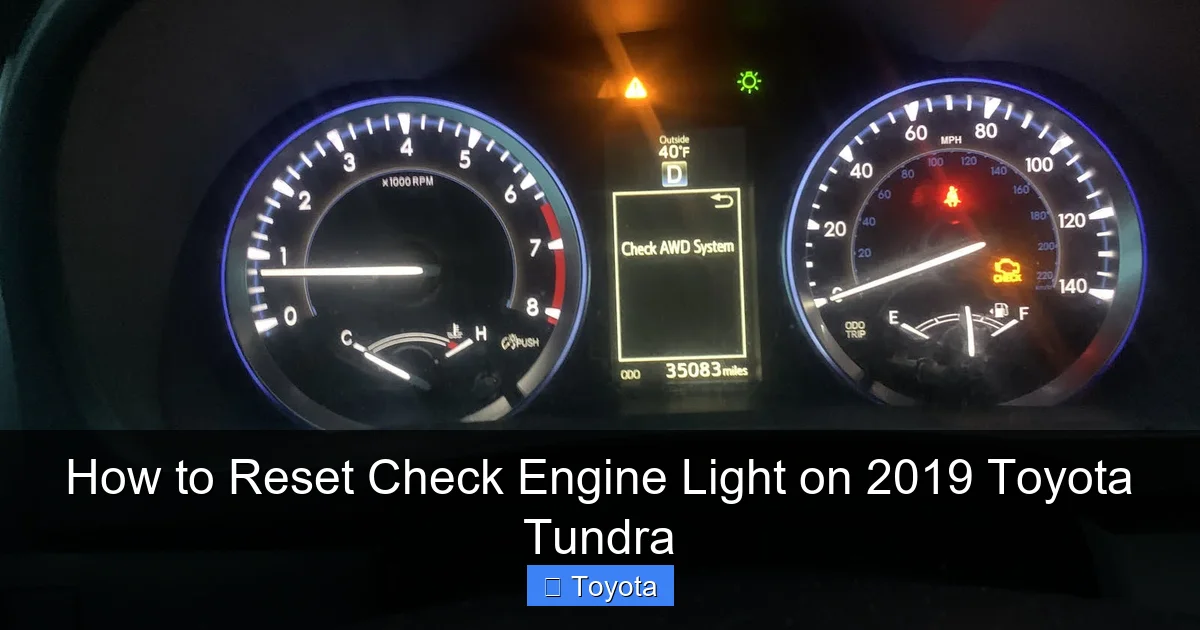
Visual guide about How to Reset Check Engine Light on 2019 Toyota Tundra
Image source: static.cargurus.com
The Essential Tool: OBD2 Scanner
Since 1996, all vehicles sold in the U.S., including your 2019 Tundra, have an On-Board Diagnostics II (OBD-II) port. This is a standardized 16-pin connector, usually located under the dashboard on the driver’s side, near the steering column. You’ll need a tool that plugs into this port.
- Basic Code Reader ($30-$60): These inexpensive tools will read and clear generic OBD2 codes (P0xxx series). They are sufficient for many common issues and for simply resetting the light after a repair. They often cannot access manufacturer-specific codes (P1xxx series) or advanced Toyota system data.
- Advanced Scan Tool ($100+): Tools from brands like Autel, Launch, or professional-grade ones from Snap-on offer full manufacturer-specific code access, live data streaming (viewing sensor readings in real-time), and advanced reset functions for other systems like steering angle sensors or brake service reminders.
- Smartphone Adapters ($15-$30): Devices like the OBDLink or a generic ELM327 adapter plug into the OBD2 port and connect via Bluetooth to a smartphone app (like Torque Pro). This is a cost-effective way to read and clear codes, though functionality can vary.
How to Read Codes: Plug the scanner into the OBD2 port with the ignition in the “ON” position (engine off). Follow the tool’s prompts to “Read Codes” or “Scan.” It will display one or more alphanumeric codes (e.g., P0171, P0300). Write these down! They are your starting point for diagnosis. A quick internet search for “Toyota Tundra P0XXX code” or consulting a repair manual will explain what the code means and its likely causes.
Pro Tip: If you’re dealing with an intermittent issue that caused the light to come on but then went away, the code may be stored as “Pending” or “History.” A basic scanner might not show these. An advanced tool is needed to see them, which can be crucial for diagnosing problems that haven’t fully tripped the light yet.
Method 1: The Professional & Preferred Way – Using an OBD2 Scanner
This is the cleanest, safest, and most reliable method. It directly communicates with the Tundra’s computer to clear the Diagnostic Trouble Codes and extinguish the light.
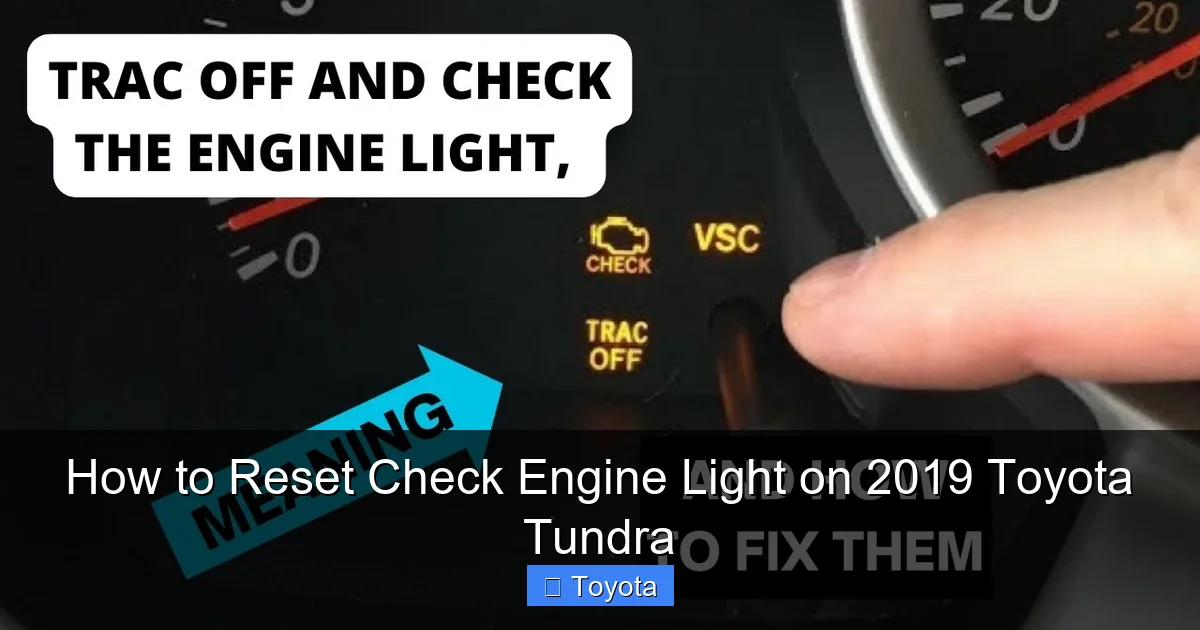
Visual guide about How to Reset Check Engine Light on 2019 Toyota Tundra
Image source: i.ytimg.com
Step-by-Step Reset with a Scan Tool
- Locate the OBD-II Port: It’s under the dashboard, to the left of the steering column, often behind a small plastic cover. It’s the only port of its shape and size in that area.
- Connect Your Scanner: Plug the OBD2 connector firmly into the port.
- Turn On the Ignition: Place the key in the ignition and turn it to the “ON” or “ACC” position. Do not start the engine.
- Power Up the Scanner: Turn on your scan tool if it has a separate power switch. Your smartphone app should connect automatically.
- Navigate to “Erase Codes” or “Clear DTCs”: The menu structure varies by tool. You’ll typically go: Read Codes > Erase Codes. Important: Some tools have a separate “Clear MIL” (Malfunction Indicator Lamp) function. Ensure you are erasing the stored codes, as this automatically turns off the light.
- Confirm and Execute: The tool will likely ask you to confirm. Select “Yes” or “OK.” The scanner will communicate with the ECM and send the command to clear all stored codes and freeze frame data.
- Disconnect and Verify: Unplug the scanner. The check engine light should now be off. Turn the ignition off, wait a few seconds, and turn it back on to confirm.
What Happens After a Clear? The ECM’s memory is wiped. All system monitors (oxygen sensor, EVAP, catalyst, etc.) reset to “Not Ready” or “Incomplete.” The truck must complete a full “drive cycle” – a specific set of operating conditions (speed, temperature, engine load) – to re-run all tests and set the monitors to “Ready.” This can take 50-100 miles of mixed driving. If a problem still exists, the light will return once a monitor fails again.
Method 2: The Manual Reset – Disconnecting the Battery
This is the old-school method and will work to turn off the light, but it comes with significant drawbacks and is less precise than a scanner. It works by temporarily removing power from the ECM, forcing it to reset and lose its stored memory, including the trouble codes.
Visual guide about How to Reset Check Engine Light on 2019 Toyota Tundra
Image source: images.saymedia-content.com
Step-by-Step Battery Disconnect
- Gather Tools: You’ll need a socket wrench (usually 10mm or 12mm for the negative terminal) and possibly a battery terminal puller if the clamp is tight.
- Safety First: Ensure the truck is in “Park,” parking brake is set, and all electrical accessories (lights, radio, etc.) are OFF. Open the hood.
- Identify Terminals: The battery has two terminals: positive (+) is usually red, and negative (-) is usually black. You will ONLY disconnect the NEGATIVE (-) terminal. Disconnecting the positive can cause a short if your wrench touches the body.
- Disconnect Negative Cable: Loosen the bolt on the negative terminal clamp. Once loose, carefully lift the clamp off the battery post and tuck it away so it cannot accidentally touch the post or battery.
- Wait: This is the crucial part. You must wait for at least 10-15 minutes. This allows all residual electrical charge to drain from the ECM and other control modules (like the radio and engine control systems). Some sources recommend 15-30 minutes to be certain.
- Reconnect: Place the negative clamp back on the post and tighten the bolt securely. Don’t overtighten, but ensure it’s snug and won’t vibrate loose.
- Start the Truck: You may notice the engine idle is rough for the first 30 seconds. This is normal as the ECM relearns fuel trims. The radio will need to be reprogrammed with presets, and you may need to reset the clock and window auto-up/down functions. The check engine light should be off.
Major Drawbacks of This Method
- Erases All Learned Data: The ECM stores long-term fuel trim and adaptive learning data that optimizes performance and fuel economy. Disconnecting the battery wipes this, meaning your Tundra may run poorly (hesitation, rough idle) for 50-100 miles until it relearns. This is especially noticeable on the 5.7L V8.
- Resets Other Systems: It will also reset the audio system, trip meters, clock, and potentially the steering angle sensor and tire pressure monitoring system (TPMS), which may require a separate reset procedure after driving.
- Doesn’t Always Work: On some modern vehicles, the ECM has a non-volatile memory that retains codes even without battery power. While this is rare on a 2019 Tundra, it’s a possibility. The scanner method is guaranteed.
- Ineffective for Pending Codes: If the issue is intermittent and not currently active, the scanner method is better at clearing the history.
When to Use This Method: Only if you have already diagnosed and fixed a problem and don’t have a scanner handy, and you are prepared to deal with the radio reset and temporary rough idle. It’s better to use a scanner, which you can find guides for on other models like resetting the check engine light on a Toyota Corolla, to see the general process.
After the Reset: What to Expect and How to Verify
You’ve cleared the codes and the light is off. Great! But your job isn’t done. You must now verify that the problem is truly solved and that the truck’s systems are functioning correctly.
The Drive Cycle and Monitor Readiness
As mentioned, after a reset, all OBD-II system monitors are “Not Ready.” An emissions tester will check these monitors. If any are “Not Ready,” your Tundra will fail the test, even if the light is off. The monitors must be set to “Ready” or “Complete.” This requires a specific drive cycle. While exact cycles vary, a general guideline for your Tundra is:
- Start with a cold engine (soak for several hours).
- Drive at steady speeds between 40-60 mph for 10-15 minutes.
- Include some slow-speed driving in city traffic.
- Allow the engine to idle for a few minutes (like at a stoplight).
- Avoid hard acceleration and heavy loads during this initial period.
- After 50-100 miles of normal driving, the monitors should be set.
How to Check Monitor Status: Use your OBD2 scanner. Most have a menu option for “I/M Readiness” or “Monitor Status.” It will show each system (Misfire, Fuel System, EGR, O2 Sensors, Catalyst, etc.) as “Ready” or “Not Ready.” Only when all applicable monitors are “Ready” is the vehicle considered ready for an emissions test.
Watch for the Light’s Return
If you did not fix the underlying problem, the check engine light will come back. Pay attention to when it returns. Does it come on immediately? After a specific driving condition (like acceleration or a cold start)? The return pattern can offer new clues. If the light comes back with the same code, your repair was ineffective. If it comes back with a different code, you may have multiple issues or the original repair caused a new problem.
When to Immediately Seek Professional Help
Some situations are beyond the scope of a DIY reset and require a trained technician.
Severe Codes and Symptoms
If your scanner shows any of the following, do not just reset the light. Have the truck towed or driven carefully to a shop:
- P0300-P0308 (Misfire Codes): A severe engine misfire can cause unburned fuel to wash oil from cylinder walls and damage the catalytic converter, leading to a very expensive repair. If the Tundra is shaking violently and losing power, stop driving.
- Codes related to the catalytic converter (P0420, P0430): This indicates the catalytic converter is failing or has failed. It’s a costly part to replace and needs proper diagnosis to find the root cause (like a misfire or bad O2 sensor) that destroyed it.
- Transmission Codes (P07xx, P08xx, P09xx series): These indicate serious transmission control issues. Driving can cause catastrophic transmission damage.
- Any code combined with severe drivability issues: Loss of power, black smoke from the exhaust, serious overheating, or strange noises mean something is seriously wrong.
Complex Electrical or “No Code” Issues
Sometimes a light comes on, but a basic scanner shows no codes. This can indicate a problem with the ECM itself, a wiring harness issue, or a sensor that is out of spec but not yet failing a hard test. Diagnosing these issues requires advanced electrical diagnostic tools and expertise. A professional mechanic has access to Toyota’s factory service information and more powerful diagnostic computers that can read manufacturer-specific data and perform active tests (like commanding an actuator on/off to see if it responds).
Conclusion: A Reset is a Final Step, Not a First
Resetting the check engine light on your 2019 Toyota Tundra is a straightforward task, but its simplicity is deceptive. The power to clear that light also carries the risk of ignoring a serious problem. Think of the light as your truck’s voice. It’s telling you, “Hey, something’s not right!” The responsible approach is to listen. Use an OBD2 scanner to ask it what’s wrong. Read the codes, research the likely causes, and perform the necessary repairs or replacements. Only after you’ve addressed the issue should you use the scanner to silence the warning. This process ensures your Tundra remains the reliable, powerful workhorse it was built to be, protects you from costly breakdowns, and keeps your truck passing emissions inspections. Remember, a cleared light with an unresolved problem is a ticking time bomb. Your diligence today saves major headaches and expenses tomorrow.
Frequently Asked Questions
Can I reset the check engine light without fixing the problem?
Yes, you can reset the light using a scanner or by disconnecting the battery, but this is strongly discouraged. The underlying issue will persist, the light will return, and you risk causing severe damage to your engine or emissions system by ignoring a serious fault.
How long does it take for the check engine light to reset itself after a repair?
It does not reset itself automatically. After you fix the problem, you must manually clear the stored codes using an OBD2 scanner. The system monitors will then need to complete a drive cycle (typically 50-100 miles of mixed driving) to set their status to “Ready.”
Will my 2019 Tundra pass an emissions test with the check engine light off but monitors not ready?
No. In most states, a vehicle will fail an OBD-II emissions inspection if any of the required system monitors are in a “Not Ready” state. You must complete the drive cycle to set all monitors to “Ready” after clearing codes.
What should I do if the check engine light comes back immediately after resetting it?
This means the problem was not fixed, or the repair created a new issue. Re-scan the truck to get the new or same code. Do not keep resetting the light. Instead, use the code information to properly diagnose and repair the root cause of the problem.
Is it safe to drive my Tundra with the check engine light on?
It depends on the symptoms. If the truck is running smoothly, has no strange noises, smells, or loss of power, a short drive to a repair shop is usually okay. However, if you notice severe misfiring (shaking), loss of power, overheating, or smoke from the exhaust, stop driving immediately and have it towed to prevent catastrophic damage.
What’s the difference between a check engine light and a maintenance required light?
They are completely different. The check engine light (malfunction indicator lamp) warns of an engine or emissions system fault. The maintenance required light is a simple reminder that it’s time for routine service (like an oil change) based on mileage or time intervals. Their reset procedures are also different. For example, resetting the maintenance light on a 2019 Toyota Highlander involves a button sequence, not code clearing.
