How to Replace Car Key Battery
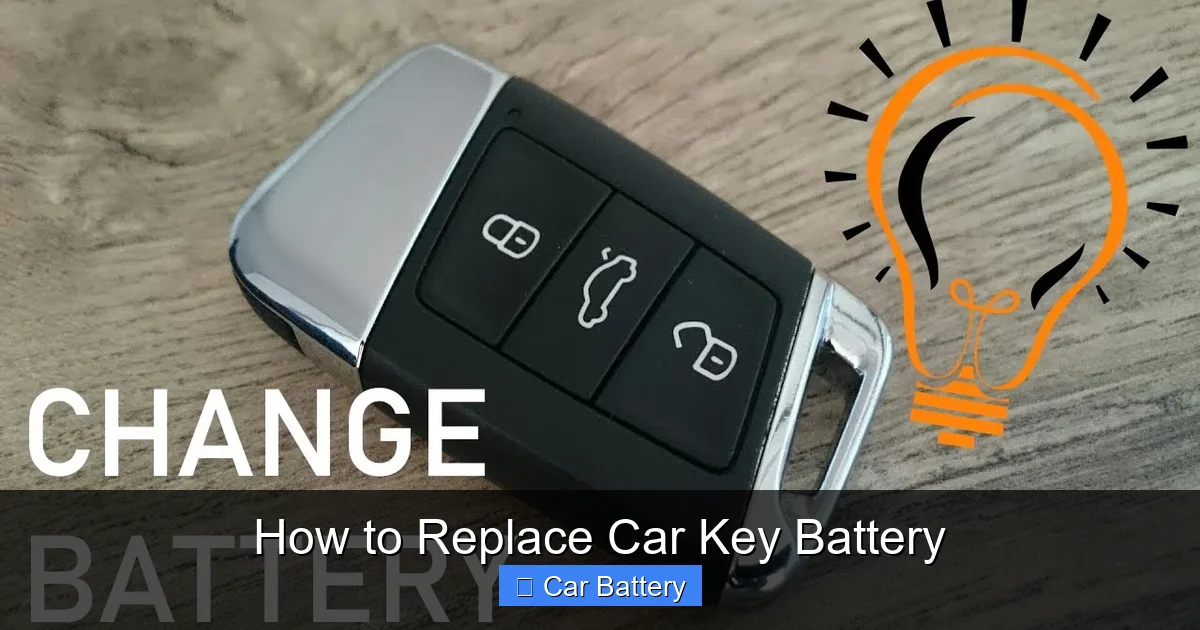
Replacing your car key battery is a quick, easy fix that can save you time and money. Most key fobs require only a small screwdriver or coin to open, followed by swapping the old battery with a new CR2032 or similar type. Always check your owner’s manual for the correct battery and steps to avoid damaging the key fob.
In This Article
- 1 Key Takeaways
- 2 📑 Table of Contents
- 3 How to Replace Car Key Battery
- 4 Why Your Car Key Battery Dies (And How to Spot the Signs)
- 5 What You’ll Need to Replace a Car Key Battery
- 6 Step-by-Step Guide to Replacing Your Car Key Battery
- 7 Common Mistakes to Avoid When Replacing a Car Key Battery
- 8 Battery Types and Compatibility by Car Make (Data Table)
- 9 When to Call a Professional (And When You Don’t Need To)
- 10 Final Thoughts: Stay Prepared and Save Money
- 11 Frequently Asked Questions
- 11.1 How do I know when my car key battery needs to be replaced?
- 11.2 What tools do I need to replace a car key battery?
- 11.3 Can I replace my car key battery myself, or do I need a professional?
- 11.4 How do I open my car key fob to replace the battery?
- 11.5 Where can I buy a replacement battery for my car key?
- 11.6 Will replacing the car key battery reset any programmed settings?
Key Takeaways
- Check your key fob type: Identify if it’s a flip key, smart key, or standard remote before starting.
- Use the right battery: Match the battery model (e.g., CR2032) listed in your owner’s manual or on the old battery.
- Pry open carefully: Use a flat tool or coin to avoid damaging the key fob’s plastic casing.
- Note battery orientation: Ensure the new battery is placed with the correct side facing up to maintain function.
- Reassemble securely: Snap the key fob back together firmly to prevent loose parts or poor contact.
- Test immediately: Press buttons to confirm the remote works before reattaching key blades or covers.
📑 Table of Contents
- How to Replace Car Key Battery
- Why Your Car Key Battery Dies (And How to Spot the Signs)
- What You’ll Need to Replace a Car Key Battery
- Step-by-Step Guide to Replacing Your Car Key Battery
- Common Mistakes to Avoid When Replacing a Car Key Battery
- Battery Types and Compatibility by Car Make (Data Table)
- When to Call a Professional (And When You Don’t Need To)
- Final Thoughts: Stay Prepared and Save Money
How to Replace Car Key Battery
Picture this: You’re running late for an important meeting, juggling your coffee, laptop bag, and phone. You reach into your pocket, pull out your car key fob, press the unlock button… and nothing happens. The car doesn’t respond. You try again. Still nothing. Your heart sinks. Is the car broken? Did someone tamper with it? Or—worst of all—is your key fob dead?
Before you panic or call a locksmith, take a deep breath. In most cases, the culprit is something simple: a dead car key battery. Yes, even your high-tech key fob runs on a tiny battery, just like your TV remote. And just like any battery, it eventually runs out of juice. The good news? Replacing a car key battery is usually quick, easy, and costs less than $10. You don’t need to be a mechanic or spend hours at the dealership. With the right tools and a little know-how, you can do it yourself in under 10 minutes.
In this guide, I’ll walk you through everything you need to know about how to replace a car key battery—step by step. Whether you drive a Honda, Toyota, Ford, BMW, or any other make, the process is often surprisingly similar. I’ll share practical tips, common mistakes to avoid, and even show you how to test your new battery once it’s installed. By the end, you’ll feel confident handling this common car maintenance task on your own.
Why Your Car Key Battery Dies (And How to Spot the Signs)
Car key fobs are marvels of modern convenience. With a simple press, you can lock, unlock, start your engine, or even open the trunk—all without touching a physical key. But behind that sleek design is a small battery that powers the electronics. Over time, that battery loses its charge, just like the one in your phone or watch.
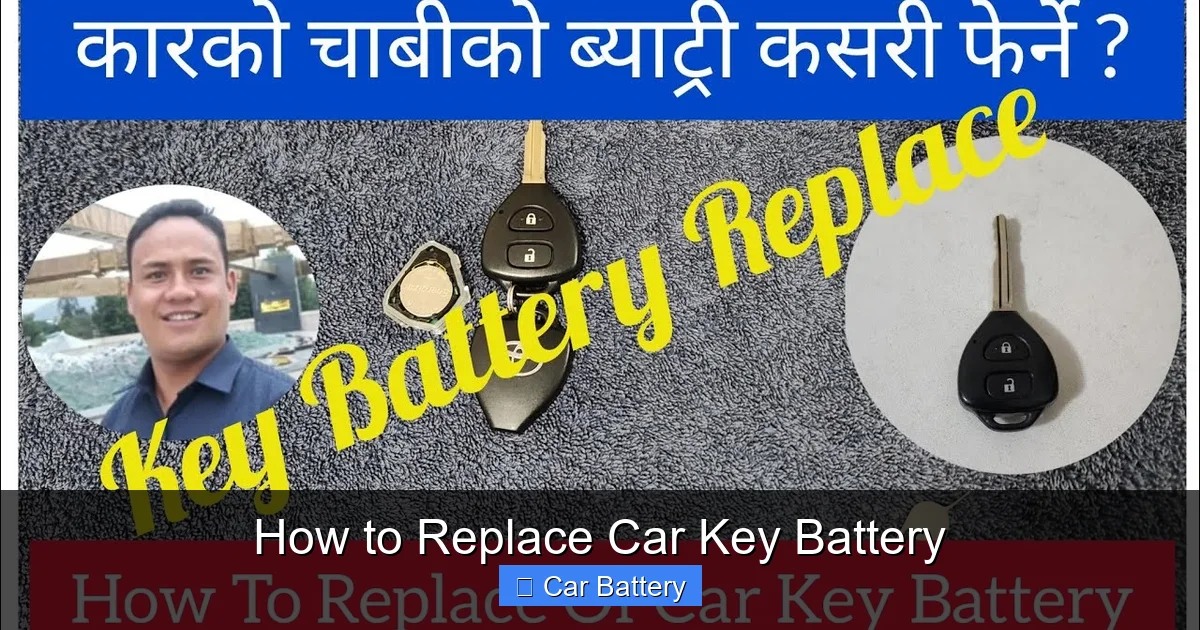
Visual guide about How to Replace Car Key Battery
Image source: i.ytimg.com
How Long Do Car Key Batteries Last?
Most car key batteries last between 3 to 5 years, depending on how often you use the fob and the type of battery it uses. If you use your key fob multiple times a day—say, to unlock your car in the morning, lock it at work, and use the remote start in the evening—it may wear out faster. Extreme temperatures can also shorten battery life. Leaving your keys in a hot car or freezing garage can degrade the battery more quickly.
Common Signs Your Car Key Battery Is Dying
You don’t have to wait for your key fob to stop working completely before replacing the battery. There are several warning signs that your battery is running low:
- Reduced range: You have to stand closer to the car for the fob to work.
- Delayed response: The car takes a few seconds to respond when you press a button.
- Intermittent function: Sometimes the fob works, sometimes it doesn’t.
- Warning light on dashboard: Some cars display a “key battery low” message when you start the engine.
- Buttons feel sticky or unresponsive: While this could also indicate dirt or damage, it’s often a sign of low power.
For example, my friend Sarah noticed her key fob only worked when she pressed the button right against the door handle. At first, she thought it was a signal issue, but after replacing the battery, the range improved dramatically. It’s a simple fix that can save you a lot of frustration.
Why You Should Replace the Battery Early
Waiting until your key fob completely dies can leave you stranded—especially if your car uses a push-button start and doesn’t have a physical key backup. Replacing the battery at the first sign of trouble ensures you’re never locked out or unable to start your car. Plus, it’s a great way to practice basic car maintenance and save money on dealership fees.
What You’ll Need to Replace a Car Key Battery
Before you start, it’s important to gather the right tools and materials. The good news is you probably already have most of what you need at home. Here’s a checklist to make sure you’re prepared:
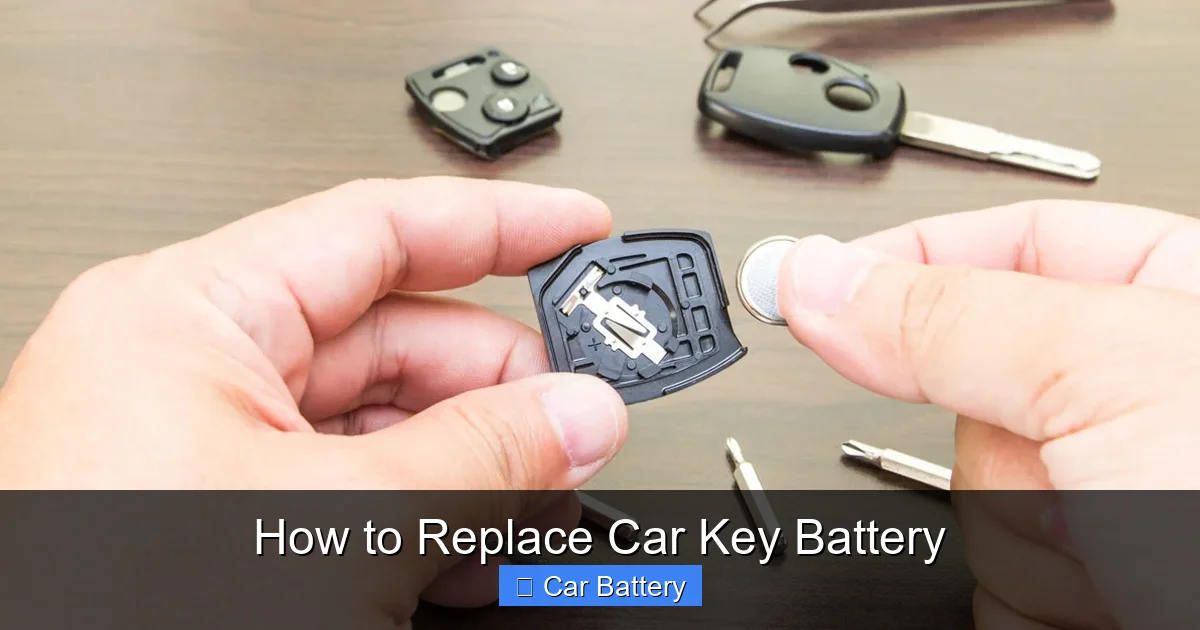
Visual guide about How to Replace Car Key Battery
Image source: d2hucwwplm5rxi.cloudfront.net
Essential Tools and Supplies
- Replacement battery: This is the most important item. You’ll need the correct type for your key fob (more on that below).
- Small flathead screwdriver or plastic pry tool: Used to open the key fob casing without scratching it.
- Tweezers (optional): Helpful for handling small batteries and components.
- Soft cloth or paper towel: To protect the fob’s surface while working.
- Flashlight (optional): Helps you see small parts in dim lighting.
How to Find the Right Battery Type
Car key fobs use small, coin-shaped batteries, often called “button cell” batteries. The most common types include:
- CR2032: The most widely used battery in key fobs. Found in Honda, Toyota, Ford, Nissan, and many others.
- CR2025: Slightly thinner than the CR2032, used in some BMW, Mercedes, and Hyundai models.
- CR2016: Thinner still, used in select models like some Mazda and Subaru fobs.
- CR1632 or CR1616: Less common, but found in certain older or compact fobs.
To find the exact battery your key fob uses, check the owner’s manual, look for a label inside the fob, or search online using your car’s make, model, and year. For example, a 2020 Honda Civic typically uses a CR2032, while a 2018 BMW 3 Series might use a CR2025. When in doubt, take your old battery to an auto parts store—they can match it for you.
Where to Buy a Replacement Battery
You can buy car key batteries at many places:
- Auto parts stores: AutoZone, O’Reilly, Advance Auto Parts—they often have a wide selection and can help you identify the right type.
- Electronics stores: Best Buy, RadioShack, or even some Walmart locations carry button cell batteries.
- Online retailers: Amazon, eBay, or battery specialty sites offer bulk packs at lower prices.
- Dealerships: They’ll have the exact battery, but it may cost more than other options.
I usually buy a pack of CR2032 batteries online because they’re cheap—around $5 for a pack of four—and I can use extras for other devices like garage door openers or digital calipers. Just make sure they’re from a reputable brand like Energizer, Duracell, or Panasonic to ensure long life and reliable performance.
Step-by-Step Guide to Replacing Your Car Key Battery
Now that you have your tools and battery, it’s time to get to work. The process is straightforward, but it’s important to be gentle to avoid damaging the fob. Here’s how to replace your car key battery safely and effectively.
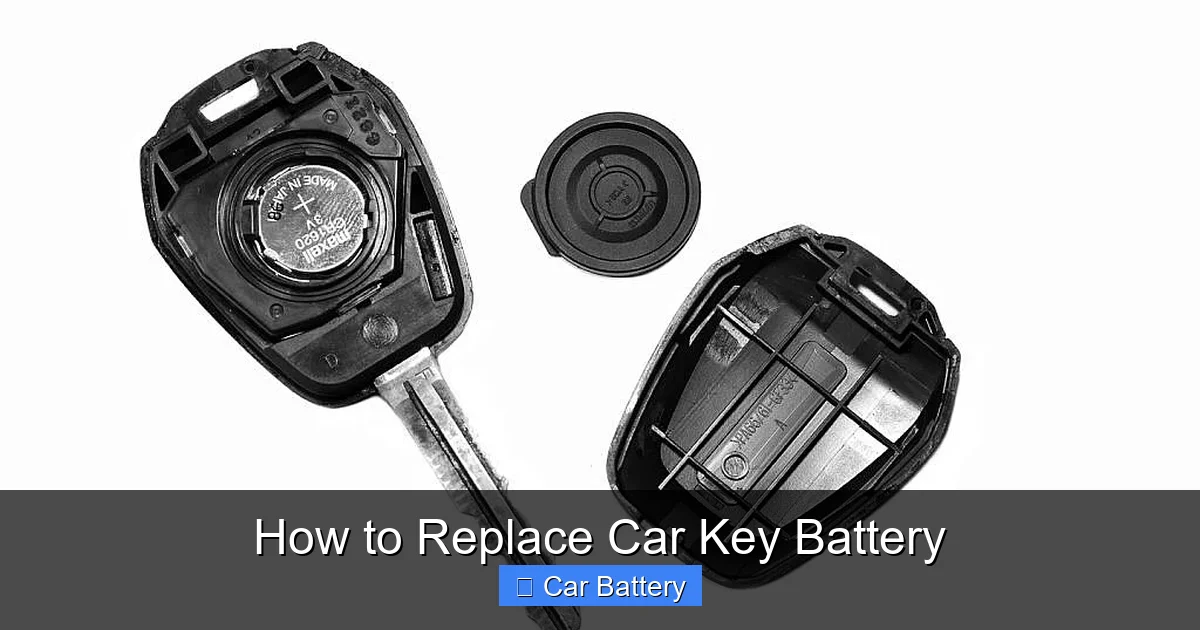
Visual guide about How to Replace Car Key Battery
Image source: d2hucwwplm5rxi.cloudfront.net
Step 1: Locate the Battery Compartment
Most key fobs have a small seam or groove around the edge where the two halves of the casing meet. Look for a tiny notch or indentation—this is usually where you’ll insert your tool to pry it open. Some fobs have a small screw instead, which you’ll need to remove with a screwdriver.
For example, on a Toyota key fob, there’s often a small slot on the side. On a Ford fob, you might need to slide out the physical key first to access the battery compartment. Always check your owner’s manual if you’re unsure.
Step 2: Open the Key Fob
Place your flathead screwdriver or plastic pry tool into the seam and gently twist or wiggle it to separate the two halves. Be careful not to force it—too much pressure can crack the plastic. If it doesn’t open easily, double-check that you’re using the right spot.
Pro tip: Wrap the tip of your screwdriver in a small piece of tape to prevent scratching the fob’s surface. I learned this the hard way when I accidentally gouged my Honda fob with a metal tool.
Step 3: Remove the Old Battery
Once the fob is open, you’ll see the battery sitting in a small circular slot. It’s usually held in place by a tiny metal clip or just friction. Use your fingers or tweezers to gently lift it out. Take note of which side is facing up—most batteries have a “+” (positive) side that should face upward.
Some fobs have a small spring or contact point underneath the battery. Be careful not to dislodge it when removing the old battery.
Step 4: Insert the New Battery
Place the new battery into the compartment, making sure the “+” side matches the orientation of the old one. Press it down gently until it sits flush. If there’s a clip, make sure it snaps securely over the battery.
Double-check that the battery is seated correctly. A loose or misaligned battery can cause the fob to malfunction, even if it’s brand new.
Step 5: Reassemble the Key Fob
Align the two halves of the fob and press them together firmly until you hear a click. Make sure all edges are sealed and there are no gaps. If your fob has a screw, replace it and tighten it gently—don’t overtighten, as this can strip the threads.
Once reassembled, test the fob by pressing the buttons near your car. If it works, you’re all set!
Step 6: Test the Key Fob
Stand a few feet away from your car and press the lock or unlock button. The car should respond immediately. If it doesn’t, try standing closer or check that the battery is installed correctly. In rare cases, the fob may need to be reprogrammed—this is more common with older or high-security fobs.
If your car has a push-button start, try starting the engine with the fob inside the car. Some vehicles require the fob to be present even if the battery is dead, but a fresh battery ensures full functionality.
Common Mistakes to Avoid When Replacing a Car Key Battery
Even though replacing a car key battery is simple, it’s easy to make small mistakes that can cause bigger problems. Here are some common pitfalls and how to avoid them.
Using the Wrong Battery Type
Installing a CR2025 in a fob that requires a CR2032 might seem like a minor difference, but it can cause poor contact or even damage the fob. Always double-check the battery number before purchasing or installing.
For example, I once tried to use a CR2016 in a friend’s key fob because it looked similar. The fob worked for a day, then stopped completely. Turns out, the thinner battery wasn’t making proper contact. We had to replace it with the correct CR2032.
Forcing the Fob Open
Key fobs are made of plastic and can crack if you use too much force. If the casing doesn’t open easily, stop and reassess. Look for hidden screws, sliding mechanisms, or release buttons. Some fobs require you to remove the physical key first.
Ignoring Battery Orientation
Installing the battery upside down is a common mistake. Most batteries have a clear “+” marking, and the fob usually has a diagram or raised edge to guide placement. If the fob doesn’t work after replacement, check the battery orientation first.
Not Testing the Fob After Replacement
It’s tempting to put the fob back in your pocket and forget about it. But always test it right away. If there’s an issue—like a loose connection or defective battery—you’ll catch it early and avoid being locked out later.
Using Low-Quality Batteries
Cheap, no-name batteries may save you a dollar, but they often have shorter lifespans and can leak, damaging your fob. Stick with trusted brands like Energizer or Duracell for reliable performance.
Battery Types and Compatibility by Car Make (Data Table)
To make it easier to find the right battery for your car, here’s a quick reference table of common car makes and the battery types they typically use. Keep in mind that models can vary by year, so always verify with your owner’s manual or by inspecting the old battery.
| Car Make | Common Battery Type | Example Models |
|---|---|---|
| Honda | CR2032 | Civic, Accord, CR-V |
| Toyota | CR2032 | Camry, Corolla, RAV4 |
| Ford | CR2032 | F-150, Escape, Focus |
| Chevrolet | CR2032 | Silverado, Malibu, Equinox |
| BMW | CR2025 or CR2032 | 3 Series, 5 Series, X5 |
| Mercedes-Benz | CR2025 | C-Class, E-Class, GLC |
| Nissan | CR2032 | Altima, Rogue, Sentra |
| Hyundai | CR2032 or CR2025 | Elantra, Tucson, Sonata |
| Subaru | CR2032 or CR2016 | Outback, Forester, Impreza |
| Mazda | CR2032 or CR1632 | CX-5, Mazda3, Mazda6 |
This table is a general guide. Always confirm the battery type for your specific vehicle before purchasing.
When to Call a Professional (And When You Don’t Need To)
While most car key battery replacements are DIY-friendly, there are a few situations where it’s better to seek help.
When You Should Consider Professional Help
- Your fob is damaged: If the casing is cracked, buttons are broken, or water has gotten inside, replacing the battery won’t fix the problem.
- The fob still doesn’t work after battery replacement: This could indicate a deeper issue, like a faulty circuit or need for reprogramming.
- You’re uncomfortable doing it yourself: If you’re nervous about damaging the fob, a dealership or locksmith can do it quickly and safely.
- Your car uses a smart key with advanced features: Some high-end vehicles have complex fobs that require special tools or software to reset.
When You Can Handle It Yourself
In most cases, you don’t need a professional. If your fob is intact, the battery is accessible, and you have the right tools, you can replace it at home. Dealerships often charge $20–$50 just to swap a battery, plus the cost of the battery itself. Doing it yourself saves time and money.
For example, my cousin took her key fob to the dealership when the battery died. They charged her $35 for a $2 battery and 5 minutes of work. She’s since learned to do it herself and has replaced batteries in her husband’s and parents’ cars too.
Final Thoughts: Stay Prepared and Save Money
Replacing a car key battery is one of those small maintenance tasks that can make a big difference in your daily life. It’s quick, inexpensive, and empowers you to take control of your car’s upkeep. By learning how to replace a car key battery, you’ll avoid unnecessary stress, save money on service fees, and gain confidence in handling other car-related tasks.
Remember, the key (pun intended) is preparation. Keep a spare battery in your glove compartment or emergency kit. Know the type your fob uses. And don’t wait until the last minute—replace the battery at the first sign of trouble.
Next time your key fob starts acting up, don’t panic. Grab a screwdriver, pop open the case, and swap in a new battery. In less time than it takes to brew a cup of coffee, you’ll be back to locking and unlocking your car with the press of a button. And who knows? You might just impress your friends with your newfound car maintenance skills.
Frequently Asked Questions
How do I know when my car key battery needs to be replaced?
You’ll notice signs like the key fob not unlocking the car from a distance, the dashboard warning light, or the key requiring multiple presses to work. These are common indicators that it’s time to replace the car key battery.
What tools do I need to replace a car key battery?
Most car key battery replacements only require a small flathead screwdriver or a coin, depending on your key fob design. Some models may also need a specific type of replacement battery, usually a CR2032.
Can I replace my car key battery myself, or do I need a professional?
Yes, you can easily replace the car key battery yourself at home without special equipment. Just follow your vehicle’s manual or a quick online guide for your key model.
How do I open my car key fob to replace the battery?
Look for a small notch or seam on the key fob—use a screwdriver or your fingernail to gently pry it open. Be careful not to damage the casing or internal components during the process.
Where can I buy a replacement battery for my car key?
You can purchase a compatible car key battery at auto parts stores, electronics retailers, or online marketplaces like Amazon. Make sure to check your key fob model to get the correct battery type.
Will replacing the car key battery reset any programmed settings?
No, replacing the car key battery typically won’t affect programmed settings or remote functions. However, in rare cases, you may need to resync the fob by following your vehicle’s re-pairing procedure.