How to Program a Kia Garage Door Opener

Contents
- 1 Key Takeaways
- 2 📑 Table of Contents
- 3 What Is a Kia Garage Door Opener?
- 4 Before You Begin: What You’ll Need
- 5 Step-by-Step Guide to Programming Your Kia Garage Door Opener
- 6 Programming Without Homelink: Aftermarket Solutions
- 7 Troubleshooting Common Issues
- 8 Tips for Maintaining Your Kia Garage Door Opener
- 9 Conclusion
- 10 Frequently Asked Questions

Car Scratch Remover

Tire Shine Spray

Engine Flush Cleaner
Side Window Sunshade
Programming a Kia garage door opener is simpler than you think—whether your vehicle has the Homelink system or a compatible aftermarket unit. This guide walks you through every step, from locating the controls to syncing with your garage door motor, ensuring safe and reliable access every time.
If you’ve ever pulled up to your driveway only to fumble through your bag or glove compartment for a garage door remote, you’re not alone. But what if your Kia could open that door with just the push of a button—right from your steering wheel or rearview mirror? That’s exactly what the built-in garage door opener system in many Kia vehicles offers. Whether you drive a sleek Kia Sportage, a family-friendly Sorento, or the futuristic EV6, chances are your car comes equipped with Homelink®, a wireless control system that lets you operate your garage door, gate, or even home lighting without ever touching a separate remote.
Programming a Kia garage door opener might sound technical, but it’s actually one of the easiest car features to set up. No dealership visit required. No complicated wiring. Just a few simple steps, and you’ll have seamless access to your garage every time you pull in. In this guide, we’ll walk you through everything you need to know—from identifying whether your Kia has Homelink to troubleshooting common issues. We’ll also cover alternatives if your model doesn’t include this feature, so no Kia owner is left out.
By the end of this article, you’ll be able to program your garage door opener confidently, understand how the technology works, and even help friends or family members do the same. Let’s get started!
Key Takeaways
- Most modern Kia vehicles come equipped with Homelink technology, allowing you to program up to three garage doors, gates, or lighting systems without extra remotes.
- Programming requires your garage door opener’s remote control and access to the garage door motor unit—no special tools needed.
- The process typically takes under 10 minutes and works with most rolling-code and fixed-code garage door openers manufactured after 1993.
- Always clear previously programmed buttons before adding new ones to avoid signal conflicts or failed connections.
- If your Kia doesn’t have Homelink, you can install an aftermarket system like a mirror-mounted or dash-mounted universal opener for similar functionality.
- Test the connection immediately after programming and repeat the process if the door doesn’t respond on the first try.
- Keep your vehicle’s owner’s manual handy—Kia occasionally updates programming procedures for newer models like the Telluride, Sorento, or EV6.
📑 Table of Contents
What Is a Kia Garage Door Opener?
A Kia garage door opener refers to the integrated wireless control system found in many newer Kia vehicles. This system—most commonly known as Homelink®—allows drivers to open and close their garage doors, gates, or even turn on exterior lights using buttons mounted on the sun visor, rearview mirror, or center console. It eliminates the need to carry a separate remote control, reducing clutter and improving convenience.
Homelink has been a standard or optional feature in Kia models since the mid-2000s. Today, it’s included in nearly all trims of popular vehicles like the Kia Telluride, Kia Seltos, Kia Carnival, and Kia EV6. The system uses radio frequency (RF) signals to communicate with your garage door motor, syncing securely to prevent unauthorized access.
How Does Homelink Work?
Homelink operates on the same frequency as most garage door openers—typically 315 MHz or 390 MHz, depending on your region and garage door brand. When you press a programmed button in your Kia, it sends a coded signal to the garage door motor. Modern systems use “rolling code” technology, which changes the code each time the button is pressed. This prevents hackers from capturing and replaying the signal (a method known as “code grabbing”).
The beauty of Homelink is its simplicity. Once programmed, it works just like a traditional remote—except it’s built right into your car. You don’t need batteries, and it’s always with you. Plus, you can program up to three different devices, so one button could open your garage, another could open a side gate, and a third could turn on your porch lights.
Which Kia Models Have Homelink?
Most Kia vehicles manufactured from 2014 onward include Homelink as standard or available equipment. Here’s a quick breakdown:
– **Kia Telluride (2020–present)**: Standard on all trims.
– **Kia Sorento (2021–present)**: Available on LX and higher trims.
– **Kia Sportage (2023–present)**: Standard on EX and SX trims.
– **Kia EV6 (2022–present)**: Standard across all models.
– **Kia Carnival (2022–present)**: Standard on LX and above.
– **Kia Seltos (2021–present)**: Available on EX and SX trims.
Older models may have Homelink as an optional add-on or not at all. If you’re unsure, check your owner’s manual or look for three small buttons near your rearview mirror or sun visor labeled with a house icon or “Homelink.”
Before You Begin: What You’ll Need

Visual guide about How to Program a Kia Garage Door Opener
Image source: garagean.com
Programming your Kia garage door opener is straightforward, but a little preparation goes a long way. Here’s what you’ll need before starting:
Your Garage Door Remote Control
You’ll need the original remote that came with your garage door opener. This is essential for the initial programming step, where your Kia “learns” the signal from the remote. If you’ve lost the remote, check with the manufacturer or consider purchasing a replacement—most major brands like Chamberlain, LiftMaster, Genie, and Craftsman sell compatible remotes online.
Access to the Garage Door Motor Unit
You’ll need to be near the garage door motor, usually mounted on the ceiling. This is where the “learn” or “program” button is located. You don’t need to climb anything—just be able to reach the button, which is typically recessed and may require a ladder for taller garages.
A Helper (Optional but Helpful)
While not required, having someone assist you can make the process smoother. One person can hold the remote and press buttons inside the car, while the other presses the learn button on the motor. This is especially useful if you’re programming a rolling-code system.
Your Kia Owner’s Manual
Kia occasionally updates programming procedures, especially with newer models. Your owner’s manual will have model-specific instructions and troubleshooting tips. If you don’t have a physical copy, you can download it for free from Kia’s official website using your vehicle identification number (VIN).
Fresh Batteries (Just in Case)
Although your Kia’s Homelink system doesn’t use batteries, your garage door remote might. If the remote is old or hasn’t been used in a while, replace the batteries to ensure a strong signal during programming.
Step-by-Step Guide to Programming Your Kia Garage Door Opener
Visual guide about How to Program a Kia Garage Door Opener
Image source: garagean.com
Now that you’re prepared, let’s walk through the programming process. We’ll cover both fixed-code and rolling-code systems, as the steps differ slightly.
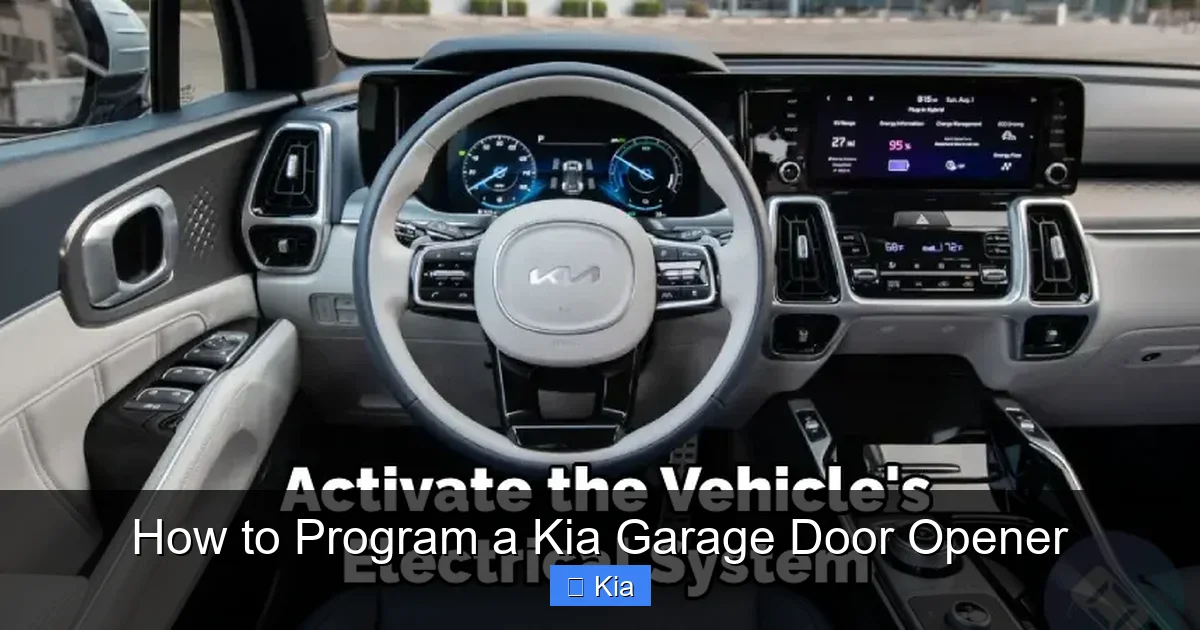
Step 1: Locate the Homelink Buttons
In most Kia models, the Homelink buttons are located on the driver’s side sun visor or integrated into the rearview mirror. They’re usually labeled with a house icon or the word “Homelink.” There are typically three buttons: Button 1, Button 2, and Button 3. You can program each one to control a different device.
If you can’t find the buttons, consult your owner’s manual. Some older Kia models may have them on the overhead console or center dash.
Step 2: Clear Previously Programmed Buttons (Recommended)
Before programming a new device, it’s a good idea to clear any existing settings. This prevents signal interference and ensures a clean connection.
To clear a button:
1. Press and hold the first and third Homelink buttons simultaneously.
2. Hold them for about 20 seconds until the indicator light begins to flash rapidly.
3. Release the buttons. The system is now reset.
Repeat this for each button you plan to program.
Step 3: Program a Fixed-Code Garage Door Opener
Fixed-code systems are older and less secure, but still common in homes with garage doors installed before 1996. If your garage door remote has dip switches (small sliding switches inside the remote), it’s a fixed-code system.
Here’s how to program it:
1. Press and hold the desired Homelink button (e.g., Button 1).
2. While holding the button, press and hold the garage door remote button you want to copy.
3. Hold both buttons until the Homelink indicator light changes from slow blink to rapid blink or stays solid (usually 10–30 seconds).
4. Release both buttons.
5. Test the button by pressing it. The garage door should respond.
If it doesn’t work, repeat the process. Make sure you’re within 3–6 feet of the garage door motor during programming.
Step 4: Program a Rolling-Code Garage Door Opener
Most modern garage door openers use rolling-code technology for enhanced security. This includes brands like Chamberlain, LiftMaster, and Genie. The process is slightly different:
1. Press and hold the desired Homelink button.
2. While holding it, press and hold the garage door remote button.
3. Hold both until the Homelink light changes (usually 10–30 seconds).
4. Release both buttons.
5. Now, press and release the “learn” button on the garage door motor unit. This button is usually yellow, red, purple, or green and may be under a light lens.
6. Within 30 seconds, press the programmed Homelink button three times. Each press should be quick and deliberate.
7. The garage door should move, indicating successful programming.
If the door doesn’t respond, wait a few minutes and try again. Sometimes the motor needs time to reset.
Step 5: Test and Troubleshoot
After programming, test the button from inside your vehicle. Drive up to your garage and press the button. The door should open or close smoothly.
If it doesn’t work:
– Make sure your vehicle is within range (usually 3–6 feet during programming, but up to 100 feet when in use).
– Check that the garage door motor is powered and not in “lock” mode.
– Ensure the Homelink system is compatible with your garage door brand (most are, but some older or proprietary systems may not work).
– Try reprogramming from scratch, clearing the button first.
Programming Without Homelink: Aftermarket Solutions
Visual guide about How to Program a Kia Garage Door Opener
Image source: garagedoorpedia.com
Not every Kia comes with Homelink, especially older models or base trims. But that doesn’t mean you’re out of luck. There are several aftermarket garage door opener systems that can be installed in any vehicle.
Universal Garage Door Openers
These are standalone devices that mimic the function of Homelink. They typically mount to your rearview mirror, sun visor, or dashboard and come with their own remote or smartphone app. Popular brands include:
– **Garageio**: A smart system that connects to your home Wi-Fi and lets you control your garage door via an app. It also works with voice assistants like Alexa and Google Assistant.
– **Nexx Garage**: Another Wi-Fi-enabled opener that installs in minutes and offers real-time alerts and remote access.
– **Clicker Universal Garage Door Opener**: A simple, affordable option that works with most garage door motors and includes a keychain remote.
These systems are easy to install and often more feature-rich than Homelink, offering smartphone control, scheduling, and security alerts.
Mirror-Mounted Openers
Some aftermarket systems replace your rearview mirror with a smart mirror that includes a built-in garage door opener. These are more expensive but offer a clean, integrated look. They’re ideal for Kia owners who want a factory-like experience without Homelink.
DIY Installation Tips
If you choose an aftermarket system:
– Follow the manufacturer’s instructions carefully.
– Use a voltage tester to ensure you’re not interfering with your vehicle’s electrical system.
– Secure all wiring with zip ties to prevent rattling or damage.
– Test the system before finalizing the installation.
While aftermarket options require a bit more effort, they’re a great way to add modern convenience to any Kia.
Troubleshooting Common Issues
Even with careful programming, you might run into problems. Here are some common issues and how to fix them.
The Garage Door Doesn’t Respond
– **Cause**: Weak signal or incorrect programming.
– **Solution**: Reprogram the button, ensuring you’re close to the motor. Replace the remote’s batteries if needed.
The Button Works Intermittently
– **Cause**: Low vehicle battery or interference from other RF devices.
– **Solution**: Start your engine to boost power. Move away from cell towers, radios, or other electronics.
The Light Flashes But Nothing Happens
– **Cause**: The Homelink system is in programming mode but hasn’t synced.
– **Solution**: Complete the full programming sequence, including pressing the learn button on the motor.
Only One Button Works
– **Cause**: The other buttons may still be programmed to old devices.
– **Solution**: Clear all buttons and reprogram them one by one.
Compatibility Issues
– **Cause**: Your garage door opener uses a proprietary or outdated system.
– **Solution**: Check the Homelink compatibility list on the official website. If incompatible, consider upgrading your garage door motor or using an aftermarket solution.
Tips for Maintaining Your Kia Garage Door Opener
Once programmed, your Kia garage door opener should work reliably for years. But a little maintenance goes a long way.
Keep the Buttons Clean
Dust and grime can build up on the Homelink buttons, especially if you drive with the windows down. Wipe them gently with a damp cloth every few months.
Update Your System
Kia occasionally releases software updates for vehicle systems, including Homelink. Check with your dealer or Kia’s website to see if your model has any available updates.
Test Regularly
Make it a habit to test your garage door opener every few months. This ensures it’s still working and helps you catch issues early.
Secure Your Remote
Even though you’re using Homelink, keep your original remote in a safe place. You’ll need it if you ever sell your car or need to reprogram the system.
Teach Family Members
If others drive your Kia, show them how to use the garage door opener. It’s a small convenience that makes a big difference.
Conclusion
Programming a Kia garage door opener is a simple yet powerful upgrade to your daily routine. Whether your vehicle has the built-in Homelink system or you’ve installed an aftermarket solution, the ability to open your garage with the push of a button adds comfort, security, and convenience. With just a few minutes of setup, you can eliminate the hassle of fumbling for remotes and enjoy seamless access every time you come home.
Remember, the key to success is preparation—have your remote ready, locate the learn button on your motor, and follow the steps carefully. If you run into issues, don’t panic. Most problems are easy to fix with a little patience and troubleshooting.
And if your Kia doesn’t have Homelink, don’t worry. The aftermarket offers plenty of smart, affordable alternatives that deliver the same functionality—and sometimes even more.
So the next time you pull into your driveway, imagine gliding right into your garage without ever touching a remote. That’s the magic of a properly programmed Kia garage door opener. It’s not just a feature—it’s a small luxury that makes everyday life a little easier.
Frequently Asked Questions
Can I program my Kia garage door opener without the original remote?
No, you typically need the original remote to program the Homelink system. However, you can purchase a compatible replacement remote from the garage door manufacturer or use an aftermarket universal opener if your remote is lost.
How many devices can I program with Homelink?
Most Kia Homelink systems allow you to program up to three devices, such as a garage door, gate, or outdoor lighting system. Each button can be assigned to a different function.
Will my Kia garage door opener work with all garage door brands?
Homelink is compatible with most major brands like Chamberlain, LiftMaster, Genie, and Craftsman. However, some older or proprietary systems may not work. Check the Homelink compatibility list online for details.
Can I program my garage door opener if my Kia doesn’t have Homelink?
Yes! You can install an aftermarket garage door opener system, such as Garageio or Nexx Garage, which connects to your home Wi-Fi and allows smartphone or voice control.
Why does my Homelink button only work sometimes?
Intermittent operation can be caused by low vehicle battery, weak remote batteries, or RF interference. Try starting your engine, replacing the remote batteries, or moving away from electronic devices.
Is it safe to use a rolling-code garage door opener with Homelink?
Yes, rolling-code systems are secure and recommended. Homelink supports rolling-code technology, which changes the signal each time you press the button, preventing unauthorized access.