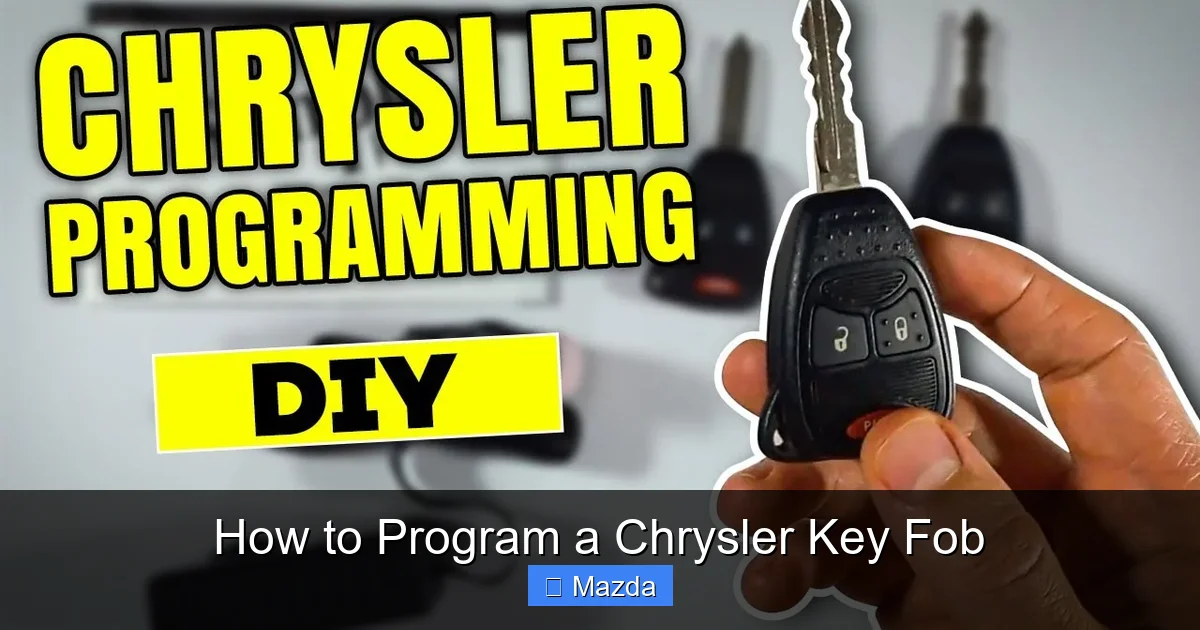
How to Program a Chrysler Key Fob

Contents
- 1 Key Takeaways
- 2 📑 Table of Contents
- 3 Understanding Your Chrysler Key Fob: It’s Not Just a Remote
- 4 Essential Preparation Before You Begin
- 5 Step-by-Step: Programming a Basic Chrysler Remote (Ignition Cycle Method)
- 6 Programming for Push-Button Start and Keyless Entry Systems
- 7 Troubleshooting: Why Your Programming Attempt Failed
- 8 When DIY Isn’t Enough: The Professional Programming Reality
- 9 Pro Tips and Best Practices for Key Fob Longevity
- 10 Conclusion: Empowerment Through Knowledge
- 11 Frequently Asked Questions

Car Battery Charger
Reflective Safety Triangle

Car LED Headlight Bulb
Car Emergency Roadside Kit
Programming your Chrysler key fob is often a simple, do-it-yourself task that saves you a dealership trip and fee. This comprehensive guide breaks down the exact steps for every Chrysler model from 2026, including the 300, Pacifica, and Voyager, covering both basic remotes and advanced push-button start systems. You’ll learn the critical preparation steps, the precise button sequences, and how to troubleshoot common sync errors. For complex issues or lost all keys, professional programming with a dealer or locksmith remains necessary.
So, your Chrysler key fob has finally given up the ghost. The buttons are sticky, the range is down to a few feet, or it just won’t unlock the doors anymore. Your immediate thought might be a costly trip to the dealership. But what if you could fix this yourself in under five minutes, right in your driveway? Welcome to the world of DIY key fob programming for your Chrysler, Dodge, Jeep, or RAM vehicle. In 2026, this process is more accessible than ever for most common remote functions, though some security features still require professional tools. This guide will walk you through everything you need to know, from identifying your fob type to the exact button-press sequences for your specific model. We’ll also be clear about the limitations of at-home programming so you know exactly when it’s time to call in the experts.
Key Takeaways
- Not All Chrysler Fobs Are the Same: Programming steps vary significantly between basic remote fobs and “proximity” key fobs for push-button start systems. Identifying your fob type is the first critical step.
- You Need a Working “Master” Key: For most DIY methods, you must have at least one already-programmed key fob to add a new one. If you’ve lost all keys, professional equipment is required.
- The Ignition Cycle is Key: The core programming method involves a precise sequence of turning the ignition on/off and pressing buttons within strict time windows (often 20-30 seconds).
- A Weak Fob Battery is a Common Culprit: A dying battery is the #1 cause of programming failure and intermittent operation. Always replace the battery before attempting to program.
- Your Vehicle’s Year & Model Dictate the Method: Models before 2015 often use a simple on-off cycle, while 2016+ models with Uconnect® or keyless entry may require a “hidden” menu in the vehicle settings.
- Security Immobilizer Systems Can Block DIY: Some newer Chrysler vehicles integrate the key fob’s transponder chip with the engine immobilizer. While the remote part is DIY, the security chip often requires dealer software.
- Professional Help is Cost-Effective for Complex Cases: A locksmith or dealer can program a new key fob for $75-$200, which is cheaper than a tow and often faster than struggling with a failed DIY attempt.
📑 Table of Contents
- Understanding Your Chrysler Key Fob: It’s Not Just a Remote
- Essential Preparation Before You Begin
- Step-by-Step: Programming a Basic Chrysler Remote (Ignition Cycle Method)
- Programming for Push-Button Start and Keyless Entry Systems
- Troubleshooting: Why Your Programming Attempt Failed
- When DIY Isn’t Enough: The Professional Programming Reality
- Pro Tips and Best Practices for Key Fob Longevity
- Conclusion: Empowerment Through Knowledge
Understanding Your Chrysler Key Fob: It’s Not Just a Remote
Before we touch a single button, we need to understand what’s inside that plastic case. A modern Chrysler key fob is actually two devices in one: a remote control and a security transponder. The remote control part—the buttons that lock, unlock, and pop the trunk—is what you can often program yourself. The security transponder is a tiny chip embedded in the key blade (or inside a keyless fob) that talks to your car’s immobilizer system to allow the engine to start. This chip is what prevents hot-wiring. For vehicles with a traditional metal key that you insert and turn, programming the remote buttons is usually a straightforward DIY process. However, for “keyless entry” or “push-button start” models where there is no physical key insertion, the process can be different and sometimes requires dealer-specific software to sync the fob’s unique ID with the car’s computer. For example, if you need to program a push-start key fob for a Dodge Journey, the steps will differ from a 2010 Chrysler 300 with a standard remote.
Identifying Your Fob Type and Model Year
Look at your fob. Does it have a physical key blade that folds out? Or is it a solid fob with buttons and a “start/stop” button? This is your first clue. Next, note your vehicle’s exact model and year. Chrysler’s programming protocols changed several times:
- Pre-2015 Models: Typically use a simple “ignition cycle” method. You turn the key on and off in the cylinder a specific number of times, ending in the “on” position, then press buttons.
- 2015-2020 Models with Uconnect® 3/4: Many allow programming through a hidden menu in the vehicle’s infotainment system, accessed via a secret button sequence on the steering wheel.
- 2021+ Models with Uconnect® 5: Often require a dealer or locksmith with a secure web connection to Chrysler’s servers for any fob programming, especially for keyless go fobs.
If you have a basic remote for an older vehicle, you’re in luck—the DIY path is clear. If you have a 2026 Chrysler Pacifica with keyless entry, you’ll likely need professional help for the security portion.
Essential Preparation Before You Begin
Rushing into the programming sequence is the most common reason for failure. Taking five minutes to prepare will save you twenty minutes of frustration. First, gather all your existing working key fobs. The programming process typically “erases” all fobs from the car’s memory and then re-adds them. If you have two working fobs, you must program both of them during the same session, or the older one will stop working. Second, replace the battery in the new fob with a fresh one. Use a high-quality CR2032 or CR2025 battery as specified. A weak battery during programming can cause the car to not recognize the signal, leading to a failed attempt. Third, clear your schedule. Ensure you won’t be interrupted. You need to perform steps in a specific order within a tight time window (usually 30 seconds). Fourth, sit in the driver’s seat with all doors, the trunk, and the hood closed. The car’s Body Control Module (BCM) needs to see all these as “closed” to enter programming mode. Finally, have your vehicle’s owner’s manual handy. While this guide is comprehensive, your manual has the definitive, model-specific sequence.
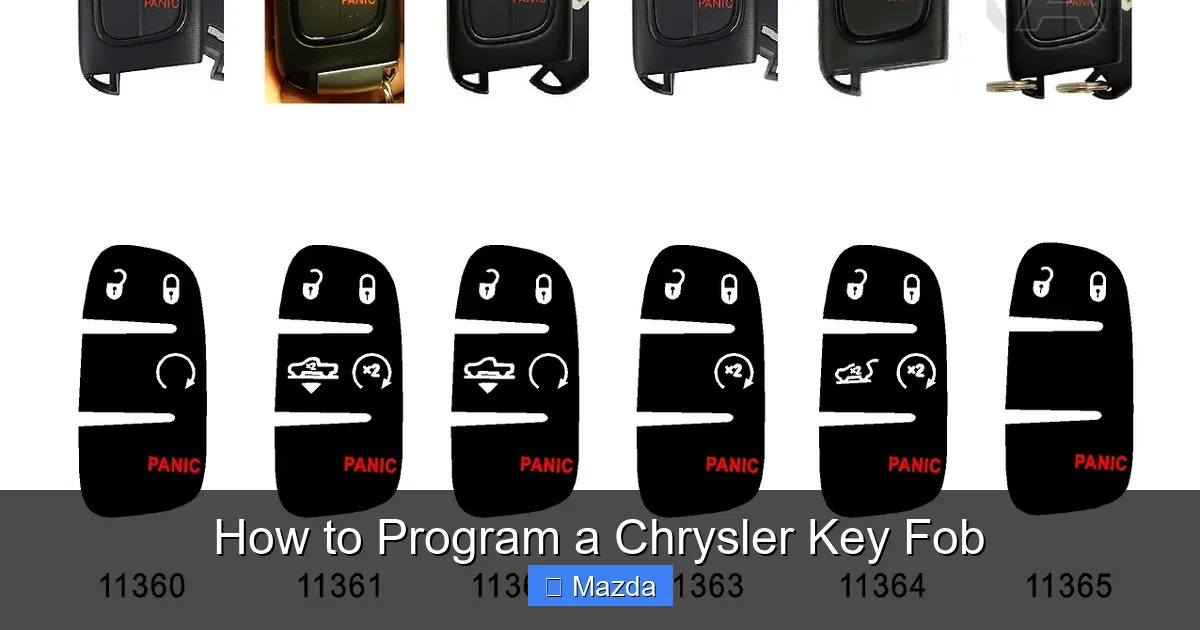
Visual guide about How to Program a Chrysler Key Fob
Image source: autobuttonrepair.com
Step-by-Step: Programming a Basic Chrysler Remote (Ignition Cycle Method)
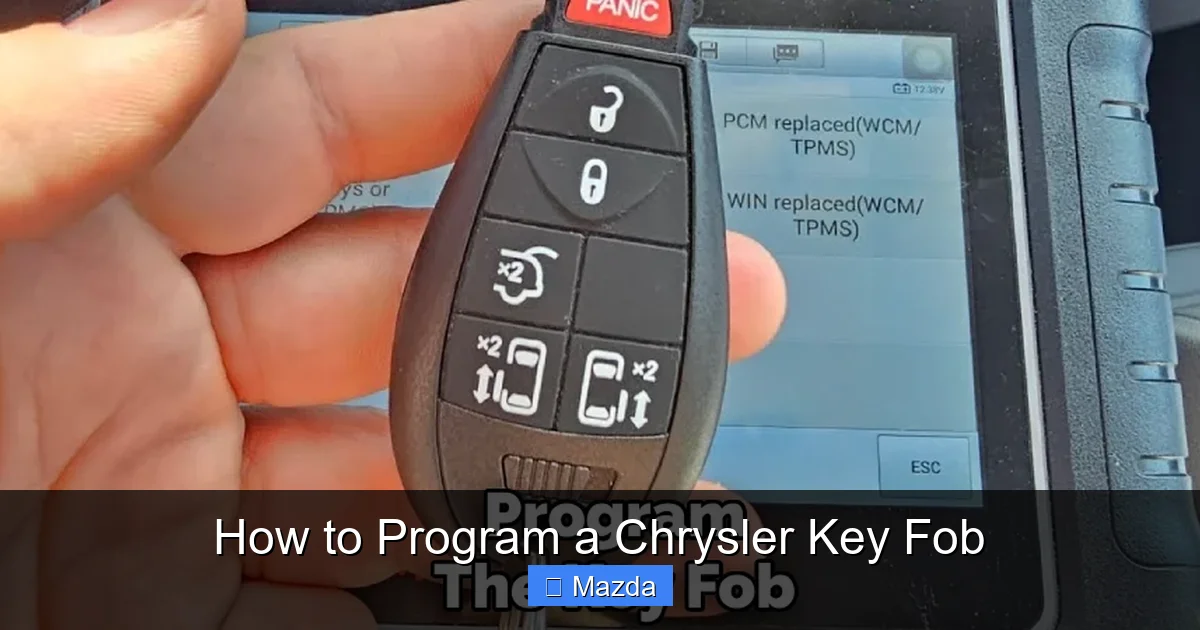
This is the classic method for models without a push-button start, typically from the early 2000s through the mid-2010s. It works for sedans like the Chrysler 300, Sebring, and older PT Cruisers. The principle is simple: you trick the car’s computer into thinking it’s receiving a signal from a new, authorized remote by using the ignition switch as a “gate.” Here is the universal sequence that works for the vast majority of these vehicles. Remember, speed and precision matter.
Visual guide about How to Program a Chrysler Key Fob
Image source: safetyfic.com
The Universal 8-Cycle Method
Follow these steps exactly:
- Enter the vehicle and close all doors.
- Insert your existing, working key into the ignition.
- Turn the key to the “ON” position (the position right before starting the engine, where dashboard lights come on). Do NOT start the engine.
- Within 1 second, turn the key back to the “OFF” position.
- Repeat steps 3 and 4 for a total of 8 times. On the 8th time, leave the key in the “ON” position. You should hear the door locks cycle (lock and unlock) after the 8th “ON” turn, confirming the car is in programming mode. If you don’t hear the locks cycle, you may have been too slow. Start over.
- Once in programming mode (indicated by the lock cycle), press the LOCK button on your new key fob. You should hear the locks cycle again, confirming the new fob is accepted.
- If you have additional new fobs, press the LOCK button on each one within 40 seconds of the first one. Each press will cycle the locks.
- Finally, turn the ignition key to “OFF” and remove it. Test all fobs to ensure they lock and unlock the doors.
If this doesn’t work, consult your manual. Some models use a 4-cycle or 5-cycle method. The sound of the door locks is your most important feedback signal.
Programming for Push-Button Start and Keyless Entry Systems
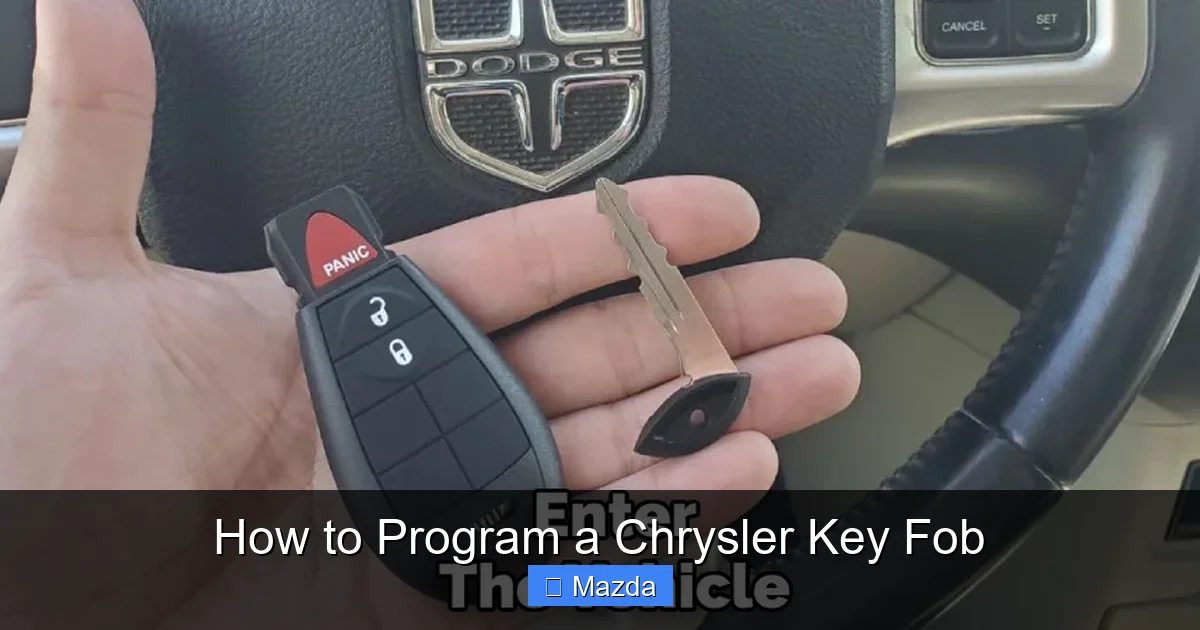
For vehicles like the 2026 Chrysler Pacifica Hybrid, Chrysler 300, or Dodge Charger with keyless entry and push-button start, the process is fundamentally different. The fob has a low-frequency antenna that communicates with the car even when in your pocket. This proximity system is tied directly to the vehicle’s security module. For many 2018-2025 models, there is a secret “hidden” menu in the Uconnect® system that allows adding a fob, but it often requires two existing, working fobs to initiate. For 2026 models, Chrysler has largely moved to requiring a secure, online connection to their database for any new fob programming to prevent theft. This means the DIY route is usually closed. However, for some older keyless systems (pre-2018), a procedure exists:
- With the vehicle OFF and all doors closed, press and hold the UNLOCK button on the driver’s door.
- While holding the UNLOCK button, insert a working key into the ignition and turn it to the “ON” position (do not start).
- Release the UNLOCK button. The doors should lock and then unlock automatically, signaling programming mode.
- Press and hold the LOCK and UNLOCK buttons on the new fob simultaneously for 2-4 seconds. The doors will cycle to confirm.
- Repeat for any additional fobs within 60 seconds.
- Turn the ignition OFF and test.
This method is hit-or-miss on newer models and often fails. If it doesn’t work, your vehicle likely requires the dealer’s secure software. This is also true if you need to start a Dodge Charger without a key fob—the security system will prevent it.
Visual guide about How to Program a Chrysler Key Fob
Image source: safetyfic.com
Troubleshooting: Why Your Programming Attempt Failed
So you followed the steps perfectly, but the new fob still doesn’t work. Don’t panic. Let’s diagnose the issue systematically.
Checklist for a Failed Programming Attempt
- Battery: Is the battery in the new fob brand new? Even a slightly weak battery can’t transmit a strong enough signal during programming. Also, check the battery in your existing working key—if it’s weak, the car might not recognize it to start the sequence.
- Timing: Were you too slow between ignition cycles? The entire sequence for the 8-cycle method must be completed in under 30 seconds. Practice the motion without the key first.
- Door/Hood Status: Is any door ajar? Is the trunk or hood open? The car must see all closures as “secure.” A slightly open trunk light can interrupt the process.
- Existing Fobs: Did you have all existing working fobs with you? If you only programmed one new fob and left another working one outside the car, the car’s memory may have only stored the one you presented in the sequence, potentially disabling the one left out.
- Vehicle Compatibility: Is the new fob the exact same part number as your old one? A fob from a 2015 300 will not program to a 2022 Pacifica. They use different frequencies and protocols.
- Immobilizer/ECU Issue: If the car’s security light is on or flashing, there may be a fault in the Immobilizer Control Module. This requires a professional scan tool to diagnose and reset.
If you’ve checked everything and it still fails, the issue is likely with the vehicle’s security system requiring proprietary software. At this point, the most cost-effective move is to call a reputable automotive locksmith who has the Chrysler-specific programmer. They come to you and are often cheaper than a dealer tow.
When DIY Isn’t Enough: The Professional Programming Reality
Let’s be honest about the limits of at-home key fob programming in 2026. As vehicles become more connected and secure, manufacturers restrict the ability to add new keys to prevent theft. For Chrysler, this “tipping point” is generally around the 2018-2019 model year for most lines. If your vehicle has a keyless enter-‘n-go® system or a proximity key (the fob you keep in your pocket and press a button on the door), there is a very high probability that you cannot program a replacement fob yourself. The process requires a connection to Chrysler’s secure server to “authenticate” the new fob’s unique transponder code. This is a security feature. Furthermore, if you have lost all your keys, there is no master key to start the DIY sequence. The car’s computer must be reprogrammed to recognize a new set of keys, a process that absolutely requires a dealer’s or locksmith’s diagnostic computer (like the wiTECH or Autel tool). The cost for this service varies. A simple remote fob cut and programmed at a locksmith might cost $75-$120. A full proximity key with cutting and programming from a dealer could be $250-$400. Always get a quote first. For context, you might find it helpful to read about how much it costs to program a car key across different brands to set your expectations.
Pro Tips and Best Practices for Key Fob Longevity
You’ve successfully programmed your new fob. Now, let’s make it last. Key fobs are subjected to daily abuse—being dropped, sat on, and exposed to extreme temperatures. The #1 cause of premature fob death is a dead battery that leaks corrosive fluid inside the case. When replacing your battery (a task you should do every 2-3 years), always use a name-brand battery (Duracell, Energizer). Cheap batteries leak. Carefully pry open the fob case using a plastic tool or a coin in the seam—metal tools can crack the plastic. Before closing it, inspect the rubber seals and the circuit board for any signs of corrosion or debris. A little contact cleaner on a cotton swab can work wonders. Also, consider getting a protective silicone skin or case for your fob. It’s a small investment that prevents scratches and absorbs impacts. Finally, store your fob in a designated spot, not loose in a bag with keys and coins. This prevents accidental button presses that drain the battery and keeps it clean. For specific battery replacement steps on popular models, guides like how to change the battery in a Honda Civic key fob provide excellent visual references, as the internal design of most modern fobs is very similar.
Conclusion: Empowerment Through Knowledge
Programing your own Chrysler key fob is a satisfying blend of automotive knowledge and practical skill. For older models with a traditional ignition, the 8-cycle method is a reliable, cost-saving trick that puts you in control. For newer, more complex systems, understanding the limitations of DIY is just as important—it saves you from wasted effort and guides you to the right professional help. The core message is this: always start by identifying your exact vehicle year, model, and fob type. Consult your owner’s manual first. If the manual points to a simple ignition cycle, you’ve got this. If it mentions a dealer scan tool or Uconnect® menu that you can’t access, call a locksmith. By following this structured approach, you’ll navigate the world of key fob programming with confidence, whether you’re saving $150 at the dealership or paying a pro for a necessary security service. Your Chrysler’s security is paramount—treat it with the respect it deserves, and you’ll enjoy seamless, keyless convenience for years to come.
Frequently Asked Questions
Can I program a Chrysler key fob myself if I have only one working key?
It depends on the model year and system. For older models with a basic remote and ignition cylinder, yes, the standard ignition cycle method works with one existing key. For newer keyless entry/push-start models, you typically need two existing, working fobs to initiate the “add fob” sequence. With only one, you will almost certainly need professional programming.
What is the average cost to have a Chrysler key fob programmed by a professional?
The cost varies widely. For a basic remote fob (no chip), a locksmith may charge $75-$120 to cut and program. For a proximity smart key for a push-button start vehicle, expect $200-$400 at a dealership. Independent locksmiths are often 20-30% cheaper than dealers for the same service. Always call for a specific quote with your VIN.
My Chrysler key fob works sometimes but not others. Is it the battery or the programming?
This is most commonly a low battery issue. The signal strength is weak, causing intermittent failure. Replace the battery first. If the problem persists after a fresh battery, it could be a failing internal circuit board or a loss of programming sync. Try reprogramming the fob using the standard sequence. If that fails, the fob itself may need to be replaced.
I lost all my Chrysler keys. Can I still program a new one myself?
No. If you have lost all programmed keys, the vehicle’s computer has no “master” key to authorize the addition of a new one. The immobilizer system must be reset, a process that requires a dealer’s or locksmith’s proprietary diagnostic computer connected to the vehicle’s OBD-II port. You will need to have at least one new key cut and then have it programmed along with any additional keys.
Why does my car only have one key fob after I tried to program a second one?
You likely did not complete the programming sequence correctly. Most Chrysler programming modes erase all fobs from memory first. You must program all of your existing working fobs in the same session, in rapid succession, along with the new one. If you only program the new one and leave the old one out, the car’s memory will only contain the newly programmed fob, and the old one will be deactivated.
Do I need to program the physical key blade if my fob has one?
Usually, no. The metal key blade is a simple, mechanical cut that must match your car’s ignition cylinder. When you get a new fob, you have the blade cut by a locksmith or dealer to match your existing key. The electronic programming we discuss is solely for the remote functions (lock/unlock/trunk) and, for keyless systems, the proximity chip. The physical cut and the electronic programming are two separate steps. The blade must be cut correctly to turn the ignition, but it does not need “programming” in the electronic sense.