
How to Lock Subaru with Engine Running

Contents
- 1 Key Takeaways
- 2 📑 Table of Contents
- 3 Understanding Subaru’s Safety and Locking Systems
- 4 How to Lock Subaru with Engine Running Using the Key Fob
- 5 Manual Locking Method: When the Key Fob Isn’t an Option
- 6 Using the Subaru STARLINK App for Remote Locking
- 7 Safety Tips and Best Practices
- 8 Troubleshooting Common Issues
- 9 Conclusion
- 10 Frequently Asked Questions

Pressure Washer for Car

Portable Work Light

Bluetooth FM Transmitter
Fuel Injector Cleaner
Locking your Subaru while the engine is running is possible and safe—if you follow the right steps. Whether you’re warming up your car in winter or running a quick errand, this guide covers key fob tricks, manual methods, and model-specific tips to keep your Subaru secure without turning off the engine.
Have you ever needed to run into a store quickly while leaving your Subaru running—maybe to keep the heat on during a cold morning or to let the AC cool down on a hot day? It’s a common scenario, especially in extreme weather. But here’s the catch: you want your car to stay secure, and you don’t want to risk someone hopping in while you’re gone. The good news? You *can* lock your Subaru with the engine running—safely and legally—if you know how.
Many Subaru owners assume that once the engine is on, the doors automatically unlock or that remote locking won’t work. That’s not true. Subaru vehicles, especially those made in the last decade, are designed with smart safety and convenience features that allow remote locking even when the engine is running—provided you follow a few simple rules. Whether you drive an Outback, Forester, Crosstrek, Legacy, or Ascent, the process is similar, though there are slight variations depending on your model year and trim level.
In this guide, we’ll walk you through every method to lock your Subaru with the engine running, from using your key fob to manual overrides and even smartphone apps. We’ll also cover important safety tips, common mistakes to avoid, and what to do if your car won’t lock remotely. By the end, you’ll feel confident leaving your Subaru running—securely locked—while you step away for a few minutes.
Key Takeaways
- Use the key fob’s lock button: Most modern Subarus allow you to lock the doors remotely while the engine runs, as long as the key fob is outside the vehicle.
- Manual door lock override: If your key fob isn’t working, you can manually lock the driver’s door from the outside using the physical key blade.
- Engine must be in Park (P): Your Subaru won’t allow remote locking if the transmission is in any gear other than Park for safety reasons.
- Keyless entry models require extra care: Vehicles with push-button start need the key fob outside the car to enable remote locking with the engine on.
- Avoid leaving children or pets inside: Even with the engine running and doors locked, never leave unattended passengers in a locked vehicle due to safety and legal risks.
- Check your owner’s manual: Locking procedures can vary slightly between Subaru models like Outback, Forester, and Crosstrek—always verify your specific vehicle’s capabilities.
- Use Subaru STARLINK app (if equipped): Some newer models support remote start and lock via the STARLINK app, adding convenience and security.
📑 Table of Contents
Understanding Subaru’s Safety and Locking Systems
Before diving into the “how,” it’s important to understand *why* Subaru designed its locking system the way it did. Subaru prioritizes safety, and that includes preventing accidental lockouts, unauthorized access, and unintended vehicle movement. When the engine is running, the vehicle assumes the driver is present and in control. However, Subaru also recognizes real-world needs—like warming up the car in winter or running a quick errand—so it allows remote locking under specific conditions.
Most modern Subarus (2015 and newer) come equipped with keyless entry systems, push-button start, and advanced driver assistance features. These systems communicate between the key fob, the vehicle’s computer, and the door locks. For remote locking to work with the engine running, the vehicle must detect that the key fob is *outside* the car. This prevents someone from locking the keys inside while the engine is on—a common cause of frustration and lockouts.
Additionally, Subaru vehicles require the transmission to be in Park (P) before allowing remote locking. This is a critical safety feature. If the car is in Drive or Reverse, the system won’t let you lock the doors remotely, even if the engine is running. This prevents scenarios where someone could lock the car while it’s moving or about to move.
It’s also worth noting that older Subaru models (pre-2010) may not support remote locking with the engine running at all. If your vehicle has a traditional key ignition and no keyless entry, you’ll likely need to use the manual lock method. Always check your owner’s manual to confirm your model’s capabilities.
How to Lock Subaru with Engine Running Using the Key Fob
Visual guide about How to Lock Subaru with Engine Running
Image source: images.simplepart.com
The most common and convenient way to lock your Subaru while the engine is running is by using the key fob. This method works on most Subaru models from 2010 onward, especially those with keyless entry and push-button start. Here’s how to do it step by step:
Step 1: Ensure the Engine is Running and in Park
Start your Subaru and let it idle. Make sure the transmission is in Park (P). You’ll see “P” illuminated on the dashboard. If the car is in any other gear, the remote lock function will not activate. This is a built-in safety measure to prevent accidental locking while the vehicle is in motion.
Step 2: Exit the Vehicle with the Key Fob
Once the engine is running and in Park, exit the vehicle. Take your key fob with you—this is crucial. The vehicle’s system needs to detect that the key fob is outside the car to allow remote locking. If the fob remains inside, the car assumes the driver is still present and may not respond to the lock command.
Step 3: Press the Lock Button on the Key Fob
Stand within 10–15 feet of the vehicle (the typical range for key fob signals). Press the lock button on your key fob once. You should hear the doors lock and see the hazard lights flash once (or twice, depending on the model). This confirms the vehicle is securely locked.
Step 4: Verify the Lock
Give the door handle a gentle tug to confirm the doors are locked. Some Subarus also have a visual indicator on the dashboard or door panel that shows the lock status. If the lock doesn’t engage, double-check that the fob is outside the car and the transmission is in Park.
Practical Example: Warming Up in Winter
Imagine it’s -10°F outside, and you want to warm up your Subaru Forester before driving to work. Start the engine, shift into Park, and exit the vehicle with your key fob. Press the lock button—doors lock, engine keeps running. You can now go inside your house, grab your coffee, and return to a toasty, secure car.
Tips for Success
– Keep the key fob battery charged. A weak battery can reduce signal range.
– Avoid placing the fob near metal objects or electronic devices that may interfere with the signal.
– If the lock doesn’t work, try moving closer to the vehicle or replacing the fob battery.
Manual Locking Method: When the Key Fob Isn’t an Option

Visual guide about How to Lock Subaru with Engine Running
Image source: autosnuff.com
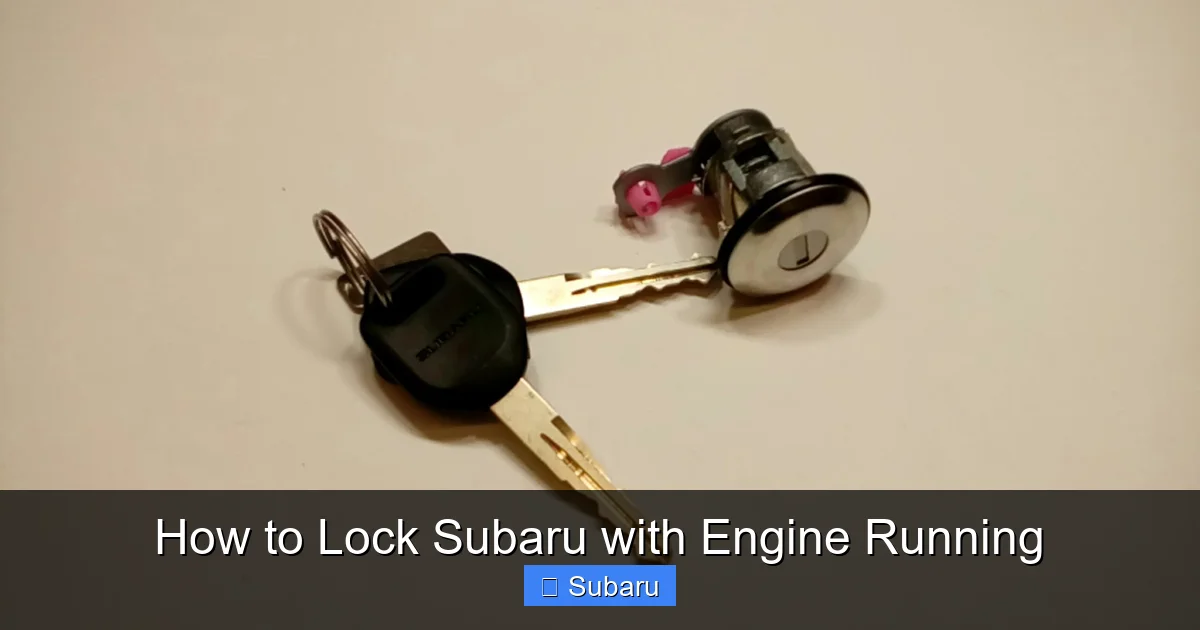
What if your key fob battery is dead, lost, or malfunctioning? Or maybe you’re driving an older Subaru without remote locking capabilities? Don’t worry—there’s still a way to lock your Subaru with the engine running using the manual method.
Using the Physical Key Blade
Most Subaru key fobs have a hidden physical key blade that can be used to manually lock the driver’s door. Here’s how:
1. Locate the small release button or slider on your key fob. Press it to eject the metal key blade.
2. Insert the key into the driver’s door lock cylinder (usually located near the door handle).
3. Turn the key clockwise to lock the door.
4. Exit the vehicle and close the door.
Once the driver’s door is locked manually, the other doors will typically lock automatically if your Subaru has an auto-lock feature. However, this isn’t guaranteed on all models. To be safe, check each door handle.
Important Notes on Manual Locking
– This method only works if the key fob is *outside* the vehicle. If the fob is inside, the car may not allow the engine to stay running for long—some models will shut off after a few minutes as a security measure.
– Manual locking does not disable the alarm system. If someone tries to open a door, the alarm may still trigger.
– On some older models, manually locking the door while the engine is running may cause the interior lights to stay on or the horn to chirp. This is normal and not a malfunction.
Example: Dead Key Fob Battery
You’re at the grocery store, and your key fob suddenly stops working. The engine is running, and you need to run in for milk. Use the physical key to lock the driver’s door from the outside. The car stays running, and your belongings remain secure.
Using the Subaru STARLINK App for Remote Locking

Visual guide about How to Lock Subaru with Engine Running
Image source: images.simplepart.com
For owners of newer Subaru models (typically 2016 and later), the STARLINK connected services app offers a high-tech solution for locking your car remotely—even with the engine running.
How STARLINK Works
The STARLINK app connects to your Subaru via cellular data, allowing you to control certain vehicle functions from your smartphone. To use remote locking:
1. Download the Subaru STARLINK app (available on iOS and Android).
2. Create an account and link it to your vehicle using your VIN and subscription details.
3. Ensure your vehicle is enrolled in the STARLINK Safety Plus or Security Plus plan (remote services require a paid subscription).
4. Start your engine using the app’s remote start feature (if equipped), or start it manually.
5. Once the engine is running, use the “Lock Doors” function in the app.
The app will send a signal to your Subaru, locking all doors while the engine continues to run. You’ll receive a confirmation notification on your phone.
Benefits of STARLINK Remote Locking
– No need to be near the vehicle—lock it from miles away.
– Monitor vehicle status, including engine runtime and location.
– Ideal for extreme weather: start the engine and lock the car before you even leave the house.
Limitations and Considerations
– Requires an active STARLINK subscription (typically $10–$15/month).
– Not available on all trim levels—check your vehicle’s compatibility.
– Cellular signal strength can affect performance in remote areas.
Real-World Use Case
It’s a snowy morning, and you’re running late. Use the STARLINK app to start your Outback from your living room. Once it’s warmed up, lock the doors remotely. By the time you walk outside, your car is toasty and secure.
Safety Tips and Best Practices
While locking your Subaru with the engine running is convenient, it comes with important safety responsibilities. Here are key guidelines to follow:
Never Leave Children or Pets Unattended
Even with the doors locked, never leave children or pets alone in a running vehicle. Temperatures inside a car can rise or drop rapidly, leading to heatstroke or hypothermia. Additionally, leaving a minor unattended in a vehicle may violate local laws.
Monitor Engine Runtime
Most Subarus will automatically shut off the engine after 10–15 minutes if the key fob is not detected inside. This is a fuel-saving and safety feature. If you plan to leave the car running longer, you may need to restart it periodically.
Be Aware of Carbon Monoxide Risks
Never leave your Subaru running in an enclosed space like a garage—even with the door open. Carbon monoxide is odorless and deadly. Always operate the vehicle in a well-ventilated area.
Use the Parking Brake
Engage the parking brake (especially on inclines) to prevent accidental rolling, even when in Park.
Keep Valuables Out of Sight
Even when locked, a running car may attract unwanted attention. Store bags, electronics, and other valuables in the trunk or out of view.
Know Your Local Laws
Some states and municipalities have laws against leaving a vehicle unattended with the engine running. Check local regulations to avoid fines or towing.
Troubleshooting Common Issues
Sometimes, your Subaru may not lock remotely even when you follow the steps correctly. Here’s how to troubleshoot:
Doors Won’t Lock Remotely
– Confirm the key fob is outside the vehicle.
– Ensure the transmission is in Park.
– Check the key fob battery—replace if weak.
– Try pressing the lock button twice (some models require a double press).
Engine Shuts Off After Locking
This usually means the key fob is still inside the car. The system detects the fob and assumes the driver is present, so it doesn’t allow remote locking. Move the fob outside and try again.
Alarm Triggers When Locking
If the alarm sounds when you lock the car, it may be due to an open door, hood, or trunk. Check all compartments and close them securely.
Manual Lock Doesn’t Work
Ensure the key is fully inserted and turned smoothly. If the lock is stiff, apply a small amount of graphite lubricant (never oil).
STARLINK App Not Responding
– Check your phone’s internet connection.
– Ensure the vehicle has cellular signal.
– Restart the app or your phone.
– Confirm your STARLINK subscription is active.
Conclusion
Locking your Subaru with the engine running is not only possible—it’s a practical feature designed for real-life convenience. Whether you’re using the key fob, manual lock, or the STARLINK app, Subaru has built-in systems to help you secure your vehicle while it idles. The key is understanding your model’s capabilities and following the correct steps: keep the fob outside, ensure the car is in Park, and verify the lock.
Remember, convenience should never come at the cost of safety. Always monitor your surroundings, avoid leaving passengers unattended, and respect local laws. With the right knowledge, you can enjoy the benefits of a warm, running car without sacrificing security.
So next time you need to pop into the store or warm up your Subaru on a chilly morning, you’ll know exactly how to lock it up and walk away with confidence.
Frequently Asked Questions
Can I lock my Subaru with the engine running if the key fob is inside?
No, you cannot lock your Subaru remotely if the key fob is inside the vehicle. The system requires the fob to be outside to prevent accidental lockouts. If the fob is inside, the car assumes the driver is present and won’t allow remote locking.
Will my Subaru shut off automatically if I lock it with the engine running?
Yes, most Subarus will automatically shut off the engine after 10–15 minutes if the key fob is not detected inside. This is a safety and fuel-saving feature. You may need to restart the engine if you plan to leave it running longer.
Can I use the STARLINK app to lock my Subaru if I don’t have remote start?
Yes, the STARLINK app can lock your doors remotely even if your vehicle doesn’t have remote start. However, you’ll need an active STARLINK Security Plus subscription and a compatible model.
Is it legal to leave my Subaru running and locked in a public parking lot?
Laws vary by location. Some states and cities prohibit leaving a vehicle unattended with the engine running, even if locked. Check your local regulations to avoid fines or towing.
What should I do if my key fob battery is dead and I need to lock the car?
Use the physical key blade hidden in your key fob to manually lock the driver’s door from the outside. This works even with the engine running, as long as the fob is outside the vehicle.
Can I lock all doors manually, or just the driver’s door?
You can only manually lock the driver’s door using the key. However, most Subarus will automatically lock the remaining doors if the auto-lock feature is enabled. Check your owner’s manual to confirm your model’s behavior.







