

How to Install a Front License Plate on a Hyundai Elantra

Contents
- 1 Key Takeaways
- 2 📑 Table of Contents
- 3 Understanding Your Hyundai Elantra’s Front Bumper Design
- 4 Gathering Your Tools and Materials
- 5 Step-by-Step Installation Process
- 6 Troubleshooting Common Installation Issues
- 7 Final Checks, Maintenance, and Considerations
- 8 When to Consider Professional Help
- 9 Frequently Asked Questions

Car Window Tint Film

Car Cleaning Brush Set

Diesel Fuel Additive

Car Bumper Protector
Installing a front license plate on your Hyundai Elantra is a straightforward DIY task that saves money and ensures compliance. You’ll need basic tools like a screwdriver and possibly a drill, depending on your model year. The process involves locating the pre-existing or drilling new mounting holes, securing the bracket, and attaching the plate. Always check for hidden sensors or cameras behind the bumper to avoid damage. Follow this guide for a clean, professional-looking installation without visiting a dealership.
So, you’ve got a shiny new Hyundai Elantra, or maybe you’ve just moved to a state that requires a front license plate. That blank space on your front bumper can feel a bit naked, right? You could take it to a dealership or a body shop, but that means waiting around and spending money you could use for gas or a nice dinner. The good news? Installing a front license plate on a Hyundai Elantra is one of the easiest DIY car projects you can tackle. It usually takes less than 30 minutes, requires minimal tools, and gives you that satisfying feeling of doing it yourself. Whether your Elantra is a sleek 2024 model or a trusty 2012, this guide will walk you through every single step. We’ll cover how to find those hidden mounting points, what to do if your bumper doesn’t have pre-drilled holes, and the crucial step of avoiding the expensive sensors tucked away behind the plastic. Let’s pop the hood, grab our tools, and get that plate mounted properly.
Key Takeaways
- Check Your Model Year: Hyundai Elantras from 2017 onward typically have pre-marked mounting points, while older models may require drilling.
- Locate Hidden Components: Always inspect behind the bumper cover for sensors, cameras, or wiring before drilling to prevent costly damage.
- Use the Right Tools: A Phillips screwdriver is often sufficient, but some models need a drill with the correct bit size for a clean installation.
- Secure the Bracket First: Install the mounting bracket to the bumper before attaching the license plate to ensure proper alignment.
- Mind the Fasteners: Use the correct screws and avoid overtightening, which can strip plastic holes or crack the bumper.
- Consider Adhesive Backup: For added security, use automotive-grade adhesive tape on the plate bracket to prevent vibration and rattling.
- Verify Local Laws: Some regions require front plates; confirm your local DMV regulations to avoid fines.
📑 Table of Contents
Understanding Your Hyundai Elantra’s Front Bumper Design
Before you touch a single tool, the most important step is to understand what you’re working with. The Hyundai Elantra has gone through several design generations, and the front bumper construction changed significantly over the years. Knowing your specific model year is key to a smooth installation.
Pre-Drilled vs. No-Drill Models
Starting with the major redesign for the 2017 model year (and continuing through the current generation), Hyundai typically designs the front bumper cover with hidden, reinforced mounting points. These are cleverly disguised by a thin plastic cap or are located behind the lower grille inserts. The intent is to provide a clean, uncluttered look for buyers in states that don’t require front plates, while still offering a simple way to add one if needed. You’ll often find small dimples, indentations, or circular marks on the underside of the bumper or behind the grille slats that indicate exactly where to drill or screw.
For Elantra models from 2016 and earlier, the story is often different. Many of these vehicles were not manufactured with any provision for a front plate. The smooth, uninterrupted plastic bumper means you will almost certainly need to drill your own holes. This isn’t as scary as it sounds, but it does require more precision to avoid cracking the plastic and to ensure the plate is perfectly level.
The Critical Sensor and Camera Check
Modern vehicles, including the Hyundai Elantra, are packed with safety technology. Behind that front bumper cover, you might find:
- Front Collision Avoidance (FCA) Camera: Usually mounted near the rearview mirror, but its housing and wiring may run behind the bumper.
- Parking Sensors: Small, usually circular sensors embedded in the lower bumper. They detect obstacles when parking.
- Adaptive Cruise Control Radar: A larger sensor, often behind a plastic cover in the lower grille area or behind the bumper.
- Headlight Washer Nozzles: On some higher trims, these are located behind the front bumper.
Drilling blindly into this area is a recipe for disaster. A single screw penetrating a sensor’s wiring harness or the radar module can lead to expensive repairs—we’re talking hundreds or even thousands of dollars. Your first physical task, after popping the hood, is to look. Feel behind the bumper for any wires or boxes. If you’re unsure, consult your owner’s manual, which often has a diagram showing sensor locations. For Hyundai-specific sensor locations, resources like the official Hyundai website or enthusiast forums for your specific model year are invaluable. Taking 10 minutes to identify these components is the single most important part of this entire process.
If your Elantra is a Hybrid or Electric model (like the Elantra Hybrid or the upcoming Ioniq-badged electric sedan), pay extra attention. The front area may house components for the charging system or additional cooling systems. While the standard gasoline Elantra is the most common, the principles remain the same: locate, avoid, and proceed with caution.
Gathering Your Tools and Materials
You don’t need a professional mechanic’s toolbox for this job. In fact, you might already have everything you need lying around the garage. Having the correct tools on hand before you start will make the process seamless and prevent a mid-project scramble to the hardware store.
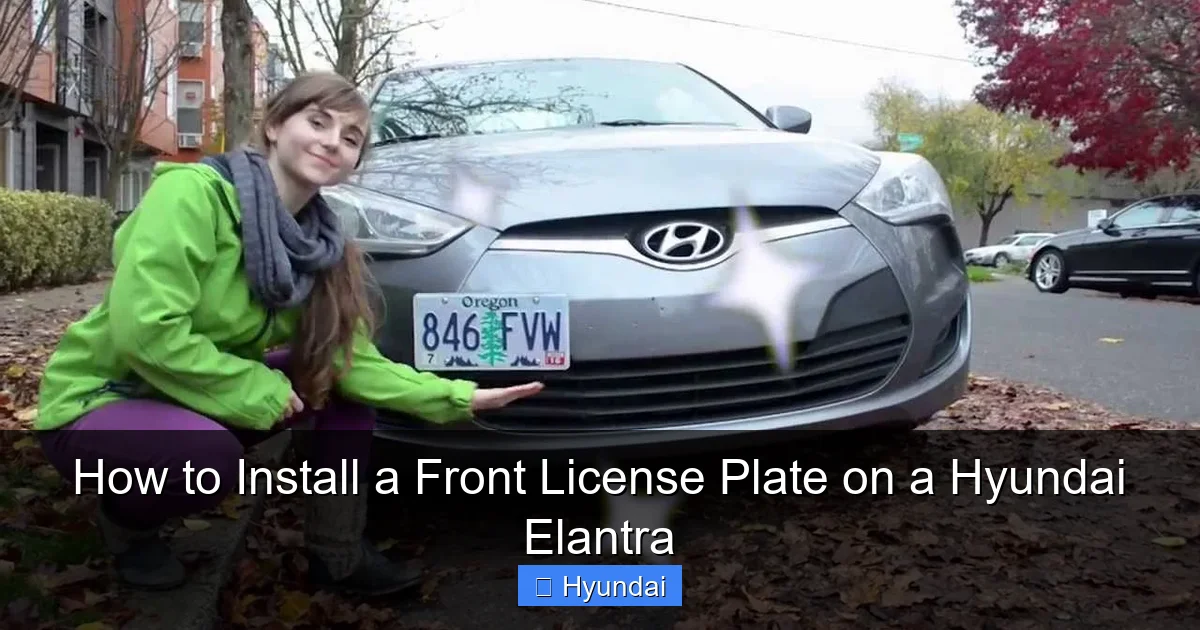
Visual guide about How to Install a Front License Plate on a Hyundai Elantra
Image source: i.ytimg.com
The Essential Toolkit
- Phillips Head Screwdriver: This is your primary tool for most Elantras with pre-existing threads. A #2 size is the most common. A ratcheting screwdriver with a magnetic tip can make this much easier.
- Socket Wrench Set (Optional but Helpful): Some models use hex head bolts instead of Phillips screws. A 7mm or 8mm socket is a common size. A ratchet will give you more torque and control.
- Drill and Drill Bits (For No-Drill Models): If your bumper lacks mounting points, you’ll need a power drill. Use a center punch or nail and hammer to create a starting divot to prevent the drill bit from wandering. Start with a small 1/16-inch bit to create a pilot hole, then step up to the final size (usually 1/4-inch or the size specified by your plate bracket). A countersink bit is also useful to create a shallow recess so the screw head sits flush or slightly below the bumper surface.
- Masking Tape: Apply a few layers over the area where you’ll drill. This helps prevent the plastic from chipping or cracking when the drill bit exits the back side.
- Measuring Tape and Pencil: For ensuring your holes are level and properly spaced. The standard license plate hole spacing is 7 inches (180mm) on center in the US.
- Level (Small): A small torpedo level is perfect for checking that your bracket and final plate are perfectly horizontal.
- Trim Removal Tools (Plastic Pry Tools): These are safer than screwdrivers for prying off any plastic grille inserts or covers to access mounting points without scratching paint.
Parts You’ll Need
- License Plate Bracket: This is the metal or heavy-duty plastic piece that attaches to your bumper and provides the threaded holes for your plate screws. Hyundai often includes one in the glove box of new cars. If yours is missing, you can purchase an OEM (Original Equipment Manufacturer) bracket from a Hyundai dealer or a high-quality universal bracket from an auto parts store. Ensure it matches your Elantra’s year and grille style.
- License Plate Screws: These are usually provided with the bracket or the plate itself. They should be the correct length—long enough to bite into the bumper’s reinforcement but not so long that they poke through and hit something behind it. Stainless steel screws are best to prevent rust.
- License Plate: Obviously! Ensure you have your new plate from the DMV.
- Optional: Automotive Adhesive or Foam Tape: A strip of strong foam tape (like 3M VHB) applied to the back of the bracket can eliminate any potential rattling or vibration noise.
Now, let’s say you’ve identified a potential mounting point but it’s behind a plastic grille insert. Carefully pry that piece off using your trim tools. It’s usually clipped in place. Work slowly around the edges to avoid breaking the plastic clips. Once removed, you should see the mounting area clearly.
Step-by-Step Installation Process
With your tools gathered and your work area clear (pop the hood and maybe place a blanket over the front to protect the paint), it’s time for the main event. We’ll break this down into clear, sequential steps.

Visual guide about How to Install a Front License Plate on a Hyundai Elantra
Image source: thecarhow.com
Step 1: Locate and Prepare the Mounting Area
This step varies drastically based on your model year. For 2017+ models, peer behind the lower grille. You’re looking for two small, round, reinforced holes or black plastic caps covering them. They are typically about 7 inches apart. Use your trim tools to gently pry off any plastic caps. For pre-2017 models, you’ll need to mark and drill your own holes. Use your measuring tape to find the center point on the lower bumper, roughly 2-4 inches above the bottom edge and centered left-to-right. Mark the two hole locations with your pencil, ensuring they are perfectly level and spaced correctly for your bracket. Apply your masking tape over these marks—this is a critical step for clean drilling.
Step 2: Drill Pilot Holes (If Necessary)
If you’re drilling new holes, this is the moment of truth. Put on your safety glasses. Using your center punch and hammer, create a deep dent right on your pencil mark through the tape. This prevents the drill bit from “walking.” Start with your smallest drill bit (1/16-inch) and drill straight, perpendicular to the bumper surface, through the tape and into the plastic. Go slowly to avoid melting the plastic. Once the pilot hole is through, remove the bit and insert the next size up. Continue stepping up until you reach your final drill bit size. The final hole should be just large enough for your bracket’s screws to pass through easily. If your bracket screws are meant to thread directly into the bumper’s plastic, the hole size should match the screw’s minor diameter (the solid part, not the threads). If the bracket has its own nuts, the hole only needs to be large enough for the screw shaft. Pro Tip: Drill from the front side so any potential chipping happens on the visible side, where you can later cover it with the bracket. The back side is hidden.
Step 3: Install the Mounting Bracket
Take your license plate bracket. Align its holes with the holes you’ve either found or drilled. From the front side, insert your screws through the bracket and into the bumper. Hand-tighten them initially to get the threads started. Do not cross-thread! If it feels tight, back the screw out and try again. Once both screws are started, use your screwdriver or socket wrench to tighten them firmly. The key is “firmly,” not “overtightened.” The plastic bumper material is not as strong as metal. Overtightening will strip the threads or, worse, crack the bumper. Tighten until the bracket is snug and does not wiggle, then give it one-half to one more quarter turn. If your bracket came with rubber or plastic washers, use them. They act as a cushion and help distribute pressure. If you’re using adhesive tape, apply it to the back of the bracket now, then press the bracket onto the bumper and secure with screws. The tape will absorb any minor vibrations.
Step 4: Attach the License Plate
This is the easy part. Hold your license plate up to the bracket. Most standard US plates have two slots at the top. Align these slots with the corresponding holes or studs on your bracket. Insert the screws through the plate and into the bracket. Again, start them by hand to avoid cross-threading. Tighten them securely with your screwdriver. Use a small level to ensure the plate is perfectly horizontal before making the final tightening adjustment. A crooked plate looks sloppy and can sometimes interfere with radar sensors if mounted too high or low.
Step 5: Final Inspection and Clean-Up
Step back and admire your work. The plate should be flush against the bracket with no gaps. Give it a gentle wiggle; there should be no movement. Re-check your screw tightness one last time. If you removed any grille inserts or plastic covers, snap them back into place. Wipe away any fingerprints or dust from the bumper and plate with a soft microfiber cloth. Pop the hood and do a quick visual check from inside the engine bay to ensure no wires are pinched and no tools are left behind.
Troubleshooting Common Installation Issues
Even with the best preparation, a few hiccups can happen. Here’s how to solve them without panic.

Visual guide about How to Install a Front License Plate on a Hyundai Elantra
Image source: cdn11.bigcommerce.com
Problem: The Screws Won’t Tighten / Stripped Holes
This is the most common issue, especially on older Elantras with brittle plastic. If the screw just spins and won’t bite, you’ve likely stripped the threads. The fix is to use a plastic anchor or insert. These are small, ribbed plastic sleeves you tap into the hole first. The screw then bites into the anchor, providing a strong, new thread. You can find these at any auto parts store. For a temporary fix, you can stuff a small piece of a wooden toothpick or a rolled-up piece of paper into the hole, break it off flush, and then screw into that. However, anchors are the permanent, reliable solution.
Problem: The Plate is Crooked
First, loosen the screws slightly. Place your level on the top edge of the plate. Gently nudge the plate into a level position. While holding it, retighten the screws. If the bracket itself is crooked (which can happen if you drilled holes that weren’t perfectly aligned), you may need to slightly enlarge one of the bumper holes to allow for a tiny adjustment. Do this very carefully with a slightly larger drill bit.
Problem: Rattling or Vibration Noise
A slight hum from the plate at certain speeds is annoying. The cause is usually the bracket not sitting perfectly flush against the bumper or the plate not being tight against the bracket. First, ensure all screws are tight. If that doesn’t work, remove the bracket. Clean the contact surfaces on the bumper and the back of the bracket with rubbing alcohol to remove any wax or dirt. Apply a thin strip of foam weatherstripping tape or VHB tape to the back of the bracket, then reinstall. The tape will fill any microscopic gaps and deaden vibrations.
Problem: I Hit a Sensor or Wire!
Stop immediately. Do not tighten the screw all the way. Back the screw out carefully. If you see a wire or small component, you have a problem. Your best course of action is to consult a professional. You may need to seal the hole you created and relocate the bracket a few millimeters to avoid the component. Attempting to splice a cut sensor wire is complex and often requires specialized tools and recalibration, which is beyond a typical DIY job.
Final Checks, Maintenance, and Considerations
The plate is on, but the job isn’t fully done until you’ve completed these final steps.
Safety and Sensor Verification
After installation, start your Elantra and let it run for a minute. Check your dashboard for any new warning lights. A yellow or red icon for “Front Camera Obstructed,” “Parking Sensor Fault,” or “ADAS Error” means you’ve likely interfered with a system. If this happens, turn off the car, inspect your installation again, and adjust. Sometimes simply moving the plate bracket a quarter-inch up or down resolves the issue. If the light persists, the sensor may need to be cleaned or, in rare cases, professionally recalibrated. For more on Hyundai’s advanced safety systems and potential obstructions, you might research how these systems function, similar to understanding how to address front radar obstruction warnings on other vehicles, as the principle of keeping the front fascia clear is universal.
Legal and Aesthetic Touches
Double-check your local Department of Motor Vehicles (DMV) or police department website for specific regulations. Some states require the plate to be illuminated at night (your Elantra’s factory plate light should handle this) or have specific mounting height requirements. Aesthetically, ensure the plate frame (if you use one) doesn’t cover any state-issued stickers or validation tabs. Use stainless steel screws to prevent rust stains on your plate or bumper. Finally, give the entire front end a wash and wax. A clean bumper makes the plate look integrated and intentional.
When to Consider Professional Help
While this is a DIY-friendly job, there are scenarios where calling a pro is smarter. If your Elantra is a brand-new vehicle and you’re uncomfortable drilling into the pristine bumper, a dealership or body shop can do it perfectly for a small fee. If you discover a complex web of sensors and wiring directly where the plate needs to go, a professional can sometimes fabricate a custom bracket or find an alternative mounting location. Additionally, if your car is under warranty and you drill incorrectly, you could potentially void coverage for that bumper component. When in doubt, a 30-minute appointment at a body shop is cheap insurance against a costly mistake.
Frequently Asked Questions
Do all Hyundai Elantras require a front license plate?
No, it depends on your state or country’s laws. Some states only require a rear plate, while most require both front and rear. Always check your local DMV regulations to avoid tickets.
What if my Hyundai Elantra doesn’t have pre-drilled holes in the bumper?
For older models without factory provisions, you will need to carefully drill your own holes. Use a center punch to start, drill pilot holes, and step up to the final size. Always tape the drilling area to prevent plastic chipping and double-check for sensors behind the bumper first.
Can I use double-sided adhesive instead of screws to mount the plate?
While heavy-duty automotive tape (like 3M VHB) can hold a plate, it’s not recommended as a sole method for permanent installation. Screws provide a secure, legal, and vibration-free attachment. Tape can fail in extreme temperatures or under high-speed vibration.
How tight should the license plate screws be?
Tighten them firmly until the bracket is snug and does not wiggle, then give only a slight additional turn (¼ to ½). Overtightening will strip the plastic threads or crack the bumper, leading to a loose plate later.
My car has a parking sensor in the lower bumper. Can I still install a plate?
Yes, but you must ensure the plate bracket does not cover or block the sensor’s face. The sensor usually has a specific “field of view.” Mount the plate bracket so it sits entirely below or beside the sensor’s active area. Consult your owner’s manual for the exact sensor location.
After installing the plate, a warning light came on about a blocked camera. What do I do?
Loosen the plate and move it slightly—often just a few millimeters up or down—to clear the camera’s line of sight. Clean the camera lens (usually behind the rearview mirror) with a soft cloth. If the light persists, the sensor may need professional recalibration.


