

How to Fix Key Id Incorrect on Nissan Altima

Contents
- 1 Key Takeaways
- 2 📑 Table of Contents
- 3 What Does “Key ID Incorrect” Mean on a Nissan Altima?
- 4 Common Causes of the Key ID Incorrect Error
- 5 Step-by-Step Fixes for Key ID Incorrect on Nissan Altima
- 6 When to Visit a Nissan Dealer or Locksmith
- 7 Preventing Future Key ID Issues
- 8 Final Thoughts
- 9 Frequently Asked Questions


Getting a “Key ID Incorrect” message on your Nissan Altima can be frustrating, but it’s often fixable at home. This guide walks you through common causes, DIY fixes, and when to seek professional help—so you can get back on the road quickly and safely.
Key Takeaways
- Understand the cause: The “Key ID Incorrect” error usually stems from a faulty key fob, low battery, or communication issues between the key and the vehicle’s immobilizer system.
- Try a key reset: Turning the ignition on and off several times can sometimes reset the system and clear the error.
- Check the key fob battery: A weak or dead battery in your key fob is one of the most common reasons for this error—replace it promptly.
- Use the spare key: If you have a second key, try using it to determine if the issue is with the key or the car’s system.
- Reprogram the key fob: In some cases, the key may need to be reprogrammed using a diagnostic tool or by following a manual procedure.
- Visit a dealer or locksmith: If DIY methods fail, a certified Nissan technician or automotive locksmith can reprogram or replace the key.
- Prevent future issues: Keep your key fob clean, avoid extreme temperatures, and replace the battery regularly to avoid repeat problems.
📑 Table of Contents
What Does “Key ID Incorrect” Mean on a Nissan Altima?
If you’ve ever turned the key in your Nissan Altima and seen a message like “Key ID Incorrect” flash on the dashboard, you’re not alone. This warning typically appears when the vehicle’s immobilizer system doesn’t recognize the key you’re trying to use. The immobilizer is a security feature designed to prevent unauthorized starting of the vehicle. It works by communicating with a microchip embedded in your key fob. If that communication fails, the car won’t start—even if the key turns in the ignition.
This issue can happen suddenly, often without warning. You might be heading out for work, running errands, or picking up the kids when your Altima suddenly refuses to start. The good news? In most cases, it’s not a major mechanical failure. Instead, it’s usually a simple electronic glitch that can be resolved with a few troubleshooting steps.
The Nissan Altima, especially models from 2007 onward, uses a sophisticated keyless entry and ignition system. This system relies on radio frequency identification (RFID) technology to verify the key. When the car doesn’t recognize the key’s unique ID, it blocks the engine from starting as a security measure. While this keeps your car safe from theft, it can also lock you out—even if you’re the rightful owner.
Common Symptoms of Key ID Incorrect Errors
Before diving into fixes, it’s helpful to recognize the signs of a key ID issue. The most obvious is the “Key ID Incorrect” message on the dashboard. But there are other clues too. Your car might not start at all, or it may crank but not turn over. The security light (often labeled “SEC” or “Immobilizer”) may stay illuminated or blink repeatedly. In some cases, the key fob buttons—like lock, unlock, or trunk release—may stop working.
Another telltale sign is inconsistency. You might be able to start the car one day, but not the next. This intermittent behavior often points to a weak key fob battery or a loose connection in the ignition system. If you notice these symptoms, don’t panic. Most of the time, the problem is fixable without a costly trip to the dealership.
Common Causes of the Key ID Incorrect Error

Visual guide about How to Fix Key Id Incorrect on Nissan Altima
Image source: topicmotor.com
Understanding why your Nissan Altima is showing a “Key ID Incorrect” message is the first step toward fixing it. While the immobilizer system is designed to protect your vehicle, it can sometimes malfunction due to everyday wear and tear or environmental factors. Here are the most common culprits:
1. Weak or Dead Key Fob Battery
One of the leading causes of key ID errors is a low battery in your key fob. The microchip inside the key needs power to transmit its unique signal to the car. When the battery is weak, the signal may be too weak to register, causing the immobilizer to reject the key. This is especially common in older keys or those used frequently.
You might notice other signs of a dying battery, such as reduced range when using the remote or buttons that don’t respond consistently. Replacing the battery is inexpensive and easy—most Nissan Altima key fobs use a CR2032 coin cell battery, which costs just a few dollars and can be found at any hardware or electronics store.
2. Damaged or Worn Key Fob
Over time, key fobs can get damaged from drops, water exposure, or general wear. Even small cracks or moisture inside the fob can interfere with the chip’s ability to communicate with the car. If your key has taken a hard fall or been exposed to rain or humidity, it may no longer function properly.
In some cases, the internal circuitry can become corroded or the antenna damaged, preventing the signal from being sent. If the fob looks physically damaged, it may need to be replaced or professionally repaired.
3. Faulty Ignition Switch or Antenna Ring
The ignition switch in your Altima contains an antenna ring that reads the key’s chip when you insert it. If this ring is damaged, dirty, or misaligned, it may not detect the key properly. This can happen due to wear over time or if debris gets inside the ignition cylinder.
A faulty antenna ring won’t always trigger a warning light, but it can cause intermittent starting issues. If you’ve ruled out the key and battery, the ignition system itself may be the problem.
4. Software or System Glitches
Like any modern vehicle, the Nissan Altima relies on software to manage its security systems. Occasionally, a software glitch can cause the immobilizer to misread the key ID. This might happen after a battery disconnect, a software update, or even a power surge.
These glitches are usually temporary and can often be resolved by resetting the system. However, in rare cases, a software update from Nissan may be required to fix the issue.
5. Using an Unprogrammed or Incorrect Key
If you’ve recently purchased a used Altima or had a new key made, the key may not be properly programmed to your vehicle. Even if the key fits in the ignition, it won’t start the car unless it’s been synced with the immobilizer system.
This is a common issue when buying aftermarket keys or getting duplicates from a general hardware store. Only keys programmed by a Nissan dealer or certified locksmith will work with the immobilizer.
Step-by-Step Fixes for Key ID Incorrect on Nissan Altima
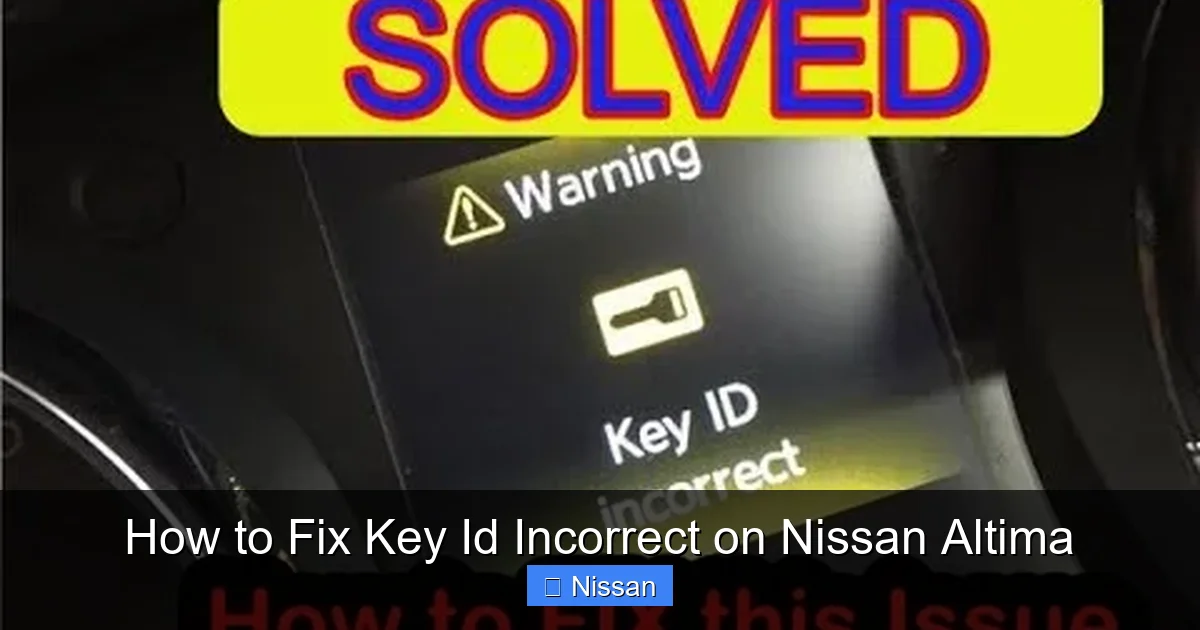
Visual guide about How to Fix Key Id Incorrect on Nissan Altima
Image source: autoowa.com
Now that you know what might be causing the problem, let’s look at practical solutions. Most of these fixes can be done at home with minimal tools. Always start with the simplest steps before moving on to more complex ones.
Step 1: Try the Spare Key
If you have a second key, try using it to start the car. This will help you determine whether the issue is with the key or the vehicle’s system. If the spare key works, the problem is likely with the original key fob—possibly a dead battery or damaged chip.
If neither key works, the issue may be with the car’s immobilizer, ignition system, or a deeper electrical problem. In that case, you’ll need to move on to other troubleshooting steps.
Step 2: Replace the Key Fob Battery
Replacing the battery in your key fob is one of the easiest and most effective fixes. Here’s how to do it:
1. Locate the small seam on the side of the key fob. Use a flathead screwdriver or a coin to gently pry it open.
2. Remove the old battery. Note its orientation—most Nissan key fobs use a CR2032 battery.
3. Insert the new battery with the positive side facing up.
4. Snap the fob back together and test it.
After replacing the battery, try starting the car again. If the “Key ID Incorrect” message disappears, you’ve solved the problem. If not, proceed to the next step.
Step 3: Perform a Key Reset (Ignition Cycle)
Sometimes, the immobilizer system just needs a reset. This can be done by cycling the ignition several times. Here’s the procedure:
1. Insert the key into the ignition.
2. Turn it to the “ON” position (but don’t start the engine). Wait about 10 seconds.
3. Turn it back to “OFF.”
4. Repeat this cycle 3 to 5 times.
5. On the final cycle, leave the key in the “ON” position for about 30 seconds.
6. Turn it to “OFF” and try starting the car.
This process can reset the communication between the key and the immobilizer. It’s a simple trick that often works, especially if the error appeared suddenly.
Step 4: Clean the Key and Ignition
Dirt, dust, or grime can interfere with the key’s ability to communicate with the ignition antenna. Clean both the key and the ignition cylinder with a soft cloth. Avoid using water or cleaning solutions inside the ignition—moisture can cause electrical issues.
You can use a can of compressed air to blow out any debris from the ignition slot. Make sure the key is dry and free of residue before inserting it again.
Step 5: Reprogram the Key Fob
If the key still isn’t recognized, it may need to be reprogrammed. Unfortunately, Nissan does not provide a manual programming procedure for most Altima models. This means you’ll likely need a diagnostic tool or professional assistance.
However, some older models (pre-2013) may allow a basic reset using the following method:
1. Sit in the driver’s seat with all doors closed.
2. Insert the key and turn to “ON” (do not start).
3. Press and hold the “Lock” button on the key fob for 5 seconds.
4. Turn the key to “OFF” and remove it.
5. Wait 10 seconds, then try starting the car.
This method doesn’t always work, but it’s worth a try. For newer models, you’ll need an OBD2 scanner with immobilizer programming capability or a visit to a Nissan dealer.
Step 6: Check for Fault Codes
If none of the above steps work, it’s time to check for diagnostic trouble codes (DTCs). Use an OBD2 scanner to read any stored codes related to the immobilizer system. Common codes include:
– B2100: Key ID incorrect
– B2101: Key communication error
– B2103: Immobilizer antenna malfunction
These codes can help pinpoint the exact issue. If you’re not comfortable using a scanner, a mechanic or dealership can do this for you.
When to Visit a Nissan Dealer or Locksmith
Visual guide about How to Fix Key Id Incorrect on Nissan Altima
Image source: thecarkeyman.co.uk
While many key ID issues can be resolved at home, some problems require professional help. Here’s when you should consider visiting a Nissan dealer or certified automotive locksmith:
If the Key Is Physically Damaged
If your key fob is cracked, water-damaged, or the buttons are unresponsive, it may need to be replaced. Dealers can provide OEM keys that are pre-programmed to your vehicle. Locksmiths with automotive experience can also cut and program new keys, often at a lower cost.
If Reprogramming Is Required
As mentioned earlier, most modern Nissan Altimas require specialized tools to reprogram keys. Dealers have access to Nissan’s proprietary software (like Consult-III) and can sync new keys quickly. Some locksmiths also offer this service, especially for common models.
If the Immobilizer System Is Faulty
In rare cases, the immobilizer control module itself may be defective. This is a more serious issue that requires professional diagnosis and repair. Symptoms include persistent error messages, no communication with any key, or electrical faults in the dashboard.
A dealer can run a full system diagnostic and replace faulty components if needed. This is typically covered under warranty if your Altima is still within the coverage period.
If You’ve Lost All Keys
Losing all your keys is a worst-case scenario. In this case, the vehicle’s immobilizer system must be reset, and new keys programmed from scratch. This process usually requires the vehicle’s VIN and proof of ownership. Only a dealer or licensed locksmith can perform this service.
Preventing Future Key ID Issues
Once you’ve fixed the problem, it’s important to take steps to prevent it from happening again. Here are some tips to keep your key and immobilizer system in good working order:
Replace the Key Fob Battery Regularly
Don’t wait until the battery dies. Replace it every 1–2 years, or sooner if you notice reduced range or inconsistent button response. Keep a spare battery in your glove box for emergencies.
Protect Your Key from Damage
Avoid dropping your key or exposing it to water, extreme heat, or cold. Consider using a protective case or key cover to shield it from wear.
Keep the Ignition Clean
Periodically clean the ignition cylinder with compressed air to remove dust and debris. Avoid using lubricants unless recommended by a technician.
Use Only Programmed Keys
If you need a spare key, have it programmed by a professional. Avoid cheap aftermarket keys that may not work with your immobilizer.
Store Keys Away from Electronics
Keep your keys away from smartphones, tablets, and other electronic devices. Strong electromagnetic fields can interfere with the chip’s signal.
Final Thoughts
Dealing with a “Key ID Incorrect” error on your Nissan Altima can be stressful, but it’s rarely a sign of a serious problem. In most cases, the issue stems from a weak battery, a dirty ignition, or a simple system glitch—all of which can be fixed with a little patience and the right approach.
Start with the basics: try the spare key, replace the battery, and reset the system. If those don’t work, consider reprogramming or seeking professional help. With the right steps, you’ll be back on the road in no time.
Remember, your Altima’s immobilizer system is there to protect you. While it can be inconvenient when it malfunctions, it’s a crucial part of your vehicle’s security. By understanding how it works and how to maintain it, you can avoid future headaches and enjoy peace of mind every time you turn the key.
Frequently Asked Questions
Why does my Nissan Altima say “Key ID Incorrect”?
This message appears when the car’s immobilizer system doesn’t recognize the key’s microchip. It’s usually due to a weak battery, damaged key, or communication failure between the key and the vehicle.
Can I fix a “Key ID Incorrect” error myself?
Yes, in many cases. Start by replacing the key fob battery, trying the spare key, or performing an ignition reset. If those don’t work, you may need professional help.
How much does it cost to reprogram a Nissan Altima key?
Costs vary, but dealerships typically charge $100–$250 for key programming. Certified locksmiths may offer the same service for less, often between $75 and $150.
Will a new key fob work without programming?
No. Even if the key fits in the ignition, it must be programmed to communicate with your Altima’s immobilizer system. Unprogrammed keys will trigger a “Key ID Incorrect” error.
Can a dead car battery cause a key ID error?
Yes. A very low car battery can affect the immobilizer system’s ability to read the key. Jump-starting the car or replacing the battery may resolve the issue.
How often should I replace my key fob battery?
Replace the battery every 1–2 years, or sooner if you notice reduced range or unresponsive buttons. Most Nissan key fobs use a CR2032 battery.



