
How to Fix Electronic Throttle Control Issues on a Dodge Charger

Contents
- 1 Key Takeaways
- 2 📑 Table of Contents
- 3 Understanding the Electronic Throttle Control System in Your Dodge Charger
- 4 Common Symptoms of Electronic Throttle Control Issues
- 5 Diagnosing the Problem: Tools and Techniques
- 6 Step-by-Step Guide to Cleaning the Throttle Body
- 7 Replacing Faulty Sensors and Components
- 8 Preventing Future Electronic Throttle Control Issues
- 9 Conclusion: Taking Control of Your Charger’s Performance
- 10 Frequently Asked Questions


Electronic throttle control problems in your Dodge Charger can cause poor acceleration, stalling, or warning lights. This guide walks you through diagnosing, cleaning, and repairing common issues to restore smooth performance and safety.
Key Takeaways
- Common symptoms include hesitation, rough idle, and the “Check Engine” or “Electronic Throttle Control” warning light. These signs often point to a dirty throttle body or faulty sensor.
- Cleaning the throttle body is a simple and effective first step. Use a throttle body cleaner and soft brush to remove carbon buildup without damaging sensitive components.
- A faulty throttle position sensor (TPS) can mimic other issues. Test it with a multimeter and replace if readings are inconsistent.
- Software glitches may require a throttle body relearn procedure. This resets the ECU and helps it recognize the throttle’s new position after cleaning or replacement.
- Always disconnect the battery before working on electrical components. This prevents short circuits and protects the vehicle’s computer system.
- Persistent problems may indicate a failing pedal position sensor or wiring issue. Inspect connectors and harnesses for corrosion or damage.
- Regular maintenance helps prevent future throttle control issues. Clean the throttle body every 30,000–50,000 miles and use quality fuel.
📑 Table of Contents
- Understanding the Electronic Throttle Control System in Your Dodge Charger
- Common Symptoms of Electronic Throttle Control Issues
- Diagnosing the Problem: Tools and Techniques
- Step-by-Step Guide to Cleaning the Throttle Body
- Replacing Faulty Sensors and Components
- Preventing Future Electronic Throttle Control Issues
- Conclusion: Taking Control of Your Charger’s Performance
Understanding the Electronic Throttle Control System in Your Dodge Charger
If you own a Dodge Charger—especially a model from 2006 onward—you’re driving a car equipped with an advanced electronic throttle control (ETC) system, also known as “drive-by-wire.” Unlike older vehicles that used a physical cable to connect the gas pedal to the throttle body, modern Chargers rely on sensors and electronic signals to manage engine power. While this system improves fuel efficiency, emissions, and responsiveness, it also introduces new potential failure points.
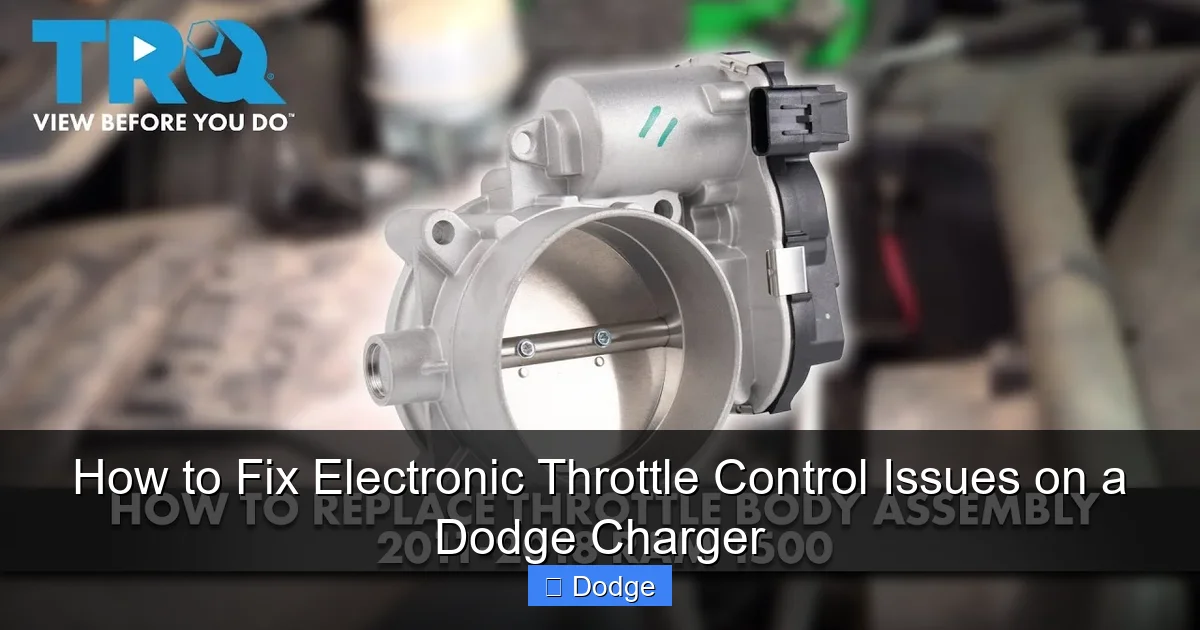
The ETC system includes several key components: the accelerator pedal position sensor (APPS), the throttle body with its built-in throttle position sensor (TPS), and the engine control unit (ECU). When you press the gas pedal, the APPS sends a signal to the ECU, which then commands the electric motor on the throttle body to open the throttle plate to the correct angle. This entire process happens in milliseconds, allowing for precise control over engine output.
Because there’s no mechanical link between your foot and the throttle, any malfunction in this chain—whether it’s a dirty throttle body, a bad sensor, or a software glitch—can lead to noticeable driving issues. That’s why understanding how the system works is the first step in diagnosing and fixing problems effectively.
Why the Electronic Throttle Control Matters
The ETC system isn’t just about performance—it’s also tied to your Charger’s safety and emissions systems. For example, if the ECU detects an inconsistency between the pedal input and throttle response, it may trigger a “limp mode” to protect the engine. This limits power and speed, forcing you to drive slowly until the issue is resolved.
Additionally, the system plays a role in features like traction control, cruise control, and even automatic transmission shifting. A malfunctioning throttle can disrupt these systems, leading to erratic behavior or reduced functionality. That’s why ignoring warning signs can lead to bigger, more expensive problems down the road.
Common Symptoms of Electronic Throttle Control Issues
Visual guide about How to Fix Electronic Throttle Control Issues on a Dodge Charger
Image source: dashboardwarning.com
Recognizing the early warning signs of ETC problems can save you time, money, and stress. While some symptoms may seem minor at first, they often escalate if left unaddressed. Here are the most common indicators that your Dodge Charger’s electronic throttle control system needs attention.
One of the most obvious signs is hesitation or lag when you press the accelerator. You might notice that the car doesn’t respond immediately—especially from a stop or during quick acceleration. This “throttle lag” is often caused by a dirty throttle body or a misaligned throttle plate.
Another frequent symptom is rough idling. If your Charger shakes, stumbles, or even stalls when you’re stopped at a red light, it could be due to inconsistent airflow through the throttle body. Carbon buildup can restrict the throttle plate’s movement, making it hard for the engine to maintain a steady idle.
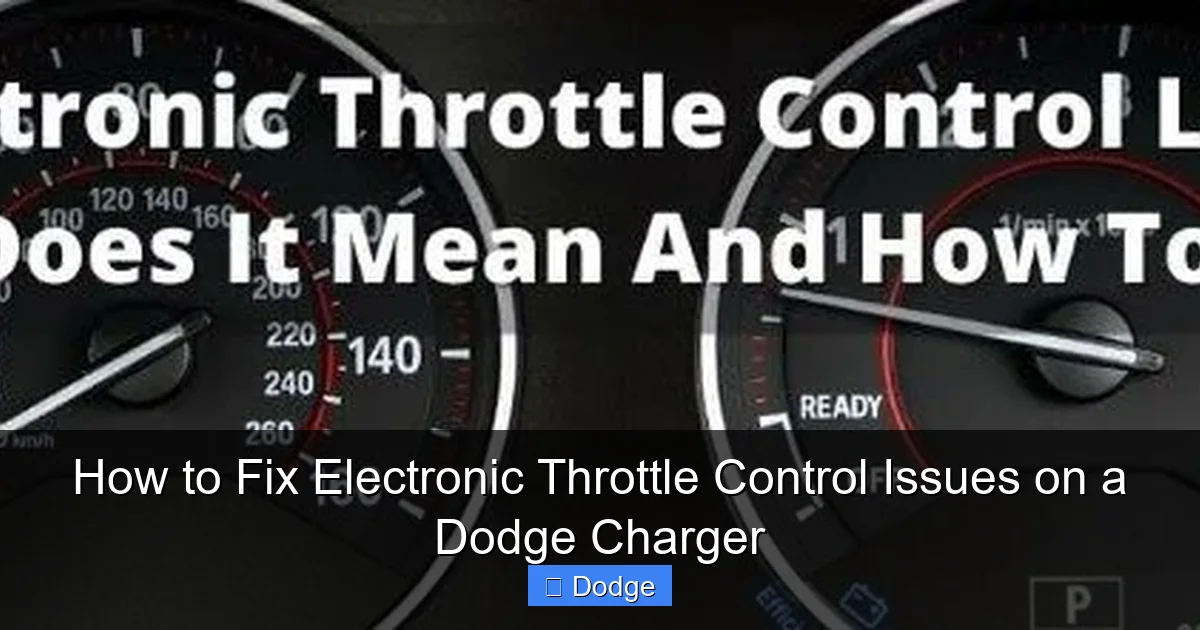
The “Check Engine” light is another red flag. While this light can indicate dozens of issues, when paired with throttle-related symptoms, it’s often linked to the ETC system. You might also see a specific “Electronic Throttle Control” warning light on your dashboard—a clear sign that the ECU has detected a fault.
In more severe cases, the vehicle may enter limp mode. This safety feature restricts engine power to prevent damage, limiting your speed to around 30–40 mph. If this happens, it’s important to pull over safely and diagnose the issue as soon as possible.
Other symptoms include reduced fuel efficiency, difficulty starting the engine, or unexpected surges in power. Some drivers also report a “sticky” feeling when pressing the gas pedal, as if it’s not returning smoothly to its resting position.
Real-World Example: Throttle Lag After Cold Start
Imagine you’re heading to work on a chilly morning. You start your Charger, let it warm up for a minute, and then pull out of the driveway. But when you press the gas, the car hesitates—almost like it’s thinking about it. You press harder, and suddenly the engine revs up, causing a jerky acceleration.
This scenario is common with carbon buildup on the throttle plate. Over time, fuel deposits and oil vapors accumulate around the edges of the throttle body, restricting airflow. When the plate tries to open, it gets stuck or moves unevenly, causing the delay in response. Cleaning the throttle body often resolves this issue completely.
Diagnosing the Problem: Tools and Techniques
Visual guide about How to Fix Electronic Throttle Control Issues on a Dodge Charger
Image source: i.ytimg.com
Before jumping into repairs, it’s essential to properly diagnose the issue. Misdiagnosis can lead to unnecessary part replacements or overlooked problems. Fortunately, diagnosing ETC issues on a Dodge Charger is straightforward with the right tools and approach.
The first step is to check for diagnostic trouble codes (DTCs) using an OBD2 scanner. Plug the scanner into the port—usually located under the dashboard near the steering column—and turn the ignition to the “ON” position (without starting the engine). The scanner will read any stored codes, such as P0121 (Throttle Position Sensor/Switch A Circuit Range/Performance) or P2135 (Throttle/Pedal Position Sensor/Switch D/E Voltage Correlation).
These codes can point you directly to the faulty component. For example, a P0121 code often indicates a problem with the throttle position sensor, while a P2135 suggests a mismatch between the pedal and throttle sensors.
If no codes are present, or if the symptoms persist after clearing them, you’ll need to perform a visual and functional inspection. Start by examining the throttle body for visible carbon buildup. Remove the air intake duct and look inside the throttle bore. If you see a thick, black crust around the edges, cleaning is likely needed.
Next, inspect the wiring and connectors. Look for loose, corroded, or damaged wires leading to the throttle body and pedal sensors. Even a slightly loose connection can cause erratic signals and trigger warning lights.
Using a Multimeter to Test Sensors
For a more precise diagnosis, use a digital multimeter to test the throttle position sensor and accelerator pedal position sensor. These sensors output a voltage signal that changes as the throttle or pedal moves. A healthy TPS should show a smooth increase in voltage from around 0.5V (closed) to 4.5V (fully open) when you manually rotate the throttle plate.
To test the TPS:
1. Disconnect the electrical connector from the throttle body.
2. Set your multimeter to measure DC voltage.
3. Back-probe the signal and ground wires (refer to your Charger’s service manual for pinout details).
4. Slowly open the throttle and watch the voltage reading. It should rise steadily without drops or spikes.
If the voltage jumps or stays flat, the sensor is likely faulty and needs replacement.
Similarly, test the accelerator pedal sensor by checking the voltage at the pedal connector while pressing and releasing the gas pedal. Again, look for a smooth, consistent change in voltage.
Performing a Throttle Body Relearn Procedure
Sometimes, even after cleaning or replacing the throttle body, the ECU doesn’t recognize the new position. This can cause idle issues or poor throttle response. In such cases, a throttle body relearn procedure is necessary.
This process resets the ECU’s memory of the throttle’s minimum and maximum positions. On most Dodge Chargers, you can perform this manually:
1. Turn the ignition to “ON” (do not start the engine).
2. Wait 30 seconds.
3. Turn the ignition back to “OFF.”
4. Wait 30 seconds.
5. Start the engine and let it idle for 5–10 minutes without touching the accelerator.
During this time, the ECU will recalibrate the throttle position. Some models may require a scan tool to complete the procedure, so consult your owner’s manual or a repair guide for specifics.
Step-by-Step Guide to Cleaning the Throttle Body
Visual guide about How to Fix Electronic Throttle Control Issues on a Dodge Charger
Image source: i.ytimg.com
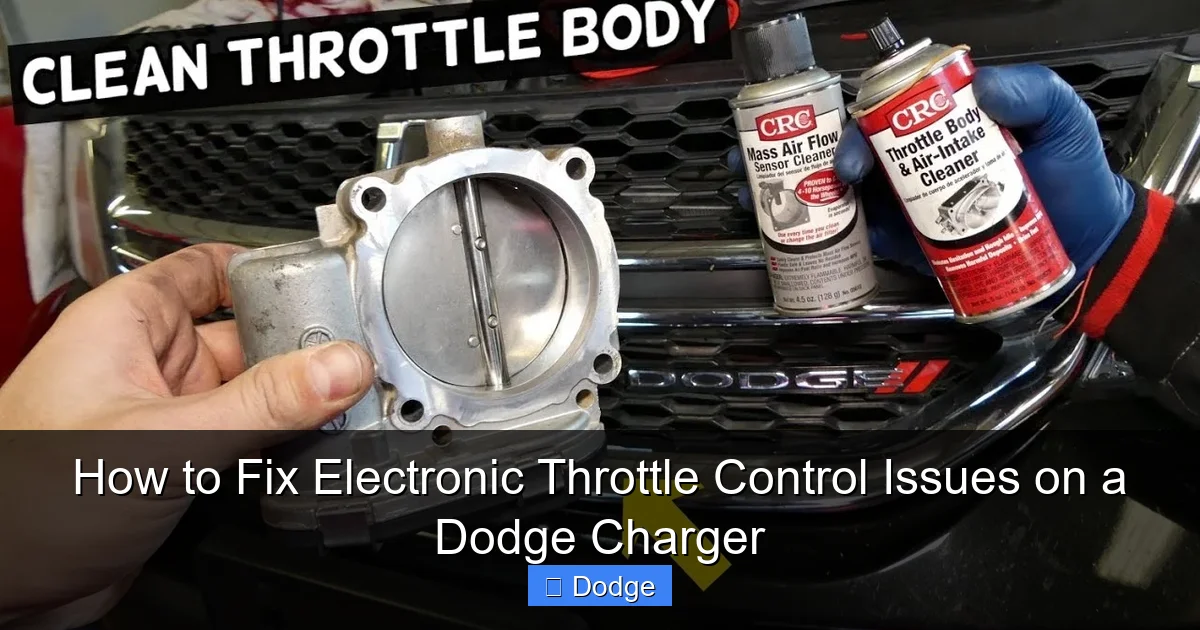
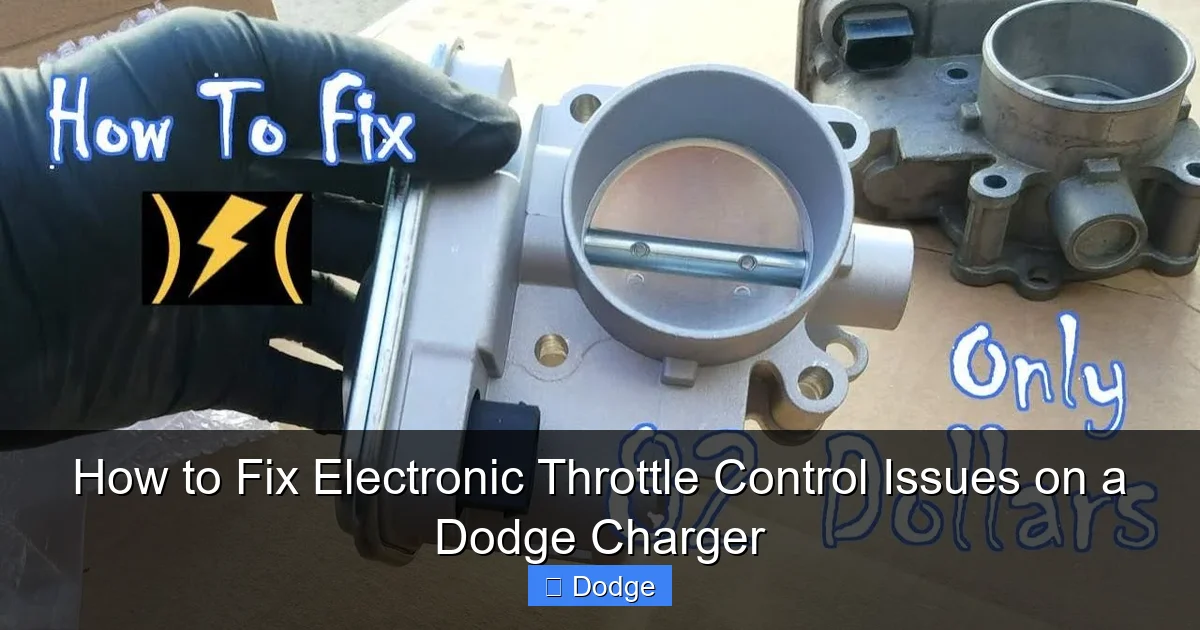
Cleaning the throttle body is one of the most effective and affordable fixes for ETC issues. Over time, carbon deposits build up on the throttle plate and bore, restricting airflow and causing poor engine performance. Fortunately, this is a job most DIYers can handle with basic tools.
Before you begin, gather the following:
– Throttle body cleaner (not carburetor cleaner—it’s too harsh)
– Soft-bristle brush (an old toothbrush works well)
– Clean rags or shop towels
– Safety glasses and gloves
– Screwdrivers or socket set (to remove the air intake duct)
Step 1: Disconnect the Battery
Safety first! Disconnect the negative terminal of the battery to prevent accidental short circuits or ECU damage. Wait at least 10 minutes to ensure all residual power is drained from the system.
Step 2: Remove the Air Intake Duct
Locate the air intake duct that connects the air filter box to the throttle body. Use a screwdriver or socket to loosen the clamps and carefully remove the duct. Be gentle—some plastic clips can break easily.
Step 3: Spray and Scrub the Throttle Body
Spray generous amounts of throttle body cleaner directly onto the throttle plate and the inside of the bore. Focus on the edges where carbon tends to accumulate. Let the cleaner sit for a minute to loosen the deposits.
Use the soft brush to gently scrub the surfaces. Avoid using metal tools or abrasive pads—they can scratch the delicate coating inside the throttle body. Rotate the throttle plate manually (if possible) to clean all sides.
Step 4: Wipe and Reassemble
Use a clean rag to wipe away the loosened carbon and excess cleaner. Repeat the spraying and wiping process until the throttle body looks clean and shiny.
Reattach the air intake duct and tighten the clamps. Reconnect the battery and start the engine. It may run rough at first as the ECU adjusts, but it should smooth out within a few minutes.
Pro Tip: Avoid Forcing the Throttle Plate
Never force the throttle plate open with a screwdriver or other tool. The plate is controlled by a small electric motor, and forcing it can damage the mechanism or strip the gears. Always let the engine or a helper press the gas pedal to open the throttle during cleaning.
Replacing Faulty Sensors and Components
If cleaning doesn’t resolve the issue, one or more sensors may need replacement. The most common culprits are the throttle position sensor (TPS) and the accelerator pedal position sensor (APPS). Both are relatively easy to replace on a Dodge Charger.
Replacing the Throttle Position Sensor
The TPS is typically mounted on the side of the throttle body and secured with two small screws. To replace it:
1. Disconnect the battery.
2. Remove the electrical connector from the TPS.
3. Unscrew the mounting screws and remove the old sensor.
4. Install the new sensor and tighten the screws to the specified torque (usually 5–7 in-lbs).
5. Reconnect the electrical connector and battery.
After replacement, perform a throttle body relearn procedure to ensure proper calibration.
Replacing the Accelerator Pedal Position Sensor
The APPS is located inside the pedal assembly under the dashboard. Access requires removing the lower dash panel or reaching up from below.
1. Disconnect the battery.
2. Locate the pedal sensor and disconnect its electrical connector.
3. Remove the mounting screws and slide out the old sensor.
4. Install the new sensor and secure it.
5. Reconnect the connector and battery.
Some models have a single integrated pedal assembly, so replacing the sensor may require replacing the entire pedal. Check your service manual for details.
When to Consider a New Throttle Body
In rare cases, the throttle body itself may be damaged—such as a worn motor, stripped gears, or internal corrosion. If you’ve cleaned it thoroughly and replaced the TPS but still experience issues, a replacement throttle body may be necessary.
Aftermarket and OEM throttle bodies are available, but be sure to get one compatible with your Charger’s year and engine. Some units come pre-calibrated, while others require programming with a scan tool.
Preventing Future Electronic Throttle Control Issues
An ounce of prevention is worth a pound of cure—especially when it comes to your Charger’s ETC system. Regular maintenance can help you avoid costly repairs and keep your car running smoothly for years to come.
One of the best preventive measures is cleaning the throttle body every 30,000 to 50,000 miles. This simple task takes less than an hour and can prevent carbon buildup from causing performance issues. If you drive in stop-and-go traffic or use lower-quality fuel, consider cleaning it more frequently.
Using high-quality gasoline with added detergents can also help reduce carbon deposits. Top-tier gasolines contain more effective cleaning agents that keep fuel injectors and intake valves cleaner.
Additionally, avoid short trips whenever possible. Frequent cold starts and short drives don’t allow the engine to reach optimal operating temperature, which can lead to increased carbon buildup.
Monitoring for Early Warning Signs
Stay alert to changes in your Charger’s performance. If you notice any hesitation, rough idle, or warning lights, address them promptly. Early intervention can prevent minor issues from becoming major repairs.
Keep an OBD2 scanner handy for quick diagnostics. Even basic models can read and clear codes, giving you valuable insight into your vehicle’s health.
Software Updates and ECU Reflashing
Sometimes, ETC issues are caused by outdated software in the ECU. Dodge occasionally releases technical service bulletins (TSBs) with updates to improve throttle response or fix known bugs. Visit a dealership or use a professional scan tool to check for available updates.
While DIY reflashing is possible with advanced tools, it’s generally safer to have a technician perform this task to avoid bricking the ECU.
Conclusion: Taking Control of Your Charger’s Performance
Electronic throttle control issues in your Dodge Charger don’t have to be a nightmare. With the right knowledge and tools, you can diagnose, clean, and repair most problems yourself. From recognizing symptoms like hesitation and warning lights to performing a thorough throttle body cleaning or sensor replacement, this guide equips you with everything you need to restore smooth, responsive performance.
Remember, the key to avoiding ETC problems is regular maintenance and early intervention. Clean your throttle body, use quality fuel, and don’t ignore warning signs. And when in doubt, consult a professional—especially for complex electrical or software-related issues.
Your Charger is a powerful, high-performance machine. Keeping its electronic throttle control system in top shape ensures you get the most out of every drive—whether you’re cruising down the highway or showing off at a car meet.
Frequently Asked Questions
What causes electronic throttle control issues in a Dodge Charger?
Common causes include carbon buildup on the throttle body, faulty throttle position sensors, damaged wiring, or software glitches in the ECU. These issues disrupt the signal between the gas pedal and throttle, leading to poor performance.
Can I drive my Charger with an electronic throttle control warning light?
It’s not recommended. The warning light indicates a serious issue that could lead to stalling, loss of power, or limp mode. Have the problem diagnosed and repaired as soon as possible to ensure safety.
How often should I clean the throttle body on my Dodge Charger?
Clean the throttle body every 30,000 to 50,000 miles, or sooner if you notice symptoms like rough idle or hesitation. Frequent short trips or low-quality fuel may require more frequent cleaning.
Do I need a scan tool to fix ETC issues?
A basic OBD2 scanner is helpful for reading diagnostic codes, but many fixes—like cleaning the throttle body—can be done without one. However, some procedures, like throttle relearn or ECU updates, may require advanced tools.
Can a bad battery cause electronic throttle control problems?
Yes. A weak or failing battery can cause voltage fluctuations that affect sensor readings and ECU performance. Always ensure your battery and charging system are in good condition.
Is it safe to clean the throttle body myself?
Yes, as long as you use the correct cleaner, avoid forcing the throttle plate, and disconnect the battery first. Follow proper safety procedures to prevent damage to components or injury.


