
How to Check Tire Pressure on Toyota App

Keeping your tires properly inflated is essential for safety, fuel efficiency, and tire longevity. With the Toyota App, checking tire pressure has never been easier—no tools or guesswork required. This guide walks you through every step, from setup to troubleshooting, so you can monitor your tire health anytime, anywhere.
Key Takeaways
- Use the Toyota App to monitor tire pressure in real time: The app connects wirelessly to your vehicle’s Tire Pressure Monitoring System (TPMS) for accurate readings.
- Proper tire pressure improves fuel economy: Underinflated tires can reduce gas mileage by up to 3%, costing you more at the pump.
- Check tire pressure monthly: Tires lose air naturally over time, so regular checks help prevent blowouts and uneven wear.
- The app sends alerts for low pressure: Get instant notifications on your phone if one or more tires drop below the recommended PSI.
- Always check pressure when tires are cold: For the most accurate reading, check tires before driving or after the car has sat for at least 3 hours.
- Reset TPMS after adjusting pressure: Use the app or vehicle controls to reset the system after inflating tires to avoid false warnings.
- Combine app checks with physical inspections: While the app is helpful, visually inspect tires for damage, wear, or embedded objects.
📑 Table of Contents
Why Tire Pressure Matters for Your Toyota
Imagine this: You’re cruising down the highway, enjoying the smooth ride of your Toyota Camry or RAV4. Everything feels normal—until you notice the gas mileage dropping or the steering feeling a little off. Chances are, your tires might be underinflated. It’s a common issue, but one that’s easily avoidable with the right tools and habits.
Tire pressure plays a bigger role in your driving experience than most people realize. Properly inflated tires ensure better handling, shorter braking distances, and improved fuel efficiency. On the flip side, underinflated tires can overheat, wear unevenly, and even lead to dangerous blowouts—especially at high speeds. Overinflated tires aren’t safe either; they reduce traction and make your ride harsher.
That’s where the Toyota App comes in. Designed to make vehicle ownership simpler, the app gives you direct access to your car’s Tire Pressure Monitoring System (TPMS). No more guessing, no more trips to the gas station air pump just to check. With a few taps on your phone, you can see the exact pressure in each tire—front left, front right, rear left, and rear right—all in real time.
Whether you drive a Toyota Corolla, Highlander, or Prius, maintaining correct tire pressure is a small habit with big rewards. And thanks to modern technology, it’s easier than ever to stay on top of it. In this guide, we’ll walk you through everything you need to know about how to check tire pressure on the Toyota App—from setup to troubleshooting and best practices.
How the Toyota App Works with Your Vehicle
The Toyota App isn’t just a remote starter or door lock tool—it’s a full-featured digital assistant for your car. One of its most useful features is the integration with your vehicle’s TPMS. This system uses sensors mounted inside each tire (or in the valve stem, depending on your model) to monitor air pressure continuously.
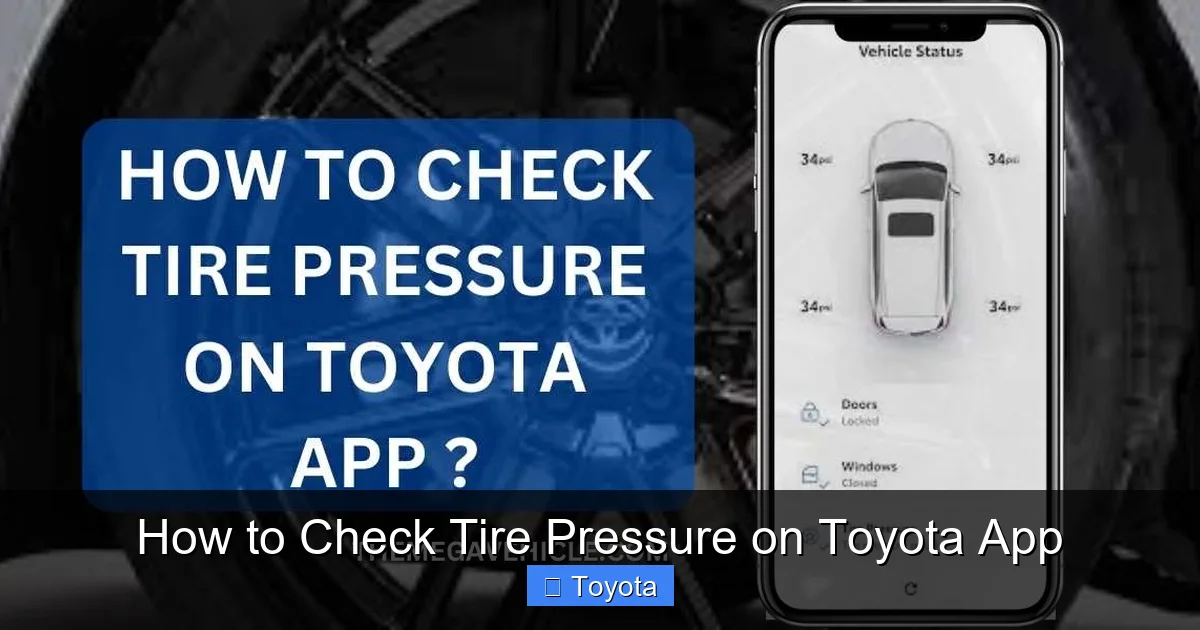
Visual guide about How to Check Tire Pressure on Toyota App
Image source: themegavehicle.com
When the pressure in any tire drops below the recommended level—usually 10% or more below the manufacturer’s specification—the sensor sends a signal to your car’s onboard computer. That information is then relayed to the Toyota App via a secure wireless connection. You’ll receive a push notification on your smartphone, alerting you to the issue.
What You Need to Get Started
Before you can check tire pressure on the Toyota App, make sure you have the following:
- A compatible Toyota vehicle: Most models from 2018 onward support TPMS and app connectivity. Check your owner’s manual or the Toyota website to confirm.
- The Toyota App installed on your smartphone: Available for free on iOS and Android devices.
- An active Toyota Connected Services account: This is required to access remote features like tire pressure monitoring. You can sign up during the app setup process.
- Your vehicle linked to the app: Use your VIN and login credentials to pair your car with the app.
Once everything is set up, the app will begin syncing data from your car. Depending on your model and settings, updates may occur every few minutes or when you open the app. Some vehicles also allow you to manually refresh the data for the most current readings.
Understanding TPMS Sensor Types
There are two main types of TPMS sensors used in Toyota vehicles: direct and indirect.
- Direct TPMS: Uses physical sensors inside each tire to measure pressure directly. This is the most accurate method and is used in most modern Toyotas. The sensors transmit real-time data to the app.
- Indirect TPMS: Relies on wheel speed sensors (part of the anti-lock braking system) to detect changes in tire rotation. If a tire is underinflated, it rotates faster than the others, triggering a warning. This method is less precise and doesn’t provide exact PSI readings.
Most Toyota models equipped with the Toyota App use direct TPMS, which means you’ll get accurate, individual tire pressure readings. This is a major advantage over older systems that only tell you “one tire is low” without specifying which one.
Step-by-Step: How to Check Tire Pressure on the Toyota App
Now that you understand how the system works, let’s walk through the actual process of checking your tire pressure using the Toyota App. It’s quick, simple, and can be done from the comfort of your home, office, or even while on a road trip.
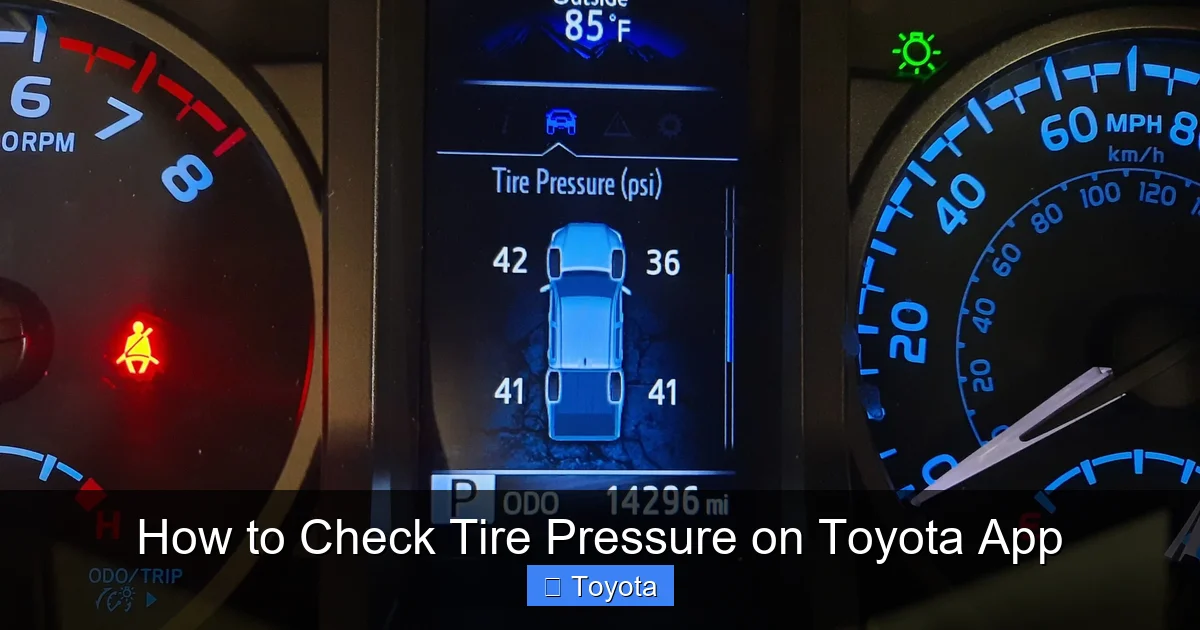
Visual guide about How to Check Tire Pressure on Toyota App
Image source: tacomaexplorer.com
Step 1: Open the Toyota App
Launch the Toyota App on your smartphone. If you’re not already logged in, enter your Toyota Connected Services username and password. Make sure your phone has a stable internet connection—either Wi-Fi or cellular data—so it can communicate with your vehicle.
Step 2: Select Your Vehicle
If you own more than one Toyota, the app will display a list of linked vehicles. Tap on the one you want to check. The app will then load the dashboard for that specific car.
Step 3: Navigate to the Tire Pressure Section
On the main dashboard, look for a section labeled “Vehicle Status,” “Maintenance,” or “Tire Pressure.” The exact wording may vary depending on your app version and vehicle model. Tap on it to open the tire pressure monitor.
You’ll see a visual representation of your car with four tires. Each tire will display its current pressure in PSI (pounds per square inch). The numbers are color-coded for easy reading:
- Green: Pressure is within the recommended range.
- Yellow: Pressure is slightly low—consider inflating soon.
- Red: Pressure is critically low—inflate immediately.
Step 4: Review the Readings
Take a moment to review each tire’s pressure. Compare the numbers to the recommended PSI listed in your owner’s manual or on the sticker inside the driver’s door jamb. Most Toyota models recommend between 30 and 35 PSI, but this can vary based on trim level, tire size, and load.
For example, a Toyota RAV4 Hybrid typically requires 33 PSI in all four tires. If the app shows 29 PSI in the front left tire, that’s a sign it needs air.
Step 5: Take Action if Needed
If any tire is low, don’t panic—just add air. You can use a gas station air pump or a portable compressor. Most modern pumps have digital gauges, so you can inflate to the exact PSI. After adjusting, wait a few minutes for the sensors to update, then check the app again.
Tip: Always check tire pressure when the tires are cold—meaning the car hasn’t been driven for at least 3 hours. Heat from driving increases pressure, giving a falsely high reading.
Step 6: Reset the TPMS (If Required)
After inflating your tires, the TPMS may still show a warning light on your dashboard. To clear it, you’ll need to reset the system. Some Toyota models allow you to do this directly through the app:
- Go to “Vehicle Controls” or “Settings.”
- Select “TPMS Reset” or “Tire Pressure Reset.”
- Confirm the action.
If the app doesn’t offer this feature, you can reset it manually using the vehicle’s infotainment system or steering wheel controls. Refer to your owner’s manual for specific instructions.
Tips for Accurate Tire Pressure Readings
While the Toyota App makes checking tire pressure easier than ever, there are a few best practices to ensure you’re getting the most accurate results. A little attention to detail can make a big difference in your vehicle’s performance and safety.
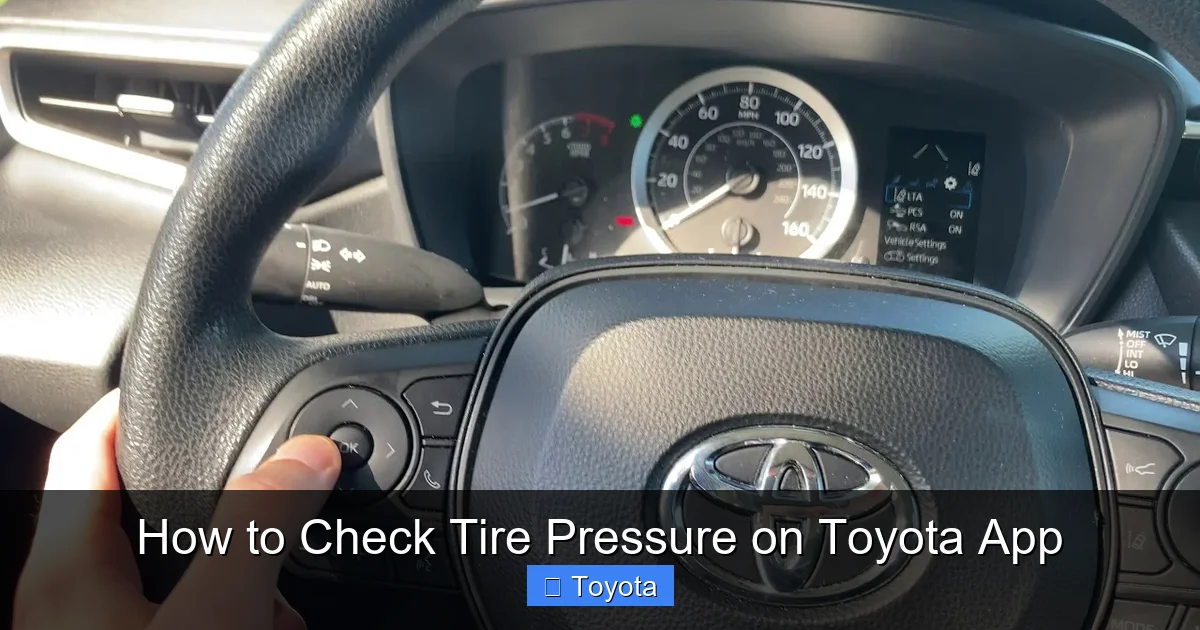
Visual guide about How to Check Tire Pressure on Toyota App
Image source: i.ytimg.com
Check When Tires Are Cold
As mentioned earlier, always check tire pressure when the tires are cold. Driving even a short distance can heat up the tires and increase pressure by 3–5 PSI. This can mask a real underinflation issue. For the most reliable reading, check your tires first thing in the morning or after the car has been parked for several hours.
Use the Correct PSI for Your Vehicle
Don’t rely on the number printed on the tire sidewall—that’s the maximum pressure, not the recommended one. Instead, check the sticker on the driver’s door jamb or consult your owner’s manual. This number is calibrated for your specific Toyota model, taking into account weight, performance, and safety.
For example, a Toyota Tacoma may require 35 PSI, while a Toyota Prius might only need 32 PSI. Using the wrong pressure can affect handling, fuel economy, and tire life.
Don’t Ignore Seasonal Changes
Temperature fluctuations affect tire pressure. For every 10°F drop in temperature, tire pressure decreases by about 1 PSI. That means your tires could be underinflated in winter without you realizing it. Check pressure more frequently during seasonal transitions, especially in colder climates.
Inspect Tires Visually
The Toyota App is great, but it’s not a replacement for a physical inspection. Every month, take a few minutes to walk around your car and look at each tire. Check for:
- Cracks or cuts in the sidewall
- Bulges or blisters
- Uneven wear patterns
- Nails, screws, or other debris stuck in the tread
If you spot any damage, have it inspected by a professional. A slow leak might not trigger the TPMS right away but could lead to a flat tire down the road.
Keep Sensors Maintained
TPMS sensors are durable, but they’re not indestructible. Over time, the battery inside each sensor can die (usually after 5–10 years). If your app stops showing tire pressure data or gives inconsistent readings, the sensors may need replacement. A tire shop can diagnose and replace them if needed.
Also, avoid using tire shine or sealants that contain alcohol or petroleum-based chemicals. These can damage the sensors and cause false readings.
Troubleshooting Common Issues with the Toyota App
Even with advanced technology, occasional glitches can happen. If you’re having trouble checking tire pressure on the Toyota App, don’t worry—most issues are easy to fix.
App Shows “No Data” or “Connection Error”
If the app says it can’t retrieve tire pressure data, try these steps:
- Make sure your phone has a strong internet connection.
- Restart the app and try again.
- Ensure your vehicle is within range (some features require the car to be nearby).
- Check if your Toyota Connected Services subscription is active.
If the problem persists, try unlinking and relinking your vehicle in the app settings. You may also need to update the app to the latest version.
Readings Don’t Match Manual Gauge
Sometimes, the app’s readings may differ slightly from a handheld tire gauge. This is normal—sensors can have minor variances. However, if the difference is more than 2–3 PSI, consider calibrating your gauge or having the sensors checked.
Tip: Use a high-quality digital gauge for the most accurate manual readings. Avoid cheap analog gauges, which can be unreliable.
TPMS Light Stays On After Inflating
If the warning light remains on your dashboard even after inflating the tires, the system may need a reset. Try the app’s reset feature or follow the manual reset procedure in your owner’s manual. If that doesn’t work, visit a Toyota service center—there could be a sensor issue or a deeper system fault.
App Doesn’t Show Individual Tire Pressures
Some older Toyota models or app versions may only show a general “low tire pressure” alert without specifying which tire. In this case, you’ll need to check each tire manually with a gauge. Consider upgrading your app or consulting Toyota support for compatibility details.
Benefits of Regular Tire Pressure Monitoring
Using the Toyota App to check tire pressure isn’t just about convenience—it’s a smart habit that pays off in multiple ways. Here’s why staying on top of your tire health matters.
Improved Fuel Efficiency
Underinflated tires create more rolling resistance, which means your engine has to work harder. This can reduce fuel economy by up to 3%. Over a year, that could cost you hundreds of dollars in extra gas. Keeping tires properly inflated ensures your Toyota runs as efficiently as possible.
Longer Tire Life
Tires wear out faster when they’re underinflated. The edges of the tread take on more of the load, leading to uneven wear and premature replacement. Proper pressure helps tires wear evenly, extending their lifespan by thousands of miles.
Enhanced Safety
Properly inflated tires provide better grip, especially in wet or icy conditions. They also reduce the risk of blowouts, which can cause loss of control. In fact, the National Highway Traffic Safety Administration (NHTSA) estimates that underinflated tires contribute to thousands of accidents each year.
Smoother Ride and Better Handling
Correct tire pressure improves ride comfort and steering response. You’ll notice less vibration, better cornering, and a more stable feel on the road. Whether you’re commuting to work or taking a weekend road trip, your Toyota will handle like it’s supposed to.
Peace of Mind
Knowing your tires are in good condition reduces stress and keeps you prepared for any journey. With the Toyota App, you can check your tire pressure anytime—no tools, no hassle. It’s like having a personal mechanic in your pocket.
Conclusion
Checking tire pressure on the Toyota App is a simple yet powerful way to take care of your vehicle. With real-time monitoring, instant alerts, and easy access from your smartphone, it’s never been easier to stay on top of this essential maintenance task.
From improving fuel economy and extending tire life to enhancing safety and driving comfort, the benefits are clear. By making tire pressure checks a monthly habit—and using the app to simplify the process—you’re investing in the long-term health of your Toyota.
So the next time you open the Toyota App, take a moment to glance at your tire pressure. It’s a small step that can make a big difference. Your car—and your wallet—will thank you.
Frequently Asked Questions
Can I check tire pressure on the Toyota App if my car is parked far away?
Yes, as long as your vehicle has an active cellular connection and is within range of a network, the app can retrieve tire pressure data remotely. However, some features may require the car to be nearby for initial setup.
Does the Toyota App work with all Toyota models?
The app works with most Toyota vehicles from 2018 onward that are equipped with TPMS and Toyota Connected Services. Check your owner’s manual or the Toyota website to confirm compatibility.
How often should I check tire pressure using the app?
It’s recommended to check tire pressure at least once a month. You can use the app for quick checks, but also perform a physical inspection to look for damage or wear.
What should I do if the app shows a tire pressure warning?
First, verify the reading with a manual gauge. If the tire is low, inflate it to the recommended PSI. Then reset the TPMS using the app or your vehicle’s controls to clear the warning.
Can I use the app to inflate my tires?
No, the app only monitors pressure—it doesn’t inflate tires. You’ll need to use a gas station air pump or a portable compressor to add air.
Why does my tire pressure reading change after driving?
Tire pressure increases as tires heat up during driving. Always check pressure when tires are cold for the most accurate reading. The app will update as the system detects changes.