
How to Change Time on Car Dashboard Toyota Yaris Cross

Contents
- 1 Key Takeaways
- 2 📑 Table of Contents
- 3 How to Change the Time on Your Toyota Yaris Cross Dashboard: A Complete Guide
- 4 Understanding Your Yaris Cross Dashboard and Clock System
- 5 Step-by-Step: Setting Time on Pre-2023 Toyota Yaris Cross Models
- 6 Step-by-Step: Setting Time on 2023+ Toyota Yaris Cross Models
- 7 Troubleshooting: What to Do When the Time Won’t Change
- 8 Best Practices and Maintenance for Your Car’s Clock
- 9 Why Does This Matter? Beyond Just Knowing the Time
- 10 Conclusion: You’ve Got This!
- 11 Frequently Asked Questions


Changing the time on your Toyota Yaris Cross dashboard is a simple, tool-free process that takes less than a minute. The exact steps depend on your model year, with older models using steering wheel buttons and newer ones using the touchscreen. You’ll typically need to turn the ignition on, navigate to the clock settings, and adjust the hours and minutes. If the time resets after a battery disconnect, you’ll need to set it again manually.
Key Takeaways
- Model Year Matters: The method differs significantly between pre-2023 models (steering wheel controls) and 2023+ models (touchscreen menu).
- Ignition Position: You must turn the ignition to the “ON” or “ACC” position (engine off) but not necessarily start the car.
- No Tools Required: The process only requires using buttons on the steering wheel or touchscreen; no special tools or mechanical knowledge is needed.
- Battery Disconnect Resets Clock: If the battery is disconnected or goes dead, the clock will reset and need to be manually set again.
- Consult Your Manual: Your owner’s manual has the definitive guide for your specific VIN and trim, as menu layouts can vary.
- Similar to Other Toyotas: The process shares similarities with other Toyota models like the Camry and Corolla, but button locations differ.
- Daylight Saving Time: Remember to adjust the clock manually for DST; most Yaris Cross models do not adjust automatically unless connected to a smartphone via Toyota’s connected services.
📑 Table of Contents
- How to Change the Time on Your Toyota Yaris Cross Dashboard: A Complete Guide
- Understanding Your Yaris Cross Dashboard and Clock System
- Step-by-Step: Setting Time on Pre-2023 Toyota Yaris Cross Models
- Step-by-Step: Setting Time on 2023+ Toyota Yaris Cross Models
- Troubleshooting: What to Do When the Time Won’t Change
- Best Practices and Maintenance for Your Car’s Clock
- Why Does This Matter? Beyond Just Knowing the Time
- Conclusion: You’ve Got This!
How to Change the Time on Your Toyota Yaris Cross Dashboard: A Complete Guide
So, you’ve jumped into your Toyota Yaris Cross, ready to hit the road, and you notice the clock on the dashboard is flashing the wrong time. Maybe it’s an hour off after daylight saving time, or perhaps it’s been stuck at 12:00 since you bought the car. Don’t worry—this is one of the easiest fixes you can do in your car. You don’t need a mechanic or any fancy tools. In this guide, we’ll walk you through every step, for every model year, so you can confidently set the correct time on your Yaris Cross dashboard.
The Toyota Yaris Cross, like many modern cars, has a digital clock integrated into its multi-information display (MID) or infotainment screen. The method for changing it evolved with the model years. Earlier models (2021-2022) rely heavily on physical buttons on the steering wheel, while the refreshed 2023 and later models use the central touchscreen. Understanding which system you have is the first key to success. We’ll break it down clearly, so you never have to guess again.
Understanding Your Yaris Cross Dashboard and Clock System
Before we dive into button-pressing, let’s get familiar with where the time lives and how your car’s system works. The clock in your Yaris Cross isn’t just a standalone digital watch; it’s part of the car’s computer network. It feeds time data to the infotainment system for radio station displays, and in some cases, to connected services. Getting to know your interface will make the process feel less like a mystery.
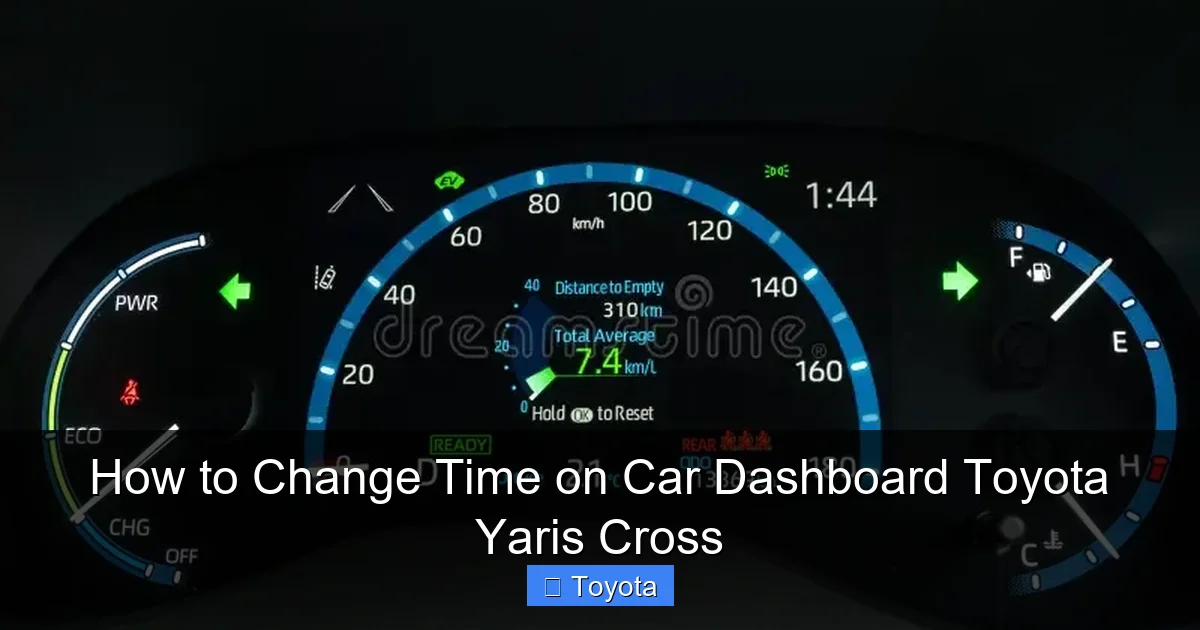
Visual guide about How to Change Time on Car Dashboard Toyota Yaris Cross
Image source: thumbs.dreamstime.com
The Two Main Dashboard Generations
Toyota updated the Yaris Cross for the 2023 model year in many markets, bringing a larger infotainment screen and a revised dashboard layout. This means the clock-setting journey splits into two clear paths:
- Pre-2023 Models (2021-2022): These typically feature a 7-inch or smaller touchscreen and a simpler Multi-Information Display (MID) on the instrument cluster behind the steering wheel. Clock settings are almost exclusively controlled via buttons on the steering wheel itself.
- 2023+ Models: These have a larger, more advanced touchscreen (often 8-inch or 9-inch) that houses most vehicle settings, including the clock, within a graphical menu system. Steering wheel controls might still adjust volume or tracks, but not the clock.
If you’re unsure, a quick look at your center screen size and the buttons on your steering wheel will tell you everything. No steering wheel buttons for the clock? You’re likely in the 2023+ group.
Step-by-Step: Setting Time on Pre-2023 Toyota Yaris Cross Models
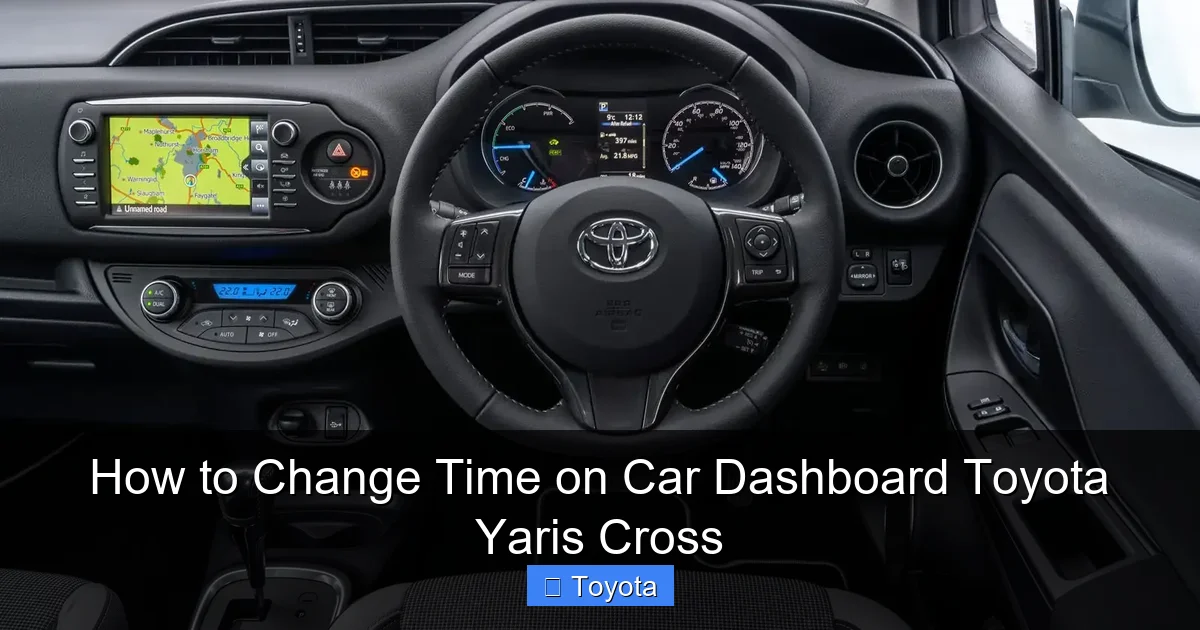
For the 2021 and 2022 model years, you become a clock-setting ninja using only the buttons on your steering wheel. It feels a bit like operating an old-school calculator, which is actually a good thing—it’s direct and reliable. Here is the definitive method.

Visual guide about How to Change Time on Car Dashboard Toyota Yaris Cross
Image source: imgcdn.oto.com
Finding the Right Buttons
Sit in the driver’s seat. Look at the right-side spoke of your steering wheel. You are hunting for a button labeled “DISP” or “MENU” (Display/Menu) and a set of ▲ (Up) and ▼ (Down) arrow buttons. Sometimes these are combined into a single ring or rocker switch. The “DISP” button is your gateway into the MID settings menu.
The Exact Button Sequence
Follow these steps carefully. The ignition must be in the “ON” position—turn the key or press the start button without touching the brake pedal (for keyless models) to activate the electronics.
- Enter the Settings Menu: Press the “DISP” or “MENU” button on the steering wheel. The display in your instrument cluster (behind the wheel) should change from showing trip data or fuel economy to a menu list.
- Navigate to “Clock”: Use the ▲ (Up) and ▼ (Down) arrow buttons to scroll through the menu options. Look for an entry that says “Clock”, “Time”, or “Clock Set”. Press the central button (often the “DISP” button itself or a separate “Enter” button) to select it.
- Adjust the Hours: Once in the clock setting mode, the hours will usually be flashing. Use the ▲ and ▼ buttons to increment or decrement the hour. Hold the button down for faster scrolling.
- Move to Minutes: After setting the correct hour, press the “DISP” or “Enter” button again. The minutes should now start flashing. Use the ▲ and ▼ buttons to set the correct minutes.
- Confirm and Exit: Press the “DISP” or “Enter” button one final time. The display should stop flashing and show the new, correct time solidly. You are now done! You can turn the ignition off.
Pro Tip: If you overshoot the hour or minute, just keep pressing the down arrow—it will cycle back around from 12/59 to 1/00. This is much easier than trying to be precise on the first try.
Step-by-Step: Setting Time on 2023+ Toyota Yaris Cross Models
Got a newer Yaris Cross with a big touchscreen? Excellent. The process is visual and intuitive, moving from physical buttons to touchscreen taps. The setting is buried within the vehicle settings menus on the infotainment system.
Visual guide about How to Change Time on Car Dashboard Toyota Yaris Cross
Image source: media.whatcar.com
Accessing the Vehicle Settings Menu
Again, ensure the car is in “ON” or “ACC” mode. The engine does not need to be running. From the home screen on your central display, you need to find the “Settings” icon. This usually looks like a gear or wrench symbol. Tap it.
Navigating to the Clock
Inside the Settings menu, you’ll see a list of categories. The exact naming can vary slightly by region and software version, but look for one of these:
- “Vehicle” or “Vehicle Settings”
- “General” or “System”
- “Clock” or “Time & Date”
Tap on the most relevant category. You should then see an option for “Clock” or “Set Time”. Tap that.
Setting Hours and Minutes Digitally
A new screen will appear, typically showing the current time with separate fields for Hour and Minute. There will be on-screen ▲ (Up) and ▼ (Down) arrows next to each field. Here’s the drill:
- Tap the Hour field so it’s highlighted or active.
- Use the on-screen ▲ and ▼ arrows to set the correct hour (in 24-hour format or AM/PM, depending on your region setting).
- Tap the Minute field to select it.
- Use the ▲ and ▼ arrows to set the correct minutes.
- Look for a “Set”, “Apply”, or “OK” button and tap it to confirm your changes.
In some systems, the time updates live as you tap the arrows, and exiting the menu automatically saves. If you don’t see a confirm button, simply use the back arrow (<) to exit the menu—the change should be saved automatically.
Note on Time Format: Within this same “Clock” or “General” settings menu, you might also find an option to toggle between 12-hour (AM/PM) and 24-hour (military time) formats. Adjust this to your preference before exiting.
Troubleshooting: What to Do When the Time Won’t Change
Sometimes, you follow the steps perfectly, but the clock remains stubbornly wrong. This is frustrating but usually has a simple fix. Here are the most common scenarios and solutions.
The “Flashing 12:00” Syndrome After Battery Disconnect
This is the #1 reason people search for this guide. If you’ve recently had a dead battery, jump-started the car, or had work done where the battery was disconnected, your Yaris Cross’s clock will almost certainly reset to 12:00 or 00:00 and start flashing. This is a normal security feature. The solution? Simply follow the step-by-step guide above for your model year to set it again. It’s not broken; it just needs a manual input after losing all power.
Button or Menu Option Not Responding
If the steering wheel buttons or touchscreen menu seem unresponsive:
- Check Ignition: Ensure the car is in the “ON” or “ACC” position. The systems won’t work if the key is completely off.
- Restart the Car: Turn the car completely off, remove the key (if applicable), wait 30 seconds, and restart. This can reboot the infotainment computer.
- Check for Updates: A software glitch could be the culprit. If your car is connected to Toyota’s services, check for available infotainment system updates. Sometimes a simple update resolves menu navigation bugs.
Time Changes Back After Driving
If you set the time, drive away, and later find it has reverted to the wrong time, there might be a deeper issue:
- Faulty Memory: The car’s body control module (BCM) might have a fault that prevents it from saving settings. This requires a diagnostic scan at a Toyota dealer.
- Aftermarket Devices: If you have an aftermarket radio or dash cam hardwired incorrectly, it could be causing power fluctuations that reset the clock.
For persistent, unexplained resets, a visit to your trusted Toyota service center is the best course of action. They can check for any stored fault codes in the vehicle’s computer systems.
Best Practices and Maintenance for Your Car’s Clock
Setting the clock once and forgetting it is fine—until daylight saving time hits or you travel to a different time zone. A little maintenance keeps your dashboard accurate year-round.
Make it a Seasonal Habit
Get in the habit of checking your clock when you change your home’s clocks for daylight saving time (spring forward / fall back). It takes 30 seconds and ensures your trip logs, radio timers, and just general sanity are aligned. If your Yaris Cross doesn’t have automatic time zone adjustment (most base models don’t), you’ll need to do this manually twice a year.
Link It to Your Phone for Effortless Accuracy
If your Yaris Cross is equipped with Toyota Connected Services (which requires a subscription and onboard telematics), and you have the Toyota app on your smartphone, the car can often automatically set the time and date via its built-in SIM card or your paired phone’s Bluetooth. Check your infotainment settings under “Connected Services” or “Bluetooth” to see if an “Auto Time Update” or “Set Time Automatically” toggle is available. Enabling this is the ultimate “set it and forget it” solution.
The Manual is Your Friend
We’ve given you the universal methods, but your specific owner’s manual—the one that came in your glovebox—has the final word. It contains diagrams of your exact steering wheel and infotainment screen with labels. If you ever get stuck, that pocket-sized book is the most authoritative reference you own. Keep it in your car!
Why Does This Matter? Beyond Just Knowing the Time
You might think, “It’s just a clock. Does it really matter?” Yes, it does. An accurate clock is part of a cohesive, stress-free driving experience. It’s the small things that contribute to your overall satisfaction with your vehicle.
Functionality and Convenience
The clock time is often displayed on the infotainment home screen, integrated with the radio’s station information, and used by the vehicle’s trip computer. An incorrect time can throw off your perception of trip duration and make scheduling around your drive confusing. For those who use their car’s clock to time meetings or appointments, accuracy is non-negotiable.
Resale Value and Perceived Care
When it’s time to sell or trade-in your Yaris Cross, a vehicle with all its little details correct—like the dashboard clock—signals to a potential buyer that the car was cared for. A flashing, incorrect clock can subconsciously make a car feel neglected, even if everything else is perfect. It’s a tiny detail that contributes to the overall “well-maintained” impression.
A Gateway to Other DIY Settings
Mastering how to change the time on your Yaris Cross dashboard builds confidence for tackling other simple in-car adjustments. The logical next step is learning how to reset the maintenance light on a Toyota Yaris after an oil change. Both processes involve navigating the same vehicle settings menus or steering wheel controls. Once you know your way around the MID or infotainment system, a whole world of customizable settings—from trip meter resets to fuel economy displays—opens up to you.
Conclusion: You’ve Got This!
Changing the time on your Toyota Yaris Cross dashboard is not a mystery. It’s a straightforward, user-friendly process designed to be done by anyone. Whether you’re working with the steering wheel buttons of a 2022 model or the touchscreen of a 2024, the steps are logical and quick. Remember the golden rule: Ignition ON, find the right menu/button, adjust hours, then minutes, confirm.
Don’t let a wrong clock be a constant annoyance in your daily drive. Take two minutes now, follow the guide for your specific model year, and restore harmony to your dashboard. Your future self, looking at the correct time while waiting at a red light, will thank you. And if you ever get stuck, your owner’s manual is the ultimate co-pilot. Now, go forth and set that clock with confidence!
Frequently Asked Questions
Why is my Toyota Yaris Cross clock flashing?
Most commonly, a flashing clock indicates the car has lost power, typically from a disconnected or dead battery. The clock resets to 12:00 and needs to be manually set again using the steering wheel or touchscreen controls.
Can the Toyota Yaris Cross set the time automatically?
Only if your vehicle is equipped with Toyota Connected Services and you have an active subscription with the “Auto Time Update” feature enabled via the infotainment system. Base models without this connectivity require manual adjustment.
What if the “Clock” option is missing from my steering wheel menu?
If you’re in a pre-2023 model and can’t find the clock setting, ensure you’re pressing the correct “DISP” or “MENU” button. Consult your owner’s manual for the exact menu structure, as it can vary slightly by market and trim level. In 2023+ models, it’s always in the main Settings menu on the touchscreen.
Will changing the time affect my car’s navigation system?
No. The dashboard clock and the GPS navigation system time are separate. The navigation system’s time is derived from GPS satellite signals and updates automatically. Changing the dashboard clock only affects the time shown on the instrument cluster and infotainment home screen.
Do I need to set the time in both the instrument cluster and the infotainment screen?
No. In the Yaris Cross, there is only one clock setting. Changing it via the steering wheel controls (pre-2023) or the touchscreen menu (2023+) updates the time everywhere it is displayed—on both the digital cluster behind the wheel and the main center screen.
My time is correct, but the date is wrong. How do I fix that?
The date is usually set in the same menu as the clock. When you navigate to the “Clock” or “Time & Date” settings (either via steering wheel or touchscreen), you should see separate fields for Year, Month, and Day. Use the same ▲/▼ buttons to adjust the date after setting the time.







