
How to Buy a Car Online

Buying a car online has never been easier—or more convenient. With the right approach, you can research, compare, finance, and even take delivery of your next vehicle without ever stepping into a dealership. This guide walks you through every step to help you make a smart, secure purchase from the comfort of your home.
Key Takeaways
- Research is your best friend: Use trusted platforms like Kelley Blue Book, Edmunds, and CarGurus to compare prices, read reviews, and check vehicle history reports.
- Get pre-approved for financing: Knowing your budget and interest rate before shopping gives you negotiating power and speeds up the process.
- Always inspect the vehicle: Even when buying online, request a third-party inspection or use virtual walkthroughs to assess condition.
- Understand return policies and warranties: Reputable online dealers offer return windows and certified pre-owned warranties—don’t skip the fine print.
- Verify seller legitimacy: Stick to well-known platforms or certified dealers to avoid scams and protect your personal information.
- Delivery and paperwork can be handled remotely: Most online car purchases include home delivery and digital signing, making the process seamless.
- Test drive options vary: Some services offer at-home test drives or extended trial periods—take advantage if available.
📑 Table of Contents
- Why Buying a Car Online Makes Sense in 2024
- Step 1: Do Your Homework – Research Before You Shop
- Step 2: Set a Realistic Budget and Get Pre-Approved
- Step 3: Shop Smart – Where to Buy a Car Online
- Step 4: Inspect the Vehicle – Even From Afar
- Step 5: Finalize the Purchase and Arrange Delivery
- Step 6: Enjoy Your New Car – and Know Your Rights
Why Buying a Car Online Makes Sense in 2024
The way we shop for cars has changed—fast. Just a decade ago, buying a vehicle meant spending hours at multiple dealerships, haggling with salespeople, and feeling pressured to make a quick decision. Today, more buyers are turning to online platforms to research, compare, and purchase their next car from the comfort of their living room. In fact, according to a 2023 Cox Automotive study, over 60% of car shoppers now begin their journey online, and nearly 30% complete at least part of the buying process digitally.
So why the shift? Convenience is a big factor. You can browse hundreds of vehicles in minutes, filter by price, mileage, features, and location, and even get financing pre-approval—all without leaving your couch. But beyond convenience, buying a car online often means better pricing transparency, fewer hidden fees, and access to a wider inventory. Whether you’re looking for a brand-new SUV, a certified pre-owned sedan, or a used truck with low mileage, the internet puts more options at your fingertips than ever before.
Of course, buying a car online isn’t without its challenges. Without the ability to see and touch the vehicle in person, it’s easy to feel uncertain. What if the car has hidden damage? What if the seller isn’t trustworthy? And how do you handle paperwork, delivery, and registration from afar? These are valid concerns—but they’re also completely manageable with the right knowledge and preparation. In this guide, we’ll walk you through every step of the online car-buying process, from initial research to driving your new car off the virtual lot.
Step 1: Do Your Homework – Research Before You Shop

Visual guide about How to Buy a Car Online
Image source: 1.bp.blogspot.com
Before you even think about clicking “buy now,” take time to understand what you really need in a vehicle. This isn’t just about picking a color or a model—it’s about matching the right car to your lifestyle, budget, and long-term goals.
Define Your Needs and Priorities
Start by asking yourself some key questions:
– How many passengers do I typically carry?
– Do I need all-wheel drive for snowy winters?
– Will I be towing a trailer or hauling gear?
– How important is fuel efficiency?
– Do I want the latest tech features like Apple CarPlay or adaptive cruise control?
For example, if you’re a family of five who takes weekend camping trips, a midsize SUV with third-row seating and good cargo space might be ideal. On the other hand, if you’re a city dweller with a short commute, a compact hybrid could save you hundreds on gas each year.
Once you’ve narrowed down your must-haves, create a list of 3–5 vehicle models that fit your criteria. This will help you stay focused and avoid getting overwhelmed by the sheer number of options online.
Use Trusted Research Tools
Now it’s time to dig into the data. Start with reputable automotive websites that offer detailed reviews, pricing guides, and reliability ratings. Some of the best include:
– Kelley Blue Book (KBB): Great for determining fair market value and comparing trims.
– Edmunds: Offers expert and user reviews, plus True Market Value pricing.
– CarGurus: Highlights “Good Deal” or “Great Deal” badges based on price analysis.
– Consumer Reports: Provides reliability scores and owner satisfaction data (subscription required).
These tools help you understand not just what a car costs, but whether it’s a smart buy. For instance, a 2021 Honda CR-V might list for $28,000, but KBB might show that similar models in your area are selling for $26,500—giving you leverage when negotiating.
Check Vehicle History Reports
If you’re considering a used car, always—always—get a vehicle history report. Services like Carfax or AutoCheck provide crucial details such as:
– Accident history
– Number of previous owners
– Title status (clean, salvage, rebuilt)
– Odometer readings
– Service and maintenance records
A clean report doesn’t guarantee perfection, but it significantly reduces your risk. For example, a car with one minor fender bender and regular oil changes is likely a better bet than one with a salvage title and inconsistent maintenance.
Pro tip: Ask the seller to provide the VIN (Vehicle Identification Number) early in the process so you can run your own report. If they refuse, that’s a red flag.
Step 2: Set a Realistic Budget and Get Pre-Approved
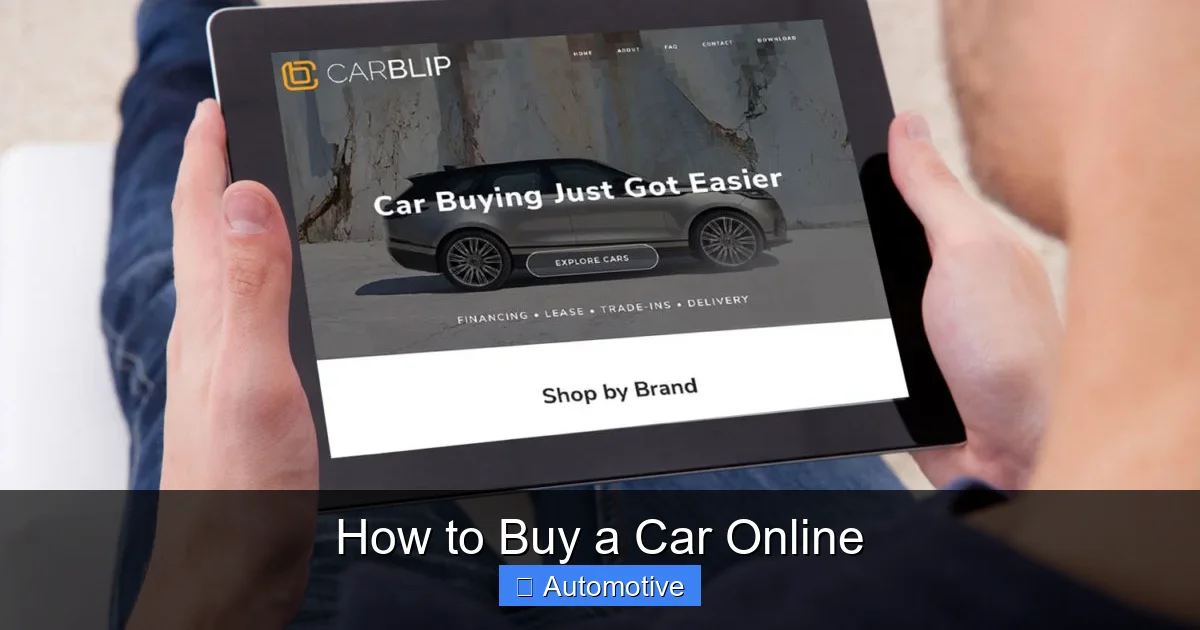
Visual guide about How to Buy a Car Online
Image source: carblip.com
It’s easy to fall in love with a shiny new car online—only to realize later that it’s way outside your budget. To avoid this, set a firm spending limit before you start shopping.
Calculate Your Total Cost of Ownership
Don’t just focus on the sticker price. Consider all the costs that come with owning a car:
– Monthly loan payments
– Insurance premiums
– Fuel or charging costs
– Maintenance and repairs
– Registration and taxes
For example, a $30,000 car might seem affordable with a $400 monthly payment, but if insurance adds $150/month and gas costs $100/month, your real monthly expense is $650. Use online calculators from banks or automotive sites to estimate these costs based on your location and driving habits.
Get Pre-Approved for a Loan
One of the smartest moves you can make is getting pre-approved for financing before you shop. This gives you:
– A clear budget
– Leverage when negotiating
– Faster checkout at purchase time
You can get pre-approved through your bank, credit union, or online lenders like LightStream or Capital One. Compare rates from at least three lenders to find the best deal. Even a 1% difference in interest rate can save you hundreds over the life of a loan.
For instance, on a $25,000 loan over 60 months:
– At 5% interest: ~$472/month
– At 6% interest: ~$483/month
That’s $11 more per month—or $660 over five years.
Once you’re pre-approved, you’ll receive a loan commitment letter stating the maximum amount you can borrow and the terms. Bring this with you (digitally) when you’re ready to buy.
Consider Trade-In Value
If you’re trading in your current car, research its value ahead of time. Use KBB’s “Trade-In Range” or Edmunds’ “True Market Value” tool to get an estimate. Keep in mind that private sale typically yields more than a trade-in, but it requires more effort.
Some online platforms like Carvana, Vroom, and Shift allow you to get an instant trade-in offer during the checkout process. These offers are usually fair but may be slightly lower than what you’d get privately.
Step 3: Shop Smart – Where to Buy a Car Online

Visual guide about How to Buy a Car Online
Image source: nowcarstorage.blob.core.windows.net
Not all online car sellers are created equal. Knowing where to look—and what to avoid—can save you time, money, and stress.
Certified Dealership Websites
Many traditional dealerships now offer full online buying experiences. Brands like Ford, Toyota, and BMW have “build and price” tools that let you customize a new car and even complete the purchase online. These sites often include:
– Real-time inventory
– Transparent pricing
– Home delivery options
– Digital paperwork
For example, Ford’s “Buy Online” program lets you configure a new F-150, get a trade-in estimate, apply for financing, and schedule delivery—all in one session.
Online-Only Car Retailers
Companies like Carvana, Vroom, and Carmax have built their entire business model around online car buying. They offer:
– Vast nationwide inventories
– 7-day return policies
– Home delivery (often free within a certain radius)
– 360-degree virtual tours
Carvana, for instance, uses “vending machines” for pickup in some cities, but most customers opt for home delivery. Their platform includes detailed photos, video walkarounds, and a “price lock” feature that holds your selected car for a few days.
Auction and Peer-to-Peer Platforms
For bargain hunters, sites like eBay Motors or Cars & Bids offer unique opportunities—but come with higher risk. eBay Motors includes both dealer and private listings, so always check seller ratings and vehicle history.
Cars & Bids specializes in enthusiast and classic cars, often with detailed condition reports. These platforms can yield great deals, but they’re best for experienced buyers who know what to look for.
Avoid Scams and Red Flags
Unfortunately, online car scams do exist. Watch out for:
– Prices that seem too good to be true
– Sellers who refuse to provide a VIN or inspection
– Requests for wire transfers or gift cards
– Listings with poor photos or vague descriptions
Always verify the seller’s identity. If using a private listing, check their profile, reviews, and communication style. When in doubt, walk away.
Step 4: Inspect the Vehicle – Even From Afar
You can’t kick the tires when buying online—but that doesn’t mean you can’t thoroughly inspect the car.
Request a Third-Party Inspection
Many online dealers partner with inspection services like Lemon Squad or AutoTempest. For a fee (usually $100–$150), a certified mechanic will inspect the car and provide a detailed report covering:
– Engine and transmission
– Brakes and suspension
– Interior and exterior condition
– Tire wear
– Diagnostic scan for error codes
This is especially important for used cars. A clean inspection report gives you peace of mind and can be used to negotiate repairs or price reductions.
Use Virtual Walkthroughs and Video Calls
Some platforms offer live video calls with a sales rep who can walk around the car, open the hood, and answer questions in real time. This isn’t as good as being there in person, but it’s the next best thing.
Ask to see:
– Under the hood and under the car (for leaks or rust)
– All interior features (infotainment, AC, seat adjustments)
– Tire tread and brake condition
– Any known damage or repairs
Review Photos and Descriptions Carefully
High-quality photos should show every angle—inside and out. Look for:
– Paint chips, dents, or scratches
– Worn upholstery or stains
– Mismatched panels (sign of prior collision)
– Warning lights on the dashboard
If photos are blurry, missing, or only show the front, that’s a warning sign. Reputable sellers will provide comprehensive visuals.
Step 5: Finalize the Purchase and Arrange Delivery
Once you’ve found the right car and confirmed its condition, it’s time to seal the deal.
Negotiate the Price (Yes, You Still Can!)
Even online, negotiation is possible. Use your research to back up your offer. For example:
– “I found a similar 2020 Toyota RAV4 on CarGurus for $2,000 less. Can you match that?”
– “The vehicle history shows minor front-end damage. I’d like a $1,500 discount for repairs.”
Many online platforms have fixed pricing, but some—especially dealer websites—allow room for discussion. Don’t be afraid to ask.
Complete Paperwork Digitally
Most online purchases use e-signing tools like DocuSign or Adobe Sign. You’ll typically need to provide:
– Driver’s license
– Proof of insurance
– Trade-in documents (if applicable)
– Loan approval details
Double-check all fields before signing. Mistakes can delay delivery or cause registration issues.
Arrange Delivery or Pickup
Delivery options vary by seller:
– Home delivery: Common with Carvana, Vroom, and some dealers. Usually free within 100 miles.
– Pickup at a hub: Some services have physical locations where you can inspect the car before taking it home.
– Shipping: For long-distance purchases, the car may be transported via truck. Costs range from $500–$1,500 depending on distance.
Make sure you’re home (or have someone available) when the car arrives. Inspect it thoroughly upon delivery—check for damage, test all features, and verify the VIN matches the paperwork.
Register and Insure the Vehicle
After delivery, you’ll need to:
– Register the car with your state’s DMV (some dealers handle this)
– Transfer or obtain insurance
– Pay sales tax and registration fees
Many online dealers offer “tag and title” services for an additional fee. If not, visit your local DMV with the signed title, bill of sale, and proof of insurance.
Step 6: Enjoy Your New Car – and Know Your Rights
Congratulations—you’ve successfully bought a car online! But your journey isn’t quite over.
Understand Return and Warranty Policies
Most reputable online dealers offer a return window—typically 3, 7, or 14 days—during which you can return the car for a full refund if you’re not satisfied. Read the terms carefully:
– Mileage limits (e.g., under 300 miles)
– Condition requirements (no new damage)
– Restocking fees (rare, but possible)
Certified pre-owned (CPO) vehicles often come with extended warranties (e.g., 12 months/12,000 miles). New cars include the manufacturer’s warranty. Keep all documentation in a safe place.
Schedule Maintenance Early
Even if the car is new or low-mileage, schedule a baseline service soon after purchase. This includes:
– Oil change
– Tire rotation
– Brake inspection
– Fluid top-offs
This helps establish a maintenance history and catches any hidden issues early.
Stay Connected with the Seller
Keep the seller’s contact information handy. If you notice a problem after delivery—like a warning light or strange noise—reach out promptly. Many dealers will cover repairs under warranty or goodwill.
Frequently Asked Questions
Is it safe to buy a car online?
Yes, as long as you use reputable platforms and take precautions. Stick to well-known dealers or certified online retailers, always get a vehicle history report, and consider a third-party inspection. Avoid deals that seem too good to be true.
Can I return a car bought online?
Many online car sellers offer return policies, typically ranging from 3 to 14 days. Check the specific terms before purchasing, as mileage limits and condition requirements may apply.
Do I need to visit a dealership at all?
Not necessarily. Many online purchases can be completed entirely remotely, including financing, paperwork, and home delivery. Some services even offer at-home test drives.
How do I know if the car is in good condition?
Request a vehicle history report, high-quality photos, and a third-party inspection. Some platforms also offer live video walkthroughs or virtual tours to help assess the car’s condition.
Can I finance a car online?
Absolutely. Most online car retailers offer financing options, and you can also get pre-approved through your bank or credit union before shopping. This helps you know your budget and speeds up the process.
What if the car arrives damaged?
Inspect the vehicle immediately upon delivery. If you notice damage, document it with photos and contact the seller right away. Most reputable dealers will cover repairs or offer a return if the damage wasn’t disclosed.