
How Do You Reset the Tire Pressure Light on a 2013 Toyota Sienna?

The tire pressure light on a 2013 Toyota Sienna, part of the TPMS, alerts you to low tire inflation. You can reset it manually after correcting tire pressure using the vehicle’s settings menu. If the light persists, it may indicate a faulty sensor or system issue requiring professional diagnosis. Always address the underlying cause before resetting to ensure safe driving and vehicle performance.
Key Takeaways
- TPMS is a Safety System: The tire pressure monitoring system is a critical safety feature mandated to warn you of under-inflated tires, which can cause poor handling, increased wear, and blowouts.
- Always Correct Pressure First: Never reset the light without first checking and inflating all tires, including the spare, to the manufacturer’s recommended PSI found on the driver’s door jamb sticker.
- The Reset is a Manual Process: On a 2013 Sienna, the reset is done through the vehicle’s multi-information display settings; there is no “automatic” reset after driving.
- Persistent Light Means Trouble: If the light remains on or flashes after a proper reset and correct pressures, a faulty TPMS sensor, dead sensor battery, or system malfunction is likely.
- Seasonal Changes Affect TPMS: Temperature drops of 10°F can lower tire pressure by about 1 PSI, often triggering the light in colder months; this is usually normal and correctable by adding air.
- Professional Help is Available: If you’re uncomfortable or the reset fails, any tire shop or Toyota dealer can diagnose TPMS issues and reset the system with a specialized tool.
[FEATURED_IMAGE_PLACEHOLDER]
📑 Table of Contents
- Understanding Your 2013 Toyota Sienna’s Tire Pressure Monitoring System (TPMS)
- Essential Preparation Before You Even Think About Resetting
- The Step-by-Step Manual Reset Procedure for a 2013 Toyota Sienna
- Alternative Methods and Common Issues During Reset
- When to Seek Professional Help for TPMS Issues
- Proactive Maintenance to Prevent TPMS Hassles
- Conclusion: A Simple Reset for a Critical System
Understanding Your 2013 Toyota Sienna’s Tire Pressure Monitoring System (TPMS)
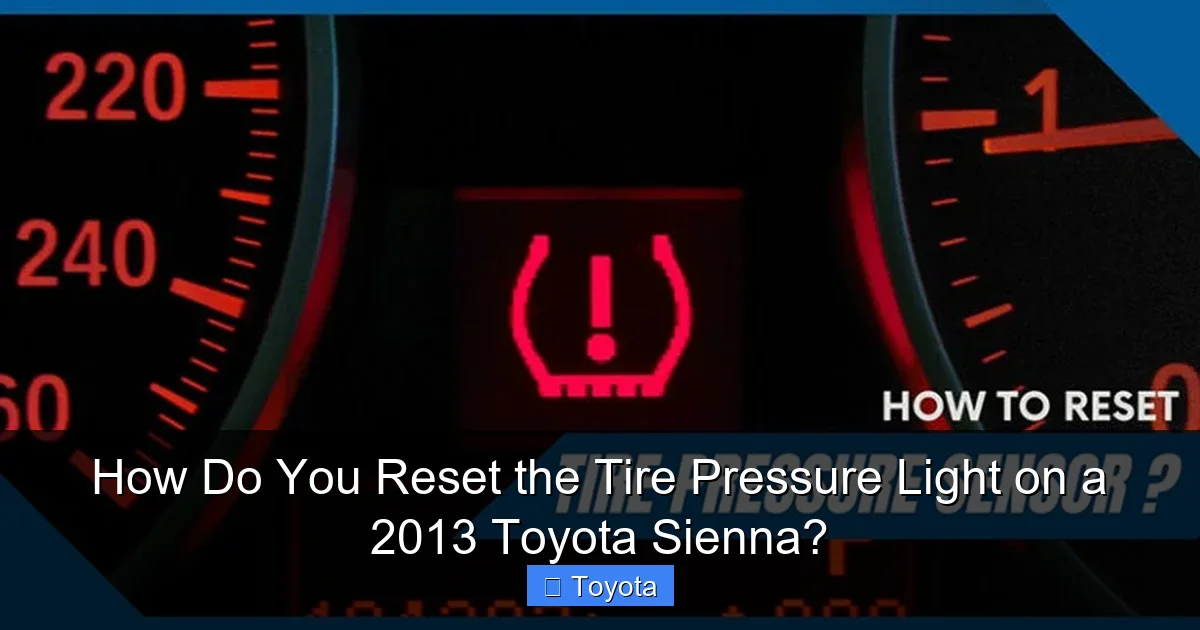
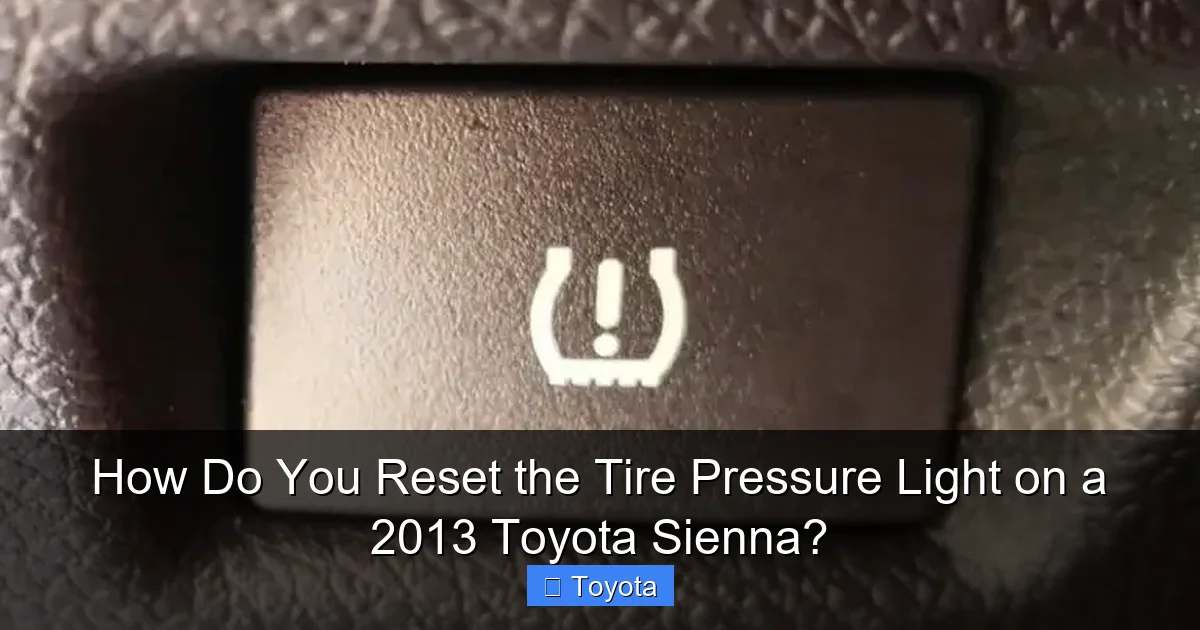
That small, yellow exclamation point inside a tire cross-section that has illuminated on your dashboard is not just an annoying light. It’s your 2013 Toyota Sienna’s Tire Pressure Monitoring System (TPMS) actively communicating a vital safety message. This system, standard on all vehicles since 2007, is designed to warn you when the air pressure in one or more tires falls significantly below the recommended level. Ignoring it isn’t an option. Driving on under-inflated tires is dangerous. It leads to poor fuel economy, uneven and premature tire wear, compromised handling and braking, and increases the risk of a tire failure or blowout, especially at highway speeds. The TPMS light is your first line of defense against these issues.
For the 2013 model year, the Toyota Sienna uses a direct TPMS. This means each wheel has its own small, electronic sensor mounted inside the valve stem. These sensors constantly monitor the internal pressure of the tire and transmit that data via radio frequency to the vehicle’s computer, the TPMS control module. When the pressure in any tire drops 25% or more below the recommended cold inflation pressure, the system triggers the warning light on your dash. Some systems also provide a readout of which specific tire is low, but the base model Sienna typically uses a single, generic warning light. Understanding this is the first step to properly managing and resetting the tire pressure light on your 2013 Toyota Sienna.
How Direct TPMS Works in Your Sienna
Each TPMS sensor is a tiny, battery-powered device. The battery is sealed inside the sensor and is designed to last for many years, often 7-10, but it is not replaceable. When the battery dies, the entire sensor must be replaced. The sensor also has a unique ID code that the Sienna’s computer learns during a “relearn” process, which often happens automatically after a tire rotation or sensor replacement if you drive for a while. This is important to know because if you replace a sensor yourself or have a tire service done, the system may need to be reset to recognize the new sensor’s ID. The process you follow to turn off the light is essentially telling the computer, “I have fixed the issue (added air), now please stop warning me.”
Why the Light Might Come On (Beyond Low Pressure)
While under-inflation is the most common cause, several other scenarios can trigger the TPMS light on your Sienna:
- Seasonal Temperature Changes: Cold air is denser. A significant drop in ambient temperature (common in fall and winter) will cause the air inside your tires to contract, lowering the pressure. This is a natural physical occurrence and often the reason for a light coming on after a cold front.
- A Tire Leak or Puncture: A slow leak from a nail, a damaged valve stem, or a bead seal issue will gradually reduce pressure. The light will come on once it drops below the threshold.
- Recent Tire Service: If you recently had tires rotated, repaired, or replaced, the sensors may have been disturbed. The system might need a manual reset to recognize the new positions or sensor IDs. Sometimes, the light will go off on its own after driving 15-20 minutes at highway speed, but not always.
- Faulty Sensor or Dead Battery: As sensors age, their internal batteries fail. A dead sensor will either stop transmitting (causing a “sensor not learned” code) or send erroneous data, triggering the light.
- Damaged Valve Stem: The sensor is part of the valve stem. If the stem is bent, cracked, or leaking air at the base, it will cause a loss of pressure.
Knowing these potential causes helps you diagnose whether a simple air top-off and reset will suffice, or if you need to seek professional help for a repair.
Essential Preparation Before You Even Think About Resetting
Rushing to the reset procedure without proper preparation is the most common mistake. It leads to a light that comes right back on, frustration, and potentially unsafe driving conditions. The reset process is merely an acknowledgement to the car’s computer that the problem has been resolved. If the problem—low tire pressure—hasn’t been truly fixed, the light will simply return, often within a few miles or after the next significant temperature change. Therefore, preparation is non-negotiable.
Visual guide about How Do You Reset the Tire Pressure Light on a 2013 Toyota Sienna?
Image source: corwheels.com
Step 1: Acquire an Accurate Tire Pressure Gauge
Do not trust the air pump at the gas station. Those gauges are notoriously inaccurate due to heavy use and abuse. Invest in a good-quality digital or high-quality dial gauge from an auto parts store. A reliable gauge is your single most important tool for TPMS maintenance. Check it occasionally against a known-good gauge for accuracy.
Step 2: Find the Correct Pressure Specifications
The “correct” pressure is NOT what’s printed on the tire’s sidewall. That number is the maximum pressure the tire can hold. The correct pressure for your Sienna is specified by Toyota for optimal ride, handling, fuel economy, and tire wear. This information is on a yellow and white sticker located on the driver’s side door jamb, when you open the door. It will list pressures for the front and rear tires, often the same for a minivan like the Sienna, and for different load conditions. For a 2013 Sienna, you’ll typically see a recommendation like 35 PSI for all four tires when the vehicle is carrying a normal load. Always use this door jamb specification.
Step 3: Check Tires When “Cold”
“Cold” doesn’t mean chilly to the touch. In automotive terms, “cold” means the vehicle has been parked for at least three hours or driven less than one mile. Driving heats the tires and the air inside them, increasing the pressure and giving you a falsely high reading. You cannot get an accurate baseline pressure on warm tires. Check and adjust all pressures, including the spare tire if it’s a full-size spare with a sensor (many minivan spares do not have a sensor), to the exact PSI listed on your door jamb sticker while the tires are cold.
Step 4: Inspect the Tires Visually
While checking pressure, give each tire a thorough visual and tactile inspection. Look for:
- Nails, screws, or other foreign objects embedded in the tread.
- Cuts, bulges, or blisters on the sidewalls.
- Uneven tread wear, which can indicate alignment issues or improper inflation history.
- Damaged or corroded valve stems. The TPMS sensor is part of the valve stem; if it’s bent or the rubber is cracked, it needs replacement.
If you find any significant damage, do not just add air and reset. Have the tire professionally inspected and repaired or replaced. Resetting the light on a damaged tire is dangerous.
The Step-by-Step Manual Reset Procedure for a 2013 Toyota Sienna
Once you have confirmed that all four tires are inflated to the correct, cold pressure as specified on your door jamb sticker, you can proceed with the reset. The 2013 Sienna does not have an automatic reset that occurs after a short drive. You must manually initiate the reset sequence through the vehicle’s Multi-Information Display (MID) on the instrument cluster. This process is straightforward but requires precise button presses.
Visual guide about How Do You Reset the Tire Pressure Light on a 2013 Toyota Sienna?
Image source: tiregrades.com
Locating the Necessary Controls
You will need to use two buttons on your steering wheel:
- “MODE” or “INFO” Button: This is typically the button with a picture of a sheet of paper or the word “INFO/MODE.” It’s used to cycle through the different display screens on the MID.
- “SET” or “DISP” Button: This is the button with a wrench icon or the word “SET.” It is used to select and confirm settings within the display menus.
On some Sienna trims, these may be combined into a single knob you can press and turn. Familiarize yourself with these controls before starting.
The Exact Reset Sequence
Follow these steps carefully:
- Turn the Ignition On: Do not start the engine. Simply turn the key to the “ON” position (all dash lights on) or press the start button without touching the brake pedal (if you have push-button start). The TPMS light should be illuminated on the dash.
- Access the TPMS Settings Screen: Press the MODE/INFO button on your steering wheel repeatedly until you see the “TPMS” or “TIRE PRESSURE” screen appear on the MID. This screen will typically show the pressure for each tire (if equipped with individual readouts) or just a message related to the system.
- Enter the Reset Mode: Once you are on the TPMS screen, press and hold the SET/DISP button for about 3-5 seconds. You may see a message like “TPMS RESET” or a blinking tire icon. Continue holding the button until you hear a confirmation beep and/or see a message on the display that says “TPMS RESET COMPLETE” or “SETTING TPMS.” The exact wording can vary slightly by trim level.
- Verify the Light: After releasing the button, the TPMS warning light on your dashboard should turn off. If it does not turn off immediately, give it a few seconds. It may blink once or twice before going out.
- Start the Engine and Test Drive: Start the engine and drive the Sienna normally for 10-15 minutes. The system is verifying that the pressures are stable. The light should remain off. If it comes back on after driving, the issue has not been resolved.
What If My Sienna Doesn’t Have a Steering Wheel Control?
All 2013 Sienna models come equipped with steering wheel controls for the MID. However, if for some reason yours is inoperative or missing, the reset procedure cannot be performed. You would then need to use a professional TPMS scan tool, which a tire shop or dealer has. This is a rare scenario but worth noting.
Alternative Methods and Common Issues During Reset
While the steering wheel method is standard, there are other situations and methods to be aware of. Understanding these alternatives and common pitfalls will save you time and confusion.
Visual guide about How Do You Reset the Tire Pressure Light on a 2013 Toyota Sienna?
Image source: i.ytimg.com
Resetting After a Tire Rotation or Sensor Replacement
When you have your tires rotated, the TPMS sensors move to different wheel positions. The Sienna’s computer must learn the new locations. Often, if you drive at speeds above 25 mph for 15-20 minutes, the system will auto-relearn. However, this doesn’t always happen perfectly, especially if a sensor battery is weak. The manual reset procedure described above is the foolproof way to force the system to recognize the new positions. After a sensor replacement, a manual reset is absolutely required, as the new sensor has a unique ID that the car’s computer must be programmed to recognize. This is typically done by the shop with a scan tool, but you can still perform the final confirmation reset yourself using the steering wheel method once they have programmed it.
The “Drive and Wait” Method (A Last Resort)
Sometimes, after correcting tire pressure and before doing a manual reset, the light will turn off on its own after you’ve driven for 15-30 minutes at consistent highway speeds. This is the system’s way of verifying stable pressure. If this happens, you don’t need to do the manual reset. However, you should still verify the pressures are still correct once the tires are cold again. This method is unreliable and shouldn’t be counted on; the manual reset is always faster and more certain.
Why Your Reset Might Fail: Troubleshooting
If you’ve followed the steps precisely and the TPMS light remains illuminated or comes back on immediately, here is what to check:
- Pressure is Still Low: Re-check all pressures with your gauge. A tire may have a slow leak. Submerge the valve stem area in soapy water; if you see bubbles, you have a leak. The spare tire, if equipped with a sensor, is often forgotten.
- Incorrect Pressure: Double-check the PSI on your gauge against the door jamb sticker. Did you use the right number?
- Faulty TPMS Sensor: One or more sensors may have failed. A dead battery or physical damage will cause it to stop transmitting. This often triggers a specific diagnostic trouble code (DTC) that requires a scan tool to read. The light will typically stay on solid, not blink.
- System Not “Learned”: If a sensor was replaced and not properly programmed to the vehicle’s VIN, the system won’t recognize it. This requires a professional scan tool.
- Weak Vehicle Battery: A severely discharged 12V battery can sometimes cause communication errors with the TPMS module, leading to a false warning. Ensure your main battery is in good health.
If you’ve eliminated simple air pressure issues and the reset still fails, the most likely culprit is a faulty TPMS sensor. These are wear items and eventually need replacement, usually when the tire is removed from the wheel for any reason.
When to Seek Professional Help for TPMS Issues
While resetting the light is a DIY task, there are clear boundaries where professional intervention is necessary. Knowing these limits protects your safety and prevents damage to your Sienna’s expensive TPMS components.
Diagnosing a Faulty Sensor
Professionals use a TPMS scan tool that can do two critical things: it can read the individual sensor IDs and their transmitted pressure values in real-time, and it can activate each sensor to confirm it’s working. This diagnostic pinpoints exactly which wheel (or sensors) is problematic. Replacing a TPMS sensor is not like replacing a valve stem cap. It requires removing the tire from the wheel, which involves breaking the bead seal. This should be done with proper equipment to avoid damaging the wheel. The new sensor must then be programmed to the vehicle’s system using a specialized tool—a simple reset won’t make a new, unprogrammed sensor work. For a comprehensive guide on sensor replacement procedures across various models, you can reference resources like our article on how to reset a tire pressure sensor, which outlines the general principles involved.
Dealing with a Dead Sensor Battery
As mentioned, the sensor battery is not serviceable. When it dies (often indicated by the TPMS light flashing for a few seconds then staying solid, or a specific “sensor battery low” code), the entire sensor assembly must be replaced. A professional will not only replace it but also ensure it’s correctly mounted, sealed, and programmed to your Sienna’s computer. Attempting to DIY this without the proper tools and knowledge can lead to a leaking valve stem or a sensor that never connects to the system.
After Major Tire or Wheel Work
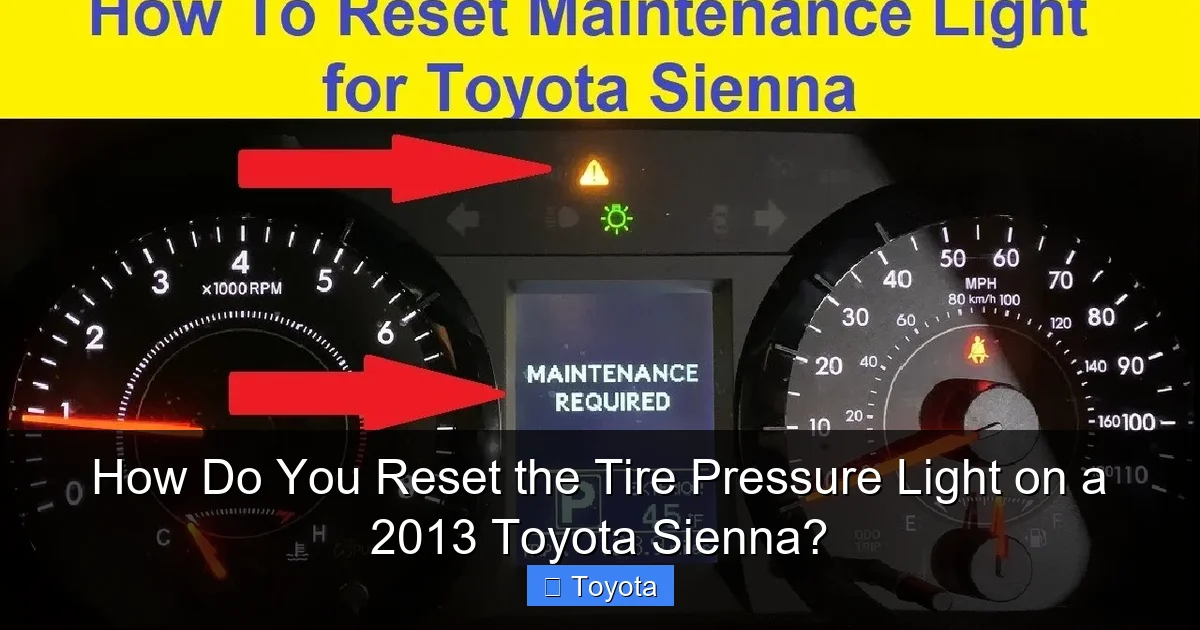
Anytime you have new tires mounted, wheels replaced, or a major tire repair, it’s best practice to have the TPMS system inspected and reset by the shop performing the work. They have the tools to check sensor function, replace seals if needed, and perform the relearn procedure. This ensures your system is accurate and functional from the start. Similarly, for other maintenance-related lights on your Toyota, such as the service required light, following the correct reset procedure is key. Our detailed post on how to reset the maintenance required light on a Toyota explains the standard process for most models.
Signs You Need a Pro Immediately
Do not delay seeking help if:
- The TPMS light is flashing rapidly (not solid). This often indicates a system malfunction or communication failure.
- You have corrected the pressure multiple times, but the light returns within minutes or hours, suggesting a rapid leak.
- You see visible damage to a sensor or valve stem.
- Your Sienna has aftermarket wheels or tires that may not be compatible with the OEM TPMS sensors.
Proactive Maintenance to Prevent TPMS Hassles
The best way to deal with the TPMS light is to prevent it from coming on unnecessarily. A little proactive care goes a long way in keeping your Sienna’s system happy and your tires in top shape.
Check Pressures Monthly and Before Long Trips
Make it a habit. Use your reliable gauge to check all four tires (and the spare) once a month and before any road trip. Adjust as needed to the door jamb specification. This simple habit catches slow leaks early, ensures optimal fuel economy (under-inflated tires increase rolling resistance), and promotes even tire wear, saving you money on replacements.
Be Vigilant During Temperature Swings
When the weather shifts dramatically—especially in fall and spring—check your tire pressures within 24 hours. A 30°F drop can reduce pressure by 3-4 PSI. You’ll likely need to add a few pounds of air to compensate. Addressing this proactively prevents the light from coming on and keeps your tires at their ideal operating pressure.
Include the Spare in Your Routine
If your 2013 Sienna has a full-size spare mounted on the tailgate or under the floor, it likely has a TPMS sensor. Check its pressure along with the other four. A flat or low spare is useless when you need it, and a low-pressure spare will trigger the TPMS light if it’s below the threshold.
Have Sensors Serviced During Tire Changes
When you get new tires, ask the shop to inspect the TPMS sensors. They should check the valve stem for cracks, the sensor body for damage, and test the battery life. It’s often recommended to replace the sensor’s sealing washer and nut (a cheap part) whenever a tire is removed to ensure an airtight seal. While this adds a small cost, it prevents a future slow leak at the sensor. For owners of other Toyota models, maintenance light procedures can differ. For instance, resetting the maintenance light on a 2013 Toyota Highlander involves a different pedal sequence, which you can learn about in our dedicated guide.
Use Proper Valve Caps
Always use the metal or high-quality plastic valve caps that come with your sensors. They keep dirt and moisture out of the valve core, which is the small pin that releases air. A corroded or dirty valve core can leak slowly. Do not overtighten them; hand-tight is sufficient.
Conclusion: A Simple Reset for a Critical System
Resetting the tire pressure light on your 2013 Toyota Sienna is a simple, five-minute procedure that every owner should know. It’s the final step in a process that begins with diligent tire maintenance. Remember the golden rule: always diagnose and fix the cause before you reset the light. The reset is not a fix for a leak or a faulty sensor; it’s merely a “clear warning” command to your car’s computer after you’ve restored proper tire inflation. By regularly checking your cold tire pressures against the specifications on your driver’s door jamb, you’ll often catch issues before the light even comes on. When the light does illuminate, follow the manual reset steps through your steering wheel controls. If the light persists after a correct reset and verified pressures, don’t ignore it. That persistent warning is your Sienna telling you that a TPMS sensor has likely failed or there’s a system fault that needs professional diagnosis with a scan tool. Treating your TPMS with respect is a direct investment in your safety, your tire longevity, your fuel economy, and your overall driving peace of mind in your reliable Toyota Sienna.
Frequently Asked Questions
Can I just disconnect the battery to reset the TPMS light?
No. Disconnecting the battery will reset many systems in your Sienna, but it will not reset the TPMS light. The TPMS system has its own memory and requires the specific reset procedure through the steering wheel controls. Disconnecting the battery may also cause other issues like radio presets being lost.
What if the TPMS light is flashing instead of staying solid?
A flashing TPMS light typically indicates a system malfunction, such as a sensor failure, a lost communication with a sensor, or an invalid sensor ID. This is different from the solid light that warns of low pressure. You should have the system scanned for diagnostic trouble codes as soon as possible, as it may not be monitoring your tire pressures correctly.
How much does it cost to replace a faulty TPMS sensor on a Sienna?
The total cost varies by region and shop, but you can expect to pay between $80 and $150 per sensor for parts and labor. The sensor itself usually costs $40-$70, and installation requires removing the tire, which adds labor time. Some shops offer a “service pack” that includes a new sensor, seal, and nut for a better value.
Do I need to reset the TPMS after adding air to my tires?
Yes, you must perform the manual reset procedure after inflating the tires to the correct pressure. The system will not automatically recognize that you’ve added air and will continue to illuminate the warning light until you go through the reset sequence on your steering wheel controls.
My tire pressure is correct, but the light is still on. What should I do?
First, re-check the pressure with your own gauge when the tires are cold. Ensure you’re using the PSI from the driver’s door jamb sticker. If pressures are correct and the light remains on after a reset attempt, you likely have a faulty TPMS sensor, a dead sensor battery, or a system communication error that requires a professional scan tool to diagnose.
Is it safe to drive with the TPMS light on?
It is not advisable. The light means one or more tires are significantly under-inflated. Driving on under-inflated tires causes excessive heat buildup, can lead to a blowout, reduces fuel efficiency, and causes uneven tire wear. If the light comes on, find a safe place to check your tire pressures as soon as possible. If you must drive a short distance to get air, do so slowly and cautiously, and re-check pressures immediately after adding air.
