
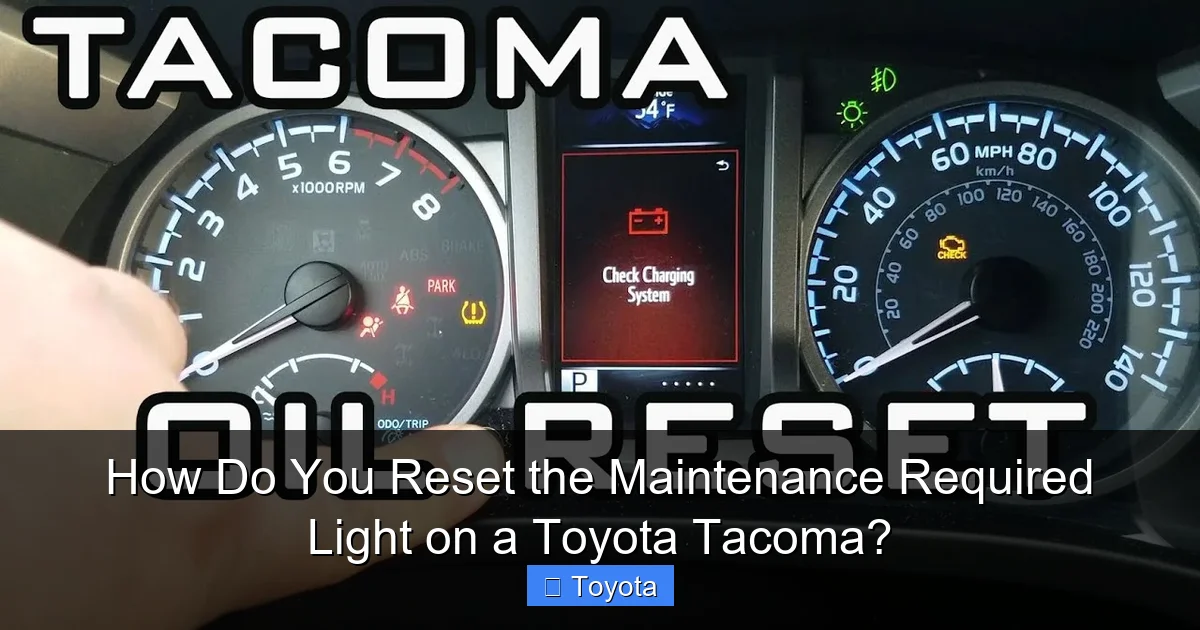
How Do You Reset the Maintenance Required Light on a Toyota Tacoma?

Contents
- 1 Key Takeaways
- 2 📑 Table of Contents
- 3 Understanding the Maintenance Required Light on Your Tacoma
- 4 Preparation: What You Need to Know Before You Start
- 5 Manual Reset Procedures by Tacoma Generation
- 6 When to Seek Professional Help: Beyond a Simple Reset
- 7 Common Mistakes and Misconceptions
- 8 The Bigger Picture: Why This Light Matters for Your Tacoma’s Health
- 9 Conclusion: A Simple Task with a Important Responsibility
- 10 Frequently Asked Questions

Side Mirror Rain Guard

Anti-Slip Dashboard Mat

LED Indicator Light

Pressure Washer for Car
Resetting the maintenance required light on your Toyota Tacoma is a straightforward process you can do yourself in minutes. However, this light is a crucial reminder that your vehicle needs service—resetting it without performing the required maintenance is unsafe and irresponsible. This guide covers manual reset methods for all Tacoma generations and explains when professional help is necessary.
Key Takeaways
- The light is a reminder, not a diagnostic: It illuminates based on mileage/time intervals, not sensor data, to remind you of scheduled maintenance.
- You can reset it manually without tools: All Tacoma models use a simple key and button sequence accessible to any owner.
- Methods vary by generation: The exact steps differ slightly between the 1995-2004, 2005-2011, 2012-2015, and 2016-2023 model years.
- Resetting without service is risky: Skipping oil changes or other maintenance can cause severe engine damage and void warranties.
- If it returns quickly, investigate: A light that comes back on soon after a reset indicates an unresolved issue or a faulty sensor.
- Other warning lights mean stop: Never attempt a reset if the check engine light or other serious warnings are also illuminated.
- The process is similar across many Toyota models: If you own another Toyota, the general principle for resetting maintenance lights is often the same.
📑 Table of Contents
- Understanding the Maintenance Required Light on Your Tacoma
- Preparation: What You Need to Know Before You Start
- Manual Reset Procedures by Tacoma Generation
- When to Seek Professional Help: Beyond a Simple Reset
- Common Mistakes and Misconceptions
- The Bigger Picture: Why This Light Matters for Your Tacoma’s Health
- Conclusion: A Simple Task with a Important Responsibility
Understanding the Maintenance Required Light on Your Tacoma
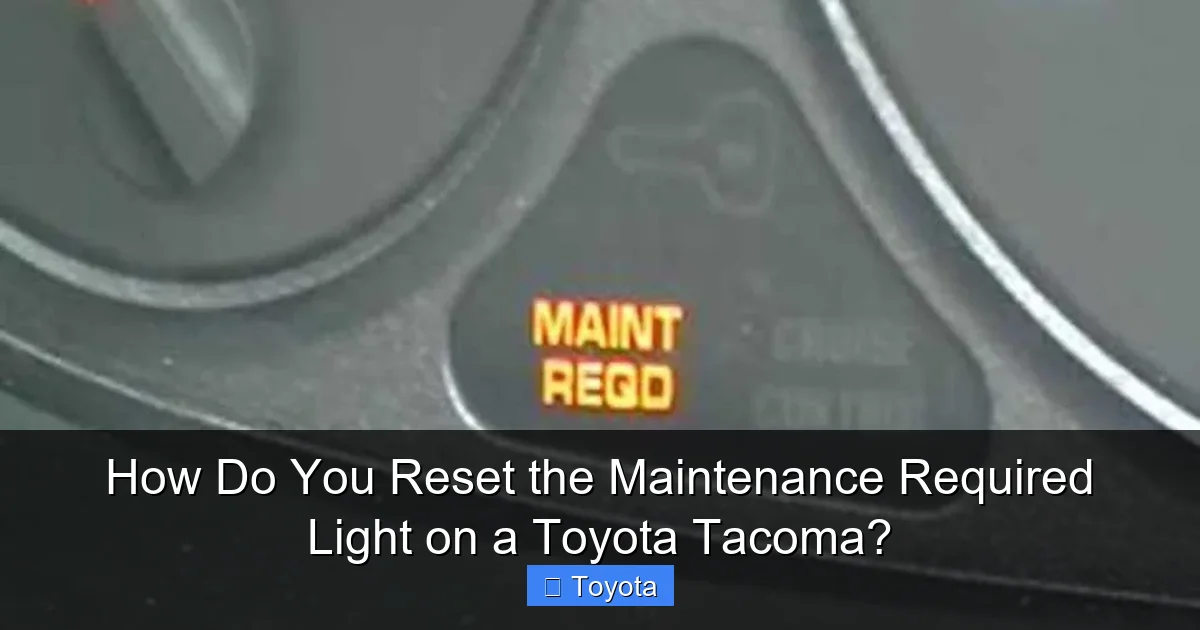
That little wrench icon glowing on your Toyota Tacoma’s dashboard isn’t trying to annoy you. It’s your truck’s polite but persistent way of saying, “Hey, it’s time for some scheduled love.” Officially called the Maintenance Required (or MAINT REQD) light, it’s a simple mileage-based reminder system built into your Tacoma’s instrument cluster. Unlike the check engine light, which signals an immediate problem, this light is purely preventive. It illuminates after a predetermined interval—typically every 5,000 miles or six months, whichever comes first—to remind you that an oil change and other routine services are due. It’s a fantastic feature for keeping your truck running smoothly, but it can become a nuisance if it flashes on right after you’ve just had service at the shop.
The system is remarkably straightforward. Your Tacoma’s computer tracks your driving distance and time. When you hit that 5,000-mile mark (or the time-based interval), it triggers the light. Once you’ve had the necessary maintenance performed—most commonly an oil change, tire rotation, and multi-point inspection—you or your technician should reset the light. This tells the computer to start the countdown for the next service interval. The reset process is a manual procedure that tricks the computer into thinking the service has been done, clearing the wrench icon from your dash. It’s a non-electronic, purely mechanical sequence of button presses and ignition cycles that anyone can perform.
It’s vital to understand the philosophy here: the light is a tool for responsible ownership, not a suggestion to be ignored. Resetting it without actually performing the maintenance is like erasing a to-do list without doing the work. It defeats the entire purpose of the system and puts your engine at risk. Modern engines, especially the reliable but hard-working ones in Tacomas, rely on clean oil and regular inspections. Skipping an oil change can lead to sludge buildup, increased wear, and catastrophic failure. So, before you even think about the reset procedure, ensure the required service is complete. If you’re unsure what service is due, your owner’s manual or a trusted mechanic can provide the maintenance schedule for your specific model year and driving conditions.
Preparation: What You Need to Know Before You Start
Before you dive into the button-pressing ritual, a little preparation goes a long way. The good news is that you need absolutely no special tools, software, or mechanical expertise to reset your Tacoma’s maintenance light. You only need two things: your vehicle’s ignition key (or fob) and about 60 seconds of uninterrupted time. However, there are a few critical pre-flight checks to ensure the process goes smoothly and you don’t accidentally trigger another warning.
Visual guide about How Do You Reset the Maintenance Required Light on a Toyota Tacoma?
Image source: carfromjapan.com
Confirm the Correct Service is Complete
This is the most important step. Do not reset the light if you know or suspect your Tacoma is overdue for an oil change, tire rotation, or other factory-scheduled maintenance. The reset procedure is the final step *after* the work is done. If you’re a DIY enthusiast, make sure you’ve changed the oil and filter, checked all fluid levels, inspected the brakes, tires, and belts, and replaced any other items due at that service interval. If you take your truck to a shop, a reputable mechanic will always reset the light for you as part of the service. If they forget, don’t be shy about asking them to do it before you leave. If you’re resetting it yourself because the shop missed it, you can proceed confidently knowing the maintenance is done.
Know Your Model Year and Generation
The exact button sequence changed slightly across the Tacoma’s long production run. Identifying your truck’s generation is key to following the correct steps. Here’s a quick guide:
- First Generation (1995-2004): Often called the “compact” Tacoma. These have a simpler odometer-style display and use the “trip” button for resets.
- Second Generation (2005-2011): The “mid-size” redesign. These use the “ODO/TRIP” button on the gauge cluster and require a specific key-on, engine-off sequence.
- Third Generation (2012-2015): A minor refresh of the second gen. The procedure is identical to the 2005-2011 models.
- Fourth Generation (2016-Present): The complete redesign with a modern digital display. The process involves the “Menu” button on the steering wheel and is slightly different.
If you’re unsure, your owner’s manual will have the exact procedure for your specific year and trim. You can also often find a sticker under the hood or on the driver’s side door jamb with the model year.
Ensure the Vehicle is in the Correct State
For all methods, the truck must be turned OFF. The engine should be completely off, and you should have the key out of the ignition (or the fob removed if you have push-button start). The process begins with turning the key to the “ON” or “ACC” position—the position where the dashboard lights and radio come on but the engine is not running. Make sure all other doors are closed, and you have a clear view of the odometer display. Some models require the odometer to be showing the total mileage (ODO), not a trip meter (A or B). If your display is on a trip meter, use the button on the gauge cluster to cycle it to the main ODO reading before you start.
Manual Reset Procedures by Tacoma Generation
Now for the main event. Below are the detailed, step-by-step instructions for each Tacoma generation. Follow these precisely. The light will blink and then go out, confirming the reset was successful. If it doesn’t work the first time, turn the key fully off, wait a few seconds, and try again. Patience is key.

Visual guide about How Do You Reset the Maintenance Required Light on a Toyota Tacoma?
Image source: carfromjapan.com
For 1995-2004 Toyota Tacoma (First Generation)
These early Tacomas have a classic analog/digital dash with a dedicated “trip” button. The process is quick and uses that button.
- Turn the ignition key to the “OFF” position.
- Press and hold the “Trip/Reset” button on the instrument cluster. It’s usually the same button you use to toggle between trip A and trip B.
- While still holding the button, turn the key to the “ON” (or “ACC”) position. Do not start the engine.
- Continue holding the button. The odometer display will show a series of dashes or zeros, and the maintenance required light will begin to blink.
- After about 5-10 seconds, the light should stop blinking and go out completely. You can now release the button.
- Turn the key to “OFF” and then back to “ON” to verify the light remains off. Start the engine to ensure everything is normal.
Pro Tip: If the light doesn’t go out, ensure you’re holding the button long enough after turning the key on. The blinking sequence is your cue that the reset is in progress.
For 2005-2011 Toyota Tacoma (Second Generation & 2012-2015 Third Generation)
This era introduced a slightly more complex but still very manageable procedure using the “ODO/TRIP” button. It’s identical for the 2005-2011 and 2012-2015 models.
- Start with the truck completely OFF. Key out of the ignition.
- Press and hold the “ODO/TRIP” button on the dash. It’s the button you press to switch between the odometer and trip meters.
- While holding that button, insert the key and turn it to the “ON” position (dashboard lights on, engine off).
- Keep holding the button. The odometer display will change. You might see “000000” or a series of dashes. The maintenance light will start to blink.
- Continue holding the button for approximately 5-10 seconds until the maintenance required light goes out completely.
- Release the button, turn the key to “OFF,” and then restart the truck to confirm the light stays off.
Critical Note: Your odometer must be displaying the total mileage (ODO), not Trip A or Trip B, when you begin. If it’s on a trip meter, press the ODO/TRIP button once (without holding) while the key is ON to cycle it back to the main odometer reading before attempting the reset sequence.
For 2016-2023 Toyota Tacoma (Fourth Generation)
The latest generation moved the controls to the steering wheel. The process uses the “Menu” or “Disp” button on the left side of the steering column. It’s a bit different but just as easy.
- With the truck OFF, press and hold the “Menu” button (it may have a page icon or say “Disp”) on the steering wheel.
- While holding that button, press the ignition button once (or turn the key to the “ON” position if you have a key). Do not start the engine. The dashboard will illuminate.
- Continue holding the steering wheel button. You should see the odometer display change, and the maintenance required wrench light will begin to blink.
- Hold the button until the blinking stops and the light turns off completely. This can take 10-15 seconds.
- Release the button. Turn the vehicle completely off (press the start/stop button again if using push-start, or turn the key to OFF).
- Start the truck normally. The light should remain off, indicating a successful reset.
Troubleshooting: If this doesn’t work, ensure you’re using the correct button—it’s specifically the “Menu” or display control on the left spoke of the steering wheel, not the cruise control or audio buttons. Also, make sure you’re pressing and holding it *before* you activate the ignition.
When to Seek Professional Help: Beyond a Simple Reset
While the reset itself is a simple DIY task, there are scenarios where you should skip the button-pressing and consult a professional mechanic or your Toyota dealer. The maintenance required light is a basic reminder, but your Tacoma’s computer system is far more sophisticated. If the light is accompanied by any other warning indicators—especially the check engine light (a yellow engine icon), oil pressure warning, or temperature warning—you must address those issues first. A maintenance light reset will not fix an underlying mechanical problem; it will only temporarily hide the reminder.

Visual guide about How Do You Reset the Maintenance Required Light on a Toyota Tacoma?
Image source: outlawoffroad.com
If you have performed all the due maintenance (oil change, filters, inspections) and the light resets successfully but then comes back on after just a few hundred miles, this is a red flag. It could indicate a faulty oil level sensor, a problem with the vehicle’s mileage tracking computer, or that a service item was missed or not properly documented. A professional technician can use a diagnostic scan tool to check for any stored trouble codes in the vehicle’s computer that might be causing the premature reminder. They can also verify the service history was correctly logged in the system, which is sometimes necessary for certain models.
Additionally, if you are uncomfortable with any step of the process or if the sequence described for your model year does not work after several attempts, it’s wise to seek help. There’s no harm in having a dealer or independent shop perform the reset for a small fee, often as a courtesy if you just had service done there. They have professional diagnostic tools that can communicate directly with the vehicle’s ECU to reset the maintenance interval, bypassing the manual button sequence entirely. This is also useful if your instrument cluster or steering wheel buttons are malfunctioning.
Common Mistakes and Misconceptions
Even with the best instructions, it’s easy to trip up. Here are the most common pitfalls owners face when trying to reset their Tacoma’s maintenance light, and how to avoid them.
Resetting Without Performing Maintenance
This is the cardinal sin. The light exists to protect your engine. Resetting it while your oil is old or your brakes are worn is a false economy that leads to expensive repairs. Always, always complete the factory-recommended service interval first. If you’re close to the mileage but not quite there, it’s better to wait until the service is actually due. The light is a helpful tool, not a deadline to be circumvented.
Using the Wrong Button or Sequence
As detailed above, the button and sequence change by generation. Using the 2005-2011 method on a 2020 Tacoma won’t work. Double-check your model year. If you have a fourth-gen (2016+) model, make sure you’re using the steering wheel “Menu” button, not the “Disp” button on the gauge cluster (if equipped). Some older models also have a separate “Reset” button; ignore it and use the ODO/TRIP button as instructed.
Not Cycling the Display to ODO
For the 2005-2015 models, if your odometer is showing Trip A or Trip B when you start, the reset will fail. You must first press the ODO/TRIP button (with the key ON) to get the main total mileage reading to appear. Then, with that showing, turn the key off and begin the hold-and-turn-on sequence.
Starting the Engine During the Reset
The entire procedure must be done with the key in the “ON” or “ACC” position, engine off. If you accidentally start the truck during the process, you must turn everything off and start over from the beginning. Starting the engine cancels the reset sequence.
Confusing the Maintenance Light with Other Lights
Know your dash! The maintenance required light is a small wrench icon, usually yellow or orange. It is not the check engine light (an engine block icon), the oil pressure light (an oil can), or the tire pressure monitor light (an exclamation point in a tire). If any of those other lights are on, you have a separate, potentially urgent issue that needs diagnosis before any reset is considered. The procedures in this guide are only for the wrench-shaped MAINT REQD light.
The Bigger Picture: Why This Light Matters for Your Tacoma’s Health
Let’s zoom out for a moment. That little wrench is more than an annoyance; it’s a cornerstone of your Tacoma’s longevity. The Toyota Tacoma is famous for its reliability and durability, often surpassing 300,000 miles with proper care. The maintenance reminder system is a key part of that equation. It enforces a disciplined service schedule that addresses wear-and-tear items before they become failures.
The most common trigger is the oil change interval. Modern synthetic oils are remarkable, but they still break down over time and mileage. Old, degraded oil loses its lubricating and cooling properties, leading to increased engine wear, sludge formation, and eventually, bearing or piston ring failure. The 5,000-mile (or 6-month) interval is a conservative benchmark. If you do a lot of severe driving—towing, off-roading, dusty conditions, or extreme temperatures—you may need more frequent changes. The light doesn’t adjust for severity; it’s a basic timer. That’s why it’s important to also understand your driving conditions and consult your manual for “severe service” recommendations.
But it’s not just oil. The reminder also prompts you for tire rotations (critical for even wear on a truck that often carries loads), cabin air filter changes (important for HVAC efficiency and air quality), engine air filter inspections, and comprehensive multi-point inspections where a technician checks brakes, suspension, fluids, belts, hoses, and more. Catching a worn brake pad or a leaking seal during a routine service is infinitely cheaper and safer than waiting for a catastrophic breakdown on the side of the road. Resetting the light is simply acknowledging that this due diligence has been completed. It closes the loop on that service cycle and starts the clock for the next one.
In essence, respecting the maintenance required light and its reset is a direct investment in your Tacoma’s reliability, resale value, and your own peace of mind. A well-maintained Tacoma with a complete service history is a prized possession. A neglected one, even with a freshly reset light, is a ticking time bomb.
Conclusion: A Simple Task with a Important Responsibility
Resetting the maintenance required light on your Toyota Tacoma is one of the easiest pieces of routine ownership you’ll ever perform. With the correct sequence for your model year, it takes less than a minute and requires no tools. You now have the knowledge to do it yourself, whether you drive a first-gen compact from the ‘90s or a brand-new fourth-gen model. Just remember the golden rule: reset only after service is complete.
This guide has walked you through the “why” and the “how.” You understand that the light is a mileage-based timer, not a sensor. You know the exact button-press sequences for your generation. You’re aware of the common mistakes and the situations that require a professional’s touch. You also understand that this small act of resetting is part of a much larger commitment to your truck’s health. A Toyota Tacoma is a workhorse, and like any workhorse, it thrives on consistent, proper care. Heeding its maintenance reminders and resetting the light upon completion is a simple yet powerful way to ensure your Tacoma remains a reliable partner for all your adventures, on-road and off, for years and miles to come.
Frequently Asked Questions
Can I reset the maintenance required light without changing the oil?
Technically, yes—the manual reset procedure works regardless of your oil’s condition. However, you should never do this. The light exists to remind you that your oil is due for change. Resetting it without performing the service means you’ll be driving with degraded oil, which can cause serious engine damage and void your warranty. Always complete the required maintenance first.
What should I do if the maintenance light comes back on immediately after I reset it?
If the light returns within a few days or after a short drive, it usually means the service was not performed correctly or a sensor is faulty. First, double-check that all due services (oil, filter, tire rotation) were actually completed. If they were, the issue may be a faulty mileage sensor or a problem with the vehicle’s computer. You should take your Tacoma to a mechanic or dealer for diagnosis, as a simple reset will not fix the underlying problem.
Will resetting the maintenance light affect my Toyota’s warranty?
No, resetting the light itself does not affect the warranty. However, failing to perform the required maintenance that the light reminds you of can void certain warranty coverage, particularly powertrain warranties, if it can be proven that neglect led to a failure. Always keep records of your services (receipts, work orders) to prove you’ve upheld your maintenance obligations.
How often does the maintenance required light come on?
For most Toyota Tacoma models, the light illuminates every 5,000 miles or six months, whichever comes first. This interval is based on the factory-recommended oil change schedule under normal driving conditions. If you frequently engage in “severe service” driving (like towing, extreme temperatures, or dusty environments), you should perform maintenance more often, even if the light hasn’t come on yet.
What is the difference between the maintenance required light and the check engine light?
They are completely different. The maintenance required light (wrench icon) is a simple mileage-based reminder for scheduled services like oil changes. The check engine light (engine icon) indicates that the vehicle’s computer has detected a problem with the engine, transmission, or emissions system that needs immediate diagnosis. Never ignore a check engine light, and never confuse the two when attempting a reset.
Can I use an OBD2 scanner to reset the maintenance light?
Yes, many professional-grade and advanced DIY OBD2 scanners can reset the maintenance reminder system on a Tacoma. However, the manual button method is universal, free, and works on every model regardless of scan tool compatibility. Using a scanner is often faster for technicians but is unnecessary for a simple reset. If you have a basic code reader, it likely cannot perform this function—it requires a tool with specific maintenance reset capabilities for Toyota.







