
How Do You Reset the Maintenance Light on a Toyota Hybrid?

Resetting the maintenance light on a Toyota Hybrid is a simple process you can do yourself after routine service. It’s not just about turning off an annoying dash light; it’s a crucial step to ensure your vehicle’s maintenance scheduler accurately tracks your next service interval. This guide covers the universal method using the multi-information display, along with model-specific nuances, so you can confidently reset the light on any Toyota Hybrid, from the Prius to the RAV4 Hybrid.
So, that little wrench or “MAINT REQD” symbol has popped up on your dashboard. You know it’s not an urgent “pull over now” kind of warning, but it’s persistent. For owners of Toyota Hybrids—whether you’re piloting a fuel-sipping Prius, a family-friendly RAV4 Hybrid, or a luxurious Avalon Hybrid—this light is simply your car’s way of saying, “Hey, it’s time for our check-up!” And here’s the great news: resetting it is one of the easiest DIY tasks you can do after you’ve had the actual maintenance performed. It’s a satisfying few seconds of button-pressing that tells your car’s computer, “Got it, the service is done. Now, let’s start the clock fresh for the next interval.” This guide will walk you through everything you need to know, from understanding what that light really means to the exact button-press sequence for your specific Toyota Hybrid model.
Key Takeaways
- The maintenance light is a reminder, not an emergency. It illuminates based on mileage/time intervals to remind you of scheduled maintenance like oil changes, tire rotations, or inspections.
- Always perform the required service first. Reset the light only after a qualified technician has completed the necessary maintenance. Resetting without service defeats the purpose of the system.
- The primary reset method uses the vehicle’s multi-information display. This is the standard, most reliable procedure for nearly all modern Toyota Hybrids.
- Consult your owner’s manual for model-specific details. While the process is similar, button locations and menu names can vary slightly between a Prius, Camry Hybrid, and Highlander Hybrid.
- Resetting does not clear other trouble codes. If a check engine light or other warning is on, those are separate issues that require diagnosis and should not be reset without addressing the underlying problem.
- If the light reappears quickly, there may be an issue. A persistent maintenance light after a proper reset could indicate a problem with the maintenance reminder system itself or that the service was not fully completed.
- The process is safe and DIY-friendly. You do not need special tools or a dealership visit for this task, saving you time and money.
📑 Table of Contents
- Understanding Your Toyota Hybrid’s Maintenance Light
- Why Resetting the Light is Important
- The Universal Method: Resetting via Multi-Information Display
- Model-Specific Considerations and Variations
- What to Do After You Reset the Light
- Troubleshooting: What If the Light Won’t Reset or Comes Back On?
- Conclusion: A Simple Act of Ownership
Understanding Your Toyota Hybrid’s Maintenance Light
Before we dive into the “how,” let’s quickly cover the “why.” That maintenance required light is part of Toyota’s sophisticated maintenance reminder system. It’s not a simple mileage counter that trips at 5,000 miles regardless of anything else. Instead, it’s a computer-driven algorithm that considers multiple factors:
- Mileage/Time Intervals: The primary trigger. The system is pre-programmed with service intervals based on your model and year (e.g., every 5,000 miles or 6 months).
- Driving Conditions: Your hybrid’s computer tracks driving patterns. Severe conditions—like frequent short trips, extreme temperatures, dusty environments, or heavy towing—can cause the system to calculate that your engine oil and other fluids are degrading faster, illuminating the light sooner.
- Vehicle Sensors: Some advanced systems can monitor oil quality or other parameters, though the primary driver is the programmed interval.
When the light comes on, it’s telling you it’s time for a service, which typically includes an oil and filter change, tire rotation, and a comprehensive multi-point inspection. For a hybrid, this is also a perfect time for a technician to check the hybrid system’s health, battery coolant levels, and regenerative braking components. Once the certified technician completes all the required work, they *should* reset the light for you. But sometimes they forget, or you perform the service yourself. That’s where you come in.
What the Light Is NOT
It’s critical to understand what this light is not. It is not a check engine light (which indicates an emissions-related fault). It is not an oil pressure light (which indicates immediate, dangerous low oil pressure). The maintenance light is a friendly, planned reminder. If you see a different, more serious warning light—especially a red one—stop driving safely and have the vehicle towed to a professional. Do not attempt to reset those lights without fixing the core issue. For other dashboard symbols, you might find resources like our guide on how to reset the airbag light on a Toyota Camry helpful for comparison, but those are entirely separate systems.
Why Resetting the Light is Important
You might think, “Can’t I just ignore it until the next service?” Technically, you can. But there are important reasons to reset it promptly after service:
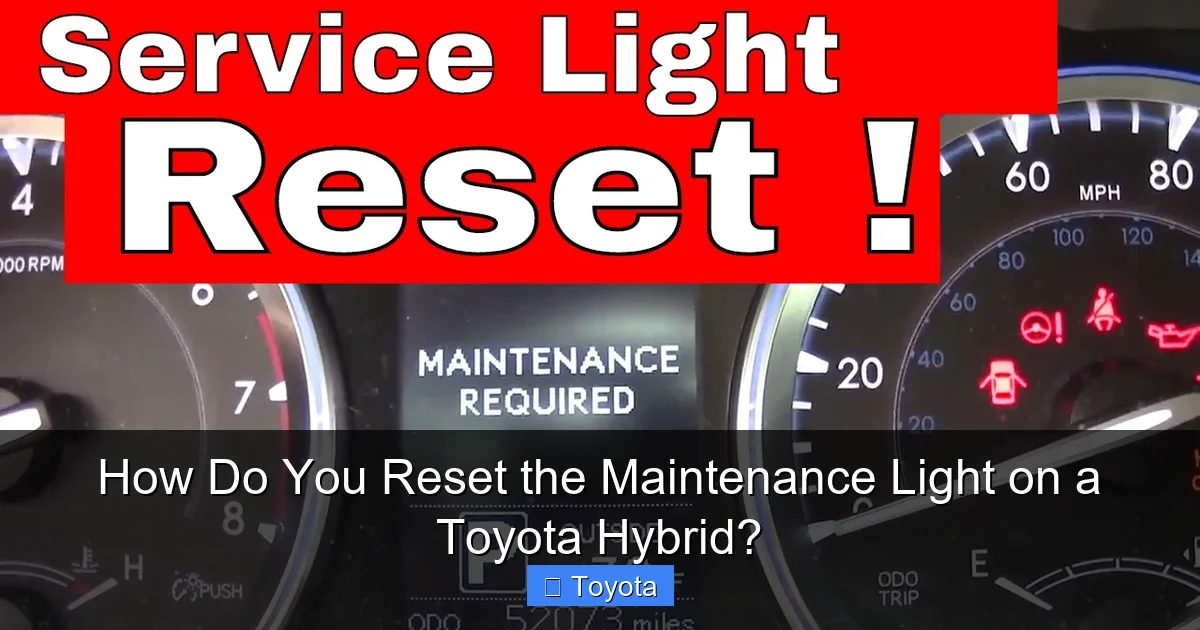
Visual guide about How Do You Reset the Maintenance Light on a Toyota Hybrid?
Image source: i.ytimg.com
- Accuracy of Future Reminders: The system counts down from the moment you reset it. If you don’t reset it, the next service interval will be calculated incorrectly, potentially leading to delayed maintenance.
- Eliminates Confusion: A constantly illuminated wrench can be distracting and makes it harder to notice if a *new*, more serious warning light appears.
- Maintains Resale Value: A complete service history with timely maintenance reminders (and their corresponding resets) is attractive to future buyers.
- Psychological Satisfaction: There’s a certain peace of mind in knowing your car’s internal systems are all synced and up-to-date.
Think of it like resetting the timer on your oven after you’ve cleaned it. The cleaning cycle is done, so you reset the clock to start fresh. Your Toyota Hybrid’s maintenance scheduler works the same way.
The Universal Method: Resetting via Multi-Information Display
For the vast majority of Toyota Hybrids produced from the late 2000s onward, the reset procedure is performed through the vehicle’s multi-information display (the screen in the gauge cluster or the central touchscreen). While button layouts differ slightly, the core logic is the same. Here is the generalized, step-by-step process that works for most models, including the Prius, Camry Hybrid, Corolla Hybrid, RAV4 Hybrid, and Highlander Hybrid.
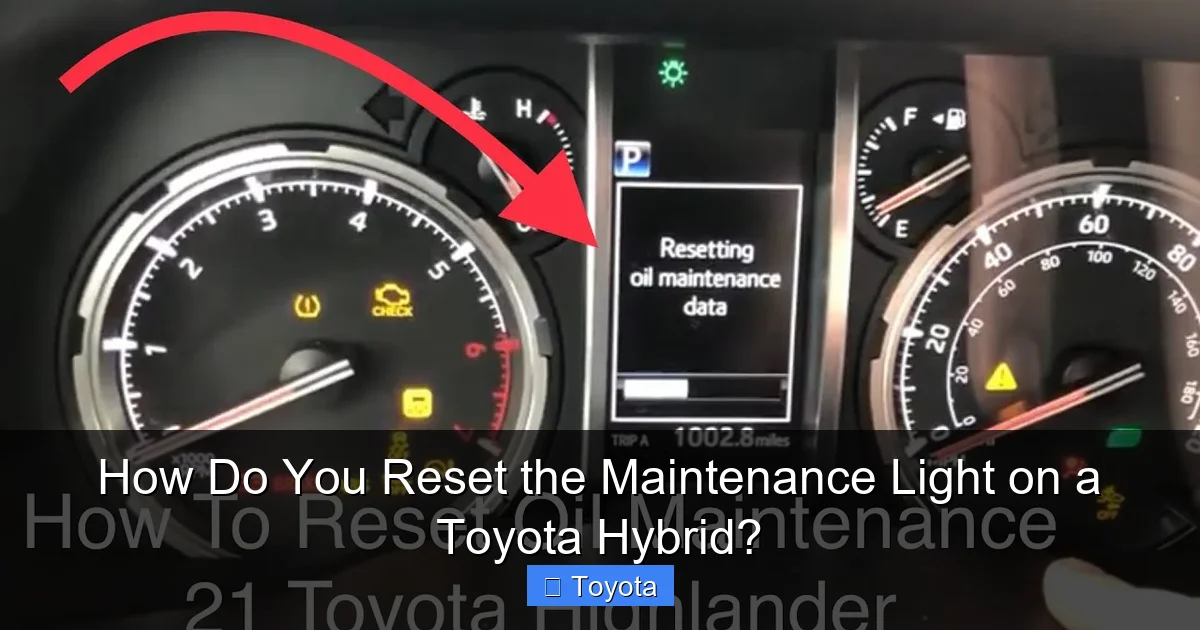
Visual guide about How Do You Reset the Maintenance Light on a Toyota Hybrid?
Image source: i.ytimg.com
Step-by-Step Button Sequence
Before you start, ensure your car is parked, the parking brake is set, and the ignition is turned ON (all dash lights on, engine off). Do not start the engine.
- Locate the “Menu” or “Trip” Button: This is typically on the steering wheel stalk or on the dashboard near the gauge cluster. It’s often labeled with a “Menu,” “Info,” or “Trip” icon.
- Navigate to “Settings” or “Vehicle Settings”: Press the button to cycle through the display menus. You’re looking for a menu that says “Settings,” “Vehicle Settings,” “Maintenance,” or an icon that looks like a wrench or car.
- Find “Maintenance Reset” or “Service Reset”: Within the settings menu, scroll until you find an option specifically for maintenance or service reset. On some models, it’s under “Maintenance” or “Scheduled Maintenance.”
- Select and Confirm: Highlight the “Maintenance Reset” option and press the “Enter” or “OK” button (often the same button you use to select). The system will likely ask you to confirm. Select “Yes” or “Confirm.”
- Verification: The maintenance light on your dash should blink and then go out. The display may show a message like “Maintenance Reset Completed” or return to the odometer/trip meter reading.
Turn the ignition off and then back on to ensure the light stays off. If it comes back on immediately, you may have a system fault or the reset wasn’t completed correctly.
Visual Cues Are Key
Because button labels and menu structures vary, always rely on the icons and on-screen text. For instance, on a 2021 Toyota RAV4 Hybrid, you might use the “D-pad” buttons on the steering wheel to navigate the full-color gauge cluster display. On an older Prius, you might use buttons on the center console near the shifter. The process for a 2021 Toyota RAV4 is a great example of a modern, screen-based system. If your model uses a central touchscreen (like in some newer Avalon Hybrids or Highlander Hybrids), the path might be: “Menu” > “Vehicle” > “Maintenance” > “Reset.”
Model-Specific Considerations and Variations
While the universal method works for most, a few Toyota Hybrid models or model years have slight quirks. Here’s what you need to know for popular platforms:
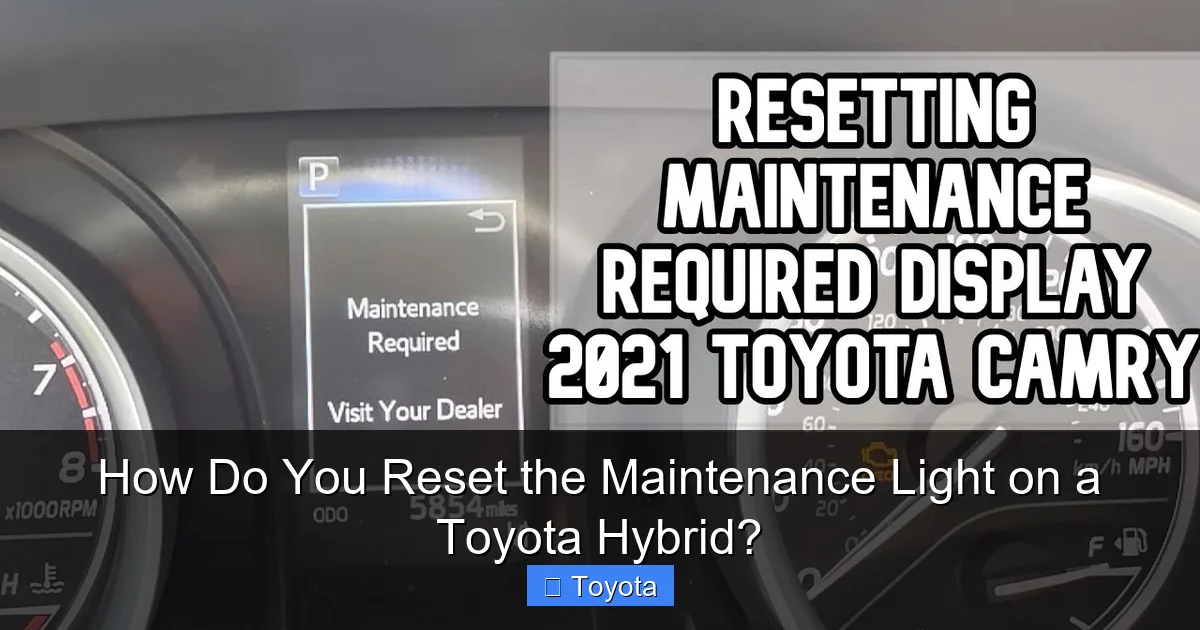
Visual guide about How Do You Reset the Maintenance Light on a Toyota Hybrid?
Image source: i.ytimg.com
The Prius Family (Prius, Prius Prime, Prius v)
These are straightforward. Use the steering wheel “Menu” button to access the multi-information display. Navigate to “Settings” > “Maintenance” > “Maintenance Reset.” Confirm. The process is identical across most Prius generations from the third-gen (2010+) onward. If you own an older model, the button might be on the dashboard near the speedometer.
Camry Hybrid & Avalon Hybrid
These midsize/large sedans often use the steering wheel controls for their gauge cluster display. The sequence is typically: “Info” button > use arrow keys to find “Settings” > “Vehicle Settings” > “Maintenance” > “Reset Maintenance Data.” The Toyota Avalon, sharing a platform with the Camry, follows a nearly identical procedure. Always check your owner’s manual under “Maintenance/Service” or “Instrument Panel.”
RAV4 Hybrid & Highlander Hybrid
These SUVs are extremely popular. The RAV4 Hybrid (especially 2019+) uses a digital gauge cluster. The reset is found under “Settings” > “Vehicle” > “Maintenance” in the display menu. The Highlander Hybrid (2020+) is similar. For a Toyota Highlander, the process is consistent across hybrid and non-hybrid versions of the same generation. A key tip: on some models, you must first scroll to the “Odometer” or “Trip” display before the “Settings” menu becomes accessible via the steering wheel buttons.
Corolla Hybrid & Venza
Newer models like the Corolla Hybrid and the returned Venza rely heavily on the central touchscreen. The path is usually: “Apps” > “Settings” > “Vehicle” > “Maintenance” > “Reset Maintenance Reminder.” Ensure your vehicle is in “Park” and the hybrid system is on (READY indicator lit).
Pro Tip: If you get lost in the menus, a quick way to find the reset option on many models is to repeatedly press the “Trip” or “ODO/TRIP” button on the dash until you see a wrench icon or “MAINT” appear next to the odometer reading. Then, press and hold that same button for several seconds. This “hidden” shortcut works on many Toyotas from the early 2000s to the early 2010s. It’s a great fallback method if you can’t find the option in the digital menus.
What to Do After You Reset the Light
You’ve successfully pressed the buttons and the light is off. Great! Now, follow these final steps:
- Turn the Ignition Off: Switch the car to “OFF” or “LOCK.” Wait about 10 seconds.
- Restart the Vehicle: Turn the hybrid system back on (press the power button without the brake, or with the brake depending on your model, until you see the “READY” indicator).
- Verify: Check the instrument cluster. The maintenance light should remain off. The odometer/trip meter should now show the normal reading, not the maintenance notice.
- Record It: In your vehicle’s service history notebook or a digital log, note the date and mileage of this reset. This helps you track future intervals manually if needed.
- Drive Normally: The system has been reset. Your next reminder will appear after the next prescribed interval (e.g., 5,000 miles or 6 months from now).
A Note on Hybrid-Specific Systems
Resetting the general maintenance light does not affect or reset any other hybrid-specific service reminders. For example, some Toyota hybrids have a separate reminder for hybrid battery coolant replacement (often at 100,000 miles). That is a different, more serious service and typically requires a dealer scan tool to reset. The wrench light you’re resetting here is for general, routine maintenance. If you are unsure, your owner’s manual will list all maintenance items and their respective intervals and reset procedures.
Troubleshooting: What If the Light Won’t Reset or Comes Back On?
Sometimes, the process doesn’t go as smoothly. Here’s how to handle common hiccups:
- “I followed the steps, but the light is still on.” Double-check that you are in the correct menu. Try the “press and hold the trip button” method with the odometer displayed. Ensure the ignition is in the “ON” position (all dash lights on) but the engine is not running. Some models require the parking brake to be engaged. Try turning the car completely off, opening and closing the driver’s door (this can reset some systems), and trying again.
- “The light came back on after a few days/weeks.” This is a red flag. It usually means one of two things: 1) The maintenance was not actually completed to the system’s satisfaction (e.g., the oil change was done but a tire rotation was skipped, and the system expects both), or 2) There is a fault in the maintenance reminder module itself. Re-visit the shop that performed the service and ask them to complete the reset properly or diagnose the system.
- “My car doesn’t have a digital display/buttons in the dash.” This is rare for a Toyota Hybrid, as they have been digitally equipped from the start. If you have an older Prius (pre-2004) or a very early model, the procedure might involve a different sequence, like turning the key on/off multiple times while pressing a button. In this case, your specific owner’s manual is your best friend.
- “I see a different light, like a ‘Service Hybrid System’ message.” Do not confuse this with the maintenance required light. A “Service Hybrid System” warning is a serious fault in the hybrid powertrain and requires immediate professional diagnosis. This cannot be reset by the driver.
When in doubt, your factory owner’s manual is the ultimate authority. You can often find a digital copy online by searching for “[Your Year, Make, Model] owner’s manual PDF.” If you’ve exhausted these steps and the light persists, a visit to a trusted mechanic or dealership is warranted. They can use a professional scan tool to both reset the light and check for any stored fault codes in the maintenance system module.
Conclusion: A Simple Act of Ownership
Resetting the maintenance light on your Toyota Hybrid is more than just a chore; it’s a final, confirming step in your vehicle’s care cycle. It communicates directly with your car’s computer, closing the loop on the service just performed and ensuring the next reminder is accurately timed. By mastering this simple procedure—usually just a few button presses on your steering wheel or dash—you save yourself an unnecessary trip to the dealer, gain a deeper connection to your vehicle, and keep your hybrid’s service records perfectly in sync. Remember the golden rule: only reset after the work is done. With this knowledge in hand, you’re empowered to keep your Toyota Hybrid running efficiently and reliably for miles and miles to come. Now, go enjoy that clean, worry-free dashboard!
Frequently Asked Questions
Can I drive my Toyota Hybrid with the maintenance light on?
Yes, you can drive it. The maintenance light is a precautionary reminder, not an indicator of immediate danger like a red oil pressure light. However, you should plan to have the scheduled service performed as soon as reasonably possible to maintain your vehicle’s health and warranty.
How often does the maintenance light come on?
It’s programmed to come on at fixed intervals, typically every 5,000 miles or 6 months, whichever comes first. However, if you drive under “severe” conditions (frequent short trips, extreme temps), the system may calculate a shorter interval and illuminate the light sooner.
Will resetting the maintenance light clear any other warning lights?
No. Resetting the maintenance required light only affects that specific reminder. It will not turn off a check engine light, tire pressure warning, ABS light, or any other system alert. Those require separate diagnosis and repair.
What’s the difference between resetting a hybrid and a non-hybrid Toyota?
The process is virtually identical. Both use the same maintenance reminder system and multi-information display reset procedure. The hybrid-specific components (like the battery) have their own separate service schedules and warnings, which are not reset by this general procedure.
My maintenance light came on right after an oil change. Did they forget to reset it?
Almost certainly, yes. This is the most common reason for the light to be on immediately following a service. Politely call the shop that performed the service and ask them to walk you through the reset over the phone or schedule a quick visit for them to do it. They should have done it before you left.
Is there a way to check what maintenance item triggered the light?
On many newer Toyota models, when the maintenance light first illuminates, the multi-information display may show a message like “Oil Change” or “Maintenance Due.” You can often navigate to a “Maintenance” or “Service History” menu in the display to see the specific code or item. Your owner’s manual will decode these messages for your specific model year.
