
How Do You Reset the Maintenance Light on a Toyota 4runner?

The maintenance light on your Toyota 4Runner is a helpful reminder that scheduled service, typically an oil change, is due. Resetting it after the service is completed is a simple process you can do yourself in under a minute, using just your vehicle’s odometer or steering wheel controls. This guide provides clear, model-specific instructions to turn off that wrench icon and restore your dashboard to normal.
Key Takeaways
- The light is a reminder, not a diagnosis: The maintenance required light signifies that a scheduled service interval (like an oil change) has been reached based on mileage or time, not that there is an immediate problem.
- Two primary reset methods: Most 4Runners use either the traditional “trip meter/odometer” button method or the modern “Multi-Information Display” accessed via steering wheel buttons.
- Reset only after maintenance: You should only reset the light after the required service (e.g., oil and filter change) has been physically performed by you or a technician.
- Model year matters: The exact steps vary slightly between older (pre-2010) and newer (2010+) 4Runners. Always confirm your specific model year’s procedure.
- It’s a manual process: There is no automatic reset. The system must be manually told the service has been completed via the sequential button presses.
- If it won’t reset, check the service: A light that immediately returns or cannot be reset often indicates the service was not fully completed or there’s a separate electrical issue.
- Consult your manual: Your owner’s manual is the definitive source for the correct procedure and service intervals for your specific vehicle.
📑 Table of Contents
- Introduction: That Wrench on Your Dash
- Understanding Your 4Runner’s Maintenance Required Light
- Preparation: Before You Start the Reset
- Method 1: The Odometer Button Method (For Older 4Runners)
- Method 2: The Multi-Information Display (MID) Method (For Newer 4Runners)
- What to Do If the Maintenance Light Won’t Reset
- The Bigger Picture: Maintenance vs. Just Turning Off a Light
- Conclusion: A Simple Task for a Happy 4Runner
Introduction: That Wrench on Your Dash
You’re driving your trusty Toyota 4Runner, and suddenly, a little amber wrench icon illuminates on your instrument cluster. It’s not the check engine light, which usually spells trouble. This one is different. It’s your vehicle’s polite, persistent way of saying, “Hey, it’s time for some routine love.” This is the Maintenance Required light, a feature Toyota has included for decades to help owners stay on top of scheduled service intervals, primarily oil changes.
Once you’ve had the oil changed and the filter replaced, the light doesn’t magically turn itself off. It’s a manual reminder system. Knowing how to reset the maintenance light on a Toyota 4Runner is an essential piece of ownership knowledge. It’s a quick, no-tools-required task that saves you a trip to the dealer for a simple reset. This guide will walk you through every step for all generations of the 4Runner, ensuring you can confidently clear that wrench and get back on the road with a clean conscience and a clear dashboard.
Understanding Your 4Runner’s Maintenance Required Light
Before we dive into button-pressing, it’s crucial to understand what this light actually does. It’s not a sensor that measures oil life or viscosity. Instead, it’s a simple mileage/timer-based reminder system programmed into your 4Runner’s computer.

Visual guide about How Do You Reset the Maintenance Light on a Toyota 4runner?
Image source: oilreset.com
How the System Works
The system is pre-set from the factory with a default service interval, typically 5,000 miles or 6 months for older models, and often 10,000 miles or 12 months for newer models using synthetic oil. Every time you drive, the computer counts down. When you hit that predetermined mileage or time threshold, the wrench icon lights up. It will remain on steadily after you start the engine until you manually reset it, signaling that the service is overdue.
What Does It Actually Mean?
When the light comes on, it’s a broad reminder for the service listed in your maintenance schedule for that specific interval. For the first several intervals, this is almost always an oil and filter change. As your 4Runner ages and accumulates higher mileage, the reminder may signify more comprehensive services involving air filters, cabin filters, spark plugs, and other inspections. The key is: you should perform the required service first, then reset the light. Resetting it without doing the work defeats the purpose of the system and can lead to neglected maintenance.
Preparation: Before You Start the Reset
The process is incredibly simple, but a couple of quick checks will ensure it goes smoothly. This preparation is the same whether you have a 2003 4Runner or a 2022 model.
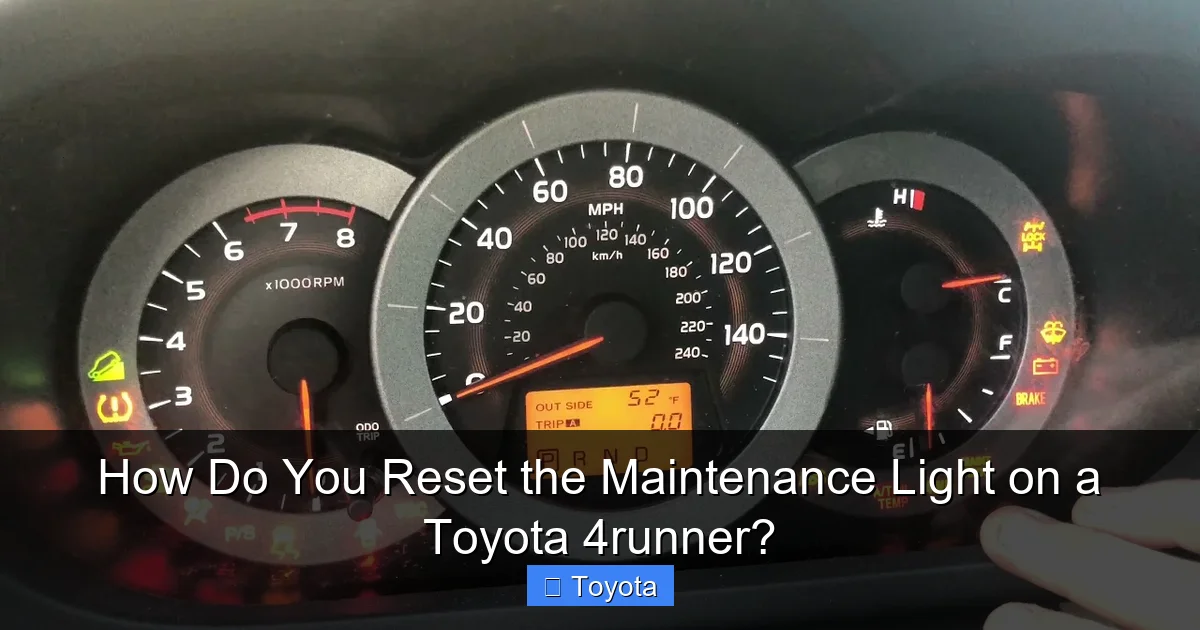
Visual guide about How Do You Reset the Maintenance Light on a Toyota 4runner?
Image source: i.ytimg.com
- Confirm the service is done: This is the most important step. Have you or your mechanic just changed the engine oil and filter? If not, complete that service first. Driving with low or degraded oil is harmful to your engine.
- Know your model year & dash layout: The reset procedure differs between two main generations. We’ll break them down clearly. Generally, 4Runners from 2003-2009 (the N210 platform) use the odometer/trip meter button method. 4Runners from 2010-present (the N280 platform) primarily use the steering wheel-mounted Multi-Information Display buttons.
- Turn the ignition to “ON”: Do not start the engine. Place the key in the ignition and turn it to the “ON” or “ACC” position (the position right before you crank the engine). All dash lights should illuminate, including the maintenance required wrench.
- Have your owner’s manual handy: If you have any doubt, the manual has the official procedure for your specific vehicle.
Method 1: The Odometer Button Method (For Older 4Runners)
This classic method applies to 4Runners from the early 2000s through the 2009 model year. It uses the single button on your instrument cluster that controls the odometer and trip meter. It’s a sequence of button presses, not a hold-and-press.

Visual guide about How Do You Reset the Maintenance Light on a Toyota 4runner?
Image source: knowmyauto.b-cdn.net
Step-by-Step for 2003-2009 Toyota 4Runner
- Turn the key to “ON”: As stated, turn the key to the run position without starting the engine. The maintenance light should be on.
- Ensure you’re on the odometer screen: Use the button on the gauge cluster to cycle through the display until you see the total odometer mileage (not the trip A or trip B mileage). The display should show something like “123456 miles.”
- Turn the key “OFF”: Now, turn the ignition key to the “OFF” position. The dash lights will go out.
- Press and hold the button: While the key is still in the “OFF” position, press and hold down the odometer/trip meter button.
- Turn the key back to “ON”: While continuing to hold the button, turn the key back to the “ON” position. Keep holding the button.
- Watch for the reset sequence: After a few seconds (5-10 seconds), you will see the odometer display change. It might show dashes “—–” or count down. The maintenance required light will begin to blink. Continue holding the button until the light goes out completely and the odometer returns to displaying the mileage.
- Release the button: Once the light is off and the normal odometer reading returns, you can release the button.
- Start the engine: Turn the key to start the engine. The light should remain off. If it comes back on immediately, repeat the process, ensuring you hold the button long enough during the sequence.
Pro Tip: If your 4Runner has a digital odometer that shows trip A and trip B, make absolutely sure you start the sequence on the total odometer screen. Starting on a trip meter screen will often cause the reset to fail. If you’re unsure, cycle the button until you see the full vehicle mileage, not a trip A or B value.
Method 2: The Multi-Information Display (MID) Method (For Newer 4Runners)
For 2010 and later 4Runners, Toyota moved to steering wheel-mounted controls for the trip computer and maintenance reset. This method is often even simpler but requires finding the right buttons on the left side of your steering wheel.
Step-by-Step for 2010-2022+ Toyota 4Runner
- Turn the key to “ON”: Again, do not start the engine. The maintenance light should be illuminated on the dash.
- Navigate to the Settings Menu: On the left side of your steering wheel, you’ll have buttons with arrows and a “ENTER” or “SET” button. Press the “MODE” or “INFO” button (often a folder icon or “i” icon) repeatedly until you see “SETTINGS” or a gear icon appear on your Multi-Information Display (the screen between the speedometer and tachometer).
- Enter the Settings Menu: Press the “ENTER” button (often a square or circle button in the center of the arrow cluster) to select the Settings menu.
- Find “MAINTENANCE”: Use the up/down arrow buttons to scroll through the settings options. Look for “MAINTENANCE” or “MAINT. RESET.” Select it and press ENTER.
- Select “YES” or “RESET”: The display will likely ask “RESET OIL MAINTENANCE?” or similar. Use the arrows to highlight “YES” or “RESET” and press ENTER.
- Confirmation: The display should show a confirmation message like “MAINTENANCE RESET” or “DONE” for a few seconds. The wrench icon on your main instrument cluster should go out.
- Start the engine: Turn the key to start the engine. The light should stay off.
Important Note for 4Runners with a “Menu” Button: Some model years may have a dedicated “Menu” button on the steering wheel. The process is similar: Menu > Vehicle Settings > Maintenance > Oil Maintenance > Yes/Reset.
What If My 4Runner Has a Touchscreen?
For 4Runners equipped with the Toyota Entune™ or newer multimedia system, the reset might be accessible through the vehicle settings on the touchscreen itself. Look for “Vehicle” > “Maintenance” > “Oil Maintenance Reset.” However, the physical steering wheel button method almost always works and is the standard procedure. Consult your manual if the steering wheel button method doesn’t align with your vehicle’s options.
What to Do If the Maintenance Light Won’t Reset
You followed the steps perfectly, but that wrench icon is still glaring at you. Don’t panic. This is a common occurrence and usually has a straightforward cause.
Most Common Reasons & Solutions
- The service wasn’t fully completed: This is the #1 culprit. Did the mechanic forget to reset it? Did you change the oil but not the filter? The system expects a full service. Double-check that the oil and filter were both replaced. If you did it yourself, ensure the filter gasket was properly seated and the oil drain plug is tight with the correct torque.
- Incorrect starting point: For the button method, you must start with the ignition in the “OFF” position, then press and hold the button before turning it to “ON.” The sequence is critical.
- Incorrect display screen: As mentioned, for older models, you must be on the total odometer reading, not a trip meter, when you start the sequence.
- A weak or dead battery: A low battery voltage can sometimes interfere with the computer’s ability to register the reset command. Ensure your battery is healthy.
- A separate electrical fault: Rarely, a problem with the instrument cluster itself or a blown fuse related to the maintenance light circuit could prevent it from turning off. This is unlikely if the light was working before the service.
When to Seek Professional Help
If you have verified the service is complete and you have executed the correct reset procedure for your specific model year multiple times without success, it may be time to consult a professional. A technician at a Toyota dealership or a reputable independent shop can use a professional OBD2 scan tool to not only reset the light but also check for any stored trouble codes that might be preventing the reset. They can also verify the service was done correctly.
The Bigger Picture: Maintenance vs. Just Turning Off a Light
Resetting the light is the final step in a maintenance cycle, not a workaround. It’s vital to understand the philosophy behind this system.
Why Toyota Uses a Light-Based Reminder
It’s a low-tech, highly reliable failsafe. Unlike complex oil life monitors that use sensors and algorithms (found on many modern cars), the Toyota system is based on a simple clock and odometer. It guarantees you are reminded at a consistent, conservative interval, which is excellent for protecting your engine. It also means the reset procedure is universal and doesn’t require special tools or software.
Your Owner’s Manual is Your Best Friend
The exact service interval and the list of tasks due at each “maintenance required” point are found in your owner’s manual. For a 4Runner, these schedules can differ based on “severe” vs. “normal” driving conditions (lots of short trips, extreme temperatures, dusty roads, etc.). Severe conditions often require more frequent service. The light doesn’t know your driving conditions; it just counts miles and time. You must use your judgment based on the manual’s guidelines.
Linking to Other Toyota Models
It’s interesting to note that this fundamental reset procedure is shared across many Toyota vehicles. While the button locations may differ, the core concept of using the odometer button or steering wheel controls is consistent. You’ll find a very similar process if you need to reset the maintenance light on a Toyota Highlander or a Toyota Tacoma. This is a hallmark of Toyota’s user-friendly design philosophy across its lineup, from the compact Corolla to the full-size Tundra.
Conclusion: A Simple Task for a Happy 4Runner
Your Toyota 4Runner is built for adventure and longevity. Part of ensuring it delivers years of reliable service is adhering to its maintenance schedule. The maintenance required light is your most basic and important ally in that effort. Learning how to reset the maintenance light on your Toyota 4Runner is a quick mastery of a simple procedure that puts you in control of your vehicle’s care.
Remember the golden rule: service first, reset second. Identify your model year to choose the correct method—the classic odometer button hold for older models, or the steering wheel MID menu for newer ones. Execute the steps carefully, and that little wrench will vanish from your view, replaced by the peace of mind that comes from knowing your 4Runner’s essential fluids and filters are fresh and its vital systems have been inspected. It’s a small action that speaks volumes about your commitment to your vehicle’s health. Now, go enjoy the drive!
Frequently Asked Questions
What does the maintenance required light mean on a Toyota 4Runner?
It is a mileage/time-based reminder that a scheduled maintenance service, most commonly an oil and filter change, is due. It illuminates when your 4Runner reaches a preset interval, such as 5,000 or 10,000 miles.
Can I reset the maintenance light without changing the oil?
Technically yes, you can follow the reset steps without performing the service. However, this is strongly discouraged as it defeats the purpose of the reminder system and can lead to engine damage from neglected oil changes. Always perform the required maintenance first.
How often should I reset the maintenance light?
You should reset it only after you have completed the specific maintenance service that was due when the light came on. It will then remain off until the next service interval (e.g., another 5,000-10,000 miles) is reached.
Is the reset procedure the same for all 4Runner years?
No. The procedure differs primarily between older (pre-2010) and newer (2010+) models. Older models typically use the odometer button method with the key, while newer models use buttons on the steering wheel to navigate the Multi-Information Display. Always verify the correct method for your specific model year.
Why did my maintenance light come back on right after I reset it?
This usually means the underlying service was not properly completed. Common reasons include: the oil and filter change wasn’t actually done, the oil level is critically low, or the reset procedure was not followed correctly (e.g., started on the wrong odometer screen). Re-check the service and repeat the reset carefully.
Do I need any special tools or a scan tool to reset the light?
No. The entire reset process is designed to be performed by the owner using only the vehicle’s built-in controls—either the odometer button or the steering wheel buttons. A professional scan tool is not required for this specific reset on any 4Runner model year.
