
How Do You Check Tire Pressure on a 2018 Toyota Highlander?

Contents
- 1 Key Takeaways
- 2 📑 Table of Contents
- 3 Why Checking Your Highlander’s Tire Pressure is Non-Negotiable
- 4 Understanding Your 2018 Highlander’s TPMS
- 5 Manual vs. Digital: Your Two Main Checking Methods
- 6 Step-by-Step: How to Check Pressure Manually with a Gauge
- 7 Step-by-Step: How to Check Pressure Using the Highlander’s TPMS Display
- 8 Step-by-Step: How to Check Pressure Using the Toyota App
- 9 When and How to Adjust Your Highlander’s Tire Pressure
- 10 Resetting the TPMS Light After Adjustment
- 11 Common TPMS Issues and Troubleshooting
- 12 Conclusion: Make It a Monthly Habit
- 13 Frequently Asked Questions


Regularly checking your 2018 Toyota Highlander’s tire pressure is crucial for safety, fuel economy, and tire longevity. You can do this manually with a gauge or via the built-in TPMS and Toyota app. Maintaining the correct PSI prevents accidents, saves money on gas, and ensures optimal performance.
Hey there, fellow Highlander owner! Have you ever glanced at that weird little light on your dashboard that looks like an exclamation point inside a tire cross-section? That’s your Tire Pressure Monitoring System (TPMS) warning light, and it’s your car’s way of saying, “Hey, pay attention to my shoes!” Checking tire pressure on a 2018 Toyota Highlander isn’t just about avoiding that annoying light—it’s one of the simplest, most impactful things you can do for your safety, your wallet, and your SUV’s overall health. In this complete guide, we’ll walk through every single method, from the old-school gauge to the high-tech app, so you can master this essential maintenance task with confidence.
The 2018 Highlander is a fantastic family hauler, but it’s also a heavy vehicle. That weight puts extra demand on your tires. Proper inflation ensures even tread wear, responsive handling, and the best possible fuel economy. Under-inflated tires are like trying to run in flippers—they flex too much, overheat, and wear out prematurely. Over-inflated tires are like overstuffed pillows; they have a smaller contact patch, leading to a harsh ride and uneven center wear. Getting it just right is key. Let’s dive in and make sure your Highlander is riding on properly inflated tires, every time.
Key Takeaways
- Safety First: Incorrect tire pressure leads to blowouts, poor handling, and longer stopping distances, especially in a heavy vehicle like the Highlander.
- Find Your PSI: The recommended pressure is on a sticker inside the driver’s door jamb, typically 32-35 PSI for the 2018 Highlander, not the tire sidewall.
- Manual Check is Gold Standard: Use a digital or pencil gauge on cold tires for the most accurate reading, comparing each tire to the door jamb sticker.
- TPMS is Your Digital Helper: The Highlander’s Tire Pressure Monitoring System displays real-time PSI on the dash and warns with a light if pressure drops 25% below spec.
- App Convenience: The Toyota app can remotely show tire pressures if your Highlander is equipped with connected services, offering another layer of monitoring.
- Adjust Carefully: Add or release air at a gas station, rechecking with your gauge, and don’t forget the spare, which usually requires 60 PSI.
- Reset After Adjustment: Once pressures are correct, drive for a few minutes; the TPMS light should go off. If not, a manual reset may be needed via the vehicle settings.
📑 Table of Contents
- Why Checking Your Highlander’s Tire Pressure is Non-Negotiable
- Understanding Your 2018 Highlander’s TPMS
- Manual vs. Digital: Your Two Main Checking Methods
- Step-by-Step: How to Check Pressure Manually with a Gauge
- Step-by-Step: How to Check Pressure Using the Highlander’s TPMS Display
- Step-by-Step: How to Check Pressure Using the Toyota App
- When and How to Adjust Your Highlander’s Tire Pressure
- Resetting the TPMS Light After Adjustment
- Common TPMS Issues and Troubleshooting
- Conclusion: Make It a Monthly Habit
Why Checking Your Highlander’s Tire Pressure is Non-Negotiable
Before we get to the “how,” let’s hammer home the “why.” For a three-row SUV like the Highlander, correct tire pressure is a big deal. It affects everything from safety to how many miles you get per gallon.
Safety: Your Number One Priority
This is the big one. Tires are your only contact with the road. Under-inflated tires can overheat and fail catastrophically, especially at highway speeds or during sudden maneuvers. They also make your Highlander’s steering feel sluggish and increase braking distances. In an emergency stop, those extra feet can be the difference between a close call and a collision. Over-inflated tires reduce the tire’s footprint, making the SUV more prone to skidding on wet surfaces and less forgiving of potholes. For a vehicle often loaded with family and cargo, maintaining optimal traction and control is absolutely critical.
Fuel Economy and Performance
Think of your engine working to move the car. If your tires are under-inflated, they have higher rolling resistance. It’s like pushing a shopping cart with one wobbly wheel—it takes more effort. Your Highlander’s engine has to burn more fuel to overcome that drag. The U.S. Department of Energy estimates that for every 1 PSI drop in average tire pressure, fuel mileage decreases by about 0.2%. On a family road trip in a Highlander, that adds up quickly. Proper pressure also ensures your suspension works as designed, giving you the comfortable, composed ride Toyota engineered.
Tire Longevity and Cost Savings
Tires aren’t cheap, especially for an SUV that needs larger, more robust ones. Incorrect pressure causes uneven and premature wear. Under-inflation wears the outer edges of the tread. Over-inflation wears the center. You’ll find yourself replacing tires far sooner than the 50,000-60,000 miles you might expect. By checking pressure monthly, you protect your tire investment and avoid the unexpected cost of a new set.
Understanding Your 2018 Highlander’s TPMS
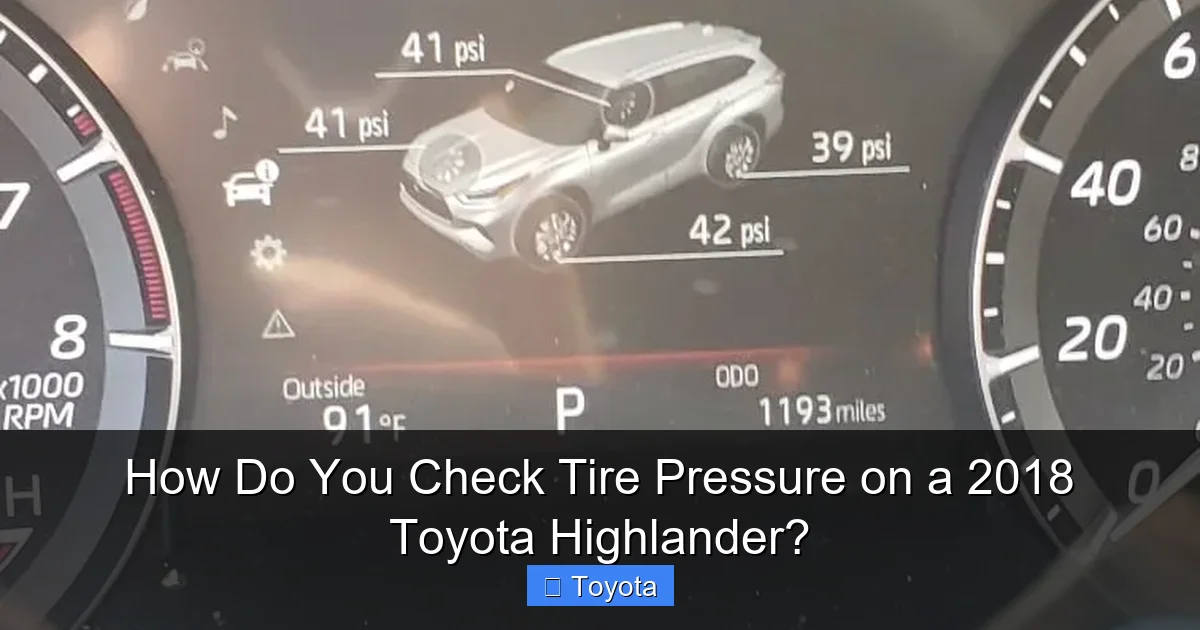
Your 2018 Highlander comes standard with a direct TPMS. This means each wheel has a small sensor mounted on the valve stem that actively measures the air pressure inside the tire and transmits that data wirelessly to your vehicle’s computer. It’s a fantastic system, but it’s important to understand its role and limitations.
Visual guide about How Do You Check Tire Pressure on a 2018 Toyota Highlander?
Image source: images.platforum.cloud
How the System Works and What the Light Means
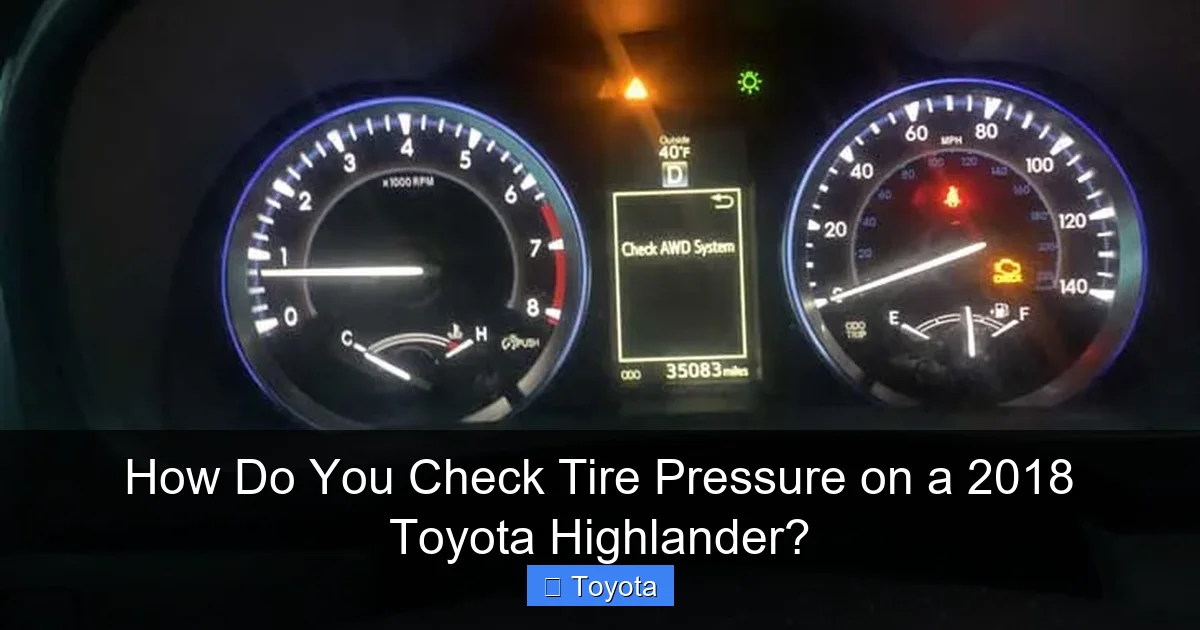
The TPMS sensor in each wheel sends a signal to the Highlander’s receiver. When you start the car, the system performs a quick check. If all pressures are within the acceptable range (usually within 3-5 PSI of the recommended spec), the warning light stays off. The light will illuminate if the pressure in any tire drops by 25% or more. It might also flash for a few seconds when you start the car as a system check, which is normal. A constantly illuminated light means you have a significantly under-inflated tire that needs immediate attention. A flashing light often indicates a sensor fault or a dead battery in one of the sensors (they have a ~10-year life).
What TPMS Does NOT Do
This is a crucial point. The TPMS is a warning system, not a maintenance reminder. It’s designed to alert you to a dangerous loss of pressure, not to tell you your tires are 2 PSI low. By the time the light comes on, your tire is already severely under-inflated. You should not rely on the light as your primary check. The best practice is to manually check all tires, including the spare, at least once a month and before long trips. The TPMS is your last line of defense, not your first.
Manual vs. Digital: Your Two Main Checking Methods
You have three ways to check pressure on your Highlander, but they fall into two categories: active manual measurement and passive digital reading. Each has its place.
Visual guide about How Do You Check Tire Pressure on a 2018 Toyota Highlander?
Image source: seventrumpet.com
The Gold Standard: Using a Manual Tire Pressure Gauge
This is the most accurate and reliable method. A good digital or dial-style gauge costs $10-$20 and will last for years. It gives you an instant, precise reading directly from the valve stem. You have complete control and don’t have to worry about system glitches, uncalibrated sensors, or dead batteries. It’s the mechanic’s preferred method for a reason. The downside? You have to get down on your hands and knees for each tire.
The Convenience Method: Using the Highlander’s Built-in TPMS Display
Your 2018 Highlander can show individual tire pressures on the multi-information display (MID) in the gauge cluster. This is incredibly convenient as you don’t need any tools. You simply navigate a few menus. However, it’s important to know these readings come from the sensors, which can occasionally be faulty or need recalibration after rotation or replacement. It’s a great daily check, but we recommend confirming with a manual gauge if you get a warning or suspect an issue.
The Modern Method: Using the Toyota App
If your Highlander is equipped with Toyota’s connected services (like Safety Connect or Remote Connect), the Toyota app can display tire pressures remotely from your smartphone. This is the ultimate convenience—you can check from inside your house before a trip. The accuracy depends on the same TPMS sensors, so treat it as a convenient monitor rather than a definitive diagnostic tool. It’s perfect for a quick sanity check. For more on setting this up, you can refer to our detailed guide on how to check tire pressure on the Toyota app.
Step-by-Step: How to Check Pressure Manually with a Gauge
Let’s get our hands dirty (well, maybe not dirty). This method is foolproof and gives you the most trustworthy result.
Visual guide about How Do You Check Tire Pressure on a 2018 Toyota Highlander?
Image source: bryansgarage.com
Gather Your Tools and Prepare the Vehicle
You’ll need a reliable tire pressure gauge. Digital gauges are easy to read; dial gauges are classic and durable. Also, have a source of air—a home compressor, a gas station air pump, or a portable 12V compressor. The most important rule: check tire pressure when the tires are “cold.” This means the car has been parked for at least three hours or driven less than one mile. Driving heats the tires and air inside, giving a falsely high reading (by 3-5 PSI is common).
Locate the Recommended PSI
Do not look at the number on the tire’s sidewall! That’s the maximum pressure the tire can hold, not what your Highlander needs. Open the driver’s door and look for a yellow and white sticker on the door jamb. It lists the recommended pressures for the front and rear tires, and often the spare. For a 2018 Highlander, it’s commonly 32 PSI for all four wheels when the vehicle is at its normal cargo weight, but always use the number on your specific sticker. It might vary by trim (LE, XLE, Limited) or if you have different factory wheels.
The Physical Check: A Tire-by-Tire Guide
- Remove the valve stem cap. It’s a small plastic cap on the metal valve stem. Screw it off and put it in your pocket so it doesn’t get lost.
- Press the gauge firmly onto the valve stem. You should hear a brief hiss of air. Hold it straight and snugly. A digital gauge will beep or show a reading quickly. A dial gauge may take a second.
- Read the pressure. Look at the gauge display. Note the number in PSI (pounds per square inch).
- Compare to your door jamb sticker. Is it lower, higher, or just right?
- Repeat for all four tires. Don’t forget the spare! Your full-size spare (if equipped) should be inflated to 60 PSI. A temporary “donut” spare will have its own pressure listed on the spare itself or in your owner’s manual.
- Replace all valve stem caps. They keep dirt and moisture out.
If any tire is low, add air in short bursts, rechecking with your gauge after each burst. It’s easy to over-inflate. If a tire is high, press the small metal pin in the center of the valve stem briefly (like a tiny button) to let air out, then recheck. If pressures are significantly different from side to side, you may have a slow leak that needs inspection.
Step-by-Step: How to Check Pressure Using the Highlander’s TPMS Display
This method is great for a quick dashboard check without leaving the driver’s seat.
Accessing the Tire Pressure Menu
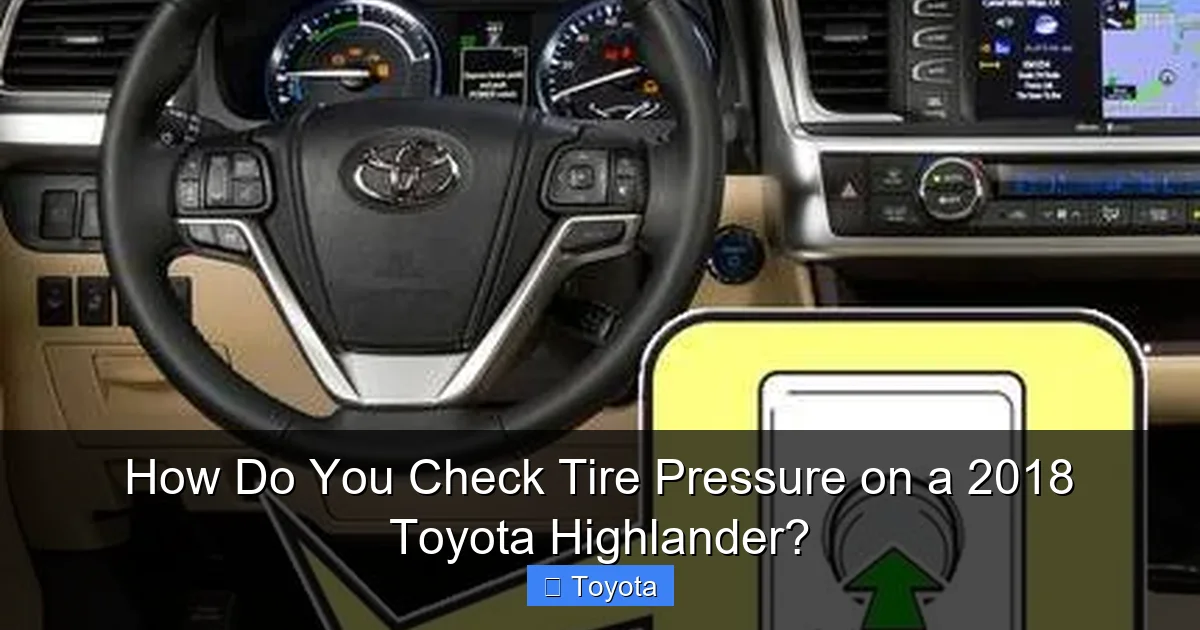
Make sure the ignition is in the “ON” position (engine off or running). Use the buttons on your steering wheel to navigate the multi-information display.
- Press the “Menu” or “Info” button on the left side of the steering wheel.
- Use the arrow buttons to scroll through the menu options. Look for “Vehicle Settings” or a car icon.
- Select “Vehicle Settings” and scroll to find “Tire Pressure” or “TPMS”.
- Select it. The display should now show the pressure for each tire, often with a graphic of a car and four numbers. It may show them all at once or you may need to scroll.
The display will show pressures in PSI (or sometimes kPa or bar, depending on your region settings). Compare each number to your door jamb sticker. If a tire is low, the corresponding number may flash or be highlighted in a different color. If the system hasn’t been calibrated after a tire rotation or replacement, it might show incorrect readings or dashes.
When to Trust and When to Question the Display
Trust the display for a general idea, especially if you’ve just inflated tires and want to confirm they’re holding. However, if the TPMS light is on but the display shows all pressures as normal, you likely have a sensor issue (faulty, dead battery, or damaged). Conversely, if you suspect a tire is low by feel or visual inspection but the display looks okay, break out your manual gauge. Sensors can fail or get damaged during tire service. For persistent discrepancies, a visit to a tire shop is wise—they have a professional TPMS diagnostic tool.
Step-by-Step: How to Check Pressure Using the Toyota App
This is for the tech-savvy Highlander owner who loves remote convenience.
Prerequisites and Setup
To use the tire pressure feature in the Toyota app, your 2018 Highlander must be equipped with an active subscription to Toyota’s connected services (like Safety Connect). The vehicle must also have a built-in cellular module (often part of the Entune 3.0 system). Not all base models had this in 2018, so check your owner’s manual or the Toyota app’s vehicle compatibility section.
- Download the “Toyota” app from your smartphone’s app store.
- Create an account and log in.
- Add your vehicle by following the in-app instructions, which usually involve scanning your VIN or entering it manually.
- Ensure your Highlander’s ignition is ON for initial pairing and that the vehicle is in a location with cellular coverage.
Viewing Pressures Remotely
Once set up:
- Open the Toyota app and select your Highlander.
- Look for a section called “Vehicle Status”, “Tire Pressure”, or a tire icon.
- The app will communicate with your car’s TPMS via the cellular network and display the current PSI for each tire. This data might be a few minutes old, depending on how often your car transmits.
- You can also set up alerts in the app to notify you if a tire drops below a certain threshold.
Remember, this is a monitor. If you get an alert, you should still physically check the tires with a gauge as soon as possible. The app is a fantastic tool for catching a slow leak early, especially on a vehicle you don’t drive every day. For a full walkthrough of the app’s features, see our article on how to check tire pressure on the Toyota app.
When and How to Adjust Your Highlander’s Tire Pressure
Checking is step one. Acting on what you find is step two. Here’s how to get those numbers exactly where they need to be.
Adding Air: The Gas Station Gauntlet
Most gas stations have an air compressor. It’s often free or costs a small amount. Here’s the drill:
- Park so the air hose can reach all four tires.
- Remove the valve stem cap.
- Press the compressor nozzle firmly onto the valve stem. You’ll hear air flowing.
- Hold it for 3-5 seconds, then remove and check with your manual gauge.
- Repeat until you hit the target PSI. Go slow. It’s easy to add too much.
- Replace the cap. If the station has a tire pressure gauge on the air hose, be aware these are often inaccurate. Use your own gauge.
Pro tip: In cold weather, tire pressure drops about 1 PSI for every 10°F drop in temperature. Check and adjust more frequently in winter. In hot weather, pressure increases, so check when tires are cold and don’t overfill on a hot day.
Releasing Air: The Fine Art of Deflation
If you’ve over-inflated, don’t just pull the valve stem core out (that’s dangerous and uncontrolled). Use the small, flat tool on the back of many gauge heads, or simply use your fingernail or a small, blunt object to gently press the metal pin in the center of the valve stem. You’ll hear a short hiss. Press, release, and check your gauge. Do it in 1-second bursts. It’s better to be a little low and add air than to be over.
Don’t Forget the Spare Tire!
This is the most overlooked tire on the whole vehicle. Your Highlander’s full-size spare (if it has one) is usually mounted on the rear door or under the vehicle. It needs to be inflated to its own specific pressure, which is almost always 60 PSI. This is much higher than your regular tires because it’s a temporary, smaller-diameter tire (if it’s a donut) or because it’s stored for long periods. A flat spare is useless in an emergency. Check it monthly. If you have a temporary “donut” spare, its required pressure is printed on the tire’s sidewall or in your owner’s manual, and you must adhere to its speed and distance limitations. For more on those limits, check out our guide on how fast you can drive on a donut tire.
Resetting the TPMS Light After Adjustment
You’ve added air, all tires are at spec, but that little light is still glaring at you. Don’t panic. The system needs to re-calibrate and recognize the new, correct pressures.
The Simple “Drive-to-Relearn” Method
In most cases, this is all you need to do. Once all tires are properly inflated:
- Drive your Highlander at speeds above 28 mph (45 km/h) for about 10-15 minutes.
- The TPMS sensors will continuously send signals, and the computer will verify that all pressures are within range.
- After this drive cycle, the warning light should turn itself off automatically.
Make sure you drive on a smooth road for this. Severe bumps or potholes can sometimes interrupt the process.
Manual Reset via Vehicle Settings
If the light persists after a proper drive, you may need to initiate a manual reset. Your Highlander’s system can be told to “relearn” the current pressures as the new baseline.
- With the ignition ON, go to the Tire Pressure screen in the MID (as described earlier).
- There should be an option like “Set Pressure” or “Initialize” or a prompt to “Press and Hold” a certain button (often the “Set” button on the steering wheel).
- Follow the on-screen prompts. It might ask you to confirm that all tires are inflated to the recommended pressure.
- Once initiated, the system will re-baseline. The light may flash during this process.
- Drive the vehicle again for a few minutes to complete the reset.
Consult your owner’s manual for the exact procedure for your specific trim, as menu structures can vary slightly. If the light still won’t go off, you likely have a faulty sensor, a slow leak, or a system fault that needs professional diagnosis. A persistent TPMS light can sometimes be linked to other vehicle systems. For instance, if you’ve recently had other work done, you might need to reset the maintenance light on your Toyota Highlander as well, though these are separate systems.
Common TPMS Issues and Troubleshooting
Even with perfect maintenance, things can go wrong. Here’s what to watch for.
The Light is On, But Pressures Are Fine
This is a classic sign of a bad TPMS sensor. The sensor’s internal battery can die (they last about 7-10 years, so a 2018 model is getting there), or the sensor itself can be damaged during a tire change. Sometimes, moisture can get into the sensor and cause a fault. If you’ve ruled out low pressure with a manual gauge, you need a tire shop to scan each sensor with a professional tool to identify the culprit. Replacing a sensor requires removing the tire and often a new valve stem seal.
Inconsistent or Flashing Readings on the Display
If the TPMS display shows wildly fluctuating numbers or dashes instead of values, it usually points to a communication problem with one or more sensors. This could be due to a weak battery, physical damage to the sensor, or interference. Try the manual reset procedure first. If that fails, professional diagnosis is needed.
TPMS Light After Tire Rotation or New Tires
Whenever you rotate tires or install new ones, the TPMS often needs to be “relearned” to the new wheel positions. Some shops do this automatically with a scan tool. If you do it yourself, you’ll likely need to perform the manual reset procedure described above. The system needs to know which sensor is at which corner. Forgetting this step is a common reason the light comes on after tire service.
Seasonal Pressure Drops
This isn’t a fault—it’s physics. As temperatures fall, the air inside your tires contracts, and pressure drops. You’ll see the TPMS light come on on the first cold morning of fall or winter. Simply check the cold pressures and add air to bring them back to the door jamb spec. The light will go off after a short drive. Be proactive and check/adjust in the autumn before the cold really sets in.
Conclusion: Make It a Monthly Habit
Checking the tire pressure on your 2018 Toyota Highlander is a five-minute task that pays massive dividends in safety, savings, and satisfaction. You now know how to do it the right way: manually with a gauge for accuracy, using the dash display for convenience, and leveraging the Toyota app for remote monitoring. Remember the golden rule: cold tires, door jamb PSI, monthly checks.
Don’t let that TPMS light be your only reminder. By the time it comes on, you’re already in a dangerous situation. Take control. Keep that gauge in your glove box, make it a habit to check when you fill up the gas tank, and enjoy the peace of mind that comes with knowing your Highlander is riding on properly inflated, safe tires. Your family, your fuel budget, and your tires will thank you for it. Now, go check those pressures!
Frequently Asked Questions
Should I check tire pressure when the tires are hot or cold?
Always check when cold. “Cold” means the car hasn’t been driven for at least three hours or has been driven less than one mile. Driving heats the tires and air inside, giving a falsely high reading. The recommended PSI on your door jamb sticker is for cold inflation.
What does the tire pressure warning light look like and what does it mean?
The light is a yellow or amber exclamation point inside a cross-section of a tire. It means the pressure in at least one tire has dropped 25% or more below the recommended level. It’s a serious warning—you should stop and check/inflate your tires as soon as safely possible.
How often should I check the tire pressure on my Highlander?
Check all tires, including the spare, at least once a month and before any long trip. Temperature changes can affect pressure, so check more frequently during extreme hot or cold seasons. Don’t rely solely on the TPMS warning light.
What pressure should my Highlander’s spare tire have?
If your Highlander has a full-size spare mounted on the rear door, it typically requires 60 PSI. If it has a temporary “donut” spare, the required pressure is printed on the tire’s sidewall (often 60 PSI as well). Always check your owner’s manual for the exact specification for your spare.
Can over-inflating my tires be as bad as under-inflating them?
Yes. Over-inflation reduces the tire’s contact patch with the road, leading to a harsh ride, poor traction (especially on wet surfaces), and uneven center-tread wear. It also makes the tire more susceptible to impact damage from potholes and debris. Always inflate to the exact PSI on your door jamb sticker.
My TPMS light is on, but my tires look fine. What should I do?
First, use a manual tire pressure gauge to check the actual PSI in each tire when cold. If they are all at the correct pressure, the light may indicate a faulty TPMS sensor, a dead sensor battery, or a system fault that needs to be diagnosed with a professional scan tool at a tire shop or dealership.







