
How Do I Reset the Maintenance Light on a 2012 Toyota Corolla?

That annoying maintenance required light on your 2012 Toyota Corolla doesn’t mean something is broken—it’s a friendly reminder that it’s time for scheduled service. You can reset it yourself in under 60 seconds using just the odometer button on your steering column, no tools or special skills needed. Always perform the actual maintenance (like an oil change) first, then follow our precise manual reset procedure to turn off the light and keep your car’s maintenance tracking accurate.
Ah, the familiar glow of the “MAINTENANCE REQUIRED” light on your dashboard. It’s a small, amber rectangle that seems to appear out of nowhere, sitting next to your speedometer like a persistent little judge. If you own a 2012 Toyota Corolla, you’ve likely seen it. Your first thought might be, “Oh no, what’s wrong now? How much is this going to cost?” Take a deep breath. In the vast majority of cases, that light is not warning you of an imminent breakdown or a catastrophic failure. It’s simply your car’s built-in calendar, tapping its foot impatiently because it’s been 5,000 miles or six months (whichever comes first) since your last service. It’s a reminder, not a reprimand. And the best part? You can silence that reminder yourself, right in your driveway, without calling the dealer or paying a mechanic a diagnostic fee. This guide will walk you through exactly how to reset the maintenance light on a 2012 Toyota Corolla, step-by-step. We’ll cover what the light really means, why you should never skip the actual service, the two ways to turn it off, and what to do if it comes right back on. Let’s get that dashboard looking calm and clean again.
Key Takeaways
- The light is a reminder, not an error: The maintenance required light illuminates based on a mileage or time interval programmed into the car’s computer, signaling it’s time for routine service like an oil change, tire rotation, or inspection.
- Always do the maintenance first: Never simply reset the light without performing the necessary service. Resetting without maintenance defeats the system’s purpose and can lead to engine wear or missed critical services.
- Two primary reset methods: You can reset the light manually using the odometer/trip meter button on the dash, or by using an OBD2 scanner tool that can access the vehicle’s computer systems.
- The manual method is free and fast: For a 2012 Corolla, the standard procedure uses the “trip/odometer” button and the ignition key, requiring no purchase or special equipment.
- An OBD2 scanner offers more control: While not needed for this simple reset, a basic scanner can also clear other codes and is useful if the manual method fails or for future troubleshooting.
- The light will come back on schedule: After a successful reset, the system begins counting down to the next service interval (typically 5,000 miles or 6 months). The light will illuminate again when it’s due.
- Consult your owner’s manual: Your manual contains the definitive reset procedure and the specific service intervals for your Corolla’s trim and engine type.
📑 Table of Contents
Understanding Your 2012 Corolla’s Maintenance Required Light
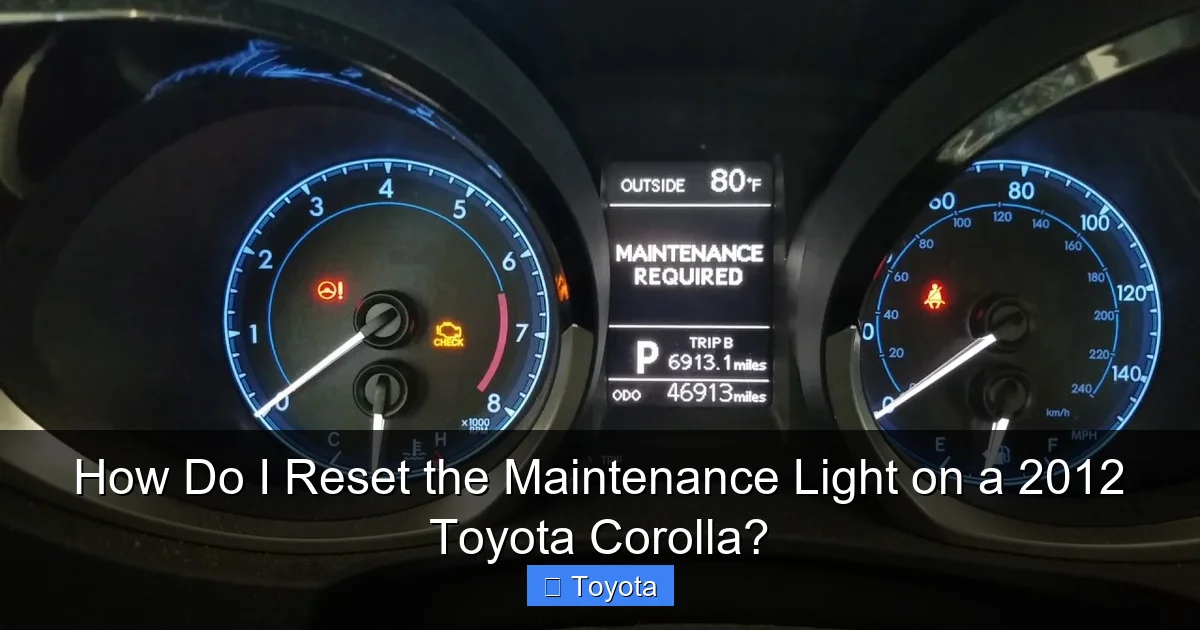
Before we start pushing buttons, it’s crucial to understand what this little light is and, more importantly, what it is not. This isn’t a “check engine” light. The check engine light (which is usually yellow and shaped like an engine) indicates a problem with the emissions or engine management system detected by a sensor. The maintenance required light, often labeled “MAINT REQD” or simply “MAINTENANCE,” is a purely predictive timer. It’s a feature of your Corolla’s onboard computer, specifically the combination meter assembly.
What Triggers the Light?
The system is pre-programmed from the factory. For the 2012 Corolla, the standard interval is every 5,000 miles or six months. The computer tracks your mileage via the speed sensor and also has a time-based counter. When either threshold is met, the light illuminates. It’s a fixed schedule designed to coincide with the severe service maintenance schedule outlined in your owner’s manual, which typically includes:
- Oil and filter change
- Tire rotation and pressure check
- Multi-point inspection (brakes, fluids, belts, hoses)
- Possible cabin air filter replacement
It’s a “one-size-fits-most” reminder. If you frequently drive in severe conditions—extreme temperatures, dusty environments, stop-and-go traffic, or tow a trailer—you might need service more often. The light doesn’t know your driving habits; it just knows the odometer rolled over.
Why You Should Never Just Reset It Without Servicing
This is the most important rule. Resetting the light without performing the underlying maintenance is like erasing a to-do list without doing the tasks. You are essentially telling your car, “I took care of it,” when you didn’t. The consequences can range from minor to serious:
- Engine Wear: Skipping oil changes leads to sludge buildup, increased friction, and premature engine wear. An engine rebuild costs thousands; an oil change costs dozens.
- Missed Critical Services: The 5,000-mile service often includes brake inspection. Worn brakes can lead to costly rotor/drum damage or, in a worst-case scenario, reduced stopping power.
- Voiding Warranty: If your Corolla is still under warranty, failing to follow the recommended maintenance schedule can void coverage for related components.
- Devaluing Your Car: A consistent service history is a huge plus when selling. A car with a pattern of reset lights but no service records raises red flags for savvy buyers.
Think of the light as a helpful assistant, not a nag. It’s doing its job by reminding you. Your job is to listen, get the work done by a trusted mechanic (or DIY if you’re qualified), and then tell the assistant the task is complete by resetting the light.
Preparation: What You Need to Know Before You Start
Assuming you’ve already had the service performed—congratulations on being a responsible car owner!—the reset procedure itself is remarkably simple. However, a few small preparations ensure it goes smoothly.
Visual guide about How Do I Reset the Maintenance Light on a 2012 Toyota Corolla?
Image source: i.ytimg.com
Tools and Equipment
For the standard manual method, you need absolutely nothing. No tools, no special keys. You will use the ignition key and the “trip/odometer” button on your steering column stalk. That’s it. If the manual method doesn’t work for some reason (a rare electrical glitch), you’ll need a basic OBD2 scanner that has maintenance reset capabilities. Any scanner that can read and clear codes will usually have this function for Toyotas. A simple Bluetooth OBD2 dongle and a free app like “Torque” can sometimes do the trick, but a dedicated scan tool is more reliable for this specific task.
The Correct Ignition Sequence is Everything
The entire reset process is a precise sequence of turning the key and pressing a button. The order matters. You are essentially putting the car’s computer into a specific diagnostic or settings mode. If you press the button at the wrong time or turn the key incorrectly, nothing will happen, and you’ll have to start over. Don’t rush it. Follow the steps exactly as written. The procedure for a 2012 Corolla is the same for all trims (LE, S, etc.) and both the 1.8L 4-cylinder engines (2ZR-FE).
When the Manual Method Might Fail
While the button method works for nearly all 2012 Corollas, there are a few edge cases:
- Dead or Weak Battery: If your battery is on its last legs, the car’s computer systems may not function correctly, and the reset sequence may not register.
- Faulty Odometer Button: The “trip/odometer” button is a physical switch. If it’s worn out or damaged, you won’t be able to navigate the menu.
- Aftermarket Alarm or Stereo: Poorly installed aftermarket electronics can sometimes interfere with the CAN bus network, causing odd behavior.
If you follow the steps carefully and the light remains on, a visit to a mechanic or a parts store for a free OBD2 scan might be your next step. They can often reset it for you in two minutes.
Method 1: The Standard Manual Reset (Using the Odometer Button)
This is the method you’ll use 99% of the time. It’s free, instant, and requires no equipment. The key is to understand that you are not directly “turning off” the light. Instead, you are navigating the odometer display menu to find the “Maintenance Required” reset option and confirming it. Here is the exact, foolproof sequence for your 2012 Toyota Corolla.
Visual guide about How Do I Reset the Maintenance Light on a 2012 Toyota Corolla?
Image source: backyardmechanic.org
Step-by-Step Button Sequence
- Start with the ignition OFF. Make sure the key is out of the ignition or the engine is completely off. The car should be in park with the parking brake set.
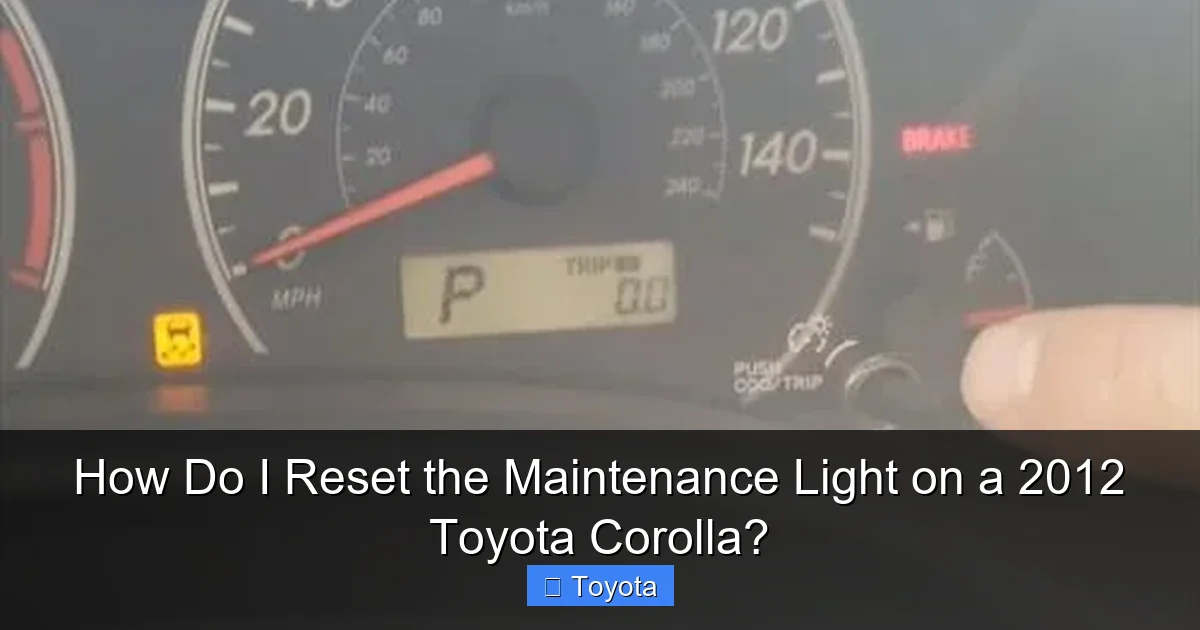
- Press and hold the “trip/odometer” button. This is the black stalk button on the right side of your steering column. You use it to toggle between the odometer and trip meter readings. Press it down and hold it in. Do not release it yet.
- While still holding the button, turn the ignition key to the “ON” position. Do not start the engine. Just turn the key clockwise to the position where all your dashboard lights come on (the “run” position). You’ll see the normal startup illumination.
- Continue holding the button. Keep the trip/odometer button held down for approximately 5-10 seconds. You will see the odometer display change. It will cycle through different information. You are looking for the message that says “MAINTENANCE REQUIRED” or just “MAINT”.
- Release the button when you see the maintenance message. Once “MAINTENANCE REQUIRED” appears on the odometer screen, you can let go of the button.
- Press the button one more time (a quick tap). This single press confirms the reset. The display will likely show “SET” or “DONE” for a moment, and then it will revert to showing your normal odometer or trip meter reading.
- Turn the ignition OFF and then back ON. To verify the reset was successful, turn the key completely off, wait a second, and turn it back to the “ON” position. The maintenance required light should not be illuminated. If it is still on, repeat the entire sequence carefully.
Pro Tip: If you have a Corolla with a multi-information display (a larger screen between the gauges), the process is identical. The maintenance message will appear in that central display area instead of the small odometer window, but the button and key sequence remains the same.
Method 2: Using an OBD2 Scanner Tool
The manual method is elegant in its simplicity, but it can occasionally be finicky. An OBD2 (On-Board Diagnostics) scanner provides a more direct, electronic way to communicate with your car’s computer. This is the method dealerships and professional shops use. It’s also your backup plan if the button method fails.
Visual guide about How Do I Reset the Maintenance Light on a 2012 Toyota Corolla?
Image source: i.ytimg.com
Why Use a Scanner?
While overkill for a simple maintenance light reset, a scanner has advantages:
- Reliability: It sends a clear command directly to the Body Control Module (BCM) or Combination Meter to reset the maintenance interval.
- Diagnostic Power: You can read any stored trouble codes at the same time. What if the maintenance light came on because the car detected a fault during its self-check? A scanner will tell you.
- Future-Proofing: For other lights like the check engine light, you’ll need a scanner. Having one on hand is useful. If you’re curious about resetting other indicator lights on your Corolla, you might find our guide on how to reset the check engine light on a Toyota Corolla helpful for understanding the diagnostic process.
The Scanner Reset Process
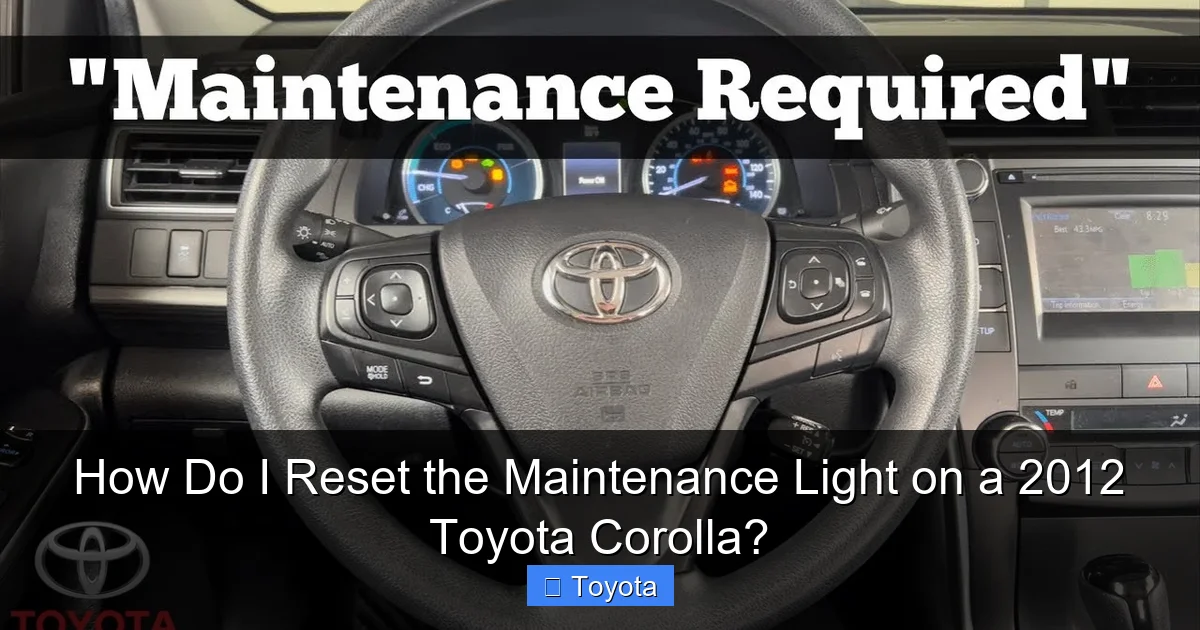
- Locate the OBD2 port. This is a standardized 16-pin connector, usually under the dashboard on the driver’s side, near the steering column. It might have a plastic cover. Pop it open.
- Connect your scanner. Plug the OBD2 cable into the port. Turn your car’s ignition to the “ON” position (do not start the engine). The scanner should power on.
- Navigate the menu. The exact steps vary by brand (Autel, Launch, BlueDriver, etc.). Look for menus labeled “Maintenance,” “Service,” “Oil Reset,” or “Special Functions.”
- Select the correct vehicle. Some scanners require you to select the make (Toyota), model (Corolla), and year (2012) before showing applicable functions.
- Find the “Maintenance Reset” or “MAINT REQD Reset” function. Select it. The scanner will communicate with the car and may ask you to confirm. Follow the on-screen prompts.
- Wait for confirmation. The scanner will display a success message like “Reset Complete” or “Service Interval Reset.”
- Turn the ignition off and on. Verify the light is extinguished. Disconnect the scanner.
Note: Not all budget scanners have this specific function. If yours doesn’t, it might only be able to clear engine codes (P-codes). The maintenance light reset is often in a separate “maintenance” menu. If you’re shopping for a scanner, look for one that explicitly lists “Toyota/Lexus Maintenance Reset” in its features.
After the Reset: Verification and Best Practices
You’ve followed the steps, the light is off, and you feel a sense of accomplishment. Great! But the process isn’t quite over. A few post-reset actions ensure everything is in order and set you up for future success.
How to Confirm the Reset Was Successful
Don’t just trust that it worked. Do a proper check:
- Turn the ignition completely off. Wait 10 seconds.
- Turn it back to the “ON” position (all dashboard lights on).
- Observe the dashboard. The “MAINTENANCE REQUIRED” light should not illuminate. The “check engine” light should also be off (unless there’s a separate problem).
- Start the engine. The light should remain off during startup and while driving.
If the light comes back on immediately after starting the car, the reset likely failed. Try the manual method again, being extra careful with the timing. If it persists, there may be an underlying electrical issue or the system needs to be reset via a scanner.
Resetting Your Service Interval Mindset
Now that the light is off, your car’s internal clock has started ticking again. The system has been reset to zero miles and zero months. The next time it illuminates will be in approximately 5,000 miles or six months. Mark your calendar or set a reminder on your phone. Don’t wait for the light to come on to schedule your next service. Being proactive is easier on your car and your wallet. Proactive maintenance prevents small issues from becoming big, expensive repairs. For example, catching a worn brake pad during a routine inspection is a $150 job; letting it wear down to the rotor can turn into a $500+ job.
What If the Light Comes Back On Too Soon?
If the maintenance light illuminates again after only 1,000 miles or a few weeks, that’s a red flag. It shouldn’t reset itself. Possible causes include:
- Faulty Service Reset: The previous reset (whether done by you or a shop) may not have been completed correctly.
- Failing Sensors: The mileage sensor or the combination meter itself could be malfunctioning, sending incorrect data to the computer.
- Electrical Gremlins: A loose ground strap or a dying battery can cause erratic behavior in the car’s computer modules.
In this case, you need a professional diagnosis. A mechanic can use a more advanced scanner to check the status of the maintenance module and ensure it’s functioning properly. Don’t just keep resetting it; find the root cause.
Frequently Asked Questions (FAQs)
Can I drive my Corolla with the maintenance light on?
Yes, you can drive it, but you shouldn’t delay the service. The light is a reminder, not an emergency. However, if the required service is an oil change, driving too long without fresh oil can cause engine damage. Get the service done within 1,000 miles of the light coming on.
Will disconnecting the battery reset the maintenance light?
No. Disconnecting the battery will reset the clock and radio presets, but it will not reset the maintenance interval counter. That timer is stored in non-volatile memory within the car’s computer and is designed to survive a battery disconnect. You must use the specific button sequence or a scanner.
What if my Corolla needs an oil change but the light isn’t on?
That’s perfectly normal! The maintenance light is based on a fixed interval. If you changed your oil early (at 4,000 miles instead of 5,000), the light won’t come on until the 5,000-mile mark from the last reset. Always follow the oil change interval in your manual, regardless of the light’s status.
My car has 5,500 miles on the oil change, but the light just came on. Is that normal?
Yes. The system is based on a strict 5,000-mile/6-month interval. If you last reset it at 0 miles, it will come on at exactly 5,000 miles, even if your oil is still in good condition. It’s a reminder based on time/mileage, not oil quality.
I reset the light, but now my trip meter is gone. How do I get it back?
Don’t worry, you didn’t delete it. After a reset, the odometer display will show the total odometer reading by default. To see your trip meters (Trip A and Trip B), simply press the “trip/odometer” button on your steering stalk repeatedly. It will cycle through: ODO -> Trip A -> Trip B -> back to ODO. Your trip meter data is stored separately and is unaffected by the maintenance reset.
Is the procedure different for a 2011 or 2013 Corolla?
The procedure is nearly identical for model years 2009-2013 (the E120/E140 generation). The button and key sequence is the same. For newer models (2014+), the process might involve using the steering wheel controls or a touchscreen menu. Always consult your specific owner’s manual for the definitive procedure for your exact model year.
Frequently Asked Questions
What is How Do I Reset the Maintenance Light on a 2012 Toyota Corolla??
How Do I Reset the Maintenance Light on a 2012 Toyota Corolla? is an important topic with many practical applications.
