
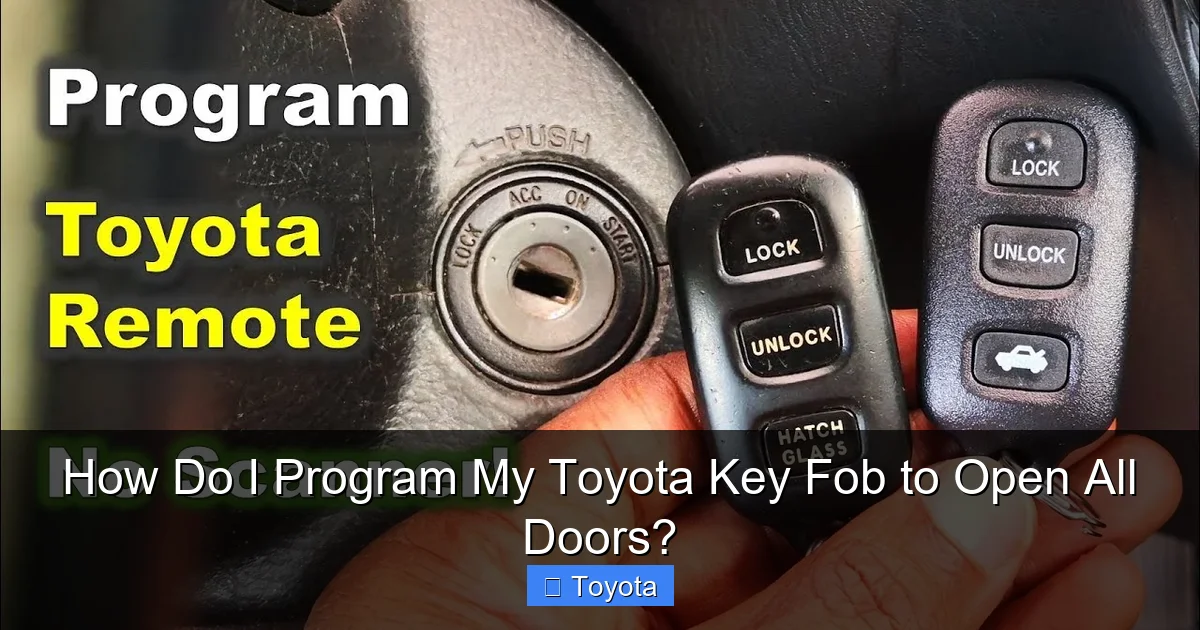
How Do I Program My Toyota Key Fob to Open All Doors?

Contents
- 1 Key Takeaways
- 2 📑 Table of Contents
- 3 Why Does My Toyota Key Fob Only Unlock One Door?
- 4 Understanding Your Toyota’s Key System
- 5 Step-by-Step: Programming for Traditional Remote Systems
- 6 Step-by-Step: Programming for Push-Start & Smart Key Systems
- 7 Model-Specific Considerations & Common Hiccups
- 8 When DIY Programming Fails: Professional Solutions
- 9 Conclusion: Regain Control of Your Doors
- 10 Frequently Asked Questions

Car Vacuum Cleaner (Portable)

Windshield Washer Fluid

Tire Repair Kit

Car Roof Rack Cross Bars
Having a Toyota key fob that only unlocks the driver’s door is a common and frustrating issue. It’s usually not a malfunction but a default security setting that can be changed. This guide provides the exact, model-specific steps to reprogram your fob for full-door unlocking, often using just the key and ignition. We’ll cover the process for traditional remotes and modern smart keys, troubleshoot problems, and clearly explain when a dealership or locksmith is necessary.
You’re standing in the rain, fumbling with your Toyota key fob. You press the unlock button, hear the familiar beep, and see the driver’s door pop open. You then have to manually unlock the other three doors, your groceries getting soggier by the second. This tiny annoyance is one of the most common questions we get: “How do I program my Toyota key fob to open all doors?” The good news is that, for the vast majority of Toyota vehicles, this isn’t a broken part—it’s simply a programmable setting that’s set to a more conservative default from the factory. Let’s roll up our sleeves and fix it.
Key Takeaways
- It’s Usually a Setting, Not a Break: Your key fob’s single-door unlock feature is a programmable default, not a defect. You can almost always change it.
- Method Varies by Model Year & System: The steps differ significantly between older models with a separate remote and newer push-start models with a smart key/proximity system.
- The “Master Key” is Often Critical: For many models, you must start the programming sequence with the original, master key fob that came with the car.
- Simple Steps Often Work: The process frequently involves locking/unlocking the door manually with the key, inserting/removing the key from the ignition in a specific sequence, and pressing fob buttons.
- Battery Health is Prerequisite: A weak key fob battery is a top cause of programming failure. Always replace the battery before attempting reprogramming.
- Not All Models Are DIY-Friendly: Some newer Toyotas require a proprietary diagnostic tool (Techstream) only dealers and locksmiths have. Know your model’s limitations.
- Security is the Reason: This feature exists to prevent a thief from simply smashing a window and pressing the unlock button to access the entire vehicle.
📑 Table of Contents
- Why Does My Toyota Key Fob Only Unlock One Door?
- Understanding Your Toyota’s Key System
- Step-by-Step: Programming for Traditional Remote Systems
- Step-by-Step: Programming for Push-Start & Smart Key Systems
- Model-Specific Considerations & Common Hiccups
- When DIY Programming Fails: Professional Solutions
- Conclusion: Regain Control of Your Doors
Why Does My Toyota Key Fob Only Unlock One Door?
Before we dive into the how, understanding the why is crucial. This design is a deliberate security feature. The logic is that if a criminal steals your key fob or breaks a window to reach the interior, they can’t instantly gain full access to your vehicle and its contents by just pressing a button. They would have to manually unlock each additional door from the inside. It’s a small but effective layer of theft deterrent.
This setting is stored in your vehicle’s central locking computer, the Body Control Module (BCM). When you perform the correct sequence with your key and ignition, you’re essentially sending a command to the BCM to change this default preference. It’s a software toggle, not a hardware fix.
The Role of the “Master Key”
For many Toyota models (especially those from the early 2000s to mid-2010s), the programming process requires what’s known as the master key or original key. This is the key fob that was originally paired with your car when it was new. If you have replaced your key fob with an aftermarket or non-OEM (Original Equipment Manufacturer) unit, it may lack the necessary encryption or programming capabilities to initiate the sequence. In some cases, you might have two working fobs, but only one is the “master.” If you’ve lost the master key, the process can become much more complicated, often requiring a dealer or locksmith with specialized software. We have a dedicated guide on how to program a Toyota key without a master key, but be prepared for potential hurdles.
Understanding Your Toyota’s Key System
The programming method hinges entirely on which type of key system your Toyota uses. There are two primary generations you’ll encounter.

Visual guide about How Do I Program My Toyota Key Fob to Open All Doors?
Image source: i.ytimg.com
1. Traditional Key & Separate Remote Fob
This is the older system, common on models from the 1990s through the early 2010s (e.g., Toyota Camry, Corolla, RAV4 of those eras). You have a physical metal key that inserts into the door and ignition, and a separate plastic key fob with lock/unlock buttons. The programming for the door unlock function almost always involves the physical key in the ignition cylinder.
2. Push-Button Start & Smart Key/Proximity Key
This is the modern system, standard on most Toyotas from the mid-2010s onward. There is no traditional key slot in the ignition. Instead, you carry a fob (often called a “smart key” or “proximity key”) that communicates with the car via radio frequency. You simply press the brake pedal and push the start button. Programming these systems for door unlock settings can often be done without inserting a key, using a sequence of pedal presses and button pushes on the fob and inside the car. However, some models still require you to place the fob in a specific slot or use the hidden physical emergency key inside the fob.
Pro Tip: Your first and most important resource is your vehicle’s owner’s manual. It will have the exact procedure for your specific model year and trim. If you don’t have it, a quick online search for “[Your Year, Make, Model] owner’s manual PDF” will usually yield a digital copy.
Step-by-Step: Programming for Traditional Remote Systems
Let’s tackle the most common scenario first. This method works for a huge range of Toyotas with a separate remote fob. The sequence is famously finicky—timing and repetition are key. Don’t get discouraged if it doesn’t work on the first try.

Visual guide about How Do I Program My Toyota Key Fob to Open All Doors?
Image source: i.ytimg.com
Universal Sequence for Many Models (1999-2015 Approx.)
This is the classic “key in the ignition” method. Ensure all doors are closed and you are sitting in the driver’s seat with all remotes you wish to program (they must already be functional for lock/unlock, just not set for all doors).
- Insert and Remove the Master Key: Insert your master key into the ignition and remove it TWICE within about 5 seconds. Do not turn it—just in and out. The door locks should cycle (lock and unlock) automatically after the second insertion/removal. If they don’t, try again a bit faster.
- Close the Door and Press Lock: Close the driver’s door. Press the LOCK button on your remote fob once. The door locks should cycle again (lock then unlock).
- Repeat for Additional Remotes: If you have a second remote to program, press its LOCK button. The locks will cycle again. You can program up to 2 or 3 remotes in this session.
- Exit Programming Mode: The system will automatically exit programming mode after about 30 seconds of inactivity or when you open a door. Test both remotes.
If this doesn’t work, the sequence might be slightly different. Some models require you to turn the key to the “ON” or “RUN” position after the second insertion before pressing the button. For example, on certain Toyota Camry models, the sequence is: Insert/remove key twice, close door, press LOCK on fob, then turn key to ON. Always consult your manual. Our detailed article on how to program a Toyota Camry key fob covers model-specific variations for that very popular line.
What If the Locks Don’t Cycle?
This is the most common point of failure. Here’s your troubleshooting checklist:
- Battery: Replace the battery in your key fob with a fresh, high-quality CR2032 (or correct size) battery. A weak signal is the #1 culprit.
- Master Key: Are you using the original, master key fob? An aftermarket fob may not be able to initiate programming.
- Door Ajar: Ensure all doors, the trunk, and the hood are completely closed. The BCM will abort the sequence if any are open.
- Timing: The entire sequence must be done within 30-40 seconds. Practice the steps without the key in the car first.
- Other Remotes: Move any other key fobs (house keys, other car keys) at least 10 feet away. Their signals can interfere.
Step-by-Step: Programming for Push-Start & Smart Key Systems
For your 2016 and newer Toyota, the process is different and often simpler, as it doesn’t require a key slot. However, the steps vary by model. A very common sequence for RAV4, Corolla, and Highlander from this era is as follows:

Visual guide about How Do I Program My Toyota Key Fob to Open All Doors?
Image source: diycarexpert.com
The “Brake & Button” Method
- Enter the Vehicle: Sit in the driver’s seat with your smart key fob on your person. Close all doors.
- Press the Lock/Unlock Button: Press the LOCK button on the driver’s door panel (the physical button on the door, not the fob). Then press the UNLOCK button on the same door panel twice. The door locks should cycle.
- Use the Start/Stop Button: Press the engine start/stop button twice (without touching the brake pedal). The vehicle should go into “ACC” or “ON” mode (gauges light up, but engine doesn’t start).
- Press the Fob Lock Button: While the car is in this ACC/ON mode, press and release the LOCK button on your key fob.
- Turn Off and Test: Press the start/stop button once to turn the car off. The locks should cycle again. Test your fob. The doors should now unlock all the way.
For Toyota Highlander and some other models with a smart key, the process might involve placing the fob in a designated slot (often near the cup holders or in the center console) and then following a similar door panel/button sequence. The highlander smart key guide details this slot-based method. Again, your owner’s manual is the ultimate authority.
Model-Specific Considerations & Common Hiccups
While the above sequences are a great starting point, you must know your specific vehicle’s quirks.
Toyota Camry & Corolla
These best-sellers have gone through multiple system changes. A 2012 Camry uses the traditional key-in-ignition method. A 2018 Camry uses the push-button smart key method. A 2022 Corolla might require a slightly different sequence involving the hazard lights. Always verify your model year.
Toyota RAV4
The RAV4, especially the hybrid models, has used both systems. For early 2010s models, it’s the traditional method. For post-2018 models, it’s typically the smart key procedure. Some RAV4 owners report needing to press the fob’s lock button three times in step 4 of the smart key sequence, not once.
4Runner, Tacoma, Tundra
These trucks and SUVs often have more rugged, basic systems. Many still use the traditional key and remote fob, even in recent years (especially in base trims). The classic key-in-ignition sequence is almost always the correct one. However, some newer models with keyless entry may use the smart key method.
The “Two-Press Unlock” Feature
Some Toyota models have a feature where a single press of the unlock button only opens the driver’s door, but a quick double-press unlocks all doors. This is often enabled from the factory. Before you attempt a full reprogram, try this: stand near the car, press the unlock button on your fob once, then immediately press it again very quickly. If all doors unlock, that feature is already active, and you may just prefer to use that method. The full reprogram changes the default single-press action.
When DIY Programming Fails: Professional Solutions
You’ve tried the sequences, you have the right battery, you have the master key… and nothing happens. The locks don’t cycle. Now what?
The Techstream Requirement
For many 2017+ Toyota models, the door unlock setting is no longer programmable via the simple ignition/door button sequences. It is buried within the vehicle’s computer settings that require the Toyota Techstream diagnostic software. This is proprietary software only available to Toyota dealerships and licensed locksmiths who have paid for the license and the specialized interface cable (the “mini-VCI”). If your vehicle falls into this category, a DIY solution is virtually impossible without purchasing expensive, single-use software.
What a Professional Will Do
A locksmith or dealer will connect their Techstream adapter to your car’s OBD-II port (under the dash). They will navigate to the “Body Electrical” or “Door Lock” settings menu and toggle the “Single Press Unlock” or “Driver Door Unlock” setting to “All Doors.” This process takes 5-10 minutes and is relatively inexpensive compared to a full key fob replacement. If you’ve lost your master key, they can also program a new, blank fob from scratch using this same system.
If you’re in a situation where you need a new key fob entirely, our guide on how to get a new key fob for my car outlines your options, from dealer to locksmith to online.
Conclusion: Regain Control of Your Doors
Programming your Toyota key fob to unlock all doors is one of the most satisfying simple fixes a car owner can do. It transforms a daily annoyance into a seamless experience. The core principle is this: find the correct sequence for your specific model year and key system, ensure you have a good battery and the master key, and execute the steps with precise timing.
Start with your owner’s manual. If that’s unavailable, use the universal sequences provided as a template. Be patient, as the lock cycle response is your only confirmation that you’re on the right track. If the lock cycle never happens, triple-check the battery, the master key status, and the door positions. For newer models, be prepared that the barrier might be software that requires a professional with Techstream. There’s no reason to live with single-door unlocking when the solution is often just a few button presses away.
Frequently Asked Questions
Will this work for my 2015 Toyota Camry?
Yes, a 2015 Camry uses the traditional key-in-ignition method. You’ll need the master key fob. Insert and remove it twice from the ignition, close the driver’s door, then press the LOCK button on the fob. The door locks should cycle to confirm programming.
Do I always need the original “master” key to program this setting?
For most models made before 2017, yes. The master key has unique encryption that authorizes changes to the BCM settings. If you only have aftermarket or replacement keys, you may not be able to initiate the programming sequence and will need a dealer or locksmith.
My 2020 RAV4 doesn’t have a key slot. How do I do it?
For your 2020 RAV4 with push-button start, use the smart key method. Sit in the car with all doors closed. Press the LOCK button on the driver’s door panel, then the UNLOCK button twice. Press the engine start button twice (without brake) to put car in ACC mode. Then press the LOCK button on your fob. The locks should cycle.
What if the door locks don’t cycle during the process?
This means the car didn’t receive the programming signal. First, replace the key fob battery. Second, ensure you are using the original master key. Third, verify all doors, trunk, and hood are firmly closed. Finally, double-check the timing of your steps—they must be done quickly within about 30 seconds.
Can I reset the setting back to single-door unlock if I change my mind?
Yes. The programming sequence is the same. Performing the exact same steps will toggle the setting. If your car is currently set to unlock all doors, doing the sequence again will likely revert it to driver-door only. Consult your manual for the definitive toggle behavior.
Is it safe to program this myself, or could I break something?
The process is 100% safe and non-destructive. You are simply sending a command to the car’s computer. The worst that can happen is that it doesn’t work, and you’ve wasted a few minutes. There is no risk of “bricking” your key fob or car’s computer by following the correct sequence for your model.







