

Does the Toyota Highlander Have Wireless Apple Carplay?

Contents
- 1 Key Takeaways
- 2 📑 Table of Contents
- 3 The Evolution of Infotainment in the Toyota Highlander
- 4 Model Year Breakdown: When Did Wireless Arrive?
- 5 Trim Level Differences: Which Highlander Has Wireless?
- 6 How to Check and Enable Wireless Apple CarPlay in Your Highlander
- 7 The Tangible Benefits of Wireless Apple CarPlay
- 8 Common Issues and How to Fix Them
- 9 Looking Ahead: The Future of In-Car Tech in the Highlander
- 10 Frequently Asked Questions

Car Sunshade for Windshield

Radiator Coolant

Car Floor Mats (Universal)
Car Inverter
The Toyota Highlander’s Apple CarPlay capability varies significantly by model year and trim level. Newer Highlanders (2024+) often feature wireless Apple CarPlay as standard or optional, while earlier models typically require a USB connection. Your vehicle’s specific equipment determines compatibility, so checking your infotainment system settings is crucial. This guide breaks down exactly which Highlanders offer the convenient cord-free experience, helping you understand what to expect from your midsize SUV’s tech features.
So, you’re in the market for a Toyota Highlander, or you already own one, and you’re wondering about that modern convenience everyone talks about: wireless Apple CarPlay. It’s the simple pleasure of getting into your car, having your iPhone connect automatically, and seeing your music, maps, and messages appear on the big screen without ever fumbling for a cable. It feels like magic. But for Toyota’s popular three-row SUV, the answer isn’t a simple yes or no. It’s a “well, it depends.” And that “depends” mostly on two things: what year your Highlander was built and which specific trim level you have. Let’s unravel this together, because understanding your vehicle’s tech can make a huge difference in your daily driving experience.
For years, the standard was a USB cable. You’d plug in, the CarPlay icon would appear, and you were good to go. But as our phones became more integral to our lives, the nuisance of a cable became apparent. Wireless CarPlay uses a combination of Wi-Fi and Bluetooth to create a seamless, hands-free connection the moment you start the car and unlock your phone. Toyota, historically a bit conservative with infotainment rollout, has been catching up fast. The Highlander, being a family-focused vehicle, is a prime candidate for this tech. But its journey to wireless has been a gradual climb, not a sudden leap. We’re going to walk through exactly when it arrived, where you can find it, and what it means for you as a driver or shopper.
Key Takeaways
- Model Year is Key: Wireless Apple CarPlay became widely available in the Highlander starting with the 2024 model year, with limited availability in some 2023 models.
- Trim Level Matters: Even within the same model year, higher trims like Limited and Platinum are more likely to include wireless connectivity than base LE or XLE trims.
- Check Your Settings: The surest way to know is to navigate your vehicle’s infotainment system settings under the “Apple CarPlay” or “Smartphone Integration” menu.
- No Official Retrofit: Toyota does not offer an official aftermarket module or software update to add wireless CarPlay to models that were not factory-equipped with it.
- Wired is Still Common: Many Highlanders from 2020-2023 have standard Apple CarPlay, but it requires a physical USB connection each time you use it.
- It’s Part of a Larger Suite: Wireless Apple CarPlay typically comes bundled with other features like a premium audio system, larger touchscreen, and connected services.
📑 Table of Contents
- The Evolution of Infotainment in the Toyota Highlander
- Model Year Breakdown: When Did Wireless Arrive?
- Trim Level Differences: Which Highlander Has Wireless?
- How to Check and Enable Wireless Apple CarPlay in Your Highlander
- The Tangible Benefits of Wireless Apple CarPlay
- Common Issues and How to Fix Them
- Looking Ahead: The Future of In-Car Tech in the Highlander
The Evolution of Infotainment in the Toyota Highlander
To understand the wireless Apple CarPlay situation, we need a quick history lesson. The Toyota Highlander (known as the Kluger in some markets) has been a staple of the midsize SUV segment since 2000. Its infotainment systems have evolved from basic radio/CD players to the sophisticated, touch-based interfaces we see today.
The Pre-CarPlay Era
Before 2016 or so, connectivity was mostly about AUX inputs and Bluetooth for audio and calls. The in-car screen was often small, resistive to the touch, and not particularly smart. Navigation, if available, was a bulky, expensive DVD-based system. This era is important context because it shows how far we’ve come. The shift to smartphone projection was a game-changer, making in-car tech feel modern and updatable without buying a whole new navigation system.
The Wired CarPlay Introduction (Circa 2020)
The fourth-generation Highlander (launched for the 2020 model year) was a major redesign. It brought a standard 8-inch touchscreen (on most trims) and, crucially, standard Apple CarPlay and Android Auto compatibility. However, this was the wired-only era. You had to plug your iPhone into a USB port, usually located in the center console. This was a huge step forward, but it wasn’t the fully wireless dream. For several model years, this wired setup was the norm across the entire Highlander lineup.
The Shift to Wireless: A Gradual Rollout
Wireless Apple CarPlay didn’t just appear everywhere at once. Toyota, like many manufacturers, rolled it out in phases. It often debuted on top-tier trims and in newer model years before trickling down. For the Highlander, the turning point is widely considered to be the 2024 model year. This is when Toyota made a significant push, with wireless CarPlay becoming standard on many premium trims and available as part of a technology package on others. Some late 2023 models may have had it as an option on the highest trims, but 2024 is the clear starting point for widespread availability.
Model Year Breakdown: When Did Wireless Arrive?
Let’s get specific. If you’re shopping used or new, this is your cheat sheet. We’ll focus on the last few generations, as that’s where the relevant tech lives.
Visual guide about Does the Toyota Highlander Have Wireless Apple Carplay?
Image source: i1.wp.com
2020-2023 Highlanders: Primarily Wired
For the bulk of the fourth generation (2020-2023), your Highlander almost certainly has standard, wired Apple CarPlay and Android Auto. The system works very well when plugged in, but you are physically tethering your phone. There are extremely rare exceptions: some 2023 Platinum or XSE trims, especially those built later in the production run, *may* have been equipped with the hardware for wireless connectivity. However, this was not a standard or widely advertised feature. Your best bet for these years is to assume you need a cable.
2024+ Highlanders: Wireless Becomes Mainstream
The fifth-generation Highlander, introduced for 2024, brought a major infotainment refresh. The standard screen grew to 8 inches, but a larger 12.3-inch digital gauge cluster with a 12.3-inch central touchscreen became available. It’s with this newer hardware that wireless Apple CarPlay and Android Auto truly arrived.
- 2024 Highlander Limited & Platinum: These top trims typically come with the larger 12.3-inch screen and include wireless Apple CarPlay and Android Auto as standard features.
- 2024 Highlander LE, XLE, XSE: These mid-level trims usually have the standard 8-inch screen. For 2024, wireless connectivity is often bundled within an available “Technology Package” or comes standard on certain configurations. It is not universally standard on all base 8-inch screen models.
Important Note: Always verify with the window sticker (Monroney label) or by checking the vehicle’s infotainment settings menu. Packages and availability can vary by dealership and region.
The 2025+ Outlook
For the current 2025 model year, the trend continues. Wireless smartphone projection is a key selling point. It is now standard on the vast majority of new Highlanders, especially those with the upgraded touchscreen. Toyota is making a clear effort to make this feature commonplace across its lineup, as you can see if you look up the Toyota Camry’s Apple CarPlay setup, which follows a very similar model-year and trim-dependent rollout strategy.
Trim Level Differences: Which Highlander Has Wireless?
This is where it gets tricky. You can’t just look at the model year badge. You have to look at the trim. Toyota uses trims to differentiate technology levels. Here’s a general guide for the current (2024-2025) generation:

Visual guide about Does the Toyota Highlander Have Wireless Apple Carplay?
Image source: unavi-usa.com
The Premium Trims: Limited and Platinum
If you want the easiest answer, look at the Limited and Platinum trims. These are Toyota’s way of saying “this is the top-of-the-line experience.” They almost universally come with the larger 12.3-inch display and a suite of premium features, and wireless Apple CarPlay is part of that package. It’s standard. You buy it, you get it. No need to check boxes on the order sheet.
The Mid-Range Trims: XLE and XSE
The XLE is the popular family-friendly trim, and the XSE adds sportier styling. This is where you need to pay attention. For the 2024 and 2025 models:
- With the 8-inch screen: Wireless CarPlay is often not standard. It may be available only if you add a Technology Package, which also includes a digital key, remote connect services, and a premium JBL® audio system.
- With the 12.3-inch screen (if available on the trim): If you opt for the larger screen, wireless CarPlay almost always comes with it, as the hardware is integrated.
The takeaway: on these trims, the size of your screen is a big clue. A big screen usually means big tech, including wireless connectivity.
The Base Trim: LE
The LE is the value-oriented, no-frills choice. For the current generation, it typically comes with the standard 8-inch screen. Wireless Apple CarPlay is very rarely standard on the LE. It is usually an option bundled in a package, or it may not be available at all depending on the specific model year and market. If you are buying a new LE and wireless is a must-have, you must confirm with the dealer that a package exists that includes it for that specific vehicle.
Hybrid Models
Don’t forget, the Highlander Hybrid is a popular choice. The good news is that the infotainment system, including its Apple CarPlay capabilities, is generally identical to the gas-only models of the same trim level. A 2024 Highlander Hybrid Limited will have the same 12.3-inch screen and standard wireless CarPlay as its gas counterpart. The rules by model year and trim apply equally to both powertrains.
How to Check and Enable Wireless Apple CarPlay in Your Highlander
So you found a Highlander you like, or you’re sitting in your own. How do you know for sure? Here’s your step-by-step verification process.
Visual guide about Does the Toyota Highlander Have Wireless Apple Carplay?
Image source: i.ytimg.com
The First Check: The Window Sticker
If you’re buying from a dealer, ask to see the Monroney label (the window sticker). Look for sections titled “Infotainment,” “Audio System,” or “Connectivity.” It will explicitly state “Wireless Apple CarPlay” and “Wireless Android Auto” if equipped. It might also list “12.3-inch Touchscreen” or “JBL Audio,” which are strong indicators.
The Hands-On Check: The Settings Menu
This is the most reliable method for any vehicle, new or used.
- Start the vehicle (or turn the ignition to “ON” without starting the engine).
- Go to the Home screen on your infotainment display.
- Find the Settings or Setup icon (usually a gear symbol).
- Navigate to a submenu like “Phone Settings,” “Bluetooth & Devices,” or “Smartphone Integration.”
- Look for options labeled “Apple CarPlay” and “Android Auto.”
- Crucially, within the Apple CarPlay menu, there should be a toggle for “Wireless” or “Connect without USB.” If this toggle exists and can be turned on, your Highlander has the hardware for wireless connectivity.
If you only see instructions for plugging in a USB cable and no wireless option, your vehicle is wired-only.
The Setup Process (If Equipped)
If your Highlander has the feature, setting it up is straightforward:
- Ensure Bluetooth is on in your iPhone (Settings > Bluetooth).
- In your Highlander’s CarPlay settings, select “Add Car” or “Pair New Device.”
- A QR code or a six-digit code will appear on the screen.
- On your iPhone, go to Settings > General > CarPlay > Add Car, and scan the code or enter the digits.
- Once paired, your CarPlay home screen should appear automatically the next time you start the car, with your phone in your pocket or bag.
Pro Tip: For the best wireless experience, keep your iPhone’s software updated to the latest iOS version. Also, avoid placing large metal objects between your phone and the center console area, as this can sometimes interfere with the signal.
The Tangible Benefits of Wireless Apple CarPlay
You might be thinking, “Is this really that big of a deal? I already have wired CarPlay.” Yes, it absolutely is. The convenience factor transforms the user experience from a chore to a seamless background process.
Convenience and Daily Ritual
The primary benefit is the elimination of the “plug-in dance.” No more reaching into the center console, finding the USB cable (which is often short and stiff), plugging it in, and waiting for the connection to initialize. With wireless, you get in, buckle up, and your navigation (Apple Maps or Google Maps), your Spotify playlist, or your podcast app is ready by the time you shift into Drive. It becomes invisible. For a family vehicle like the Highlander, where you’re loading kids, groceries, and gear, this one less step is a genuine quality-of-life improvement.
Preserved USB Ports and Charging
Your Highlander’s USB ports are valuable. They charge devices for passengers and power dash cams or other accessories. By using wireless CarPlay, you free up that primary USB port for charging your phone or another device. You can even use a separate, faster charger for your phone while CarPlay runs wirelessly in the background. It’s a more efficient use of your vehicle’s ports.
Reduced Wear and Tear
Constantly plugging and unplugging a USB cable stresses both the cable and the vehicle’s USB port. Cables fray, connectors break, and ports can become loose. Wireless connectivity eliminates this physical wear and tear, potentially saving you from an annoying repair down the line.
Safety and Focus
While the wired connection is stable, the act of connecting it can be a minor distraction, especially if you’re in a hurry or in a tight parking spot. Wireless CarPlay activates the moment you start the car and unlock your phone, meaning your eyes and hands are focused on driving from the very first second. The system is ready before you even begin to move.
Common Issues and How to Fix Them
Wireless isn’t perfect. It’s a radio link, and sometimes things go wrong. Here are the most common hiccups and their solutions.
Issue: “Wireless CarPlay Won’t Connect Automatically”
Fix: First, ensure Bluetooth and Wi-Fi are on for your iPhone. The connection relies on both. Go to your iPhone’s Settings > General > CarPlay and make sure your Highlander is listed as a “My Car” and not just a paired Bluetooth device. Sometimes, simply “forgetting” the car in your iPhone’s Bluetooth and CarPlay settings and re-pairing from scratch resolves the issue. Also, make sure your phone isn’t in Low Power Mode, as this can limit background activity.
Issue: “Connection Drops or Stutters During Drive”
Fix: Wireless CarPlay uses a dedicated 5 GHz Wi-Fi channel. Interference can be a problem. Check if you have any large metallic objects (like a thick metal notebook or a tool chest) sitting directly on the center console between your phone and the dashboard. Move them. Also, if you have a very old iPhone (iPhone 6s or earlier), it may not support the newer wireless CarPlay protocol as robustly. Updating your phone’s iOS is critical.
Issue: “Audio is Choppy or Delayed”
Fix: This is often a bandwidth issue. If you’re streaming high-quality audio (like lossless from Apple Music) over a spotty connection, you might get skips. Try lowering the audio quality in your streaming app’s settings temporarily to see if it improves. Also, ensure your vehicle’s infotainment system software is up to date. Dealerships can perform over-the-air updates or USB-based updates that often improve connectivity stability.
Issue: “I Have the Screen, But No Wireless Option”
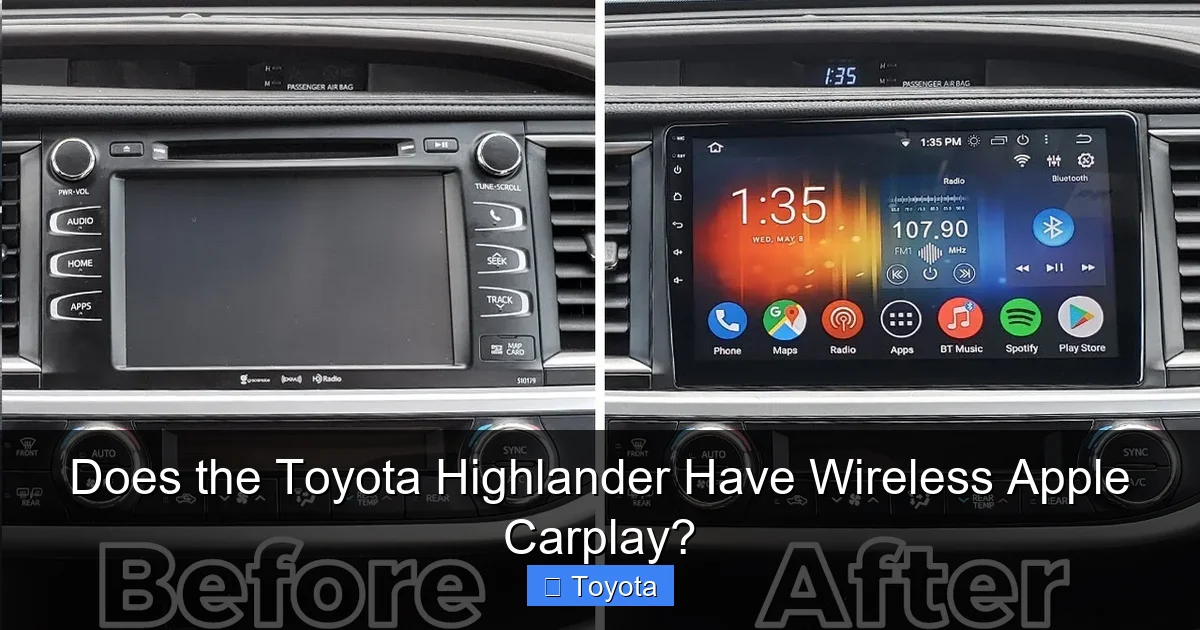
Fix: This is the most important one. Having a large screen does not 100% guarantee wireless CarPlay. It is a specific hardware and software package. If your vehicle’s settings lack the wireless toggle, it means the factory did not install the necessary Wi-Fi antenna and module. There is no aftermarket “dongle” that Toyota endorses or that reliably works. The only solution is to use a wired connection or, if it’s a critical feature, consider if a different vehicle or trim is a better long-term fit. This is a key reason why checking the settings is non-negotiable before purchase.
Looking Ahead: The Future of In-Car Tech in the Highlander
The automotive industry moves fast. While wireless Apple CarPlay is the current standard for premium connectivity, what’s next? We’re already seeing the rise of digital key technology (using your phone as a key fob) and more advanced over-the-air (OTA) updates that can add features after you buy the car. Toyota’s newer vehicles, including the latest Highlanders, are being built with more powerful processors and connectivity modules to support these future features. This means that even if your 2024 Highlander didn’t have a certain feature at purchase, a future OTA update could potentially enable it, though adding hardware-based features like wireless CarPlay to a non-equipped vehicle is extremely unlikely.
Furthermore, the conversation is expanding beyond just Apple CarPlay and Android Auto. We’re seeing more integration with the car’s native systems, deeper voice assistant capabilities, and even subscription-based services for advanced navigation and safety features. The Highlander, as a family hauler, will continue to be a platform for these technologies. For now, securing a model with wireless smartphone projection is the most impactful tech upgrade you can get for daily usability.
In conclusion, the answer to “Does the Toyota Highlander have wireless Apple CarPlay?” is a resounding “Yes, but…”. It’s available, but you must target the right model year (generally 2024 and newer) and the right trim (Limited, Platinum, or mid-trims with the technology package). Always verify by checking the settings menu yourself. For the vast majority of Highlanders on the road today from 2020-2023, the answer is no—they are wired-only. But if you’re looking at a new model, this convenient feature is now well within reach, transforming the Highlander’s cabin from simply spacious to truly smart and connected.
Frequently Asked Questions
Can I add wireless Apple CarPlay to my older Highlander that only has wired CarPlay?
Unfortunately, no. Toyota does not offer an official aftermarket module or software update to add the necessary Wi-Fi hardware for wireless connectivity to models not factory-equipped with it. Your options are to continue using the wired connection or explore third-party Android-based head units, which are not factory-integrated and may void warranties or cause compatibility issues.
Is wireless Apple CarPlay standard on all 2024 and 2025 Highlanders?
No, it is not standard on every single trim. It is standard on the Limited and Platinum trims, which come with the larger 12.3-inch touchscreen. On the LE, XLE, and XSE trims with the standard 8-inch screen, it is typically included only if you purchase the optional Technology Package. Always confirm the vehicle’s specific equipment.
What is the difference between Apple CarPlay and Android Auto in a Highlander?
Functionally, they are very similar. Both project your smartphone’s apps (maps, music, messaging) onto the car’s screen. The main difference is the ecosystem: Apple CarPlay is designed for iPhones, while Android Auto is for Android phones. In the Highlander, both systems are available, and both are now wireless on appropriately equipped models. Your choice depends solely on your phone type.
Why does my wireless CarPlay sometimes disconnect or fail to connect?
Common causes include: Bluetooth or Wi-Fi being turned off on your iPhone, your phone being in Low Power Mode, interference from objects on the center console, outdated phone or vehicle software, or a simple glitch. The first steps are to toggle your phone’s Bluetooth/Wi-Fi off and on, restart your phone, and “forget” and re-pair the Highlander in your iPhone’s CarPlay settings.
Does using wireless Apple CarPlay drain my iPhone’s battery faster?
Yes, slightly. Wireless connectivity uses both Bluetooth and a constant Wi-Fi link, which consumes more power than a simple wired USB connection that also charges the phone. However, the drain is generally modest during a typical drive. You can always plug your phone into a USB charger (using a different port) to replenish the battery while CarPlay is active wirelessly.
If my Highlander has a large 12.3-inch screen, does that guarantee wireless CarPlay?
While it’s a very strong indicator, it is not an absolute guarantee. The large screen is part of a technology package that almost always includes wireless connectivity, but there could be rare market-specific configurations. The only way to be 100% certain is to check the vehicle’s infotainment settings menu for the wireless toggle under the Apple CarPlay options.







