
Does the Toyota App Tell You If Your Sunroof Is Open?

Contents
- 1 Key Takeaways
- 2 📑 Table of Contents
- 3 The Great Sunroof Mystery: What Your Toyota App Actually Tells You
- 4 How the Toyota App (Toyota App) Actually Works: A Data Dashboard, Not a Crystal Ball
- 5 Sunroof Status: The Model Year and Trim Level lottery
- 6 The Real-World Risks of an Unchecked Sunroof
- 7 Your Action Plan: How to Never Forget a Closed Sunroof Again
- 8 The Future: Will Toyota Ever Add This Feature?
- 9 Conclusion: Trust but Verify (With Your Eyes)
- 10 Frequently Asked Questions


The short answer is no, the standard Toyota app does not have a dedicated icon or notification that says “Sunroof Open.” While the app provides valuable remote status information like door locks, engine start, and mileage, the sunroof’s state is generally not part of the telematics data stream sent to your phone. This means you cannot proactively check its status from the app interface. However, some model-specific connected services or higher-trim packages might offer related alerts, so it’s crucial to understand your vehicle’s exact capabilities and rely on physical checks for certainty.
Key Takeaways
- The standard Toyota app lacks a direct sunroof status indicator. You cannot open the app and see a clear “Open/Closed” icon for your sunroof like you can for door locks.
- Model year and trim level are critical factors. Some newer models with advanced connected services *might* include sunroof alerts as part of a broader security or convenience package.
- An open sunroof is a significant safety and security risk. It can lead to water damage, theft, or unexpected wind noise, making manual verification before locking your car essential.
- Rely on physical checks and audible clues. The most reliable method is a quick visual glance or listening for wind noise when driving. Many vehicles also have a dashboard indicator light when the sunroof is open.
- Aftermarket solutions exist if this feature is a must-have. Third-party smart car devices can sometimes add this functionality, but they require installation and may not integrate seamlessly with the factory system.
- Toyota’s connected services focus on core functions first. The app prioritizes remote start/stop, lock/unlock, and vehicle health alerts over secondary features like sunroof or window position.
- Always consult your owner’s manual. The definitive source for your specific vehicle’s app capabilities is the manual or the in-car infotainment system’s connected services menu.
📑 Table of Contents
- The Great Sunroof Mystery: What Your Toyota App Actually Tells You
- How the Toyota App (Toyota App) Actually Works: A Data Dashboard, Not a Crystal Ball
- Sunroof Status: The Model Year and Trim Level lottery
- The Real-World Risks of an Unchecked Sunroof
- Your Action Plan: How to Never Forget a Closed Sunroof Again
- The Future: Will Toyota Ever Add This Feature?
- Conclusion: Trust but Verify (With Your Eyes)
The Great Sunroof Mystery: What Your Toyota App Actually Tells You
Let’s be honest: we’ve all had that moment of doubt. You’re walking away from your car after a long day, hand on the door handle, and a tiny thought creeps in—”Did I forget to close the sunroof?” In our smartphone-centric world, the natural instinct is to pull out your phone and check. But if you drive a Toyota, you might be met with frustration. The question “Does the Toyota app tell you if your sunroof is open?” is one of the most common queries from owners, and the answer is more complicated than a simple yes or no.
This article is your definitive guide. We’re going to rip the roof off this topic (pun intended) and explore exactly what the Toyota app can and cannot do regarding your sunroof’s status. We’ll dive into the technology behind it, why Toyota made certain design choices, how different models and years vary, and what you can actually do to protect your car from a sunroof-related mishap. By the end, you’ll know precisely what to expect from your digital key fob and have a solid plan for never leaving your sunroof ajar again.
How the Toyota App (Toyota App) Actually Works: A Data Dashboard, Not a Crystal Ball
To understand why the sunroof status is missing, we first need to understand what the Toyota app, officially known as the Toyota App (formerly Toyota Entune™ or Toyota Remote Connect), is designed to do. Think of it as a remote control dashboard for your car’s most critical and frequently used systems. It’s built on telematics—a fancy word for the wireless communication between your vehicle and Toyota’s servers.
Visual guide about Does the Toyota App Tell You If Your Sunroof Is Open?
Image source: res.cloudinary.com
The Core Pillars of Toyota Connected Services
The app’s functionality is built around a few key pillars:
- Security & Access: This is the bread and butter. Locking and unlocking doors, locating your vehicle on a map, and activating the horn and lights are fundamental security features.
- Remote Engine Start/Stop: A huge convenience feature, especially in extreme climates. You can start the engine to warm up or cool down the cabin before you get in.
- Vehicle Health & Diagnostics: The app can receive maintenance alerts, check fuel levels, and even run a basic health report on your car’s systems.
- Driving Data & Sharing: For families, features like guest drivers and trip tracking are common.
Notice what’s conspicuously absent from that list? The position of movable body panels like sunroofs, windows, or the trunk. Why? It boils down to a combination of safety, security, and data prioritization.
First, from a safety perspective, an open sunroof at highway speeds is dangerous. Toyota is reluctant to encourage checking a status that could change in an instant while you’re driving. Second, from a security standpoint, knowing a sunroof is open is essentially knowing a large entry point to your vehicle’s interior is unsecured. While the app tells you if doors are unlocked, broadcasting sunroof status could be seen as an additional vulnerability. Finally, and most practically, the car’s computer networks have limited bandwidth for sending data to the cloud. Toyota prioritizes the most critical and frequently used data streams. Sunroof position, while important, is considered a lower-priority “state” compared to “door ajar” or “engine running.”
This is a universal challenge across many brands. For instance, you’ll find similar limitations in apps from other manufacturers unless you step into ultra-luxury segments with exhaustive vehicle monitoring.
Sunroof Status: The Model Year and Trim Level lottery
Now, here’s where we get into the nitty-gritty. While the *standard* app functionality is limited, Toyota has been slowly expanding its connected services. Whether you see any sunroof-related information depends heavily on your specific vehicle.

Visual guide about Does the Toyota App Tell You If Your Sunroof Is Open?
Image source: truckwindscreenrepair.com.au
The Remote Connect Package and Its Variations
The feature that unlocks most of the app’s magic is a subscription service, often called Remote Connect (sometimes bundled with Safety Connect® or Service Connect). This service is typically complimentary for a few years (e.g., 1-3 years) from the date of vehicle purchase, after which a subscription fee applies. The features included in this package can vary by model year and trim.
For example, on many 2020-2023 models, the Remote Connect package includes:
- Remote door lock/unlock
- Remote engine start/stop (with automatic transmission)
- Vehicle status (fuel level, mileage, service alerts)
- Vehicle finder (GPS location)
- Horn & Lights
Even in these relatively modern vehicles, the sunroof is not listed in the “Vehicle Status” section. The status typically shows door lock state, window position (sometimes), and odometer. Sunroof is omitted.
When Might You Get an Alert? The “Connected Services” Exception
There is a specific, narrow scenario where you *might* get an indirect alert about your sunroof. This is not a status check you initiate, but a proactive notification sent to your phone. This feature is often tied to higher trims (like Limited or Platinum) on SUVs like the RAV4, Highlander, or 4Runner, and is sometimes part of a premium “Connected Services” suite.
Here’s how it works: The system is programmed to send a push notification if the vehicle is locked and a door, hood, or sunroof is detected as open. It’s a security alert, much like the “Door Ajar” warning on your instrument cluster, but pushed to your phone. This is not the same as being able to log into the app and see “Sunroof: 75% Open.” It’s a one-way alert triggered by a specific condition (car locked + sunroof open).
To see if your car has this, open your Toyota App, go to the vehicle dashboard, and look for a section called “Notifications,” “Alerts,” or “Security Alerts.” Enable all notifications. Then, physically lock your car with the sunroof open (if it’s safe to do so for a test) and see if a notification arrives within a minute or two. If it does, you have this feature. If not, you don’t.
It’s also worth checking your vehicle’s infotainment system settings. Go to Settings > Toyota Apps > Connected Services and explore the available alert options. The naming can be inconsistent (“Vehicle Status Alert,” “Security Notification,” etc.).
The Real-World Risks of an Unchecked Sunroof
Knowing the app doesn’t tell you might feel like a minor inconvenience, but the consequences of an open sunroof are significant enough that Toyota’s omission feels like a gap. Let’s talk about why this matters.
Visual guide about Does the Toyota App Tell You If Your Sunroof Is Open?
Image source: i.redd.it
Water, Water Everywhere: The #1 Culprit
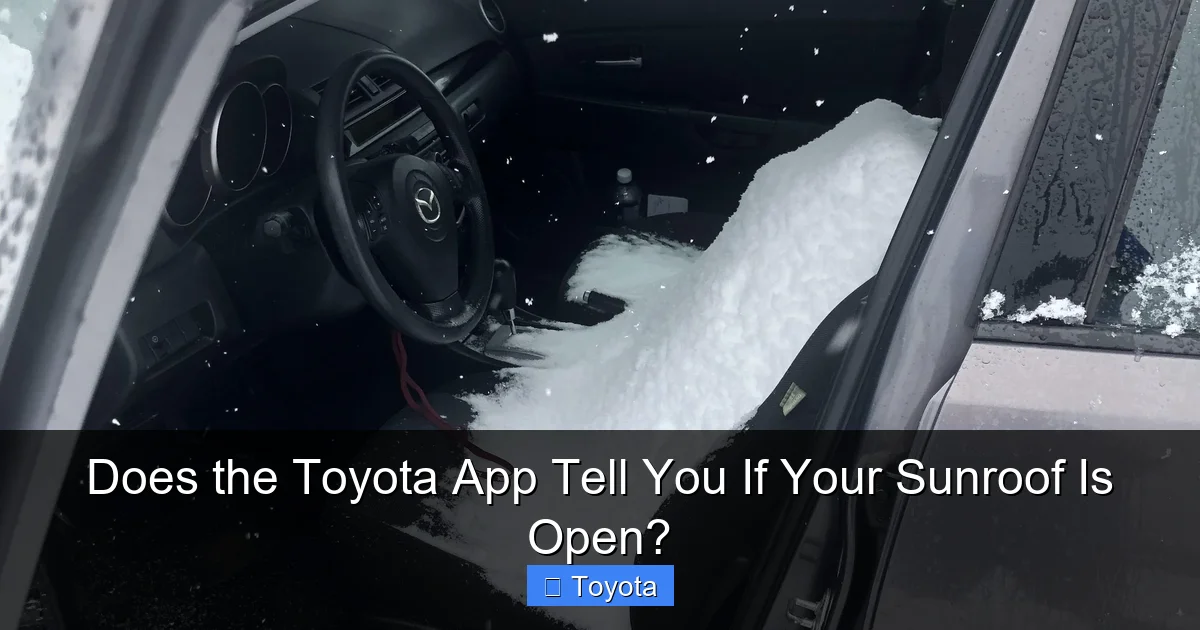
A sunroof is not just a hole in the roof; it’s a complex assembly with drainage channels, tubes, and seals. When left open, rain is the obvious enemy. A sudden downpour can swamp your interior, soaking seats, carpets, electronics (like the infotainment system and wiring under the console), and headliners. The damage isn’t just cosmetic; mold and mildew can set in quickly, creating health hazards and a persistent smell that is incredibly difficult to eliminate. Repairing water damage can easily run into the thousands.
Theft and Prying Eyes
An open sunroof is an invitation. It provides direct access to the interior that a locked door does not. A thief can simply reach in and grab items left on seats. Furthermore, it compromises the security of the cabin. Even if nothing is stolen, a careless act like someone tossing a cigarette butt through an open sunroof can cause a fire.
Wind Buffeting and Aerodynamic Mayhem
Driving with an open sunroof at speeds above 50 mph creates a phenomenon called “wind buffeting.” It’s that annoying, rhythmic pulsing of air that makes the entire car vibrate and conversation impossible. It’s not just uncomfortable; it can cause fatigue on long drives. More critically, if the sunroof is partially open and a strong crosswind hits it, the sudden pressure change can sometimes cause the glass to shatter or the mechanism to strain.
Debris and Pest Intrusion
Leaves, twigs, pollen, and dust will freely enter. This clogs drainage tubes (leading to the water issues above) and creates a mess. In some climates, insects or even small rodents can find their way inside, leading to nests and chewed wiring.
Given these very real risks, the absence of a simple app check feels like a missed opportunity for a simple peace-of-mind feature.
Your Action Plan: How to Never Forget a Closed Sunroof Again
Since you can’t rely on your phone, you need a system. Here are practical, foolproof strategies to integrate into your routine.
1. The 5-Second Physical Scan (The Gold Standard)
This is non-negotiable. Before you walk away from your car, always perform a quick visual scan of the cabin. Make it part of your “lock the door” motion. Glance up at the headliner. It takes less time than unlocking your phone. If your car has a dedicated sunroof switch with an LED indicator, glance at that too as you press the close button. Many Toyotas will beep or chime when the sunroof is fully closed, so listen for that confirmation tone.
2. Leverage Your Car’s Own Warnings
Your Toyota is already trying to help! When you turn the car off and open the driver’s door, many models will display a “Sunroof Open” message on the multi-information display (MID) or the instrument cluster. Some will also emit a chime. Get in the habit of looking at your dash before you exit. This is the car’s native, immediate warning system and is more reliable than any app.
3. Use the “Lock with Key Fob” Habit
When you use your physical key fob to lock the doors, press the lock button twice in rapid succession. On many Toyota models, the second press will also automatically close all windows and the sunroof if they are open. This is a fantastic one-touch solution. Important: This feature, often called “Auto Up” for windows and sunroof, must be enabled in your vehicle settings (usually found in the infotainment system under Vehicle Settings). Check your manual to confirm it’s active on your model.
4. Aftermarket Smart Devices: A Potential Workaround
If you are a tech enthusiast and this feature is a top priority, you can explore aftermarket solutions. Devices from companies like Mongoose or Viper (now part of Directed Electronics) can be integrated with your factory alarm and sunroof motor to add remote sunroof control and status to their own branded apps. However, this requires professional installation, can be expensive, and may void aspects of your warranty. It also adds another app to manage. For the average driver, this is overkill.
5. Simple Physical Reminders
Old school works. Place a sticky note on your driver’s side sun visor that says “SUNROOF?” or attach a small, brightly colored tag to your rearview mirror that you only remove once you’ve visually confirmed it’s closed. If you have a passenger, make it a habit to ask, “Did you get the sunroof?”
Ultimately, the most reliable method is the one that involves your own two eyes. No technology can yet replace the certainty of a glance.
The Future: Will Toyota Ever Add This Feature?
Trends in Automotive Connectivity
The automotive industry is in a relentless pursuit of “app-ification.” What starts as a premium feature often trickles down. As vehicle-to-everything (V2X) communication improves and data plans become more robust, we can expect more granular status reporting. It’s technically feasible today. Some luxury brands (like certain BMW and Mercedes-Benz models with their respective apps) do offer window and sunroof status, though often with limitations.
Toyota is playing catch-up in the digital space compared to some competitors. Their focus has been on perfecting core connected services like Safety Connect® (emergency assistance) and Remote Connect, and rolling out their new Mazda-Toyota infotainment partnership system. As they standardize on newer, more powerful infotainment hardware across their lineup (like the system in the 2023+ Tacoma and 2024+ Grand Highlander), the capability to send and receive more data points will exist.
Where It Could Land: The “Digital Key” and Advanced Alerts
The most likely path for sunroof status to appear is not as a standalone “check this” feature, but as part of an expanded vehicle status summary or within the digital key interface. Imagine locking your car via the app and seeing a summary screen: “Doors Locked. Windows Up. Sunroof Closed.” This is a natural extension of the locking process. Alternatively, it could become a customizable alert within the notification settings, as mentioned earlier.
However, don’t hold your breath for a near-term software update that magically adds it to older models. The hardware (sunroof position sensors and their integration into the telematics module) must be in place from the factory. For most current models, that hardware simply isn’t configured to report that specific data point to the cloud.
Your best bet is to keep an eye on marketing materials for your vehicle’s next model year. If Toyota begins advertising “Comprehensive Vehicle Status in the Toyota App,” that’s your signal that they’ve expanded the data feed. You can also periodically check your app’s “Settings” or “Vehicle Info” section for new toggle switches related to “Sunroof Alerts” or “Body Panel Status.”
Conclusion: Trust but Verify (With Your Eyes)
So, does the Toyota app tell you if your sunroof is open? The definitive, practical answer for the vast majority of Toyota owners is no. The app is a powerful tool for remote engine starts, locking doors, and finding your car, but it leaves the sunroof—a feature with serious implications—out of the digital loop. This gap exists due to a mix of technical prioritization, safety considerations, and the simple fact that your car’s primary computer wasn’t designed to broadcast that specific piece of information.
This limitation underscores a crucial truth about modern connected cars: they are not omniscient. They provide amazing convenience for core functions, but they are not a substitute for basic driver responsibility and awareness. The most advanced sensor suite in the world can’t replace the split-second glance of a human being ensuring their $30,000+ investment is protected from a $5,000 water damage repair bill.
Embrace the tools the Toyota app gives you—use Remote Connect religiously for security and convenience. But for the sunroof, fall back on the timeless ritual: look up, listen for the closing chime, and maybe even give the glass a gentle tap to confirm it’s seated. It’s a small habit that saves immense hassle. And who knows? Maybe by the time you read your next Toyota’s manual, the sunroof status will finally have a little icon on the app dashboard. Until then, keep your eyes on the prize—and on your headliner.
Frequently Asked Questions
Does any Toyota model currently show sunroof status in the app?
Currently, no mainstream Toyota model provides a real-time, user-initiated sunroof open/closed status icon within the standard Toyota App. The feature is virtually absent across the lineup, regardless of trim or year.
Why wouldn’t Toyota add such a simple and useful feature?
Toyota prioritizes telematics bandwidth for critical functions like security (door locks), engine start, and safety alerts. Sunroof status is considered a lower-priority data point. Additionally, there are unaddressed safety concerns about drivers checking sunroof status while operating the vehicle.
What if I have a 2024 Toyota with the latest infotainment system?
Even the newest models with the latest Toyota Audio Multimedia system do not include sunroof status in the app’s vehicle status readout. The connected services architecture has not been expanded to include this data point as of now.
Can I get an alert if my sunroof is open and I lock the car?
Possibly, but it’s not universal. Some higher-trim models with premium connected services packages may send a “Vehicle Status Alert” push notification if the car is locked with the sunroof (or hood/doors) open. You must enable all notifications in the app and check your vehicle’s settings menu to see if this specific alert is supported.
Is there a way to automatically close my sunroof when I lock the car?
Yes, on many models. If your vehicle is equipped with the “Auto Up” feature for windows and sunroof, pressing the lock button on your key fob twice in rapid succession will automatically raise the windows and close the sunroof if they are open. This must be enabled in your vehicle’s settings.
Should I be worried about my sunroof being open if I can’t check the app?
3>Yes, you should be proactive. An open sunroof risks severe water damage, theft, and wind noise. Always perform a quick visual check before walking away. Rely on your car’s dashboard “Sunroof Open” message when you turn off the engine, and use the double-press lock method on your key fob to auto-close it as a habit.







