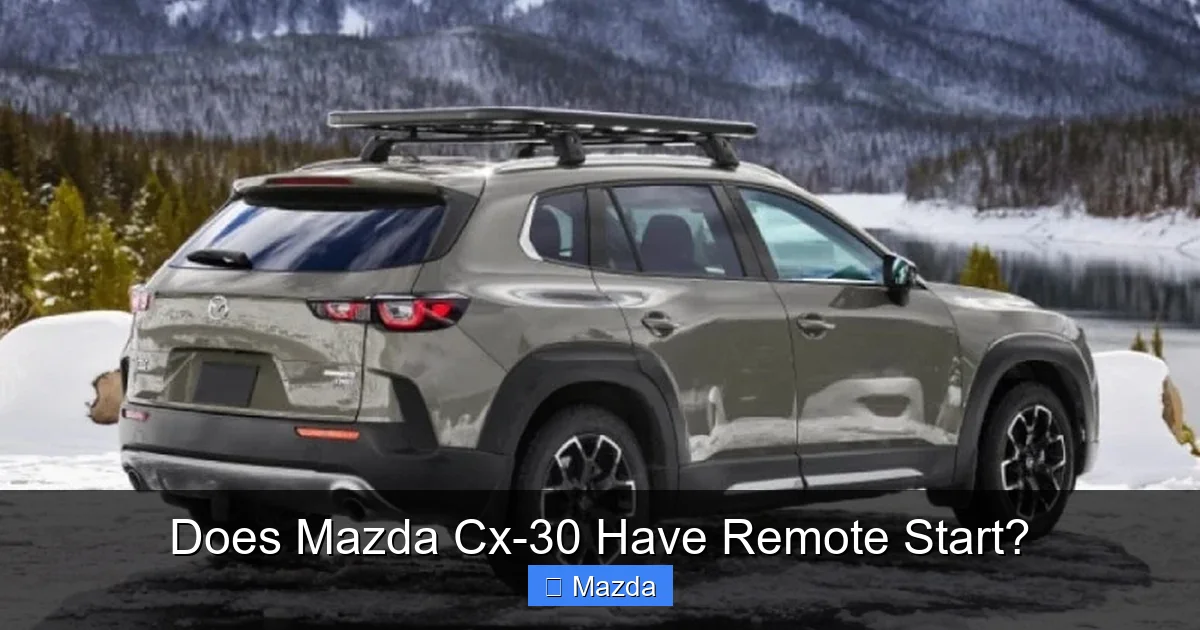
Does Mazda Cx-30 Have Remote Start?

Contents
- 1 Key Takeaways
- 2 📑 Table of Contents
- 3 Does the 2026 Mazda CX-30 Have Remote Start? The Definitive Answer
- 4 Understanding Remote Start: More Than Just a Button
- 5 2026 Mazda CX-30: Which Trims Get Remote Start?
- 6 How Mazda Connected Services Powers the Remote Start
- 7 Step-by-Step: Activating and Using Remote Start in Your CX-30
- 8 How It Compares: Mazda CX-30 vs. The Competition
- 9 Beyond the Button: Maximizing Your CX-30’s Remote Start
- 10 The Bottom Line: Is It Worth It for Your 2026 CX-30?
- 11 Frequently Asked Questions

Trunk Organizer

Car Door Edge Guard

Carburetor Cleaner

Anti Rust Spray
Yes, the 2026 Mazda CX-30 does offer remote start functionality, but it’s not a standard feature on every trim. It’s primarily delivered through the Mazda Connected Services suite, which requires a subscription and uses the MyMazda smartphone app. This app-based system allows you to start your CX-30’s engine from a distance, perfect for warming up the cabin on cold mornings or cooling it down in the summer. Availability typically begins on the Carbon Edition and Premium trims, so you must check your specific model’s equipment. While a traditional key fob remote start is generally not available, the digital solution is robust and integrates seamlessly with the vehicle’s systems.
Key Takeaways
- Availability by Trim: Remote start via Mazda Connected Services is standard on most 2026 CX-30 trims above the base Sport, including Carbon Edition, Premium, and higher. It is rarely a stand-alone, key-fob feature.
- App-Based System: Control is exclusively through the MyMazda app on your smartphone, not a button on the key fob. This allows for starting, locking, unlocking, and checking vehicle status from anywhere with a cellular signal.
- Subscription Required: The remote start function is part of the Mazda Connected Services package, which is often included for a trial period (e.g., 3 years) with a new vehicle purchase, after which a paid subscription is necessary.
- No Traditional Key Fob Remote Start: Unlike some competitors that use a fob button, Mazda has moved to a digital, app-centric approach for remote engine start on the CX-30, relying on the vehicle’s built-in connectivity module.
- Safety First: The system includes multiple safeguards: the parking brake must be engaged, the transmission in Park, doors locked, and the hood closed. It will not start if any of these conditions aren’t met.
- Simple Activation: Enabling remote start involves downloading the MyMazda app, creating an account, adding your CX-30’s VIN, and accepting the Connected Services terms—all done digitally from your phone.
- Competitor Context: Many rivals like the Subaru Crosstrek and Toyota Corolla Cross offer similar app-based remote start, but some still include a basic key-fob function on certain trims, making Mazda’s approach more uniformly digital.
📑 Table of Contents
- Does the 2026 Mazda CX-30 Have Remote Start? The Definitive Answer
- Understanding Remote Start: More Than Just a Button
- 2026 Mazda CX-30: Which Trims Get Remote Start?
- How Mazda Connected Services Powers the Remote Start
- Step-by-Step: Activating and Using Remote Start in Your CX-30
- How It Compares: Mazda CX-30 vs. The Competition
- Beyond the Button: Maximizing Your CX-30’s Remote Start
- The Bottom Line: Is It Worth It for Your 2026 CX-30?
Does the 2026 Mazda CX-30 Have Remote Start? The Definitive Answer
Picture this: It’s a frigid January morning. You’re sipping your coffee, watching the snow fall outside your window. The last thing you want to do is scrape ice off your windshield and sit in a freezing car. A car with remote start solves this problem perfectly. But does the stylish, compact 2026 Mazda CX-30, a favorite for its agile handling and premium interior, offer this modern convenience? The answer is a confident yes, but with some important details that every potential buyer and current owner should understand. For the 2026 model year, Mazda has fully embraced a connected car ecosystem, and remote engine start is a cornerstone of that strategy, delivered primarily through its subscription-based Connected Services.
However, it’s not as simple as a “yes” or “no.” You won’t find a dedicated remote start button on the key fob of most CX-30s. Instead, Mazda has integrated this function into its digital suite. Think of it less like a traditional gadget and more like an app on your phone that talks to your car. This means your ability to remotely start your CX-30 depends on two main things: your specific trim level and your willingness to subscribe to (or continue after a trial) the Mazda Connected Services plan. In this comprehensive guide, we’ll break down exactly which 2026 CX-30 models have it, how the technology works, step-by-step setup instructions, how it compares to systems from brands like Subaru and Toyota, and answer all your burning questions. By the end, you’ll know everything there is to know about warming up your Mazda before you even step outside.
Understanding Remote Start: More Than Just a Button
Before we dive into the CX-30 specifically, let’s clarify what “remote start” means in today’s automotive world. Traditionally, it was a simple radio frequency signal sent from a key fob to the car’s receiver, telling the engine to turn on. That still exists, but the industry is rapidly shifting to cellular-based, app-controlled systems. Why? Because an app can do much more than just start the engine. From your smartphone, you can also lock/unlock doors, check fuel level, locate your vehicle in a parking lot, and even set a schedule for daily starts—all from virtually anywhere, not just within a few hundred feet of the car.

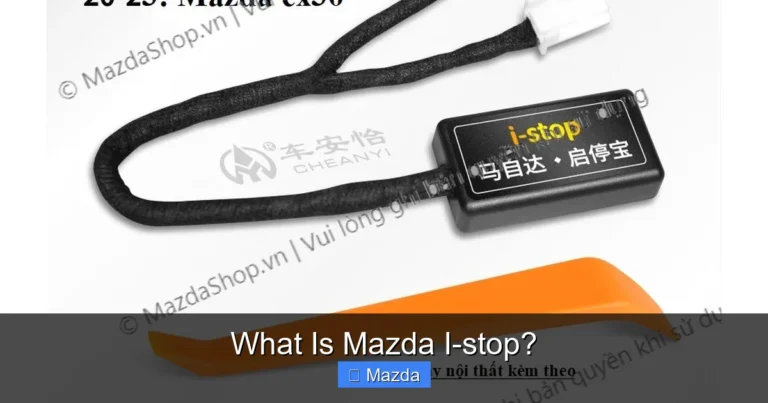
Visual guide about Does Mazda Cx-30 Have Remote Start?
Image source: vvdi.com
The Two Main Types: Fob vs. App
The fundamental split is between key fob remote start and app-based remote start. Key fob systems are limited by range (typically 100-300 feet) and are a one-trick pony. App-based systems, like Mazda’s, use the car’s embedded cellular modem (think of it as a built-in cell phone for the vehicle) to communicate over the internet. This gives you global range—you could start your CX-30 from your office desk if you’re connected to Wi-Fi or have a cellular signal. The trade-off is that it requires an active data connection and, in most cases, a subscription fee from the manufacturer to maintain the service.
Why Mazda Went App-First for the CX-30
Mazda’s decision to make the MyMazda app the primary gateway for remote start on models like the 2026 CX-30 aligns with its broader “Jinba Ittai” (horse and rider as one) philosophy, which emphasizes a seamless, intuitive connection between driver and machine. They view the smartphone as the universal controller, eliminating the need for a separate, often lost, key fob button. It also allows for future software updates and new features to be rolled out wirelessly, keeping the vehicle’s tech suite current. For the user, it means a single, powerful app replaces multiple fob buttons and often provides a richer, more informative experience.
2026 Mazda CX-30: Which Trims Get Remote Start?
Now for the crux of the matter. For the 2026 model year, Mazda packages its Connected Services—which include remote engine start, vehicle status, maintenance alerts, and more—into different availability tiers. You must look closely at the window sticker or build your own on Mazda’s website to be sure, but the general rule for the CX-30 is clear: remote start via the MyMazda app is standard equipment on most non-base trims.

Visual guide about Does Mazda Cx-30 Have Remote Start?
Image source: i.ytimg.com
The Base Sport Trim: Likely Excluded
The entry-level Sport trim of the 2026 CX-30 is designed for maximum value. It typically comes with a solid list of standard safety features via i-SENSY, but the connected digital services are usually not included. If you buy a base Sport model, you will almost certainly not have the built-in connectivity module required for the MyMazda app’s remote functions. You would need to check if it’s available as a dealer-installed accessory, but factory integration is unlikely at this level.
Carbon Edition, Premium, and Higher: Standard Inclusion
Move up to the Carbon Edition, Premium, and any Grand Touring or Signature trims, and Mazda Connected Services become part of the package. For 2026, Mazda is likely continuing its policy of including a multi-year trial subscription (historically 3 years from the vehicle’s original in-service date) with the purchase of a new CX-30 equipped with this hardware. After the trial expires, the owner must pay an annual or monthly fee to keep the remote start and other connected features active. This is a crucial point: the hardware is usually there, but the service requires a subscription.
How to Confirm for Your Specific Vehicle
Never assume. The only way to know for sure is to:
- Check the Monroney Label (Window Sticker): Look for a section titled “Mazda Connected Services” or “Connected Vehicle Services.” It will list the included features and trial period.
- Use the Mazda Build & Price Tool: On Mazda’s official website, configure a 2026 CX-30. The tool will show you which packages include Connected Services.
- Inspect the Rearview Mirror: Vehicles equipped with the connectivity module often have a small, distinctive mesh antenna embedded in the center of the rearview mirror or a separate shark-fin antenna on the roof.
- Ask Your Dealer: When shopping, explicitly ask, “Does this specific VIN come with the hardware for Mazda Connected Services, and is a trial subscription included?”
If your CX-30 has the hardware but the trial has lapsed, you can reactivate the service by enrolling in a paid plan through the MyMazda app.
How Mazda Connected Services Powers the Remote Start
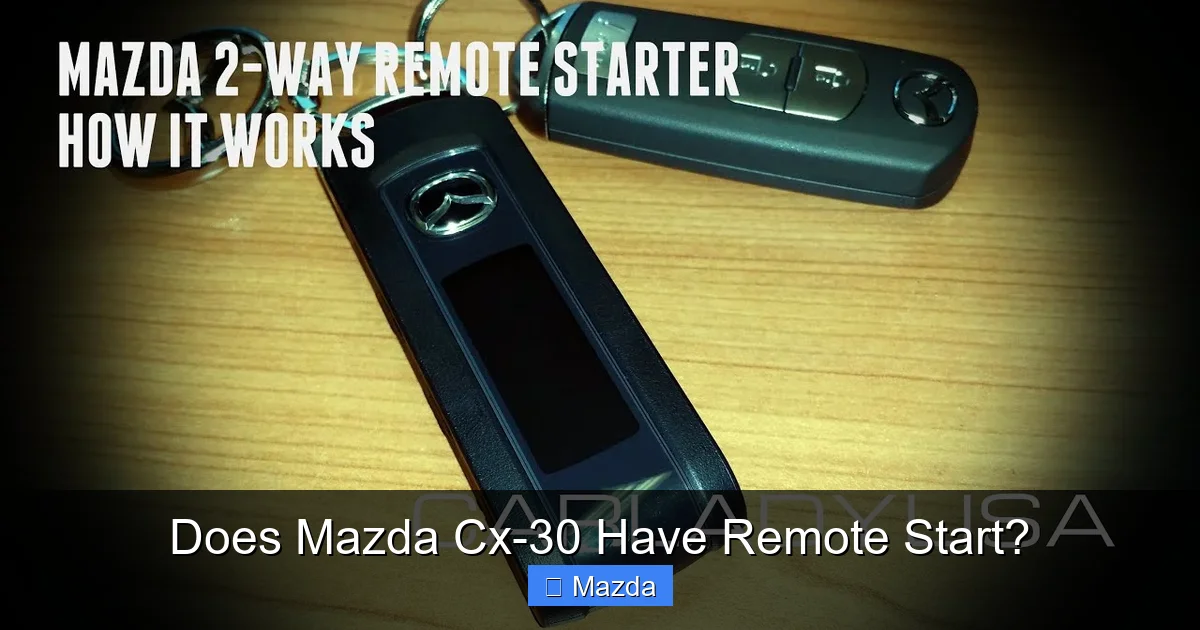
So you’ve confirmed your 2026 CX-30 has the capability. How does pressing a button on your phone actually turn over an engine hundreds of miles away? It’s a multi-step digital handshake that happens in seconds.
Visual guide about Does Mazda Cx-30 Have Remote Start?
Image source: i.ytimg.com
The MyMazda App: Your Digital Command Center
The MyMazda app (available for iOS and Android) is the user interface. After logging in, you’re greeted with a dashboard showing your vehicle’s location, fuel level, odometer, and tire pressures. The prominent “Start” button is what you use for remote engine activation. The app also allows you to schedule a remote start—for example, setting it to automatically start every weekday at 7:00 AM to pre-heat the cabin. This scheduling feature is a huge quality-of-life improvement over manual, one-off starts.
Under the Hood: The Telematics Control Unit (TCU)
Buried in your CX-30’s electronics is a Telematics Control Unit (TCU). This is a dedicated computer with its own cellular SIM card (provided by a partner like Verizon or AT&T in the US). When you press “Start” in the app, the command travels from your phone -> Mazda’s cloud servers -> over the cellular network -> to your CX-30’s TCU. The TCU then authenticates the request (checking your account status, ensuring the vehicle is in a safe state) and sends a signal to the engine control module to initiate the start sequence. The process is encrypted and secure to prevent unauthorized access.
Subscription Models and Costs
As of early 2025, Mazda typically offered Connected Services on a subscription basis after an initial trial. For 2026, expect a similar structure, likely around $10-$15 per month or $100-$150 per year for the basic package that includes remote start and vehicle status. There may be a premium tier with added services like in-car Wi-Fi hotspot. The exact price can vary by region and promotional offers. Important: If you let the subscription lapse, the remote start feature in your app will gray out and become non-functional until you re-subscribe, even though the hardware remains installed.
For those who love their CX-30’s utility, pairing remote start with its impressive towing capacity creates a versatile vehicle ready for both daily commutes and weekend adventures.
Step-by-Step: Activating and Using Remote Start in Your CX-30
Getting your remote start working is straightforward, but it requires a few specific steps. Here’s a practical guide for any 2026 CX-30 owner with an active Connected Services subscription.
Prerequisites: Before You Even Open the App
The system has built-in safety locks. Your CX-30 will not start remotely if:
- The parking brake is not engaged.
- The transmission is not in Park (P).
- Any door is open or unlocked.
- The hood is open.
- The fuel level is critically low (below a threshold, usually 1-2 gallons).
- The check engine light is on, or there’s a fault preventing normal starting.
Always ensure your CX-30 is parked in a well-ventilated area, especially if in a garage, to avoid carbon monoxide buildup. The system will run for a preset time (typically 15 minutes) before automatically shutting off.
Activation and First-Time Setup
- Download & Install: Get the official “MyMazda” app from your device’s app store.
- Create an Account: Open the app and follow prompts to create a Mazda ID using your email address.
- Add Your Vehicle: In the app, tap “Add Vehicle.” You’ll need your CX-30’s 17-digit Vehicle Identification Number (VIN), found on the driver’s side dashboard, door jamb, or insurance documents.
- Accept Terms & Pair: The app will guide you through linking your Mazda ID to the car’s TCU. This may require you to be inside the vehicle with the ignition on for a few moments to complete the handshake. Ensure your phone’s Bluetooth is on during this step.
- Verify Subscription: Once paired, the app will display your Connected Services status and remaining trial period or active subscription. If your trial has expired, you’ll be prompted to select and pay for a plan here.
Starting Your CX-30 Remotely: The Daily Routine
With setup complete, using it is simple:
- Ensure your CX-30 is parked, in Park, with parking brake set, all doors locked, and hood closed.
- Open the MyMazda app on your phone. Make sure you have a cellular or Wi-Fi connection.
- On the vehicle status screen, tap the large “Start” button.
- The app will show a countdown (usually 10-15 seconds) as the command is sent. You’ll see a confirmation message like “Engine Started” and a timer indicating how long the engine will run (e.g., 15 min).
- To extend the run time, you can tap “Extend” before the timer hits zero (some systems allow one extension). To turn off early, tap “Stop.”
Pro Tip: Use the “Schedule” feature in the app to set a recurring start time. This is the ultimate convenience—your CX-30 will be warmed up and ready every morning without you having to remember to tap anything.
How It Compares: Mazda CX-30 vs. The Competition
Remote start is a common expectation in the compact SUV segment. How does Mazda’s implementation stack up against rivals like Subaru, Toyota, and Audi? The differences often come down to hardware vs. software, and subscription vs. no subscription.
vs. Subaru Crosstrek & Impreza
Subaru offers remote engine start via its Starlink connected services app, which is very similar in concept to Mazda’s. It also requires a subscription after a trial period. However, Subaru has historically been more likely to include a basic key-fob remote start button on certain trims of the Crosstrek and Impreza, even without a subscription. This gives Subaru a slight edge for buyers who want a simple, no-monthly-cost fob function. For a deep dive into Subaru’s offerings, you can read whether the Subaru Crosstrek has remote start and if the Subaru Impreza includes it. Mazda’s system is more uniformly app-based across its lineup.
vs. Toyota Corolla Cross & Camry
Toyota’s remote connect services are also app-based and subscription-dependent. Their system is robust and integrates with their larger ecosystem. A key difference is that some Toyota models, like the Camry, have offered key-fob remote start on higher trims for years. You can explore the specifics for the Toyota Camry to see this hybrid approach. Mazda’s cleaner, all-in-on-app strategy is simpler but locks the feature behind a paywall after the trial.
vs. Audi Q3 & Q5
Luxury brands like Audi have offered remote start via their myAudi app for a while, often with a complimentary trial period that extends several years. The technology and user experience are very similar to Mazda’s—it’s all about the app. The main differentiator is brand prestige and potentially longer trial periods. See details on the Audi Q5 and Audi Q3 for comparison. Mazda offers a near-luxury experience at a mainstream price point, making its connected services a strong value proposition.
The Verdict: Convenience with a Caveat
Mazda’s system is excellent: reliable, feature-rich, and easy to use. The primary drawback is the post-trial subscription cost, which some owners resent after paying a premium for the vehicle. Competitors vary—some hide it behind a subscription too, while others retain a simple fob button. If you prioritize a no-monthly-fee solution, you must research specific trims of other brands carefully. If you want a modern, smartphone-centric experience and don’t mind a modest annual fee, the CX-30’s system is top-tier.
Beyond the Button: Maximizing Your CX-30’s Remote Start
Owning the feature is one thing; using it wisely is another. Here’s how to get the most out of remote start in your 2026 Mazda CX-30, along with some important considerations.
Practical Use Cases That Change Your Routine
- Winter Warm-Up: Start the CX-30 from your breakfast table. The engine warms up, and heated seats/steering wheel (if equipped) begin to work. By the time you get out, the cabin is toasty, and the windows are defrosted.
- Summer Cool-Down: On a 100-degree day, start the CX-30 with the A/C on low. Ventilate the hot air first by opening windows via the app (if supported), then engage climate control to cool the interior.
- Pet Safety: On a mild day, if you need to run a quick errand and your dog is in the back, a short remote start can run the fan to provide airflow without you having to leave the keys in the car.
- Pre-Departure Check: Use the app to check tire pressures, fuel level, and oil life before a long trip, all from inside your house.
Security and Safety: No Compromises
Mazda has engineered multiple layers of protection. The system will not start if the key is inside the car (preventing accidental starts), if any door is ajar, or if the vehicle is not in Park. The engine will run for a limited, non-extendable time (usually 15 minutes) to prevent unattended operation. You cannot shift the vehicle out of Park via the app—a physical key is required to drive. These safeguards prevent theft and misuse.
Troubleshooting Common Hiccups
If your remote start fails, here’s a quick checklist:
- No Signal/Connection Error: Check your phone’s cellular signal. Ensure the CX-30 is in an area with coverage (not a deep parking garage). The car’s TCU needs its own signal.
- “Vehicle Not Ready” Message: Walk through the safety checklist: parking brake? doors locked? hood closed? transmission in Park? fuel level?
- App Says “Disconnected”: Your vehicle’s built-in modem may have lost its connection to the network. Try locking/unlocking the car with the app or physically with the key fob to wake the TCU. A simple reboot of the car’s infotainment system (hold down the power and audio buttons for 10 seconds) can also help.
- Subscription Expired: The most common reason for a sudden stop in service. Check your MyMazda app account page for subscription status.
For persistent issues, a call to Mazda Roadside Assistance or your dealer’s service department is the best next step.
The Bottom Line: Is It Worth It for Your 2026 CX-30?
The 2026 Mazda CX-30 delivers a compelling, modern remote start experience through its Connected Services. It’s not a free add-on; it’s a subscription-based digital feature that shines when you value smartphone integration and scheduling over a simple fob button. For most buyers looking at the Carbon Edition, Premium, or higher trims, this capability will be included with a trial, letting you experience the convenience immediately.
If you’re a tech-savvy driver who lives by their phone and appreciates being able to warm up the car from the couch or from your office building, the CX-30’s system will feel intuitive and indispensable. The scheduling feature alone is a game-changer for daily routines. However, if the idea of another monthly subscription fee is a turn-off, you must be diligent in your search—you may need to opt for a base Sport trim (likely without the feature) or investigate competitors that still offer a key-fob-only solution on certain models.
Ultimately, the Mazda CX-30’s remote start is a well-executed piece of its broader connected car vision. It underscores the vehicle’s positioning as a premium, tech-forward choice in the crowded compact SUV market. When paired with its engaging driving dynamics and upscale cabin, it adds a layer of everyday practicality that many owners will come to rely on. Just remember to check your trim, activate your trial, and decide if the post-trial subscription fits your budget and lifestyle.
Frequently Asked Questions
Is remote start standard on all 2026 Mazda CX-30 trims?
No. Remote start via the MyMazda app is typically standard on the Carbon Edition, Premium, Grand Touring, and Signature trims. The base Sport trim usually does not include the necessary hardware or Connected Services package.
How much does the Mazda Connected Services subscription cost after the trial?
Pricing can vary by region and year, but historically, Mazda has charged around $10-$15 per month or $100-$150 per year for the basic package that includes remote start and vehicle status. Always verify current pricing in your market through the MyMazda app or your dealer.
Can I use the remote start if my CX-30 has a manual transmission?
No. The 2026 CX-30 is only available with an automatic transmission. The remote start system is designed exclusively for vehicles with an automatic gearbox as a critical safety requirement is that the transmission must be in Park (P).
What’s the difference between Mazda’s remote start and a key fob remote start?
Mazda’s system is app-based and uses the car’s cellular connection, allowing you to start the vehicle from anywhere with internet. A key fob system uses short-range radio frequency, limiting control to within a few hundred feet of the car. Mazda’s method also typically includes scheduling and vehicle status checks, which a basic fob button does not.
Can I retrofit remote start on a 2026 CX-30 that didn’t come with it?
Retrofitting the factory Mazda Connected Services module is generally not feasible or cost-effective, as it requires extensive wiring and integration with the vehicle’s CAN bus system. Your best option is to check if your specific VIN has the hidden hardware (the roof antenna or mirror antenna) and if a dealer can activate it, but this is rare. Aftermarket remote start systems exist but can void warranties and are not recommended.
Is it safe to remote start my CX-30 if it’s parked in a garage?
It is safe only if the garage door is open and the area is well-ventilated. Starting any vehicle in an enclosed space risks carbon monoxide poisoning. The system has safeguards but will not prevent you from making an unsafe choice. Always ensure the garage door is fully open before using remote start indoors.