
How to Use a Hyundai Key Card

The Hyundai key card is a sleek, credit-card-sized smart key that replaces traditional metal keys and bulky fobs. It uses advanced RFID technology to enable keyless entry and push-button start, offering incredible convenience. This guide covers every function, from basic locking to advanced settings, plus battery changes and what to do if it fails. You’ll learn how to use every feature confidently and handle common issues like a dead battery or a lost card.
Key Takeaways
- The Hyundai key card is a passive entry system: It communicates with your car’s antennas when within range, typically 3-5 feet, so you don’t need to press buttons to unlock or lock.
- Starting the car requires the card to be inside: For push-button start, the card must be detected in the cabin, usually on the center console or in your pocket/purse.
- Battery replacement is a user-serviceable task: The CR2032 battery is easy to swap with a small flat-head screwdriver, and low battery warnings give you plenty of notice.
- If the card fails, a physical emergency key is hidden inside: You can manually unlock the driver’s door and start the car using this hidden key blade in a specific procedure.
- Key cards are not indestructible: Avoid bending, crushing, or exposing it to extreme heat/moisture, and always keep a spare programmed by the dealer.
- Programming new cards requires dealer equipment: Unlike some older systems, you cannot self-program a Hyundai key card; it must be done by an authorized dealer with the VIN.
- Functions vary slightly by model year: Always consult your owner’s manual, as features like remote start or trunk release may differ between Sonata, Elantra, Tucson, etc.
📑 Table of Contents
- Introduction: Welcome to the Future of Keyless Entry
- 1. Understanding Your Hyundai Key Card: The Tech Inside the Plastic
- 2. Mastering Basic Functions: Locking, Unlocking, and More
- 3. Starting Your Hyundai: The Push-Button Process and Emergency Procedures
- 4. Advanced Features and Customizable Settings
- 5. Battery Replacement: A Simple DIY Task
- 6. Troubleshooting Common Issues and What to Do If You Lose the Key Card
- Conclusion: Confidence Through Understanding
Introduction: Welcome to the Future of Keyless Entry
So, you’ve got a Hyundai with a key card. That cool, slim rectangle that feels more like a hotel room key than a car key. It’s sleek, fits in your wallet, and does away with the jingle-jangle of a traditional keychain. But if you’re reading this, you might be wondering exactly how it all works. How do you lock the doors? How do you start the car? What happens when the battery dies? Don’t worry—by the end of this guide, you’ll be a Hyundai key card pro.
This isn’t just about pushing buttons; it’s about understanding a smart system designed to make your life easier. The Hyundai key card, officially part of the Smart Key system, uses radio frequency identification (RFID) and a network of antennas in your car to detect its presence. It’s a secure, convenient system that’s become standard on most modern Hyundai models, from the compact Elantra to the family-friendly Santa Fe. Whether you’re a new owner or just got your first key card, this comprehensive walkthrough will cover every button, function, and scenario you’ll encounter.
1. Understanding Your Hyundai Key Card: The Tech Inside the Plastic
Before we dive into button-pressing, let’s appreciate the engineering. Your Hyundai key card is essentially a miniature computer. Inside that sturdy plastic shell is a small circuit board, a CR2032 coin cell battery, and a low-frequency RFID chip. This chip has a unique code paired specifically to your vehicle’s immobilizer system.
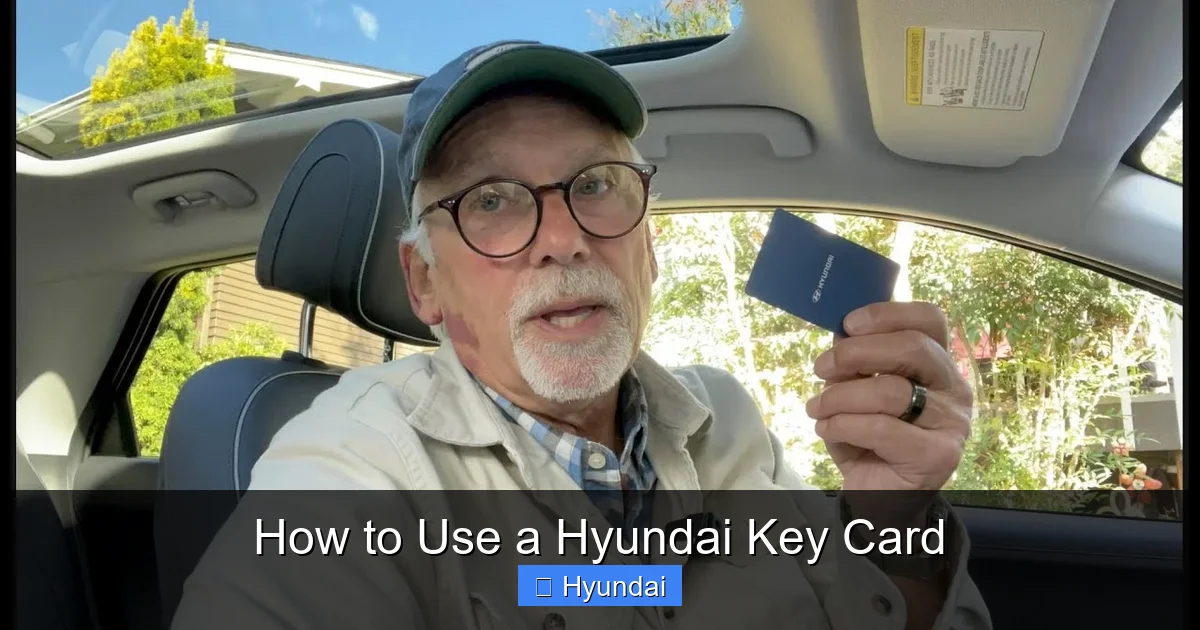
Visual guide about How to Use a Hyundai Key Card
Image source: i.ytimg.com
How the “Magic” Works: Passive Entry & Push-Button Start
The system operates on two main principles: Passive Entry and Push-Button Start. With Passive Entry, you don’t need to press any button on the key card to unlock the car. When you approach your Hyundai with the card in your pocket or bag, the car’s exterior antennas (located in the door handles) continuously emit a low-power signal. If your key card is within range (usually about 3 feet), it wakes up, responds with its encrypted code, and the car verifies it’s the correct key. If it checks out, the doors automatically unlock when you touch the inner handle sensor. It’s like the car recognizes you before you even touch it.
For starting, the process is similar. Inside the cabin, another set of antennas detects the key card when it’s present. The start/stop button on the dashboard is essentially a switch that, when pressed with the key card detected, sends a signal to the engine control unit (ECU) to fire up the engine. The car’s computer constantly checks for the key card’s signal; if it’s not detected, the engine won’t start, even if you press the button. This is a major theft deterrent.
Physical Components: Buttons, LED, and the Hidden Emergency Key
Look at your key card. You’ll see:
- The Lock/Unlock Buttons: The large buttons on the front. The lock icon (usually red) locks all doors. The unlock icon (usually green or white) unlocks the driver’s door with one press, and all doors with a second quick press.
- The Trunk/Remote Start Button: Often a separate button with a trunk icon. On some models, holding this button remotely opens the trunk. On others with remote start, you may need to press lock then remote start in sequence.
- The Panic Button: A small red button, usually on the side or back. It sounds the horn and flashes lights for emergencies.
- The LED Light: A small light that blinks when you press buttons, confirming signal transmission. It also blinks periodically when the card is idle to show it’s active.
- The Hidden Emergency Key Blade: This is crucial. Inside the key card, there’s a small, removable cover on one end. Underneath lies a physical metal key blade. You’ll need this if the card’s battery dies completely or if the system malfunctions. We’ll cover its use later.
2. Mastering Basic Functions: Locking, Unlocking, and More
Now for the everyday actions. These are the motions you’ll perform dozens of times a week. Getting them right ensures smooth operation and avoids those frustrating moments when the car doesn’t respond.

Visual guide about How to Use a Hyundai Key Card
Image source: hyundaimaintenance.com
Locking and Unlocking the Doors
This is the core function, and Hyundai gives you two ways to do it:
- Passive (Buttonless) Entry: This is the intended, seamless method. Simply approach your car with the key card on you. When you’re within about 3 feet of the driver’s door, touch the inner door handle sensor (the smooth, rubberized part). You should hear a cheerful “chime” and see the door unlock. To lock, after closing the door, press the small square button on the exterior door handle (the one with the key icon). The doors will lock, and the lights will flash. This method conserves the key card’s battery since it only uses power when activated.
- Active (Button-Press) Entry: Use the buttons on the key card. Press the unlock button once: the driver’s door unlocks. Press it again within a couple of seconds: all doors unlock. Press the lock button: all doors lock and the horn may give a single beep. This method is useful from a distance (e.g., unlocking from inside a store) or if the passive system isn’t responding (like if the key card battery is very low but not dead).
Pro Tip: If the passive unlock isn’t working, first check that the key card isn’t in a metal box or wallet that’s blocking the signal. Also, ensure you’re touching the correct part of the handle—the sensor is often on the backside of the handle, not the front.
Opening the Trunk and Tailgate
Most Hyundai SUVs and hatchbacks have a power trunk release. There are two ways to open it:
- From the Key Card: Press and hold the trunk button (usually the one with the trunk icon) for about one second. You’ll hear the trunk unlatch. On some models, you might need to press it twice quickly. The trunk will then pop open automatically.
- From the Exterior Handle: Many Hyundai SUVs have a touch-sensitive button on the trunk lid itself. Simply press that button with the key card nearby, and the trunk will open. This is incredibly handy when your hands are full.
For sedans like the Sonata or Elantra, the trunk release is typically a button inside the car (on the driver’s door or center console) or a keyhole on the trunk lid that uses the emergency key blade.
Rolling Up and Down Windows
This is a lesser-known but handy feature. You can operate the windows and sunroof from outside the car using the key card:
- To Roll Up All Windows: Press and hold the lock button on the key card until all windows and the sunroof (if equipped) fully close. The car will beep once when done.
- To Roll Down All Windows: Press and hold the unlock button on the key card until all windows and the sunroof fully open. This is great for ventilating the car on a hot day before you get in.
Important: This feature must be enabled in your vehicle’s settings. Go to: Home > Settings > Vehicle > Welcome Features > Power Window Open/Close. If it’s off, you won’t be able to use this function. You can turn it on or off as you prefer.
Using Remote Start (If Equipped)
Some Hyundai models (especially in colder or hotter climates) come with a factory-installed remote start feature. The sequence is:
- Make sure all doors are closed and the key card is inside the vehicle.
- Press the lock button on the key card.
- Immediately press and hold the remote start button (often the same trunk button) for about 2-3 seconds.
- The horn will beep once, and the turn signals will flash, indicating the engine has started. The climate control will adjust to your last set temperature.
- To drive, press the brake pedal and the start/stop button (the key card must still be inside).
- To turn off remotely, press the remote start button again.
Note: Remote start may have a time limit (e.g., 10-15 minutes) and will cancel if a door is opened. Always check your owner’s manual for model-specific instructions. If your car doesn’t have factory remote start, aftermarket systems exist for many vehicles, but they require professional installation.
3. Starting Your Hyundai: The Push-Button Process and Emergency Procedures
This is the moment you’ve been waiting for—turning that key card into motion. The process is designed to be foolproof, but there are a few nuances.

Visual guide about How to Use a Hyundai Key Card
Image source: bhaimg.com
The Normal Start Sequence
1. Enter the Vehicle: With the key card in your pocket or bag, pull the door handle to enter. The doors should have unlocked passively. If not, use the unlock button on the card.
2. Locate the Start/Stop Button: This is typically on the center console, near the gear shifter, or on the dashboard to the right of the steering wheel.
3. Press the Brake Pedal: The system requires you to depress the brake pedal for safety. This prevents accidental engine starts.
4. Press the Start/Stop Button: With your foot on the brake, press the button once. The engine will crank and start. The instrument cluster will illuminate, and the key card indicator (usually a green key icon) on the dash should go out, confirming the key is detected.
5. To Turn Off: Park the car (P), apply the parking brake, then press the start/stop button once (without the brake). The engine will stop, and the key card indicator may blink or stay on, showing the key is still inside.
What If the Key Card Isn’t Detected?
Sometimes, the system might not detect the key card immediately. Before panicking, try these steps:
- Ensure the key card is inside the vehicle. Place it directly on the center console or in the cup holder.
- Check the key card battery. If it’s low, the range is reduced. Replace the battery (see Section 5).
- There may be interference from other electronic devices, a cell phone, or a metal object blocking the card. Remove any items near the card.
- If you have a spare key card, try that one to determine if the issue is with the card or the car’s antenna system.
If the car still says “Key not detected” or shows a red key icon on the dash, you’ll need to use the emergency procedure.
The Emergency Start Procedure: Using the Hidden Key Blade
This is your absolute backup. It works even with a completely dead key card battery. Here’s how:
- Retrieve the Emergency Key: On the key card, locate the small slider or cover on the narrow end. Slide it open or pry it gently with a flathead screwdriver to reveal the hidden metal key blade. Pull it out.
- Unlock the Driver’s Door: Insert the key blade into the tiny keyhole on the driver’s door handle (it’s often hidden under a small plastic cap). Turn the key to unlock the door. You’ll need to do this manually, as the power locks won’t work.
- Enter and Locate the Key Slot: Once inside, there is a specific key slot for the emergency start. It’s usually located in the center console, near the start/stop button, or under a small cover. Your owner’s manual will have the exact location for your model.
- Insert and Press: Insert the key blade into this slot. While holding it in place, press the start/stop button (you do not need to press the brake pedal for this emergency procedure). The engine should start normally.
- After Starting: Once the engine is running, you can remove the key blade. The car will continue to run, but you won’t be able to restart it after turning off unless you either replace the key card battery or repeat this procedure.
Critical: This procedure is for emergencies only. It indicates a dead key card battery or a major system fault. You should replace the key card battery as soon as possible and, if the problem persists, have the car’s keyless entry system diagnosed by a Hyundai dealer. If you find yourself needing to use the emergency start frequently, it’s time for a new key card battery or a check-up.
4. Advanced Features and Customizable Settings
Your Hyundai key card does more than just lock and start. The vehicle’s settings menus allow you to customize how the system behaves, tailoring it to your preferences.
Welcome Features: Lighting and Seat/Mirror Memory
When you approach your car with the key card, it can activate a “Welcome” sequence if configured:
- Approach Lights: The headlights and taillights can illuminate for a set time when the key card is detected, lighting your path in the dark. You can adjust the duration in Settings > Vehicle > Welcome Features > Approach Light.
- Seat and Mirror Positions: If your Hyundai has memory seats, the car can automatically move the driver’s seat and side mirrors to a pre-set position when it detects your specific key card. This is perfect for families with multiple drivers. Set your preferred position, then go to Settings > Vehicle > Welcome Features > Memory Seat/ Mirror and link it to your key card. The system uses the unique code of each key card to recall individual settings.
Customizing the Horn and Light Feedback
When you lock or unlock the car with the key card buttons, the car gives audible (horn) and visual (light flash) feedback. You can change this:
- Horn/Light Confirmation: In Settings > Vehicle > Door, you can choose between “Horn,” “Light,” “Horn + Light,” or “Off” for lock/unlock confirmation. Many people prefer “Light Only” to avoid annoying neighbors in quiet parking lots.
- Auto Relock: If you unlock the car but don’t open a door within 30 seconds, the car will automatically relock. You can adjust this timer or turn it off in the same menu.
Trunk Open Height and Speed Settings
For power liftgates, you can program how high it opens and how fast it moves. This is useful in garages with low ceilings or for easier loading. Go to Settings > Vehicle > Power Liftgate to adjust the opening height and opening speed. Some models also have a “Hands Free” feature where you can wave your foot under the rear bumper to open the trunk, provided the key card is nearby.
5. Battery Replacement: A Simple DIY Task
The key card battery (a standard CR2032 3V lithium coin cell) typically lasts 2-3 years, depending on usage. When it’s getting low, you’ll notice reduced range—you have to stand much closer to the car for it to unlock. The LED on the key card may also blink more slowly or not at all when you press buttons. Don’t wait for it to die completely; replace it at the first sign of weakness.
Step-by-Step Battery Replacement
You don’t need any special tools beyond a small flat-head screwdriver and a new CR2032 battery (available at any pharmacy, grocery store, or online).
- Open the Key Card: Locate the small seam on the narrow end of the key card (opposite the buttons). Gently insert the flat-head screwdriver and twist to pry open the plastic cover. It may take a little force, but be careful not to crack the casing.
- Remove the Old Battery: Inside, you’ll see the circuit board with the battery clipped in. The battery is held by a small metal clip. Gently pry the clip back and lift the old battery out. Note the orientation: the positive (+) side (usually with writing) is facing up.
- Insert the New Battery: Place the new CR2032 battery in the same orientation: positive side up. Make sure it’s seated flat against the clip.
- Reassemble: Snap the plastic cover back on until it clicks into place.
- Test: Press the lock and unlock buttons. The LED should blink brightly. Test the passive entry by approaching your car. If it works, you’re done!
Disposal: Recycle the old battery properly. Many electronics stores or auto parts stores have battery recycling bins. Do not throw it in the trash.
Note: After replacing the battery, you should not need to reprogram the key card. The settings are stored in non-volatile memory. However, if the key card still doesn’t work, the battery may have been installed backward, or the key card could be damaged.
While Hyundai’s process is straightforward, other brands have similar designs. If you ever need a visual reference for a different vehicle, our guide on changing a Nissan Sentra key fob battery shows a nearly identical procedure for a different brand’s key fob.
6. Troubleshooting Common Issues and What to Do If You Lose the Key Card
Even with perfect care, issues can arise. Here’s how to diagnose and fix the most common problems.
Symptom: Key Card Not Detected / “Key Not in Vehicle” Message
This is the most frequent complaint. Follow this checklist:
- Check Battery: Replace it as described above. This solves 80% of these issues.
- Check for Interference: Are you carrying the key card in a wallet or purse with other electronics, credit cards, or metal? These can block the RFID signal. Try holding the card in your hand near the door handle.
- Check Car Battery: A severely discharged car battery can sometimes cause communication errors. If your car battery is old or the car is slow to start, charge or replace it.
- Check Key Card Condition: Is the key card physically damaged? Cracks, water exposure, or severe bending can destroy the internal circuitry. If so, you’ll need a replacement.
- Door Handle Antenna: If only one door (usually the driver’s) has issues, the antenna in that handle may be faulty. This requires dealer diagnosis.
Symptom: Buttons Don’t Work, But Passive Entry Does
This points to a low battery. The passive entry uses a very low-power wake-up signal that can still work with a weak battery, but the active button press requires more power. Replace the battery immediately.
Symptom: Key Card Works Intermittently
Intermittent detection usually means a dying battery or a loose internal connection from a drop or impact. Replace the battery first. If that doesn’t work, the key card may need to be replaced.
What to Do If You Lose Your Hyundai Key Card
This is a stressful situation. Here’s your action plan:
- Retrace Your Steps: Check pockets, bags, car (under seats, console), and recent locations.
- Use a Spare: If you have a second programmed key card, use it.
- Call a Hyundai Dealer: You will need a replacement. The dealer will need your Vehicle Identification Number (VIN) and proof of ownership (title, registration, ID). They will order a new key card and program it to your car’s immobilizer system. This is not a DIY job; it requires proprietary software.
- Cost: A replacement Hyundai key card from the dealer, including programming, typically costs between $250 and $400, depending on the model and region. This is not covered under warranty unless the key was defective.
- Security Note: If you suspect the lost key card was stolen, inform the dealer. They can “blacklist” the old key’s code in the car’s system, rendering it useless even if found. You’ll still need to get a new key card programmed.
For context, losing a key fob for other brands can be similarly costly. For example, replacing a Kia key follows a very similar process and price range due to shared technology between Hyundai and Kia.
When to Seek Professional Help
If you’ve replaced the battery and the key card still doesn’t work, or if the car’s dash shows a persistent “Key System Error” message, the problem is likely with the car’s antennas, the immobilizer control module, or the key card’s internal chip. These require diagnostic tools only a Hyundai dealer or qualified locksmith with automotive experience possesses. Don’t attempt to disassemble the key card beyond the battery cover, as you can damage the sensitive RFID chip.
Conclusion: Confidence Through Understanding
Your Hyundai key card is a masterpiece of convenience engineering. It’s designed to make accessing and starting your vehicle feel effortless and secure. By now, you should understand its inner workings—from the passive entry magic to the emergency key blade hidden inside. Remember the core principles: keep the battery fresh, avoid physical damage, and always have a spare programmed by the dealer. Practice the passive entry and window controls to build muscle memory. Should a problem arise, start with the simplest fix: a new CR2032 battery. And if you ever lose it, know the exact steps to get a replacement.
Smart key systems like this are becoming the norm across all automakers. While Hyundai’s implementation is user-friendly, the fundamentals are similar. If you ever drive a different vehicle and wonder about its key system, you now have a framework to understand it. Whether it’s opening a Honda Civic trunk without a key or starting a Dodge Charger without a key fob, the concepts of passive entry and emergency overrides are universal. Your Hyundai key card isn’t just a key—it’s your digital passport to the driving experience. Treat it well, understand it, and it will serve you faithfully for years.
Frequently Asked Questions
What should I do if my Hyundai key card battery dies?
First, replace the battery with a new CR2032 coin cell, which is a simple DIY process. If the car still doesn’t detect the key card, use the hidden emergency key blade to unlock the driver’s door and perform the emergency start procedure using the designated key slot inside the car. This allows you to drive to the store to get a battery or to the dealer for service.
Can I program a new Hyundai key card myself?
No. Unlike some older or aftermarket systems, Hyundai key cards for modern vehicles must be programmed using the manufacturer’s proprietary diagnostic computer. You must visit an authorized Hyundai dealer with your VIN and proof of ownership. They will add the new key’s code to your car’s immobilizer system.
Is the Hyundai key card waterproof?
The key card is designed to be water-resistant for everyday exposure like rain or washing your hands, but it is not waterproof. Do not submerge it, expose it to prolonged moisture, or put it through a washing machine. Water damage can destroy the internal electronics and void any warranty.
How many key cards come with a new Hyundai?
Typically, a new Hyundai comes with two key cards (smart keys). This includes the primary key and a spare. Always keep the spare in a safe, known location (like at home) in case you lose the primary one. You can purchase additional keys from the dealer, but they must be programmed.
Why does my Hyundai sometimes not unlock when I touch the handle?
The most common reason is a low key card battery. Other causes include the key card being in a blocking compartment (like a metal wallet), interference from other electronic devices, or a faulty door handle antenna. First, try the unlock button on the key card. If that works, replace the battery. If the button also fails, the key card battery is likely dead.
Can I lock the key card inside the car?
Yes, but it’s not recommended. If you lock the key card inside, you will be locked out because the passive entry system requires the key to be outside to unlock. You would then need to use the emergency key blade on the driver’s door (if your model has a keyhole) or call a locksmith/dealer for assistance. Some newer models may have a door handle sensor that works from the inside, but you should never rely on this. Always take the key card with you when exiting the vehicle.
