
How to Reset the 2013 Toyota Corolla Maintenance Light

Resetting the maintenance light on your 2013 Toyota Corolla is a simple but essential task after routine service like an oil change. This light is a service reminder, not a diagnostic trouble code, and ignoring it can lead to missed maintenance. You can reset it using the vehicle’s built-in button sequence or with an OBD2 scanner, and this guide covers both methods in detail to ensure you do it correctly.
Key Takeaways
- The “MAINTENANCE REQUIRED” light is a mileage-based service reminder, not an indicator of a current problem. It illuminates after a preset distance (typically 5,000 miles) since the last reset.
- You must perform the required maintenance (like an oil and filter change) before resetting the light. Resetting it without doing the work defeats the purpose of the system and can harm your engine.
- There are two primary methods: the manual button/odometer method (no tools needed) and using an OBD2 scan tool. The manual method is specific to your 2013 Corolla’s design.
- The manual reset process involves turning the ignition on and using the trip meter/odometer button to navigate the display menu. The exact steps are crucial and are detailed below.
- If the manual reset fails or the light returns quickly, it may indicate an underlying electrical issue or a faulty sensor, requiring professional diagnosis.
- Always consult your owner’s manual for the official procedure and maintenance schedule specific to your vehicle’s trim and engine.
📑 Table of Contents
- Understanding Your 2013 Toyota Corolla’s Maintenance Required Light
- Preparing for the Reset: Safety First
- Method 1: The Standard Manual Reset (Using the Odometer Button)
- Method 2: Using an OBD2 Scan Tool
- Common Mistakes, Troubleshooting, and FAQs
- Why Proper Reset Protocol Matters for Your Toyota
- Conclusion: A Simple Step for Long-Term Care
Understanding Your 2013 Toyota Corolla’s Maintenance Required Light
That little wrench icon glowing on your dashboard isn’t trying to scare you—it’s your 2013 Toyota Corolla’s way of being a helpful reminder. Unlike the ominous check engine light, which signals a fault code from the engine computer, the maintenance required light is a simple, pre-programmed timer. It’s part of Toyota’s legendary reliability system, designed to prompt you for routine service based on mileage and sometimes time intervals. For the 2013 Corolla, this light is primarily oil-life based, illuminating every 5,000 miles to remind you that it’s time for an oil and filter change. It’s a fantastic system that takes the guesswork out of maintenance, but it only works if you reset it after the work is done. If you’ve just had your serviced and that wrench is still staring at you, don’t worry. Resetting it is a DIY task that takes less than a minute. This guide will walk you through both the standard manual method for your specific model year and the alternative using a scan tool, ensuring your Corolla’s service interval clock starts fresh.
What Triggers the Light?
The system in your 2013 Corolla is relatively straightforward. It uses a combination of mileage and engine runtime calculations to estimate oil degradation. When the calculated oil life reaches 15% or less, the wrench icon will illuminate on the instrument cluster. Some models may also display a “MAINTENANCE REQUIRED” message in the odometer display area. The system does not “know” if you changed the oil; it only knows the miles you’ve driven since it was last reset. This is why the reset procedure is the final, critical step after any service that falls under the maintenance schedule, most commonly the oil change.
Preparing for the Reset: Safety First
Before you touch any buttons, there’s one absolute golden rule: only reset the maintenance light after the required maintenance has been completed. If you reset it before an oil change, your car’s internal timer will start counting down from zero again, and you’ll be driving thousands of miles with degraded oil, risking engine damage. The reset is not a “clear trouble code” button; it’s a “service interval acknowledgment” button.

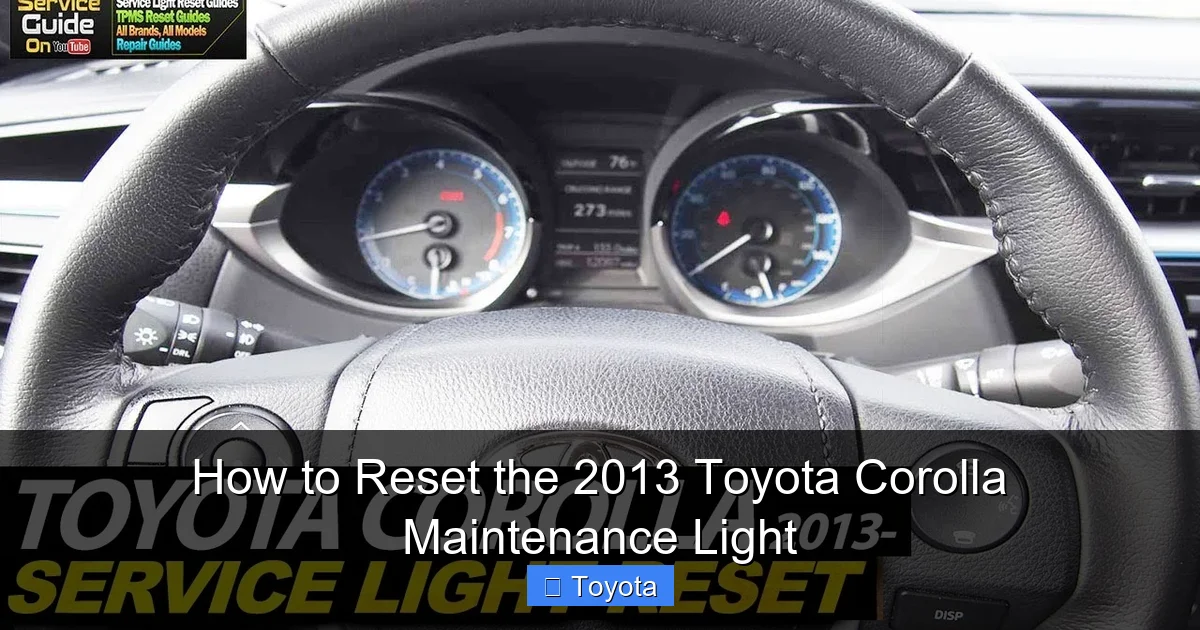
Visual guide about How to Reset the 2013 Toyota Corolla Maintenance Light
Image source: i.ytimg.com
Gather Your Nothing (For the Manual Method)
For the standard, manufacturer-recommended method, you need absolutely no tools. You just need the car’s key and about 30 seconds of time. Make sure your doors are closed and all other electrical accessories (radio, lights) are off to avoid any electrical drain during the process. The car should be in park, with the parking brake set. You do not need to start the engine for this procedure; you’ll be working with the ignition in the “ON” position.
When You Might Need a Tool
While the manual method works for nearly all 2013 Corollas, there are rare instances where it might not. This could be due to a blown fuse for the instrument cluster, a faulty odometer button, or a glitch in the Body Control Module (BCM). In these cases, the alternative is to use an OBD2 scan tool that has maintenance reset capabilities. Not all basic code readers do this; you need one that specifically supports Toyota maintenance resets. If you find yourself in this situation, a professional mechanic with a high-end scan tool can also perform the reset. For most owners, however, the button method is all you’ll ever need.
Method 1: The Standard Manual Reset (Using the Odometer Button)
This is the classic, no-tools-required method that Toyota designed owners to perform themselves. It uses the vehicle’s own trip meter/odometer reset button to communicate with the instrument cluster’s maintenance reminder system. The key is following the button-press sequence precisely. Here is the step-by-step process for a 2013 Toyota Corolla.

Visual guide about How to Reset the 2013 Toyota Corolla Maintenance Light
Image source: i.ytimg.com
Step-by-Step Button Sequence
Step 1: Insert your key into the ignition. Do not start the engine.
Step 2: Turn the ignition to the “ON” position (the position right before “START” where all your dashboard lights come on). You should see the odometer display illuminated, showing your total mileage or trip A/B readings.
Step 3: Using the button on the instrument cluster that also controls your trip meter (often labeled “TRIP” or has a reset symbol), you need to cycle through the display. Press and release this button repeatedly until the odometer display shows the “MAINTENANCE REQUIRED” message or the wrench icon is visible alongside the mileage. If you only see the regular odometer reading, keep pressing the button. On the 2013 Corolla, this is usually the same button you press to toggle between ODO/TRIP A/TRIP B.
Step 4: Once the “MAINTENANCE REQUIRED” message is on the screen, press and hold that same trip meter button. Continue holding it down.
Step 5: While still holding the button, turn the ignition key from the “ON” position back to “OFF.” Do not release the button during this step.
Step 6: With the button still firmly held down, now turn the ignition back to the “ON” position. The display will change. You’ll typically see the wrench icon start to blink, or the “MAINTENANCE REQUIRED” message will disappear and be replaced by the normal odometer reading.
Step 7: After a few seconds (usually 5-10), you can release the button. The wrench light should now be off, and the maintenance interval has been successfully reset. Start the engine to confirm everything is normal, then turn the car off. The light should remain off.
Visual Cues and Confirmation
Pay close attention to the odometer display during Step 6. This is your confirmation that the reset was accepted. The sequence of the display changing—often from the maintenance message to a blank or normal display, then back—is the system acknowledging the reset command. If after releasing the button the wrench light is still on, the reset was not successful. Double-check that you held the button during the entire OFF-ON cycle. Sometimes it requires a firm, continuous press. If it fails a second time, your system may have a different sequence or an issue requiring a scan tool.
Method 2: Using an OBD2 Scan Tool
For those who prefer a more “tech-forward” approach or for cases where the manual method fails, a compatible OBD2 scan tool can reset the maintenance light. This method is also universal across many Toyota models, which is why you might find a similar process for a 2013 Toyota Highlander or other vehicles in the lineup.
Visual guide about How to Reset the 2013 Toyota Corolla Maintenance Light
Image source: i.ytimg.com
Choosing the Right Tool
You cannot use just any cheap OBD2 code reader. The tool must have a specific “Maintenance Reset” or “Service Light Reset” function for Toyota vehicles. Many mid-range and professional-grade scanners from brands like Autel, Launch, or even some higher-end BlueDriver models include this feature. Look for this function in the menu under “Maintenance” or “Service.” If your tool only reads and clears engine/transmission fault codes (P-codes), it will not be able to reset the maintenance required light, as that is a separate system command.
The Scan Tool Reset Process
The steps are generally simpler than the manual method but require the correct equipment.
- Plug the OBD2 scan tool into the port located under the dashboard, just above the driver’s knees.
- Turn the ignition to the “ON” position (do not start the engine).
- Follow the scan tool’s menu to navigate to the “Maintenance Reset” or “Service Reset” function.
- Select “Toyota” as the make, and the tool should automatically detect the 2013 Corolla or allow you to select it manually.
- The tool will guide you through any on-screen prompts, which may simply be a confirmation to “Reset Maintenance Light.”
- Confirm the reset. The scan tool will send the command to the vehicle’s Body Control Module (BCM).
- You should see a “Reset Successful” or similar message. Turn the ignition off and back on, or start the car, to verify the wrench light is extinguished.
This method is foolproof if you have the right tool and is often faster than memorizing the button sequence.
Common Mistakes, Troubleshooting, and FAQs
Even with clear instructions, things can go wrong. Let’s address the most common pitfalls and questions.
“I followed the steps, but the light is still on!”
This is the most frequent issue. First, ensure you performed the actual maintenance (oil change) first. Second, re-try the manual sequence meticulously. The most common error is not holding the trip button down throughout the entire process of turning the key OFF and then back to ON. The timing must be precise. Try it a few times. If it still fails, your instrument cluster’s button might be faulty, or a fuse could be blown. A scan tool is your next best bet. If a scan tool also fails to reset it, there may be an underlying electrical fault that needs diagnosis.
“Is this the same as resetting the check engine light?”
No, absolutely not. The maintenance required light and the check engine light (MIL – Malfunction Indicator Lamp) are completely separate systems. Resetting one does nothing to the other. If you have a check engine light on, you must diagnose and repair the cause before clearing the codes with a scan tool. You can find a specific guide for your Corolla’s check engine light here. Confusing the two is a common mistake that can lead to ignored serious problems.
What if the light comes back on immediately or very soon after resetting?
If the maintenance light reappears within a few hundred miles of a reset, it suggests the system did not properly record the reset. This points to a potential issue with the Body Control Module (BCM) or its memory. It could also mean the maintenance interval was not actually due when you reset it (e.g., you reset it prematurely). If it comes on exactly at the same mileage as before, the reset definitely failed. If it comes on after driving the full 5,000 miles, then it worked correctly and is simply reminding you it’s time for service again.
Why Proper Reset Protocol Matters for Your Toyota
Your Toyota’s maintenance reminder system is a sophisticated piece of planned obsolescence avoidance. By following the manufacturer’s schedule and resetting the light promptly, you ensure your Corolla’s service history is accurately tracked. This is not just about turning off an annoying light; it’s about maintaining your vehicle’s value and reliability. A complete service record, with lights reset at the correct intervals, is a huge plus when it comes time to sell your car. It proves to a potential buyer that the vehicle was cared for according to Toyota’s standards. Furthermore, modern engines, especially those with direct injection like the 2.5L in the 2013 Corolla, are sensitive to oil change intervals. Sticking to the 5,000-mile recommendation (or the oil life percentage if your model has that display) and resetting the light is a direct contributor to the long-term health of your engine. For a broader look at resetting maintenance lights across the entire Toyota range, you can explore a general guide for all Toyota models.
Conclusion: A Simple Step for Long-Term Care
Resetting the maintenance required light on your 2013 Toyota Corolla is one of the easiest pieces of routine ownership you can master. It’s a satisfying, 30-second task that completes the service loop and ensures your car’s internal clock starts ticking accurately toward the next interval. Remember the core principle: maintenance first, reset second. Start with the manual button method—it’s free and designed for you. If that doesn’t work, consider a scan tool or a quick visit to your trusted mechanic. By taking this small step, you actively participate in preserving the Corolla’s famed reliability, protect your investment, and keep that little wrench icon from becoming a source of unnecessary worry. Your car takes care of you; this is one simple way you can return the favor.
Frequently Asked Questions
Can I drive my 2013 Toyota Corolla with the maintenance light on?
Yes, you can drive it, but you should plan for service as soon as possible. The light means your oil is likely past its ideal service life. Driving for a few hundred more miles is usually okay, but prolonged driving with the light on risks increased engine wear. Schedule an oil change promptly.
How often does the maintenance light come on in a 2013 Corolla?
For the 2013 model year, the maintenance required light is programmed to illuminate every 5,000 miles to remind you of the need for an oil and filter change, assuming you follow the standard severe or normal driving schedule outlined in your owner’s manual.
What if the maintenance light won’t reset after I’ve changed the oil?
First, ensure you used the correct oil viscosity and a quality filter. Then, carefully repeat the manual reset procedure, making sure to hold the trip button during the entire OFF-ON ignition cycle. If it still fails, there may be an electrical issue, or you may need to use an OBD2 scan tool with maintenance reset capabilities.
Is the maintenance required light the same as the check engine light?
No. The maintenance required light (wrench icon) is a simple mileage-based service reminder. The check engine light (usually an engine-shaped icon) indicates a diagnosed fault in the engine, emission, or transmission system that requires attention. They are separate systems and must be addressed differently.
Will resetting the maintenance light affect my warranty?
No. Resetting the light is simply acknowledging that service was performed. It does not void any warranty. However, to maintain warranty coverage for related components, you must keep records showing that the required maintenance (like oil changes) was done at the specified intervals, regardless of whether the light was on or off.
Do I need any special tools to reset the light?
For the standard method, no tools are needed—just your key and the trip meter button on the dashboard. Only if the manual method fails would you potentially need an OBD2 scan tool that has a specific maintenance reset function for Toyota vehicles.
