
How to Remote Start a Ford F-150

Remote starting your Ford F-150 is a game-changer for comfort and convenience. Whether using your key fob, the FordPass app, or a factory-installed system, the process is straightforward. This guide covers every method, from basic button presses to advanced app features, and provides crucial troubleshooting steps for common issues. Understanding your truck’s specific year and system is key to reliable operation.
Key Takeaways
- Two Primary Methods: Your F-150’s remote start is typically accessed via the key fob buttons or the FordPass smartphone app, depending on your model year and installed packages.
- System Requirements: The factory remote start feature requires the vehicle to be in ‘Park,’ have a closed hood, and have adequate fuel. The doors can be locked or unlocked.
- The FordPass App Advantage: For models with a built-in modem, the FordPass app allows remote starting from virtually anywhere with a cellular or Wi-Fi connection, offering more range than a fob.
- Security is Paramount: The engine will only run for a set cycle (usually 10-15 minutes) and will shut off if a door is opened before you enter and drive, preventing unauthorized use.
- Troubleshooting Starts Simple: If remote start fails, first check the key fob battery, ensure the vehicle is in Park with the hood closed, and verify no check engine lights are illuminated.
- Aftermarket vs. Factory: Factory systems are seamlessly integrated and reliable. Aftermarket systems offer more flexibility but require professional installation and can complicate warranty and security.
- Safety First: Never remote start the vehicle in an enclosed space like a garage due to risk of carbon monoxide poisoning. Always ensure the area is well-ventilated.
📑 Table of Contents
- Unlock the Comfort: An Introduction to Remote Starting Your Ford F-150
- Method 1: The Classic Key Fob Remote Start
- Method 2: The Modern Marvel – Remote Start via FordPass App
- System Requirements and Pre-Start Checklist
- Troubleshooting: When Remote Start Fails
- Safety, Security, and Smart Practices
- Aftermarket vs. Factory: Which System Do You Have?
Unlock the Comfort: An Introduction to Remote Starting Your Ford F-150
Picture this: it’s the middle of a harsh Michigan winter. The temperature is hovering at 5 degrees Fahrenheit, and a thick layer of ice coats your windshield. Or perhaps it’s a scorching July afternoon in Arizona, and your truck’s cabin has baked into an oven. In these moments, the simple luxury of walking into a pre-warmed or pre-cooled Ford F-150 isn’t just a convenience—it’s a necessity. This is the power of your truck’s remote start system.
Ford has equipped the F-150, America’s best-selling truck, with remote start capabilities for many years. However, the exact method and features can vary significantly based on your model year and the specific trim package you own. From the classic two-button key fob press to the sophisticated, location-independent control of the FordPass app, understanding your system is the first step to mastering it. This guide will walk you through every possible method, decode the indicator lights and sounds, and equip you with the knowledge to troubleshoot when things don’t go as planned. We’ll break it down into simple, actionable steps so you can spend less time fiddling with buttons and more time enjoying the comfort of your perfectly preconditioned cab.
Method 1: The Classic Key Fob Remote Start
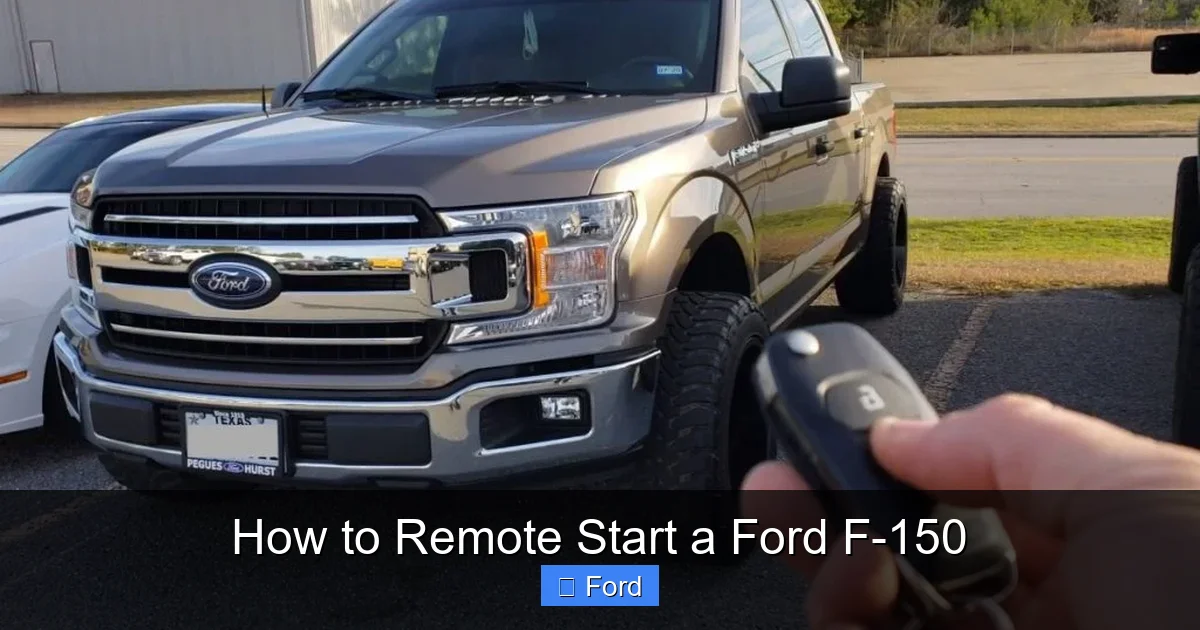
For the majority of F-150 owners, the key fob is the primary tool for remote starting. The process is intentionally simple but requires a specific sequence. It’s not just a single press; it’s a combination that tells your truck exactly what you want.
Visual guide about How to Remote Start a Ford F-150
Image source: trucksauthority.com
Step-by-Step Fob Instructions
The standard factory remote start sequence using the key fob is as follows:
- Ensure Vehicle is Ready: Your F-150 must be in ‘Park’ (P). The hood must be fully closed. All doors can be either locked or unlocked.
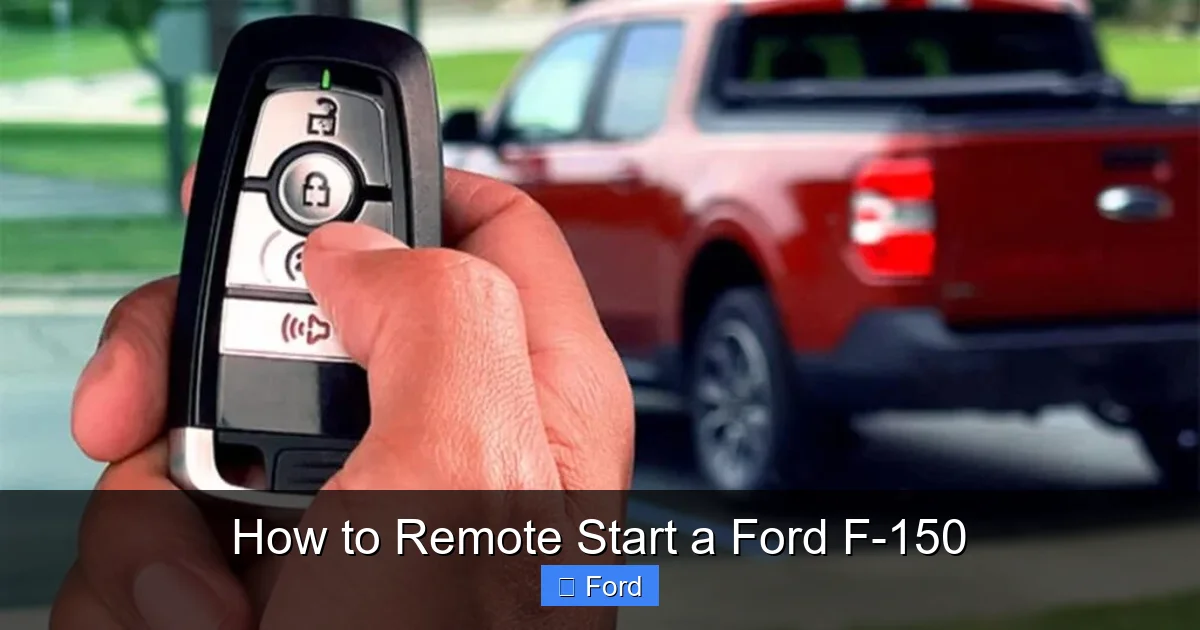
- Locate the Buttons: On your fob, identify the Lock button (usually a closed padlock icon) and the Remote Start button (typically a circular arrow or a ‘2x’ icon). On some newer fobs, the remote start function is a dedicated button; on others, it’s part of a combined lock/start sequence.
- Execute the Sequence:
- Press the Lock button once to lock all doors. (This step is sometimes optional but is part of the standard sequence).
- Immediately press the Remote Start button twice in quick succession.
If successful, you will see your truck’s headlights and parking lamps flash once, and the engine will start. The climate control system will activate to a default setting (usually a comfortable temperature based on the last used setting).
Understanding the Feedback: What Those Flashes and Beeps Mean
Your F-150 communicates back to you. A single flash of the lights and a single horn honk upon pressing the buttons typically mean the remote start command was accepted and the engine is starting. If the lights flash rapidly or you hear multiple honks, it’s a rejection signal. Common reasons for rejection include: an open hood, a door ajar, the transmission not in Park, a low key fob battery, or a malfunction detected by the vehicle’s computer (like a check engine light).
Method 2: The Modern Marvel – Remote Start via FordPass App
If your F-150 is a 2020 model or newer with a built-in modem (often part of the Ford Co-Pilot360 2.0 or SYNC 4 packages), you have access to the powerful FordPass app. This method bypasses the range limitations of a radio-frequency key fob (typically 100-300 feet) and uses cellular data, allowing you to start your truck from your office, a restaurant, or anywhere you have a phone signal.
Visual guide about How to Remote Start a Ford F-150
Image source: guide-onstar.com
Setting Up Your FordPass for Remote Start
Before you can use the app, setup is required:
- Download & Account: Download the free FordPass app on your smartphone (iOS or Android) and create a Ford account.
- Add Your Vehicle: Follow the in-app prompts to add your F-150’s VIN. You will need your vehicle’s VIN, found on the driver’s side dashboard or door jamb.
- Enable Connected Services: Your truck must have an active connected services subscription. This is often included complimentary for a period with new vehicle purchase (e.g., 3 years). You must accept the terms and conditions in the vehicle’s SYNC touchscreen menu under Settings > Connected Vehicle Settings.
- Verify Connectivity: Ensure your F-150 has a cellular signal. You can usually see a signal bars icon on the SYNC screen’s status bar.
Starting Your Truck with the App
Once set up, the process is straightforward:
- Open the FordPass app on your phone.
- Select your F-150 from your vehicle list.
- Tap the prominent “Start” button (often with a circular arrow icon).
- The app will show a “Starting” status, then “Started.” Your truck’s engine will run for the preset cycle (usually 15 minutes).
- To turn it off early, simply tap the “Stop” button in the app.
Pro Tip: The app also lets you set climate controls (temperature, fan speed) before starting, which is perfect for fine-tuning comfort. You can learn more about app-based systems for other brands in our guide on how to start a car with the My Cadillac app, which shares similar connectivity principles.
System Requirements and Pre-Start Checklist
Your F-150’s computer is smart. It has several safety interlocks that must be satisfied before it will allow the engine to start remotely. Knowing this checklist will save you from frustrating error signals.
Visual guide about How to Remote Start a Ford F-150
Image source: i.ytimg.com
The Non-Negotiable Conditions
Before you press any buttons, verify these conditions:
- Park (P): The gear selector must be firmly in the ‘Park’ position. This is the most common oversight.
- Closed Hood: The hood must be fully latched. The truck has a hood ajar sensor—even a slight misalignment will prevent start.
- Fuel Level: Most systems require a minimum amount of fuel (often 1/8th tank or more) to initiate a remote start. This prevents you from draining the battery if the truck is low on gas.
- No Check Engine Light: If your ‘Check Engine’ or ‘Service Engine’ light is illuminated, the remote start function will be disabled as a precaution. You must address the underlying issue first.
- Key Fob Inside/Outside: For fob-based start, the fob must be outside the vehicle but within range. For app start, your phone’s location is irrelevant as long as it has data connectivity.
- Parking Brake: While not always a strict requirement for all model years, having the parking brake set is a good practice and sometimes a required condition in certain system configurations.
Climate Control and Auto Settings
Upon a successful remote start, your F-150’s climate system activates automatically. It will use the last settings you had when you turned the car off. If you left it on ‘Auto’ and 72 degrees, that’s what you’ll get. For maximum efficiency in extreme cold, the heated seats and steering wheel (if equipped) will also typically activate automatically. You can adjust these settings manually after you enter and start driving, but the initial preset is designed for quick comfort.
Troubleshooting: When Remote Start Fails
So you followed the steps, but nothing happens. Don’t panic. The solution is often simple. Follow this diagnostic flowchart in your mind.
Step 1: The Obvious Checks
First, eliminate the simplest problems. Is your key fob battery dead? A low battery will have severely reduced range and may not send a strong enough signal. Replace the coin cell battery (usually a CR2032). Are you within range? Stand next to the vehicle and try again. Is the hood fully latched? Go push down on the front of the hood firmly. Is the vehicle in Park? Wiggle the gear selector. Is there a ‘Check Engine’ light on? If yes, you need an OBD2 scan to diagnose the issue before remote start will work again.
Step 2: System-Specific Issues
If the basics are clear, the problem might be deeper:
- Fob Programming: If the fob buttons work for locking/unlocking but not for remote start, the remote start feature may have become unpaired with the vehicle’s computer. This sometimes happens after a battery disconnect. You may need to re-program the fob, a process that can sometimes be done with the ignition key cycling and button presses. For complex reprogramming, a dealer or locksmith is needed.
- FordPass Connectivity: If the app shows your vehicle as “Offline,” your truck’s built-in modem isn’t connecting. Check that your vehicle’s subscription is active. Try restarting the truck’s infotainment system via the settings menu. Ensure your phone has a good data connection.
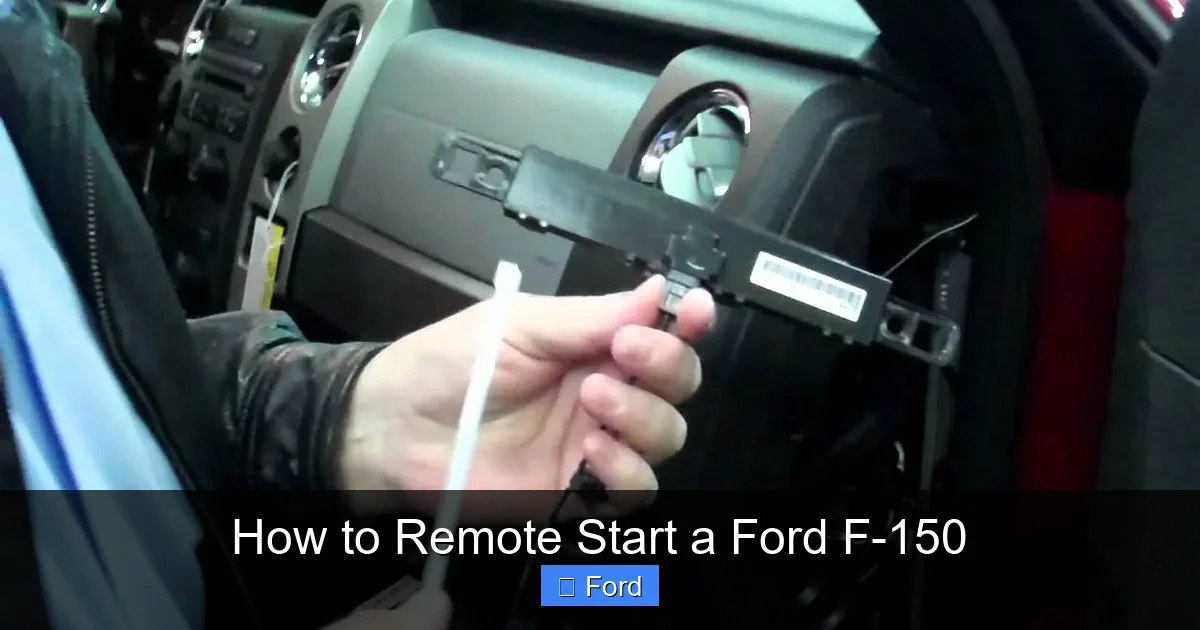
- Aftermarket System Glitches: If your F-150 has an aftermarket remote start, consult its specific manual. These systems have their own receivers and can be finicky. A common issue is the “neutral safety switch” not engaging properly, which tells the computer the truck is in Park.
For broader electrical issues like a weak battery that prevents the starter from engaging, you might need to consult our general guide on how to start a car with a dead battery.
Safety, Security, and Smart Practices
Remote start is a fantastic feature, but it comes with important responsibilities. Using it incorrectly can lead to theft, damage, or even danger.
Never Remote Start in an Enclosed Space
This is the golden rule. Never use remote start while your F-150 is inside a garage, even with the garage door open. Carbon monoxide from the exhaust can quickly fill the garage and seep into your home, creating a lethal hazard. Always start the truck outside, in a open area. The same applies to snowbanks—ensure the exhaust pipe is clear of packed snow.
The 10-15 Minute Cycle and Drive-Away Protection
For security, the engine will not run indefinitely. A standard cycle is 10-15 minutes. After this, the engine will shut off automatically. Furthermore, the system has “drive-away protection.” If you remote start the truck and then open any door before pressing the brake and the engine start/stop button (or inserting the key on older models), the engine will immediately shut off. This prevents a thief from simply hopping in and driving away. You must physically enter the vehicle with your key fob, press the brake, and press the start button to take full control and extend the run time indefinitely.
Climate Considerations for the Engine
Modern engines are designed to handle cold starts, but it’s still good practice to let the engine idle for 30-60 seconds after a cold remote start before driving gently. This allows oil to circulate fully. In extreme cold (below 0°F), consider using a block heater if your truck is equipped with one, in addition to remote start, for optimal engine protection.
Aftermarket vs. Factory: Which System Do You Have?
Many used F-150s, especially from the early 2010s, may have an aftermarket remote start system installed by a previous owner. It’s crucial to know which one you have, as the operation and troubleshooting differ.
Identifying Your System
Factory System: The remote start button will be integrated into your original Ford key fob. The button will have a specific icon (usually a ‘2x’ or a circular arrow). The range and feedback (light flashes, horn honks) will be consistent with the descriptions in this guide. The FordPass app will only work if your truck has the factory-installed modem.
Aftermarket System: You will often have a separate, third-party key fob (from brands like Compustar, Viper, Avital) in addition to your Ford fob. The start sequence may involve pressing a lock button followed by a start button on this separate fob. The range can be much longer (up to 1 mile). The installation usually involves additional wires under the dash and a separate antenna on the windshield.
Pros and Cons at a Glance
- Factory System: Seamlessly integrated, no extra fobs, covered by warranty, uses FordPass app if equipped. Cons: Limited range (fob only), features are fixed by Ford.
- Aftermarket System: Longer range, more customizable features (like trunk pop, window roll-down), can be added to any vehicle. Cons: Can void parts of warranty, potential for electrical interference, requires professional installation for best results, separate fob to carry.
If you have an aftermarket system, refer to its specific user manual for precise instructions and programming procedures.
Frequently Asked Questions
My Ford F-150 remote start doesn’t work. What’s the first thing I should check?
First, ensure the key fob battery isn’t dead by replacing it. Then, verify the vehicle is in ‘Park’ with the hood fully closed and no ‘Check Engine’ light is on. These are the most common reasons for a failed start.
How long does the engine run after a remote start?
A factory remote start cycle is typically 10-15 minutes. The engine will automatically shut off after this time. You can extend the run time by entering the vehicle with your key fob, pressing the brake, and then the engine start/stop button.
Can I remote start my F-150 if I left the keys inside?
Yes, you can. The remote start system is designed to work when the key fob is outside the vehicle but within range. However, if you have the key fob physically inside the cab, the system may not engage as a security feature to prevent accidental starts.
Why does my remote start work sometimes but not others?
Intermittent issues are often related to key fob battery strength or environmental interference. A weak battery will have reduced range. Large metal objects, buildings, or extreme weather can also block the RF signal. For app-based start, poor cellular coverage in your area will cause failures.
Does remote start use a lot of gas?
A remote start will consume roughly the same amount of fuel as a normal idle. For a 10-15 minute cycle, this is typically between 0.2 and 0.4 gallons of fuel, depending on engine size. It’s a small price to pay for cabin comfort.
Can I roll down the windows with my Ford F-150’s remote?
It depends on your model year and configuration. Some F-150s with the factory remote start fob also have a feature to roll down all windows by pressing and holding the unlock button. This is not a universal feature. Check your owner’s manual to see if your specific fob supports this “vent” function. Some aftermarket systems can be programmed to include this feature.
