
How to Reset a Toyota Tacoma Maintenance Required Light

The “maintenance required” light on your Toyota Tacoma is a helpful reminder for scheduled service, not an emergency. Resetting it is a simple process you can do yourself after completing the necessary maintenance, like an oil change. This guide provides clear, model-year-specific instructions to turn off that wrench icon safely and correctly.
Key Takeaways
- The light is a mileage-based reminder: It illuminates after a set interval (typically 5,000 miles) to remind you of scheduled maintenance, primarily oil changes.
- Reset only after completing maintenance: Never reset the light without performing the required service. Doing so is unsafe and defeats the system’s purpose.
- Method varies by model year: The reset procedure differs significantly between older (pre-2016) and newer (2016+) Tacomas due to different instrument cluster designs.
- No special tools are needed: For most model years, you only need your ignition key and the odometer/trip meter button on your dashboard.
- It’s not a diagnostic tool: This light is unrelated to engine problems. If your check engine light is on, you must diagnose that issue separately.
- Consult your owner’s manual: Your manual contains the definitive procedure for your specific vehicle’s year and trim level.
📑 Table of Contents
- Understanding Your Toyota Tacoma’s Maintenance Required Light
- Before You Begin: Essential Prerequisites & Safety
- The Step-by-Step Reset Guide: Methods for Every Tacoma
- Post-Reset Verification and What to Expect
- Common Mistakes, Troubleshooting, and When to Seek Help
- The Bigger Picture: Beyond Just Resetting the Light
Understanding Your Toyota Tacoma’s Maintenance Required Light
That little wrench icon glowing on your Tacoma’s dashboard isn’t trying to stress you out. It’s actually a loyal friend, a simple but sophisticated reminder system built by Toyota to help you stay on top of your truck’s essential care. Unlike the ominous check engine light, which signals a fault, the maintenance required light is a proactive prompt. It’s based entirely on mileage and time, not on sensor data about your engine’s health. When your Tacoma’s computer calculates that you’ve driven a certain number of miles since the last reset—usually 5,000 miles for oil change intervals—it illuminates the wrench to say, “Hey, it’s time for some scheduled love.”
Understanding this distinction is the first and most crucial step. Resetting this light is not a magical “fix” for any problem. It is simply telling the truck’s computer, “The maintenance has been performed, you can start the countdown again.” If you reset it without actually changing the oil or servicing the truck, you are effectively silencing a helpful alarm while your engine continues to operate with dirty oil, which can lead to premature wear and costly damage. Always perform the factory-recommended service first. For specifics on your model’s schedule, your owner’s manual is the ultimate source, but you can also find general guidelines in our guide to resetting the maintenance required light on a Toyota.
How the System Works: A Simple Mileage Counter
Think of your Tacoma’s maintenance minder as a digital tally counter. Every time you drive a mile, the counter increments. Once it reaches the predetermined threshold (set by Toyota engineering for your specific engine and drivetrain), the light comes on. The system is designed to be reset manually by a technician (or you) after the service is completed. This reset action tells the computer to zero out that counter and begin counting up from zero again for the next interval. The logic is beautifully simple: no reset after service? The light stays on. Reset without service? The light goes off, but your truck is none the wiser and suffers the consequences. This is why the act of resetting is a conscious confirmation that the work was done.
Before You Begin: Essential Prerequisites & Safety
You’re standing by your Tacoma, ready to make that wrench disappear. Before you touch anything, pause and complete this short checklist. Skipping these steps is the most common reason people have to repeat the process or, worse, create confusion.
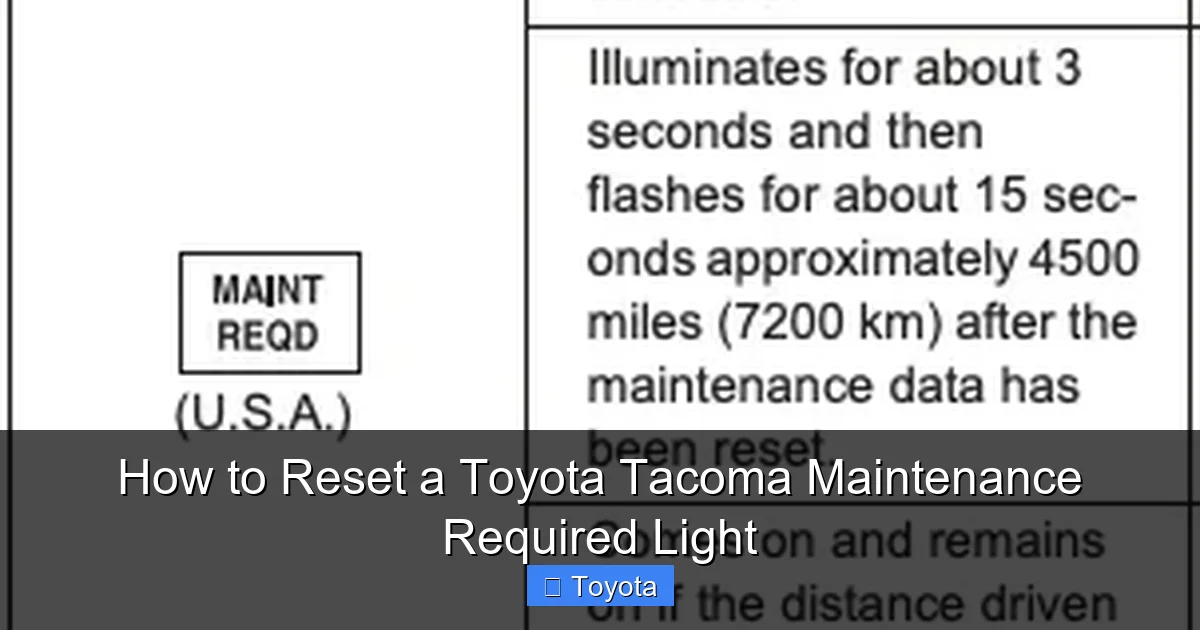
Visual guide about How to Reset a Toyota Tacoma Maintenance Required Light
Image source: oilreset.com
First and foremost, confirm the maintenance is done. Did you just finish an oil and filter change? Have you inspected the brakes, tires, and fluid levels as per your manual’s schedule? If the answer is not a definitive “yes,” put the keys down and schedule or perform that service. The reset procedure is the final step, not the first.
Second, identify your Tacoma’s generation. The reset method is largely divided by two major design eras:
- Pre-2016 Models (Typically 2005-2015): These use a traditional odometer button and a sequential trip meter display. The process involves turning the key on and using the button to navigate a menu.
- 2016 and Newer Models (Current Generation): These feature a multi-information display (MID) with a dedicated “Menu” or “Info” button on the steering wheel. The process uses the steering wheel controls to access a hidden reset menu.
If you have a 2024 or later model with a larger touchscreen, the process might be integrated into the digital cluster settings, but the button method on the steering wheel is still standard. Your owner’s manual is your best friend here. It has the exact instructions for your VIN-specific model. A quick search for “maintenance required” in the index will point you to the right section.
Third, ensure your battery is healthy. A weak or dying battery can cause all sorts of electronic gremlins during a reset, including incomplete procedures or system errors. If your Tacoma is struggling to start or the dash lights are dim, consider a battery test or charge before proceeding. For other electrical quirks, like a persistent AC light flashing on a Toyota Tacoma, those are separate issues that require different diagnostics.
The Step-by-Step Reset Guide: Methods for Every Tacoma
Now for the main event. We’ll break this down by the two primary method types. Follow the instructions that match your truck’s dashboard layout. Remember, the ignition must be in the “ON” position (all dash lights on, engine off) for all these steps.

Visual guide about How to Reset a Toyota Tacoma Maintenance Required Light
Image source: i0.wp.com
Method 1: For Pre-2016 Toyota Tacomas (Odometer Button Method)
This classic method uses the single button on your instrument cluster that you normally use to switch between the odometer and trip meters. It’s a sequence of key and button presses.
- Start with the ignition OFF. Your key should be out of the ignition or in the “LOCK” position.
- Press and hold the odometer/trip meter reset button. This is the small button, often near the speedometer, that you press to toggle between “ODO,” “TRIP A,” and “TRIP B.”
- While holding the button, turn the key to the “ON” position. Do not start the engine. Just turn it to the first click where all the dash lights illuminate. Keep holding the button.
- Continue holding the button for about 5-10 seconds. You will see the odometer display change. It might show a series of dashes “—–” or a message like “MAINT REQ” or “SETTING.”
- Release the button. The wrench light should begin to blink.
- Press the button one more time (or sometimes twice, depending on the year). The wrench icon should go out, and you may see a confirmation like “DONE” or “00000” on the odometer screen.
- Turn the ignition OFF and then back ON to verify the light is off and has reset.
Pro Tip: If it doesn’t work the first time, turn the key completely off, wait a few seconds, and try again. Ensure you are holding the button down *before* and *during* the key turn to the “ON” position. This sequence is critical.
Method 2: For 2016-2023+ Toyota Tacomas (Steering Wheel Menu Method)
Modern Tacomas use a more intuitive menu system accessed via buttons on the steering wheel. You’ll be navigating the Multi-Information Display (MID).
- Turn the ignition to the “ON” position. Engine off, dash lights on.
- Use the arrow buttons on the LEFT side of the steering wheel. Find the button with a page icon (up/down arrows) or the “Menu” button.
- Navigate to the “Settings” menu. Press the “Menu” or “Info” button to enter the menu system on your MID. Use the arrow buttons to scroll through options. Look for “Settings,” “Vehicle Settings,” or a gear icon.
- Find the “Maintenance” or “Maintenance Required” option. Within Settings, scroll until you see an option related to maintenance or service. It might be under a sub-menu like “Maintenance/Service.”
- Select “Reset” or “Set.” Highlight the reset option and press the “Enter” button (often the center button on the steering wheel cluster or a dedicated “Set” button).
- Confirm the reset. The display may ask you to confirm. It might show the current mileage or say “Maintenance Reset.” Select “Yes” or “Confirm.”
- Look for confirmation. The display should show a message like “Maintenance Reset Complete” or the wrench icon on the dash should extinguish.
- Turn the car off and restart to ensure the light stays off.
Visual Aid: If your Tacoma has a color MID, the menu items are often color-coded. The maintenance reset is typically in a blue or white text section. If you get lost, just back out of the menus (usually by pressing the “Menu” button again or a “Back” arrow) and start over.
Post-Reset Verification and What to Expect
You’ve followed the steps, the wrench is gone, and you feel a sense of accomplishment. Excellent! But your job isn’t quite done. Verification is key to ensure the reset was successful and the system is ready for the next interval.
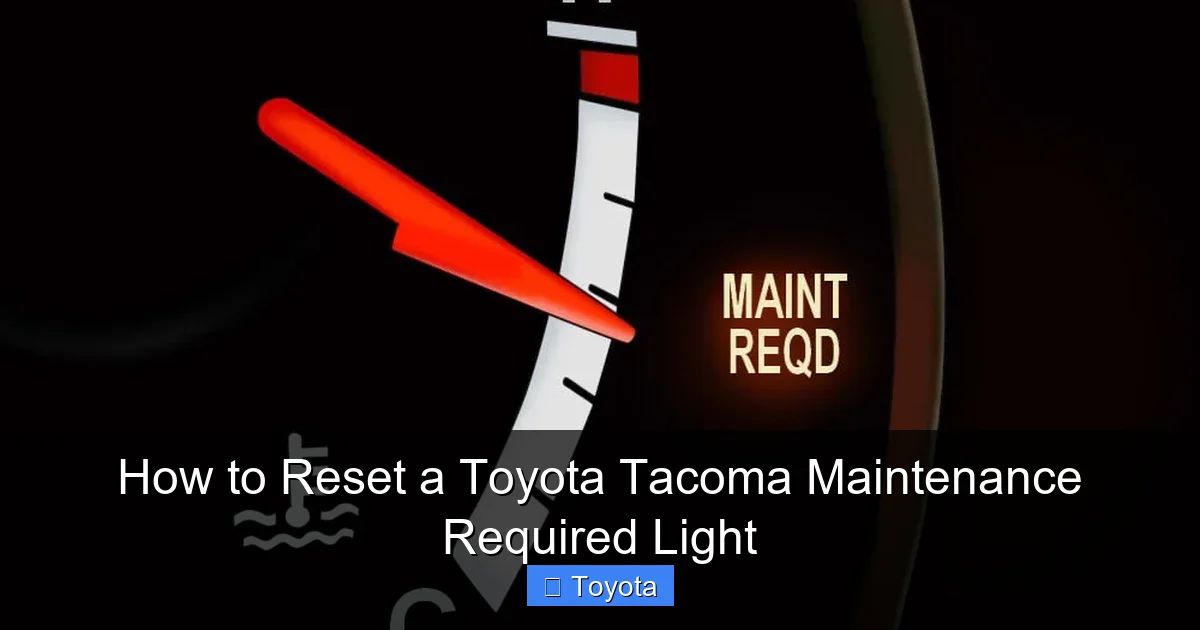
Visual guide about How to Reset a Toyota Tacoma Maintenance Required Light
Image source: res.cloudinary.com
First, perform the “ignition cycle test.” Turn your Tacoma completely off (key out or push-button off). Wait about 30 seconds. Then turn it back to the “ON” position. The dash will perform its startup bulb check, and all warning lights, including the maintenance required light, should illuminate briefly and then turn off. If the wrench icon comes back on solidly after this startup sequence, the reset was not successful. Go back and repeat the steps carefully, ensuring you navigate to the correct menu item.
Second, understand what the system now does. After a successful reset, the maintenance required light will remain OFF for the next 5,000 miles (or the interval specified in your manual). Around the 4,500-mile mark, you might notice it begin to blink intermittently—this is an early warning that the service interval is approaching. At the 5,000-mile mark, it should illuminate steadily. This blinking feature is a nice touch to give you a heads-up before the light stays on constantly.
Finally, note the trip meter. On many models, after a reset, the trip meter A or B may automatically display the mileage since the last reset. This is a handy way to track your progress toward the next service. Some Tacomas will also show a “MAINT REQ” message in the MID that displays the remaining mileage until service is due.
Common Mistakes, Troubleshooting, and When to Seek Help
Even with the best instructions, things can go sideways. Let’s troubleshoot the most common hiccups.
“The light won’t go off!” This is the number one complaint. First, double-check you followed the steps for your correct model year. Second, ensure you completed the actual maintenance. Some sophisticated systems, especially on newer vehicles, might have a secondary confirmation or require the ignition to be cycled (turned off and on) a specific number of times. Third, a weak battery can interrupt the process. Finally, if the light was on due to an overdue service by a massive margin (e.g., 10,000 miles overdue), some vehicles require the system to be reset multiple times or may have a “service mode” that needs to be accessed by a professional scan tool. If you’ve tried diligently and it persists, it’s time to visit a mechanic or a Toyota dealership.
“I reset it, but it came back on after 100 miles.” This is a major red flag. It means the system did not accept the reset command, likely because it detected a fault or because the mileage counter was never properly initialized. This can sometimes happen if the battery was disconnected during the reset. Try the procedure again, ensuring the battery is fully connected and the key is in the proper position. If it happens again, there may be an underlying electrical issue or a failed module.
“I accidentally reset it without doing the oil change.” Don’t panic, but do correct it as soon as possible. The system is now counting from zero. Your engine is running with potentially degraded oil. Schedule an oil change immediately. After the mechanic changes the oil, they should (and you can) reset the light again. There is no “undo” button; you just reset it again after the real service is done.
When to Consult a Professional: If you are uncomfortable with any step, if the light behaves erratically (blinking in a pattern), or if other warning lights (like the check engine light) are also illuminated, stop and seek professional help. Remember, the maintenance required light is separate from the check engine light, which indicates an emissions or engine fault. Never ignore a check engine light, and never use a maintenance light reset to try and clear a check engine light—it won’t work and is dangerous.
The Bigger Picture: Beyond Just Resetting the Light
Let’s zoom out. Resetting the light is a 30-second action, but it’s symbolic of a much larger philosophy: preventive maintenance. Your Toyota Tacoma is a robust, reliable machine, but it’s not invincible. The maintenance schedule—which triggers this light—exists for a reason. It’s a science-based timeline for replacing fluids, filters, and wearing parts before they fail and cause a breakdown or collateral damage.
An oil change is the most common trigger. Clean oil lubricates, cools, and cleans your engine. As it degrades, it loses its protective properties. Ignoring the reminder and just resetting the light means you’re running your engine on sludge, which can lead to bearing wear, piston ring failure, and ultimately, a seized engine—a multi-thousand-dollar repair. The $50 oil change is a bargain in comparison.
The reminder also often coincides with other services: tire rotation, brake inspection, cabin air filter replacement, and transmission fluid checks (for automatics). These are all critical for safety, fuel economy, and longevity. Use the light’s appearance as a cue to give your Tacoma a full once-over or take it to your trusted shop for a comprehensive service. Think of the reset button not as an “off switch for annoyance,” but as the final ceremonial step in a completed service appointment. It’s your way of telling your truck, “We took care of you. Now let’s keep rolling.”
For owners of other Toyota models, the principles are identical, though the button combinations may differ. You can find detailed, model-specific instructions for vehicles like the 2021 Toyota RAV4 or the Toyota Highlander on our site, following the same logical patterns.
Frequently Asked Questions
Is it safe to reset the maintenance light without doing the service?
No, it is not safe. The light is a critical reminder for essential maintenance like oil changes. Resetting it without performing the service allows your engine to run with degraded oil, leading to increased wear, potential failure, and voiding your warranty. Always do the work first.
Will the maintenance light turn off by itself after I get an oil change?
No, it will not. The system does not automatically detect that service was performed. The light will remain on indefinitely until it is manually reset by a technician or by you, using the procedures outlined in this guide.
What’s the difference between the maintenance required light and the check engine light?
The maintenance required light (wrench icon) is a simple mileage-based reminder for scheduled service. The check engine light (usually an engine-shaped icon) illuminates when the engine computer detects a fault affecting emissions or performance. They are completely separate systems; resetting one does nothing to the other.
Do I need any special tools or a scan tool to reset my Tacoma’s maintenance light?
No special tools are required for the standard reset procedures described here. You only need your ignition key and, depending on the model year, either the odometer button on the dash or the steering wheel menu buttons. A professional scan tool is not necessary for this task.
How often should I expect the maintenance required light to come on?
For most modern Tacomas, it illuminates every 5,000 miles to remind you of an oil change and tire rotation. However, you should always confirm the exact interval for your specific model year and engine type in your owner’s manual, as some models or driving conditions may have different recommendations.
What should I do if the maintenance light comes back on immediately after I reset it?
If the light returns right away or after only a short distance, it means the reset was not accepted by the system. Double-check that you followed the correct steps for your model year and that the service was actually performed. A weak battery can also cause this. If the problem persists, there may be an underlying electrical issue, and you should consult a professional mechanic.
