
How to Reset the Maintenance Light on a 2009 Toyota Camry Hybrid

The maintenance light on your 2009 Toyota Camry Hybrid is a friendly reminder for scheduled service, like an oil change, not a sign of immediate danger. Resetting it is a simple process you can do yourself in under a minute using just your ignition key and odometer button. However, it’s crucial to only reset the light after completing the required maintenance to keep your hybrid’s gasoline engine and complex systems running smoothly. Follow our clear, safe steps to turn off that annoying wrench icon and restore your dashboard’s peace.
Key Takeaways
- The light is a mileage-based reminder: It illuminates after a set interval (typically 5,000 miles) to remind you of scheduled maintenance like oil changes, tire rotations, and inspections.
- You must perform maintenance first: Never reset the light without completing the required service. Doing so risks engine wear and can mask genuine problems.
- The reset is a simple button sequence: For the 2009 Camry Hybrid, it involves turning the key to “ON” and using the trip meter/odometer button to navigate the display.
- It’s different from a warning light: This is a “Maintenance Required” or wrench icon light, not a critical “Check Engine” or hybrid system warning light, which require professional diagnosis.
- Hybrid-specific considerations apply: While the reset procedure is the same as a gas Camry, your hybrid’s gasoline engine still needs regular oil changes, and the hybrid battery has its own separate maintenance schedule.
- If the light returns quickly, investigate: A light that comes back on soon after a reset often indicates the maintenance wasn’t completed properly or there’s an underlying sensor issue.
- Consult your owner’s manual: It contains the definitive procedure and maintenance schedule specific to your vehicle’s configuration and driving habits.
📑 Table of Contents
- Understanding Your 2009 Toyota Camry Hybrid’s Maintenance Light
- Preparations: The Golden Rule Before You Reset
- Step-by-Step: Resetting the Maintenance Light on a 2009 Camry Hybrid
- What to Do After You’ve Successfully Reset the Light
- Common Mistakes and Troubleshooting
- The Bigger Picture: A Holistic Approach to Your Hybrid’s Health
- Conclusion: A Simple Task with a Important Purpose
Understanding Your 2009 Toyota Camry Hybrid’s Maintenance Light
That little wrench icon glowing on your dashboard isn’t trying to stress you out—it’s actually one of your car’s most helpful features. In your 2009 Toyota Camry Hybrid, this maintenance required light is a pre-programmed, mileage-based reminder system. Think of it as your vehicle’s way of tapping you on the shoulder and saying, “Hey, it’s time for our check-up!” It’s not triggered by a sensor detecting a problem right now; instead, it’s a countdown timer that starts after your last service was reset. For most owners, this illuminates every 5,000 miles to signal it’s time for a standard oil change and tire rotation, which are absolutely critical for the longevity of your hybrid’s gasoline engine.
Now, here’s a key point for Hybrid owners: while your Camry Hybrid runs on a sophisticated blend of gasoline and electric power, the maintenance light we’re resetting is primarily tied to the gasoline engine’s needs. The hybrid battery system has its own, separate monitoring and service intervals that are handled by a technician with specialized diagnostic tools. So, when you see this wrench, think “gas engine service” first. Ignoring this reminder can lead to sludgy oil, increased engine wear, and poor fuel economy—defeating the purpose of owning a hybrid in the first place. Before we dive into the reset, always ensure the actual maintenance work is complete. If you’re unsure what service is due, a quick look at your maintenance log or a call to your trusted mechanic is wise.
What Triggers the Light?
The system is elegantly simple. Your car’s computer counts miles from the moment you clear the previous reminder. After you (or your mechanic) perform the service and reset the light, the countdown begins anew. The standard interval for a 2009 Camry Hybrid is 5,000 miles under “normal” driving conditions. If your driving is mostly severe (lots of short trips, extreme temperatures, heavy loads), you might need service more often. The light will illuminate steadily once the mileage threshold is reached, and it will stay on until you manually reset it after the service is done. It’s a passive system—it doesn’t get brighter or flash for urgency; its job is just to remind you.
Preparations: The Golden Rule Before You Reset
Let’s be perfectly clear: the single most important step happens before you even touch your key. Resetting the maintenance light without performing the necessary service is a bad habit that can cost you dearly in the long run. You are essentially telling your car, “The maintenance is done,” when it actually isn’t. This leads to the light being turned off while your engine oil is old, your filters are clogged, and your tires are unevenly worn. For a hybrid, which relies on efficient engine operation to recharge its battery, poor maintenance directly impacts electric-only driving range and overall system health.
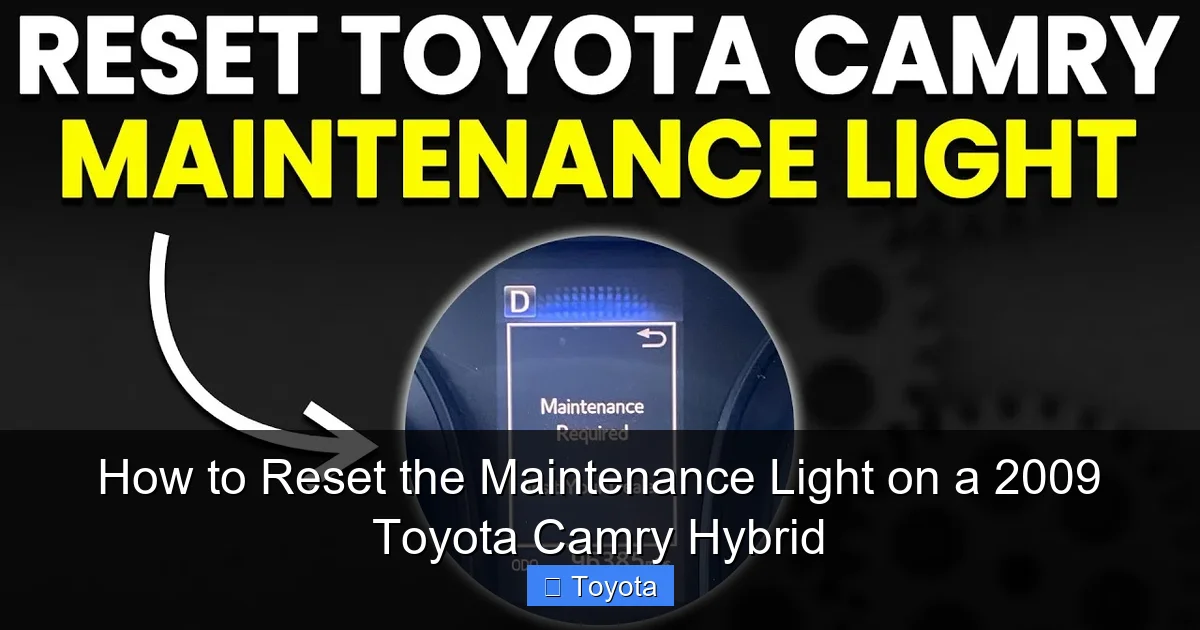
Visual guide about How to Reset the Maintenance Light on a 2009 Toyota Camry Hybrid
Image source: i.ytimg.com
So, what should you do? First, confirm what service is due. The 2009 Camry Hybrid’s maintenance schedule is detailed in your owner’s manual. At the 5,000-mile mark, it’s almost always an oil and filter change using the correct Toyota Genuine Motor Oil or equivalent meeting Toyota’s specification (often 0W-20 for this model), a tire rotation, and a multi-point inspection. Have this work performed by a qualified technician. Once the job is complete and you’ve paid your bill, then you’re ready to reset the light. This ensures your maintenance log and your car’s internal reminder are in perfect sync. If you’re a confident DIYer who changes your own oil, this is your signal to do so with the proper oil and filter before proceeding.
Gathering Your Tools (Spoiler: You Don’t Need Any!)
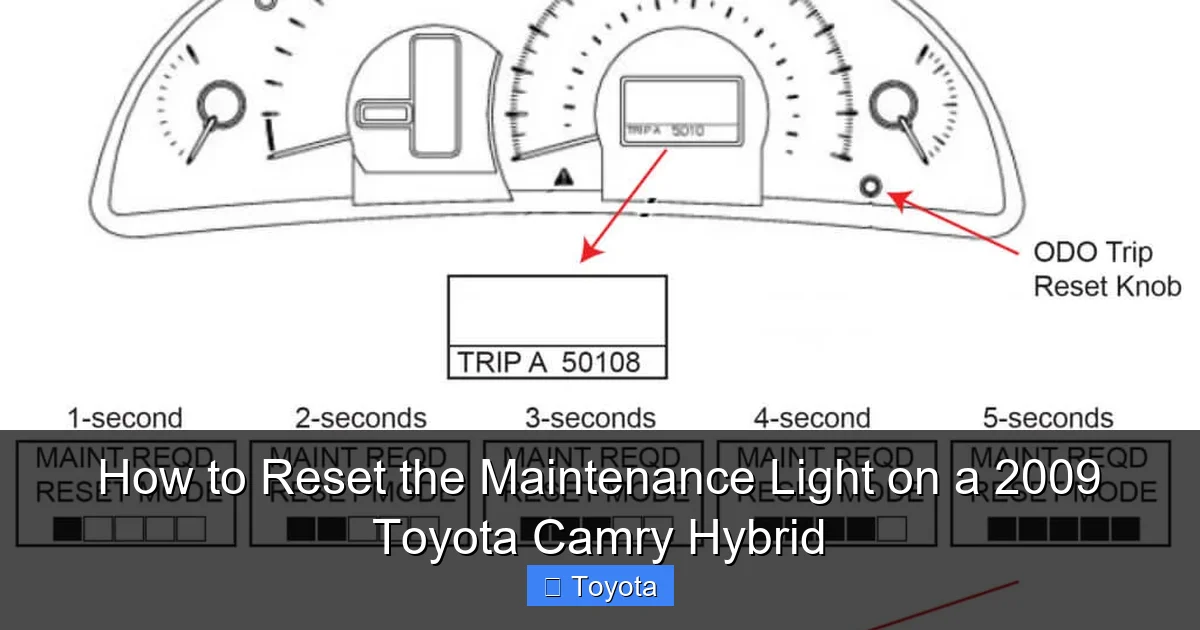
One of the best things about this procedure is that it requires no special tools, no apps, and no fancy equipment. You only need two things: your car’s ignition key (or key fob if you have a push-button start—more on that below) and a clear understanding of your instrument cluster’s buttons. For a 2009 Camry Hybrid with a traditional key, you’ll use the key and the “ODO/TRIP” button located on the dashboard, usually near the speedometer. If your model has the optional multi-information display, the button might be on the steering wheel stalk. Your owner’s manual will have a diagram. Just locate that button that toggles between your odometer and trip meter readings—that’s your magic button for this reset.
Step-by-Step: Resetting the Maintenance Light on a 2009 Camry Hybrid
Alright, the oil is changed, the tires are rotated, and you have a clean bill of health from your mechanic. Now, let’s turn off that glowing wrench. The process for the 2009 Camry Hybrid is consistent with many Toyota models of that era and uses the instrument cluster’s built-in menu system. It’s a sequence of actions using the ignition and the trip meter button. Follow these steps precisely, and you’ll have a clear dashboard in under 60 seconds.
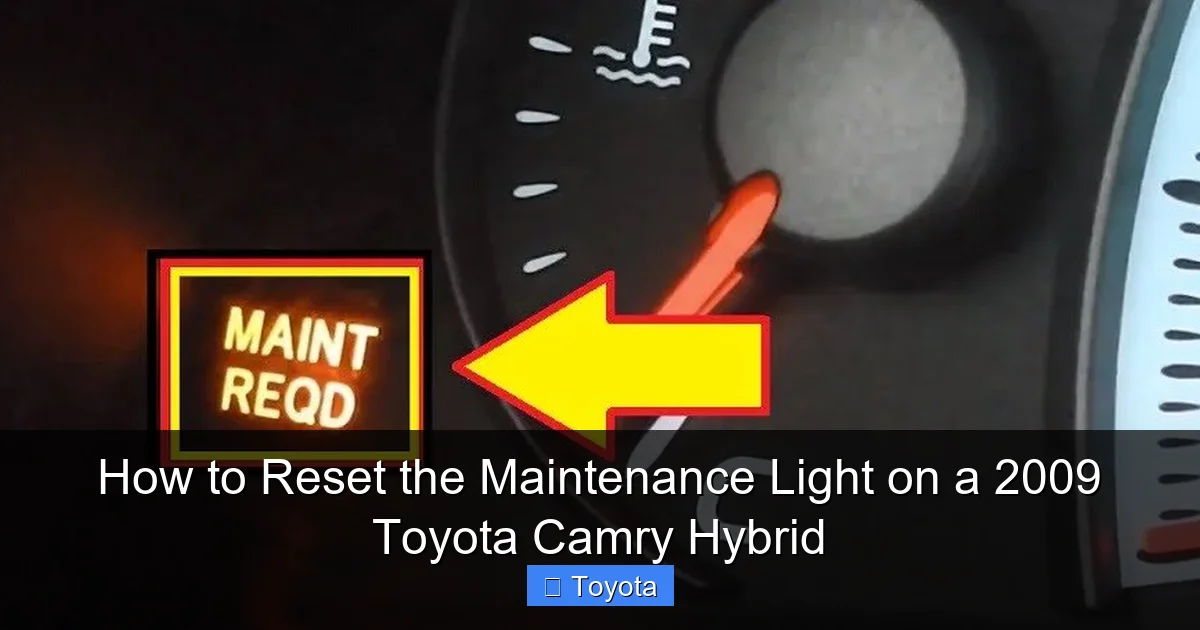
Visual guide about How to Reset the Maintenance Light on a 2009 Toyota Camry Hybrid
Image source: erwinsalarda.com
Method 1: Using the Odometer/Trip Button (Standard Key Models)
This is the most common method for the 2009 model year. Ensure you are in the driver’s seat with the doors closed.
- Turn the Ignition to “ON”: Insert your key and turn it to the “ACC” or “ON” position (the position right before “START” where all dashboard lights come on). Do not start the engine. All your normal gauges will light up, and the maintenance light will be illuminated.
- Switch to Odometer Mode: Press the “ODO/TRIP” button on your dashboard repeatedly until your display shows the total odometer reading (the full mileage of the car). You must see the actual total miles, not a trip meter (Trip A or Trip B). If you see “Trip A” or “A” in the display, keep pressing the button until it cycles to the odometer.
- Turn the Key “OFF”: Now, turn the ignition key back to the “LOCK” or “OFF” position. The dashboard will go dark.
- Initiate the Reset Sequence: While holding down the “ODO/TRIP” button, turn the ignition key back to the “ON” position (again, do not start the engine). Keep holding the button. You’ll notice the odometer display will change. It may show dashes “—–” or start counting down.
- Release and Verify: Continue holding the button for about 5-10 seconds until you see the maintenance light (wrench icon) begin to blink and then go out. Once it goes out, you can release the button. The odometer should now return to showing the normal mileage reading, and the wrench icon should be dark.
Start your car to confirm the light stays off. If it comes back on immediately, you likely didn’t hold the button long enough in step 4 or weren’t in the correct odometer mode in step 2. Repeat the process carefully.
Method 2: For Models with a Smart Key System (Less Common in 2009)
Some late 2009 models or regional variants might have a push-button start. The process is conceptually the same but uses the brake pedal.
- With the key fob inside the car, press the “START” button twice without touching the brake pedal. This puts the car in “ON” mode (all lights on, engine off).
- Use the steering wheel stalk or dash button to get the display to the total odometer reading.
- Press the “START” button once to turn the car to “OFF” (all lights off).
- Immediately press and hold the trip meter reset button (on the stalk).
- While holding it, press the “START” button once to return to “ON” mode (do not brake).
- Hold the button until the wrench blinks and disappears (about 5-10 seconds), then release.
If your Camry Hybrid doesn’t respond to these steps, the definitive guide is your physical owner’s manual. The procedure is designed to be consistent, but slight variations for specific markets or packages can exist.
What to Do After You’ve Successfully Reset the Light
Great! The wrench is gone, and your dashboard is clean. Before you consider this task fully complete, there are a few important post-reset actions to take. First, start your engine and let it run for a minute. Watch the dashboard to ensure the maintenance light does not reappear. Sometimes, a shaky connection during the reset can cause it to flicker back on immediately. If it stays off, you’re good.
Visual guide about How to Reset the Maintenance Light on a 2009 Toyota Camry Hybrid
Image source: ricksfreeautorepairadvice.com
Second, update your personal maintenance log. Whether you use a notebook, a spreadsheet, or an app on your phone, note the date, mileage, and service performed (e.g., “Oil & Filter Change, Tire Rotation”). This log is your primary record and is invaluable for future service appointments and when you eventually sell the car. It also helps you track if your driving habits are causing you to need service more frequently than the standard interval.
Third, familiarize yourself with other important lights. The maintenance light is a convenience reminder. Your Camry Hybrid has other, more critical warning lights. Know the difference between the amber/yellow “Maintenance Required” wrench and a red “Check Engine” light, a red battery light, or any hybrid system warning symbols (like a car with an exclamation point). The latter require immediate attention from a professional. For instance, if you ever need to reset the airbag light on a Toyota Camry due to a system fault, that is a diagnostic and repair procedure, not a simple reminder clear. You can learn more about that complex process in our dedicated guide on how to reset the airbag light on a Toyota Camry.
Setting a New Service Interval
By successfully resetting the light, you have just told your car’s computer, “The service is done. Start counting from this mileage for the next 5,000 miles.” The system is now armed and will automatically illuminate the wrench icon again when you approach that next service interval. This is a fully automatic, self-contained system. There is no need to “set” a new date or mileage; the reset action itself is the setting. The car remembers the current odometer reading at the moment of reset and adds 5,000 miles to it. This makes it a “set it and forget it” system until your next service appointment.
Common Mistakes and Troubleshooting
Even with simple instructions, it’s easy to hit a snag. Let’s troubleshoot the most frequent issues. First, if the light won’t turn off after following the steps exactly, double-check that you were in the odometer mode and not a trip meter. This is the #1 mistake. The display must show the car’s total cumulative miles. Second, ensure you held the button long enough. The blinking and extinction can sometimes be quick. Hold for a solid 10 seconds to be sure. Third, if the light comes back on after just a few miles or days, it means the reset didn’t “take.” Repeat the procedure meticulously. A persistent light that won’t stay off could indicate a faulty button or a deeper electrical issue, though this is rare.
Another common point of confusion: Is this the same as resetting a “Check Engine” light? Absolutely not. The Check Engine Light (MIL) indicates an emissions-related fault detected by the engine computer. It requires diagnosing the fault code with a scan tool, repairing the issue, and then clearing the code. You cannot and should not use the maintenance light reset procedure for a Check Engine Light. They are entirely different systems. If your Check Engine Light is on, use an OBD-II scanner or visit a professional. For general Toyota maintenance light resets across different models, the principles are similar, but button locations and sequences can vary. You can find model-specific guides for other vehicles like the Toyota Yaris or the Toyota Avalon on our site.
When You Should Absolutely See a Professional
While resetting the light is DIY-friendly, there are scenarios where you should skip the reset and head straight to a shop. If your hybrid system warning light (usually a triangle with an exclamation point or a hybrid-specific icon) is on alongside or instead of the maintenance wrench, do not proceed. This indicates a fault in the high-voltage hybrid battery, motor, or inverter system—areas that require high-voltage safety training and advanced diagnostics. Similarly, if your engine is running poorly, making strange noises, or you notice decreased fuel economy, the maintenance light might be the least of your worries. Perform the reset only when you are 100% certain the scheduled maintenance is complete and the car is running normally. If the light returns shortly after reset and you know you did the service, have a technician check the oil level sensor or the maintenance reminder system itself.
The Bigger Picture: A Holistic Approach to Your Hybrid’s Health
Resetting the maintenance light is the final, symbolic step in a maintenance cycle. It’s the “check-out” process after the “check-up.” To truly get the most out of your 2009 Toyota Camry Hybrid—reliable performance, maximum fuel economy, and longevity—you need to view this reminder as part of a larger commitment. Your hybrid’s gasoline engine, while paired with an electric motor, still requires all the traditional care of a conventional engine: timely oil changes to prevent sludge, clean air filters for efficient combustion, and proper tire inflation to reduce rolling resistance and wear. The hybrid battery system, for its part, needs its own periodic inspections, usually outlined in a separate, less frequent schedule in your manual.
Don’t let the simplicity of the reset make you complacent. Use that glowing wrench as your cue to review your entire service history. Ask yourself: Have I been rotating my tires every 5,000 miles? Have I inspected the brake pads? Have I checked the hybrid cooling system? This light is your car’s way of enforcing good habits. By respecting it—resetting only after real work is done—you build a pattern of care that protects your investment. A well-maintained 2009 Camry Hybrid can easily surpass 200,000 miles, delivering years of reliable, efficient service. That glowing wrench is a tool to help you get there, not an annoyance to be silenced without cause.
Conclusion: A Simple Task with a Important Purpose
There you have it. Resetting the maintenance required light on your 2009 Toyota Camry Hybrid is a quick, tool-free procedure that anyone can perform. It’s a matter of turning the key, pressing a button at the right moment, and holding it until the light blinks away. But as we’ve emphasized, the true value lies not in the reset itself, but in the responsible action that precedes it. That little wrench is your car’s memory, reminding you of its needs. By performing the required service and then correctly resetting the reminder, you complete the loop and set your vehicle up for another 5,000 miles of optimal performance.
Remember the core principles: service first, reset second. Know the difference between a reminder and a warning. And when in doubt, consult your owner’s manual—it’s the ultimate authority for your specific vehicle. You’ve now joined the ranks of knowledgeable owners who take control of their car’s maintenance schedule. So go ahead, get that service done, follow the steps, and enjoy that clean, clear dashboard. Your Camry Hybrid will thank you with smooth, efficient miles ahead.
Frequently Asked Questions
What is the difference between the “Maintenance Required” light and the “Check Engine” light?
The “Maintenance Required” light (a wrench icon) is a simple mileage-based reminder for scheduled service like oil changes. The “Check Engine” light (an engine-shaped icon) indicates a detected fault in the emissions or engine system that needs diagnosis. You reset the wrench yourself after service; a mechanic must diagnose and repair the cause of a Check Engine Light before it can be cleared.
How often should I reset the maintenance light on my 2009 Camry Hybrid?
You should reset it only after you’ve completed the required maintenance, which for most drivers is every 5,000 miles. The reset itself is a one-time action performed immediately after the service is finished. The system will then automatically remind you again after another 5,000 miles.
Can I reset the maintenance light without changing the oil?
Technically yes, but you should never do this. Resetting the light without performing the actual maintenance is dishonest to your car’s system and leads to neglected service. This can cause engine damage, void aspects of your warranty, and result in poor performance and fuel economy. Always perform the service first.
What if the maintenance light comes back on right after I reset it?
If the light returns immediately or very soon after a reset, it usually means the reset procedure wasn’t followed correctly (e.g., not in odometer mode, button not held long enough). Repeat the steps carefully. If it continues to happen after a correct reset, there may be a fault with the odometer button or the vehicle’s computer, and you should have it inspected by a professional.
Is the reset procedure different for the Camry Hybrid compared to a gas Camry?
For the 2009 model year, the reset procedure for the maintenance light is identical between the Hybrid and standard gasoline Camry models. Both use the same key and odometer button sequence. The difference lies in the maintenance schedule itself—the hybrid’s gasoline engine still needs oil changes, but the hybrid battery and electric motor have separate, less frequent service requirements.
What are the consequences of ignoring the maintenance light for too long?
Ignoring the reminder means running old, degraded oil, which increases friction, causes sludge buildup, and leads to premature engine wear. You may also neglect tire rotations, leading to uneven tire wear and poor handling. For a hybrid, inefficient engine operation can reduce electric-only driving range and overall fuel economy. Eventually, this neglect can result in costly repairs that a simple, timely oil change would have prevented.
