
How Do You Reset the Tire Light on a 2019 Toyota Corolla?

Resetting the tire pressure light on your 2019 Toyota Corolla is straightforward, but it must be done after confirming your tires are properly inflated. The process typically involves using the TPMS reset button located under the dashboard. Follow the precise sequence, and the light should turn off after a short drive, confirming your Tire Pressure Monitoring System is functioning correctly.
Key Takeaways
- The TPMS light indicates low pressure or a system fault, not just a need to reset. Always check and adjust tire pressures to the manufacturer’s specs before attempting a reset.
- The 2019 Corolla uses a direct TPMS with sensors in each wheel. These sensors have batteries that can fail, requiring professional replacement.
- The standard reset uses a button below the steering column. You must turn the ignition to “ON” (not start), press and hold the button until the light blinks three times, then release.
- After resetting, drive at speeds above 25 mph for 10-15 minutes. The system needs this time to relearn and confirm the new sensor readings.
- If the light returns immediately or won’t reset, there is a persistent issue. This could be a slow leak, a damaged sensor, or a dead sensor battery.
- Seasonal temperature changes are a common trigger. Cold weather reduces tire pressure, so check pressures when temperatures drop significantly.
- Resetting does not fix underlying mechanical problems. Ignoring a recurring light can lead to poor fuel economy, uneven tire wear, and safety risks.
📑 Table of Contents
- Understanding Your Corolla’s Tire Pressure Monitoring System (TPMS)
- Common Reasons Your Tire Pressure Light Activates
- Before You Reset: Essential Checks and Safety Steps
- Step-by-Step: How to Reset the Tire Pressure Light on a 2019 Toyota Corolla
- Troubleshooting: When the Light Won’t Turn Off or Returns
- Proactive TPMS Maintenance Tips for Long-Term Reliability
- Conclusion
Understanding Your Corolla’s Tire Pressure Monitoring System (TPMS)
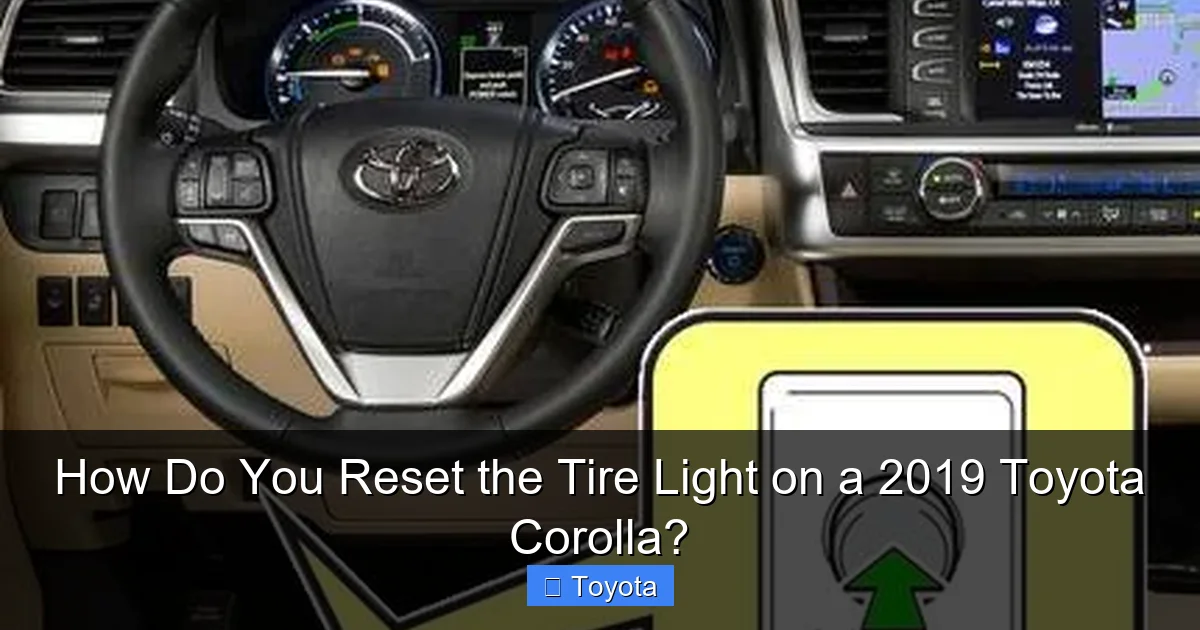
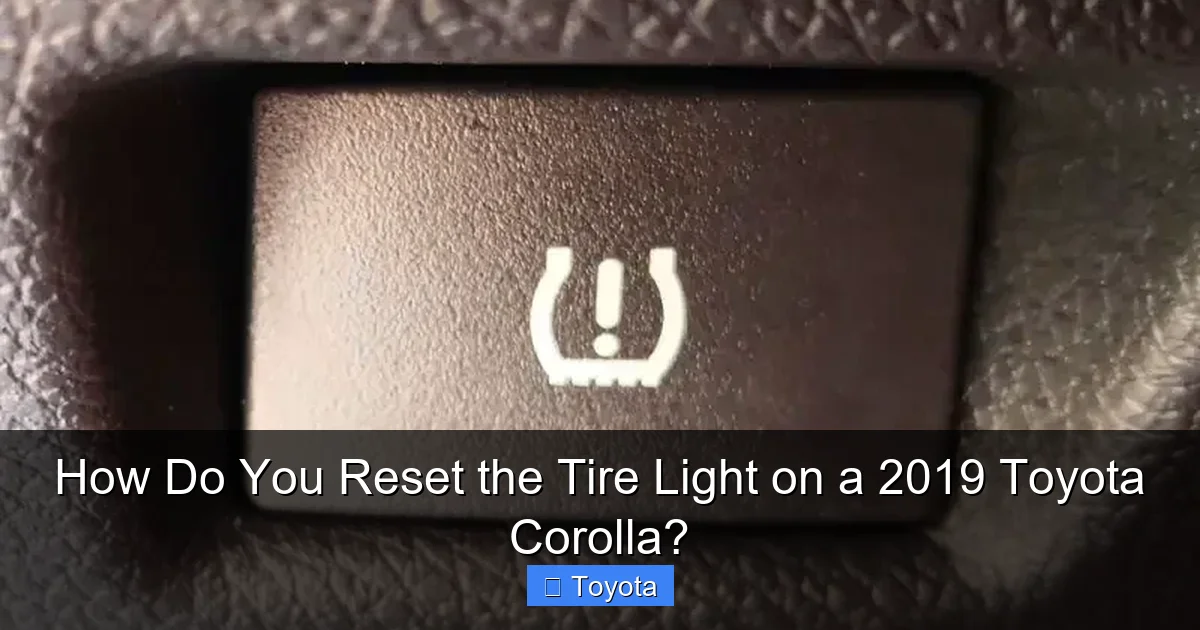
Your 2019 Toyota Corolla is equipped with a sophisticated safety feature called the Tire Pressure Monitoring System, or TPMS. This system constantly monitors the air pressure inside your tires and alerts you via a small yellow icon that looks like a cross-section of a tire with an exclamation point in the center. When this light illuminates on your dashboard, it’s your car’s way of saying, “Hey, pay attention to your tires!” But what does it really mean, and how does it work? Understanding this is the first step to properly addressing it.
The TPMS in your Corolla is a direct system. This means each wheel has a small electronic sensor mounted on the valve stem inside the tire. These sensors measure the actual pressure and temperature inside the tire and transmit that data wirelessly to the car’s computer. If the pressure in any tire drops below a certain threshold—typically 25% below the recommended pressure—the system triggers the warning light. It’s a critical safety feature because under-inflated tires can lead to poor handling, increased stopping distances, overheating, and even blowouts. They also wear out your tread much faster and hurt your fuel economy.
How TPMS Works in the 2019 Corolla
In your 2019 model, the TPMS sensors are powered by small, long-life batteries sealed inside the sensor housing. These batteries are designed to last for many years, often 7-10, but they are not replaceable. When a sensor battery dies, the entire sensor must be replaced, usually by a professional tire technician. The car’s computer, often called the ECU or body control module, receives the signals from all four sensors. It performs a self-check every time you start the car and continuously monitors the data while driving. The system also learns the unique ID of each sensor, so if you rotate your tires, the system may need to be reset to recognize the sensors in their new positions.
Types of TPMS Alerts: Direct vs. Indirect
It’s helpful to know the difference between direct and indirect TPMS. Your Corolla uses the more accurate direct system. An indirect system, used on some older or different brand vehicles, estimates pressure by monitoring the rotational speed of each wheel via the ABS wheel speed sensors. A significantly under-inflated tire has a smaller diameter and thus rotates slightly faster. While clever, this method can be fooled by different tire tread depths or after a tire rotation, which is why the direct system is superior. This also means that when your Corolla’s light comes on, it’s a direct measurement, making it a reliable alert that you should investigate immediately.
Common Reasons Your Tire Pressure Light Activates
Seeing that little tire icon light up can be annoying, but it’s serving an important purpose. It’s not just a random glitch; there’s almost always a reason. Knowing the most common causes helps you diagnose whether a simple reset will suffice or if you need a more serious fix. Let’s explore the usual suspects that trigger the TPMS warning on your 2019 Corolla.
Visual guide about How Do You Reset the Tire Light on a 2019 Toyota Corolla?
Image source: seventrumpet.com
Low Tire Pressure
This is, by far, the number one cause. Tires naturally lose about 1 PSI (pound per square inch) per month due to permeation through the rubber. A slow leak from a nail or puncture will cause a more rapid drop. Cold weather is a major factor; for every 10°F drop in temperature, your tire pressure can decrease by about 1-2 PSI. So, that light coming on in the morning during a cold snap is very common. The solution is to check all four tires (and the spare, if equipped) with an accurate gauge and inflate them to the pressure listed on the sticker inside your driver’s door jamb. Never use the pressure on the tire sidewall—that’s the maximum, not the recommended.
Sensor Malfunction or Battery Failure
As mentioned, each TPMS sensor has its own battery. These batteries are not serviceable. When one dies (a common occurrence after 8-10 years), the sensor stops transmitting. The TPMS control module detects this missing signal and illuminates the warning light, often with a specific code stored. Sometimes, a sensor can also become physically damaged during a tire service, or its valve stem can corrode and leak. In these cases, resetting the light won’t work because the problem is with the sensor hardware itself. A scan tool is needed to identify which sensor has failed.
Recent Tire Service or Rotation
If you’ve recently had your tires rotated, replaced, or patched, the TPMS light might come on. This happens because the system has “learned” which sensor is at which wheel position. When you move the sensors to different wheels, the system gets confused because the sensor ID it expects at the front left is now at the rear right. The light will stay on until you perform a reset procedure, which tells the car to forget the old positions and relearn the new ones. This is a perfectly normal occurrence after any tire service and is easily fixed with the reset process.
Temperature Changes
We touched on this with cold weather, but rapid temperature swings can also cause the light to flicker on and off. If you fill your tires on a warm afternoon and then experience a cold night, the pressure drop might trigger the light. The next warm day, the pressure rises again, and the light might go out on its own. This is the system working as intended, but it can be confusing. It’s always best to adjust pressures when the tires are cold (driven less than 1-2 miles) and set them to the recommended spec. If the light persists after a day or two of stable temperatures, you likely have a genuine leak.
Before You Reset: Essential Checks and Safety Steps
You might be eager to just push that button and make the light go away. But patience is crucial here. Resetting the TPMS light without first addressing the underlying cause is not only ineffective but also dangerous. The light is a critical warning, and masking it without fixing the problem means you could be driving on dangerously under-inflated tires. Before you even think about the reset procedure, you must complete these mandatory checks.
Visual guide about How Do You Reset the Tire Light on a 2019 Toyota Corolla?
Image source: i.ytimg.com
Verify All Tires Meet Manufacturer Pressure Specs
This is non-negotiable. Get a reliable digital tire pressure gauge. Remove the valve cap, press the gauge on firmly, and note the reading. Do this for all four tires and the spare if it’s a full-size, monitored spare. Compare each reading to the Recommended Tire Pressure found on the sticker inside your driver’s door jamb. This sticker will list pressures for the front and rear tires, often at different loads (e.g., “32 PSI” for normal load). Inflate any tire that is below this spec. If a tire is significantly over-inflated (like after a hot day on the road), let some air out to reach the correct pressure. Always adjust pressures when tires are cold for the most accurate reading.
Inspect for Visible Damage or Leaks
While you have the gauge out, give each tire a thorough visual and tactile inspection. Look for:
- Punctures: Nails, screws, or other debris embedded in the tread.
- Cuts or gashes: In the sidewall or tread.
- Bulges or blisters: Signs of internal damage to the tire carcass.
- Valve stem issues: Cracks, cuts, or leaking air when you press the center pin.
- Bead seal problems: Air leaking where the tire meets the rim (you might hear a hissing sound).
If you find any damage, the tire needs professional repair or replacement. Do not attempt to reset the system if a tire is compromised.
Gather Necessary Tools (If Any)
The good news is that resetting the TPMS light on a 2019 Corolla requires no special tools—just your car key and your finger. You don’t need any scan tools for the basic reset procedure. However, if the light won’t reset after following the steps correctly, it likely indicates a failed sensor or a deeper electrical issue. In that case, a professional mechanic will need a TPMS diagnostic tool to read the system codes, test sensor signals, and potentially reprogram the vehicle’s computer to recognize new sensors. For now, you’re ready for the reset.
Step-by-Step: How to Reset the Tire Pressure Light on a 2019 Toyota Corolla
Now that your tires are properly inflated and you’ve confirmed there’s no obvious damage, you can proceed with the reset. The 2019 Toyota Corolla has a dedicated TPMS reset button, making this a simple DIY task you can do from the driver’s seat. The entire process should take less than five minutes. Follow these steps precisely.
Visual guide about How Do You Reset the Tire Light on a 2019 Toyota Corolla?
Image source: tiregrades.com
Method 1: Using the TPMS Reset Button (Standard Procedure)
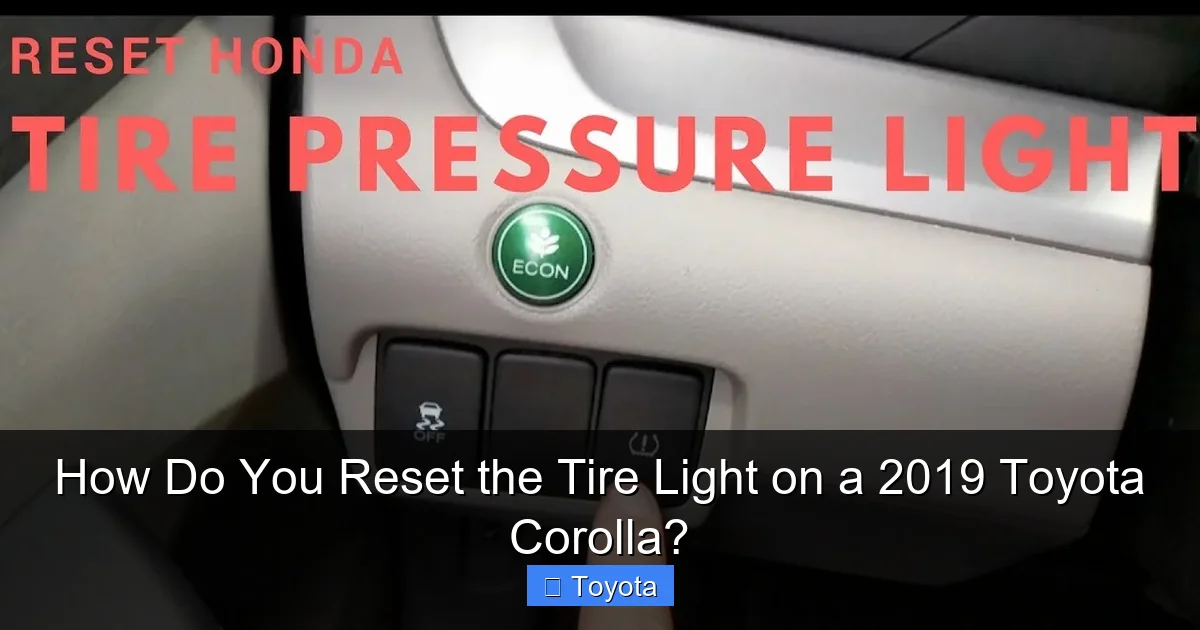
This is the primary and most common method for your vehicle. The reset button is a small, black, usually squarish button located on the lower dashboard area, to the right of the steering column, often near the hood release. It is labeled with the familiar TPMS icon (the cross-section of a tire with an exclamation point) and/or the letters “TPMS.”
- Turn the Ignition to the “ON” Position: Insert your key and turn it to the “ON” or “ACC” position. Do not start the engine. All dashboard lights, including the TPMS light, should illuminate.
- Locate and Press the Reset Button: Find the TPMS reset button. Using a firm, steady pressure, press and hold the button.
- Watch the TPMS Light: After holding the button for about 2-3 seconds, the TPMS warning light on your dashboard will begin to blink slowly. Continue holding the button. Once it blinks three times, you can release the button. The light should then turn off.
- Turn the Ignition Off and Restart: Turn the key back to the “OFF” position. Wait a few seconds, then turn it back to “ON” to verify the light remains off. If it comes back on immediately, the reset was not successful—recheck your tire pressures and try again.
- Drive the Vehicle: This is the critical final step. Start the engine and drive your Corolla at a speed of at least 25 mph (40 km/h) for approximately 10-15 minutes. During this drive, the TPMS sensors will transmit their signals, and the car’s computer will verify that all pressures are within the correct range. The system needs this “relearn” period. After this drive, the light should stay off permanently if the pressures are correct.
Method 2: Through the Multi-Information Display (MID)
Some 2019 Corolla trims, particularly those with a more advanced digital MID, may allow you to access TPMS settings through the steering wheel controls. While the physical button method is standard, it’s worth checking if your car has a menu-based option.
- With the ignition ON, use the buttons on your steering wheel to navigate to the Settings or Vehicle Settings menu on the MID screen.
- Look for an option labeled Tire Pressure or TPMS.
- Select it, and you should see an option to Initialize or Reset the system. Select it and confirm.
- The screen may show a message like “TPMS reset in progress” or the dashboard light will blink. The process is otherwise the same: drive the car afterward to allow the sensors to be relearned.
If you cannot find this menu, your Corolla likely relies solely on the physical button method, which is perfectly reliable.
What to Do After Resetting
Once you’ve completed the reset and driven for 10-15 minutes, the light should be off. Here’s what to do next:
- Double-Check Pressures After Driving: Tires heat up while driving, which increases pressure. It’s normal to see a 3-5 PSI increase from cold to hot. However, if after the drive and a cool-down period, your cold pressures are still significantly low (more than 1-2 PSI below spec), you have a slow leak that needs finding and fixing.
- Monitor the Light: Keep an eye on the dashboard for the next few days. If the light comes back on, it means the pressure has dropped again, indicating a leak or a faulty sensor.
- Reset After Tire Rotation: Remember, any time your tires are rotated or a sensor is replaced, you must perform this reset procedure again. It’s a standard part of the post-service checklist.
Troubleshooting: When the Light Won’t Turn Off or Returns
You followed all the steps: you inflated the tires perfectly, held the reset button until the light blinked, and took your drive. But that stubborn TPMS icon is still glowing, or it came back on the next day. Don’t panic. This is a clear signal that the problem is more complex than low pressure. Let’s diagnose the likely issues.
Possible Sensor Issues
This is the most common culprit when a proper reset fails.
- Dead Sensor Battery: As sensors age, their internal batteries die. The car sees no signal from that wheel and triggers the light. The light may blink for a few seconds on startup before staying solid, or it may be solid immediately. A dead sensor requires replacement.
- Damaged or Corroded Sensor: A sensor can be physically damaged during a tire change, or its valve stem can corrode from exposure to road salt and elements, causing a leak. A leaking sensor will cause low pressure, which you’ll catch in your pre-check, but sometimes the leak is very slow and only detected by the TPMS.
- Sensor Mismatch After Replacement: If a sensor was recently replaced but not properly programmed to the vehicle’s computer, the system won’t recognize it. This requires a professional TPMS tool to program the new sensor’s ID into the car’s memory.
When to Seek Professional Help
If you’ve verified correct pressures, performed the reset correctly, and the light persists, it’s time to call in the pros. A qualified tire shop or mechanic will use a specialized TPMS scan tool to:
- Read the TPMS codes: This will tell them if it’s a specific sensor fault, a communication error, or a system malfunction.
- Test each sensor individually: The tool can activate each sensor and check its signal strength and battery status.
- Inspect for damage: They will remove the tire and inspect the sensor for physical damage or corrosion.
- Perform a relearn procedure: Some vehicles require a more complex, stationary relearn process using the scan tool after sensor replacement or rotation. Your Corolla’s button method is usually sufficient, but a professional tool can ensure it’s done correctly.
Attempting to diagnose faulty sensors without the proper equipment is nearly impossible for a DIYer. If you suspect a sensor issue, budgeting for a sensor replacement (which can cost $50-$150 per wheel for the part, plus labor) is the next step.
Proactive TPMS Maintenance Tips for Long-Term Reliability
Your TPMS is a set-and-forget system in many ways, but a little proactive care can prevent annoying warnings and costly repairs. Here’s how to keep your Corolla’s tire pressure monitoring system happy for the life of the car.
Regular Pressure Checks Are Still Essential
Do not become complacent just because you have a TPMS light. The system only warns you when pressure is 25% low. That’s a significant under-inflation—enough to cause damage. You should manually check your tire pressures at least once a month and before any long trip. Use a high-quality digital gauge. This habit catches slow leaks early, extends tire life, maximizes fuel economy, and ensures safety. The TPMS is a backup warning, not a replacement for regular maintenance.
Be Mindful During Tire Services
Whenever you have tires rotated, balanced, or repaired, remind the technician. They should:
- Inspect the TPMS sensors and valve stems for damage.
- Replace the valve core seal if they break the seal (a good practice).
- After rotating, they should either perform the TPMS reset procedure for you or inform you that it needs to be done. Don’t drive off without confirming the light will be addressed.
- If a sensor is damaged during service, they should replace it and program it to your vehicle.
Winter vs. Summer Considerations
As temperatures plummet in fall and winter, your tire pressures will drop. Make it a habit to check and adjust pressures in the morning during cold snaps. Conversely, in summer, hot roads and high speeds can increase pressures. It’s normal to see pressures rise 3-5 PSI when hot. Do not let air out of hot tires to reach the “cold” spec—wait until they cool. Also, be aware that using aftermarket tire sealants (like “fix-a-flat”) can damage TPMS sensors. If you must use one, have the sensor cleaned or replaced as soon as possible by a professional.
Understanding Sensor Lifespan and Replacement
The batteries in your 2019 Corolla’s TPMS sensors are non-serviceable and are designed to last about 7-10 years. Given the model year, you may be approaching the end of their lifespan. When one fails, it’s often recommended to replace all four at the same time. Why? Because they were likely installed at the factory around the same time, so the others are not far behind. Replacing them in sets ensures you don’t have to deal with multiple failures in quick succession and keeps maintenance predictable. When replacing sensors, insist on ones that are compatible with your Corolla and have them programmed to your vehicle’s VIN by a professional.
Conclusion
Resetting the tire pressure light on your 2019 Toyota Corolla is a simple yet vital maintenance skill. It’s a three-part process: check and correct pressures, perform the reset, and then drive to relearn. Remember, the light is a helpful warning, not an annoyance to be ignored. By understanding your TPMS, performing regular manual pressure checks, and addressing any recurring issues promptly, you ensure your Corolla remains safe, efficient, and ready for the road. If the light refuses to turn off after a correct reset, it’s a sign of a deeper sensor or system problem that requires professional diagnosis. Keeping your tires properly inflated is one of the easiest and most important things you can do for your car’s health and your safety—and now you know exactly how to manage the system that helps you do it.
Frequently Asked Questions
Why does my tire pressure light come on after I’ve already reset it?
If the light returns quickly after a reset, it means the underlying issue wasn’t resolved. This is usually due to a persistent slow leak in a tire, a dead TPMS sensor battery, or a damaged sensor. You must re-check all tire pressures with a gauge and inspect for damage. If pressures are fine, a professional diagnosis is needed to find the faulty sensor.
How long and how fast do I need to drive after resetting the tire light?
You need to drive at a steady speed of at least 25 mph (40 km/h) for about 10 to 15 minutes. This driving time allows the TPMS sensors to transmit their signals and the car’s computer to confirm that all four sensors are reporting pressures within the correct range, completing the relearn process.
Can I just ignore the tire pressure light if it comes on occasionally?
No, you should never ignore it. Driving with significantly under-inflated tires is dangerous, leading to poor handling, increased stopping distances, tire overheating, and potential blowouts. It also causes premature tire wear and reduces fuel efficiency. The light is a critical safety warning that demands immediate attention.
What should I do if the TPMS reset button doesn’t seem to work?
First, double-check that you held the button long enough for the light to blink three times. Ensure all tires are inflated to the exact spec on the door jamb sticker. If the light still won’t reset, it indicates a faulty sensor or a system communication error. You will likely need a professional with a TPMS scan tool to diagnose the specific fault.
Do I need to reset the TPMS after rotating my tires?
Yes, absolutely. Because the system learns which sensor is at which wheel, rotating your tires confuses it. The TPMS light will come on until you perform the reset procedure. This tells the car to forget the old sensor positions and learn the new ones. It’s a standard step after any tire rotation.
Will the TPMS light turn off by itself if the problem is fixed?
Sometimes, if the issue was solely a temporary pressure drop due to cold weather and the pressure subsequently rises on its own (e.g., after driving and warming up), the light may go out. However, this is not guaranteed. For a reliable reset—especially after adding air or after tire service—you should always perform the manual reset procedure to ensure the system acknowledges the corrected condition.
